
 4 hours ago
7
4 hours ago
7
Maxsun isn't that well-known in the U.S, but the China-based company has been around since 2002, and a player in the motherboard game (as well as things like graphics cards and storage) overseas for decades. In that time, it has released some unique motherboard designs, such as the Intel-based iCraft B760M Cross, which features its anime-based brand mascot, Aijia, on the box, with pink and light blue highlights on the white PCB. It was a cool board, but like many of the company's previous samples, it was not without shortcomings.
Today we're testing Maxsun's Terminator B850M Pro II, a budget Micro ATX AM5 board that sports a black aesthetic and is generally well-equipped for a small-form-factor motherboard. You get support for the latest flagship-class processors like the Ryzen 9 9950X3D2 (as well as future AM5 processors), Wi-Fi 7 and 2.5 GbE networking, three M.2 sockets (two PCIe 5.0 x4) and two SATA ports for storage, and room for expansion with two full-length PCIe slots. I would like to see faster USB ports (the fastest is only 10 Gbps) and perhaps a better audio codec, but this board is otherwise comparable to similarly priced B850M options.
The performance portion of our testing went smoothly, but results were average to below average, depending on the test. The Terminator B850M Pro II was competent at gaming and some of the single/lightly threaded tests, mixing in with most other boards, but was slower in heavily multi-threaded tests with our Ryzen 9 9900X.
Below, we’ll examine the B850M Pro II’s performance and other features, although as you have probably guessed from the score above, it won't make it to our list of the
best motherboards. But before we share test results and discuss details, here are the specifications from the Maxsun website:
Specifications of the B850M Pro II
Swipe to scroll horizontally
Socket |
AM5 (LGA 1718) |
Chipset |
B850 |
Form Factor |
Micro ATX |
Voltage Regulator |
15 Phase (12x 50A DrMOS MOSFETs for Vcore) |
Video Ports |
(1) DisplayPort |
USB Ports |
(1) USB 3.2 Gen 2 (10 Gbps) Type-C (4) USB 2.0 (480 Mbps) |
Network Jacks |
(1) 2.5 GbE |
Audio Jacks |
(5) Analog and SPDIF |
Legacy Ports/Jacks |
✗ |
Other Ports/Jack |
✗ |
PCIe x16 |
(2) v5.0 (x16) |
PCIe x8 |
✗ |
PCIe x4 |
✗ |
PCIe x1 |
✗ |
CrossFire/SLI |
✗ |
DIMM Slots |
(4) DDR5-8000(OC), 256GB Capacity |
M.2 Sockets |
(2) PCIe 5.0 x4 (128 Gbps) / PCIe (up to 80mm) |
SATA Ports |
(2) SATA3 6 Gbps |
USB Headers |
(1) USB v3.2 Gen 2 (10 Gbps) Type-C |
Fan/Pump Headers |
(5) 4-Pin (Accepts PWM and DC) |
RGB Headers |
(2) 3-pin ARGB Gen2 headers |
Diagnostics Panel |
(4) Debug LEDs (CPU, VGA, DRAM, BOOT) |
Internal Button/Switch |
✗ |
SATA Controllers |
✗ |
Ethernet Controller(s) |
(1) Realtek 8125 (2.5 GbE) |
Wi-Fi / Bluetooth |
Mediatek MT7925 Wi-Fi 7 - 160 MHz, 6 GHz, BT 5.4 |
USB Controllers |
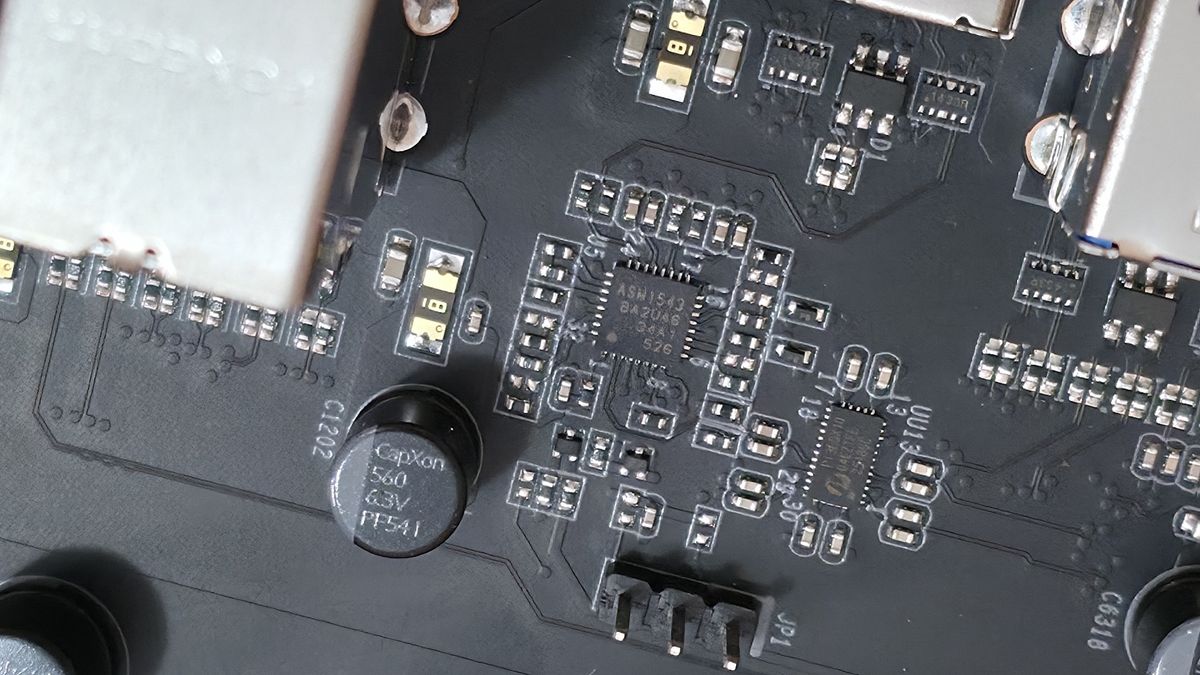
ASMedia ASM1543 (Type-C Mux) |
HD Audio Codec |
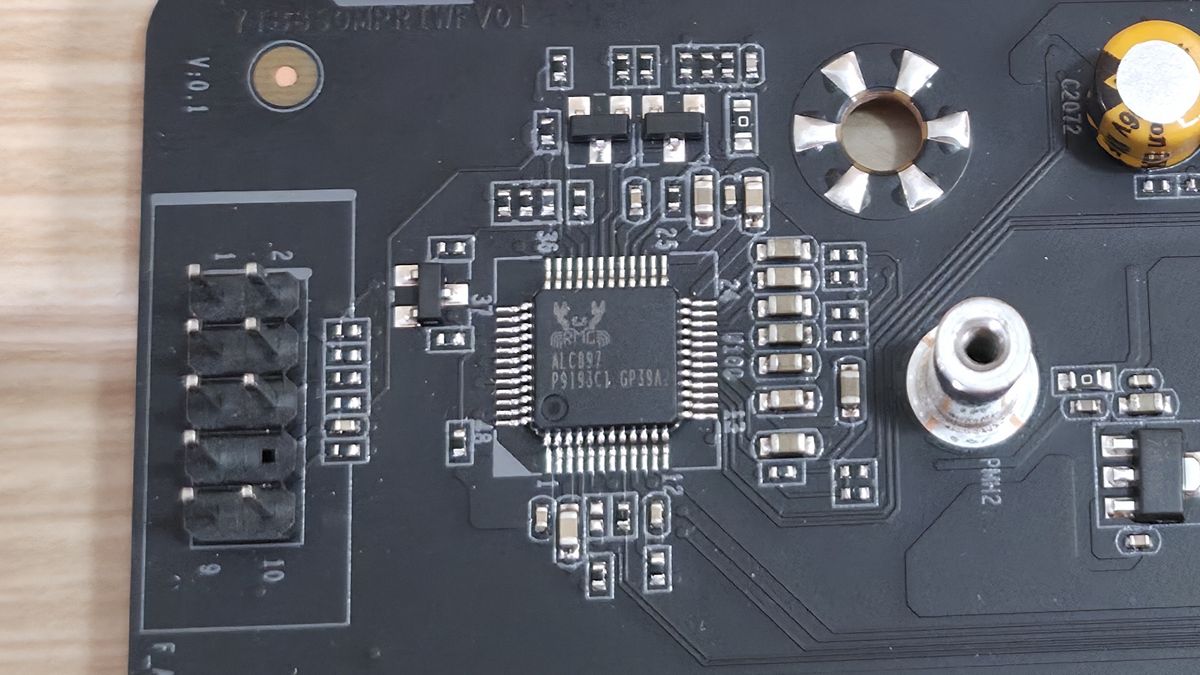
Realtek ALC897 |
DDL/DTS |
✗ / ✗ |
Warranty |
3 Years |
Inside the Box
Inside the box along with the motherboard, the only accessories included are the Wi-Fi antennas, two SATA cables, and a warranty card. That’s it. No stickers, extra thermal pads, nada. It’s paltry by any standard, but it’s still enough to get your SATA-based drives connected and your new PC online.
Latest Videos FromTom's Hardware
Design and Features of the B850M Pro II
Image 1 of 7
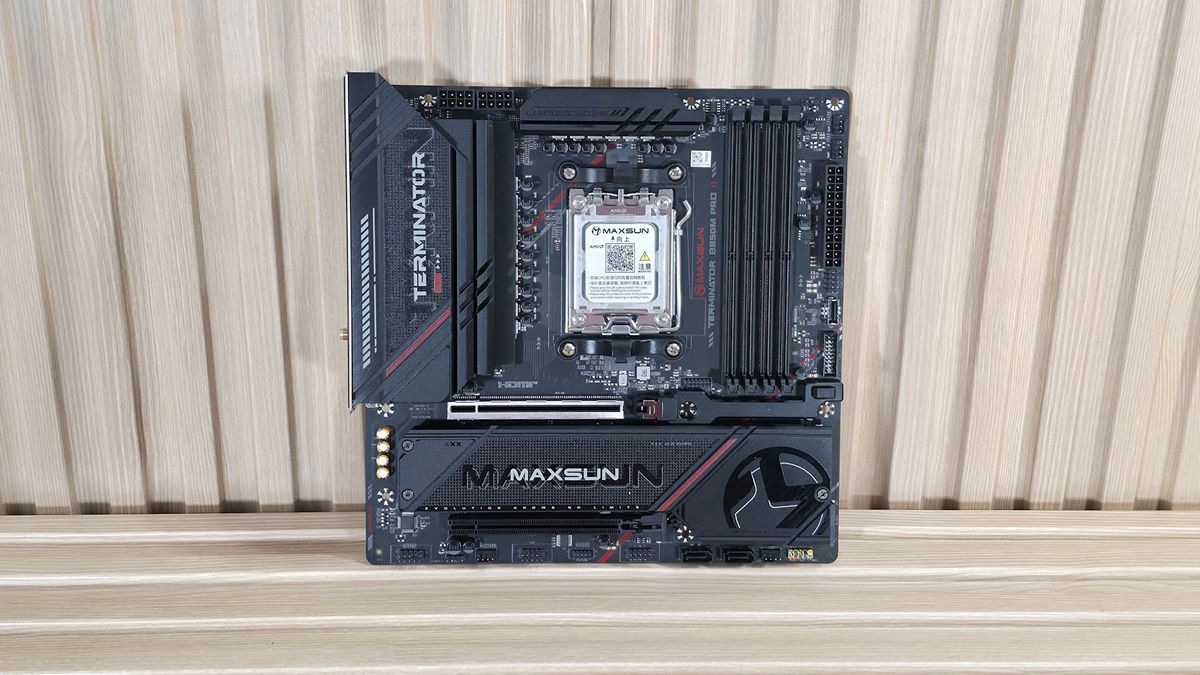
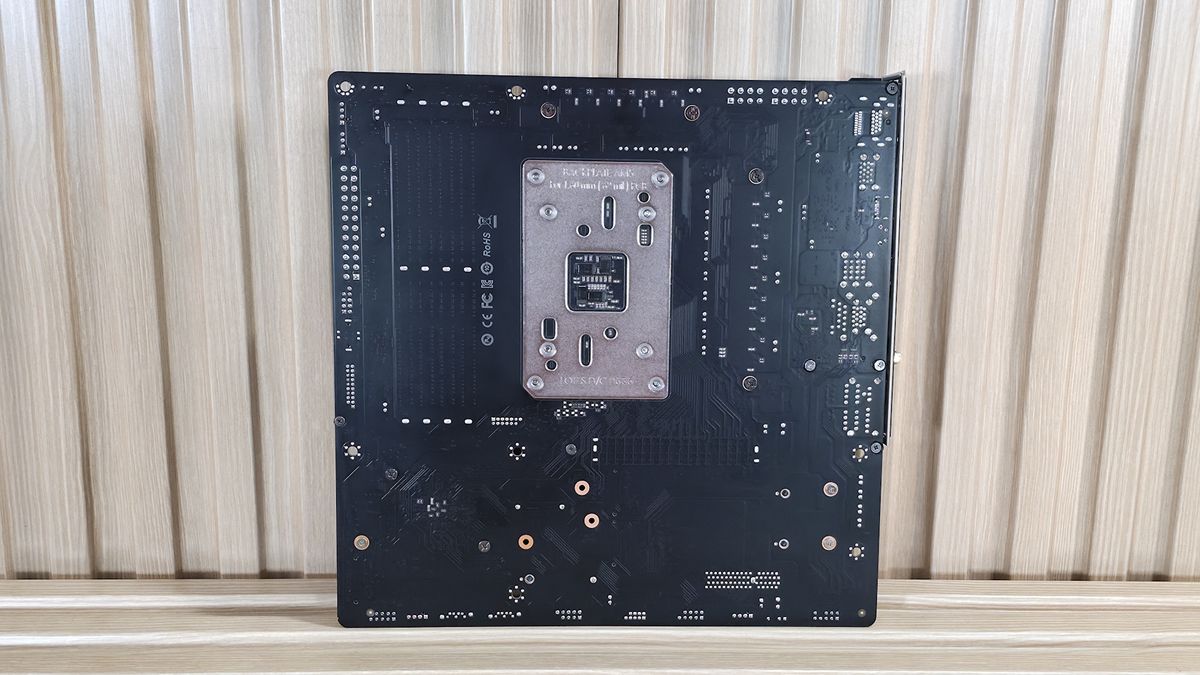
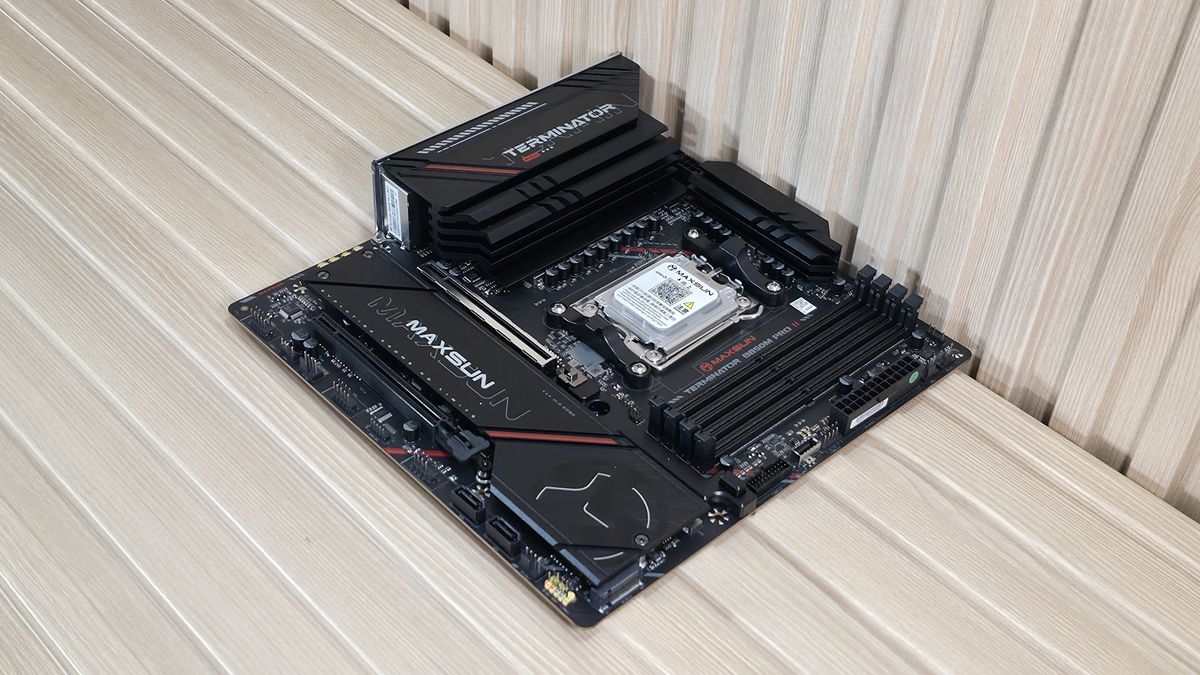
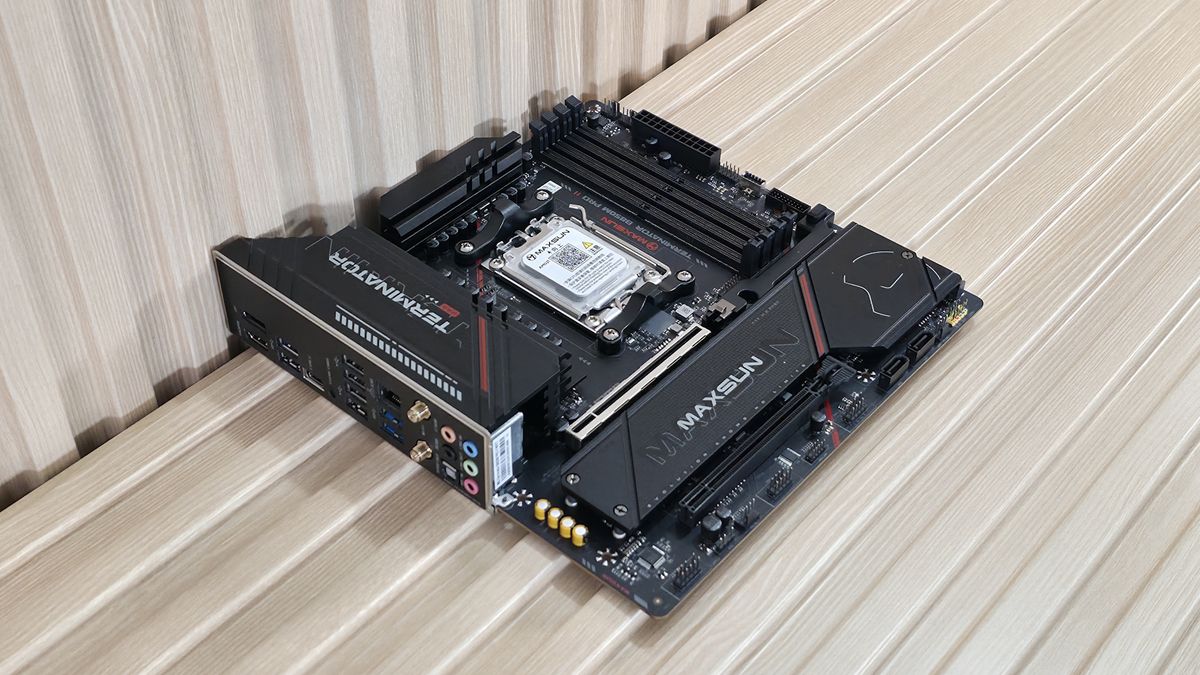
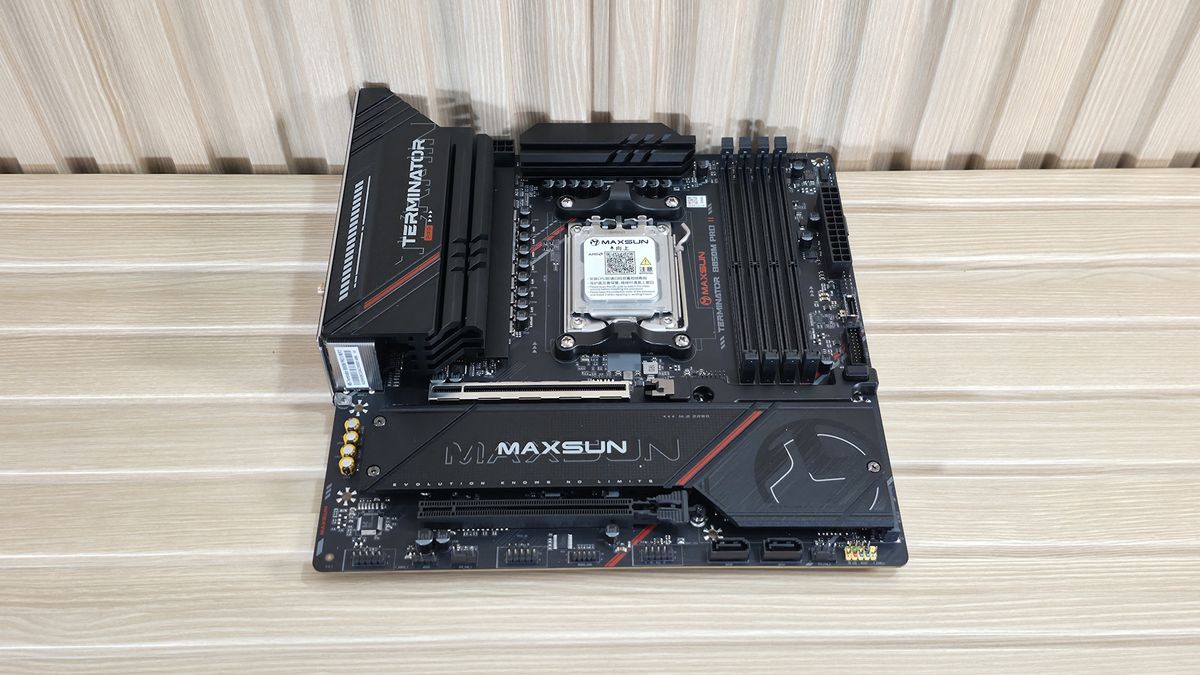
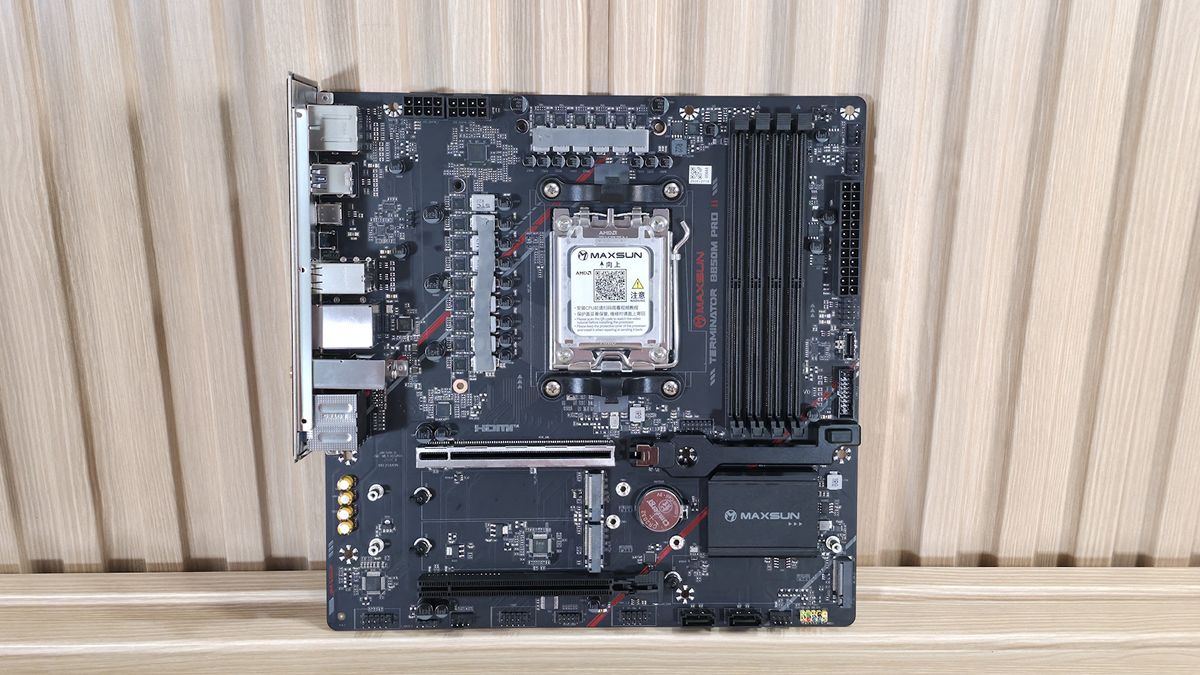
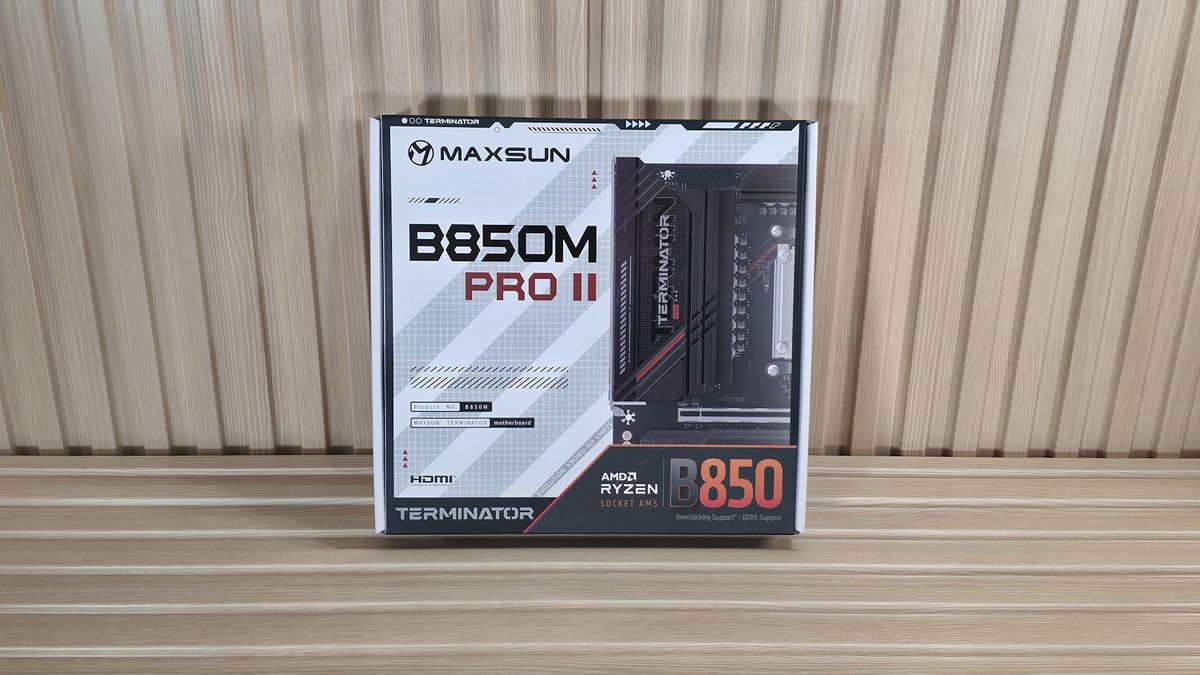
The B850M Pro II uses an 8-layer matte-black PCB, with large heatsinks covering the VRMs, M.2 sockets, and chipset. The black motif is broken up by two crimson lines running diagonally across the heatsinks. You will not find integrated RGB lighting, but can add it using the existing ARGB headers. It’s not an exciting Micro ATX board vying for attention, but does blend in with any black or dark build theme.
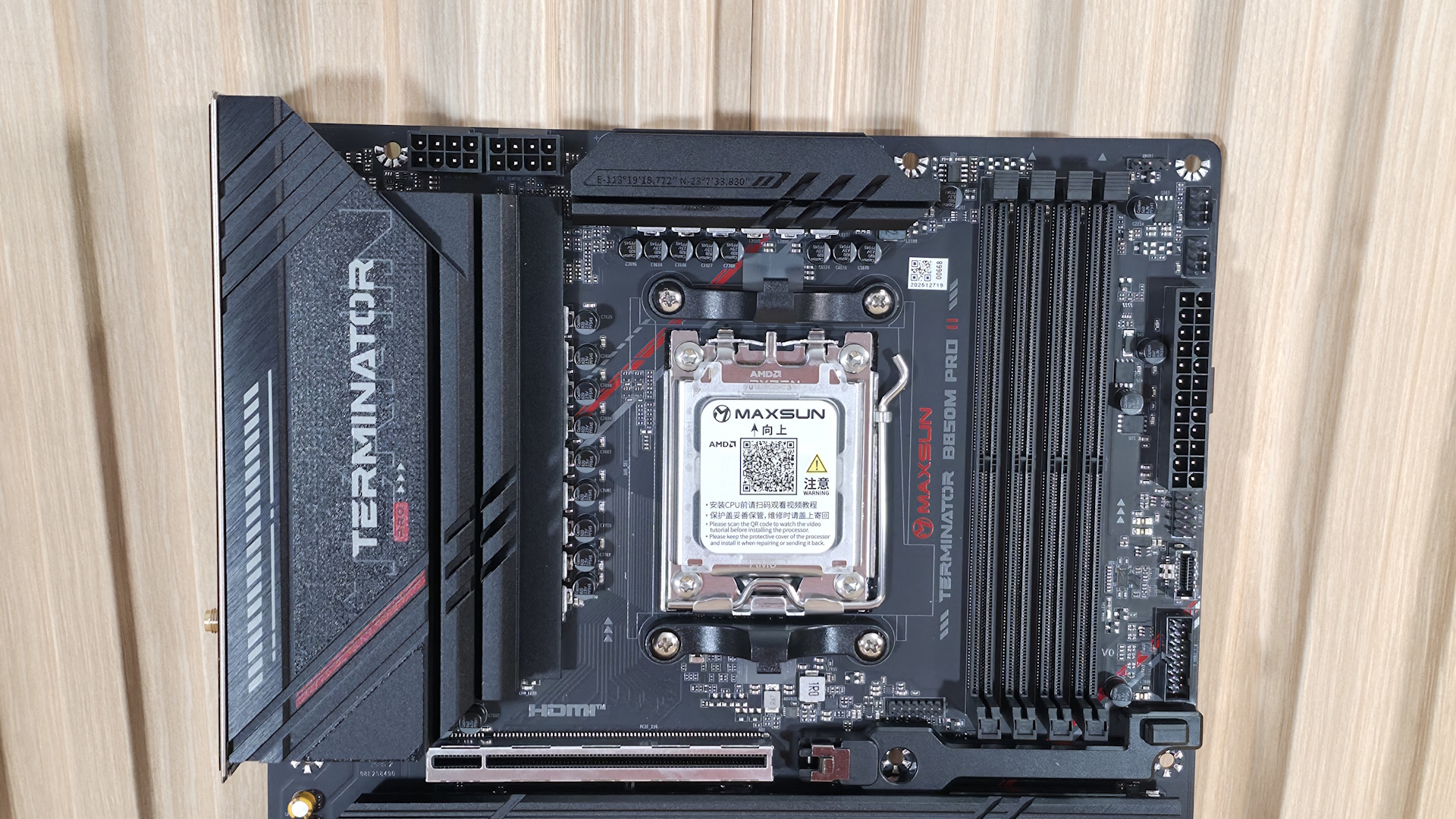
Starting our tour in the top-left corner, we see the two 8-pin EPS connectors (one required between the two separate VRM heatsinks. On the left, we get a better look at the Terminator branding on top of the large heatsink. Nothing extraordinary here.
Moving past the socket area to the right, the next feature we encounter is the four DRAM slots, with the locking mechanism located on top. Maxsun lists support up to DDR5-8000, which is a bit lower than most B850 (and X870) boards, but still well past AMD’s sweet spot (6000-6400 MT/s). We couldn’t get our DDR5-8000 kit to boot, even with the APU, but it’s to be expected as those speeds are right at the limit and our sticks weren’t on the memory QVL. No worries, as our DDR5-6000 and DDR5-7200 kits worked just fine without the help of an APU and its generally superior memory controller.
In the upper-right corner, next we see the first of two 3-pin ARGB headers (the other is along the bottom edge). The Maxsun Sync 2 software controls any attached RGB lighting and gives users your typical fare of pre-programmed lighting and customization (speed, color, etc.). But that’s the only piece of software the company offers for this board.
Moving down the right edge, we run into the first two (of five) 4-pin fan headers. Since we don’t have access to the manual (one wasn't included in the box and we can't find one online), and the specifications on the web page don’t mention it, we’re not sure how much each header supports. We’ve reached out to Maxsun for clarity, but until they respond, assume they support 1A/12W each, which should be enough for multiple fans and an AIO without worry. The BIOS is the only way to control the fan headers. Sadly, Maxsun still doesn’t have a dedicated desktop application for monitoring, overclocking, or fan control. And while there are ways around it, if you want to be in the conversation with ‘the big four’ motherboard brands in the US, having Windows-based software helps.
Continuing along the edge, we run into the 24-pin ATX connector for the board power, and the front-panel USB ports. The first is a USB 2.0 (480 Mbps) header, a USB 3.2 Gen 2 (10 Gbps) Type-C connector, and a 19-pin USB 3.2 Gen 1 (5 Gbps) header. What’s worth noting here is the lack of a 20 Gbps header. And the rear IO’s fastest port is also 10 Gbps. While 20 Gbps ports aren’t common on B850 boards, it would be nice to see at least one.
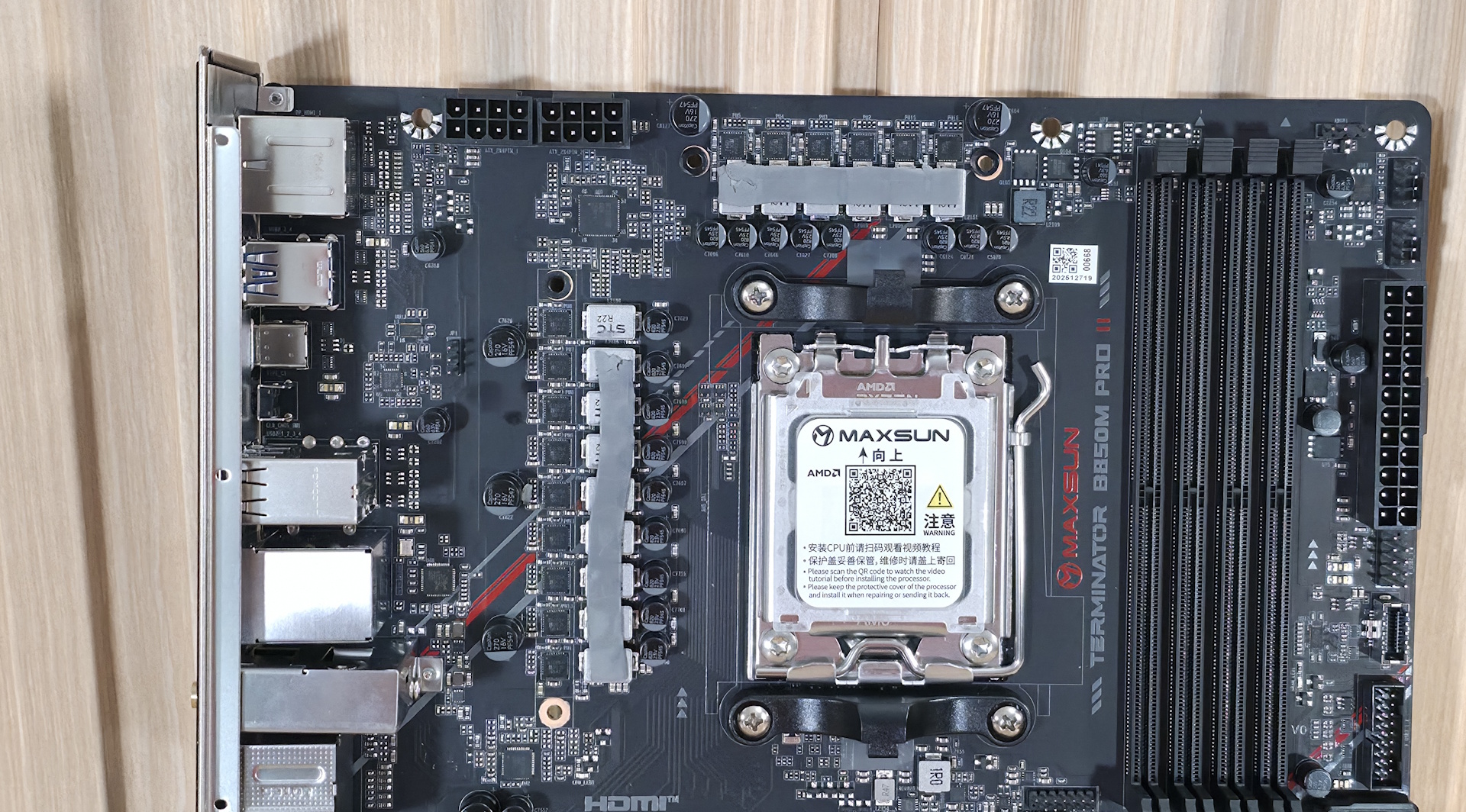
Power delivery on the B850M Pro II is on the light side, sporting a total of 15 phases, with 12 dedicated to Vcore. Power heads from the 8-pin EPS connector(s) and onto the Realtek RT3678BE PWM controller. From there, it moves to the paltry Vishay Sic654 50A DrMOS MOSFETs. The 600 Amps available is relatively low, but Maxsun lists support for up to 300W TDP, which means, in theory, you can toss in a
Ryzen 9 9950Xor the
Ryzen 9 9950X3D2, and still be OK.
If that’s your plan for this board, make sure you have adequate case cooling, especially if you’re pushing the CPU hard for extended periods, as these VRMs will get toasty with a high-wattage processor. If you’d like to know more about VRMs and what you actually need from a motherboard, check out the
Motherboard VRM thermal testingarticle we recently published.
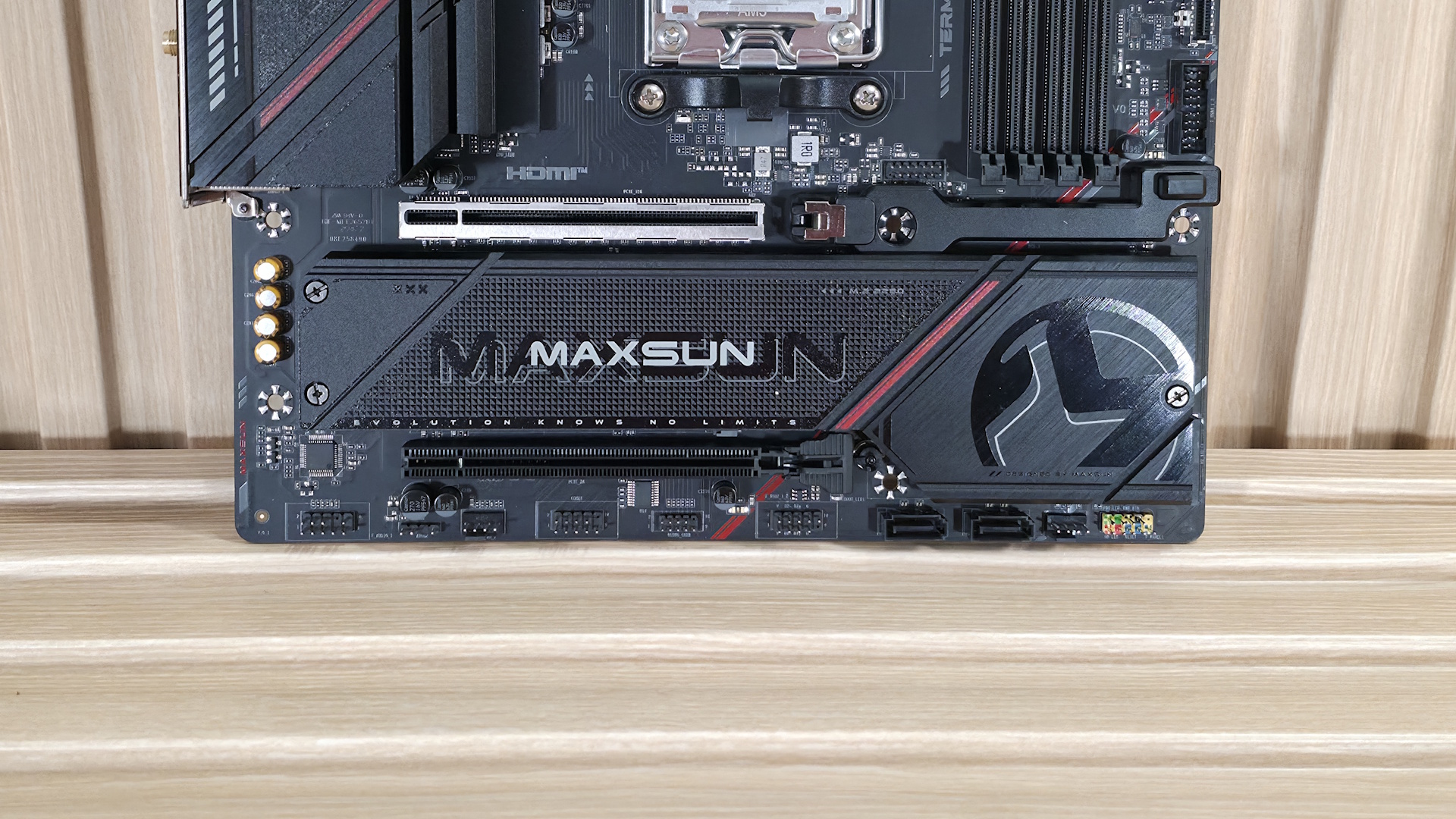
On the bottom half of the board, starting on the left, is the exposed audio section, consisting of the Realtek ALC897 codec and four dedicated audio capacitors above it. The ALC897 is the most basic audio codec on consumer-class motherboards. In fairness, it is commonly used, especially in the Micro ATX form factor. That said, its direct competitors (by price point) use the improved ALC1220 or the latest-gen ALC4080 codecs. And while you’ll be hard-pressed to notice a difference without plugging in some of the
best PC speakers, it’s still a difference among the comparables.
In the middle are two full-length PCIe slots, and under the plate-style heatsink are all three M.2 sockets. Starting with the two PCIe slots, the top slot with the reinforcement is your PCIe 5.0 x16 slot and is primary for graphics. It also uses a quick-release GPU latch for easy removal. Press the button to unlock and remove. Easy. The bottom slot connects via the chipset, supports PCIe 4.0 x4, and is good for expansion cards. You could use it to add faster USB Type-C ports, if needed.
In between the PCIe slots are the three M.2 sockets. The B850M Pro II gives you two PCIe 5.0 x4 (128 Gbps) M.2 sockets (up to 80mm) that source their bandwidth through the CPU, and a single PCIe 4.0 x4 (64 Gbps) socket that also supports up to 80mm devices. Note that when using both PCIe 5.0 M.2 sockets, the primary graphics slot drops to PCIe 5.0 x8. Having all three M.2 sockets under the graphics card with a plate heatsink isn’t ideal, especially if you have one of those PCIe 5.0 drives.
We've also included a few images of the active ICs for the board. This Maxsun uses a mix of Realtek (PWM controller, audio) and Vishay (MOSFETs) branded ICs.
Image 1 of 4
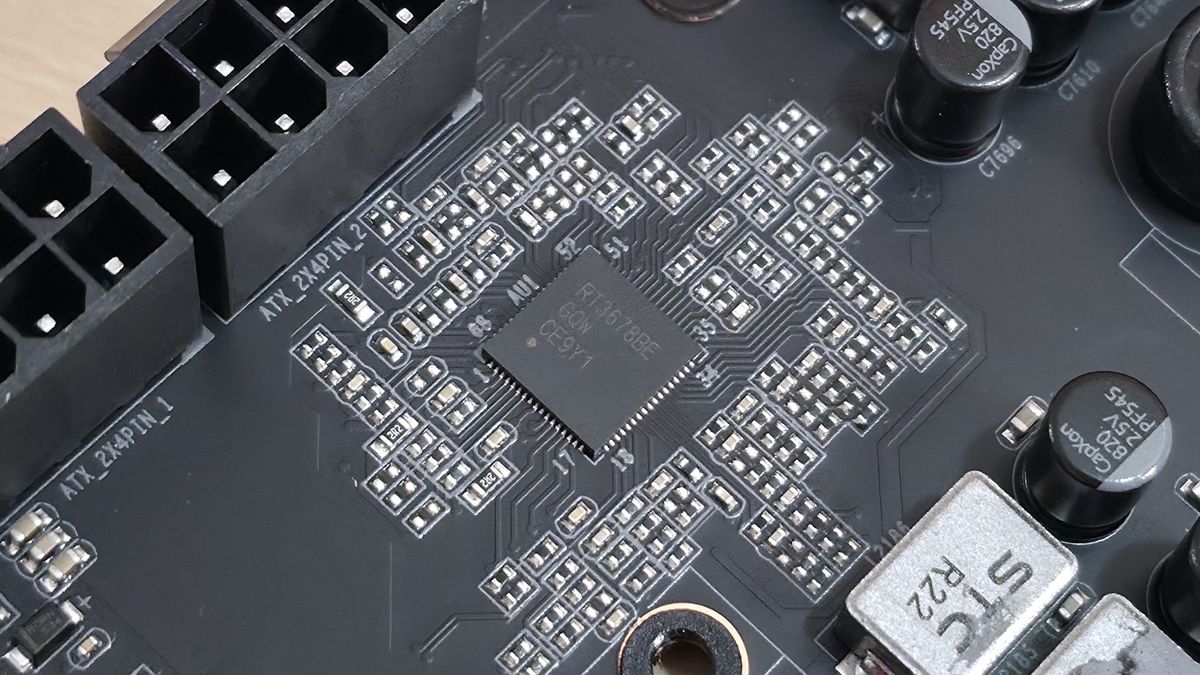
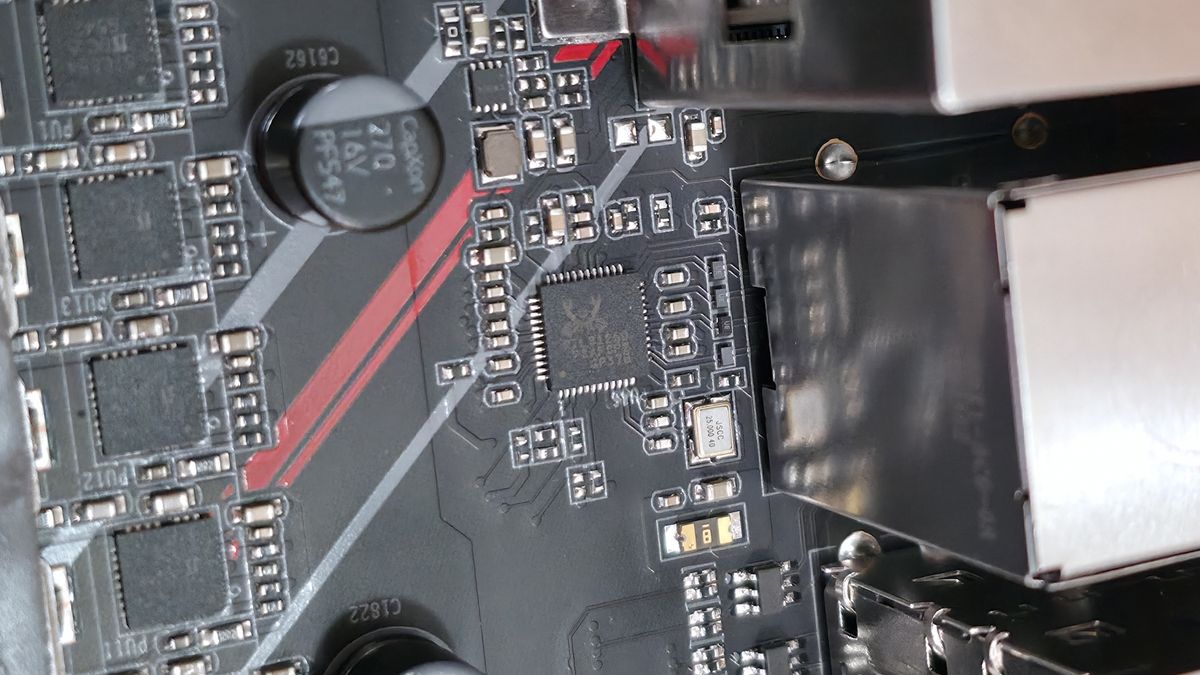
At the bottom are several headers, including front-panel audio and USB ports. A complete list of connectivity is listed below (from L to R):
- Front panel audio
- 3-pin ARGB
- 4-pin fan header
- COM port
- Debug header
- USB 2.0 header
- (2) SATA ports
- 4-pin fan header
- Front panel
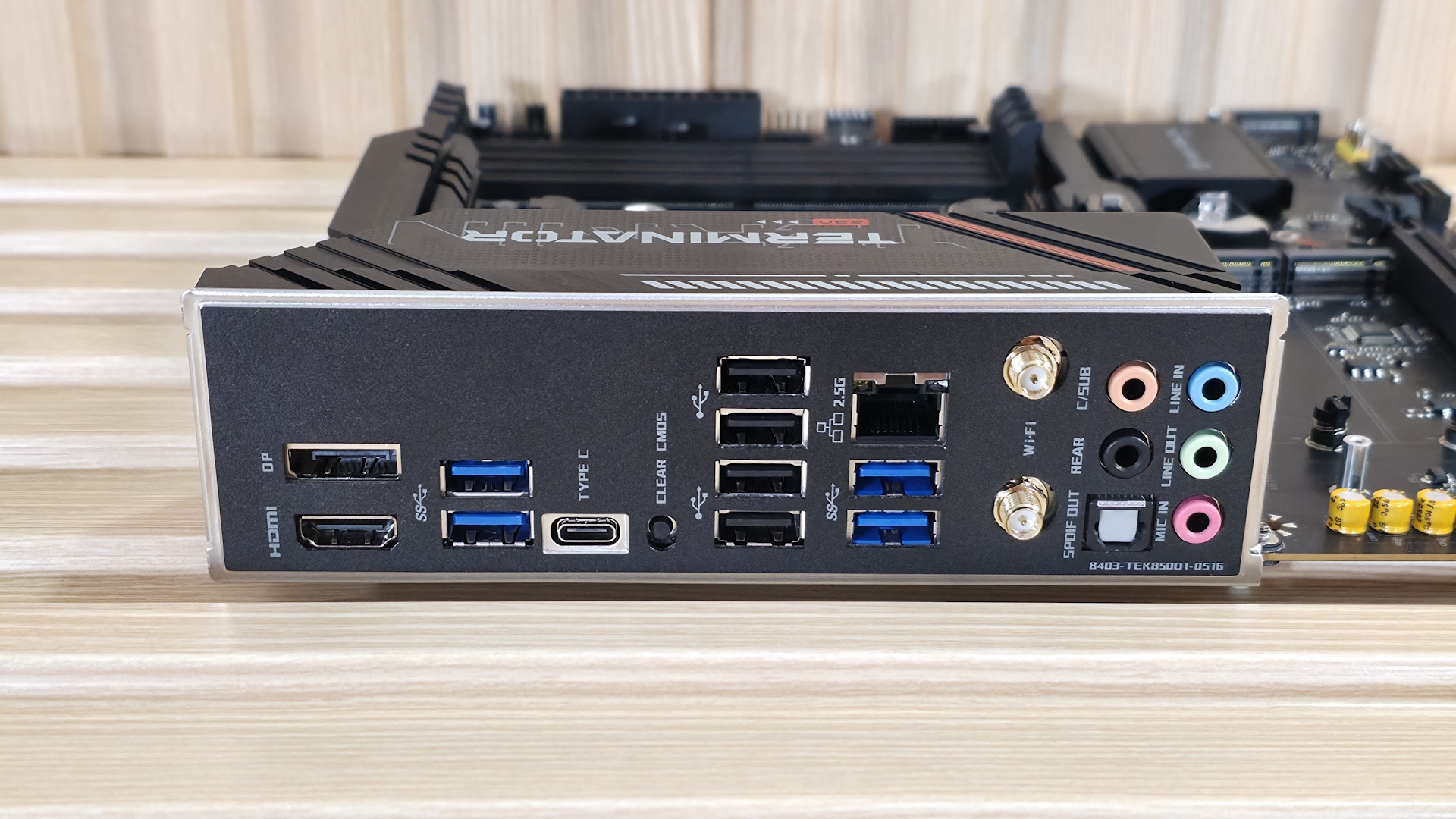
The rear IO on the B850M Pro II generally has what most users need, just perhaps not the fastest or the largest number of ports. Starting on the left, we see the DisplayPort and HDMI (v1.4) video outputs. Next to that are the first two (of four, in blue) USB 3.2 Gen 2 10 Gbps ports, your 10 Gbps Type-C port, and a convenient clear CMOS button. The tall stack of black USB ports is USB 2.0. Above the second set of Gen 2 ports is the Realtek 2.5 GbE port. Next to that is the Mediatek Wi-Fi 7, but note it only uses the 160 Hz frequency and can be slower than the fastest Wi-Fi 7 devices. Last but not least, on the right is a full 5-plug plus SPDIF audio stack.
There’s nothing out of the ordinary here, but I would like to see at least one 20 Gbps port, even on a B850-class Micro ATX motherboard.







 English (US) ·