Whether you're one of the many people who rushed on the
M4 Mac Mini this year or grabbed the
M6 or M5 Pro Mac Mini that released last month, you're bound to eventually want to consider more storage, more ports, or both.
You can't upgrade the storage (it's soldered on the M6, and on M4 you need specialty NAND that will void the warranty and isn't easy to come by), so using external storage is all there is. And while the Mac Mini is fairly generous with five USB-C ports, there are no legacy USB-A ports or an SD Card slot like on the
Mac Studio.
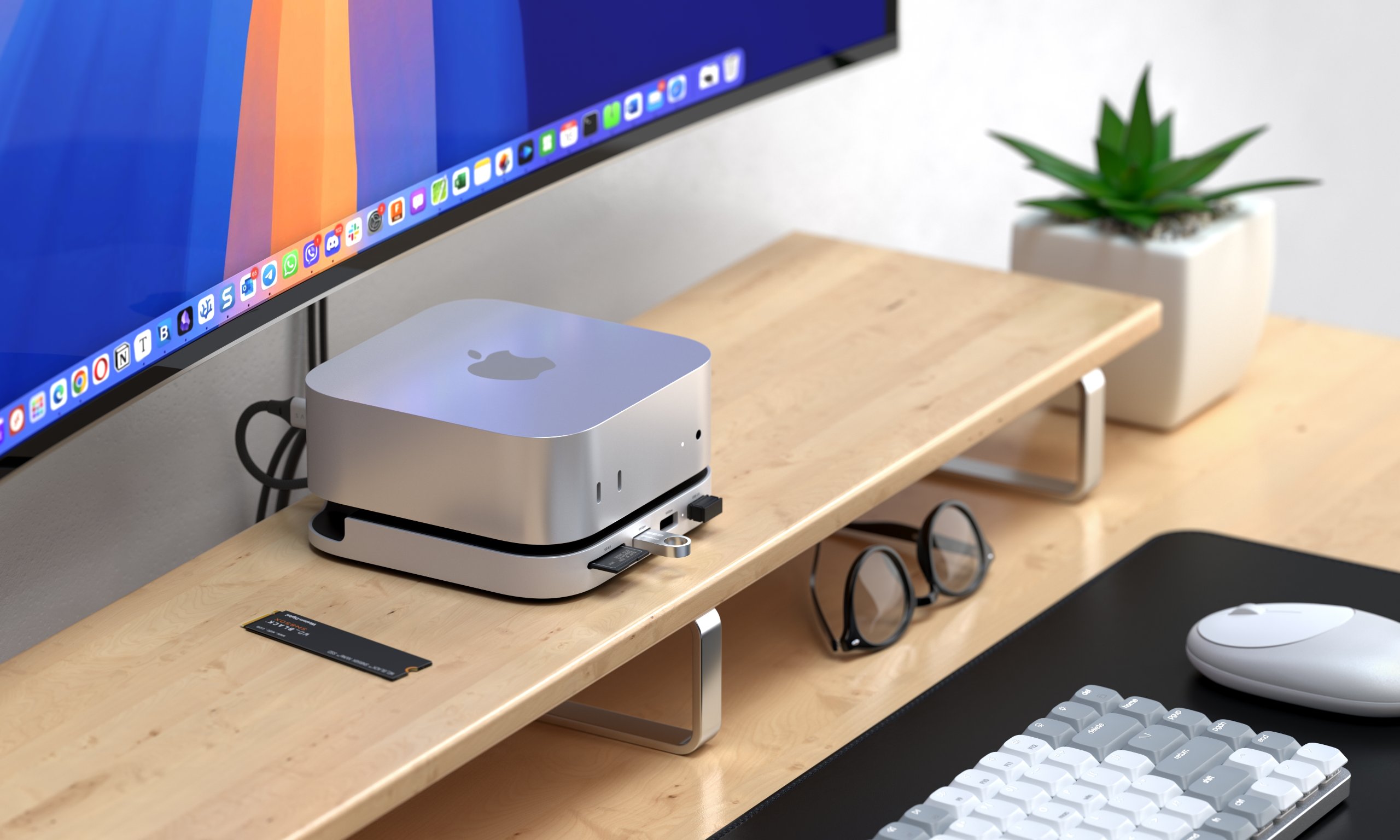
For Prime Day, there are a handful of docks specifically designed for Apple's Mac Mini that will give you more ports, including options with SSD slots to allow for more storage in a compact footprint. Keep in mind these won't work in older Mac Minis, which had a different chassis.
In general, some Mac users love these docks, while others have suggested that placing them underneath a Mini can block the Wi-Fi signal. That's something to consider if you're not plugging into Ethernet.
While there are lots of specialized docks for the Mac Mini, you don't need that. If you're willing to use any standard, rectangular USB-C or Thunderbolt dock, which can offer the same advantages, just not in a bespoke shape.
More Deals
Best Tech and PC deals | Best gaming PC deals | Best RAM combo deals | Best 3D printer deals | Best RAM deals | Best gaming laptop deals | Best monitor deals | Best Wi-Fi Router deals | Best GPU deals | Best SSD deals | Best hard drive HDD deals | Best CPU deals | Best gaming chair deals | Best PC building tool deals | Best PC peripherals deals | Best filament and resin deals | Best motherboard deals | Best CPU cooler deals | Best PC case deals | Best Dell and Alienware deals | Best USB charger deals | Best gaming and productivity laptop deals under $1,000 | Best laptop PC dealsAlso, you can join the Tom's Hardware deals Discord for up-to-the-minute hardware deals.

 3 hours ago
4
3 hours ago
4







 English (US) ·