
 3 weeks ago
16
3 weeks ago
16
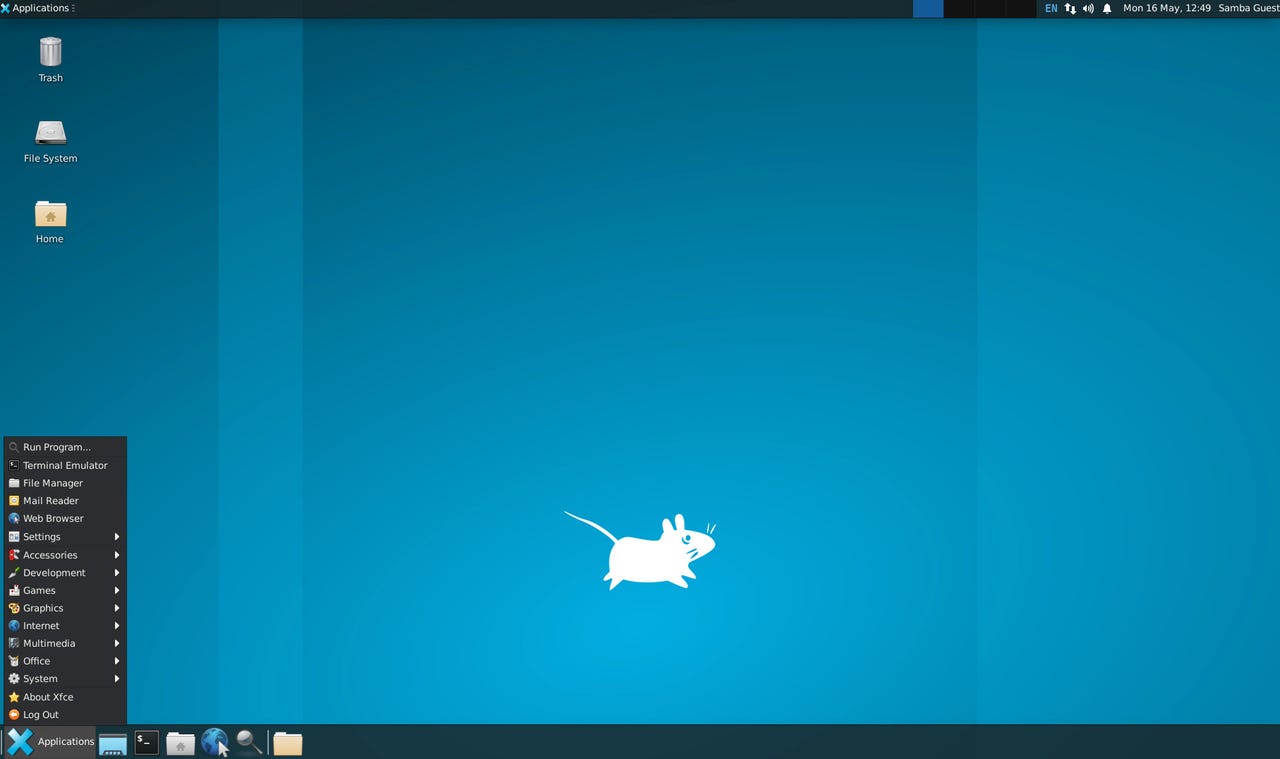
The Xfce desktop with just a couple of tweaks to make it look very familiar.
Follow ZDNET: Add us as a preferred source on Google.
ZDNET's key takeaways
- Lubuntu and Xubuntu are both Ubuntu flavors.
- Both default to a familiar desktop layout.
- One is much more configurable than the other.
There are plenty of Ubuntu flavors. There's Ubuntu Budgie, Ubuntu Unity, Edubuntu, Kubuntu, Ubuntu Cinnamon, Ubuntu Kylin, Ubuntu MATE, Ubuntu Studio, and Ubuntu Studio.
There's also Lubuntu and Xubuntu.
I want to take a look at those last two versions because they both kind of serve the same purpose: a lightweight Linux distribution, based on Ubuntu.
On the surface, they might seem similar, but they are actually quite different.
Let's dive in.
Lubuntu
Lubuntu is the Ubuntu flavor with the LXQt desktop environment. LXQt uses Qt. For those who don't know, Qt is a powerful, cross-platform development framework used for building native-looking GUI applications that run on Linux, Windows, macOS, and Android. Qt has its own IDE (Qt Creator) and extensive tools and libraries for developing, and the apps are capable of using a single codebase across different platforms and even.
Also: 5 lightweight Linux distributions that will bring your old PC back to life
LXQt is a very fast desktop environment that can give older hardware new life. When I say "very fast," I mean it. LXQt is one of the fastest desktop environments you'll use.
One nice aspect of LXQt is that it uses the same kind of desktop metaphor that has been used since the advent of Windows 95: a panel, start menu, system, tray, and clickable icons. Lubuntu was designed to be as simple as possible, while also remaining light, fast, and modern.
Lubuntu is best suited for those who are either migrating from Windows 10 or are simply trying Linux out for the first time and want to install it on a spare machine. That's not to say you can't install this Ubuntu flavor on a new machine, but given how many PCs are out there that won't run Windows 11, this is an obvious path forward.
Lubuntu is a no-frills Linux desktop distribution. However, I will say there are a couple of "frills" that I'm glad the developers retained. Those features are focus follows mouse and window shading.
Focus follows mouse is exactly what it sounds like. When you hover your cursor over a window, it automatically gets focus, so you don't have to click on it first. You can combine that with auto-raise, and your desktop just got a lot more efficient.
Also: Want to save your old computer? Try one of these 8 Linux distros for free
Windows shading is a feature that, when you double-click on a window titlebar, the window "rolls up" (like a shade), so that all you see is the titlebar. This is a great option for multi-tasking (one that I used to use all the time, during my Enlightenment days).
One of the things those who are new to Linux will appreciate about Lubuntu is that it isn't exactly one of the most highly configurable desktop OSes on the market. That lack of customization means the desktop is much simpler than some other options. You won't have to worry about accidentally breaking something because you were poking around in a plethora of options. This is a set-it-and-forget-it desktop environment with the added bonus of being very speedy.
Is Lubuntu right for you?
This is a fairly easy question to answer. If you're looking for a fast, lightweight Linux distribution that will be instantly familiar, easy to understand, and doesn't depend on user customization, Lubuntu might be perfectly suited for your needs. With this distribution, you can revive your aging Windows 10 PC and have it running with the speed and efficiency it hasn't seen in years (if not ever).
Lubuntu is a Linux desktop that doesn't feel like a Linux desktop because it's so basic and easy. That doesn't mean it's not functional, because it very much is. Lubuntu just strips away the complexity to deliver a distribution that anyone can use.
Xubuntu
Xubuntu is another speedy, lightweight Linux distribution. This time around, you get the Xfce desktop environment. Although on the surface, a basic Xfce configuration might resemble LXQt, they are worlds apart.
Like Lubuntu, Xubuntu is perfectly at home on older hardware, and it also performs brilliantly on modern PCs.
What sets Xubuntu and Lubuntu apart is the level of customization. Xfce happens to be one of the most highly customizable desktops on the market. There's almost nothing you can't tweak with Xfce. Although Xfce might look like a simple, straightforward desktop environment, when you start digging into the options, you'll find it can get overwhelming pretty fast.
Because of that reason alone, I don't tend to recommend Xfce to new users. Sure, just about anyone could log into a default Xfce desktop and start using it right away. The problem is when those users start to get curious and poke around the vast array of customizations.
Suffice it to say, you can tweak Xfce into the exact look and feel you want, but it does take some work. If you're willing to put in that work, you'll find Xfce to be an amazing desktop environment. At the same time, you could use the default Xfce layout (which is similar to that of the LXQt layout -- minus the bottom panel) and be done with it. As long as you don't get too curious about the customizations, you'll be just fine.
Out of the box, you'll probably want to add a bottom panel, which is done by clicking the menu button in the upper left corner and then going to Settings > Panel.
One might be so inclined to say that Xubuntu is the Lubuntu flavor that is suitable for all user types. Under normal circumstances, I would be willing to agree with that assessment. However, because Xfce has so many options, some of which could cause issues with less savvy users, I tend to steer Linux newbies away from Xfce.
Is Xubuntu right for you?
Another simple question to answer. If you want a lightning-fast Linux desktop that is highly customizable, works on both older and newer hardware, and can still perform as a full-fledged desktop, Xubuntu is the better choice.
Also: How to choose the right Linux desktop distribution for you
Both distributions benefit from the Hardware Enablement (HWE) kernel, so installing either on modern hardware shouldn't be an issue. For those who are new to Linux, go with Lubuntu. For anyone who's used Linux and wants a desktop that can be and do more, Xubuntu is the best option between the two.





 English (US) ·