

We’re spoiled for high-quality, highly expensive 4K gaming monitors. Every year, QD-OLED screens get a teensy bit better, but there are fewer elements that can set them apart from previous generations. Lenovo’s Legion Pro 27UD-10 is no exception, but that hasn’t stopped it from becoming my favorite gaming monitor I’ve feasted my eyes on all year.
What attracted me to Lenovo’s $800 27-inch, 240Hz QD-OLED monitor was its pursuit of pretty visuals beyond anything else. Lenovo’s displays on its gaming handhelds and gaming laptops tend toward ultra-glossy. It enhances visual quality at the risk of glare and reflections. In the same vein, the Legion Pro 27UD-10 demands a gaming den akin to a dark hole in the ground where you can push this bright OLED as far as it will go.
More than that, the Legion Pro 27UD-10 doesn’t pull any punches. It packs in tons of ports, great viewing angles, and a wide degree of pivot and tilt motion that makes this screen extra versatile. The display itself is super thin and still feels sturdy. But, as gamers, let’s not kid ourselves. The Legion Pro 27UD-10 is also a little boring, with no extra flashy RGB lights and not even a built-in speaker. If you can live with boring, the rest of the features on the 27-inch gaming monitor more than make up for it.
Lenovo Legion Pro 27UD-10 Gaming Monitor
Lenovo's 27-inch gaming montitor is bright, shiny, and has the kind of versatility many similar monitors lack.
- High brightness with Dolby Vision support
- Great contrast
- Versatile stand
- 90-degree rotation for vertical screen
- Solid port selection
- Awkward plastic phone holder
- No headphone jack or speakers
- Glossy screen can cause reflections
Versatile and still super thin
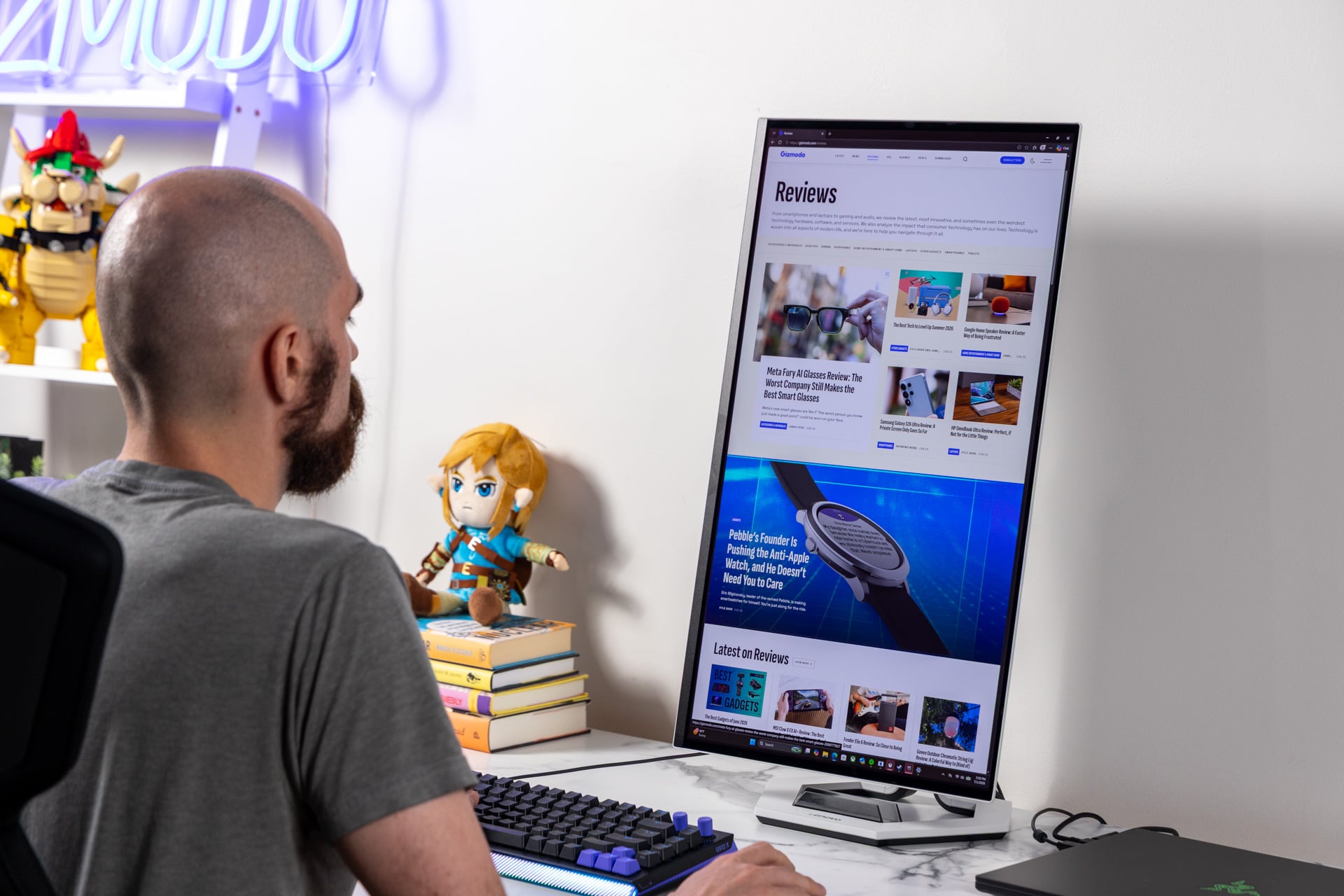 Multi-monitor setups can certainly use a screen that can go horizontal and vertical. © Raymond Wong / Gizmodo
Unlike Asus ROG’s recent Swift OLED (PG32UCDM) monitor, the Legion Pro 27UD-10 isn’t thrown haphazardly into a cheap box full of thin recycled cardboard that will rip apart. It’s still not the easiest monitor to install in this day and age. Unlike some desk-based ones that use mounts that latch into the main monitor unit, the Legion Pro 27UD-10 uses four screws you’ll need to tighten before you remove the screen from the box.
Once it’s on your desk, the white and black monitor stands tall and seems that much more eye-catching with its hollow, hexagonal base. It is also extremely thin, with surrounding screen bezels, though that extends to a large backplate that will have your display sit proud against a wall if you ever decide to mount it.
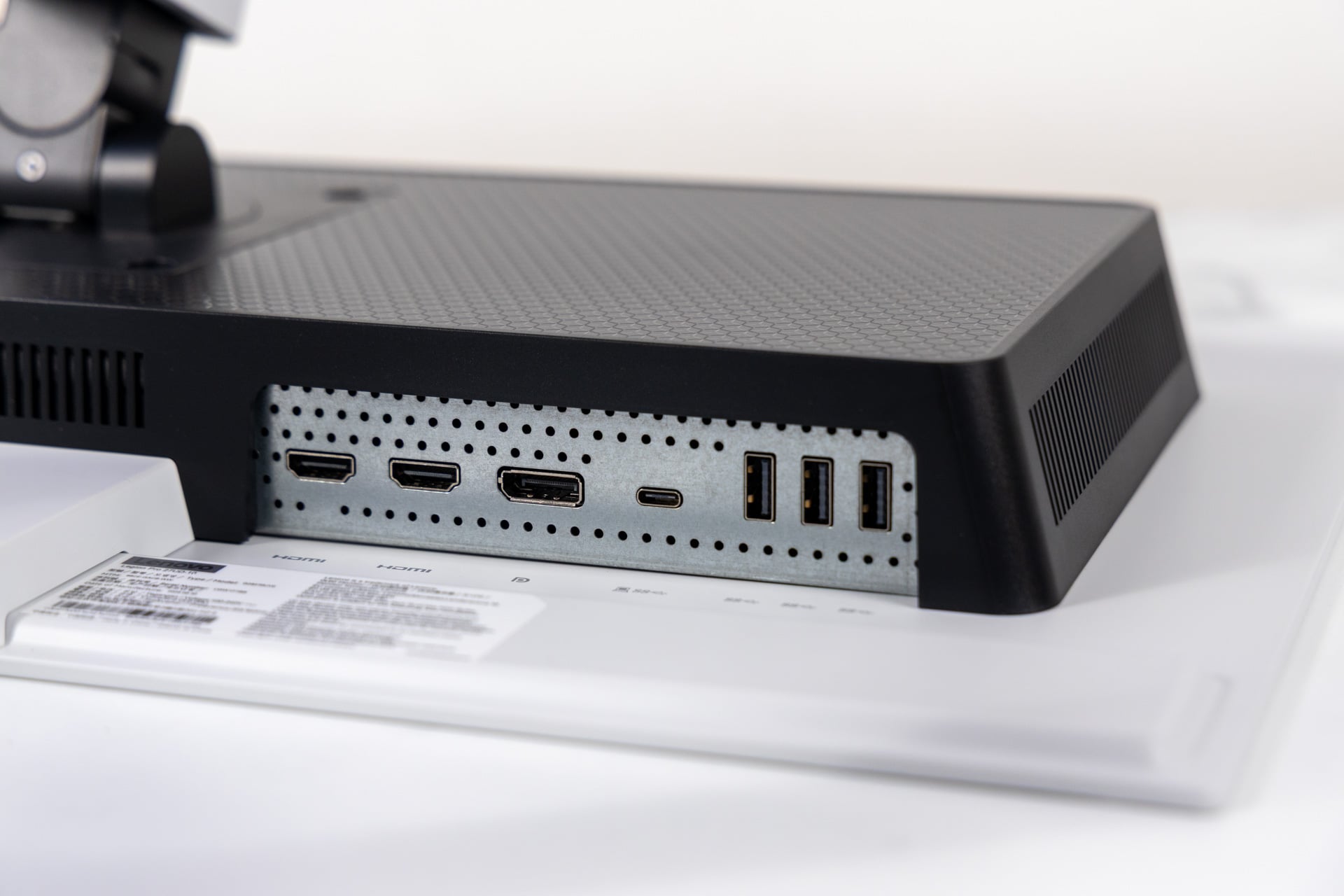 The Legion Pro 27UD-10 is just missing a headphone jack. © Raymond Wong / Gizmodo
Without any RGB light accents, Lenovo’s one element of flair is a plastic phone holder stuck into the base itself. The smoky-colored plastic will block a part of your phone screen if it’s placed horizontally. Because it’s embedded, you can’t remove it if you grow tired of staring at it.
Thankfully, the monitor itself is much, much more versatile than the phone holder. You can angle the screen in practically any way you could think of, with a -5-degree to 22-degree tilt and a 45-degree swivel in either direction. You can also fully rotate the monitor 90 degrees if you’re looking for a vertical screen.
The total height you can raise the monitor is 135mm, or just over five inches. That’s actually more than you may think. That ROG Swift OLED I mentioned before could only raise or lower by around three inches.
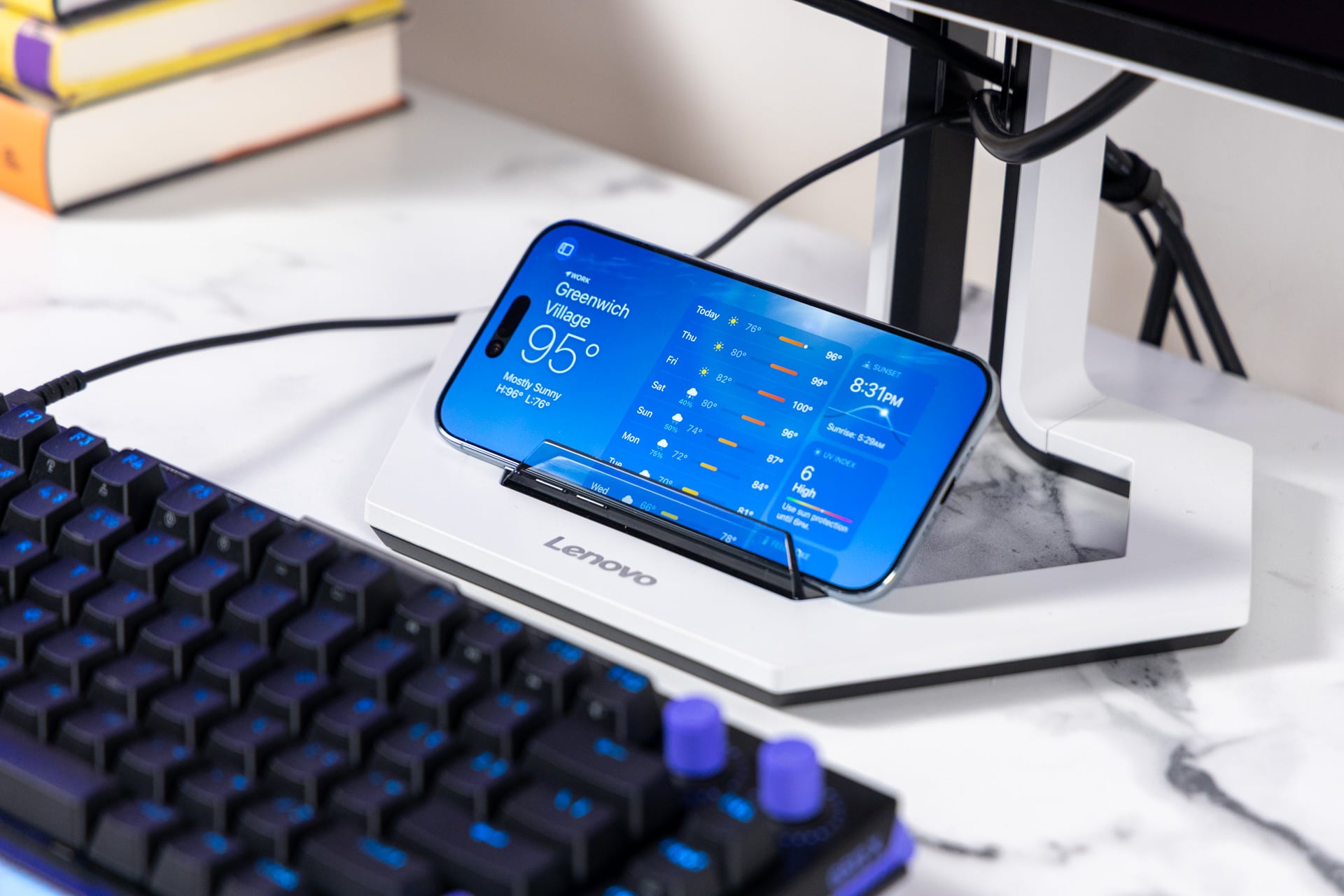 The phone holder can potentially be handy, but I still wish you could remove it. © Raymond Wong / Gizmodo
If you tend to raise your monitor to max height, you may want to find another way to manage your cables. Moving the Legion Pro 27UD-10 as high as it will go also reveals the bracket that helps keep your cables all in one place. That small design oversight can make your desk setup look uglier than it has to.
The Legion Pro 27UD-10 is additionally capable thanks to a few extra ports beyond the two HDMI 2.1 and single DisplayPort 1.4. The monitor contains three USB-A ports and another USB-C port. That USB-C can support up to 15W of passthrough power delivery and still work as a connected display. I could get an M5 Max MacBook Pro connected and running at up to a 120Hz refresh rate through the USB-C alone. If this were to be a truly premium monitor, the only I/O it’s missing is a headphone jack, an extra DisplayPort, or, if I’m feeling extra spicy, an ethernet port.
A seriously bright QD-OLED
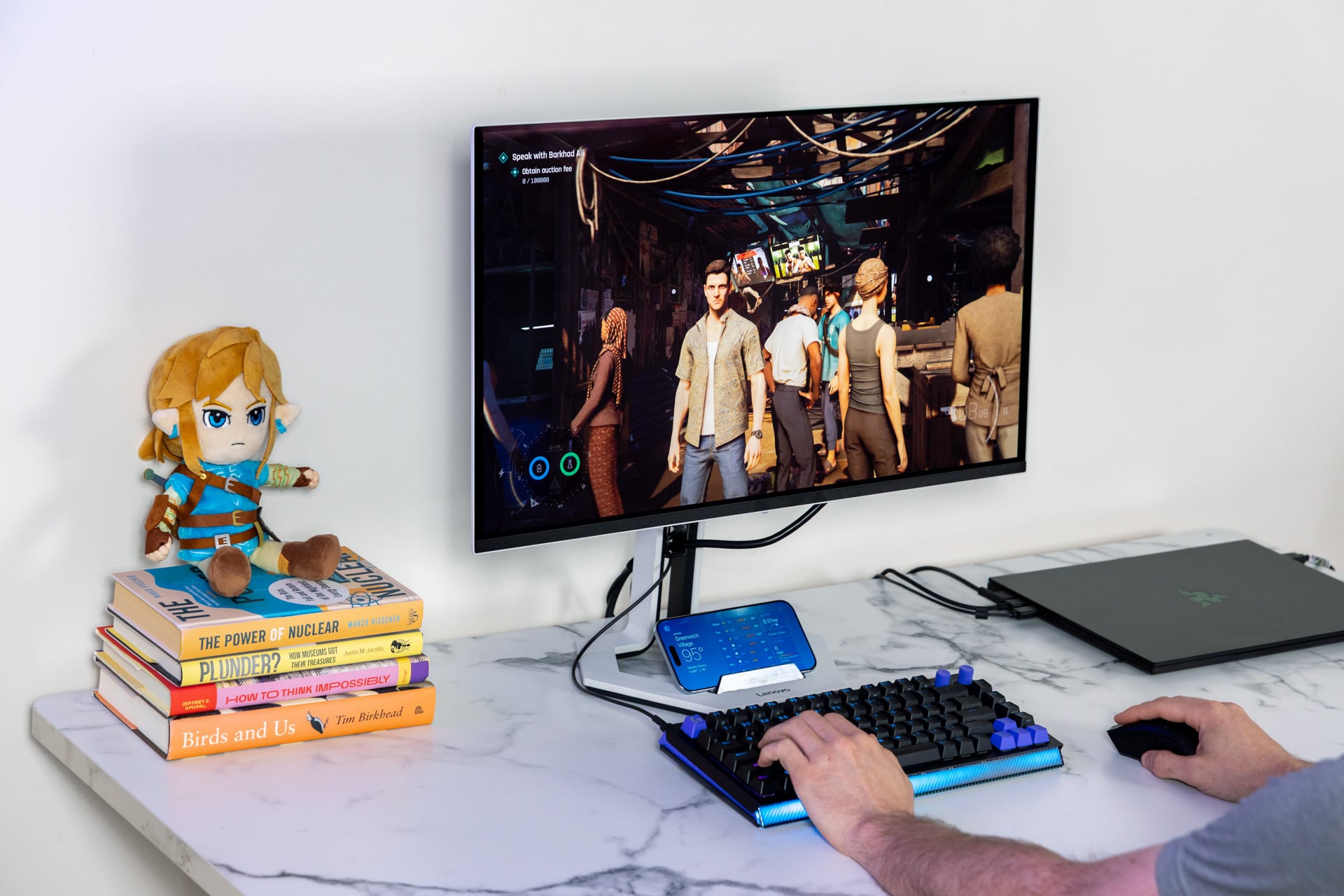 If you’re looking for a gaming monitor that makes your content look good, this is it. © Raymond Wong / Gizmodo
The gaming monitor is stacked with display technology you may have heard in passing but never bothered to dig into, like Samsung’s QD-OLED Penta Tandem technology. A regular OLED display is made up of thousands of tiny self-emissive diodes, which means they are capable of near-infinite contrast thanks to the lack of backlight. A single layer of OLED is not that bright, so to enhance luminance, Samsung is pushing five layers of OLED to boost overall luminance.
Penta-tandem monitors are technically capable of reaching a peak brightness of 1,300 nits in HDR, which is certainly bright enough for gaming at night or day. Lenovo says the screen is VESA Certified DisplayHDR True Black 400, meaning it has a strong picture quality for high dynamic range (HDR) content. The monitor is also compatible with Dolby Vision, though not other standards like Samsung’s HDR10+.
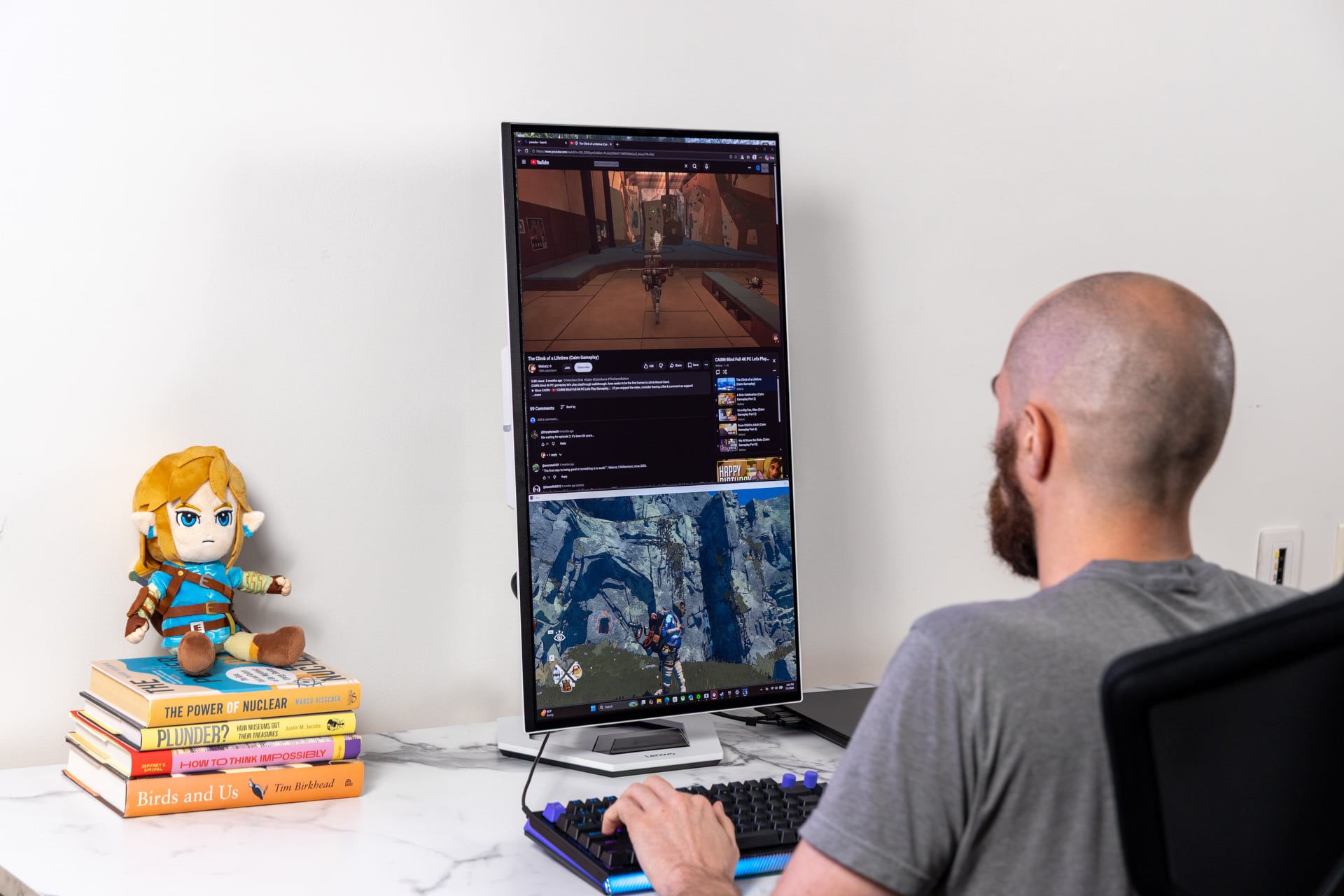 I don’t suggest you actually play your games like this, but having access to a vertical mode is certainly handy. © Raymond Wong / Gizmodo
The “QD” in the name stands for “quantum dots,” which are yet another layer of minuscule semiconductor nanocrystals that boost colors better than OLED can on its own. It all combines into an image that, at times, can seem all the more spectacular in the kinds of games that emphasize colors and contrast.
The Legion Pro 27UD-10 sits at 166 PPI, or pixels per inch, which is what we’ve come to expect for a screen of this size at 4K. In a game like Cairn, the monitor helps bring out the cell-shaded graphics with such definitions between the dark and lighter parts of the screen. Games running at 4K look extra crisp, though you’ll naturally get more out of QD-OLED with more stylish titles, like Lego Batman: Legacy of the Dark Knight or Kiln. Still, in a game like 007 First Light, the extra emphasis on contrast can make the game feel extra moody, especially in areas that play with light, such as in the “A Knight Out” nightclub level early on.
You also need to remember which games actually support HDR and that few support Dolby Vision. If you enable HDR in some games, you may just end up dimming the display and losing out on some of that fabled contrast you’ve been jonesing for.
The other sticking point with any 240Hz monitor is whether you’ll ever actually see any game running that fast and still maintain a game’s premium visual quality. The monitor supports variable refresh rates with support for AMD FreeSync.
All that, plus a mirror-like sheen
 Damn, that’s thin. © Raymond Wong / Gizmodo
OLEDs demand more care and attention than a traditional LCD, and QD-OLED even more so. Quantum dot displays have some issues where lights shining on the screen can give off a reddish glow. However, even with a studio light shining at max intensity at the display, I wasn’t so disturbed by the purple tone that infected the screen. In most ambient light setups, I didn’t notice any issues.
As for other screen issues, you’ll mostly notice the glossy display’s reflective nature if you tend to game near a window. The Legion Pro 27UD-10 doesn’t come with any stated variety of anti-glare or anti-reflective coating. Gizmodo’s office setup sits right next to several floor-to-ceiling windows, and with the right angle I could catch glimpses of my office surroundings or even my own head when the monitor was displaying its deep blacks.
Glare and reflectivity may limit some desk setups more than others. The high brightness value would indicate it would be better for environments with a lot of ambient light, but its main use with this monitor is to enhance HDR content more than anything.
Boring and basic may be all you need
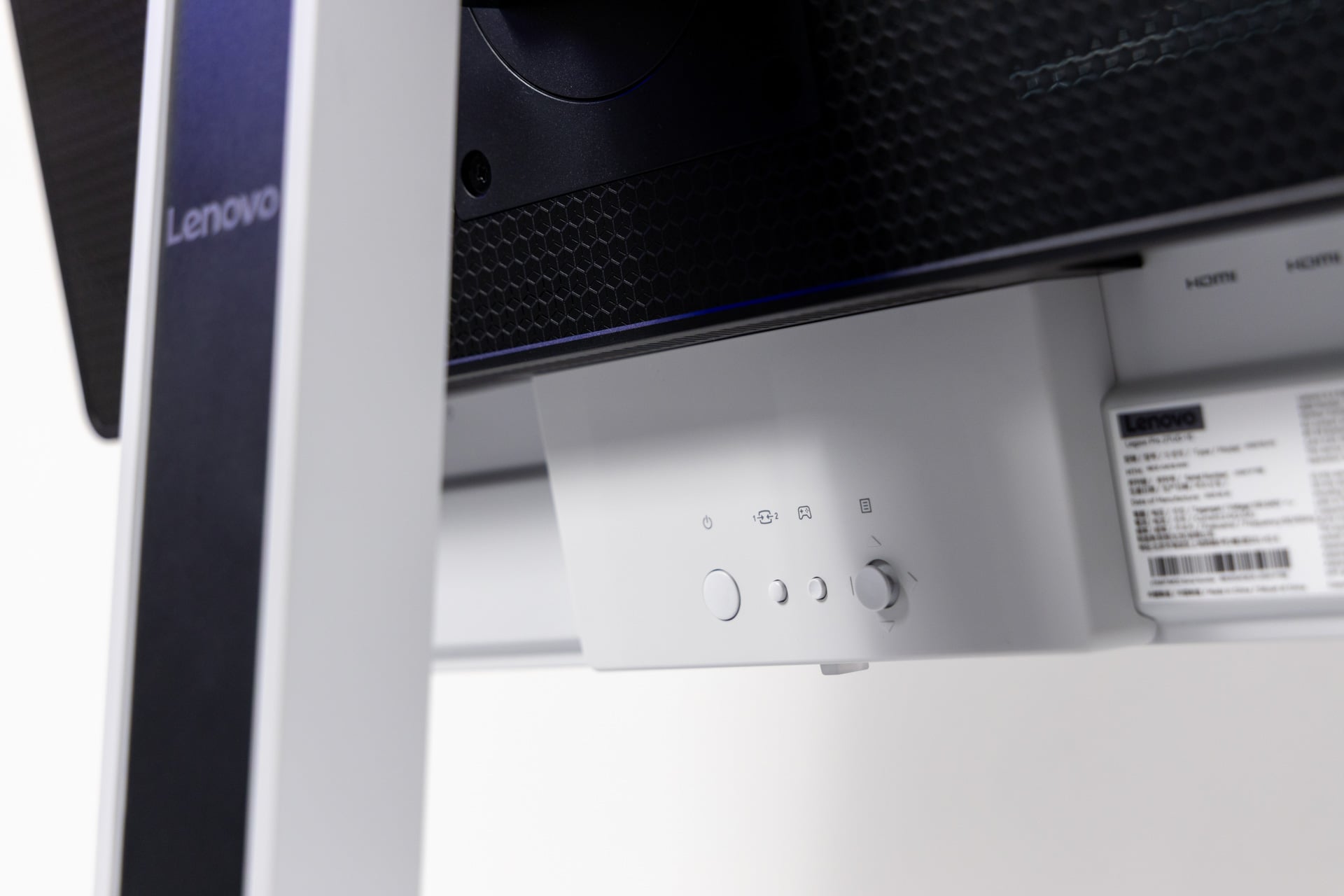 It has all the basic controls you’ve come to expect from a modern gaming monitor. © Raymond Wong / Gizmodo
So you’re not keen on the $800 price tag? Alternatives abound. The Alienware AW2725Q 4K QD-OLED monitor that I reviewed last year started at $1,000, but now you can nab it for $650 directly from Dell. That monitor won’t be able to hit the peak brightness spec of Lenovo’s display, but it will serve your dim gaming den fairly well.
Lenovo’s Legion Pro monitor doesn’t do anything particularly special. It doesn’t have to. It’s simply a great screen that’s surprisingly low-key compared to the host of overtly gamer-fueled gaming monitors. Boring be damned, this may be the low-key flat screen for me.






 English (US) ·