
 5 hours ago
7
5 hours ago
7
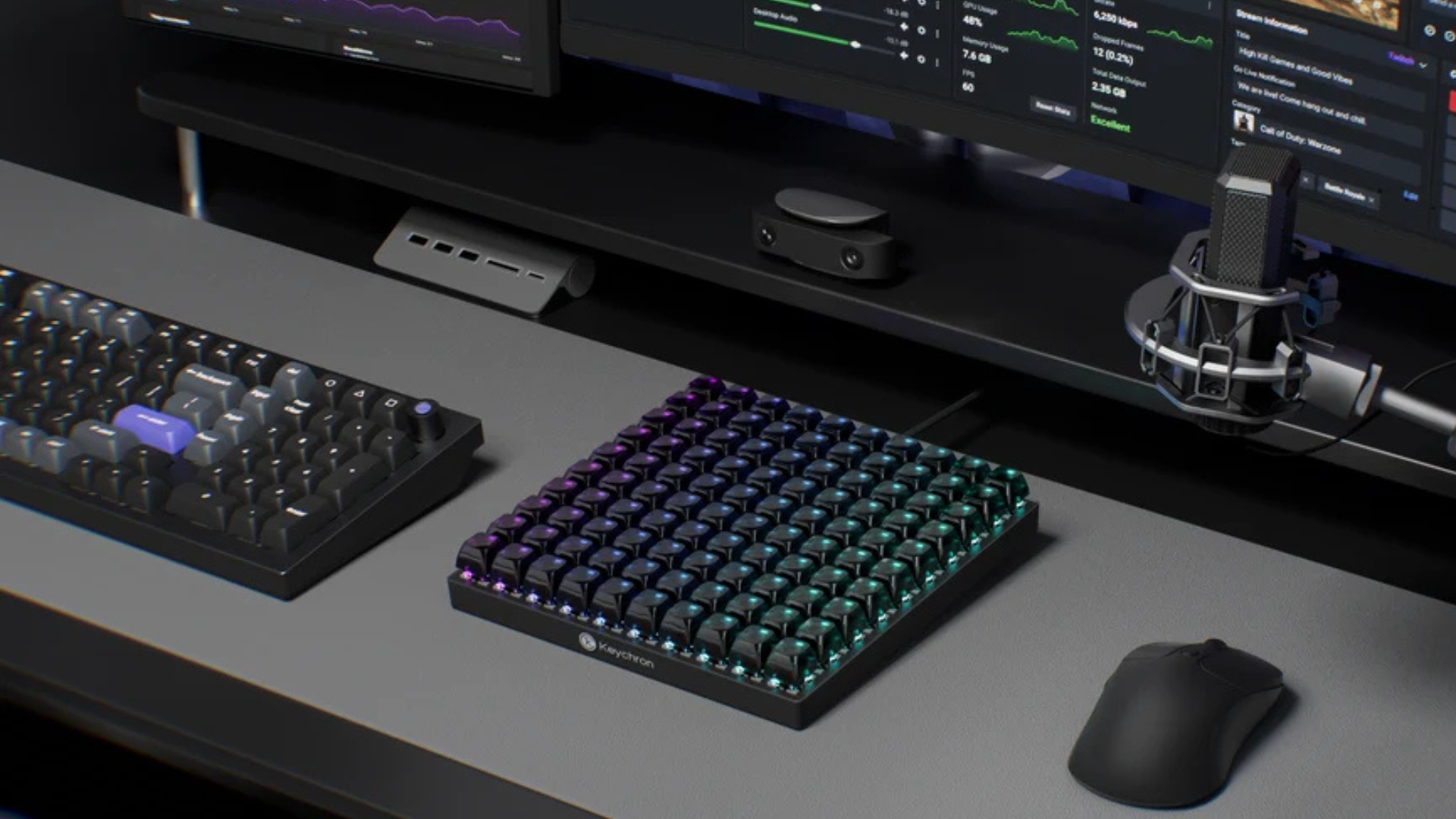
Keychron, which is known for making some of the best mechanical keyboards, just announced the C100 8K macro pad, which is available on Amazon and the Keychron website for $64.99. This massive device features a 10-by-10 customizable keyboard, allowing you to set its functionality as needed (except for the four corner keys). It also uses exclusive pre-lubed Keychron Apex tactile switches, paired with transparent ASA keycaps, making it easier to see its per-key RGB lighting.
The C100 8K is not just any macro pad, though. It features hot-swappable switches, so you can easily replace the Keychron Apex switches with ones that you prefer. It also has an 8K polling rate, making it the perfect macro pad for high-stakes competitive matches. This makes it the perfect addition for those who need a macro pad for both gaming and productivity. The online Keychron QMK launcher also makes it easy to customize the keyboard without requiring you to install software directly on your PC.
This macro pad is compatible with Windows, macOS, and Linux, meaning it will work with most major desktop operating systems. It’s the perfect addition for those who want to be more efficient and find that their MMORPG mouse still doesn’t offer enough buttons for their needs. Because Keychron is known for making some of the best wireless and budget mechanical keyboards, we have high expectations for the functionality and feel of the C100 8K. The only drawback that we can see is that it doesn’t come with a wireless option, so it might be annoying or even a no-go to those who want a wire-free desk.
100 keys might be overkill for most people, but these are actually crucial for those with specialized workloads. Aside from productivity enthusiasts and gamers who want to keep all complicated macros and commands at their fingertips, these are also useful for video editors who work on projects that have hundreds of layers, photo editors working on thousands of images, programmers who frequently input the same commands over and over again, and more. This is also great for sim enthusiasts who want to recreate all the buttons found in race cars, aircraft, trucks, and more, without spending more money on specialized panels. And if they have access to a 3D printer, they can even build their own specialized keycaps for the C100 8K macro pad, turning it from a generic macro pad into something that shows the actual buttons they use for their sims.

Follow Tom's Hardware on Google News, or add us as a preferred source, to get our latest news, analysis, & reviews in your feeds.





 English (US) ·