
 4 hours ago
2
4 hours ago
2
A few years ago, Keychron released the highly anticipated Keychron Q1 and we loved it. Since then, the company hasn’t looked back. Over the last several years, the company has produced dozens of mechanical keyboards, ranging from gasket-mounted enthusiast-tier planks to low-profile office boards.
The Keychron K3 Ultra, which is currently on Kickstarter for a price of $105 and is available in white or black, is a low-profile mechanical keyboard with a 75-percent design. The K3 Ultra is unlike most keyboards we review, as it features real wood sides — similar to the Keychron K2 HE Special Edition — 8,000 Hz polling, the brand's home-built tactile switches, and very impressive battery life.
However, that’s just what’s on paper, so is the Keychron K3 Ultra a good mechanical keyboard? Let’s find out.
Swipe to scroll horizontally
Switches | Keychron “Banana” tactile |
Lighting | Per-key RGB |
Onboard Storage | Yes, 4 profiles |
Media Keys | Yes with FN or programmable |
Connectivity | USB Type A or C with adapter and 2.4 Ghz/Bluetooth |
Cable | 6-feet, braided |
Additional Ports | |
Keycaps | Double-shot ABS |
Software | Keychron Launcher |
Dimensions (LxWxH) | 12.5 X 4.9 x 1 inches / 318.6 x 126 x 25.4 mm |
Weight | 1.26 lbs / 575g |
MSRP / Price at time of release | $105 |
Release Date | Ships May |
Design
The Keychron K3 Ultra is an ultra sleek, low-profile mechanical keyboard with a 75-percent silhouette, a polling rate of 8,000 Hz, insane battery life, hot-swap sockets and edges made of real rosewood, which is the type of wood you see on premium guitar fretboards.
While it seems like almost every new mechanical keyboard on the market is sporting a gasket-mount design, the K3 Ultra uses a traditional tray-mount design. However, Keychron didn’t skimp out on the typing experience, as you still get multiple layers of foam and the company's own low-profile tactile switches.
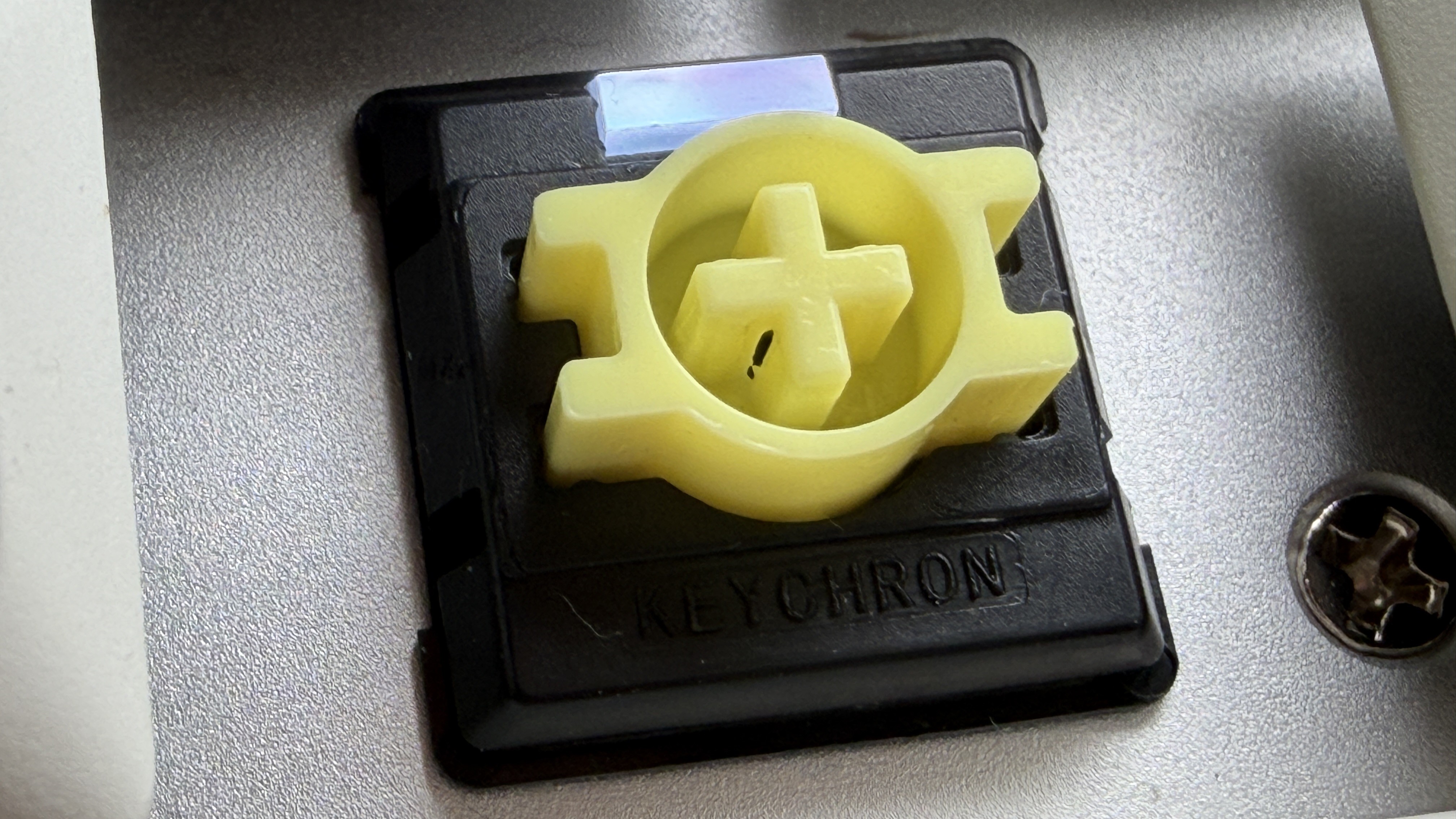
The switches are Keychron’s Banana Switches. The banana switches are described to be similar to Panda switches, which, depending on who you ask, are the holy grail of tactile switches thanks to their gentle yet tactile bump. If you’re unfamiliar with switches outside of Gateron or Cherry MX, I found the banana switches to be similar to Cherry MX Clears. I also want to add that the switch resembles the Vault-Tec logo from Fallout.
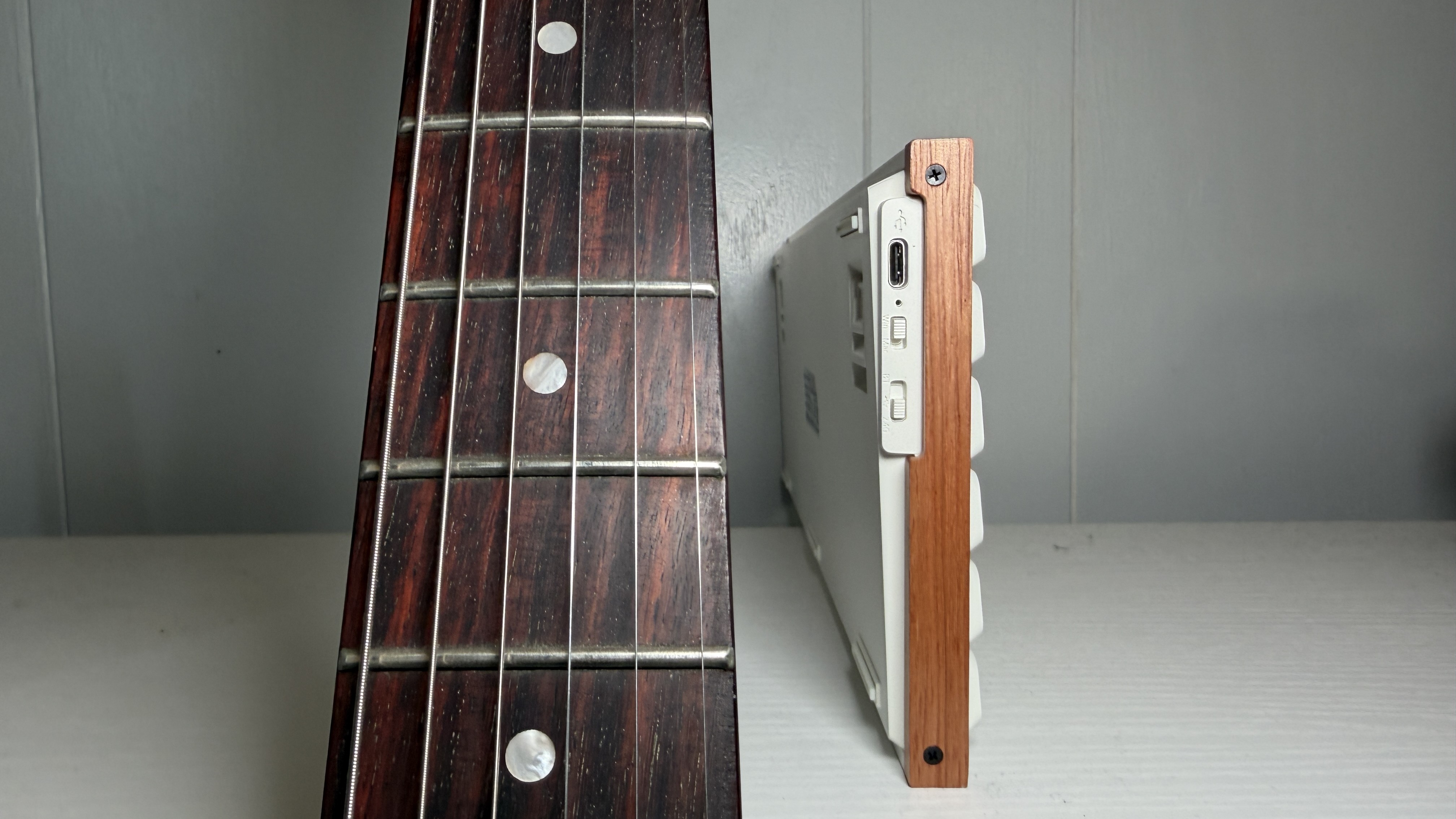
I don’t know what it is, but the PC hardware community has fallen in love with wood, as evidenced by the Fractal Design North and the Montech XR Wood. Is it because PC hardware enthusiasts are becoming fed up with RGB? I don’t know, but I personally don’t mind it, as long as it fits the bill. According to Keychron, the K3 Ultra has rosewood sides, which, as I mentioned above, are present in some of the most high-end guitars and instruments. Because I do play guitar, and have one with a rosewood fretboard, I was curious to see how it’d look on a keyboard,and I was disappointed. While rosewood does vary in color, most of the time it is pretty dark. However, the K3 Ultra’s rosewood is very light. Fortunately, Keychron made the wood sides removable — so I guess you can do some DIY to darken them, but all in all, I am a bit disappointed.
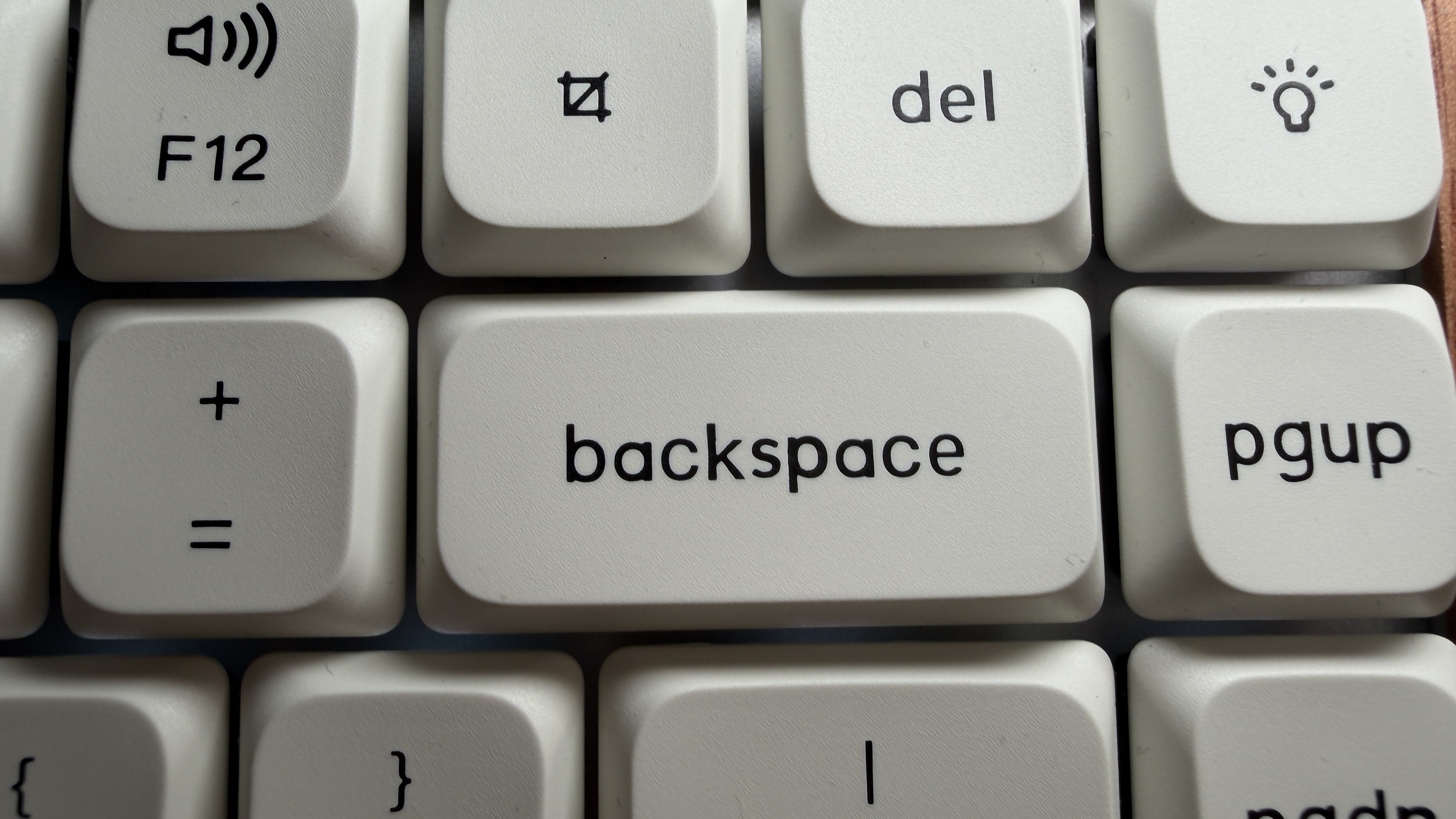
A big complaint I've had with Keychron’s keycaps in the past has been how bad the legends often look. Despite being double-shot PBT, they are frequently crooked and uncentered. However, it seems like Keychron went back to the drawing board and fixed their caps because they are much better now. But are they perfect? No. I noticed the “P” on the backspace key looks like it’s in bold print, for example — but overall, I'm impressed.
It’s kinda funny — I keep forgetting the Keychron K3 Ultra is primed to keep up with the big dogs in competitive gaming with its 8,000 Hz polling rate, because its design is very professional. In addition to being faster than lightning, the battery life is incredible. With 8,000 Hz enabled, you’re looking at upwards of three months or 550 hours of battery life, which is impressive — most 8,000 Hz polling rate peripherals get less than 20 hours' worth of battery life. Keychron's newest 8K keyboards are running on ZMK firmware, which accounts for their impressive battery life, and while the Keychron V5 Ultra 8K gets 690 hours of battery life, the K3 Ultra is a very slim, low-profile board.
Typing and Gaming Experience on the Keychron K3 Ultra
It has been a long time since I have used a low-profile mechanical keyboard, so I was excited going into this review. After unboxing the Keychron K3 Ultra and setting it up, I started typing with it while working and didn’t want to stop. I genuinely love typing with this keyboard. It took me a bit to realize why, and the reason is that it reminds me of my 2013 MacBook Air’s keyboard — which got me through all of college, many reviews and ultimately over a decade of use. However, that’s just one of the reasons; the other is the banana switches.
I’m usually not a tactile switch person — almost all of my personal keyboards have linear switches, as it's just what I prefer. However, the K3 Ultra has me considering buying a low-profile switch tester kit so I can experiment with other low-profile, tactile switches — which is possible due to this board’s hot-swap PCB. So, yeah, this little low-profile plank changed my outlook on tactile switches.
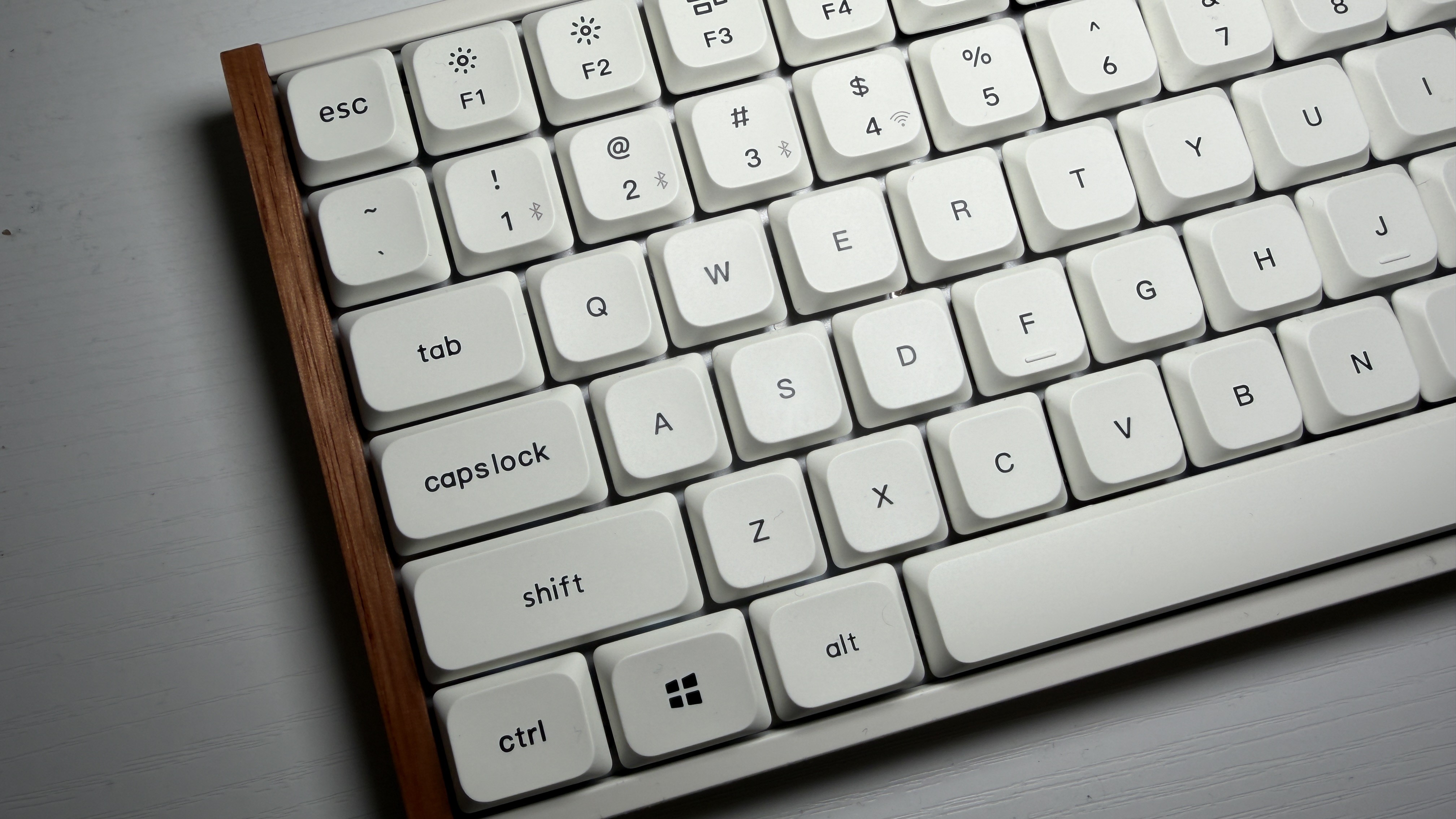
The keycaps on the Keychron K3 Ultra are their own LSA profile and are double-shot PBT, ensuring durability for years and a more ergonomic shape. As mentioned above, Keychron’s history with keycaps isn’t great, but they’ve certainly improved them because the legends (minus one or two wonky ones) are solid. The LSA caps are comfy and never caused any typos and the off-white tone of them looks good with the rosewood sides.
The Keychron K3 Ultra arrived just in time for me to play Resident Evil 9: Requiem, which seemed like the perfect game to test this keyboard with. Resident Evil games aren’t the most fast-paced, but when playing as Leon, you do need to be quick — especially when parrying and swapping weapons. In addition, I didn’t need a full-size keyboard with a numberpad for the survival horror RPG, so why not use the Keychron? And, as expected, the K3 Ultra performed perfectly — I didn’t experience any switch chatter (double clicking) or latency issues.
Overall, I was very, very happy with the typing and gaming experience on the Keychron K3 Ultra, and it definitely feels like the keyboard for a combination of office use and gaming.
Software
I can’t even complain about it anymore, because other companies are doing it, but I am still going to — I can’t stand when peripherals use web-based apps instead of downloadable software, which is the case for the Keychron K3 Ultra. The K3 Ultra is supported by Keychron’s “Keychron Launcher,” which is very similar to VIA, the open-source key mapping software we know and love.
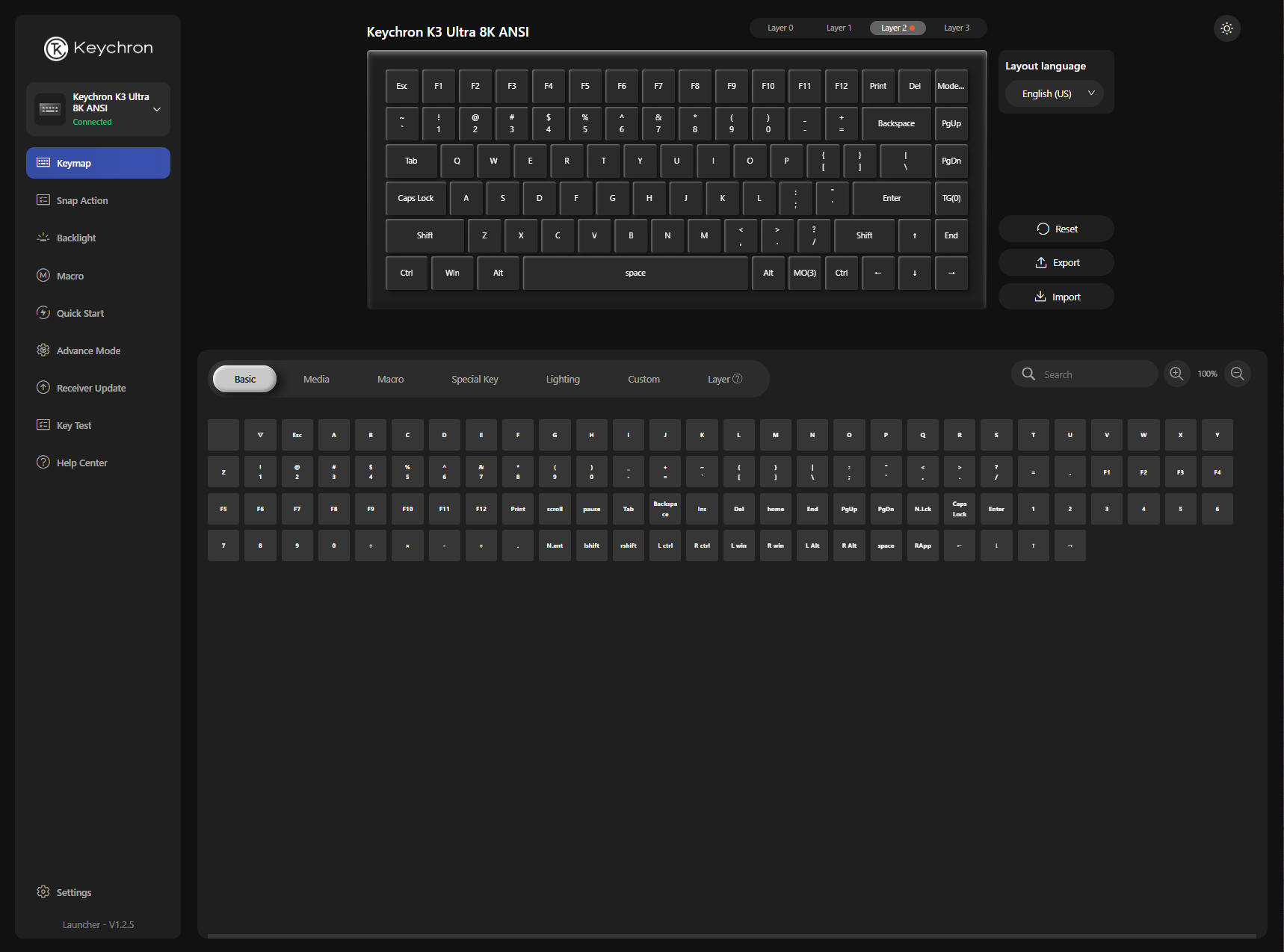
With that aside, Keychron Launcher worked really well and offered loads of features such as macro recording, 24 pre-configured RGB settings, which can be changed on the fly if the keys are remapped and a laundry list of other features.
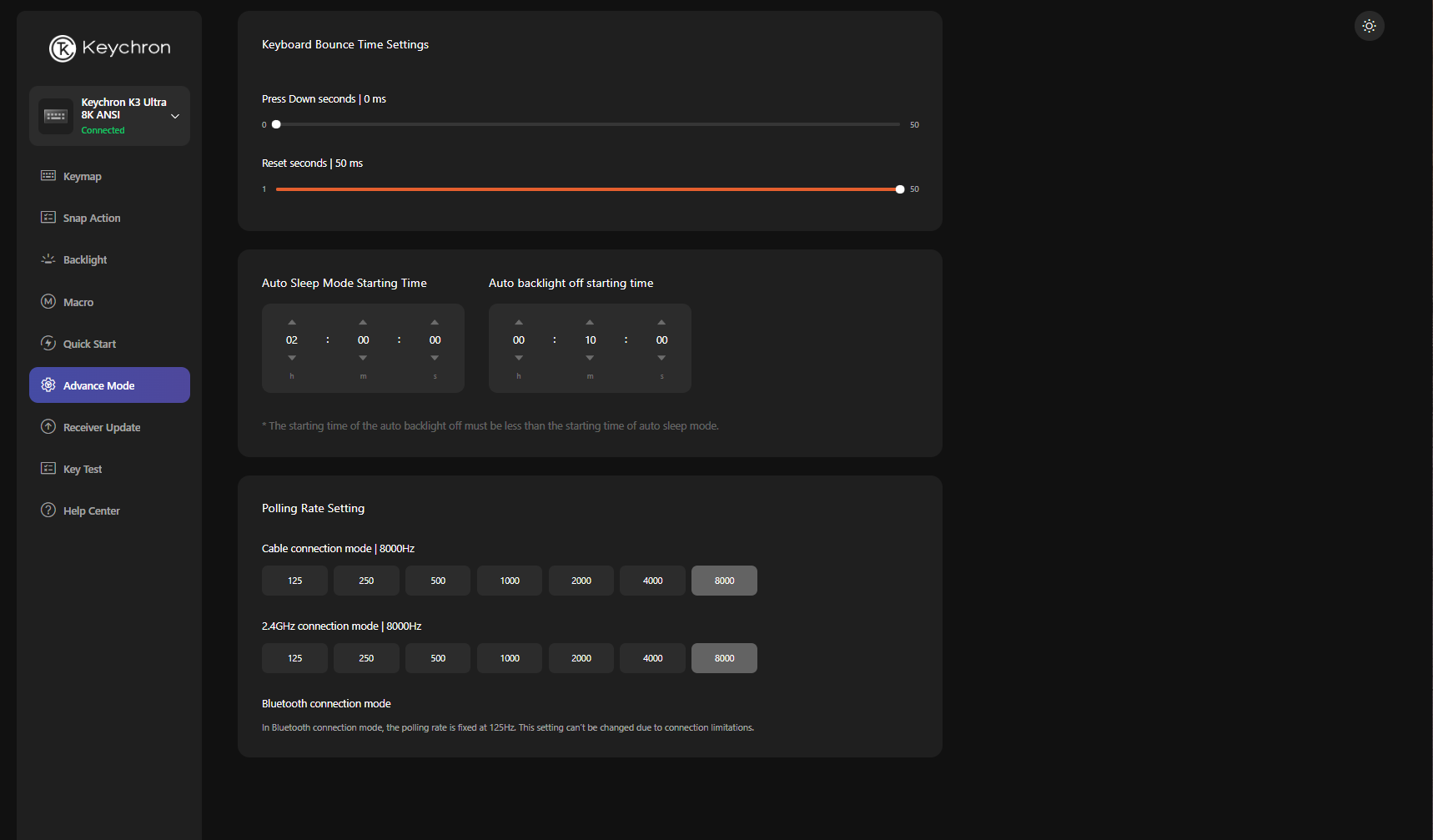
I should also mention that when you receive the Keychron K3 Ultra, you'll need to make sure you go into “Advanced Mode” in Keychron Launcher and set the polling rate to 8,000 Hz — because it’s set to 125 by default.
Bottom Line
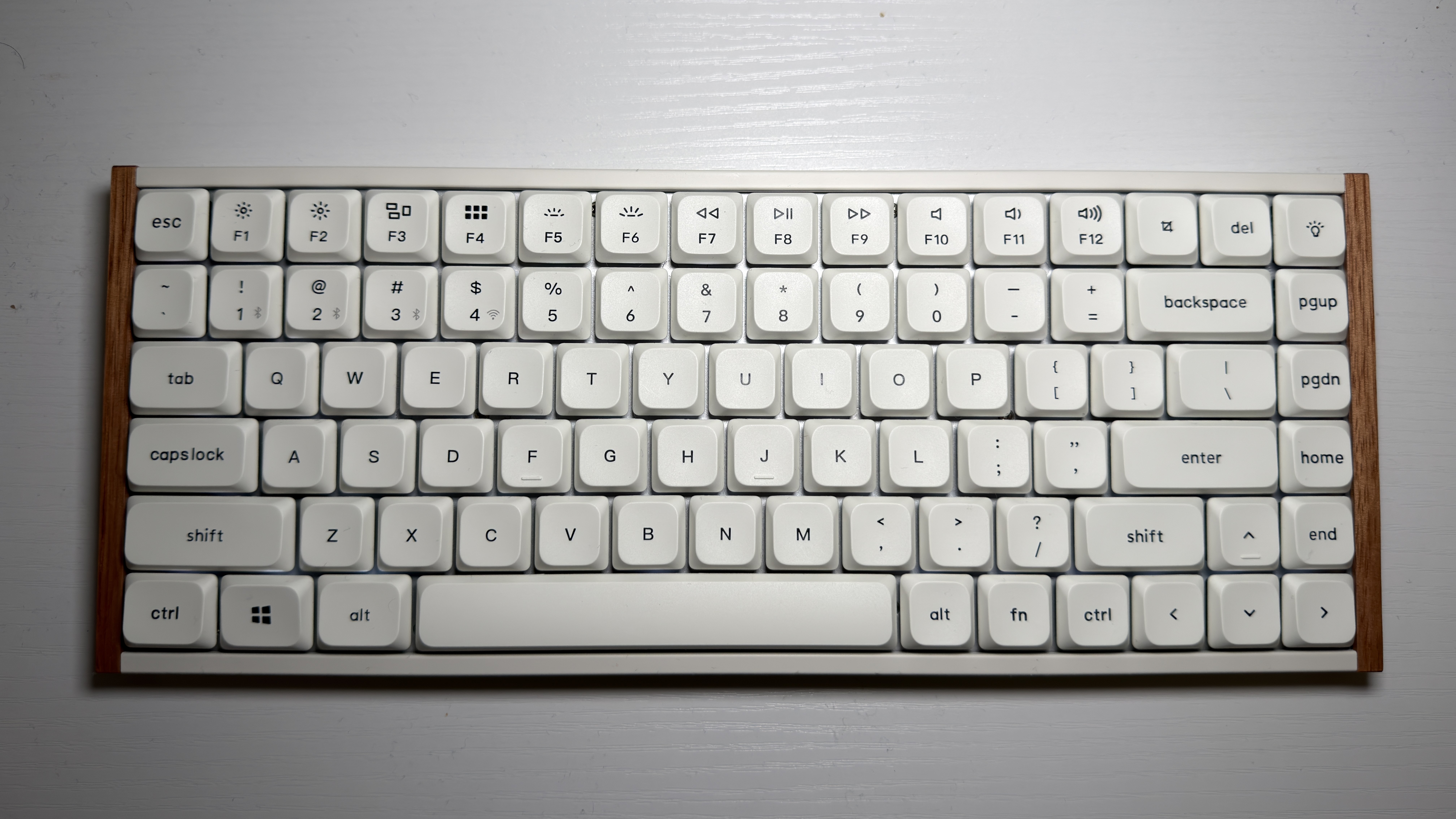
The Keychron K3 Ultra is, by far, one of my favorite mechanical keyboards in recent history. Keychron makes A LOT of keyboards, and I’m glad they were able to do something different here. While I am a bit disappointed in the rosewood sides, wood is wood and for $105, it really isn’t worth complaining about. The K3 Ultra is the ultimate office mechanical keyboard and is super portable thanks to its sleek frame, yet it still has the specs to compete with some of the best gaming mechanical keyboards. If you're looking for something a little more substantial, however, the Keychron V5 Ultra 8K is a little pricier but features a 96-percent layout and better battery life.






 English (US) ·