
 8 hours ago
7
8 hours ago
7
Breaking out from under ‘the big four’ (ASRock, Asus, Gigabyte, MSI), it’s been a while since we've covered any Colorful motherboards. In fact, it's been more than two years since we tested one. Colorful’s motherboards generally tend to be solid options, some with unique appearances, offering features and specifications similar to those available in the US market (Colorful boards are typically available only in Asia and the UK). Still, the company has never offered what I would consider genuine high-end boards. But that changes today, with iGame X870E Vulcan OC V14 motherboard we have in the lab. Colorful touts this as a premium motherboard focused on overclocking, and we’d have to agree. From the robust power delivery, BCLK engine chip, and dedicated BCLK buttons, to the 2-DIMM memory configuration, the Vulcan OC is ready to push any chip to the limit, even with sub-ambient cooling.
Heatsinks and shrouds cover most of the PCB, and it also comes with a small ‘Vulcan Smart Screen’ customizable display, all of which are traits of a premium modern motherboard. Priced around $679.99 (if it makes it to the US market - you can find this in the UK and the Far East), it sits squarely in the premium mid-range segment. It competes with boards like the MSI X870E Ace Max and Asus ROG Crosshair X870E Dark Hero by price, and overclocking-centric boards like the Gigabyte X870 Aorus Tachyon ($599.99), and ASRock X870E Taichi OCF ($499.99). So it’s a bit of a tough sell, as it comes across as a sort of hybrid, with the integrated display.
Specifications of the X870E Vulcan OC
Swipe to scroll horizontally
Socket | AM5 (LGA 1718) |
Chipset | X870E |
Form Factor | ATX |
Voltage Regulator | 22 Phase (18x 110A SPS MOSFETs for Vcore) |
Video Ports | (2) USB 4 (40 Gbps) Type-C |
USB Ports | (2) USB 4 (40 Gbps) Type-C |
Network Jacks | (2) 5 GbE |
Audio Jacks | (2) Analog + SPDIF |
Legacy Ports/Jacks | ✗ |
Other Ports/Jack | ✗ |
PCIe x16 | (1) v5.0 (x16 or x8/x4/x4) |
PCIe x8 | ✗ |
PCIe x4 | ✗ |
PCIe x1 | ✗ |
CrossFire/SLI | ✗ |
DIMM Slots | (2) DDR5-8600+(OC) MT/s, 128GB Capacity |
M.2 Sockets | (1) PCIe 5.0 x4 (128 Gbps) / PCIe (up to 110mm) |
SATA Ports | (4) SATA3 6 Gbps |
USB Headers | (1) USB v3.2 Gen 2x2 (20 Gbps) Type-C (60W PD 3.0/QC4) |
Fan/Pump Headers | (8) 4-Pin (PWM and DC-capable) |
RGB Headers | (4) 3-pin ARGB |
Diagnostics Panel | (1) 2-character Debug |
Internal Button/Switch | Power/Reset/Retry/Safe boot/BCLK +/- buttons |
SATA Controllers | ✗ |
Ethernet Controller(s) | (1) Realtek RTL8126 (5 GbE) |
Wi-Fi / Bluetooth | Mediatek MT9727 Wi-Fi 7 - 320 MHz, 6 GHz, 5.8 GHz, BT 5.4 |
USB Controllers | ASMedia ASM4242, Genesys Logic GL3523 |
HD Audio Codec | Realtek ALC1220, ESS ES9219Q DAC/AMP |
DDL/DTS | ✗ / ✗ |
Warranty | 3 Years |
Inside the Box
Inside the retail packaging, below the well-secured motherboard, is another box containing all the accessories. And while you won’t see an M.2 add-in card, you get everything else in this comprehensive set of extras. The company even includes a screwdriver kit and a set of white gloves to avoid seeing nasty little fingerprints on glossy surfaces.
- USB stick with drivers
- Operation/Quick Start guides
- Stickers
- Gloves
- Screwdriver kit
- Wi-Fi antenna
- GPU support strut
- (4) SATA cables
- (2) ARGB (3-pin) extension cables
- New thermal pads for M.2 sockets
- (2) quick-connect headers (front panel)
- (4) M.2 standoffs and screws
- Zip ties
Design of the Vulcan OC
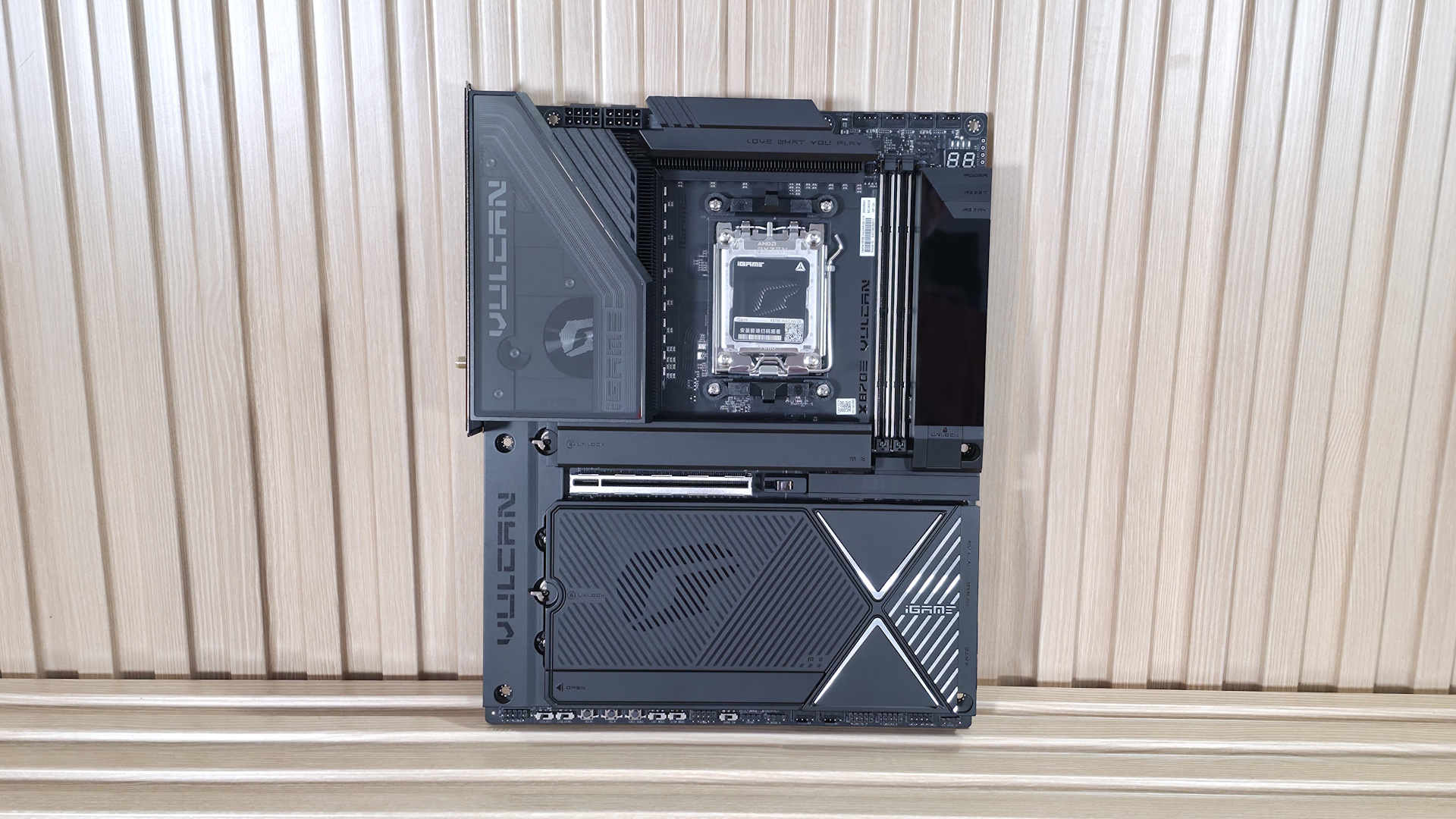
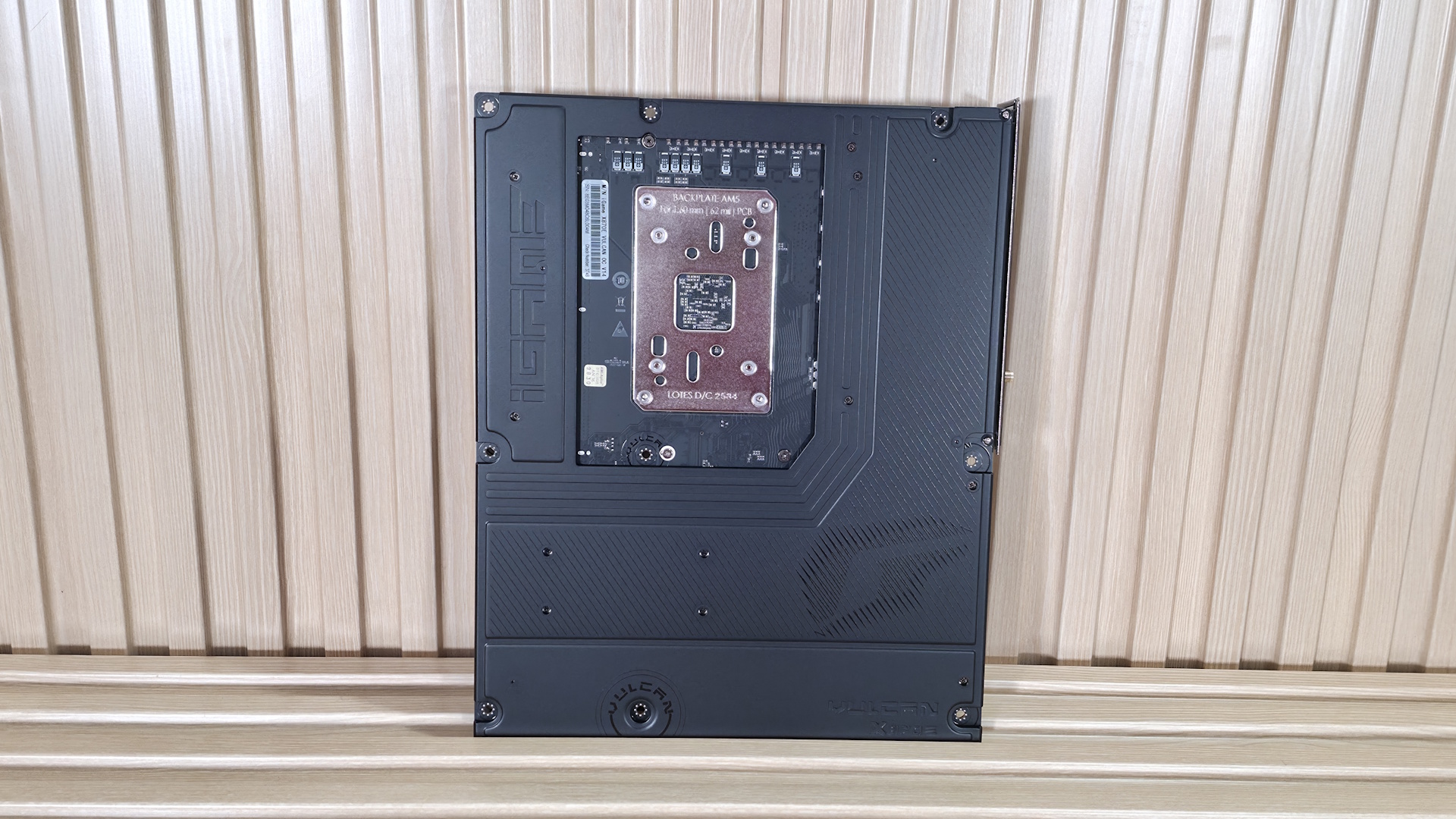
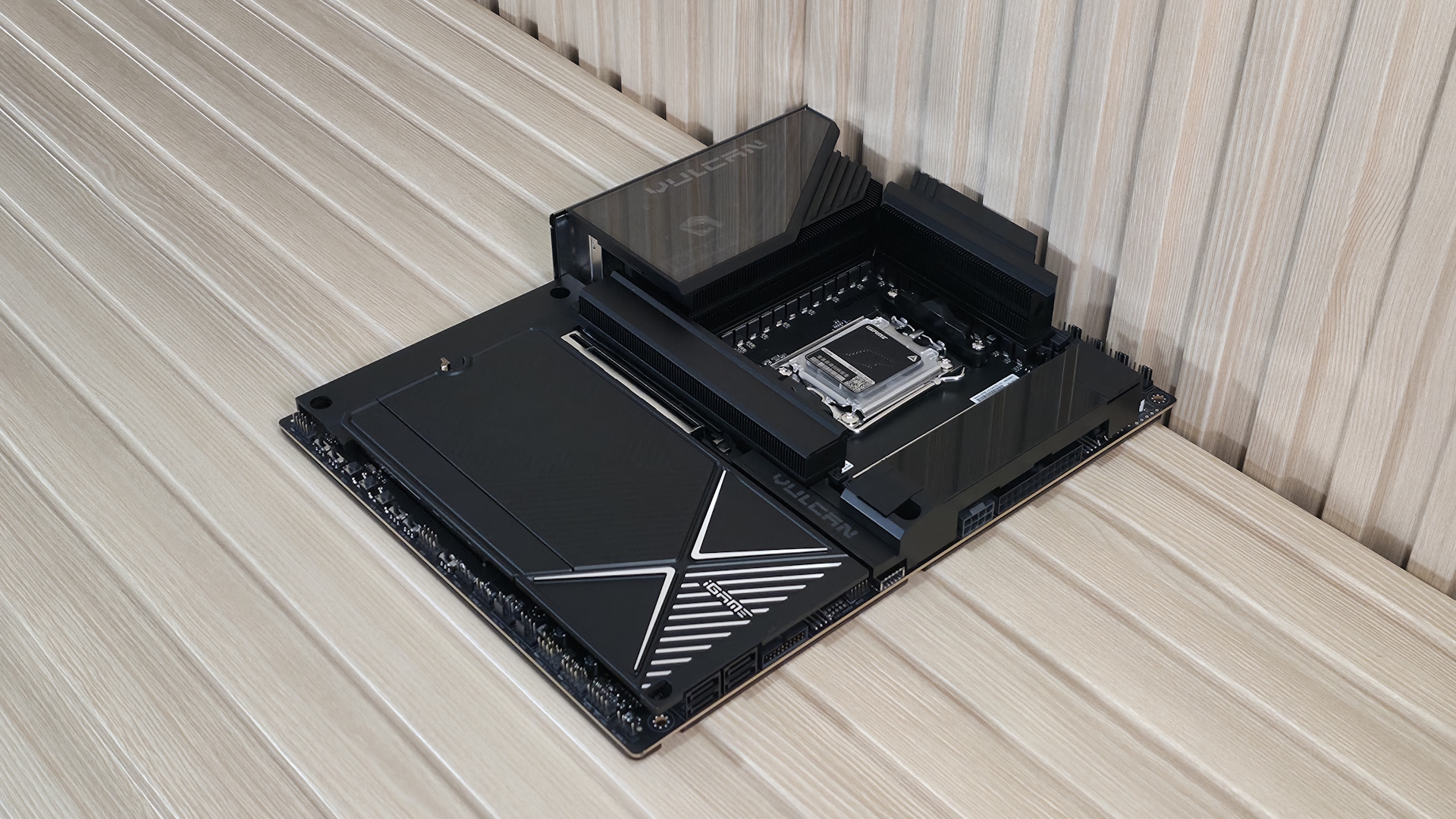
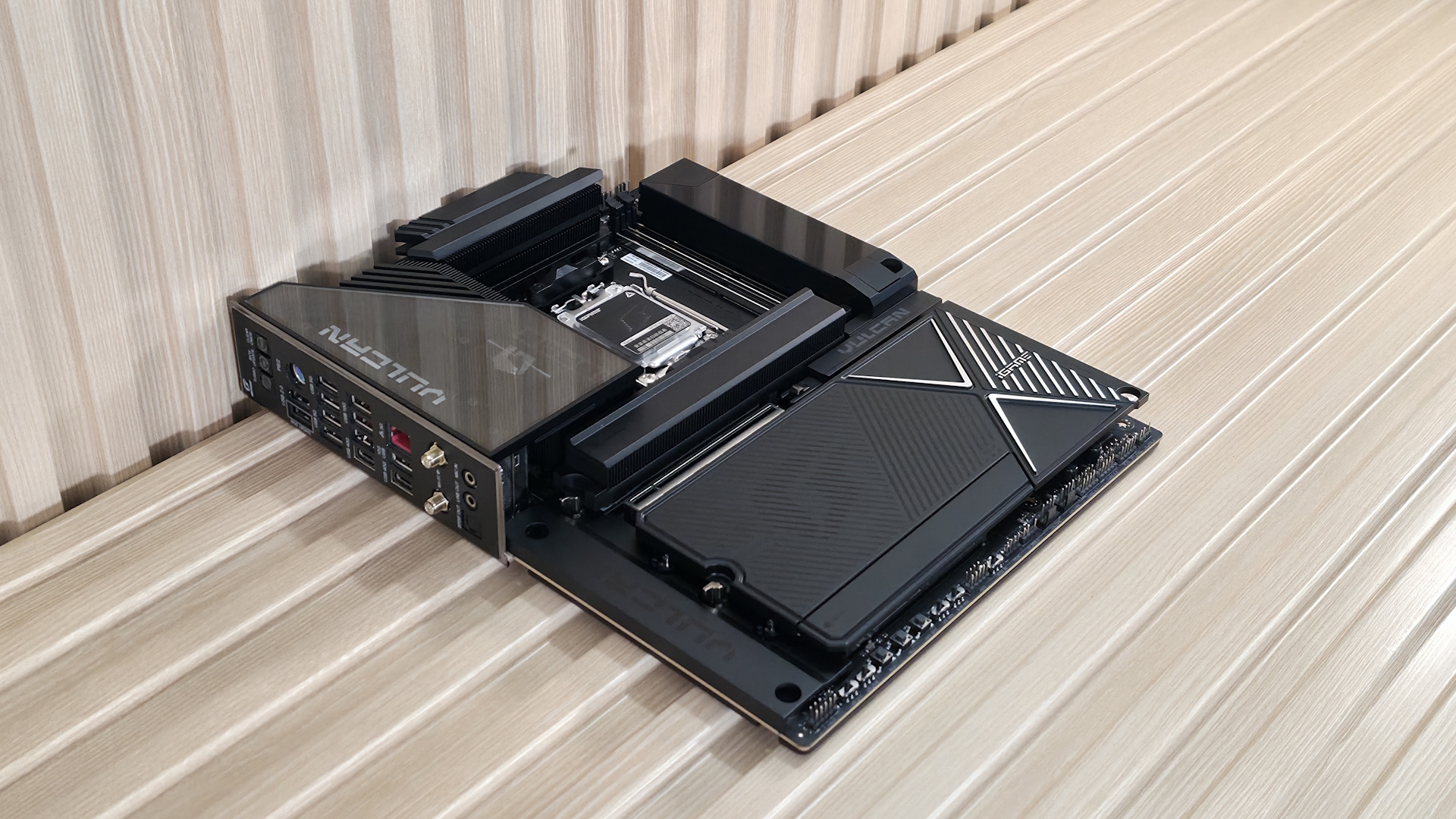
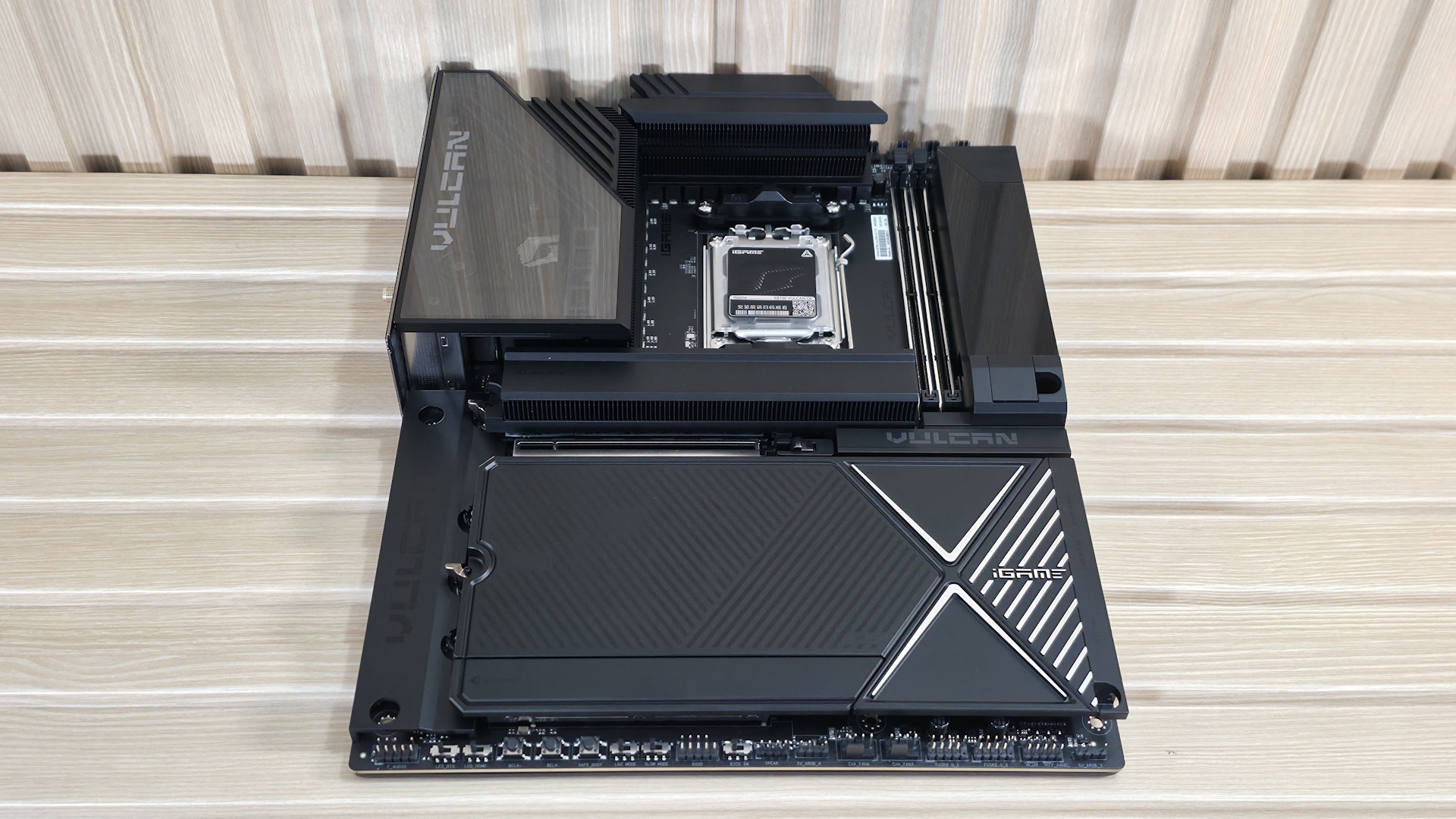
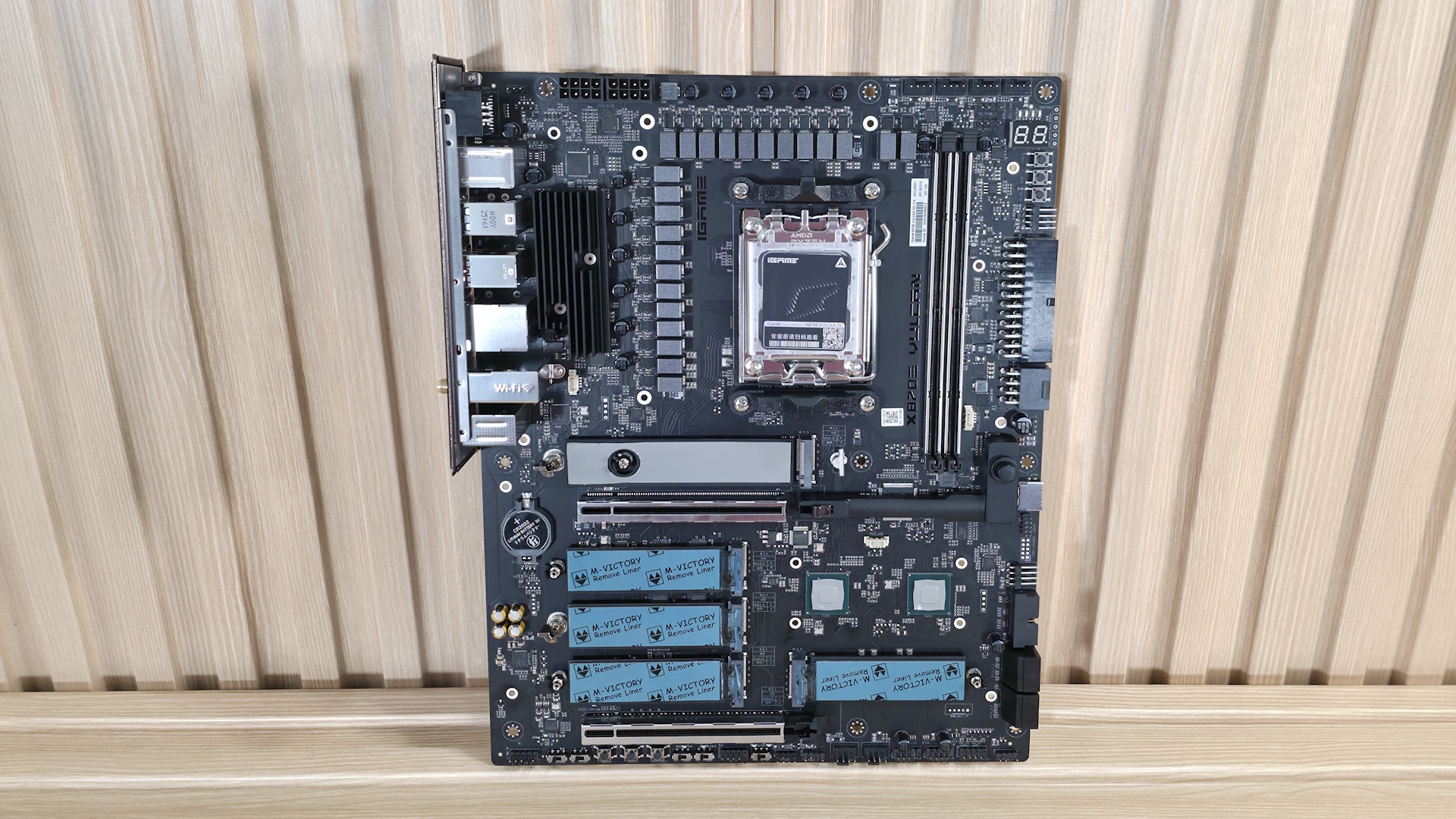
Colorful’s iGame X870E Vulcan OC V14 looks the part of a premium motherboard, with barely any of the 10-layer PCB visible, except for where all of the connections are. It has a large heatpipe-connected VRM heatsink to cool the MOSFETs below. On top is some iGame/Vulcan branding, along with 3-line RGB stripes running along the edge. To the right of the socket is the Vulcan Smart Screen, a useful addition once you've configured it in the iGame Center software. The bottom half of the board is also covered in plate heatsinks (Colorful calls it Vulcan Thermal Armor), including the audio section and the bottom PCIe slot. On top is a lined design, with the Colorful symbol on the left in black and the igame branding in white on the right.
Overall, we like the appearance; it’s fitting for a premium motherboard and a worthy centerpiece for a premium AM5 build.
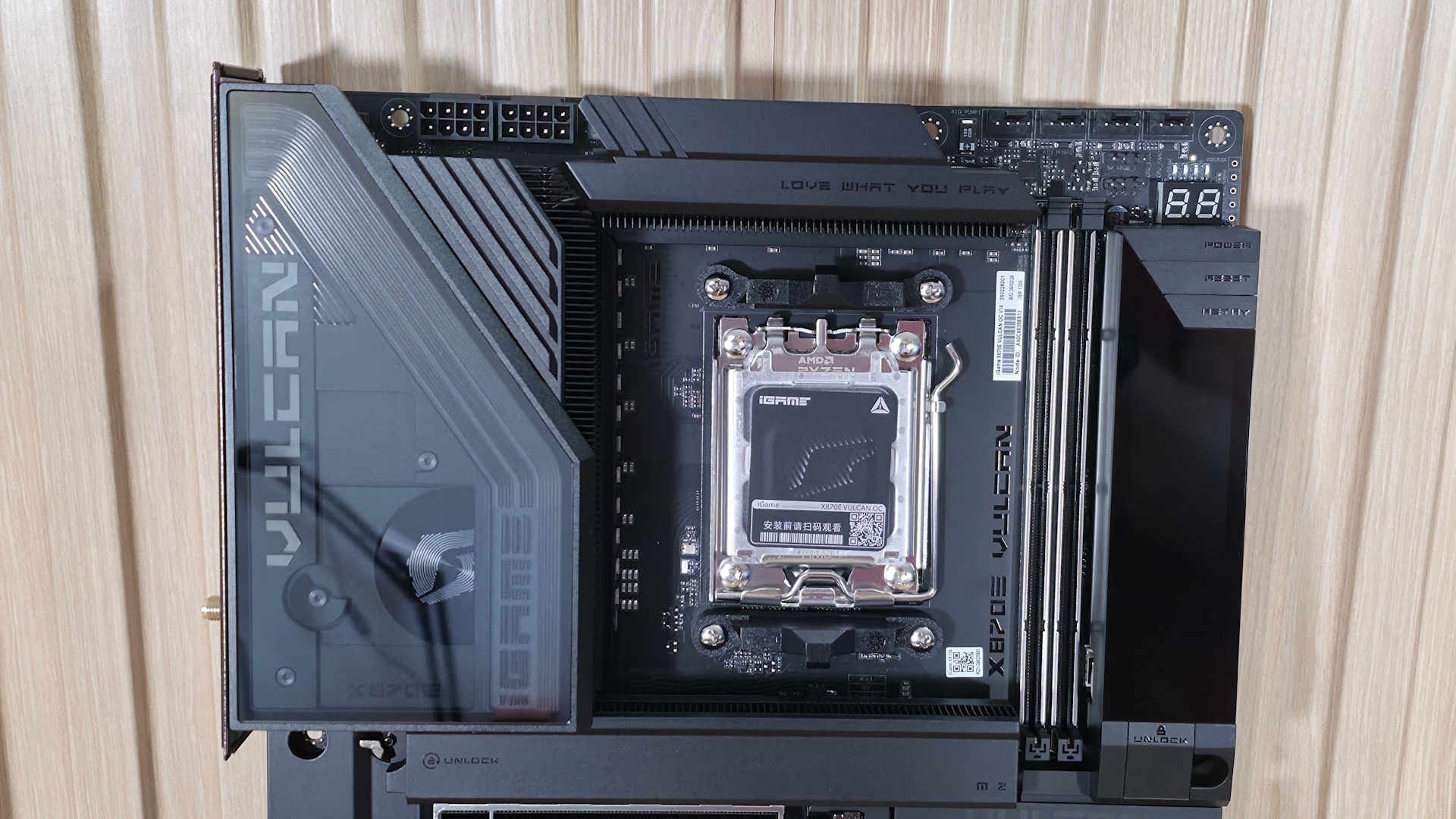
Zooming in on the top half of the board reveals the VRM heatsink. It’s a 3D design with a smoked plastic cover hiding the Vulcan branding and Colorful symbol, creating a pretty cool aesthetic. The three-line RGB feature follows the shape of the cover with iGame branding, backlit at the bottom. The VRM heatsinks themselves have plenty of mass and use an array of fins to dissipate heat from the powerful VRMs beneath. You’ll see later that they do a fine job keeping things running in spec. Above that are the two 8-pin EPS power connectors (one required) for power to the processor.
Moving past the socket area to the right, the next thing we see are the two reinforced DIMM slots with a single locking mechanism at the top (where there should be room to access), supporting up to a crazy DDR5-10400+(OC) MT/s when using 8000-series APUs. With Ryzen 9000 series desktop processors, you’re still looking at a fast DDR5-8600 MT/s. You can stuff up to 128GB into the two-slot board, if needed. Being an overclocking-focused board, it also allows you to unlock higher voltage mode (called High-V) to really push the limits.
Above that are the first four (of eight) 4-pin fan headers. Each header supports PWM and DC-controlled devices. But the documentation doesn’t show the output, so we should assume they are 1A/12W each, as overloading the headers could destroy the motherboard. We’ve reached out to Colorful and will update this section when we hear back.
Also in that area are the first two (of four) 3-pin ARGB headers, with the other two located along the bottom edge. The iGamecenter software controls any attached (or integrated) RGB’s. In this same area, you’ll also run into a voltage measurement point (covering VDDCR, VDDIO, VDDCRSOC, and MISC) for extreme overclocking, when knowing the exact voltage matters more (software can sometimes be a bit off). Colorful also provides troubleshooting help via the four LED debug light (DIMM/CPU/GPU/Boot), and the 2-character LED debug code light, which indicates, generically (4 LEDs) and more specifically (2-character LED), where the problem lies during the POST process.
Moving down the right side, the first thing we notice is the Vulcan Smart Screen. Along with holding Power, Reset, and Retry buttons, this small LCD screen displays system monitoring information or images (Colorful provides several, but some features are behind a login wall) and is configured through the iGamecenter software. If you don’t set it up, you get a splash screen upon boot, then it shuts off. I wish it would display system information, or at least something, by default.
Hiding underneath the screen are another 4-pin fan header, the 24-pin ATX power connector, and a supplemental PCIe (6+2) connector for the board.
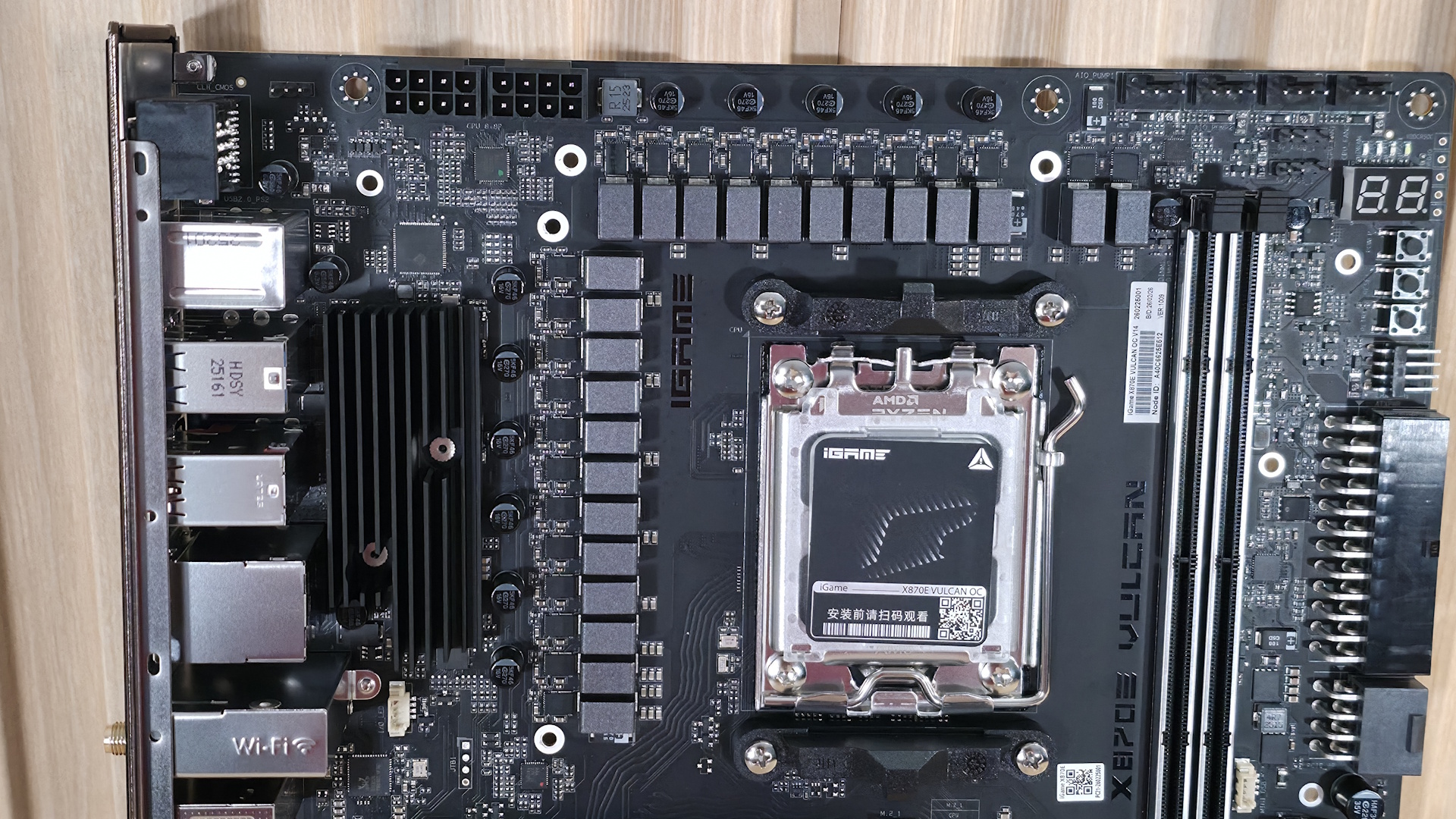
Power delivery on the X870E Vulcan OC consists of 22 phases, with 18 dedicated to Vcore. Power comes from the 8-pin EPS connector(s) in the top-left, then to the Renesas RAA229521 controller, and finally to the 18 Renesas RAA2209004 110A SPS MOSFETs. The 1,980 amps available to the processor are plenty for any compatible chip, including the Ryzen 9 9950X or the Ryzen 9 9950X3D2, even if you want to use extreme (sub-ambient) cooling methods.
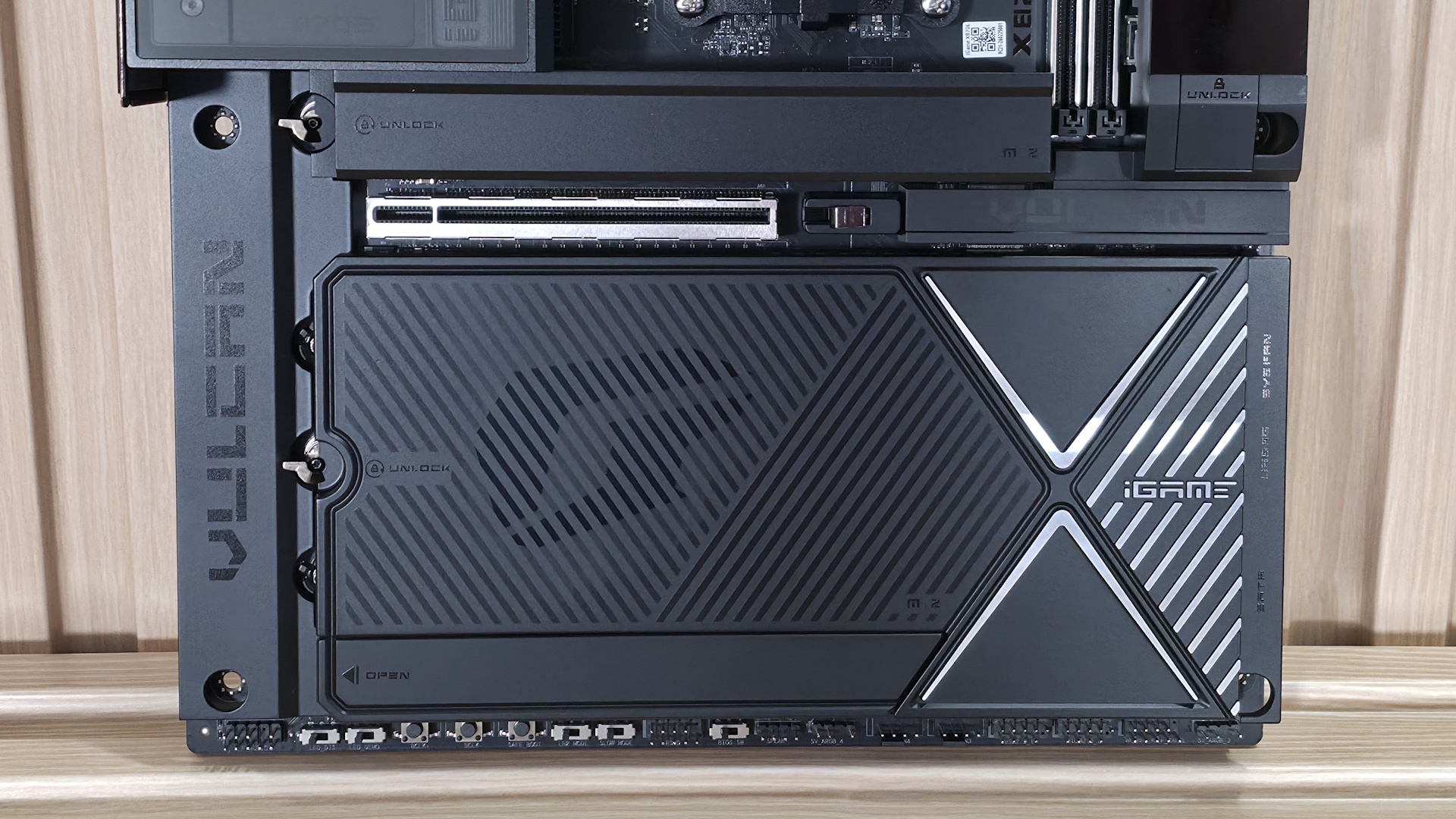
The bottom half of the board is covered with heatsinks and shrouds, leaving very little of the PCB exposed. On the left, hiding under a shroud, is the audio solution. It features the Realtek ALC1220 codec and an ESS ES9219Q DAC. I would have preferred the latest-generation 4000 series codec, but few will complain about this implementation.
In the middle of the board are two full-length PCIe slots and five M.2 sockets. Starting with the PCIe slots, the top slot (reinforced) is your primary (and only!) connection to the CPU and supports PCIe 5.0 x16. It also bifurcates into x8/x4/x4, as it shares bandwidth with M.2_2/3, and features quick-release functionality via a button on the bottom of the LCD screen, called VGA Snap-fit. The bottom slot, hidden under a plastic shroud, connects to the chipset and runs at PCIe 4.0 x4.
Mixed in above and between the PCIe slots are five M.2 sockets. The top M.2 sockets (M.2_1/2/3) are the first of three that support PCIe 5.0 x4 (128 Gbps). M.2_1 supports devices up to 110mm and is mounted under its own plate-style heatsink. I would have liked to see something a bit larger for the ‘primary’ M.2, but this should be fine for most situations. M.2_2/3 also connects through the CPU and runs PCIe 5.0 x4 as well, sharing lanes with the PCIe slot. If M.2_2/3 is in use, the top PCIe slots drop to PCIe 5.0 x8 speeds, and the other x8 slot is assigned to M.2_2/3. I like this implementation because you can get three ultra-fast PCIe 5.0 drives without losing entire slots and maintaining the SATA port count.
Moving past the chipset to the right edge, we find the USB 3.2 Gen 2x2 (20 Gbps) front panel connector. This connection supports PD 3.0 charging at 60W so that you can charge your phone or small laptops with ease from your PC (you need to use the supplemental PCIe connector to reach that wattage). Next is another 4-pin fan header, a 19-pin USB 3.2 Gen 1 (5 Gbps) connector, and finally, the four SATA ports (supporting RAID 0/1/5/10 modes with non-APU processors).
We’ve captured several images of the chips that power the board and keep it working as it should. This includes the PWM controller and VRMs (Renesas), audio solution (Realtek), and USB controllers (ASMedia and Genesys Logic).
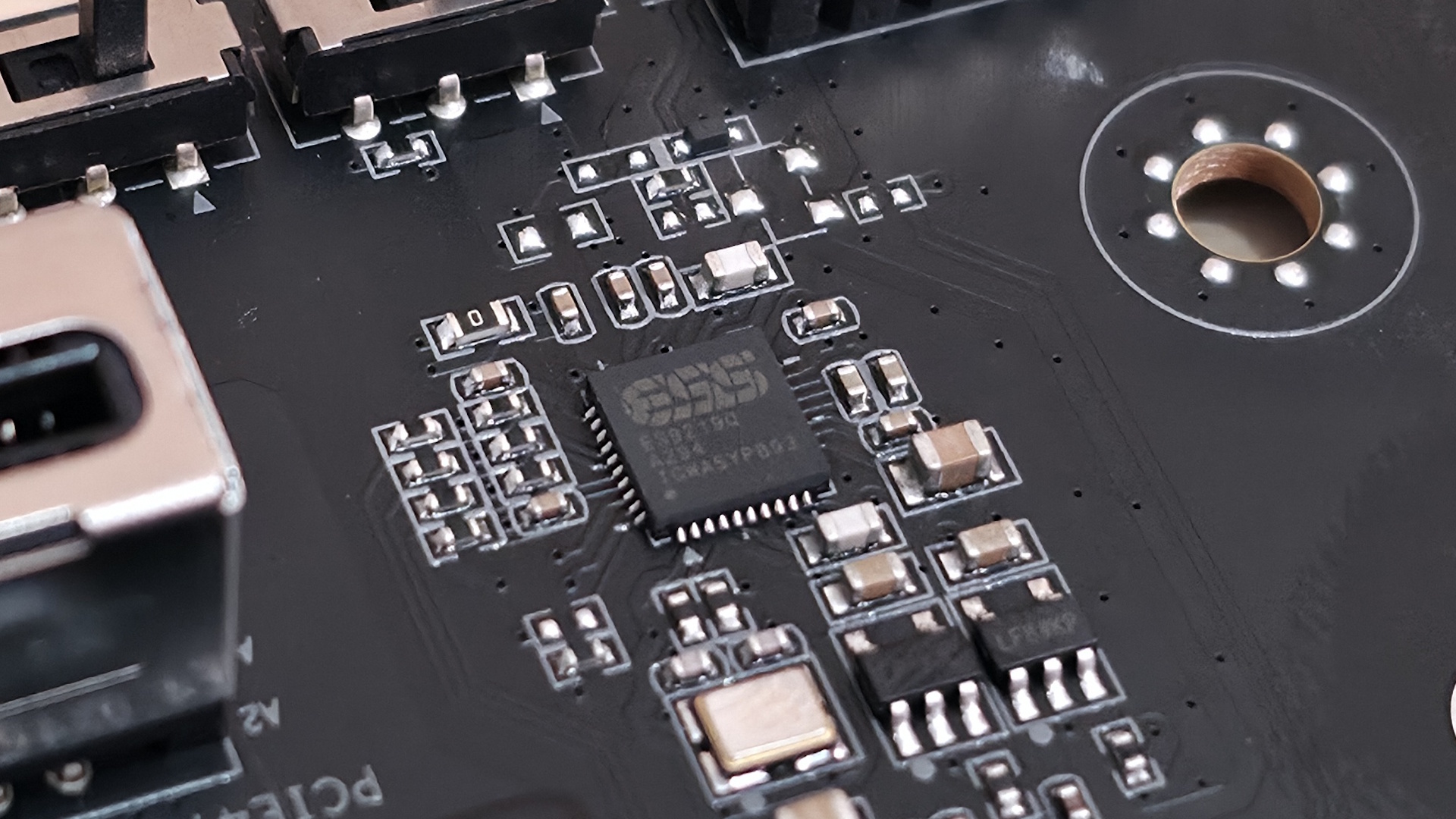
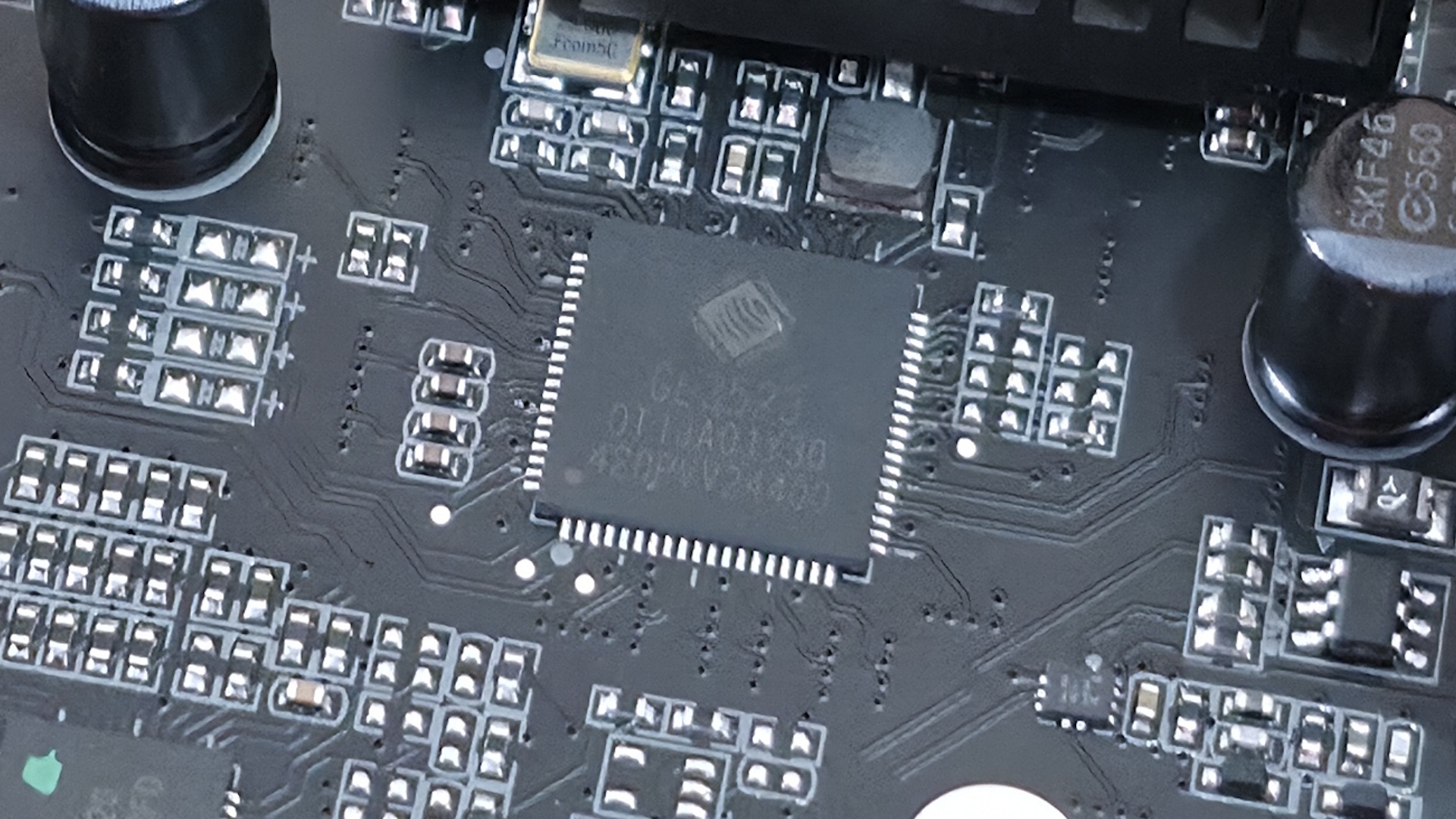
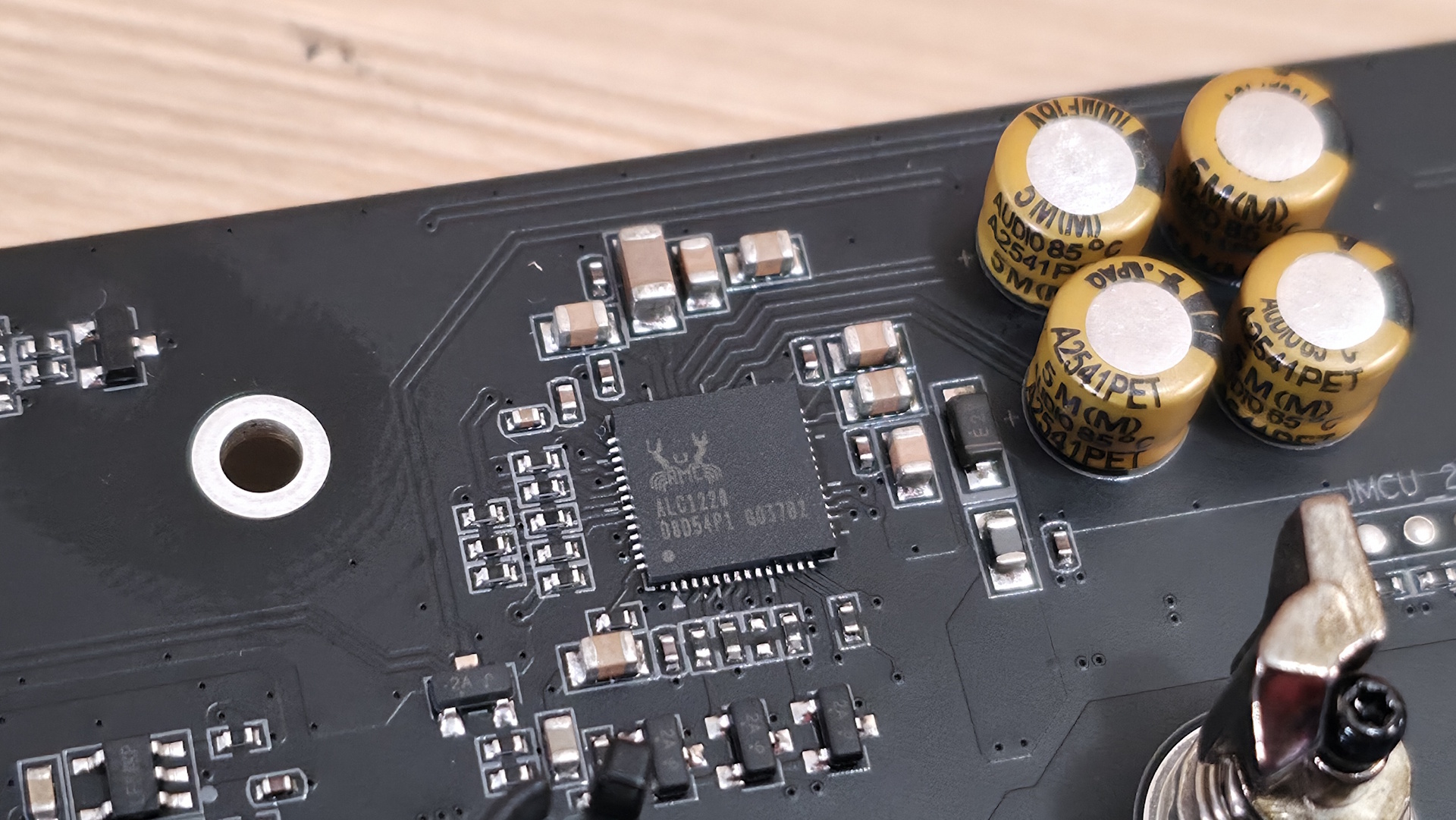
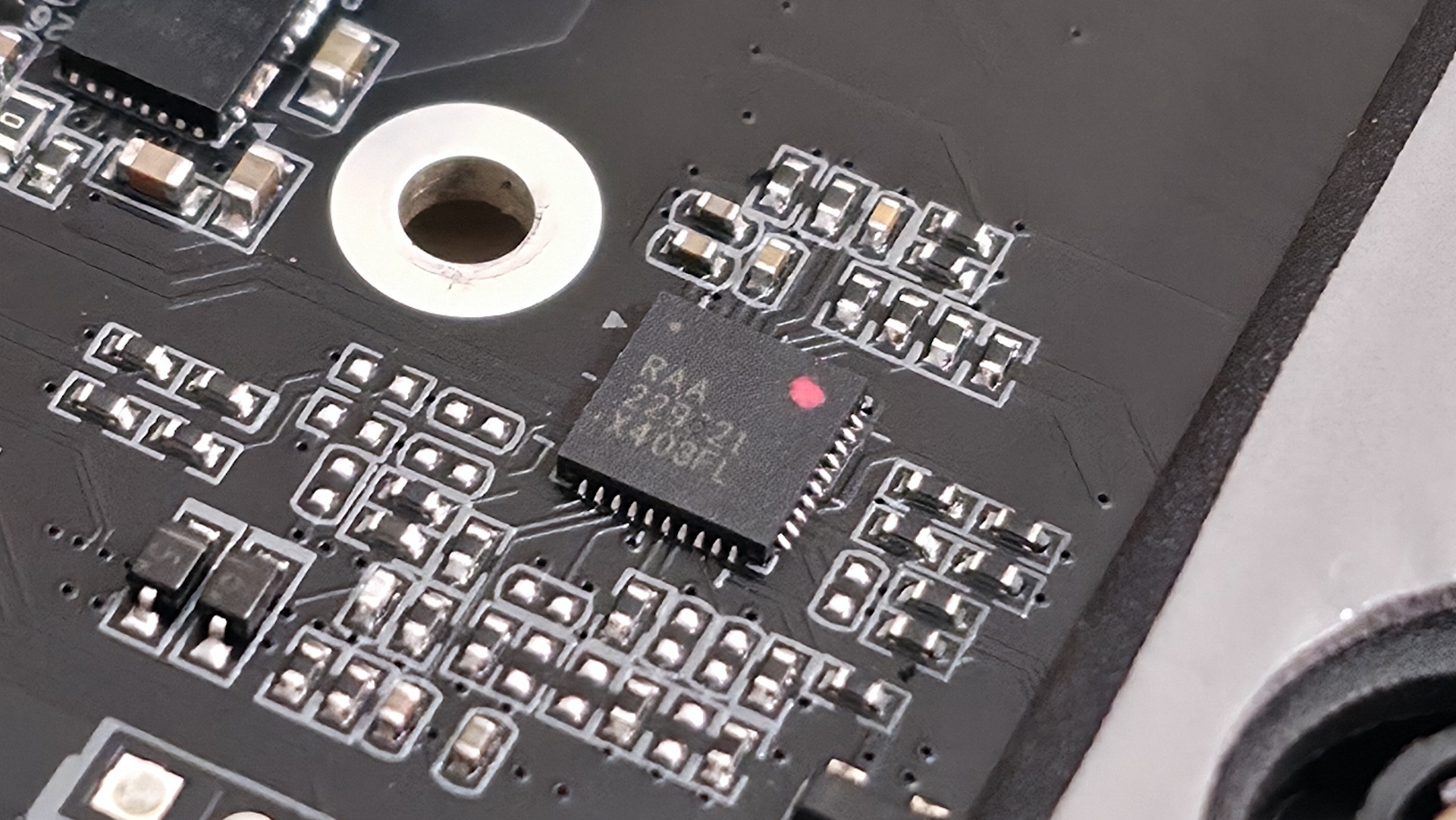
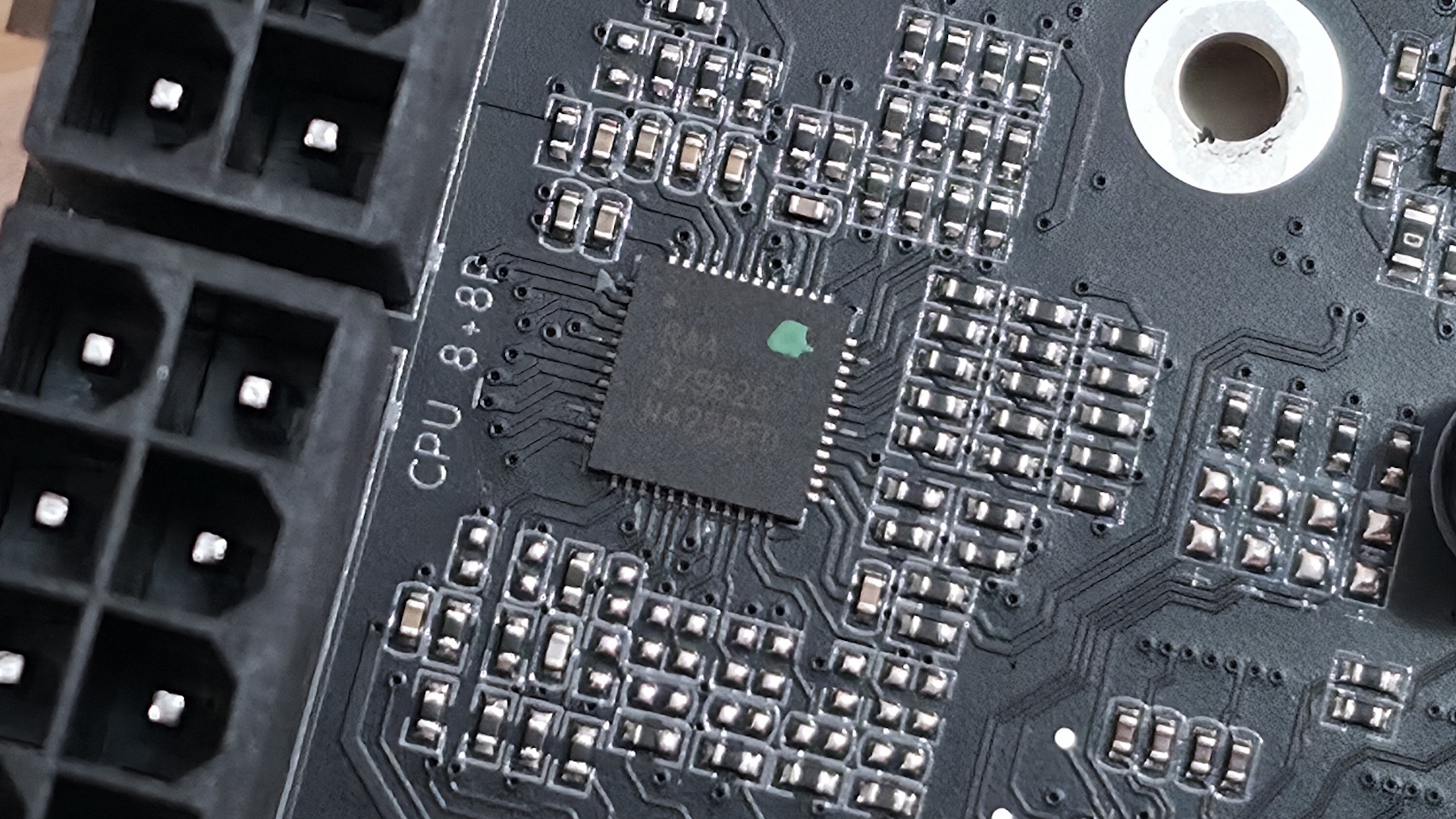
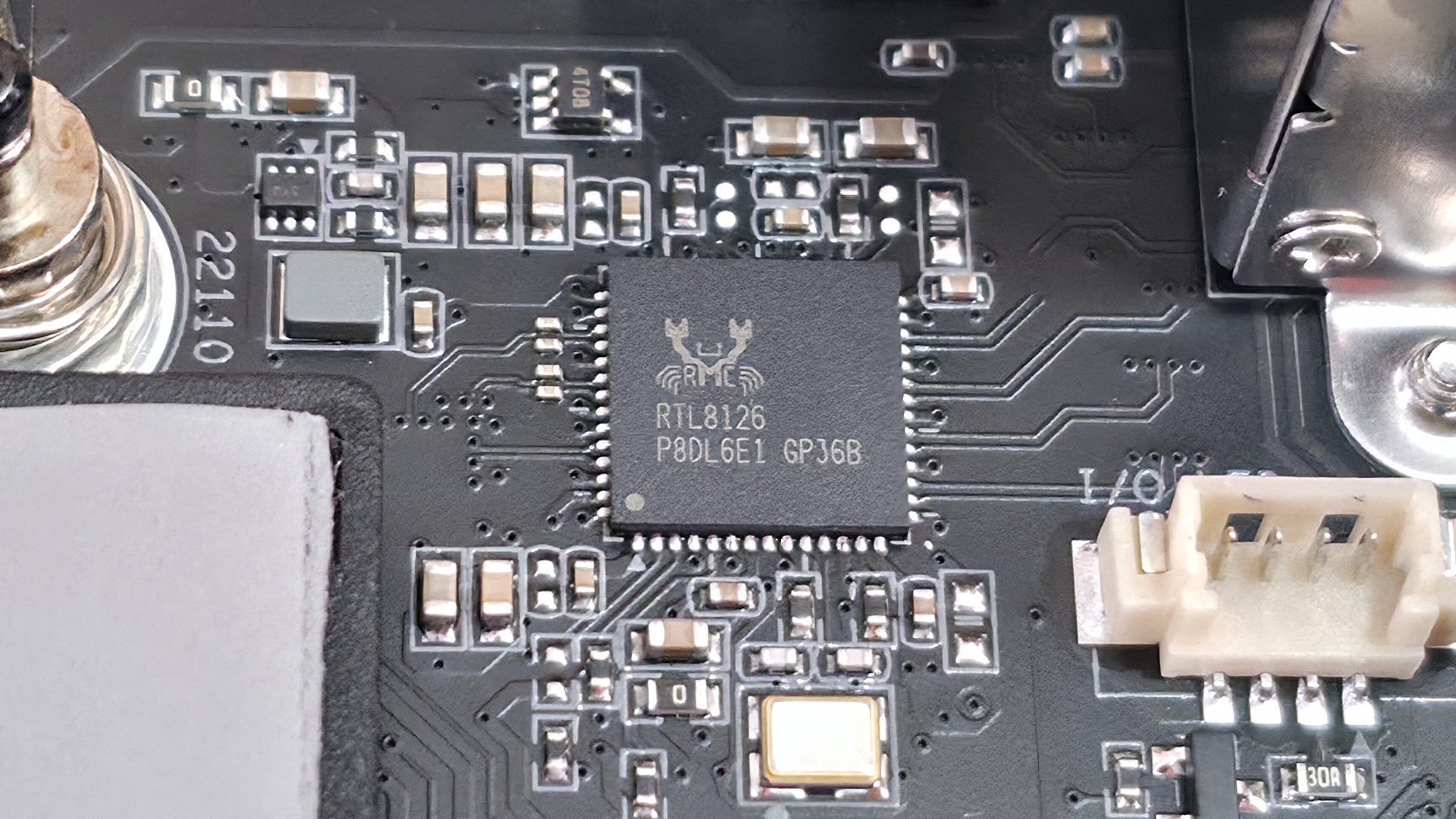
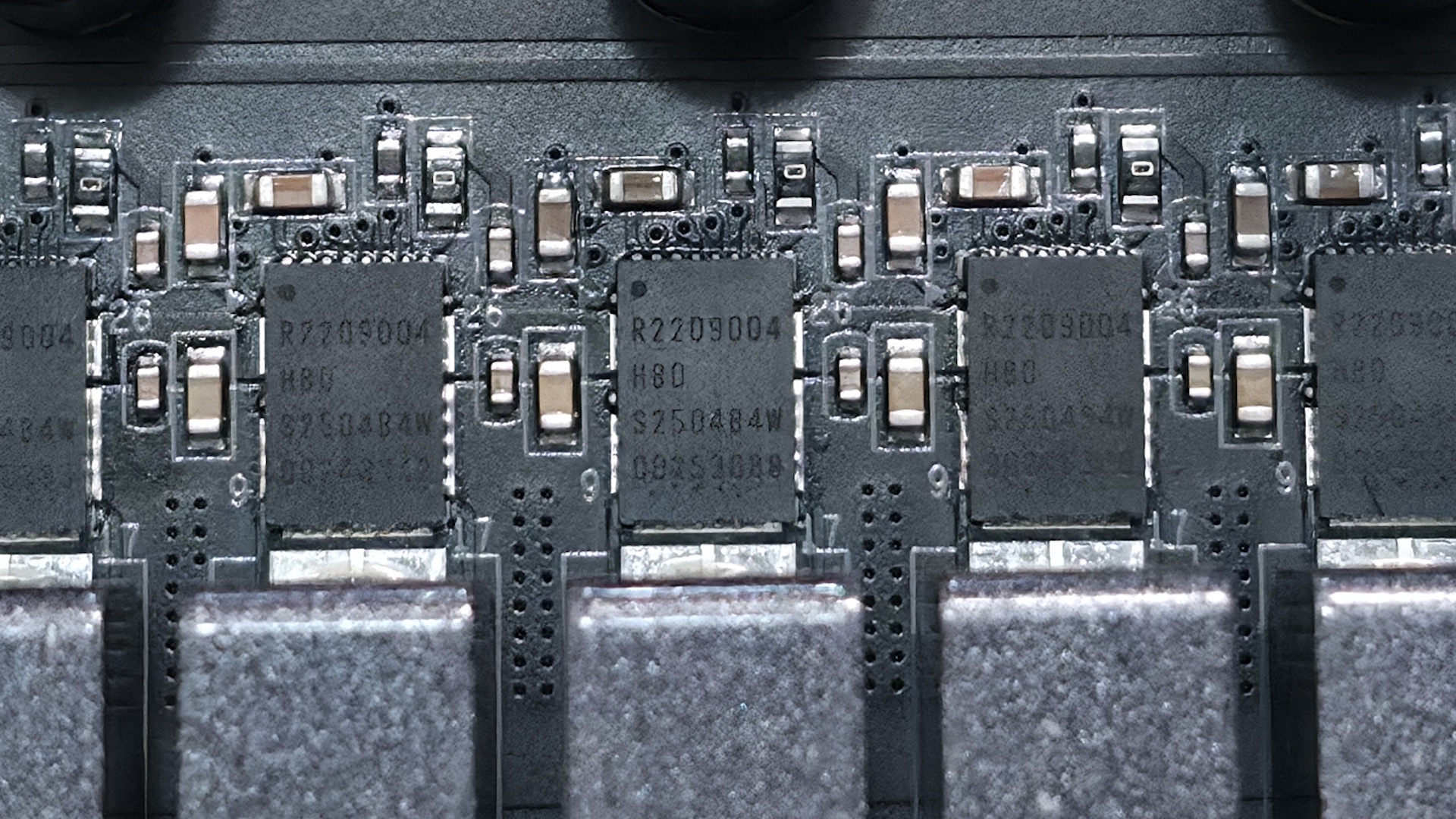
Finally, across the bottom edge are a slew of buttons and headers for additional functionality and connectivity, including the manual BCLK +/-, LN2, and slow mode buttons for overclocking.
- Front panel audio
- LED on/off switch
- LED Demo mode switch
- BCLK + and - buttons
- Safeboot button
- LN2 mode switch
- 4-pin speaker
- 3-pin ARGB header
- Slow mode switch
- BIOS switch
- (2) 4-pin fan headers
- (2) USB 2.0 headers
- 3-pin ARGB header
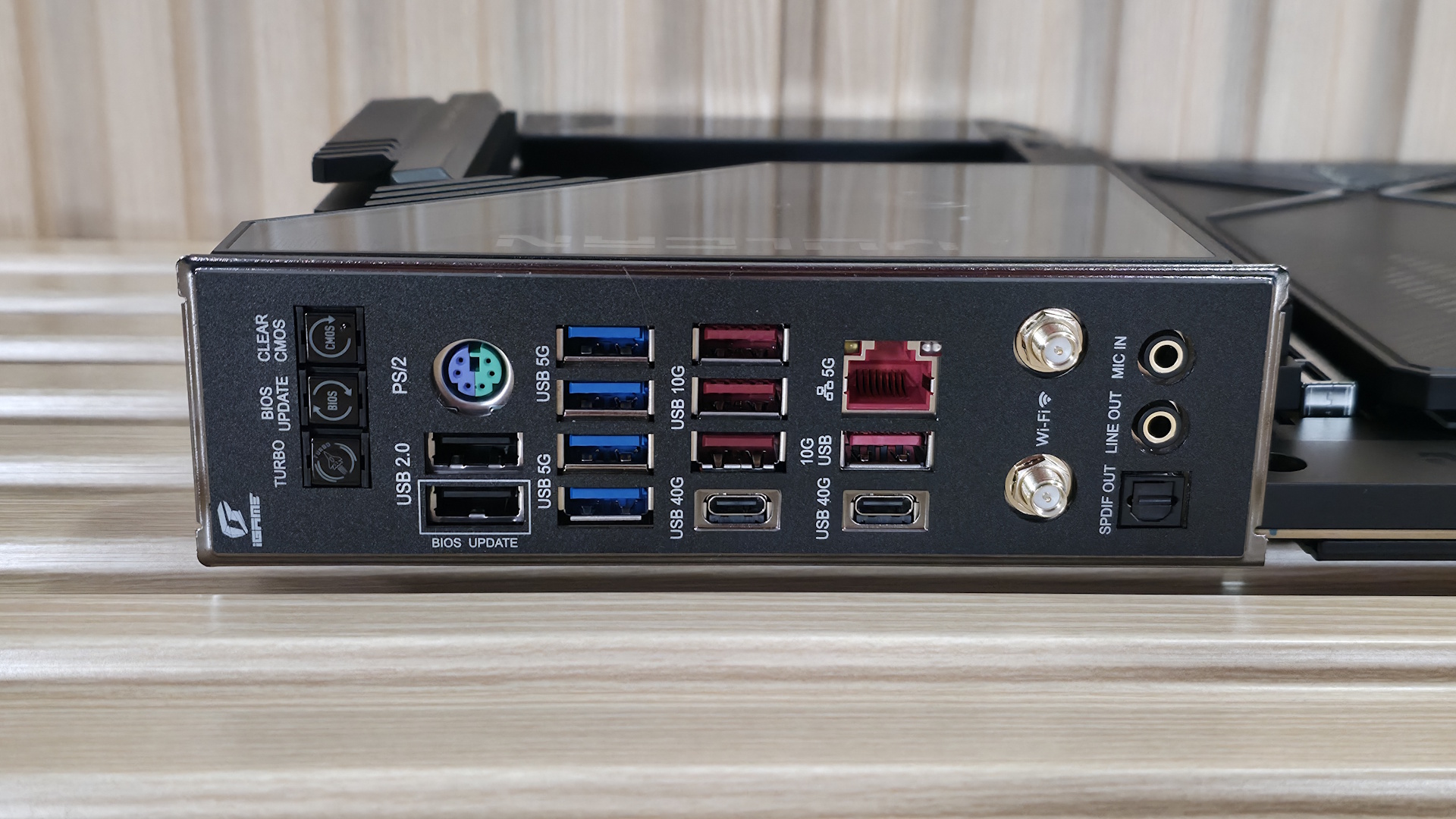
The rear IO offers the typical connectivity you'd expect from a premium motherboard. Starting on the left are three buttons: Clear CMOS, BIOS UPDATE/Flashback, and Turbo Mode for one-button overclocking. To the right of that is a legacy PS/2 port, which is beneficial for extreme overclocking with a USB-connected keyboard and mouse. There are 13 total USB ports of varying speeds. You get two USB4 (40 Gbps) Type-C ports, four USB 3.2 Gen 2 (10 Gbps - red) ports, four USB 3.2 Gen 1 (5 Gbps - blue) ports, and two USB 2.0 (480 Mbps - black) ports, which should be plenty for most users. Next is the Realtek 5 GbE, the Mediatek Wi-Fi 7 connections, and finally the audio stack with two 3.5mm (Line out/mic in) jacks and SPDIF out. If it’s lacking anything, other boards around this price have more Type-C ports on the back, but three total (one on the front) should be acceptable.






 English (US) ·