
LG StanByMe 2: Two-minute review
LG’s StanByMe TV has admittedly been something I’ve glossed over ever since the first-generation model was launched way back in 2021. A 27-inch TV on a rollable stand? “What’s the point?” I always wondered. While a 27-inch TV would’ve been considered ‘big’ in the late ‘90s or early 2000s, we now live in a time where a 48-inch TV is realistically the smallest size we’d put in our living room. And with recent releases from the likes of Samsung reaching up to 115 inches, is there really a place for a much, much smaller 27-inch screen in the home?
LG clearly didn’t share my reservations, as the Korean manufacturer announced a second-generation model at CES in January 2025 that didn’t just introduce a few iterative upgrades, but instead represented a complete overhaul.
The premise is the same – a TV you can move from room to room – but it now offers other notable features, including a QHD panel (an increase from the 1080p full HD of the previous generation) and new viewing modes that allow the user to watch while the screen is off its stand (its predecessor was fixed in place).
I’ll admit that I began this review as a sceptic, but after using the LG StanByMe 2 for a few weeks, I’ve done a complete 180 – this is a genuinely fun, cool, useful TV. It’s not going to replace your main screen for watching movies and TV shows, but that’s also not its purpose.
The StanByMe 2 is a TV that you can have in the kitchen to follow along with recipes, or if you have a small bedroom, you can position it over your bed for late-night binge watching. It’s touchscreen-enabled, so you can lay it flat on a table and have your kids play interactive games on it. You can take it away with you in the car to set up and watch content at a campsite or hotel as it can run on battery for a while. I even used it as a second display attached to my laptop.
The built-in battery promises up to four hours from a single charge (up from 3.5 hours in the previous model). I found this to be pretty accurate, although do note that even when the screen is turned off, it’s technically in a standby mode and will continue to use the battery. I left it turned off over a weekend with a full charge, but it had dropped to 34% on my return three days later. A physical power button can be found on the side of the TV, and a long press will power it down completely.
The idea of the StanByMe 2 may elude people at first, but once you have one in your life, you’ll wonder how you ever did without it.
Picture quality is good, although it won’t rival the best TVs. Its built-in speaker system delivers a pleasing audio performance, and is on par with the performance you’d get from conventional TVs. In virtually all cases, we recommend adding one of the best soundbars to boost the sound. Fortunately, you can connect it to a soundbar thanks to an HDMI eARC port, but I reckon since most people will be using the screen in a fully portable mode – which is exactly how it should be used – a physical connection will prove cumbersome.
The StanByMe 2 also benefits from LG’s webOS operating system. At the time of writing, it uses webOS 24, but the company has confirmed the TV will receive the webOS 25 update, and it is guaranteed to receive software updates for five years, up to webOS 28 (LG generally launches a new version each year).
There’s nothing quite like the LG StanByMe 2 out there and that makes it tricky to score for an objective review like this. There are similar screens on the horizon from the likes of Samsung and its Movingstyle model, but that’s yet to see a wide release – we’ve not had a chance to review it yet here at TechRadar, and I’ve not personally seen it either.
As a lifestyle screen that offers a new way to consume content, the StanByMe 2 excels, but tech as unique as this demands a high price and that’s my biggest issue. As much as I would love to give it a full five stars, I have to dock points purely because of how much LG is asking for it – especially when you compare its cost to traditional TVs.
LG StanByMe 2 review: Price & availability
- $1,299 / £1,399.99 / AU$2,199
- Staggered global rollout: US – July 2025, UK – August 2025, Australia – September 2025
The LG StanByME 2 was announced at CES in January 2025 and was made available to buy in the US from July 2025, followed by a UK launch in August and eventually making its way to Australia in September 2025.
In the US, it’s priced at $1,299, which is higher than the RRP of the entry-level LG B5 OLED TV in 48-inch guise ($899.99) and just below the larger 55-inch variant ($1,499.99).
Meanwhile, in the UK, it’s £1,399.99, although at the time of writing this also includes an XT7S Bluetooth speaker that can attach to the TV stand and boost audio performance. For the same money, you can get a 55-inch LG C5 OLED – which we currently rate as the best TV overall.
In Australia, the StanByMe 2 has a list price of AU$2,199 – about as much as the far larger 75-inch TCL C7K will set you back Down Under. The TCL features a much more capable Mini-LED backlit panel, and as our TCL C7K review proves, it impressed us with a “dynamic, bright and surprisingly contrast rich picture”.
The StanByMe 2 can be on the receiving end of discounts, although these are usually reserved for the major sales events such as Black Friday. In fact, during the Black Friday sales in 2025, I spotted it for $999.99 / £1,199 / AU$1,699. These prices are much more palatable, although it’s still possible to find a more capable TV for similar money.
LG StanByMe 2 review: Specs
Swipe to scroll horizontally
Screen type: | QHD IPS LCD panel |
Refresh rate: | 60Hz |
HDR support: | Dolby Vision, HDR10, HLG |
Audio support: | Dolby Atmos |
Smart TV | webOS 24 (customized version) |
HDMI: | 1x HDMI eARC |
Battery life: | Up to 4 hours |
LG StanByMe 2 review: Features
- QHD IPS LCD panel with extensive HDR support
- Touchscreen for greater interaction
- Built-in battery with up to 4 hours battery life
As I’ve already mentioned, the LG StanByMe 2 is a compact 27-inch TV that uses an edge-lit IPS LCD panel with quad HD resolution (2,560 x 1,440p) and a refresh rate of 60Hz. So, not a ‘proper’ 4K screen, but it does have comprehensive HDR support in the form of Dolby Vision, HDR10 and HLG HDR formats.
Unlike the TVs we’re all familiar with today, the StanByMe 2’s screen has a matte coating that slightly reduces image quality, but it helps minimize reflections and prevent fingerprints when you’re supporting it for rolling to a different room. The matte coating isn’t the same, or similar, as the anti-glare panel of the Samsung S95F, as that screen is actually able to absorb light and dissipate over the display’s surface. I would liken it more to a PC monitor.
Where the StanByMe 2 also differs from conventional TVs is that it’s touchscreen-enabled. Thanks to this functionality, you’re able to use your fingers to interact with it, whether it be loading up the built-in sketchpad application to doodle or jot down notes, or playing games that come pre-installed (more games are available via the LG app store). I can’t see many people using it to create shopping lists, say, but it can be hung on a wall-mounted hook (included) allowing you to easily see reminders for each day.
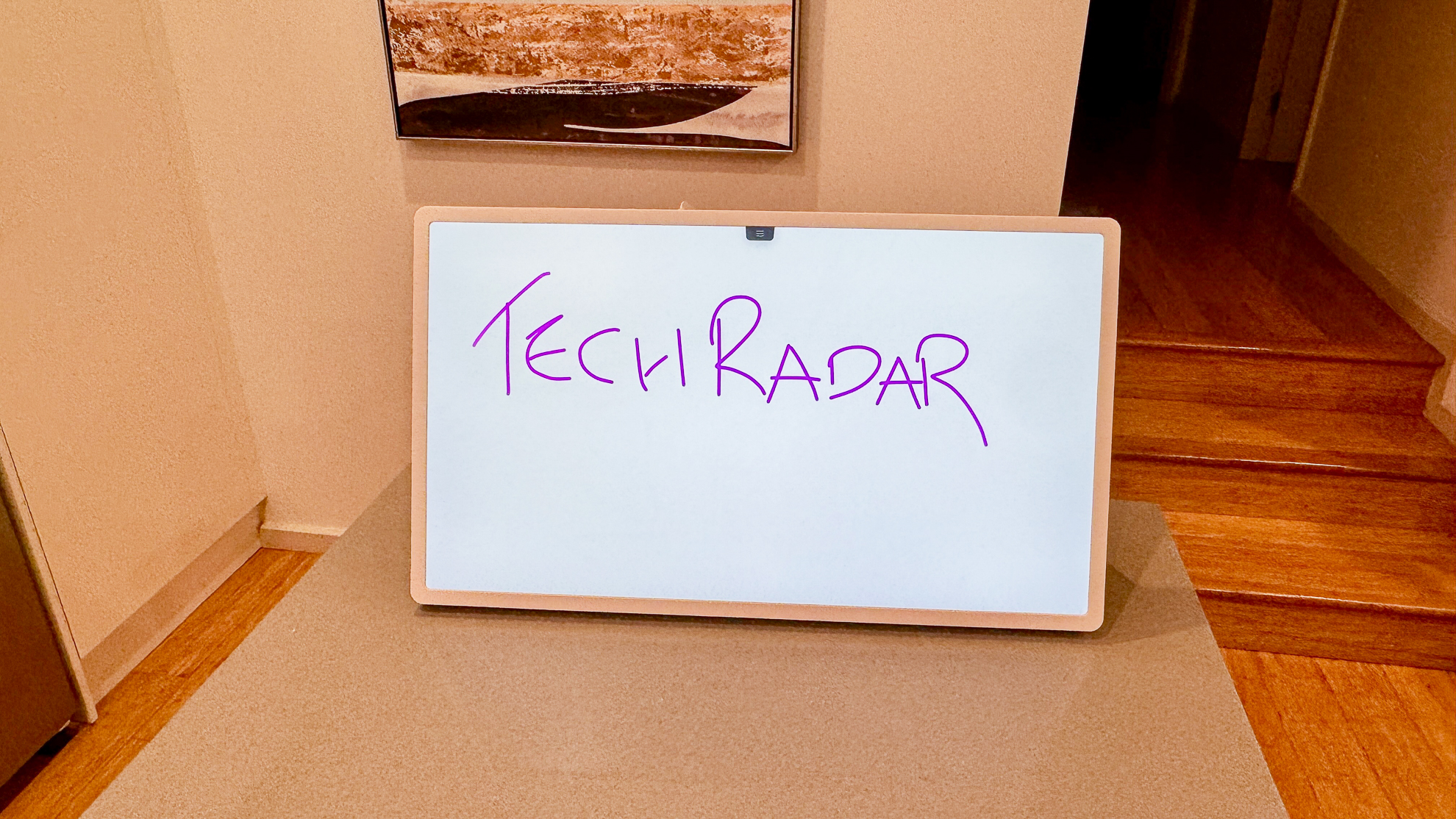
The touchscreen functionality also means you’re able to swipe between home screen menus and press on any app – YouTube, Netflix, et al – to open it, but that’s all. You can’t use this functionality when you’re within these streaming apps. You can’t press the screen to play or pause content, for example. When using streaming apps, you’ll need to use the remote control or the on-screen controls that appear in the bottom right corner when you touch the display.
Where the StanByMe 2 shines is what LG intended it for – a portable screen that can be used where a larger display would be handy. For example, I used it in the kitchen, where I loaded up a YouTube video telling me how to make the perfect mashed potato. I was able to position the StanByMe 2 over my kitchen island and follow along with ease. Watching the same video on a smartphone screen just wasn’t as effective, and I don’t own a tablet or a smart display. Of course, given the StanByMe 2’s price, it would be cheaper to opt for the smaller devices, but the convenience of having the larger display is something I appreciated.
I also positioned the TV over my dining table, where I sit when I work from home. Again, I found myself streaming YouTube videos to play in the background and would occasionally glance up at the screen. Without the TV, I would either have the same video playing on a separate tab on my computer. I also mirrored the screen of my MacBook Pro thanks to the StanByMe’s AirPlay support, allowing me to use it as a second display. These weren’t groundbreaking changes to my normal routine by any stretch, but I found having the StanByMe 2 on, er, standby, incredibly useful.
When it’s connected to the rollable stand, you can plug a mains power cable into its base to use the StanBy Me 2 like a regular TV, but if you remove the power cable, or remove the TV from its stand, the internal battery takes over and you’ll get no more than 4 hours of playtime on a single charge.
However, you’ll need to be mindful that this is only when it's in Eco power mode, which isn’t on by default. If you use the screen in a different mode, then battery life takes a major hit. I turned it on after (unknowingly) leaving it on standby for three days to find the battery had dropped from 100% to 34%. I then watched a 30-minute YouTube video, and the battery level dropped to 9%.
You can power down the TV completely by long pressing on the power button on the left side of the screen. Recharging the battery to full takes around 3 hours in standby mode and 3.5 hours when the TV is in use.
- Features score: 4 / 5
LG StanByMe 2 review: Picture quality
- Good color reproduction
- Decent blacks considering backlight constraints
- No Filmmaker Mode
LG’s QNED81 from 2023 impressed me with its color reproduction despite using an edge-lit system, and the StanByMe 2 – which also uses an edge-lit panel – shows similar strengths. Images are vibrant and punchy, and with brighter, more colorful content – such as A Minecraft Movie – the screen delivers a natural-looking image with convincing real-world textures. Fireball explosions appear as paler oranges or yellows, it must be said, rather than intense reds you’d get on a higher-contrast display, but overall it’s a pleasing presentation.
The StanByMe 2 also handled a 4K HDR demo reel from LG’s YouTube channel better than expected. Blacks looked reasonably convincing and central highlights remained clear and detailed. Compared side-by-side with LG’s flagship G5 OLED , there was a clear difference in quality. The G5 was vastly superior, but that’s to be expected given the vast difference in panel technologies.
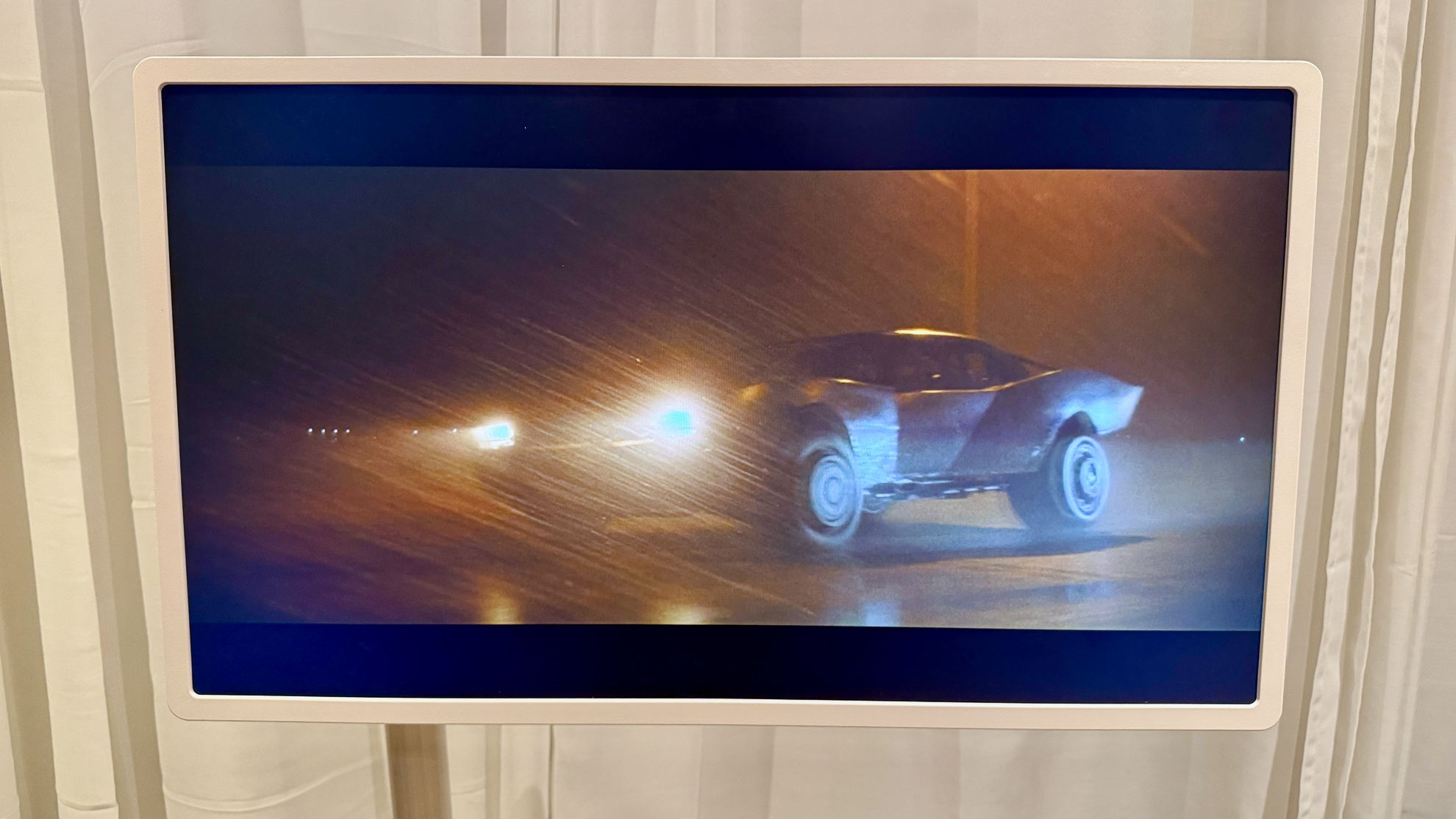
In dimly lit environments, the StanByMe 2’s brightness performance was more than adequate. LG doesn’t quote a brightness figure and I wasn’t able to measure it myself, but with the panel brightness set appropriately – 100 in most cases – I had no issues seeing detail or maintaining color impact. For darker content, I found ‘isf Expert Dark’ to be the best-performing picture preset. The ‘isf Expert Bright’ over-exposed the image too much for my liking, and Cinema introduced too much of a yellow tinge.
That said, the StanByMe 2’s picture performance is ultimately held back by the limitations of the QHD panel, edge-light system and matte coating. The combination of these means it struggles to render contrast with absolute precision. Larger areas of the panel can light up when they ideally shouldn’t, because the edge-lit system projects light over a greater portion of the screen.
TVs with more advanced backlight systems – such as OLED TVs from LG, Samsung and Sony, or even Mini-LED TVs from more budget-focused brands such as TCL and Hisense – can be more precise with which areas of the image are lit and which aren’t, resulting in more cinematic-looking picture.
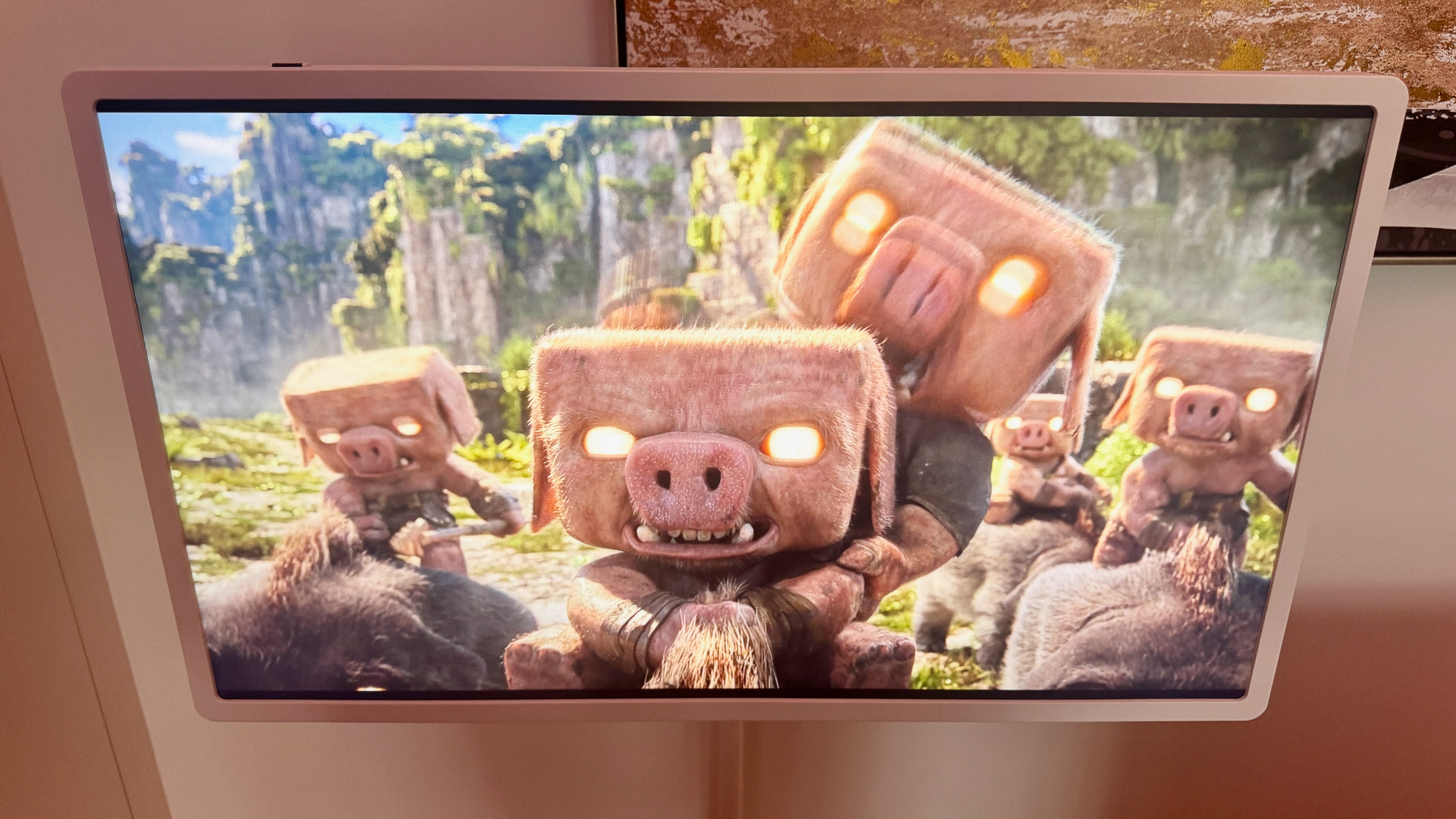
In the case of the StanByMe 2, then, images can look flat in comparison, especially in HDR scenes that require competent backlighting systems to look their best.
Dynamic Tone Mapping Pro is an included feature on the StanByMe 2, which theoretically analyzes each frame to optimize brightness and contrast, but in practice its impact is modest. With the backlight effectively ‘on’ most of the time due to the panel type, this feature can only do so much.
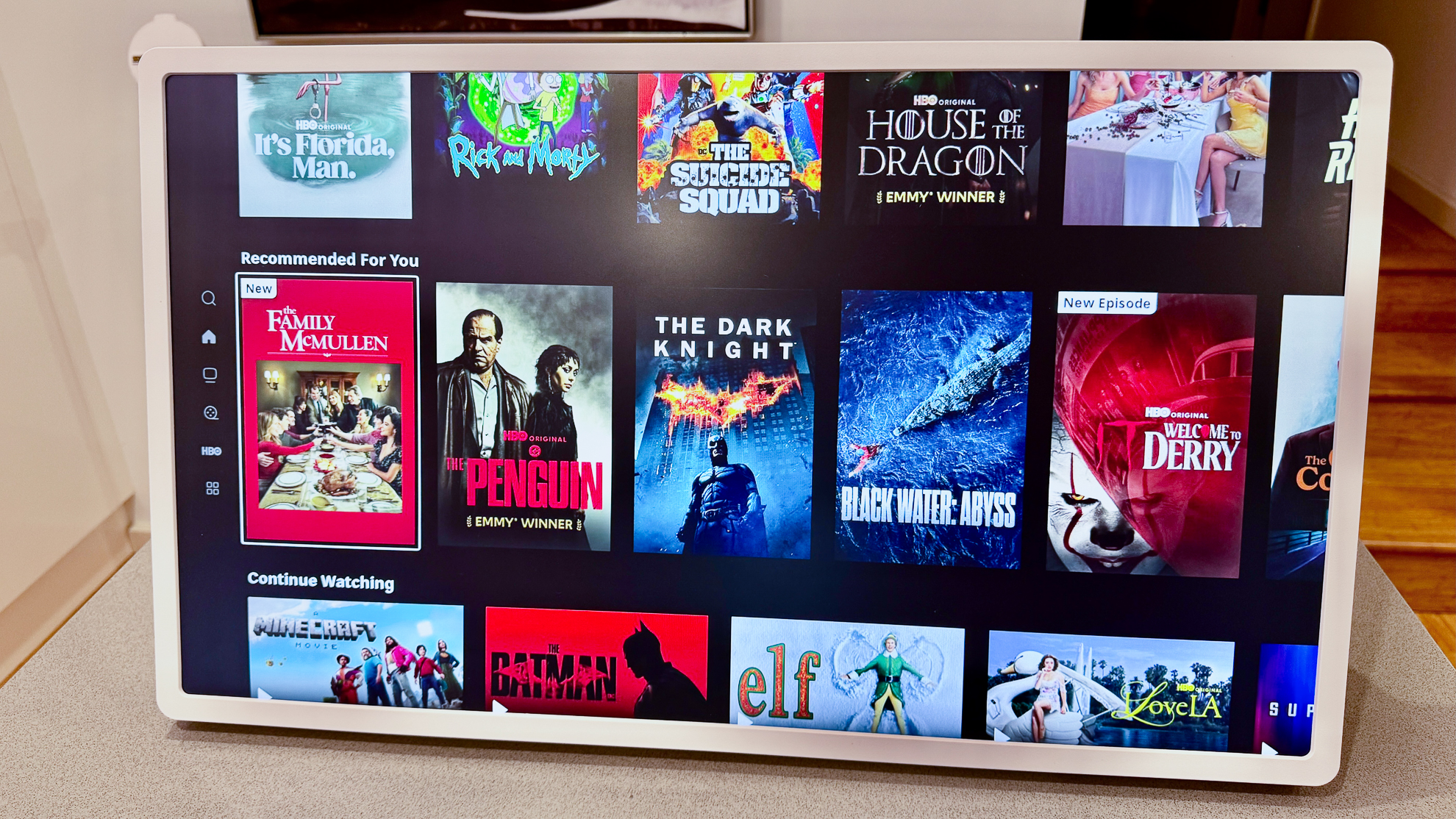
These limitations are apparent with darker content. In The Batman’s Penguin car chase scene on HBO Max, black weren't inky, but more a very dark charcoal grey. To get the best image, I had to push the panel brightness to 100. The TV also lacks a Filmmaker Mode and the Dolby Vision Filmmaker modes that appear on LG’s higher-end QNED and OLED TV models.
Because of these inherent constraints, the StanByMe 2 is best viewed in dimmer environments and isn’t well suited to being your primary screen for movie watching.
- Picture quality score: 3.5 / 5
LG StanByMe 2 review: Sound quality
- Dolby Atmos support
- AI Sound mode with virtual 9.1.2 up-mix
- Fine for most tasks, but not intense movie watching
As with picture quality, the StanByMe 2’s audio performance isn’t anything extraordinary. But again, this isn’t a TV designed to be your main entertainment system. Instead, it’s designed to be a supplementary screen in your home.
The good news is that the built-in speakers can be reasonably loud and dialogue is clear. What it lacks is low-end presence – especially in movie scenes with explosions. The AI Sound Pro mode is the best option in my opinion, as it helps create a more expansive soundstage.
You do have options to improve the audio output, either by physically connecting to a soundbar or other external audio device via HDMI eARC, or wirelessly to a Bluetooth speaker or pair of active speakers. I do think a physical connection will be cumbersome for most users, particularly if the TV is connected to its stand. That said, you could always hang it on the included hook and have a cable trailing down to a soundbar on a unit beneath.
I had a pair of KEF Coda W speakers on hand and, once connected to the LG, the difference was dramatic. I also paired a Beats Pill and even that portable Bluetooth speaker delivered noticeably better sound than the TV’s built-in speakers.
What this experiment really highlighted for me was how the LG StanByMe 2 gives you options, both in terms of how you use it to consume content and how you can get sound out of it. You don’t get such versatility from traditional TVs and this really is where the StanByMe 2 genuinely stands out.
- Sound quality score: 4 / 5
LG StanByMe 2 review: Design
- Multiple viewing modes
- Good selection of connections
- Useful design touches

As I’ve alluded to already in this review, the StanByMe 2 isn’t designed to replace a traditional TV. Its headline feature is its ability to be used in a variety of viewing positions. The main position – the one that’s likely to be used the most – sees it being attached to a rollable stand. The first-generation StanByMe was permanently attached to its stand, so it’s great that the new model can detach, expanding its usability.
The stand is relatively heavy at 10.9kg / 24 lbs and its wheels are silent when rolling around, but they’re definitely smoother on hard floors compared to carpet.
The stand has two sections: a fixed-height main pole and an adjustable arm that can raise the screen up and down a few inches. The base plays host to a power point, which is used to charge the TV’s built-in battery.
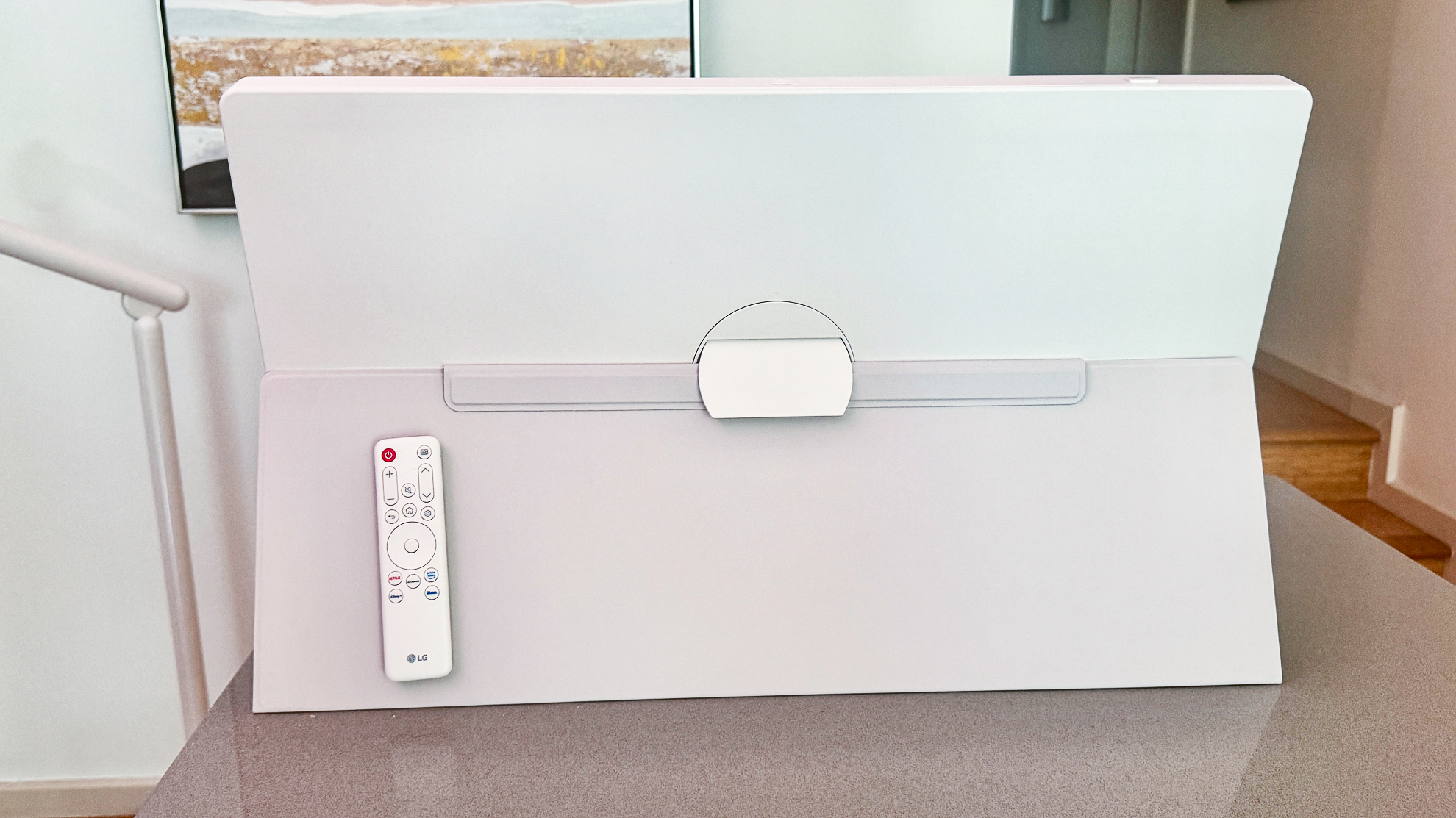
When you want to detach the TV from the stand to use in tabletop mode, you need to press a large central button on the rear panel of the TV and pull it forward. Because the TV itself is quite light at 4.3kg / 9.5lbs, it’s easy enough to hold onto the screen with one hand, and press the button with the other. And thanks to its lightweight build, you shouldn’t have too much of an issue carrying it around.
To use the StanByMe 2 in tabletop mode, you need to clip in a supplied kickstand on the rear of the screen, and slot the folio cover into two holes along the bottom edge. The folio cover then folds around to the back of the screen and slots into the kickstand.
The final viewing mode is hanging it up on a hook against a wall. The hook needs to be drilled into the wall, so it wasn’t something I could test for this review. I own my home, but with my review sample only being on loan, I didn’t want a hole left in my wall when it was returned. Once the hook is mounted, you can attach a strap to the StanByMe 2 to hang it. You can hang it in either portrait or landscape orientation, and besides watching TV, you could activate one of the many wallpapers or screensavers, which include weather and calendar information, a ‘now playing’ screen when playing music, or a digital photo album.
LG’s listing information for the TV also shows a person hanging this strap over their shoulder with the TV in landscape mode – similar to a messenger bag. But who wants or needs to hang a 27-inch TV over their shoulder?
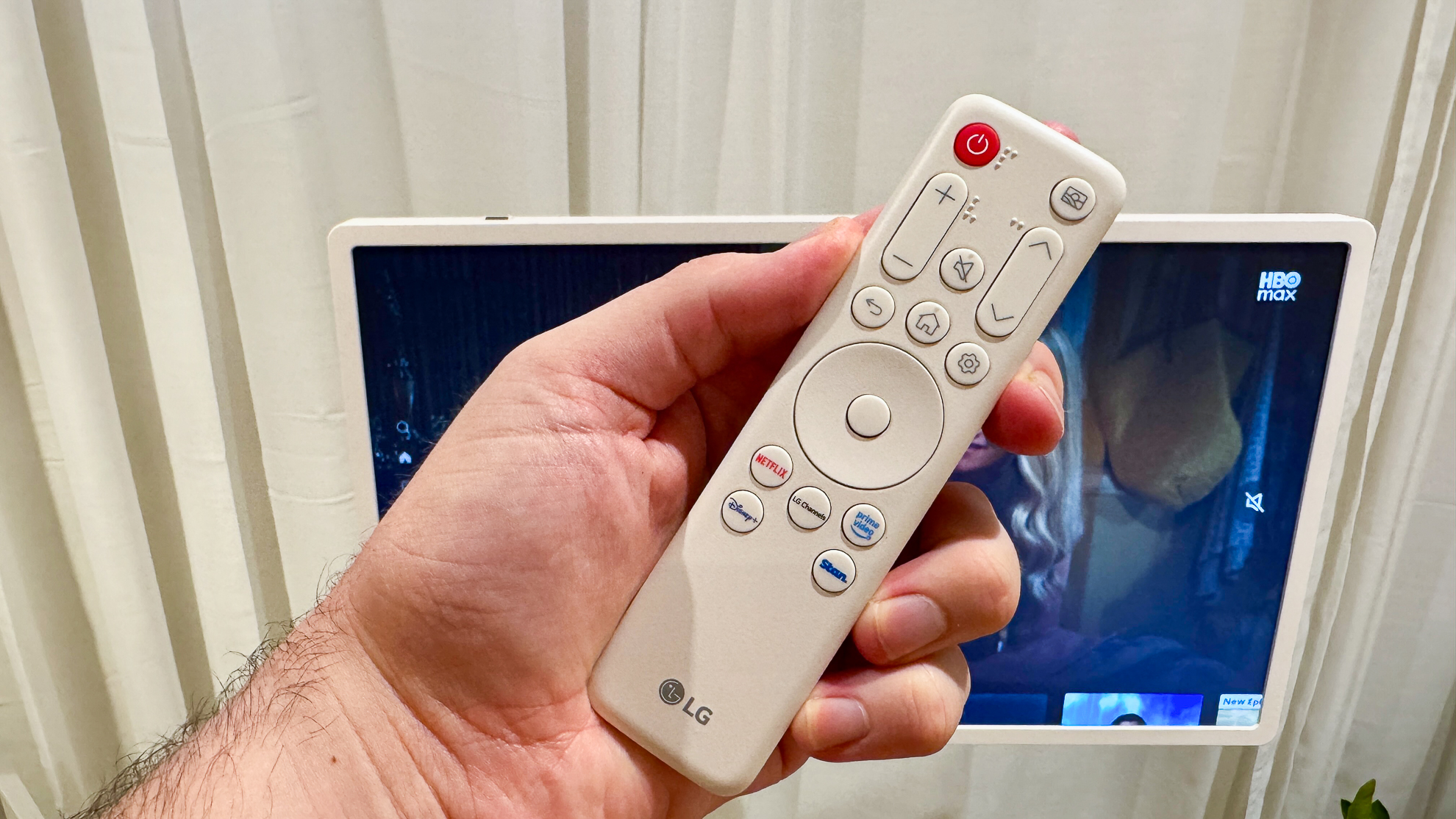
A remote control is supplied with the StanByMe 2, which I expected to be similar to the one used by LG’s other TVs, but there are a few design changes.
Perhaps the coolest function is the fact that the remote can magnetically attach to the top edge of the TV (when it’s in landscape mode) or to the folio cover when it’s in tabletop mode, so you don’t have to worry about losing it.
The biggest difference between this remote and the one you’d get with a regular LG TV is that it loses the Magic Remote functionality, i.e. you can’t use it to move a pointer around the screen as you can on an LG TV. If you have an LG Magic Remote at home, or you purchase one separately, then you can benefit from the pointer function as it’s compatible with the StanByMe 2.
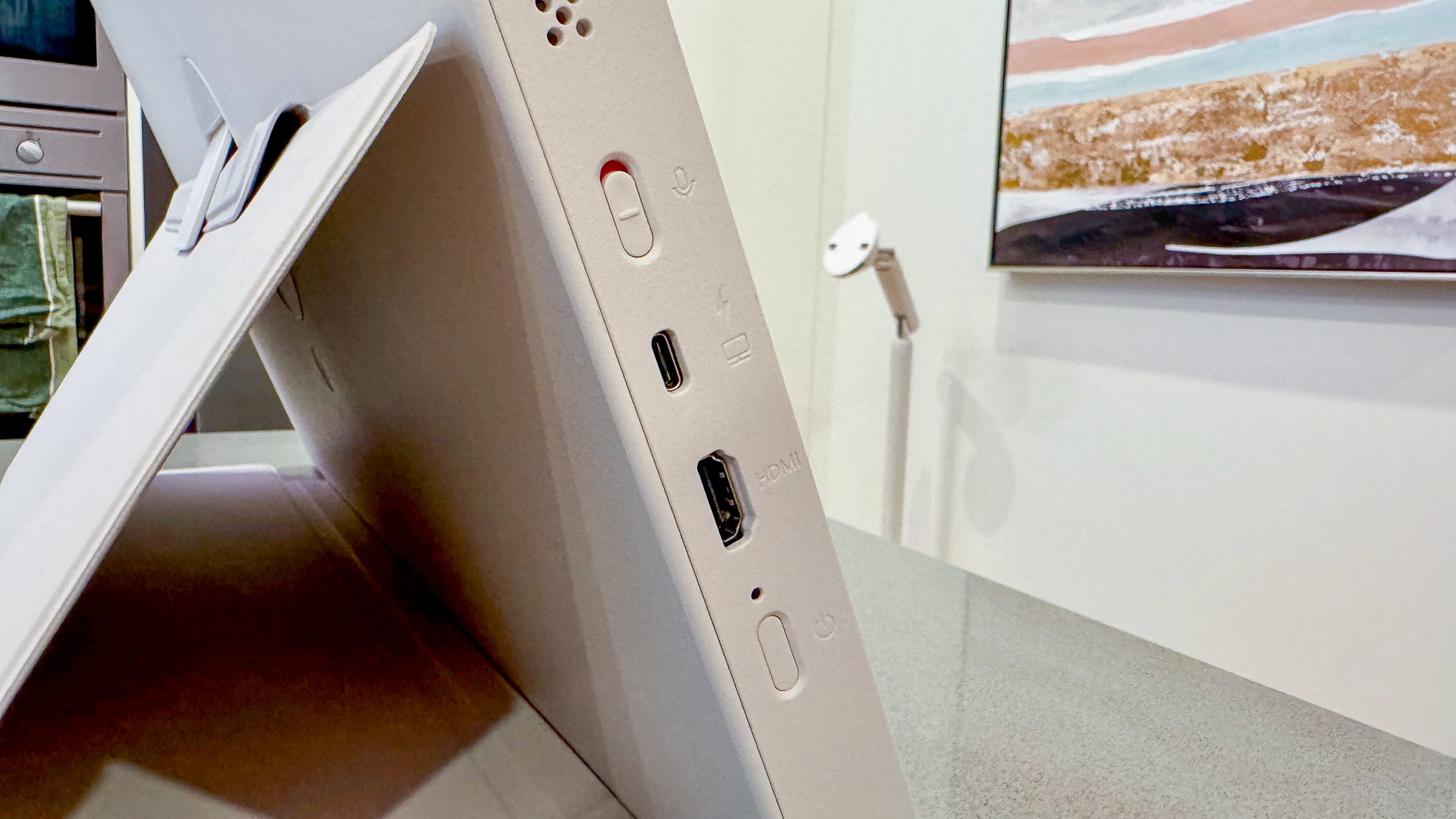
There’s a small selection of connections on the StanByMe 2, including an HDMI eARC for connecting to a soundbar to boost audio output, or to a laptop or PC so the TV can moonlight as a second screen. There’s also a USB-C port on the side for connecting external devices and power banks, and another USB-C port on the top edge for connecting a webcam.
LG says the USB-C port can also charge the screen TV when it’s not connected to the stand, but I struggled to get this working, even when using my MacBook Pro’s power brick. The user manual states you need a charger capable of either 65W (20V/3.25A) or100W (20V/5A) output, a criteria my MacBook’s charger satisfies.
- Design score: 4.5 / 5
LG StanByMe 2 review: Smart TV & menus
- Customized version of webOS
- Five years of upgrades promised
- No on-screen adverts!
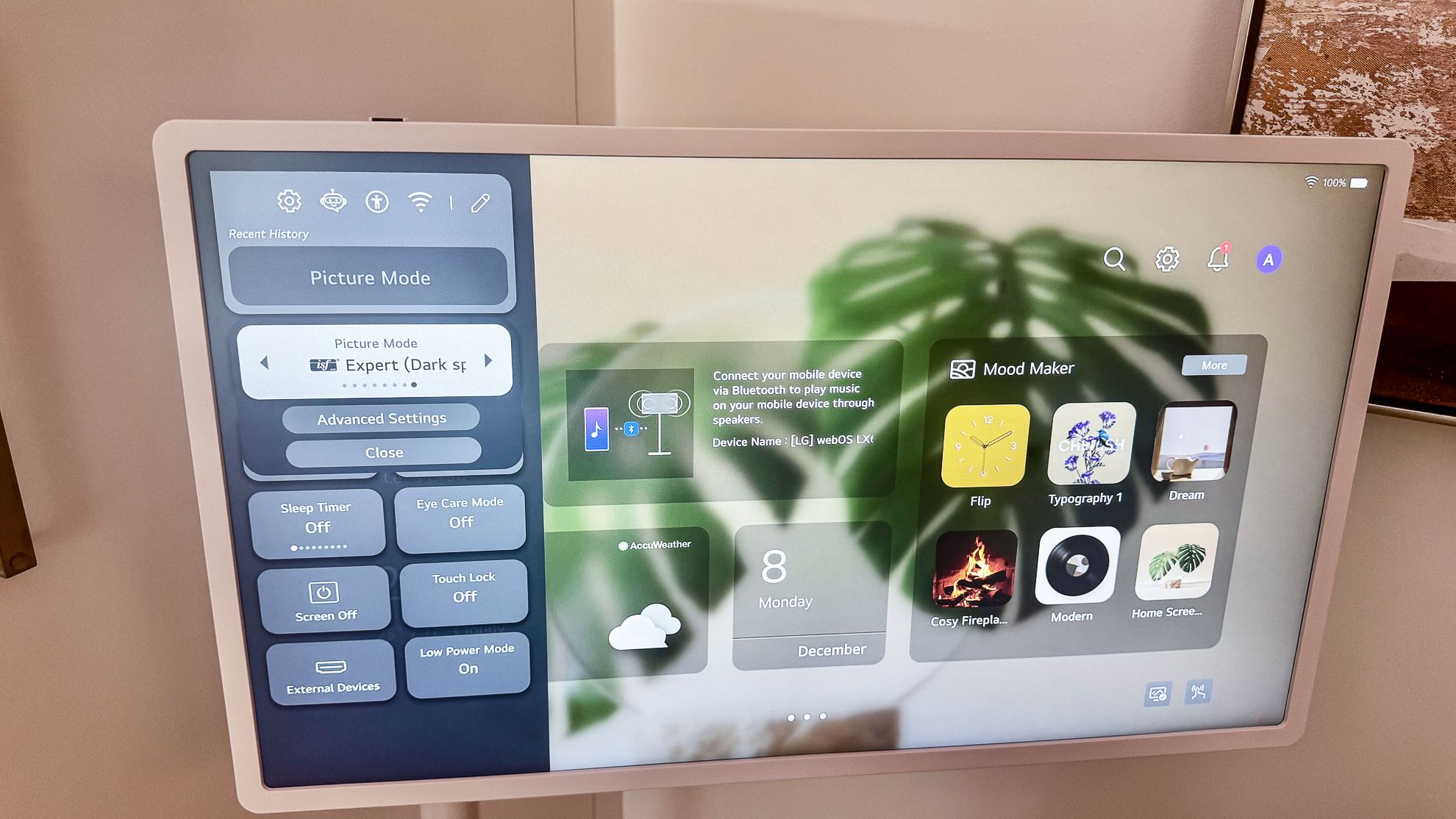
The LG StanByMe 2 uses a customized version of the company’s well-received webOS operating system. If you were to look at the version used here side-by-side with a regular LG TV, you’ll easily spot the differences.
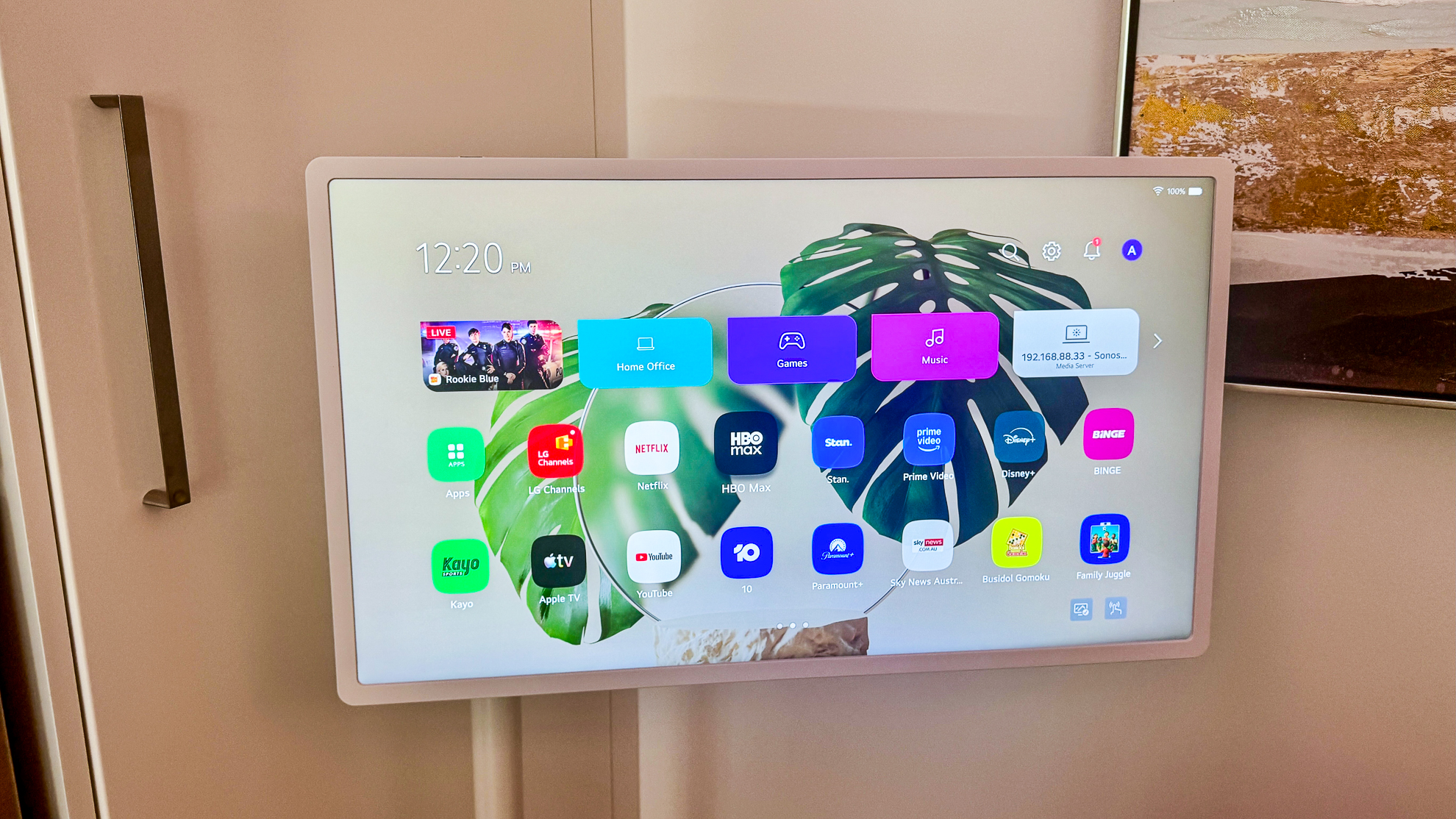
Two rows of apps dominate a large portion of the StanByMe 2’s screen, as opposed to a single line on the company’s regular TVs, with the familiar ‘cards’ for dedicated hubs – Home Office, Game, Music – just above. What’s pleasing to see in this instance is that there aren’t any on-screen ads or promotions in sight. The regular version of webOS will display on-screen adverts and even screensaver ads (unless you turn them off), so their complete absence is a welcome change.
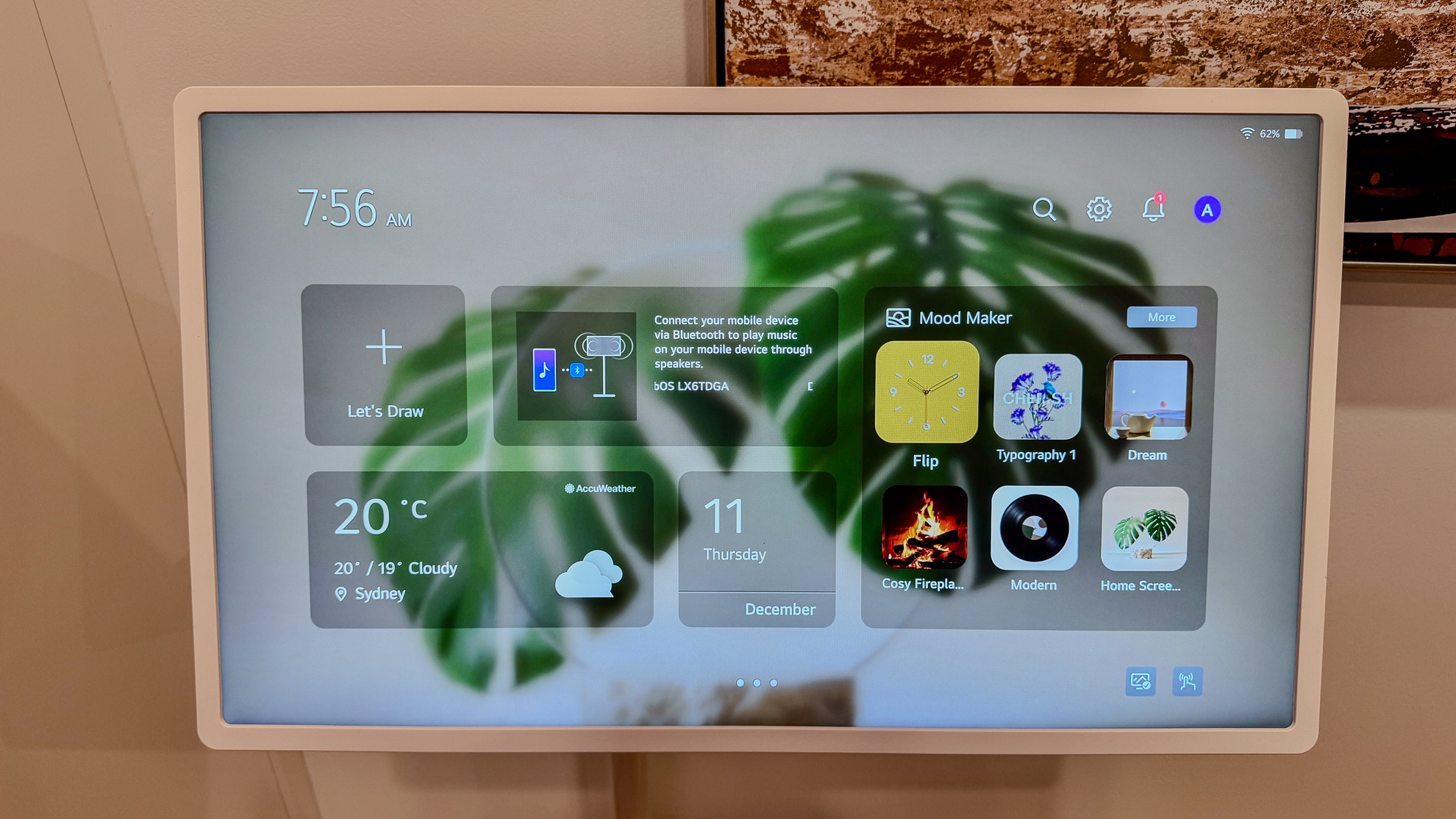
From the home screen, if you move left – either by pressing the left button on the remote’s d-pad, or swiping – you’re met with a screen displaying calendar and weather information, quick access to various wallpapers and a sketch pad.
The TV also supports Google Cast and Apple AirPlay, so you can beam content from your phone or laptop directly to it. I used the Screen Mirror function to extend my MacBook’s display and use the LG as a second monitor. It was a seamless process and even moving browser windows over to the LG worked as smoothly as if I had a dedicated monitor physically connected to my laptop.
Setting adjustments are as slick as I’ve come to expect from LG, having used the company’s G-series OLED over the past three generations. Pressing the settings button on the remote brings up a Quick Menu that appears as a transparent overlay in the top left of the screen, which allows you to quickly change picture, sound and other settings.
- Smart TV and menu score: 5 / 5
LG StanByMe 2 review: Value
- Pricey compared to larger, more conventional TVs
- Other rollable TVs exist, which can be found for less
- Ultimately not fantastic overall value
With a price tag of $1,299 / £1399.99 / AU$2,199, the LG StanByMe 2 is undoubtedly expensive compared to traditional TVs, which can cost much less, come in bigger screen sizes and benefit from more capable displays.
Plus, a quick search online reveals similar rollable TVs in markets including the US, UK and Australia. We've not reviewed them here at TechRadar, so can't comment on their performance, but the fact remains the LG StanByMe 2 isn't the only one of its kind.
If you can find it at a discounted price, it’s a lot easier to recommend, because what the TV has going for its uniqueness. LG classes the StanByMe 2 as a ‘lifestyle TV’ and I couldn’t agree more. It’s not going to replace a main TV in your home, but is designed to be an addition that can make your daily routine more convenient.
There’s certainly a case to be made for its existence then, but you’ll need to seriously consider whether it’s worth the premium price tag.
- Value score 2.5 / 5
Should I buy the LG StanByMe 2?
Swipe to scroll horizontally
Attributes | Notes | Rating |
Features | It lives up to its lifestyle credentials with a variety of viewing modes, connections and interactivity options. | 4/5 |
Picture quality | It’s not going to replace a conventional TV, but it does more than enough to meet the brief of being a lifestyle screen | 3.5/5 |
Sound quality | Clear dialogue and expansive sound, with the option to improve it via various methods | 4/5 |
Design | A range of viewing modes and some useful physical connection options make the StanByMe 2 one of the most versatile screens out there. | 4/5 |
Smart TV and menus | LG’s webOS platform is always a joy to use and the customized version here continues that trend. | 5/5 |
Value | A fun, cool TV that’s supremely versatile, but there’s no denying it’s expensive compared to traditional screens. | 2.5/5 |
Buy it if...
You want a versatile TV
The StanByMe 2 can be used in a variety of viewing modes and is easy to move between rooms in your home.
You want a smaller TV
At 27 inches, the StanByMe 2 should be easy to accommodate in most spaces, plus it can be taken away with you in the car.
Don't buy it if...
You want the best possible picture quality
The limitations of the LCD panel mean the StanByMe 2 simply can’t deliver the absolute best picture quality.
LG StanByMe 2 review: Also consider
LG B5 (48-inch)
I've already mentioned the LG B5 in this review for several reasons. Most notably, it offers a dramatic leap in picture quality thanks to its OLED panel, and in 48-inch guise, it's often more affordable than the StanByMe 2.
Read our full LG B5 review
Sony A90K (42-inch)
It's quite tricky to find a 'small' screen TV these days, but the Sony A90K continues to be sold in a 42-inch size. It was released in 2022, yet the Japanese brand hasn't felt the need to update it. We've not given it the full in-depth review treatment, but some hands-on time revealed it to be a talented performer. We just wish it wasn't so expensive!
How I tested the LG StanByMe 2
- Used at home and tried most viewing modes
- Watched a range of content from various streaming services
- Let it run on battery power to test stamina
I tested the LG StanByMe 2 over a period of about 3 weeks at home. I used most of its viewing modes, including attaching it to its stand and using the folio cover. I wasn't able to test its hanging mode, as I wasn't prepared to drill a hole into my wall.
I watched a variety of dark and bright content from a number of streaming services, including The Batman and A Minecraft Movie on HBO Max. I also tested its ability to connect to external audio devices via Bluetooth to improve sound output.
- First reviewed: December 2025
- Read TechRadar's reviews guarantee







 English (US) ·