
Geekom AX8 Max: 30-second review
The Geekom AX8 Max is a mid-range mini PC designed for office workers using Microsoft Office and Google Docs, but also needing a machine powerful enough for some light multimedia editing. Inside is a relatively powerful AMD Ryzen 7 8745HS CPU, complemented by an integrated Radeon 780M graphics processor that enables support for up to 4 displays or a single 8K monitor.
The Geekom AX8 Max is a well-specified mid-range machine, and this is reflected in its price point. The mix of a new AI-ready CPU and PCIe Gen4 SSD all comes together in a solid mini PC that will suit many different types of users, although Geekom have tried to make this mini PC a little more interesting by giving it a slightly peculiar pale blue colourway.
For most day-to-day office tasks, the AX8 Max fares exceptionally well, ploughing through large PowerPoint presentations without issue. When working with Word and Excel on dual 4K monitors, it takes the whole process in its stride. Surprisingly for a mid-range machine, it also handles Premiere Pro, editing HD and straight 4K video, as long as the edits don't get too complex and there isn't too much colour grading applied. However, as the render process builds up for more complex projects, you can start to hear the fans kick in, helping to keep everything cool and avoid any thermal throttling.
Having edited a 30-minute video, it was possible to feel that some thermal throttling was happening, as the inner workings of the machine were pushed with 4K video from the Sony A7 IV. However, considering the form factor, it fared incredibly well, and whilst the fans were audible, they were by no means the loudest I’ve come across.
In reality, mobile phone 4K and HD video is better suited for editing on this machine. While it does have the power to edit higher resolution video, the limited upgrade options when it comes to memory, with maximum internal storage only reaching 2 TB and RAM capped at 64 GB, mean even with an upgrade, it only has enough clout for base 4K video editing, with little headroom if effects do get more complex.
When it comes to storage, there is the ability to upgrade the internal capacity. However, with two USB4 ports on the back, you have instant expandability with external SSDs that will provide very decent 40 GB/s transfer rates.
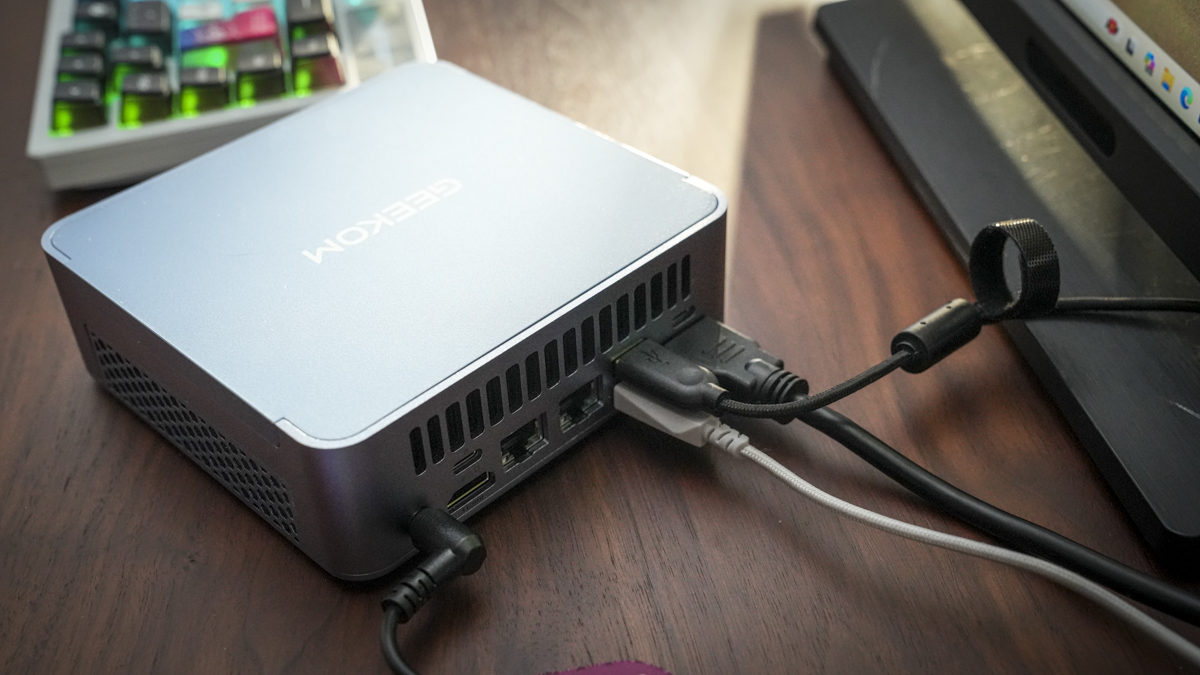
Another point that lends itself towards office use is the wide range of connectivity options. There are plenty of USB-A ports across the front, but unfortunately, no USB-C. Around the back, there’s a full array of HDMI, USB-A and USB4 ports, including network LAN, meaning if you’re working in an office, it’s easy to hook this into your network as well as connect accessories.
Like many of the best mini PC machines I've tested this year, the performance all around is exceptionally good. While its Windows Experience score was like other mid-range machines, an exceptionally fast SSD and DDR5 RAM ensure most applications run quickly and smoothly, giving extremely solid performance throughout the test.
Gaming, as with multimedia editing, is well-handled, but again, the fans kick in with anything too complex. Most games play without issue, and if you're into just a bit of light gaming, even with high-end titles, this small machine will suffice.
My only other comment on this machine is the colorway, which appears to be pale blue. While this machine is exceptionally good considering its mid-range profile, that seems a bit of an odd choice.
Geekom AX8 Max: Price and availability
- How much does it cost? From £629 / $629
- When is it out? Available now
- Where can you get it? Directly from Geekom or Amazon.com
The price of mid-range mini PCs has definitely escalated, but then again, so has the processing power. The Geekom AX8 Max certainly raises the bar when it comes to what we now expect from a machine at this price level.
The review machine I tested will set you back around $629 directly from the Geekom website and can also be purchased through most major online retailers, including Amazon.com.
- Value: 4 / 5
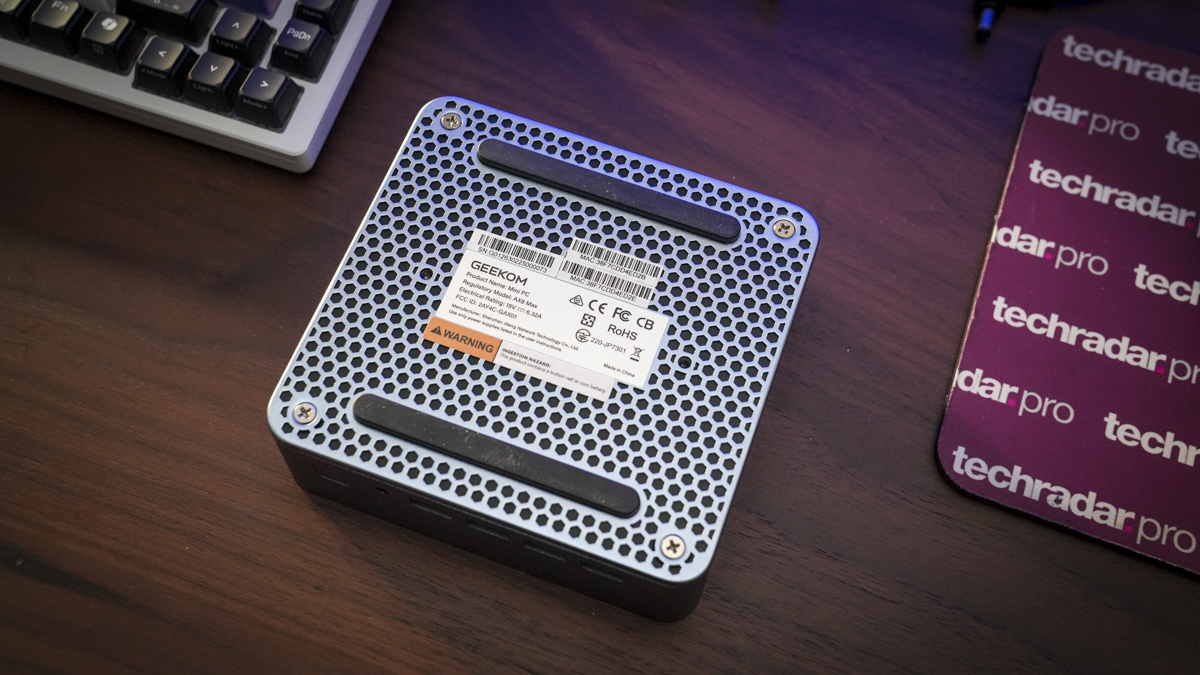
Geekom AX8 Max: Specs
CPU: AMD Ryzen 7 8745HS
Graphics: AMD Radeon 780M integrated GPU
RAM: Dual‑channel DDR5, up to 64 GB
Storage: M.2 2280 PCIe Gen4×4 SSD, up to 2 TB
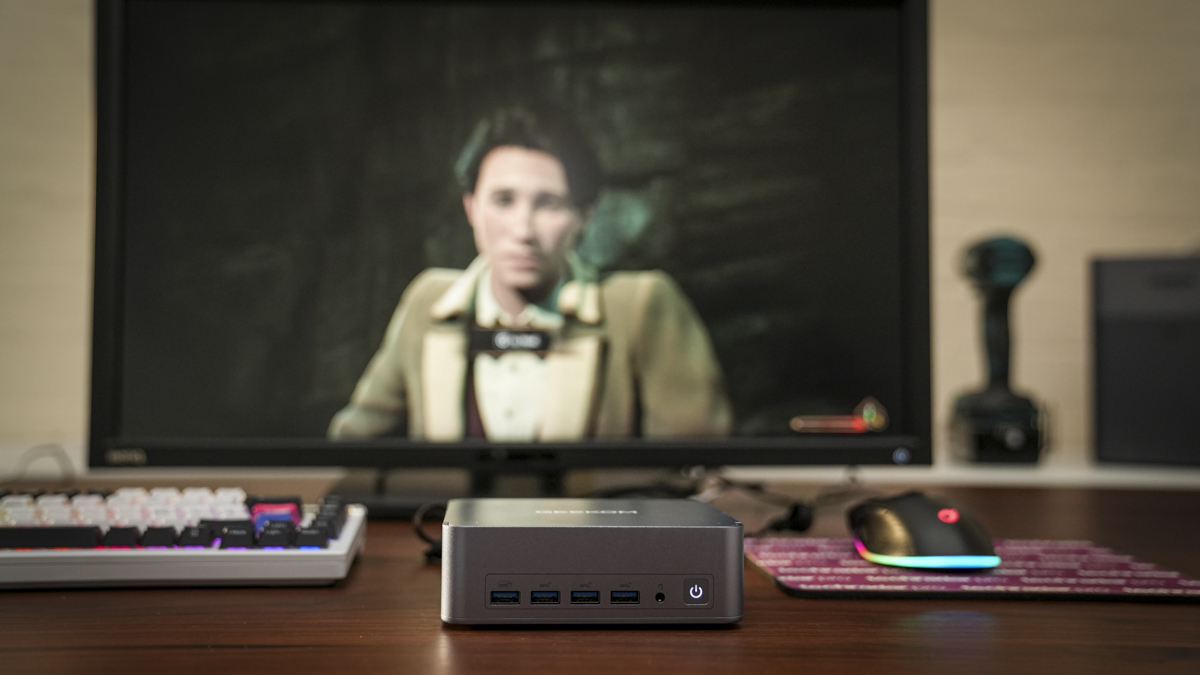
Front Ports: 4 x USB 3.2 Gen 2 Type-A, 3.5mm headphone, Power
Rear Ports: DC Jack, HDMI 2.0, 2 x USB4, 2 x 2.5G RJ45
Connectivity: Dual 2.5G LAN, Wi‑Fi 6E, Bluetooth 5.2
Audio: HDA CODEC
Size: approx. 135 × 132 × 46.9 mm
OS Installed: Windows 11 Pro (64-bit)
Accessories: VESA mount, HDMI cable, power adapter, user manual
Geekom AX8 Max: Design
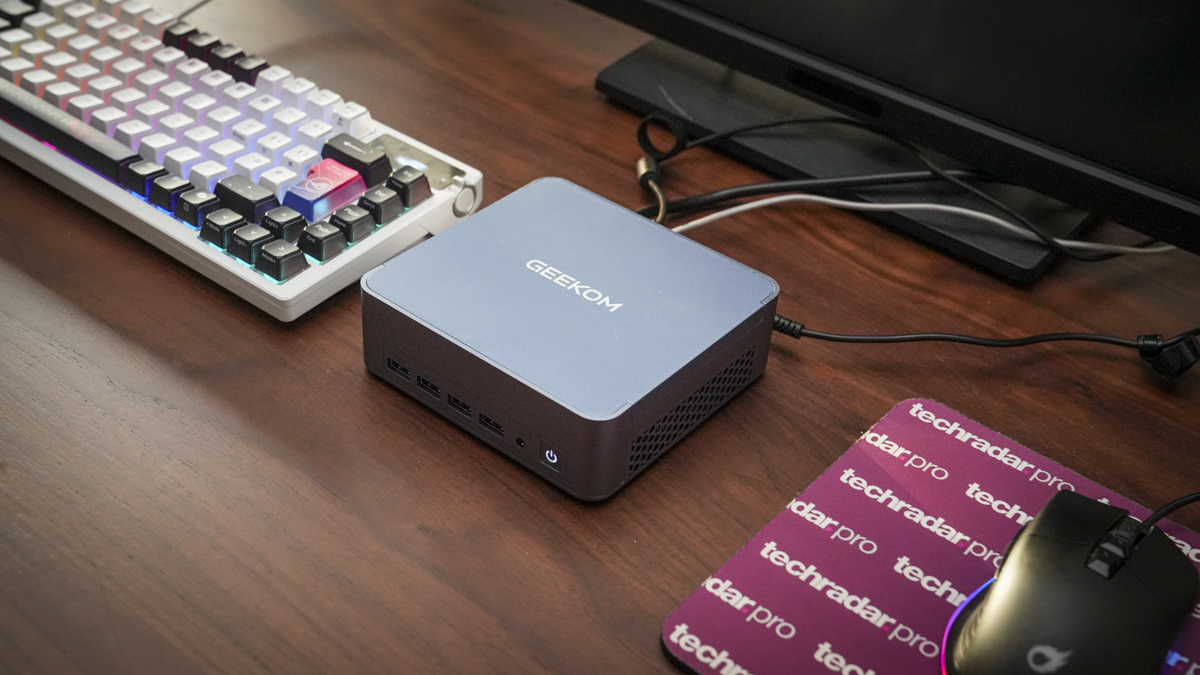
Geekom mini PCs have continued to evolve, and with the AX8 Max, you can see an update in the quality of the design. The small mini PC feels exceptionally well built and robust, with a metal chassis that means it's equally at home in a static office setup, used in a van, or taken between locations as a powerful portable mini PC. As a choice for Van Life it’s also well suited offering more protection against moisture, shock and dust than most.
As I mentioned earlier in the review, while the build quality of the mini PC is exceptionally good, it is finished in a slightly peculiar colourway which will appeal to some, but for me personally is a little off-putting and doesn’t really feel very office-centric.
The size is also on the larger side for a mini PC, measuring 135 x 132 x 46.9 mm, still small, but slightly larger than what we've seen recently. Weight-wise, it's also well balanced, coming in at 800 g for the machine with an additional weight for the power adapter, meaning it's equally at home placed on the desktop or mounted onto a VESA mount and placed out of sight behind a monitor or on a dedicated wall mount.
Despite the colourway, it does have a premium finish, and this is reflected in the slightly higher mid-range pricing. This also reflects the quality of the internal components that enable this mid-range mini PC to make an impact with higher-demand applications that would have overwhelmed some older mid-range options.
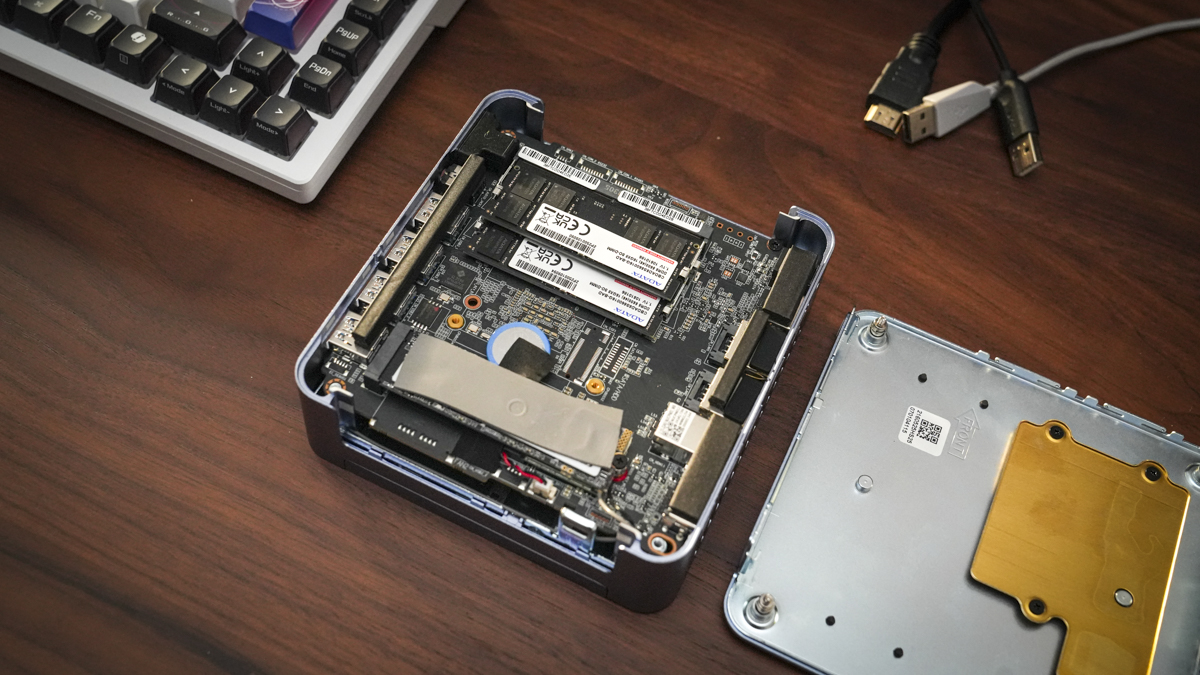
Around the body, there's a good volume of ports. Across the front of the machine, there are 4 USB 3.2 Gen 2 Type-A ports, a 3.5 mm headphone jack and the power button. It is a bit of a shame there’s no USB Type-C on the front of any denomination. However, around the back, again, there's a good volume of ports. Alongside the DC jack for power, there are also 2 HDMI 2.0 ports, 2 USB4 ports, 2 2.5G RJ45 ports, a USB 2.0 Type-A and a USB 3.2 Gen 2 Type-A — enabling accessories both new and old to be plugged in without much issue.
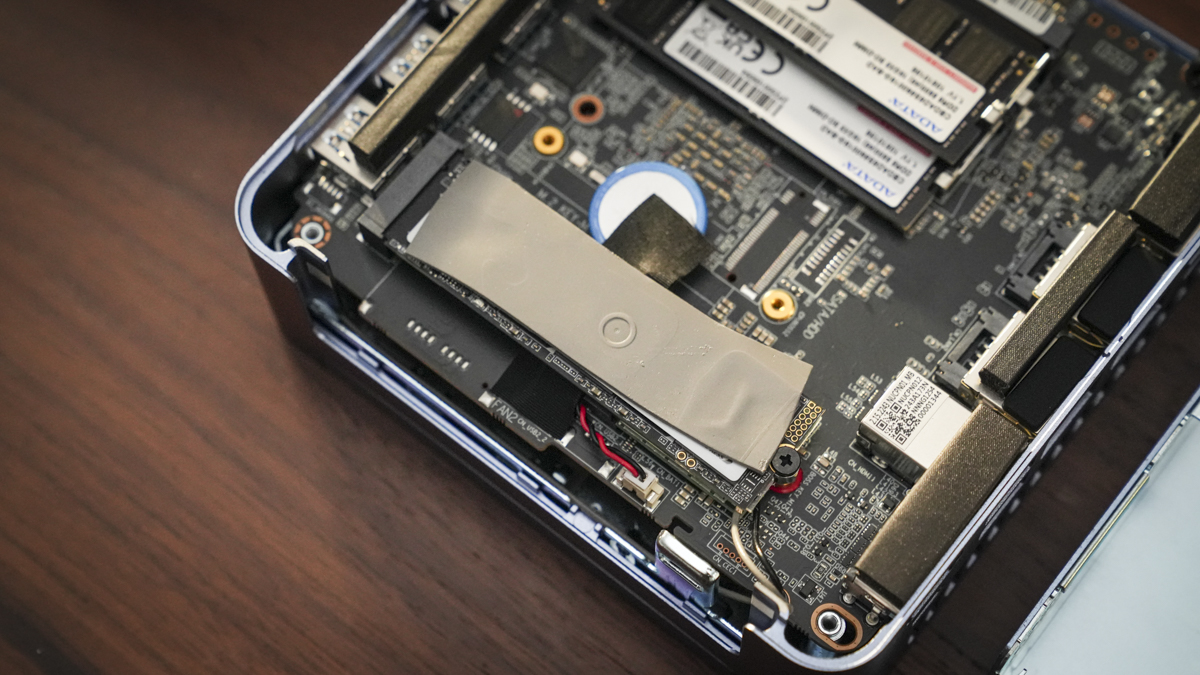
Inside the machine, there is dual-channel DDR5 5600 MT/s RAM with a maximum of 64 GB. In the review sample, it arrived with 32 GB of RAM — more than enough for day-to-day office tasks and just enough for light multimedia editing. Surprisingly, the SSD storage is a little limited: it's only possible to install an M.2 2280 PCIe Gen4×4 SSD up to 2 TB. This is quite limited for this level of machine, and I would’ve expected support for at least 4 TB. However, while the maximum capacity is limited, I think more due to heat dissipation than anything else, it is exceptionally quick and one of the fastest internal SSDs I’ve seen in recent mini PC tests.
Helping to keep everything cool is the IceBlast 2.0 cooling system, which features air outlets on both sides of the machine to help dissipate internal heat from the CPU, memory and SSD. Access to these components is made through the bottom of the machine by simply undoing the screws and lifting away the base plate. Once removed, it reveals the dual-channel RAM and SSD slot, allowing quick upgrades or replacements.
- Design: 3.5 / 5
Geekom AX8 Max: Features
The speed and specifications of mid-range mini PCs have recently improved with the integration of the latest AI-ready CPUs. The Ryzen 7 8745HS features eight cores, 16 threads, and has been coupled with the integrated Radeon 780M GPU, which has a good track record for performance in mini PCs.
This combination of CPU and GPU, along with 32 GB of DDR5 RAM and a PCIe Gen4×4 SSD, is well-suited for anyone looking to use the machine for software beyond standard office applications, including creative programs such as Illustrator, Photoshop and Lightroom, and even photo and video editing at 1080p and light 4K.
What sets this mini PC apart from other mid-range options we’ve seen in the past is that it features the Ryzen 7 8745HS CPU, which includes AMD’s XDNA-based NPU architecture. This means it’s better able to handle lightweight AI workloads locally, such as background blur in video calls, speech transcription, and voice assistants in applications like Photoshop and Premiere Pro. It also enables faster localised AI processing.
It’s not just the CPU that has an AI boost, the integrated Radeon 780M GPU also supports AI-enhanced media. Although it doesn’t feature dedicated AI silicon, it still improves processing in enhanced video encoding and supports hardware-accelerated AV1 codec, which is useful for both DaVinci Resolve and Adobe products.
If you're looking for an AI workstation for development and thinking this mini PC might be a great option, then it’s worth noting that it's not designed for deep learning or running an LLM chatbot locally. Instead, it’s better suited for more mainstream AI use. For something more AI-tuned, it’s probably best to look at something like the Sapphire Edge AI 370.
As covered in the design section, there’s a good number of ports, including exceptional connectivity with USB4 ports on the back that offer 40 Gbps transfer and 100 W PD power. So, if you have other devices that need quick charging, that port is an option. Alongside the physical ports, there's also Bluetooth 5.2 for connecting most wireless keyboards and mice, and Wi-Fi 6E for fast internet connection speeds.
Another big feature is the ability to connect up to four 4K monitors — two through USB4 ports and two through the HDMI 2.0 ports. There's also the option to connect an 8K monitor, although you’ll only be able to use one 8K monitor at a time, rather than four 4K displays.
- Features: 4 / 5
Geekom AX8 Max: Performance
Benchmark scores
CrystalDiskMark Read: 6,731.02 MB/s
CrystalDiskMark Write: 6,023.3 MB/s
Geekbench CPU Multi: 12,660
Geekbench CPU Single: 2,440
Geekbench GPU: 29,050
PCMark Overall: 6,741
Cinebench CPU Multi: 15,518
Cinebench CPU Single: 1,703
Fire Strike Overall: 7,346
Fire Strike Graphics: 7,965
Fire Strike Physics: 27,074
Fire Strike Combined: 2,746
Time Spy Overall: 3,162
Time Spy Graphics: 2,808
Time Spy CPU: 11,076
Wild Life Overall: 16,022
Steel Nomad Overall: 499
Windows Experience Overall: 8.2
Getting started with the Geekom AX8 Max is relatively straightforward. Once plugged in, all you need to do is run through the Windows 11 Pro setup screens, log into your Microsoft user account along with any others, and the machine is ready to go. This process now takes between five and ten minutes to complete, as Microsoft tries to encourage sign-ups to its various services.
However, once done, you don’t have to go through it again, and the speed of the internet connection from the outset, provided by the Wi-Fi 6E, helps speed things up.
During setup and plug-in, it’s worth noting that, while this mini PC is compact, the power adapter must also be considered. While not especially large, it is still a bulky addition.
Starting the tests, both Microsoft Office and Google Docs ran exceptionally smoothly. Microsoft Office applications opened quickly and ran without issue. Checking through the benchmark tests, the Windows Experience score of 8.2 is about average for mid-range mini PCs. While some may experience slight lag in more media-intensive apps like PowerPoint, the very fast SSD ensures image and large file processing is handled exceptionally quickly.
In fact, when I started looking at more advanced applications, I felt like this small machine was able to cope with a lot more than expected. That’s in part due to the speed of the internal SSD, which recorded one of the fastest transfer rates I’ve tested this year, 6,731.02 MB/s read and, more impressively, 6,023.3 MB/s write. This meant it didn’t just handle media-intensive Microsoft applications quickly, but also large image files in Photoshop and Lightroom, as well as video data within Premiere Pro.
This makes it a great option for office workers who need to create large presentations with images or video, or for those involved in multimedia creation using CapCut or Premiere Pro.
Taking processing demands up a notch I loaded a few images from the Canon EOS R5C into Photoshop, the speed was good, and it handled high-resolution image files, applying adjustment layers and effects without noticeable lag.
As I experimented with Lightroom, general use was excellent, and even batch editing was handled without issue. The only time I noticed a slowdown, compared with my desktop, was when using AI features such as Denoise or Enhance Details. While it processed the images, there was a marked difference compared to my desktop machine. In Photoshop, day-to-day work, including layers, effects and exports, was all good, but when using local smart features like Neural Filters or Smart Portrait, some slowdown was noticeable, especially with tasks requiring GPU power.
In multimedia production, starting with CapCut and footage from the iPhone 15 Pro, the machine handled the data with no issue. As templates were applied, the speed remained solid, and CapCut ran smoothly, making editing easy.
Upgrading the production using Premiere Pro, things began to slow down slightly, but the machine still handled thumbnail and timeline renders at a decent pace. It was only when I loaded in 4K video that it started to struggle, with the fans kicking in, especially during grading.
One of the main issues with Premiere Pro was that, while 1080p footage from an iPhone or DJI Action 5 edited without issue, moving to 4K footage led to stuttering during playback and increased render times, along with noticeable fan noise.
When it came to AI features such as Auto Reframe, Scene Edit Detection and Speech to Text, processing was considerably slower compared to my desktop PC.
To finish the test, I played a couple of games, Hogwarts Legacy and Indiana Jones and the Great Circle. Both were fortunately playable, but settings had to be reduced for smooth playback. Indiana Jones and the Great Circle, in particular, showed noticeable stutter, the kind you often get when the CPU and GPU are struggling with the detail.
So overall, this is definitely a machine designed for mid-range office and light multimedia work, less suited to anything beyond that, and especially not a great option if you are gaming.
- Performance: 4 / 5
Geekom AX8 Max: Final verdict
The Geekom AX8 Max is a great option for any office looking for a slightly quirky-coloured mini PC that enables them to complete day-to-day tasks, create relatively complex presentations, and do a little light multimedia editing.
Some highlights of this mini PC include its connectivity, with two RJ45 ports at the back enabling direct network connection and offering plenty of storage expansion. I also like that it comes with two USB4 ports, allowing connection to mass external storage or ultra-fast PC accessories.
Colourway aside, the build quality is exceptionally good, and with all those ports, it offers a great office solution. I am, however, a little surprised that upgrade options are limited to just 64 GB RAM and 2TB internal storage.
If you are in the market for a slightly quirky-coloured mini PC, this offers solid performance across the board and is reasonably well priced, particularly compared with a machine like the Beelink SER9.
Should I buy the Geekom AX8 Max?
Swipe to scroll horizontally
Value | Good value for money for a solid office machine that allows light multimedia editing | 4 |
Design | Solid design with plenty of ports that enable easy connectivity — just a shame about the colour | 3.5 |
Features | A well-balanced mid-range mini PC with a good range of features, including AI readiness | 4 |
Performance | SSD transfer speeds are exceptionally good, giving the CPU and GPU a performance boost compared with similarly specced machines | 4 |
Overall | A great no-fuss machine for the office that offers excellent speed for day-to-day administration and multimedia editing | 4 |
Buy it if...
You need office desk space
You want a compact PC that doesn’t take up much desk space but handles office, coding and creative workloads smoothly.
You're creating a multi‑monitor setup
You need 4K/8K output, multiple displays or a hidden setup, but still want good performance in a small form factor.
Don't buy it if...
You're running heavy‑duty GPU workloads
You plan extensive 3D modelling, rendering, high-end gaming or anything where a GPU is needed.
You demand maximum performance under load
If your workflows involve sustained heavy multi-core or graphics tasks, thermal throttling might limit performance compared with a full-size desktop tower.


 English (US) ·