
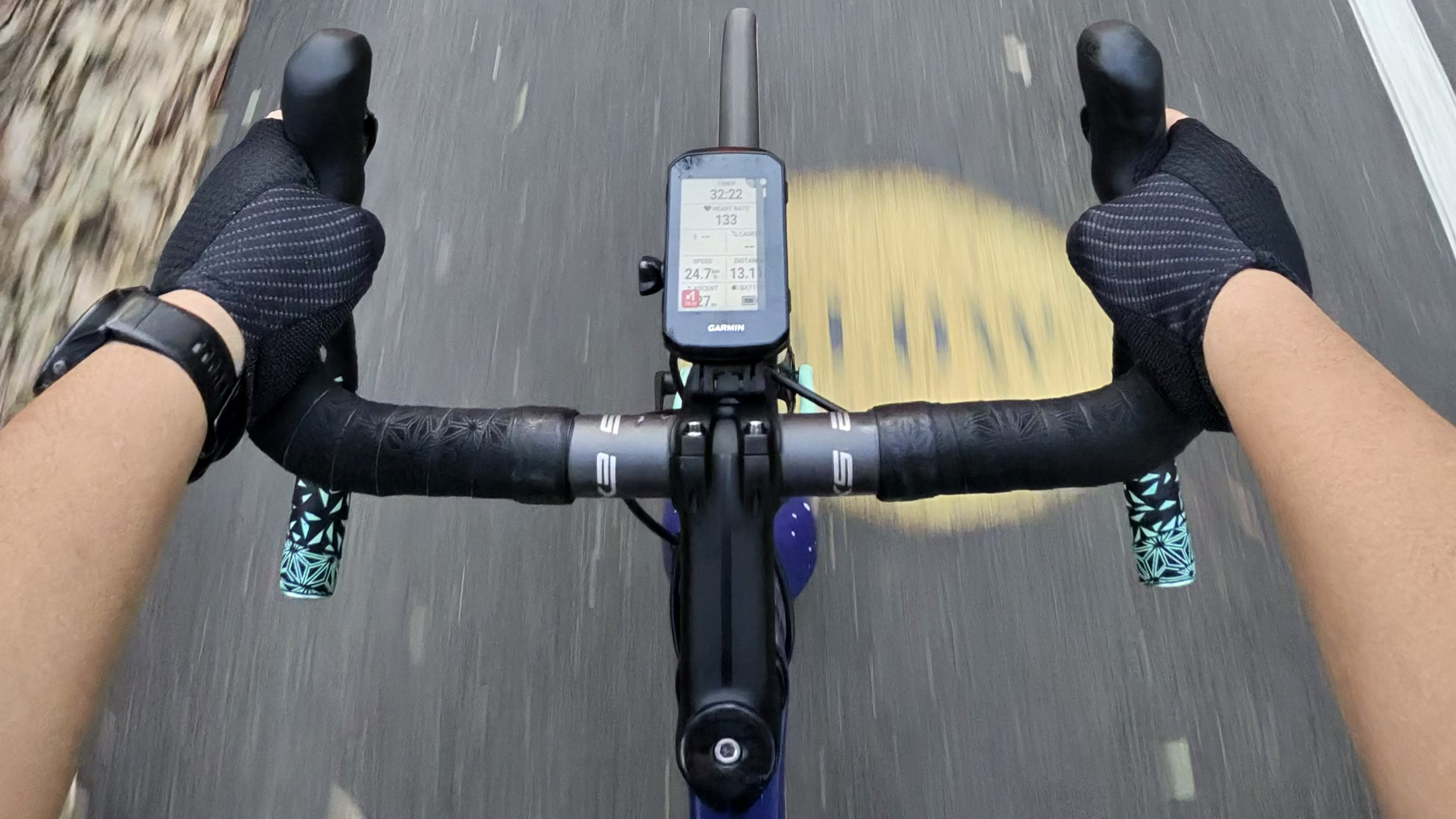
I’ve been a regular cyclist since 2015, and I’ve had my fair share of bike crashes — all minor, thankfully, where I got away with a few gashes at worst — and the common denominator was that I was distracted by my phone.
A smartphone mounted on bike handlebars is a distraction magnet. The big, bright screen is great for navigating with Google Maps, but notifications and other pop-ups can also take your focus off the road. This setup can also drain the phone battery quite quickly, especially if you’re also recording your ride on an app like Strava, making it less than ideal for longer rides.
Bike computers aim to address these issues. They might resemble small smartphones, but without the distractions, recording metrics like speed, distance, heart rate, time and more. They can range from basic models that cost no more than AU$20, to high-end computers that have built-in GPS and maps, and even a digital ‘bell’ via an on-board speaker (for about the same price as a mid-range smartphone).
Article continues below
Eyes on the road, not on a screen
I tested Garmin’s newest bike computer, the Edge 850, to see how much the ride experience improves compared to using my phone while mounted on my handlebars.
The smaller black-and-white screen only displays numbers, which minimized distractions and kept my eyes on the road more often compared to using my phone. It also has real-time alerts of any upcoming hazards like potholes and road debris, which are usually user-reported (similar to how Waze works).
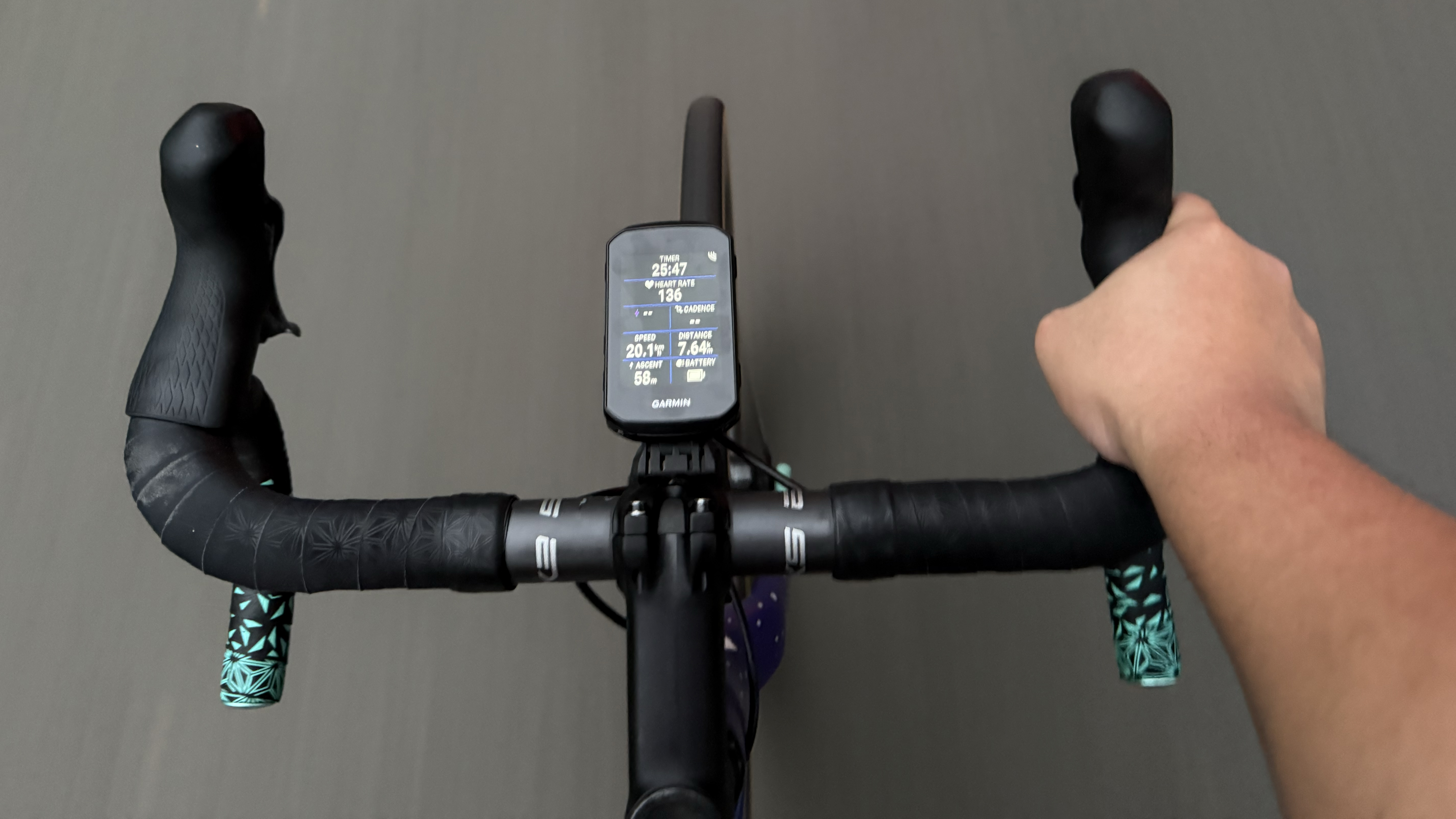
The on-board GPS is accurate, and the maps are just as intuitive to navigate as Google Maps, and the Edge 850 would also re-calculate your route if you miss a turn.
While the features above are great, what truly makes a Garmin bike computer an essential safety upgrade for anyone who rides bikes is a separate add-on accessory: the Garmin Varia RearVue 820.
Tesla’s vehicle detection tech, but for bicycles
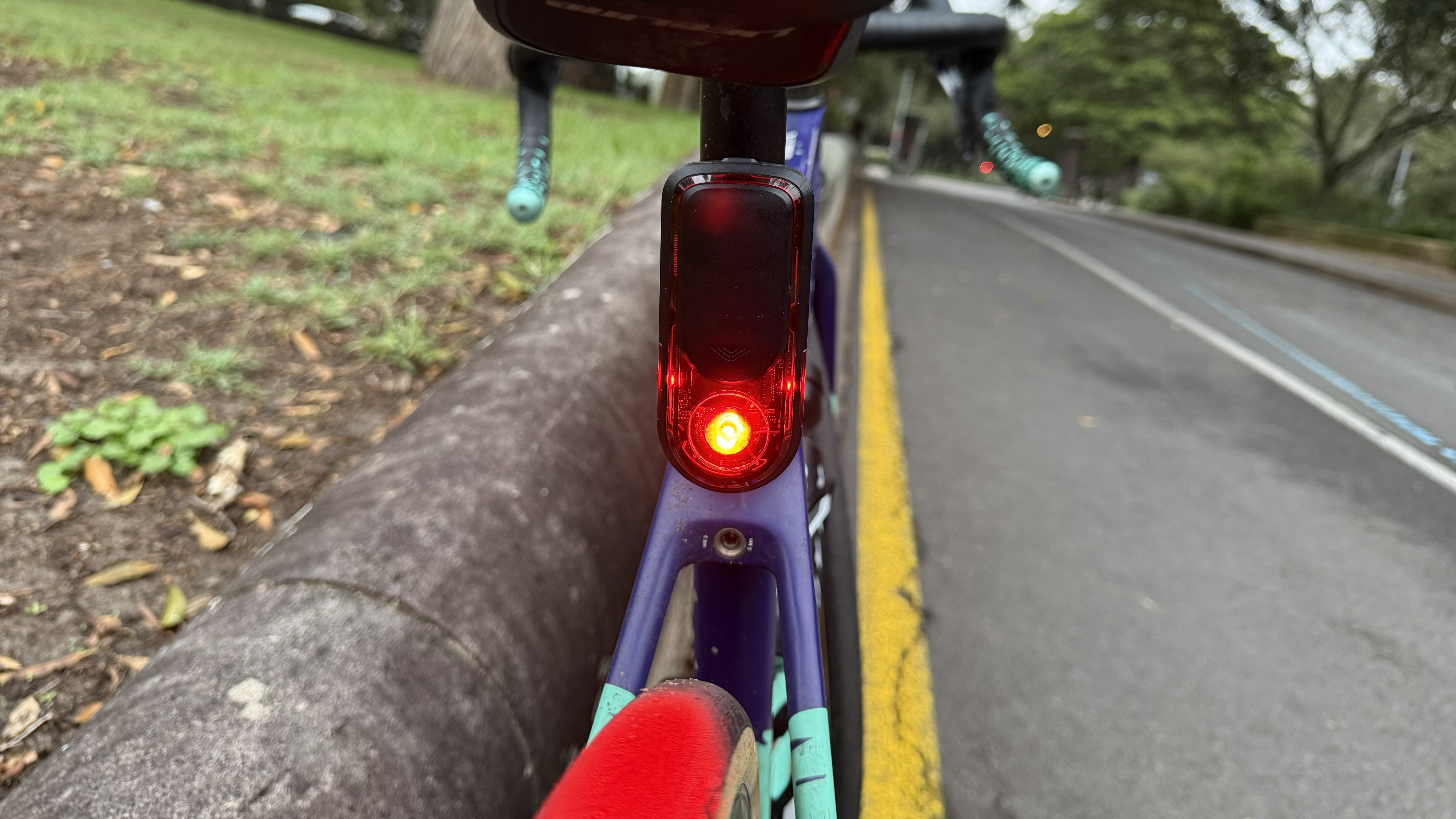
The Varia RearVue 820 may look like a normal rear bike light on the outside, but it contains a radar to detect if there are vehicles behind you — similar to Tesla’s own vehicle-detection tech.
Bike radars are not a new invention by any means; Garmin made the first commercial rear-facing radar in 2015, which has since spawned copycat models across the cycling industry.
What sets the Garmin Varia RearVue 820 apart is that it can also tell you whether the vehicle behind you is a conventional car or something much bigger, like a bus or truck.
Being overtaken by a large vehicle at speed while riding a bicycle isn’t for the faint of heart. The air displaced by the overtaking vehicle creates a push-pull effect that could either make a cyclist veer off into a kerb or into some gravel or grass, or worse, the cyclist could get “sucked in” and crash into the truck or bus’ side. This is one reason why cars of any size should give at least one meter of space when overtaking a cyclist, but that’s a topic for another day.
I’ve been in situations like this many times, and I’ve had a few close calls where I‘ve narrowly avoided a crash when a truck overtook me at full speed. With the Varia RearVue 820, seeing the alert for a large vehicle on my screen helped prepare me to brace when it passes, holding on to the drops of my handlebars to prevent it from steering on its own.
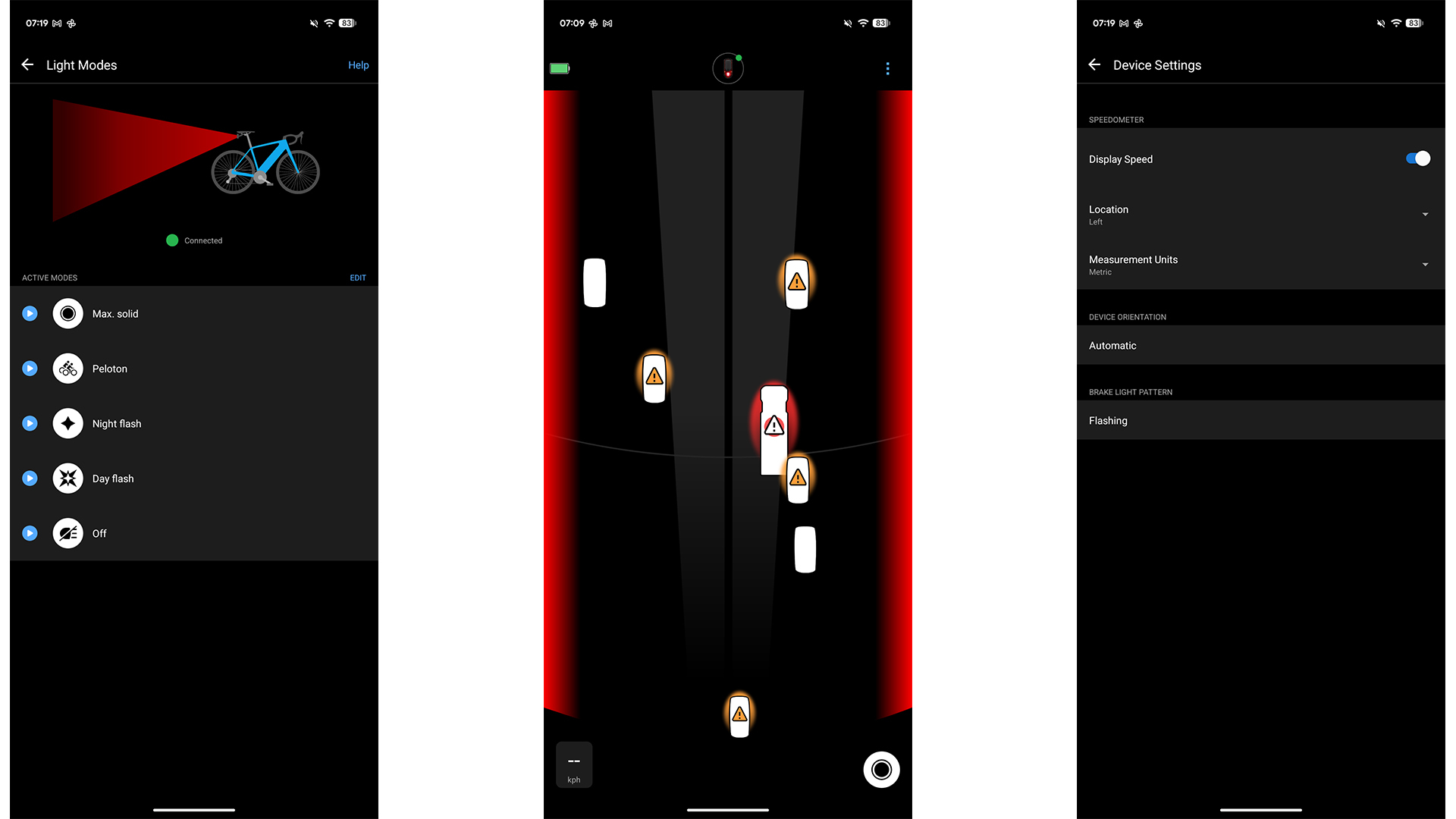
The radar connects to a compatible Garmin bike computer or smartwatch and adds a new section in the screen to replicate a road. Each vehicle detected shows up as a car-shaped icon with their corresponding size. I was able to connect to the Edge 850 quite seamlessly, but I was pleasantly surprised when it was just as easy to pair with my 9-year-old Garmin Fenix 5 smartwatch.
The alerts are accompanied with beeps, so you don’t have to be glued to the screen. Vehicles can be detected as far back as 170m away to give cyclists more time to prepare. The radar can also show whether the vehicles are in the same lane as the cyclist, bolstering that peace of mind.
Garmin says this technology is possible due to a higher frequency 60Hz V-band radar (compared to the 24Hz in its other models), detecting ‘outlines’ of a vehicle instead of a single ‘dot’, which are then converted into virtual cars that show up on the bike computer or smartwatch screen.
More visible than ever on the road
The bike light isn’t just there to make the radar discreet — the Garmin Varia RearVue 820’s rear light is bright enough to be visible to other road users 2km away. Garmin says a car running 100km per hour covers 2km in around 70 seconds, so this visibility would alert a driver much earlier than other bike lights would, giving them more time to adjust.
The light can also flash rapidly when you suddenly have to brake, with the Varia RearVue 820 using radar data and an accelerometer to detect deceleration to produce a 'visual shout' to alert other cyclists and road users. I had not been aware of this feature until someone at a group ride pointed it out to me, showing how effective it was.
The connected bike computer or smartwatch can control the light remotely instead of the cyclist having to reach back and set it to how you want the light to look. The light can be set either for full visibility or at a much less bright 'peloton mode' while riding in a group.
Should you get one?
While the Garmin Varia RearVue 820 is quite accurate at detecting vehicles, it still shouldn’t be a full substitute for occasionally looking over your shoulder to check for cars when it’s safe to do so.
That said, it’s still an excellent piece of safety tech, given how cyclists are some of the most vulnerable road users. The addition of the brake light functionality and the increased visibility also adds to the safety factor. At $299 / £259.99 / AU$469, it’s a big ask for some cyclists — but, for someone who puts safety above all else, it’s a wise investment to help save lives.
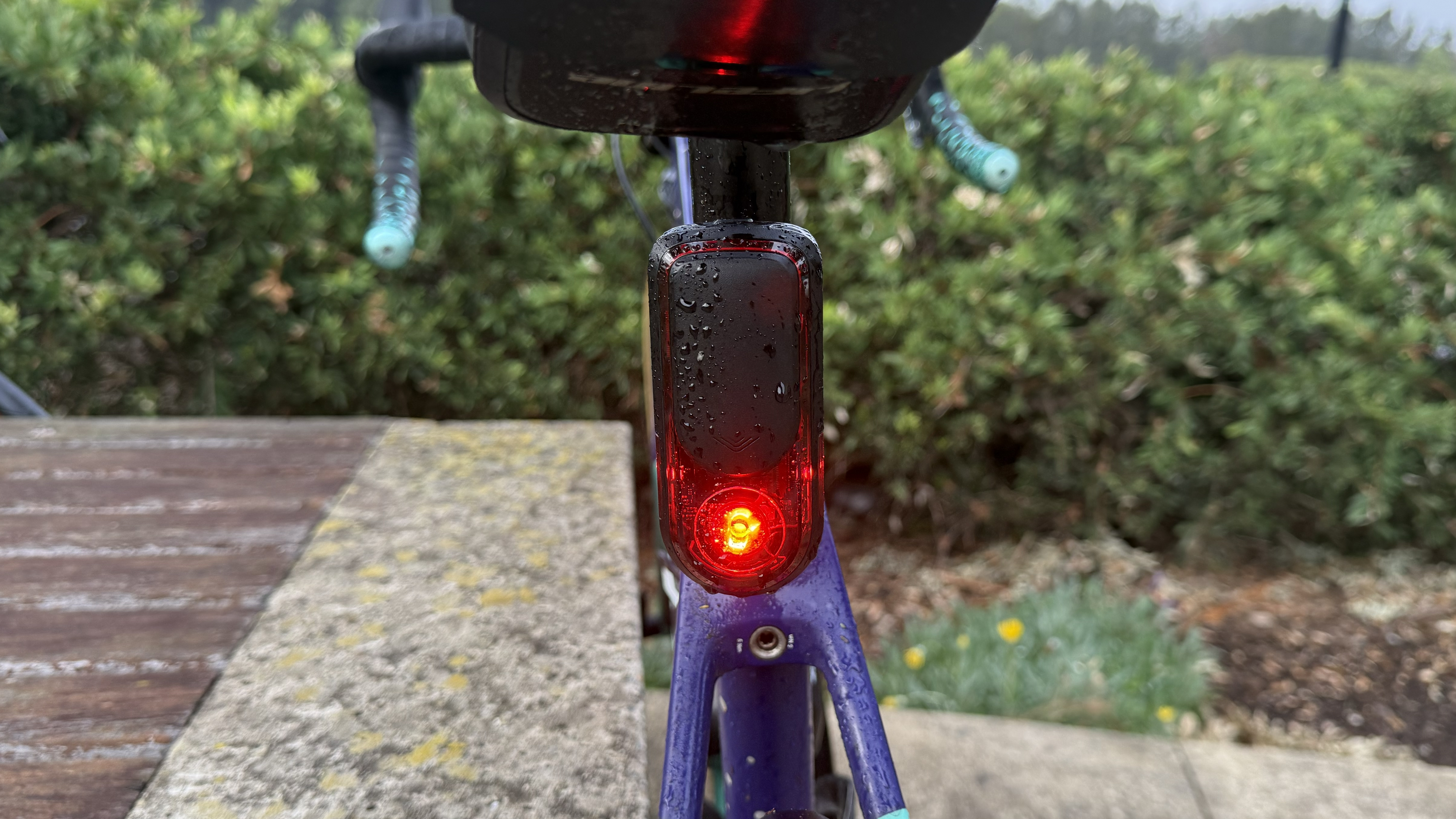
While you can splash for the high-end $599 / £519.99 / AU$949 Garmin Edge 850, Garmin says the Varia RearVue 820 is compatible with 162 different devices, including Edge bike computers from 2015 and smartwatch models from 2016.
You can even skip the bike computer entirely and just pair the Garmin Varia RearVue 820 with your smartphone. The Garmin Varia app on iOS and Android replicates the same experience on a larger screen, and can also work alongside Google Maps by appearing as a slim sidebar. Just make sure to temporarily disable notifications by setting a Focus Mode or Do Not Disturb profile that is optimized for cycling, so you can reduce distracting notifications.
This makes the Garmin Varia RearVue 820 an essential safety upgrade for anyone who regularly rides bicycles on roads — whether you’re a serious cyclist using a bike computer to keep track of your training, or a bike commuter with your phone mounted on the handlebars. Heck, I’d say it’s even worth using when you’re taking a leisurely ride to the local coffee shop.

Follow TechRadar on Google News and add us as a preferred source to get our expert news, reviews, and opinion in your feeds.





![Disney Store's New Star Wars Day 2026 Merch Pits Rebels Vs Imperials And Celebrates Trilogies [Exclusive]](https://www.slashfilm.com/img/gallery/star-wars-day-2026-disney-store-rebels-imperials-trilogy-jerseys-merchandise/l-intro-1776373503.jpg)

 English (US) ·