
 44 minutes ago
22

Published Nov 21, 2026, 11:53 AM EST
And when you really don't want to
And when you really don't want to
 Image: Rockstar Games via Polygon
Grand Theft Auto 6's auto drive feature is perfect if you just want to see the sights of Leonida or avoid navigating through traffic. Not that GTA 6 goes out of its way to tell you there even is an auto drive feature. It's tucked away in a menu you have little cause to use early in the game, and you also need to make sure a specific setting is toggled on for it to work in some circumstances. It's best to still learn how to drive decently yourself, though, as auto drive isn't the best choice in hectic situations.
Below, we explain how to auto drive in GTA 6 and when you'd want to take the wheel yourself.
How to use auto drive in GTA 6
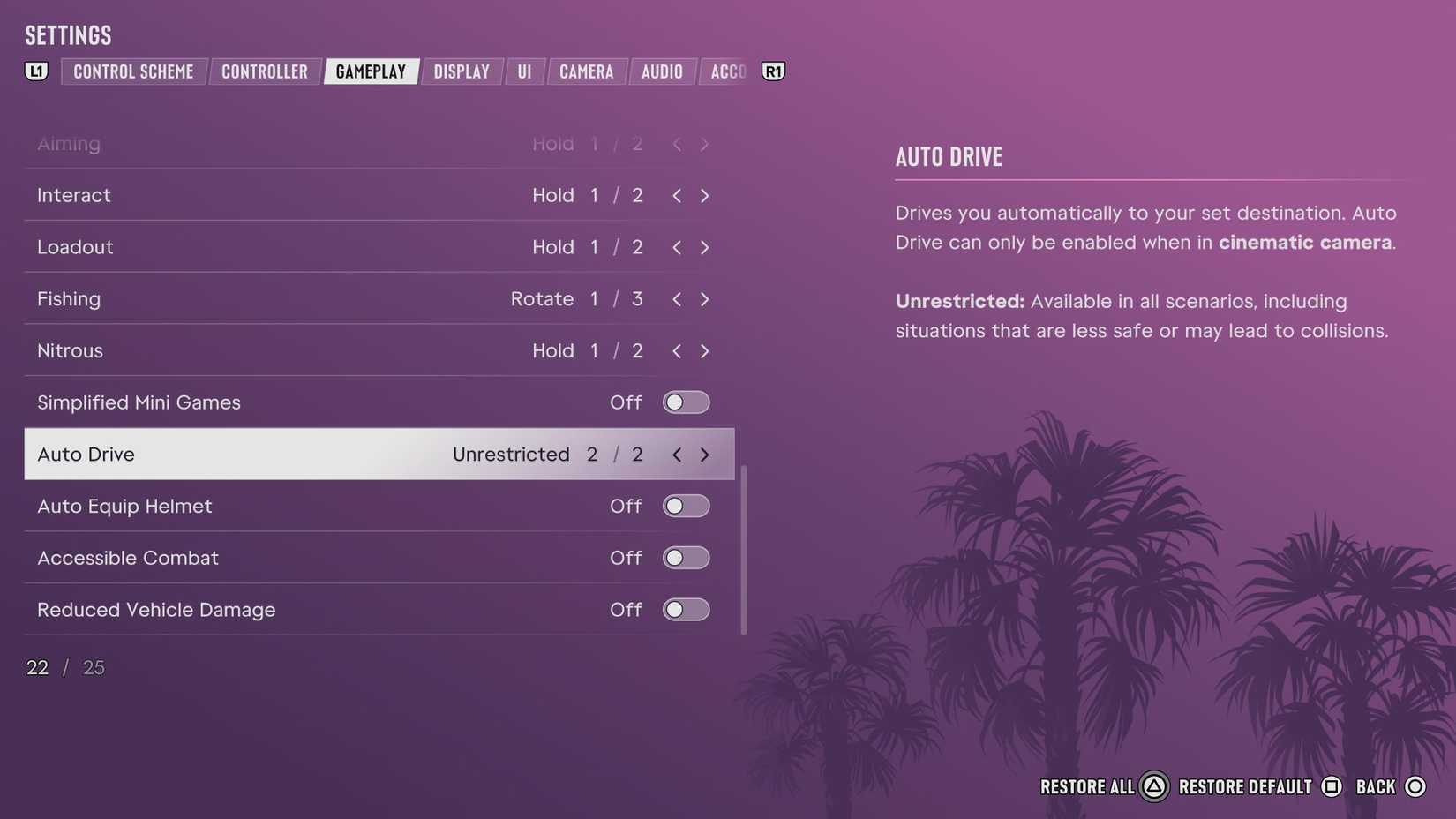 Image: Rockstar Games via Polygon
Autodrive is enabled automatically from the start, but only for safe scenarios. If you want to use it whenever, here's what to do.
- Open the settings menu.
- Navigate to the "Gameplay" tab, and scroll to the "Accessibility" section.
- Toggle "auto drive" to "unrestricted."
The next time you're in a vehicle, do this to use auto drive:
- Hold down on the D-pad to open the camera menu.
- Press the pause button to enter cinematic mode.
- Hold circle on PlayStation 5 or B on Xbox to enable auto drive.
To turn auto drive off, you just need to hold down on the D-pad again.
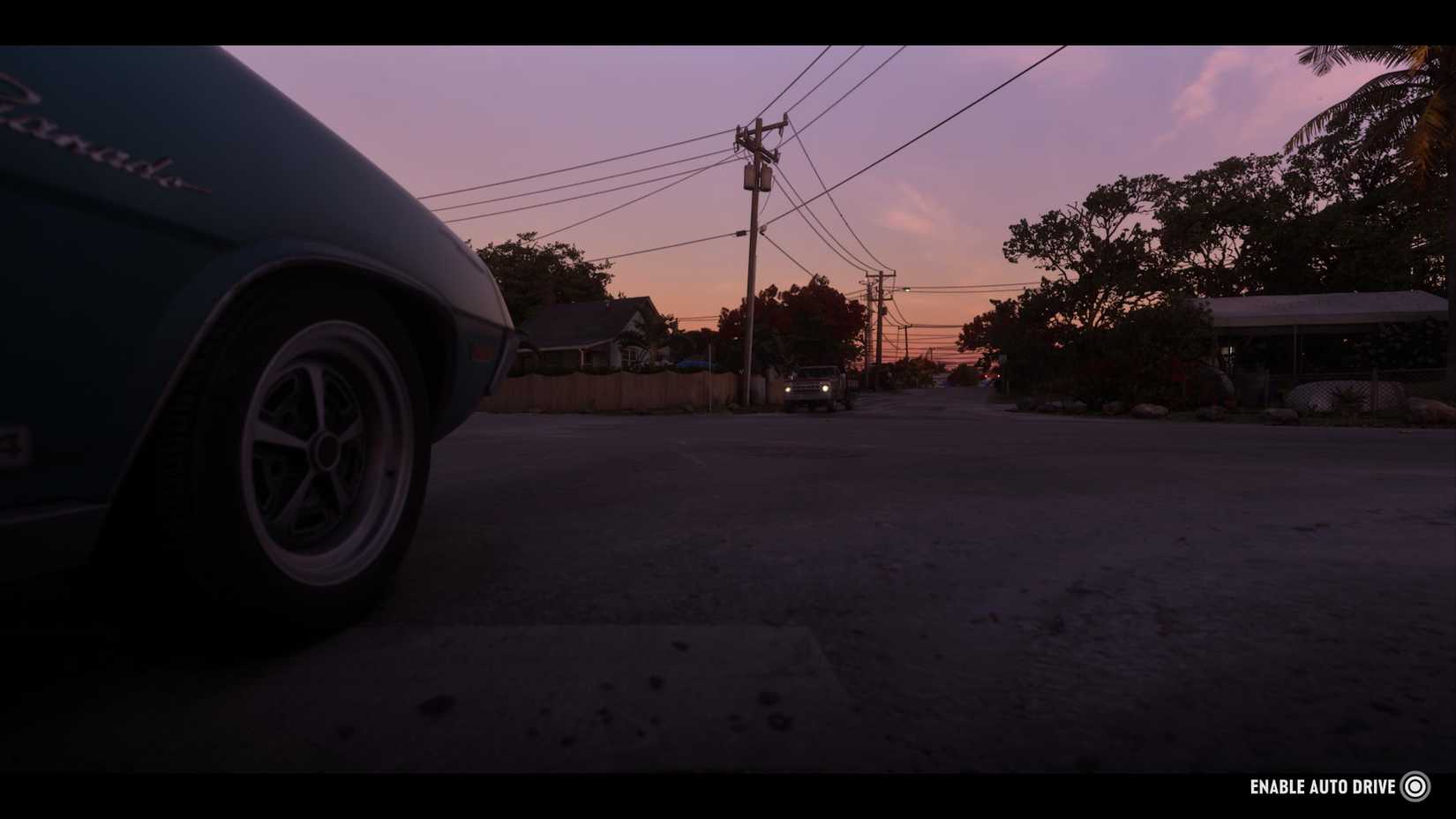 Image: Rockstar Games via Polygon
Auto drive does what you'd expect. It handles the driving — or flying or sailing — for you, and it avoids accidents, road rage, manslaughter, crashed planes, and all the other problems you might get yourself into if you were driving manually. You don't have to set a destination for it to work, though if you do set one, it'll take you there.
The game enters cinematic mode and takes camera control from you, though you can still enter photo mode from the pause menu if you want to rotate the camera for a shot. You also still have control over the radio.
Just make sure you familiarize yourself with GTA 6's driving in between the bouts of cinematic vibes tourism. In unrestricted mode, you can use auto drive in "unsafe" scenarios like chase or escape missions, of which there are quite a few. You kind of don't want to, though. Knowledge of side streets, learning how to handle a sharp turn at speed, and a deft hand at avoiding collisions (or causing strategic ones) can make a big difference in these sequences. Aut odrive also won't save you from damage or other issues you started before enabling it. It'll get you out of tight situations, like bad parking, but it might cause some damage to the surrounding area and your car in the process.
If you're just getting started in GTA 6, we have plenty of guides to help you live the high life in Leonida. Check out our GTA 6 beginner guide to get a grasp of the basics and our tips for what to do first, recommendations for the best ways to make money fast, and an explainer for how to keep stolen weapons and cars to make the most of your free time.
Our selection of GTA 6 guides includes help for things like how to steal the Phoenix in "Unwanted Attention" and whether you should defuse Mandy, too. There's a set of explainers for GTA 6's more open-ended side activities, like how to rob the Exotic Animal Front and where to find tree effigies for the Skunk Ape mission, and we've got all the GTA 6 cheat codes. You'll have to put in some effort before you can use those, though.






 English (US) ·