
 2 weeks ago
9
2 weeks ago
9
Your Roku is watching you back.
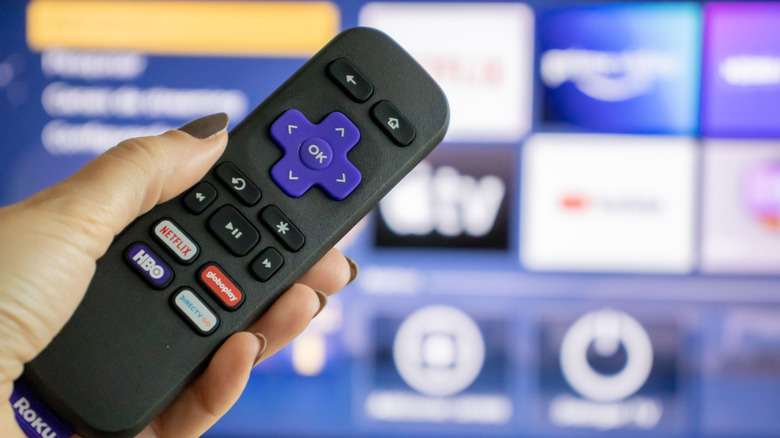
renata colella/Shutterstock
You may not realize it, but your Roku is watching you. Of course, informed consumers shouldn't be overly surprised by this revelation. Whether it be your internet browser, thermostat, smart speaker or television, an ever-widening array of companies and products are becoming dependent on collecting, processing and selling your information. Roku, to some customers' chagrin, is no different.
But while many viewers may take such policies as a matter of course, some will likely be surprised at the depth of Roku's data collection. Diving into Roku's privacy policy reveals that the company's products, including its website, streaming devices, channel and televisions, track what, when, how and where you watch your content. Of course, veterans of the algorithm-driven economy will note that social media apps have tracked your information for years, using your viewing habits to curate content, maximize performance and, yes, sell you things. But for some users, Roku's privacy policy might feel a more intimate violation of trust. While algorithmic curation is, in part, inherent to the social media experience, many like to think that their household appliances fall outside the bounds of these data-hungry business models. And while it may seem obvious that Roku would curate advertisements to their users, knowing that the big-data economy has extended to your standard household products can be a sobering realization.
Luckily, there are ways to limit Roku's data collection practices, including disabling Automatic Content Recognition, limiting personal advertising and curtailing microphone access. Depending on the state and country you live in, some customers can even request that Roku does not share their information with their advertising partners altogether. Luckily, customizing your Roku privacy settings to match your tolerance for data sharing is easy once you know where to look. Let me show you how.
Dissecting Roku's privacy policy
Now, let's dive into Roku's privacy policy. Much of Roku's data collection efforts mirror those of other connected consumer products. For one thing, the company receives standard device information, such as the type of device you access Roku's streaming platform from, your MAC and IP addresses, operating system, Wi-Fi network name and connection, and basic Bluetooth connection information. Similar information is collected by Roku's streaming partners. If you decide to link your Roku device to a non-Roku service, to enable features like displaying your Google Photos or connecting your Alexa voice assistant, those providers will receive similar information about your Roku device.
But Roku's data collection goes far beyond these basic device details. For one thing, Roku also uses cookies, pixel tags, web beacons and other device identifiers to "collect information about your online activities over time and across different online services," including "the number of visits, which features and pages are popular, and to measure your browsing activities." This form of data collection extends to any voice-enabled features utilized while on the Roku homepage, Roku channel or connected third-party apps or devices. The same is true for the Roku Media Player, as the company will collect the metadata of picture, video and music files accessed via the application.
When streaming through websites, smart TVs, mobile apps or streaming devices, Roku and its advertising partners may also analyze information about "the content you view, the date and time of your visits, how you interact with these websites, apps and devices." Similar data collection extends to third-party channels and other streaming service providers. Roku also collects general information regarding when, where, and how an advertisement was displayed and whether you interact with the advertisement.
Once collected, Roku deploys this information for a variety of maintenance, security and advertising services. Like most connected devices, Roku uses your data to support its products, as some data collection is necessary to maintain the security and functionality of its streaming services. It also helps Roku and its partners maximize their offerings by collecting analytics and performance metrics critical to tailoring the streaming experience to its users.
But there's also an obvious downside to this form of data collection: advertising. Much of the information collected by Roku and its partners is used to feed you personalized advertisements based on the browsing history on both your Roku devices and third-party platforms, including channels, websites, mobile apps and devices. In practice, this means that Roku may help its advertising partners use your browsing history and inferred demographics to show you curated advertisements across various platforms. For instance, the company's privacy policy notes that the "ads you see on your tablet" may be "based on activities you engaged in on your Roku TV." And while this form of algorithm-driven advertising isn't unique, it's important that consumers understand how it occurs and how to limit its reach.
Automatic content recognition
If using one of the company's smart televisions, you may be exposed to the company's automatic content recognition (ACR) technology. Roku's privacy policy states that ACR collects "information about what you watch or access (e.g., the programs, video games, ads and channels you viewed or accessed, and the date, time and duration of the viewing or access) via your TV's antenna, cable box, game console, media player or other connected devices." It also collection this information "when you access live TV from any streaming channel." And while the degree and type of information that is collected using ACR may vary depending on your device, the general effect is that Roku can log what, when, where and how you watch content on both your Roku and connected devices, largely in order to sell you more personalized advertisements.
Now, this doesn't mean that ACR is all bad. In addition to driving targeted advertising, ACR technology is typically used by Smart TVs to suggest new shows or movies to you. Moreover, it also enables Roku's More Ways to Watch feature, which shows you different streaming options for the content selected on your screen. For instance, if you navigate your way to the 1954 classic Creature from the Black Lagoon, your Roku may show you other applications where you can watch it. Such features aren't possible without ACR.
To disable ACR data collection, simply visit the privacy section of your device's Settings. Then, go to the section labeled Smart TV Experience and disable the setting. While in your Smart TV Experience settings, you will also see an option titled Content Viewing Disclosure, which allows Roku to disclose information regarding the movies, programs, games, and video services you view to third parties. According to the company, such disclosures are made "to personalize ads" and improve said third parties' products. By disabling this feature, you can prevent Roku from sharing this type of information whenever consent is legally required.
Unfortunately, there isn't a way to fully prevent ACR-type data collection completely. According to Roku's privacy policy, if you decide to disable ACR, "Roku still receives information about your interactions and streaming activities on your devices through other methods." One example given is in the case of third-party streaming apps, which the company will continue to collect viewing information from. As such, turning off your ACR settings won't save you from the embarrassment of knowing that your Roku knows you are re-streaming all 50 seasons of Survivor. Similar tracking will persist across The Roku Channel, Roku's Streaming Store, your Roku's home screen and any third-party ads that are enabled by your Roku device. In other words, cataloging your viewing habits is just part of the streaming experience nowadays.
Disabling Roku's other forms of information tracking
Of course, much of your Roku's data collection efforts are also used to maximize its advertising. To turn off personalized ads, visit your Roku's settings and go to the section labeled Advertising. From there, deselect the section called Personalized Ads to prevent advertisements tailored to your viewing habits and demographic information. Alternatively, you can also edit your advertising preferences via Roku's website. Critically, your settings section notes that this will not only work across all your Roku applications, but also third-party apps linked to your account. You can also ask your device to reset your advertising identifier and review sensitive ad content via the Advertising tab.
If you use a Roku Smart Home device, you can use the Roku Smart Home Mobile App or Roku Smart Home webpage to edit your device's data choices. As it stands, Roku states that the videos and audio recordings captured by its Roku Smart Home products may be used by "Roku and its partners to improve their products and services." Notably, consent is "not required."
In the Voice section of your Privacy settings, you can determine whether your Roku device has access to your microphone. If using your Smart TV, you can also disable Roku's speech recognition feature. You can also stop Roku from retaining the voice recordings captured by your Roku devices by logging into your Roku account and visiting the Voice Settings page.
For American users, consumers' control over their information is largely determined by local and state laws. For instance, residents of California have the option to ask Roku not to sell or share their personal information and limit the company's use of their sensitive information. To do so, visit the Privacy Choices tab in the privacy settings. California residents also have the right to request a yearly summary of Roku's usage of their information free of charge. You can submit a right to know request, as well as a correction or deletion request, via this online form.
Other states that give viewers the opportunity to opt out of some data collection features include Arizona, Colorado, Connecticut, Delaware, Florida, Indiana, Kentucky, Maryland, Minnesota, Montana, Nebraska, New Hampshire, New Jersey, Oklahoma, Oregon, Rhode Island, Tennessee, Texas, Virginia, Iowa and Utah. To read the specifics of your particular state regulations and how they may apply, visit Roku's US State Law Privacy Notice page. To review and edit your privacy settings from your browser, visit Roku's Privacy Choices page.





 English (US) ·