
 1 hour ago
16
1 hour ago
16
Here's how to think about your fans.
WD PIX/Shutterstock
When you're building or upgrading a PC, chances are you're thinking more about how to improve your machine's performance than you are about where you're going to put the fans. Improving airflow might not be as exciting as adding a new graphics card, but it's essential to getting the most out of your rig. Fortunately, there are a few simple principles you can apply to any PC build to keep all your components running cool.
It's important to understand exactly what you're trying to accomplish when improving your PC's airflow. PC components generate heat as they run, which gets trapped in the case, degrading system performance if things get too hot. The point of fans is to draw cooler air from outside the case over those components and exhaust the hot air they generate outside. That means the first step should be placing your PC somewhere that already has decent airflow — not in a corner of the room, not shoved under your desk, and definitely not crowded in with other electronics.
Fan placement and pressure are the keys to good airflow
Grafner/Getty Images
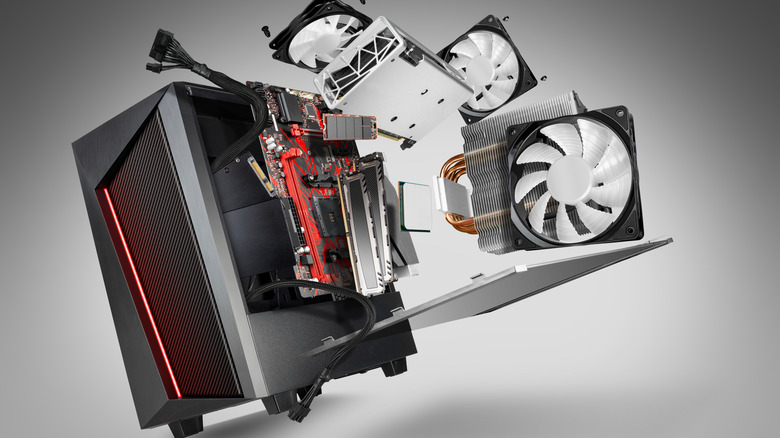
Where you place your fans matters even more. Since hot air naturally rises and the hottest components in your case (the CPU and GPU) tend to be near the back, it's best to pull cool air from the front and bottom and exhaust hot air out the top and back. Not every system needs fans on the top and bottom, but adding them is a good first step if you're struggling to keep your PC cool with just the front and back fans.
In addition to improving airflow, fans change the air pressure within your case. If the air pressure inside a case is higher than the air pressure outside (called positive pressure), air will naturally try to escape through any gaps it can. If case pressure is lower, it will instead draw air in through those gaps, bringing dust along with it. Completely optimized airflow will maintain neutral pressure, where cool air enters the case at the same rate that hot air exits. Precisely neutral pressure can be hard to achieve, though, so it's usually best to aim for slightly positive pressure by ensuring that your case is drawing in a little more air than it's exhausting to avoid drawing in excess dust.
If you're buying new fans, pay attention to their size and speed. The standard case fan size is 120mm, and anything larger than that will pull in more air but at a lower pressure. That's important when considering that intake fans at the front and bottom of a case are usually pulling air through a mesh screen, which further reduces the pressure of the air coming in. Because of that, it's usually better to run intake fans at a higher speed to increase their pressure if you have the option. Also keep in mind that larger fans are usually quieter than smaller ones, so they tend to be a better choice if noise is a concern. There's no precise formula for optimal fan size and speed, so you may have to experiment with your setup to find what works for you.
How to keep any PC running cool
Fans are by far the most important part of improving your PC's airflow, but there are ways to help them do their job. The easiest and most obvious is to regularly open your case and clean out dust using pressurized air. Placing dust filters on open gaps in the case can also keep dust from building up, but it's important to remember to clean them regularly as well.
Purchasing a new case built for optimal airflow is also an option, but you can achieve good airflow in just about any case. Just avoid any cases that have a solid front panel and instead opt for one with a mesh panel in front of the intake fans. Practicing good cable management is important no matter what case you have. Remember that the goal is to ensure air can flow as freely as possible from the front of the case to the back and arrange your case accordingly.








 English (US) ·