
 2 hours ago
12
2 hours ago
12
There’s no official maximum length, but higher-bandwidth signals can make long HDMI runs much less forgiving.

Puhimec/Getty Images
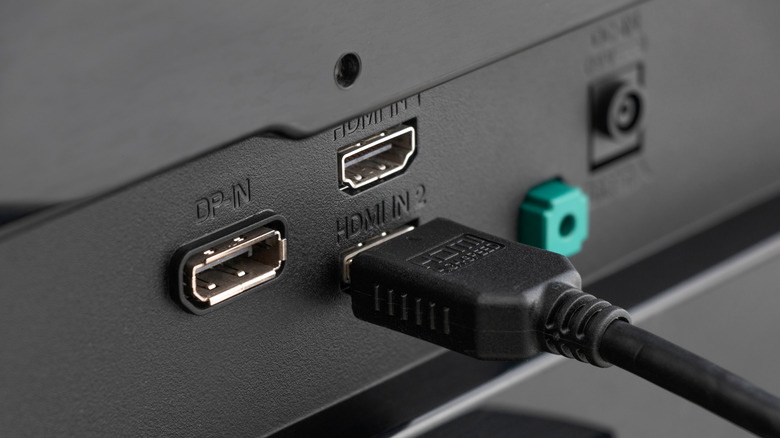
HDMI is wonderfully boring, which is refreshing in a tech world where so much is complicated. A 6-foot cable that connects a streaming box to a TV will likely fulfill its purpose for the duration of its life. Run one across a room, through a wall or up to a ceiling-mounted projector, however, and it gets a little less predictable.
There isn't an official maximum HDMI cable length. HDMI Licensing Administrator does not specify one, as the distance is dependent on the cable, the signal it's sending and the hardware at either end. Those 10-, 25- and 50-foot limits you see online are thus more like guidelines than set limits.
Bandwidth is a major factor. An old DVD player doesn't demand much from a cable, while 4K at 120Hz with HDR and VRR is a much heavier task. The longer the run, the less room there is for error.
Faster HDMI signals make long cable runs trickier
Passive HDMI cables transmit an electrical signal through copper, which weakens along the way. There is no universal distance limit, but longer runs become harder to maintain as bandwidth increases. This is why a cable that works fine at 1080p may not reliably handle 4K/120 at the same length.
There isn't a brick wall where passive HDMI suddenly stops working, either. One 25-foot cable can perform flawlessly while another may begin to act up sooner. A cable that supports 4K/60 can also fail when you switch to 4K/120.
The type of cable is important as well. Premium High Speed cables (HDMI 2.0) are certified for up to 18Gbps, while Ultra High Speed models (HDMI 2.1) support up to 48Gbps for applications such as 4K/120 gaming. The newer Ultra96 category (HDMI 2.2) raises that ceiling to 96Gbps for application that need the extra bandwidth. More bandwidth doesn't magically make a cable better at long distances; in fact, it's quite the opposite. The more information a cable is carrying, the shorter the effective distance.
When an HDMI cable reaches its limit, picture quality typically doesn't degrade gradually like an old analog TV, with the image becoming a little worse as the run gets longer. Instead, flickering, sparkling pixels, audio glitches, temporary black screens or no picture at all are more likely to occur. HDMI tends to go from "everything's fine" to "why is my TV doing that?" quickly.
Long HDMI runs may need active or optical cables
AlexanDior/Shutterstock
If a passive copper cable becomes unreliable, active copper is the next step. These cables use electronics to compensate for signal loss. Active optical HDMI converts the high-speed signal to light and can run well over 100 feet in some applications.
However, there's a simple mistake you can make with these. Unlike standard cables, many active and optical HDMI cables are directional, meaning one end is for the source and the other is for the display. If you plug one in backwards, you may get a black screen even though you have a good cable. That's a frustrating find after you've already routed it through a wall.
Home theater users have also reported long cables that look great until higher-bandwidth modes are activated, so complete testing is crucial. Don't stop after seeing your console's home screen. Before installing the cable permanently, test the highest resolution, refresh rate, HDR and VRR combination that you plan to use.
The remainder of the signal chain is important as well. Wall plates, extension tools like couplers, and any switches or AV receivers are other potential points of failure, so a direct source-to-display connection is a good place to start troubleshooting. Conduit and a pull string should also be considered for an in-wall run. HDMI standards change; drywall is much less enthusiastic about upgrades.
The most basic buying guideline is the least glamorous: buy the shortest cable that will reach comfortably, determine which cable category your equipment needs and look for the certification label rather than paying extra for vague "premium" claims.







 English (US) ·