
Hootsuite has been building its reputation as one of the best social media management tools since 2008. If you need social media management or analytics, it's one of the oldest options available in the market. However, it's worth noting that recent concerns about its contracts with the US Department of Homeland Security and ICE, which include its social listening features, have caused a stir in the industry.
Hootsuite's current incarnation lets you manage multiple social media accounts, all from within one interface that allows quick and easy administration. On top of that, Hootsuite can schedule content for later publishing on Facebook, Instagram, Pinterest, LinkedIn, YouTube, and X.
There’s a limited free trial that’ll help you get started and explore its potential, but paid-for plans are the only way to keep using the platform long-term, which you'll find outlined in detail throughout this review.
We've spent hours testing social media management platforms like Circleboom, Buffer, and HubSpot. Each of them is promising, but offers something different in terms of core usability.
Let's dive into our Hootsuite social media manager review now.
Hootsuite: Plans and pricing
Swipe to scroll horizontally
Standard | $199/month | $249/month |
Advanced | $399/month | $499/month |
Enterprise | Contact sales | Contact sales |
Hootsuite has something to offer all sorts of social media managers and in any kind of business environment. There’s even a 30-day trial available for those who want to dip their toes into social media management tools.
But if you’re looking to use it long-term, Hootsuite's paid plans start at $199/month per user for teams that require up to 10 accounts.
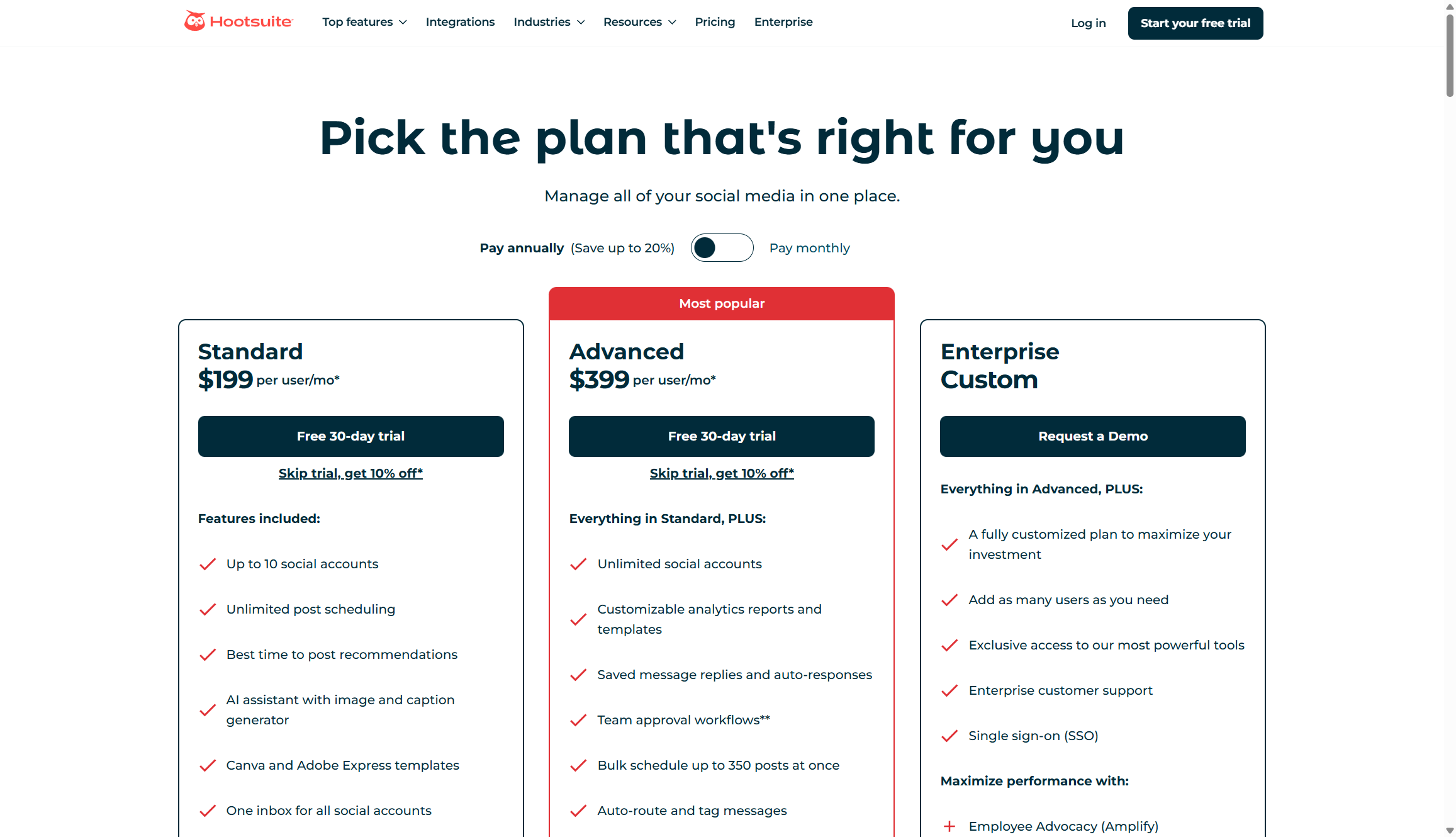
Going deeper, the Advanced plan costs $399 per month per user, while the beefy Enterprise package requires contacting sales for a quote but delivers hefty performance and high-end customization.
Interestingly, Hootsuite is currently running a promotion that gives you 10% off if you skip the trial completely. But compared to its rivals, Hootsuite's plans are more on the moderate-to-expensive side, suitable for growing organizations and enterprises only.
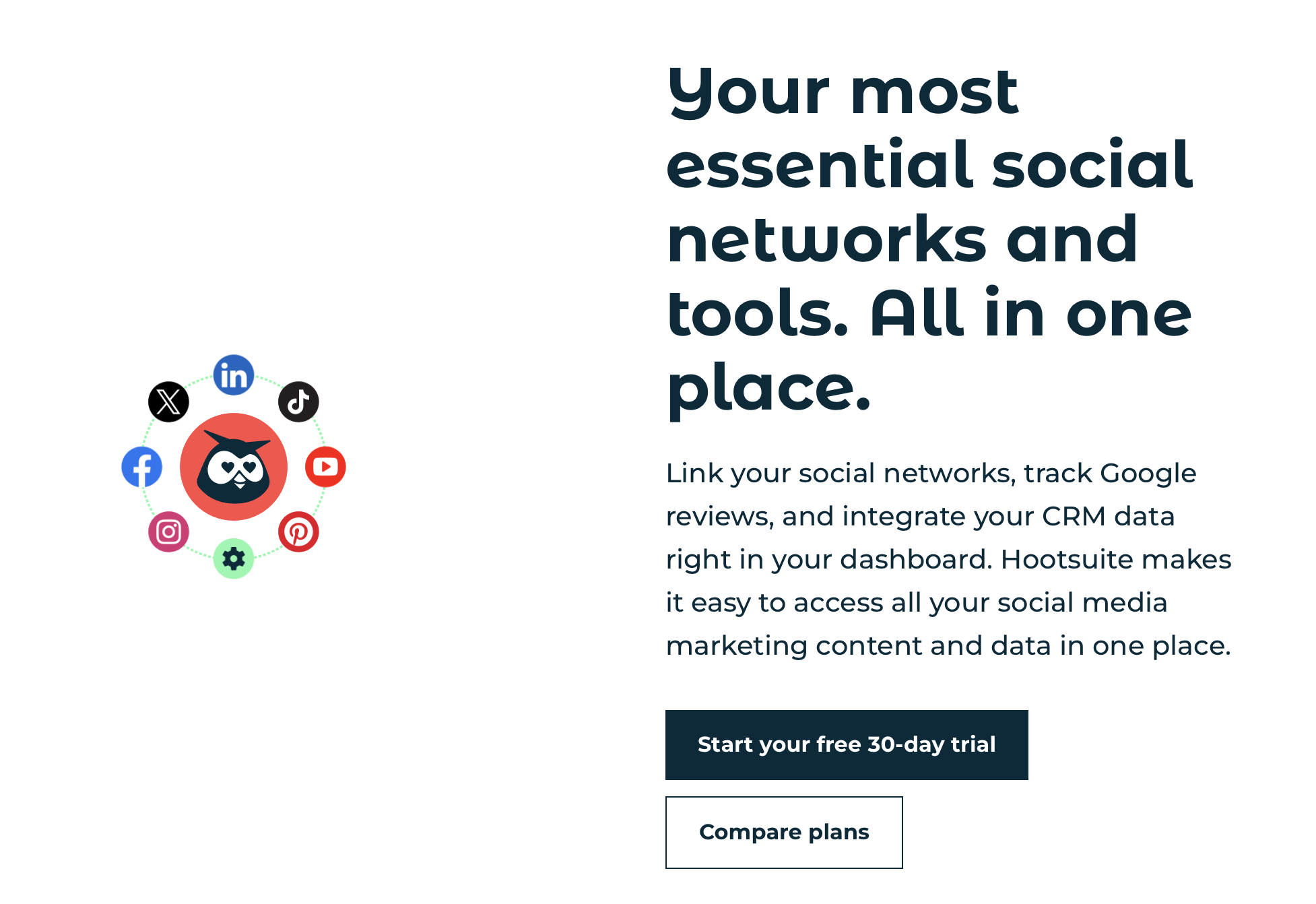
Hoosuite: Basic features
As is the case with any software program, the Standard edition of Hootsuite will offer much less in the way of features and functions compared to the Advanced or Enterprise plans.
The Starter plan offers unlimited post scheduling, timing recommendations, Canva integrations, and a hashtag generator, plus a variety of other features. The limitations are that you can only work with 10 social accounts. If you want to add more, you'll need to upgrade to the $399/month plan for unlimited social accounts.
While many people enthuse about Hootsuite, a frequent bone of contention for some is the way the Hootsuite interface looks, feels, and behaves. It’s been improved over the years and the latest edition is perhaps the best to date, but it can be an acquired taste, especially compared to upstart rivals that focus on UI.
Nevertheless, setting up a Hootsuite account is easy using an email and password combination to get going. Once you're into the interface, adding social networks is a slick procedure and these can be managed via a central dashboard.
Hootsuite also offers up a full range of tools for monitoring and managing each social network. A real benefit is the ability to integrate any one of over 150 apps into your workspace, which further boosts the appeal.
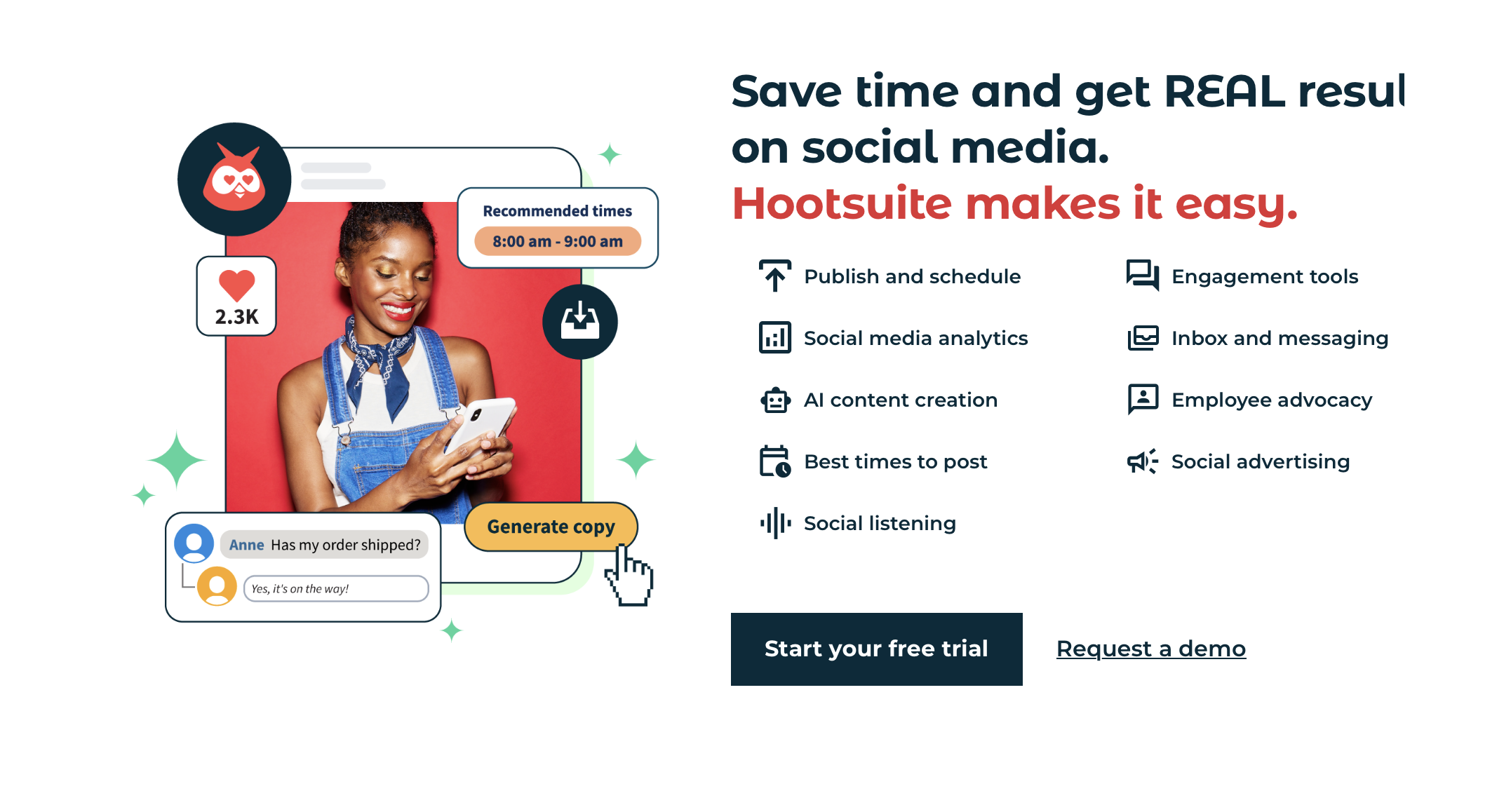
Hoosuite: Professional features and AI
Hootsuite's entry-level Standard plan lets you plug into 10 social media accounts, with the ability to schedule unlimited posts and to access all communications in one inbox.
Those with more muscular social media requirements will prefer the Advanced edition, which comes with the ability to integrate with unlimited social accounts, plus extended functionality like custom reporting and approval workflows.
Hoosuite also adds on extra "social listening" analytics, employee advocacy, an advanced inbox, and review management. Take a look at Hootsuite's website to check which plans it has available now.
- Best of the best: TechRadar's definitive buying guides
Hootsuite has significantly enhanced its platform with AI through OwlyWriter and the newly launched OwlyGPT in 2025. You'll find these tools integrated throughout the platform, designed to speed up content creation and eliminate writer's block.
OwlyWriter AI helps you generate social media captions in seconds. You can create posts from scratch by providing a simple prompt, or paste a URL and let it summarize articles into engaging social content. The "Get Inspired" feature generates endless post ideas based on keywords you provide, perfect for filling your content calendar. OwlyWriter can also identify your top-performing posts and suggest fresh ways to repurpose them.
OwlyGPT takes things further with new capabilities introduced in 2025. It can now generate original images to accompany your posts (currently in beta). Just describe what you need and it creates graphics automatically. The tool also personalizes output by analyzing your past posts and mimicking your brand voice, ensuring consistency even when multiple team members create content. OwlyGPT uses Talkwalker's social listening technology to incorporate real-time insights from live social feeds, making your content more relevant and timely.
The platform provides various copywriting formulas like HOOK, AMP, WIIFM, and AIDA to boost engagement and conversions. You get 300 AI tokens that renew monthly on paid plans, with each caption creation using one token. This gives you plenty of capacity for regular content generation without running out.
All Hootsuite plans include OwlyWriter AI at no extra cost. The AI integrates seamlessly with Hootsuite's scheduling, approval workflows, and compliance tools, so you maintain control over what gets published.
Hootsuite: Analytics and reporting
There’s a whole area within Hootsuite that will let you tackle analytics, especially if you’ve gone for a beefier package. Depending on your tier, Hootsuite offers options for taking a deep dive into your social media stats, all of which can subsequently be compiled and readied for detailed reporting.
Hootsuite helps "prove" your social media ROI, useful in e-commerce or with cash-strapped startups and scale-ups. The service also offers ways to boost your engagement by tracking engagement across time.
If you’re looking for visual data to take back to your bosses, Hootsuite is great with graphic reporting. Advanced plan users will really appreciate the quality and power of the reporting potential in the higher-end editions. You’ll struggle to get that same impressive reporting in cheaper editions, though.
On top of these features, Hootsuite offers specific tools for monitoring social media, including getting customer feedback and protecting a brand from negative publicity. By putting all social media data in one place, keeping track becomes much easier.
Hootsuite: User interface
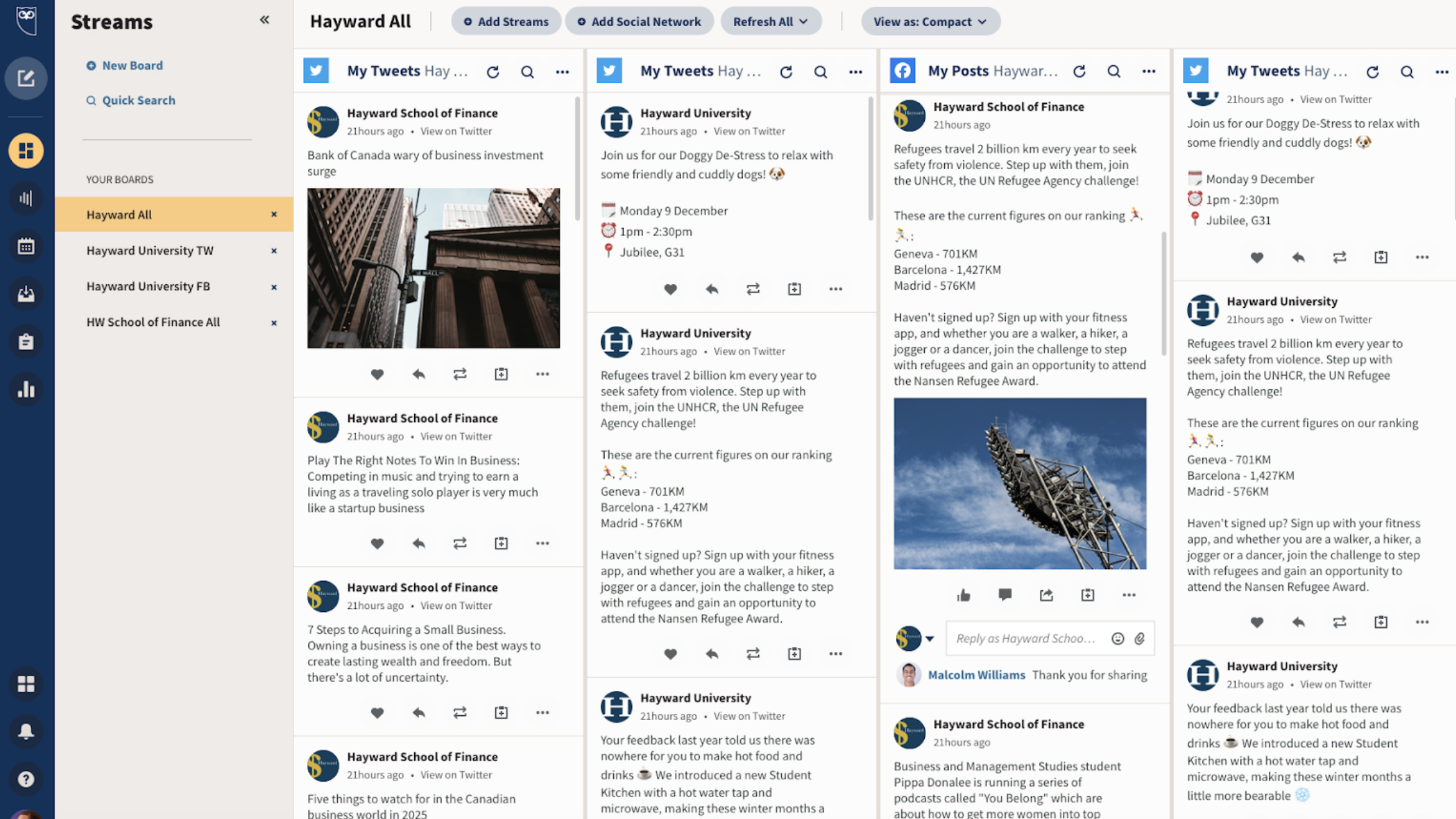
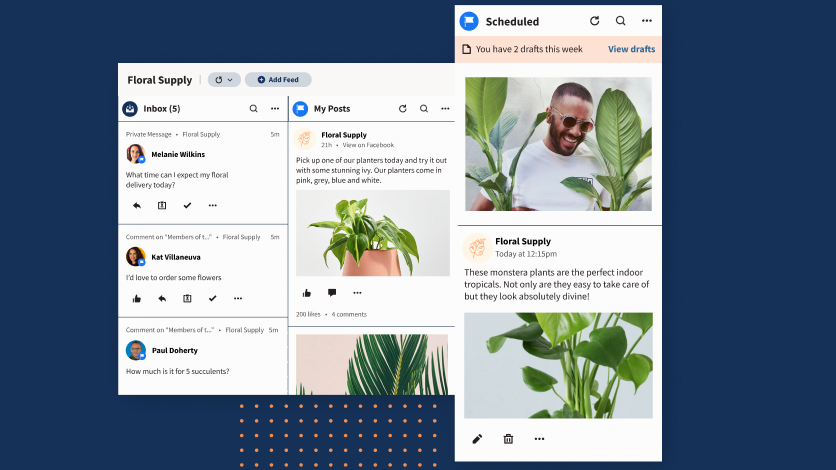
Having that central dashboard at your disposal makes Hootsuite a breeze to the administrator, even when working with multiple accounts. There are some quirks, which may not suite everyone’s taste, but the platform feels stable on the whole.
The Enterprise plan is a good one to chose if you have staff members who might feel the benefit of the 24/7 priority support that comes as part of the package. (Hootsuite also publishes online documentation and guides for many of its features.)
There's a lot more to the interface than initially meets the eye, too, including some great integrations with Dropbox, Google Drive, and others, which offer a more seamless experience for busy social media executives. The software can also be used in conjunction with many of the Microsoft business apps, adding additional appeal especially to corporate users.
While the UI might not be as flashy as some of its rivals, Hootsuite gets the job done and we had very few problems finding our way around the online website or apps.

Hoosuite: Support
You'll really want to invest in the Enterprise plans if you think your staff will need the benefit of 24/7 support. That may mean more of an outlay, but to keep staff going if they get stuck along the way is often worth a little more expense.
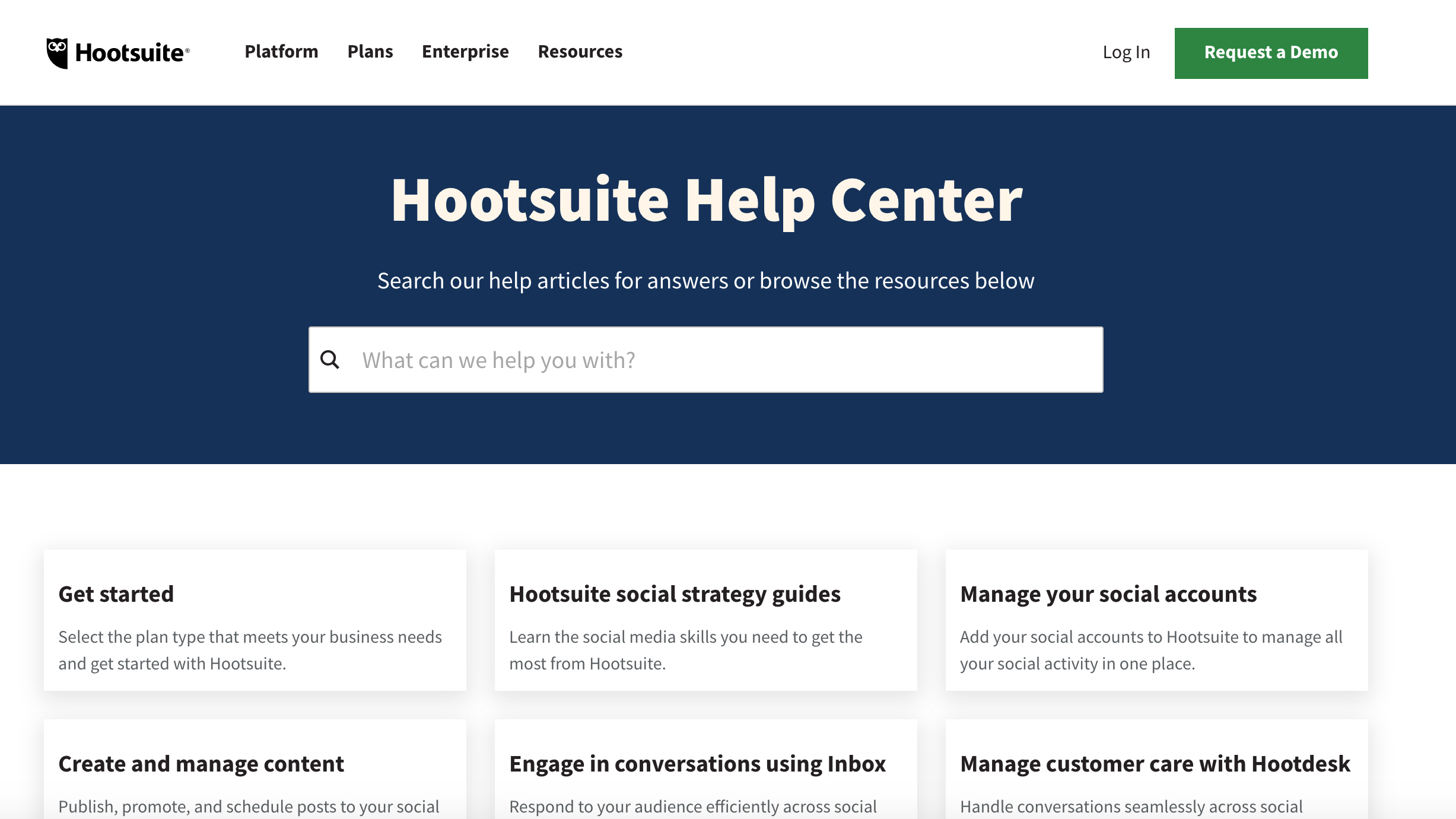
Hootsuite also has a dedicated help center that makes a good place to start if you’re looking for assistance with the package. Yet unsurprisingly, some of the best ways to contact support involve using social media companies like Facebook and Twitter.

Hootsuite: The competition
Not everyone will want all of the extra functionality provided by a business-focused edition of Hootsuite. There are plenty of alternatives in the social media arena however, with the likes of Sprout Social, Buffer, Sendible, Loomly, and Zoho Social all being perfectly decent competitors worth considering.
There's not enough space to go into loads of detail about all of these offerings, so we recommend checking out Hootsuite's feature list, seeing if what you need is there, and then checking out its rivals should that feature be absent.
One thing we would say is that lots of Hootsuite's rivals don't offer the full range of services, especially in the Enterprise plan, and so it can be seen as something of a Swiss army knife.
Hootsuite: Final verdict
Hootsuite continues to have plenty of appeal to all levels of social media managers, though anyone at the lower end of the business spectrum will find it a bit on the costlier side.
You’ll get more done with the beefier plans too ($399+) and the Enterprise edition packs in everything needed to handle social media for a global organization. We appreciate the depth of features on offer here, but feel conflicted about the removal of the free and more budget-friendly plans that were available before.




 English (US) ·