Grab some of our favorite controllers for PC gaming for less than the cost of a DualSense
1 hour ago
9
(Image credit: Tom's Hardware)
Sony doesn’t have a lot of love going its way among gamers right now, especially among the PC crowd, between the decision to abandon physical disc sales and reportedly shelve ports of its games to PC. Sony makes an excellent controller with the DualSense, not only for the PS5, but also for PC, with native support for its features (such as adaptive triggers) in some games. Still, it doesn’t feel great spending $74 on a controller if you don’t particularly align with Sony’s recent decisions, especially considering there are several other excellent controllers that either cost less or pack more features (and sometimes both).
Although there’s some impressive tech in the DualSense, it’s missing a lot of features that are now commonplace among third-party controllers, notably, TMR joysticks, additional rear paddle buttons, and multiple onboard controller profiles — you’ll need to spend $200 on the DualSense Edge for that. All of the controllers below come with those modern conveniences, as well as dedicated software for profile management and button remapping.
All except one also use a 2.4GHz connection, allowing you to use the controller wirelessly with virtually any device, and without the latency implications or connection limitations of Bluetooth.
The controller for most PC gamers: GameSir G7 Pro
(Image credit: Tom's Hardware)
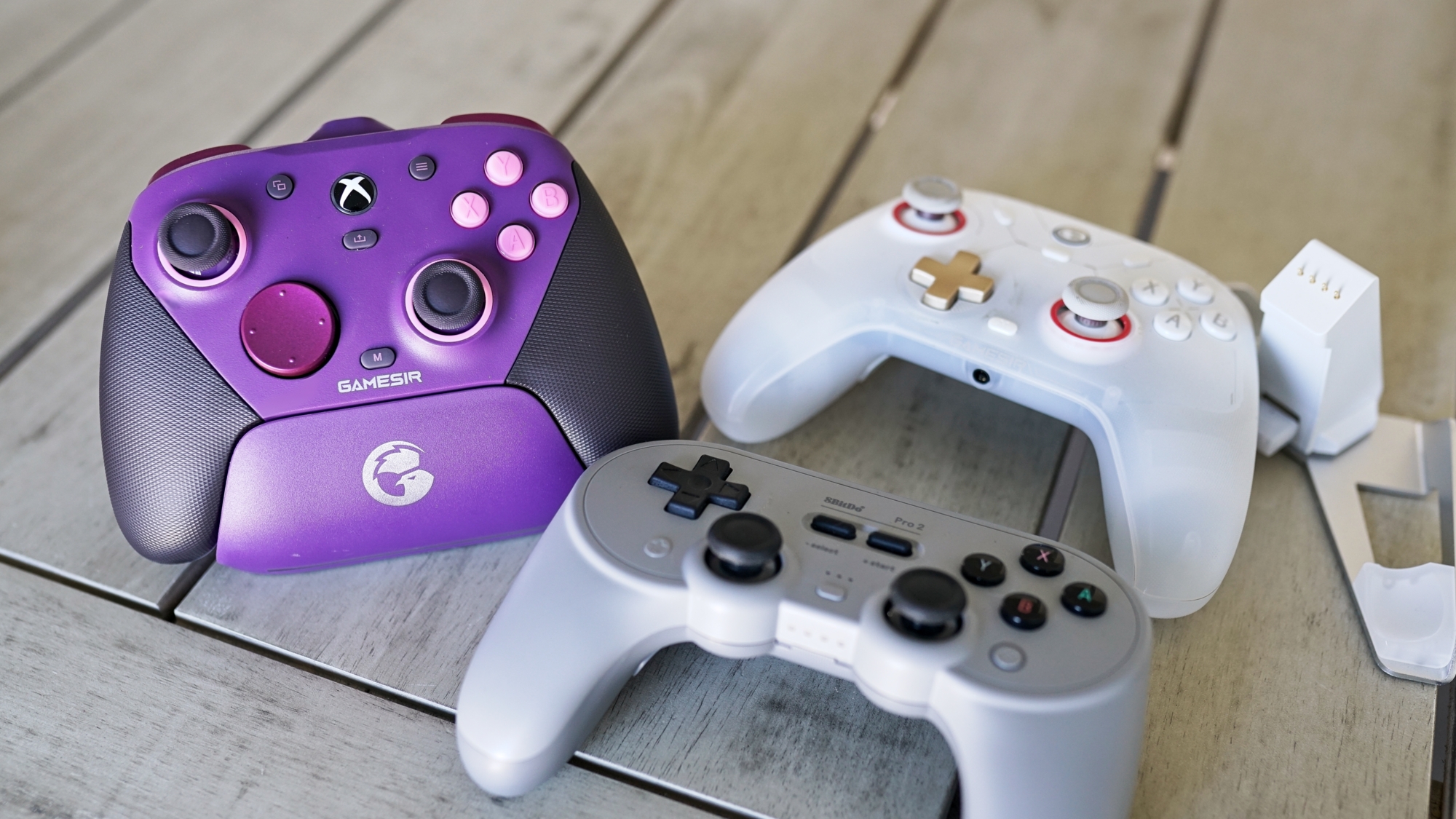
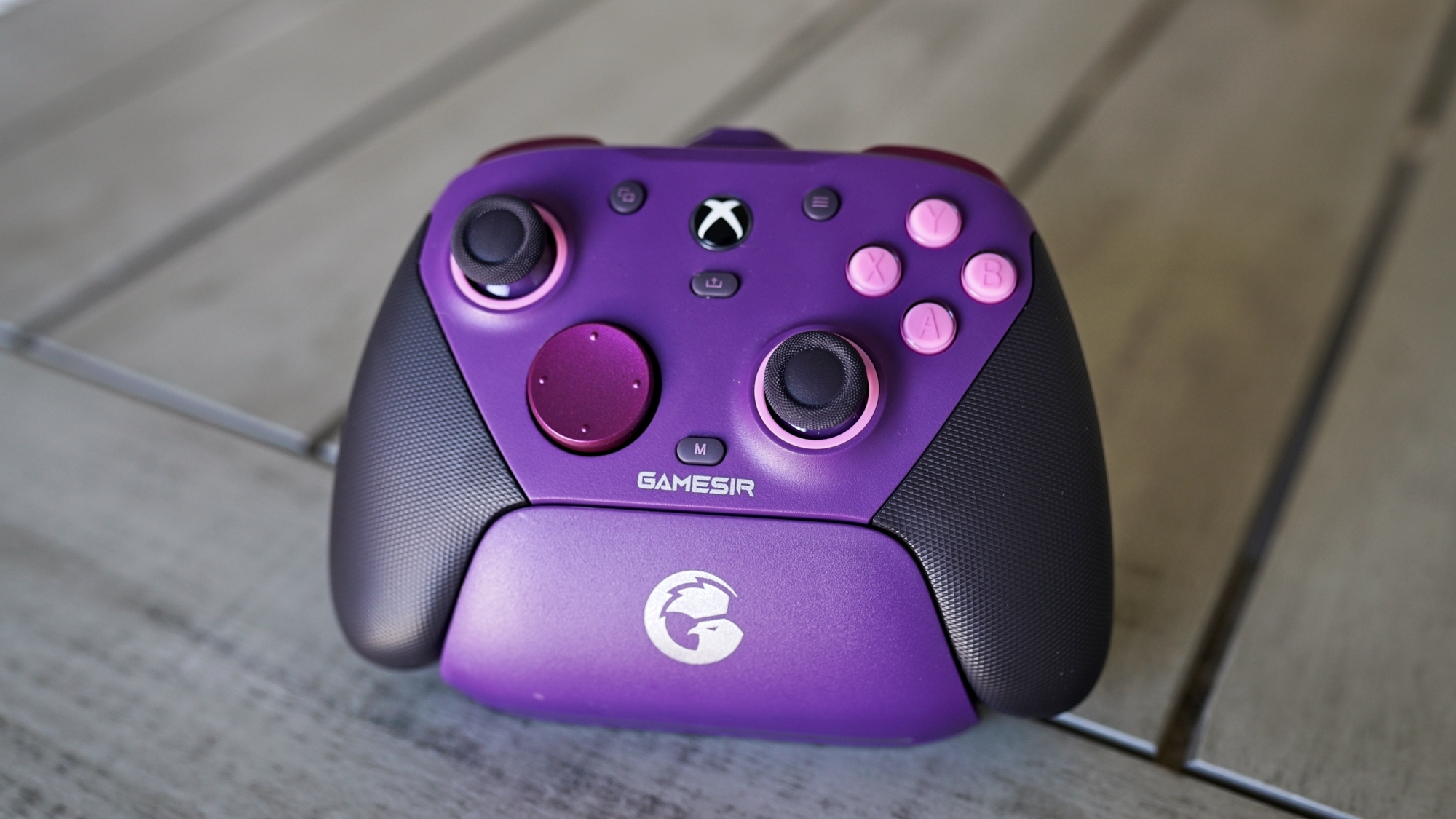
The GameSir G7 Pro is a pro-style controller without the extra luggage, literally. As more tech gets packed into controllers, they get heavier, which is an issue with the standard DualSense and, to a far greater extent, the Xbox Elite Controller (any version, really) and the DualSense Edge. With the G7 Pro, you get extra amenities like remappable buttons (including rear paddles), a charging dock, a 2.4 GHz connection, and a surprising number of different aesthetic variants. The primary difference is that the G7 Pro feels like a normal controller in your hands, and it’s less than half the price of the first-party options from Sony and Microsoft.
For feel, the G7 Pro clocks in at 7.1 ounces, a far cry from the Elite Controller's 12.2 ounces and the DualSense Edge’s 11.6 ounces. Like the first-party premium designs, you get four remappable buttons: two paddles on the back and two small buttons situated between the trigger and bumper. It also comes with removable sticks and three D-pad options in the box. The faceplate and grips come off, as well, if you want to change up the look in the future.
The G7 Pro stands out most for what it does differently, however. For the face buttons and D-pad, GameSir uses optical micro switches, which you can also carry over to the triggers. The G7 Pro includes Hall Effect analog triggers, but you can toggle over to a hair trigger setting with a slider on the back. In this mode, the controller instead uses a micro switch, giving you the tactile feedback you get with the face buttons.
For connectivity, 2.4GHz is the way to go, with the G7 Pro operating at a 1,000Hz polling rate and using its included charging dock for connection (the dongle is removable but sits inside the dock). It also supports Bluetooth and wired connections. For managing the controller, you can use the Nexus App, which gives you access to full controller remapping, calibration for the TMR sticks, and far more. But you don’t need to use the app, which is one of the highlights of the G7 Pro.
You can remap buttons, as well as calibrate your sticks and triggers, with combinations on the controller itself. The remapping is particularly useful, allowing you to quickly remap controls when you boot up a new game rather than opening Nexus to remap there. It’s seamless. Regardless of how you set up the G7 Pro, you can store up to three profiles on the controller itself, and far more within Nexus.
For retro enjoyers and DualShock fans: 8BitDo Pro 2 (SN30)
(Image credit: Tom's Hardware)
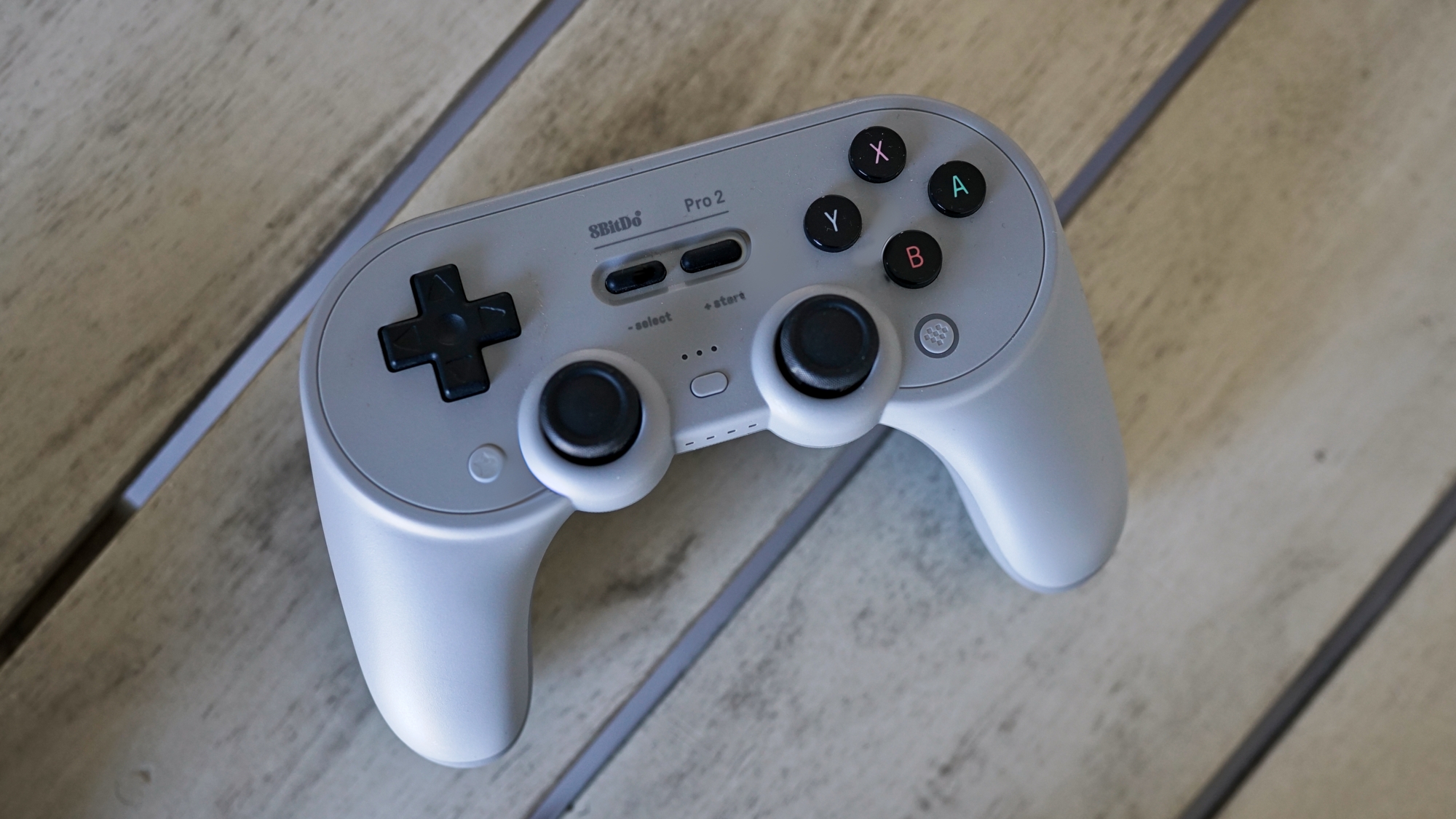
The 8BitDo Pro 2 (previously known as the SN30) is a more versatile controller than it first appears. It’s modeled after a Super Nintendo controller, supercharged with dual Hall Effect sticks, two back paddles, and triggers. It looks like a SNES controller, and the D-pad pulls off a good impression if you want to dive into any emulators or retro-style games. But with the handles, it feels most like a DualShock 4, a controller that you can’t use natively with Windows.
Although controller compatibility between platforms isn’t as big of an issue as it once was, the Pro 2 supports several platforms natively over Bluetooth, no cable required. A toggle on the back of the controller allows you to switch between Switch, Apple/macOS, Android/DirectInput, and PC/X-input modes. Unfortunately, there’s no 2.4GHz connection, though you can use the controller wired on any of the platforms it supports.
8BitDo allows you to store three profiles on the controller, which you can customize using the 8BitDo Ultimate software. It includes full controller remapping (including additional layers), macro support, trigger and stick deadzones, and vibration settings.
At $42, the 8BitDo Pro 2 is a solid deal. If you can stretch your budget a bit, the newer Pro 3 is $60 and comes with several upgrades. 8BitDo replaced the Hall Effect sticks with TMR sticks, added extra buttons between the bumpers and triggers, and added a hair trigger toggle for the triggers. The front buttons are swappable as well, as you can swap between a Nintendo and standard layout, and 8BitDo bundles in a charging dock.
For around $50: GameSir Cyclone V2
(Image credit: Tom's Hardware)
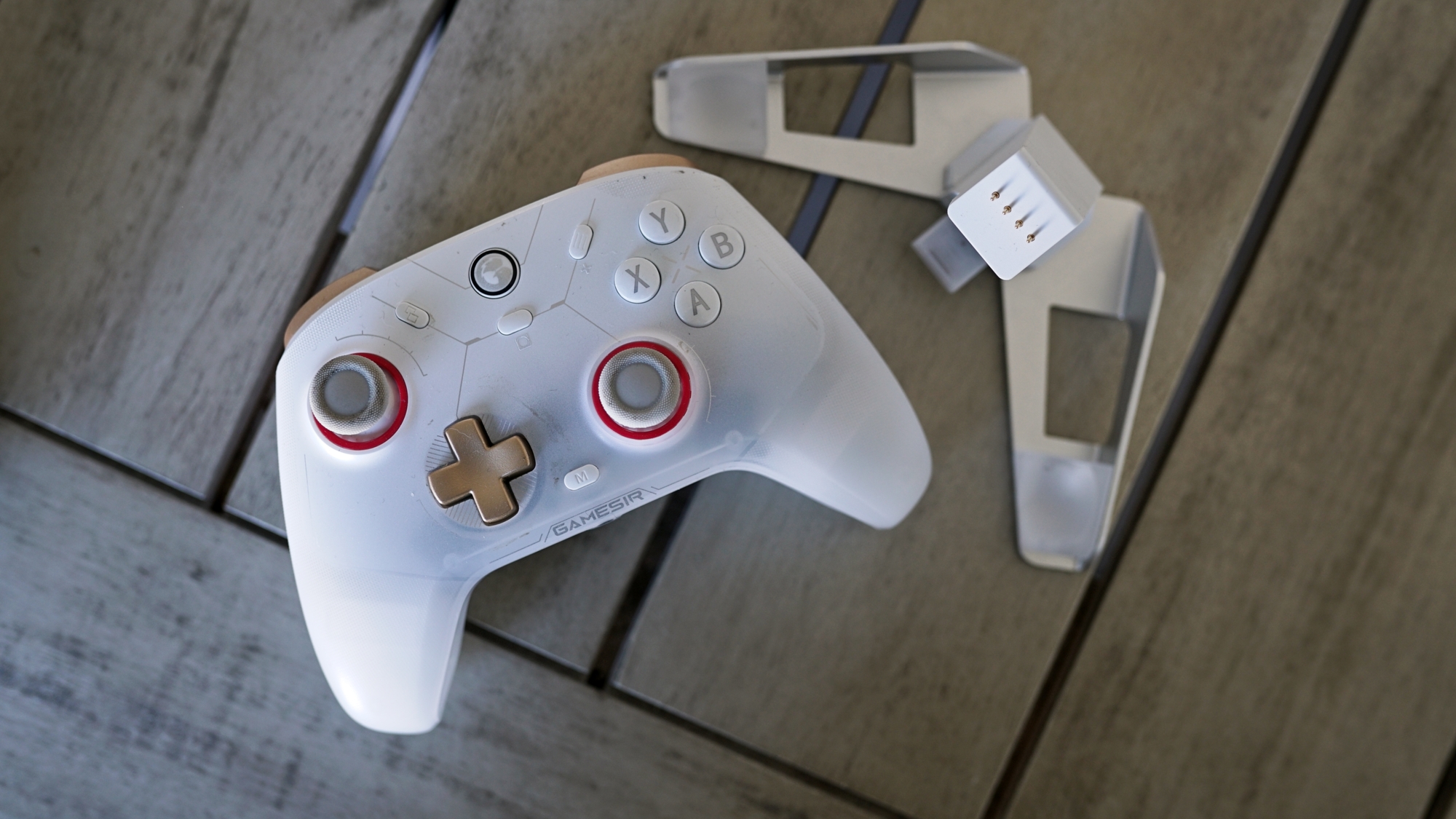
The GameSir Cyclone V2 is a slightly worse version of the G7 Pro, and the difference really is slight. It comes with just two additional buttons (the back paddles) instead of four, and you don’t get the customization options for the sticks, D-pad, and faceplate. The primary annoyance with the Cyclone V2, which the G7 Pro solves, is the dock. It’s bad. It can hold and charge the controller, but you’ll fumble trying to make sure it’s actually sitting on the dock when you go to set the controller down.
Outside of that one usability issue, the Cyclone V2 is excellent, especially considering its price around $50. You still get quality TMR joysticks, responsive micro switches on the face buttons and D-pad, a 1,000Hz polling rate over the 2.4GHz wireless mode, and analog triggers with an optional micro-switch mode.
Instead of the dozen or so variants of the G7 Pro that are available, the Cyclone V2 is available in two colors: white or black, with a matching dock. The plastic shell isn’t fully opaque, however, and GameSir includes LEDs within the body of the controller that shine out while it’s on. You can customize these colors inside Connect (the software for the Cyclone V2), creating a smooth gradient of color (or just a solid color) across the controller while you’re playing.
Within Connect, you still get access to trigger and stick deadzone settings, button mappings, and profile management. Three profiles can live on the controller, and you can remap buttons (as well as access functions like macro recording) directly on the controller with key combinations.
If you have money to spend and time to wait: Valve Steam Controller
(Image credit: Tom's Hardware)
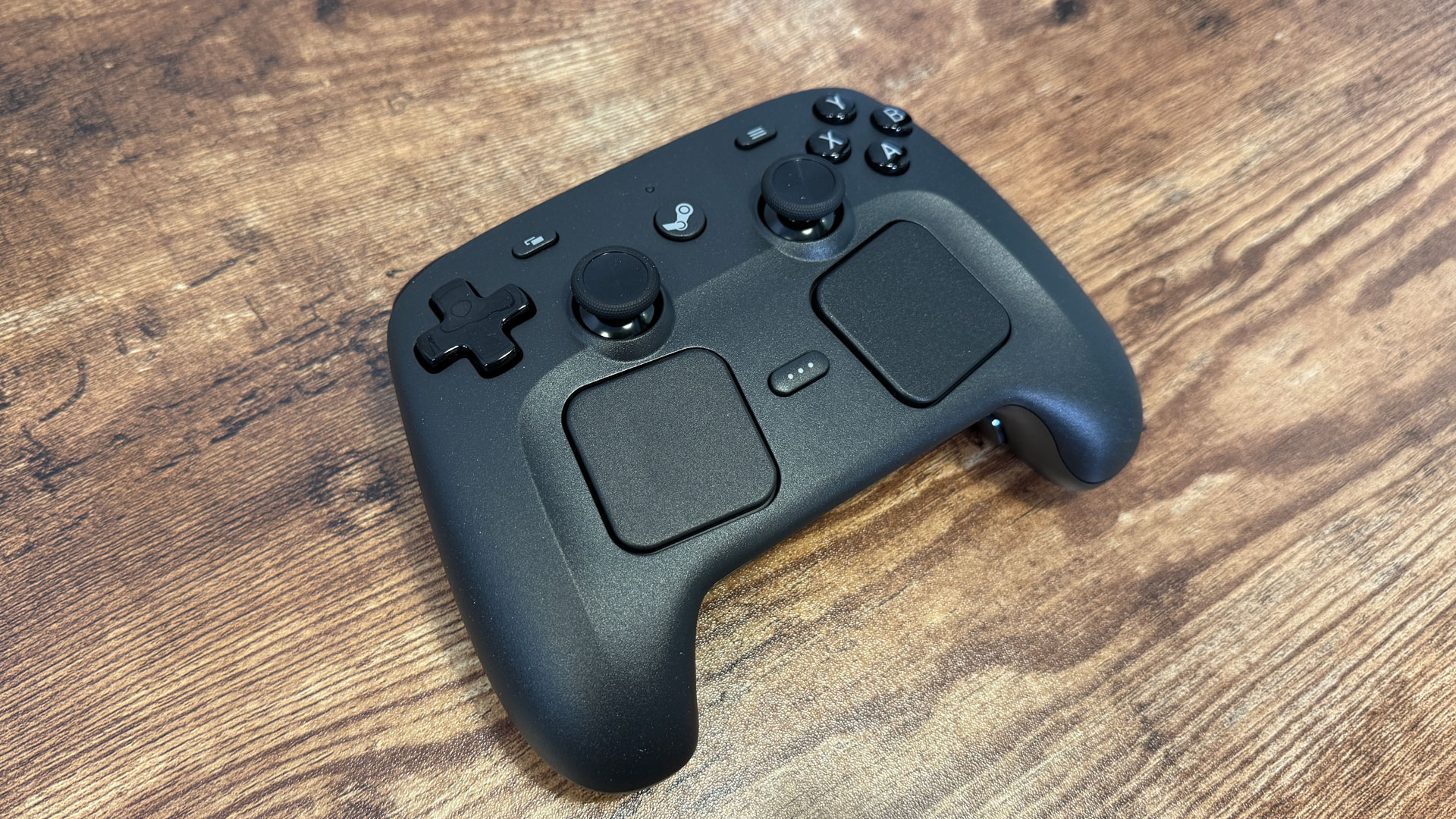
It’s hard to recommend the Steam Controller because it’s not on sale (it’s not even available outside of Steam), and you can’t actually buy it right now because it’s sold out. Still, it’s an excellent controller, and if you have $100 to burn and a few months you’re willing to wait, you’ll come out on the other side with perhaps the only purpose-built controller for modern PC gaming we’ve ever seen.
As Valve did with the Steam Deck before, the Steam Controller is only available via a reservation system. You need a Steam account in good standing to sign up for the queue. Thankfully, Valve’s queue isn’t some black hole lottery that you’ll never hear back from; you will get the chance to buy a Steam Controller eventually, but it might take several months before that time comes.
As you can read about in our Steam Controller review, the gamepad essentially recreates the feel and functionality of the Steam Deck with any PC. It’s built around Steam Input, giving you a deep level of customization over every aspect of your input, even in games that don’t natively support a controller. The dual touchpads come in handy in that case, mimicking the movement of a mouse.
Similar to other Valve devices, the Steam Controller has a solid modding scene around it. There are party trick mods, such as a tool that allows the controller’s haptics to play back 16-bit audio, but also practical hardware mods like third-party buttons and triggers. The modding community has had a field day with the puck that the Steam Controller uses for charging and connection, as well.
Get Tom's Hardware's best news and in-depth reviews, straight to your inbox.
Jake Roach is the Senior CPU Analyst at Tom’s Hardware, writing reviews, news, and features about the latest consumer and workstation processors.

 1 hour ago
9
1 hour ago
9



 English (US) ·