
 3 weeks ago
25
3 weeks ago
25
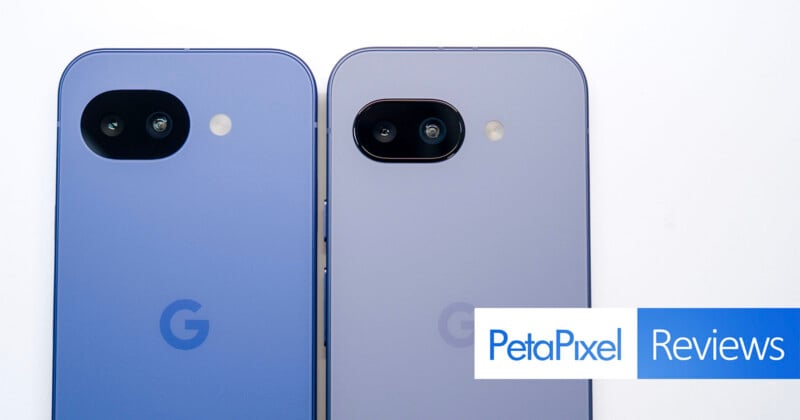
Should Google have even bothered to make the Pixel 10a? I asked myself this question multiple times while using it because I couldn’t always tell where the distinctions lay with its predecessor.
As Google tells it, the Pixel 10a is “the real deal,” but it’s hard to understand what that is beyond the $499 price tag. It would be comical to call this phone an “upgrade” because it’s more of a lateral baby step than anything else, focusing more on minor adjustments, solidifying the status quo on everything inside.
Google Pixel 10a Review: Design and Build
There is virtually no difference between the Pixel 10a and Pixel 9a from a design standpoint. Height, width, and thickness discrepancies are so minuscule that you’d be hard-pressed to notice them whilst putting the two phones together. Unfortunately, those differences, particularly on height, might be just enough to negate using a Pixel 9a case on the 10a. You could try, as results may vary, but I didn’t find it a snug enough fit in my case.
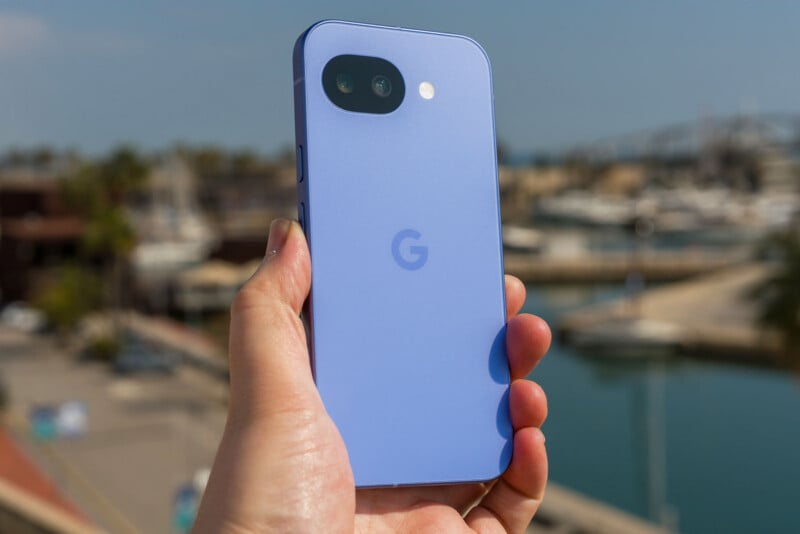
While Google does flatten the frame around the camera module to make it flush with the back panel, the overall aesthetic is otherwise exactly the same. That also goes for the front, where the company brings back the same 6.3-inch OLED display, only this time with tougher Gorilla Glass 7i protection. The screen retains the same 120Hz refresh rate with a boost to 3,000 nits peak brightness, making it slightly easier to see in sunnier conditions. That’s also much brighter than the 800 nits (1,200 nits peak) the iPhone 17e manages.
The screen color profiles, Adaptive and Natural, also maintain the same delineation. Natural covers about 98% of the sRGB color gamut and 99.3% of its total volume, while Adaptive is based more on DCI-P3 coverage. This can change how colors appear when viewing photos but I would also concede some of it is relative to your own eyes.
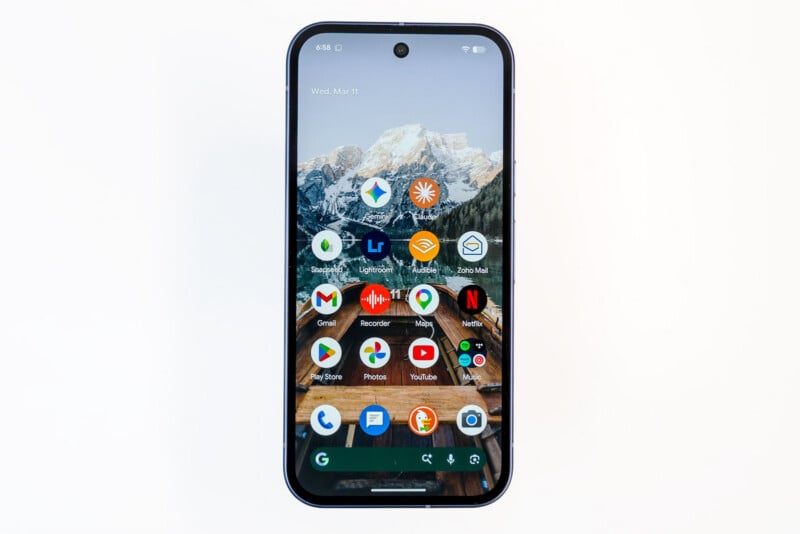
Most strikingly, Google goes with the same Tensor G4 chipset it already used in the Pixel 9a, leaving little room to push performance further. If I were to guess, the calculation here may be that most Pixel A series users don’t push the envelope anyway. It’s just odd given the G5 already rolled out with the last set of Pixel 10 flagships, and Google has previously migrated its latest chip over to its mid-range model. Not this time.
The 5,100mAh battery is the same, though it can now handle faster wired (30W) and wireless (10W) charging rates. Better software management on the other side also helps keep the battery going longer when using it. Not that I ever felt battery life was bad on a Pixel A phone, but Google figures longevity will be noticeable here, and frankly, they’re right about that. I find the Pixel 10a lasts at least an hour or two longer per charge than its predecessor did, leaving software optimization as the main reason why.
Google Pixel 10a Review: Camera and Software Features
If I were to pull up a list of camera hardware specs from the Pixel 9a, they would apply to this phone in exactly the same way. The 48-megapixel main camera (25mm equivalent) feels stunted by the small Samsung GN8 Type 1/2.0 image sensor that also retains the fairly wide f/1.7 aperture. Same with the 13-megapixel ultra-wide (14mm equivalent) using the Sony IMX712 sensor, with an f/2.2 aperture and 120° field of view. That’s exactly the same ultra-wide spec going back to the Pixel 8a, which also happens to be the case for the 13-megapixel front camera (20mm equivalent) using the IMX712 sensor as well.


A total lack of any hardware change leaves software as the sole means to deliver at least something different through AI-driven features. Apart from that, however, there’s not a whole lot of evidence indicating you’re actually using the Pixel 10a. It feels like a Pixel 9a with an asterisk. Google always leans on its software computation to deliver results but staying put shouldn’t be the direction this phone takes when it doesn’t really change that, either. Without a telephoto lens, digital zoom sees no improvement beyond 2x. That’s basically the story across the ledger here; any mode within the camera app produces the same output as before.
Google Pixel 10a Review: AI Remains the Focus
Two AI-driven features make their way over from the Pixel 10 flagships to the 10a: Camera Coach and Auto Best Take. While I like Camera Coach as a means to help users figure out ways to frame or compose a photo, I can see seasoned shooters quickly tire of it because its beginner-like approach feels more at home on a device like this. You just need a data or Wi-Fi connection to use it since it’s based on Gemini AI.
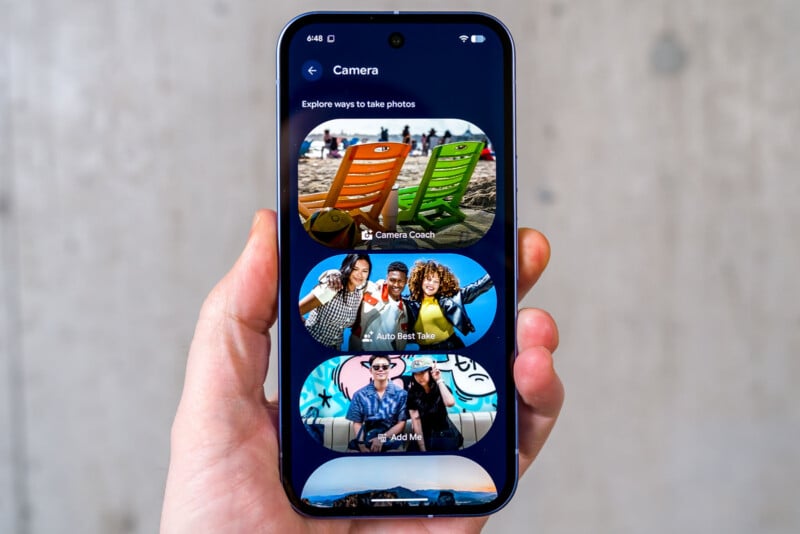
What I find odd is that Google didn’t make the feature available on the Pixel 9a. There’s no technical restriction, given it uses the same internal components as the Pixel 10a, yet Google is keeping it squarely as a Pixel 10 series feature. The same goes for Auto Best Take, though older models like the Pixel 9 series (including the 9a) have Best Take, which is just a manual version of the same feature.
Google’s AI editing suite is still the envy of many in the mobile space. Magic Eraser is excellent, whereas Magic Editor is the broader tool that invokes generative AI to remove or replace a person or object via a prompt. Audio Magic Eraser is also available to remove unwanted sounds from video clips.
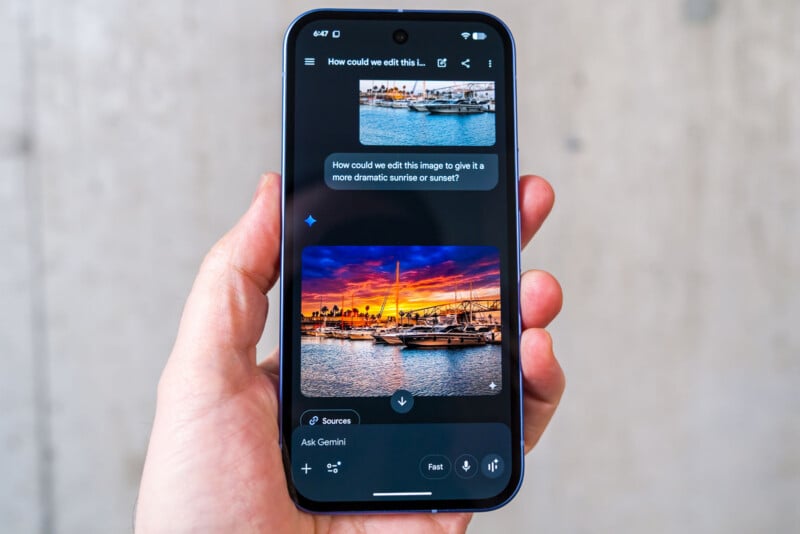
Circle to Search remains the best in the business to look up anything by simply drawing a circle around it. Google has also phased out Pixel Studio, its generative AI app, and spread out its features across others, especially Gemini. As far as generating images goes, the move coincides with Nano Banana 2, so simply typing in or voicing a prompt in the Gemini app can do the job.
Free users get limited generations and lower resolution results compared to paid subscribers. Google recently launched AI Plus as an in-between option at $8/month as a cheaper alternative to the $20/month AI Pro plan, giving you access to Gemini 3 Pro and Veo 3 image-to-video creation.
Google Pixel 10a Review: Image Quality
There’s no mystery here because the results are predictable. Even if Google were to claim (which it doesn’t) that its computation software makes a demonstrable difference, the visual cues are imperceptible. Take the same photo in the same conditions with both the Pixel 10a and Pixel 9a and you won’t see any quality upgrade between them.


This is all the more confusing considering Google actually chose a smaller image sensor for the main camera in the 9a compared to its predecessor in the Pixel 8a. I would’ve thought the 10a presented an opportunity to utilize something bigger again but that’s not the case. You’re still limited to pixel-binned 12-megapixel images for both JPEG and RAW photos, while existing controls and settings see no changes from its predecessor.


Since the goal posts don’t move, photos retain the same color science and HDR processing leading to decent images across a variety of subjects. Daylight and well-lit scenes will look better than low-light and night shots despite Google’s previous pedigree for handling more difficult lighting conditions. Unfortunately, that means no improvement in warding off the muddier low-light results previously seen in the Pixel 9a, so while good photos are certainly possible here, you do run into walls under certain circumstances.

That’s all the more evident from the lack of a telephoto lens. While Chinese brands regularly include one in their comparable mid-range phones now, Google banks on its software doing well enough to produce acceptable results beyond the 2x hybrid zoom available. Except, it can’t because going beyond that is just introducing a deeper digital crop from the main camera with predictably bad results. Pixel flagships get away with it more because the telephoto lens presents better focal range to start with, but remove that element from the equation and it shows the moment you pinch to zoom in.


The general complacency is even more obvious with the ultra-wide, which hasn’t changed since the Pixel 8a. It won’t necessarily let you down in many cases, but it won’t wow you, either. Much like the main camera, there’s vintage Google here, meaning the overall processing maintains the same dynamic range to deliver a good photo that doesn’t blow out highlights or underexpose the darkest parts. It’s just that your mileage varies as you use it, where flat results and resource limitations become clearer the more you inspect each image.
Google Pixel 10a Review: Video Features
It’s telling that video recording is so stagnant that what you get here is just about the same as the Pixel 7a — a phone that launched in 2023. To recap, you can record in 4K or 1080p at 30fps or 60fps with either lens. Tap the ‘?’ icon in the camera interface and you see a layout of the different video features available, complete with how-to directions in setting them up and using them. That’s notable because this particular section isn’t available in previous Pixel A models, adding a nice touch to help users figure things out along the way.
Google Pixel 10a Review: Good Enough? Maybe
The Pixel 10a is a mid-range phone that looks good because of its $499 price and lack of relative competition at said price. Markets outside North America are flush with excellent phones that offer more in the same price range, yet those in Canada and the U.S. are stuck with few options to choose from. It’s the lack of competition that ultimately makes a device like this possible in the first place. Why change a lower-cost device when there’s no one in the same market to shake things up?


From my point of view, Google is calculating that users will be more into the AI features than camera upgrades because the former will satiate the lack of creativity afforded by the latter. Maybe there’s market research telling Google that’s true, but I maintain the company would think differently if it were forced to by other brands. Given Pixel branding used to rely heavily on photography, it’s no accident we’ve since seen Google retreat on that front. There’s simply nothing all that rewarding to talk about compared to what came before.
Are There Alternatives?
For anyone looking beyond North American shores for something better, there’s plenty to consider. The Vivo V70 is an excellent camera suite with a periscope telephoto lens onboard to help the cause. It not only shoots better in broader use cases, it also lets you capture full-res JPEGs, take action shots, and utilize a Pro mode with full manual control.
The Oppo Reno15 Pro is one of the better phones I’ve tested in a similar price range. Its camera array feels miles ahead of everything the Pixel 10a can do because it leans more flagship than the obviously pared-down features Google offers. Even the Nothing Phone (3a) Pro being a year old shouldn’t detract you from considering it. It also has a periscope telephoto lens and a software experience that’s easy to like. Nothing just announced the Nothing Phone (4a) Pro last week, which is targeting a similarly aggressive price point.
If you’re lucky and find a Xiaomi 15T for a similar price, which you might these days, that’s also a far more robust camera performer. Laden with features and including Leica integration, it’s an excellent choice when photos and video matter most.
Closer to home, I would expect Samsung to release the Galaxy A57 as its mid-range model for 2026 sometime soon. Then there’s the iPhone 17e, which still only sports one solitary rear camera, offering little as a serious competitor in that regard. Apple’s hybrid zoom is worse than Google’s on the best of days, so if camera performance matters, that’s not the iPhone to get it done, especially when it costs $100 more than the Pixel 10a.
Should You Buy It?
No, not if you’re looking to upgrade from the Pixel 9a or even 8a. The only reason you might think about it is if the AI features matter to you. Otherwise, you’re not likely to see big jumps in performance or camera output. Google is also guaranteeing the same seven years of Android and security updates for the Pixel 10a, so you have time in case you prefer to wait for what’s next.





 English (US) ·