
 3 weeks ago
38
3 weeks ago
38

For years, Google has enforced a restriction on changing the @gmail addresses it hands out when signing up for a new account. Apart from email, that's the address you use to log into any Google service, like YouTube, so many of us have been stuck with old identities we'd like to move on from. Fortunately, this convenience appears to be within reach, as the Google Pixel Hub Telegram group has spotted an official Google support document outlining the feature.
The support page is only in Hindi, suggesting that the rollout is limited to India for now. Even then, Google clearly states that users will gradually begin to see this option, indicating that global adoption is still some way off. Still, we're looking at official info here, not a leaked excerpt, so Gmail truthers can rejoice.
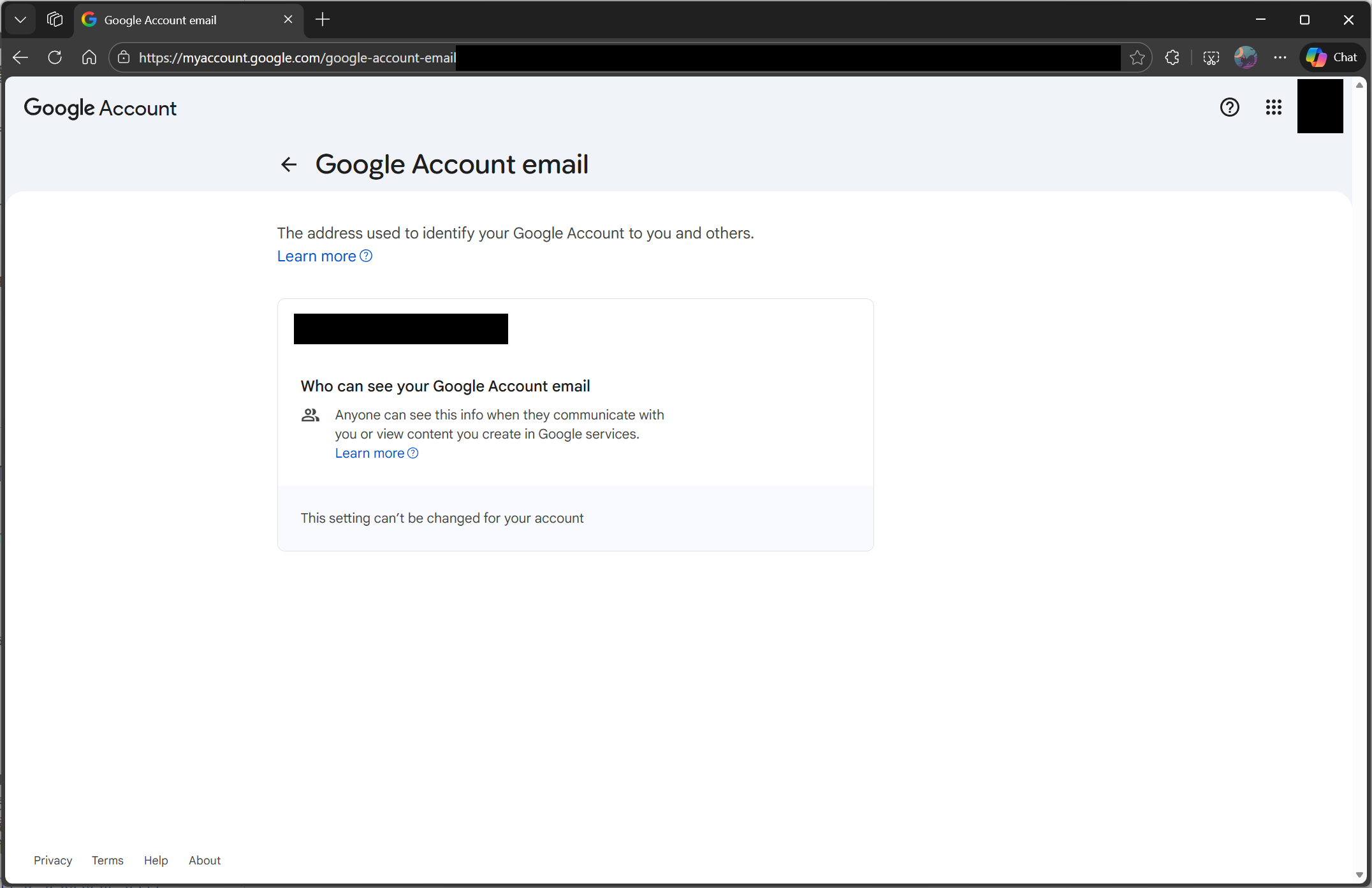
To clarify further, Google lets you change your Google Account name, but you can't edit the @gmail.com address. In the document, Google states that you'll retain and have access to your old email address after you switch to a new one — essentially, you'll have two @gmail addresses for one account, which in and of itself could be a game changer for many. Previously, you'd have to create a new Google Account to access a secondary email address, which you could then use to set up a faux alias.
With this, you'll receive emails in both inboxes, and none of your existing data, such as Drive or Photos, will be affected. That said, you cannot register another email address for the same Google Account for the next 12 months after switching to a new one. Keep in mind that Google hasn't officially announced this feature yet, so all of this is potentially subject to change with the global rollout.
Still, to check whether you can get a new @gmail address right now, go to my.account.google.com/google-account-email on a phone or computer. There, tap/click on "Personal Information," and under "Email," you should see the option to "Change email address for your Google Account." It will look like the screenshot above if you're not part of the rollout yet.

Follow Tom's Hardware on Google News, or add us as a preferred source, to get our latest news, analysis, & reviews in your feeds.






 English (US) ·