
 3 weeks ago
29
3 weeks ago
29
Mid-tower desktops provide the best performance for the money, but mini PCs have carved a niche by offering surprising muscle in far smaller, more efficient packages. GMKtec’s Evo X2 AI Mini PC ($1,499 as tested) is an excellent example, pairing AMD’s “Strix Halo” Ryzen AI Max+ 395 mobile processor with 64GB or 128GB of memory to provide ample headroom for multitasking and AI development. Its Radeon 8060S integrated graphics even make 1080p gaming surprisingly viable.
For what’s here, it’s arguably a better value than the Framework Desktop, though it remains quite expensive relative to the performance you can get from our best gaming PCs – especially if you don’t truly need 64GB of RAM.
Design of the GMKtec Evo X2 AI Mini PC
The Evo X2 isn’t a style-first or even a style-second machine. Its two-tone black and silver chassis gives it some contrast, but the overall aesthetic feels dated, as if it could have debuted a decade ago. The green power button doesn’t help, leaning more towards budget gadget aesthetic than premium mini-desktop looks.
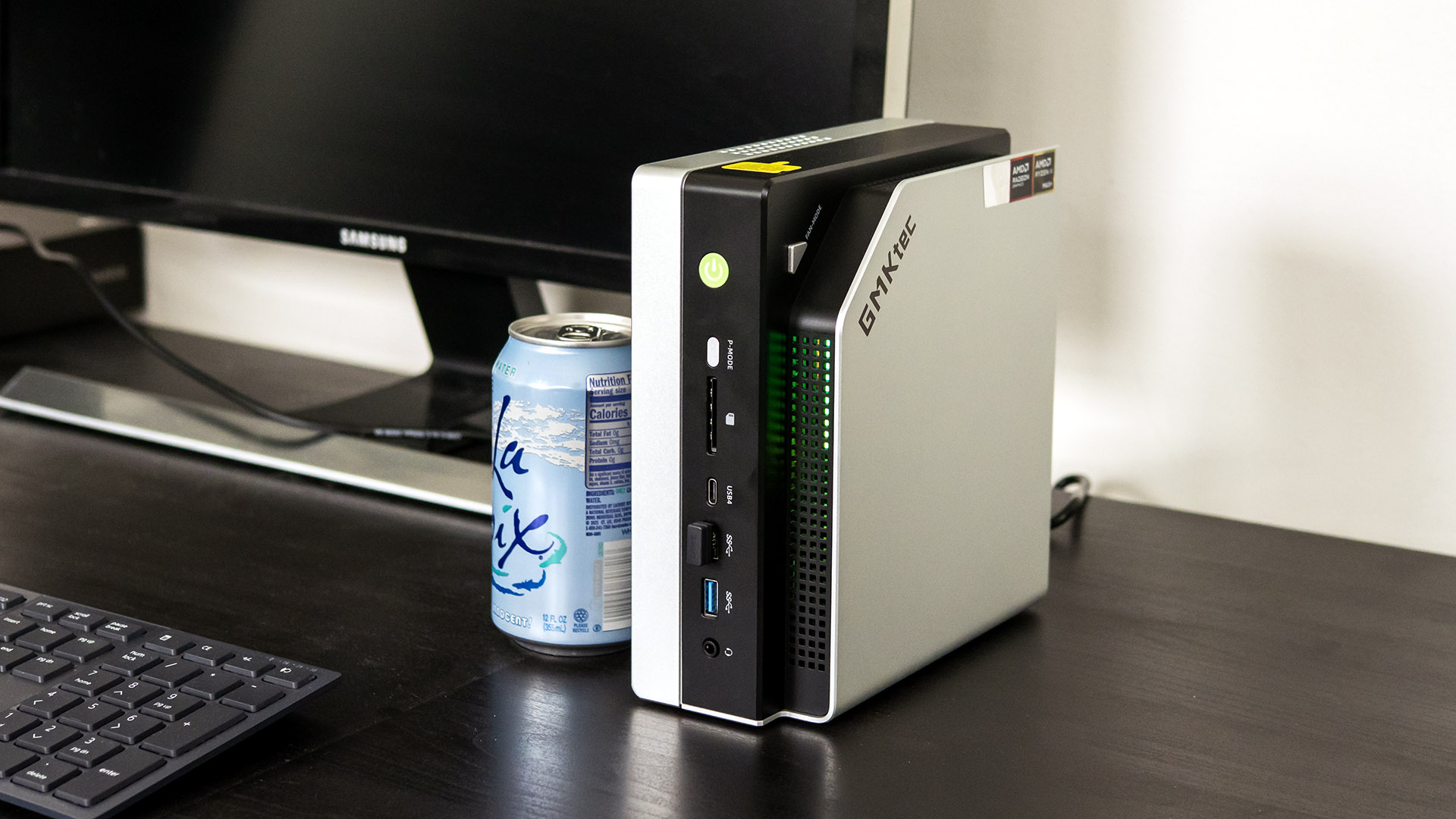
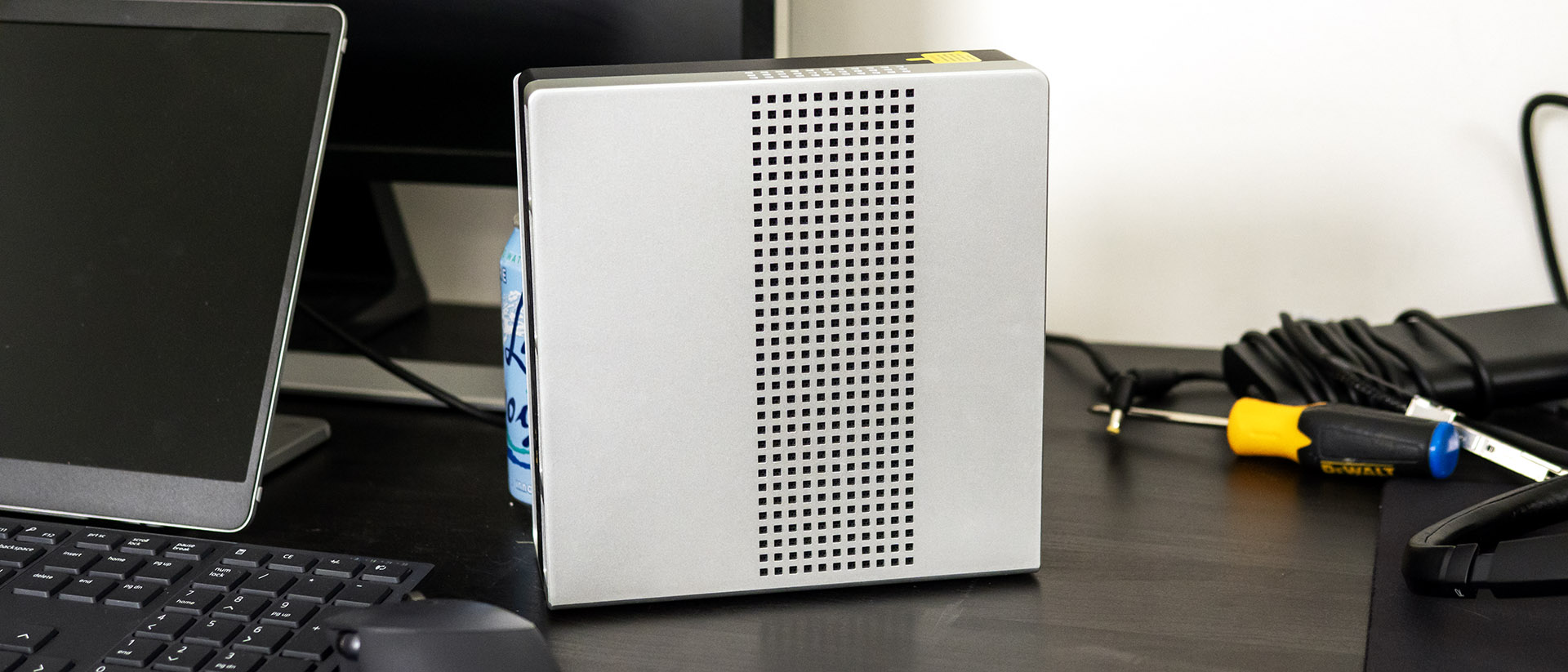
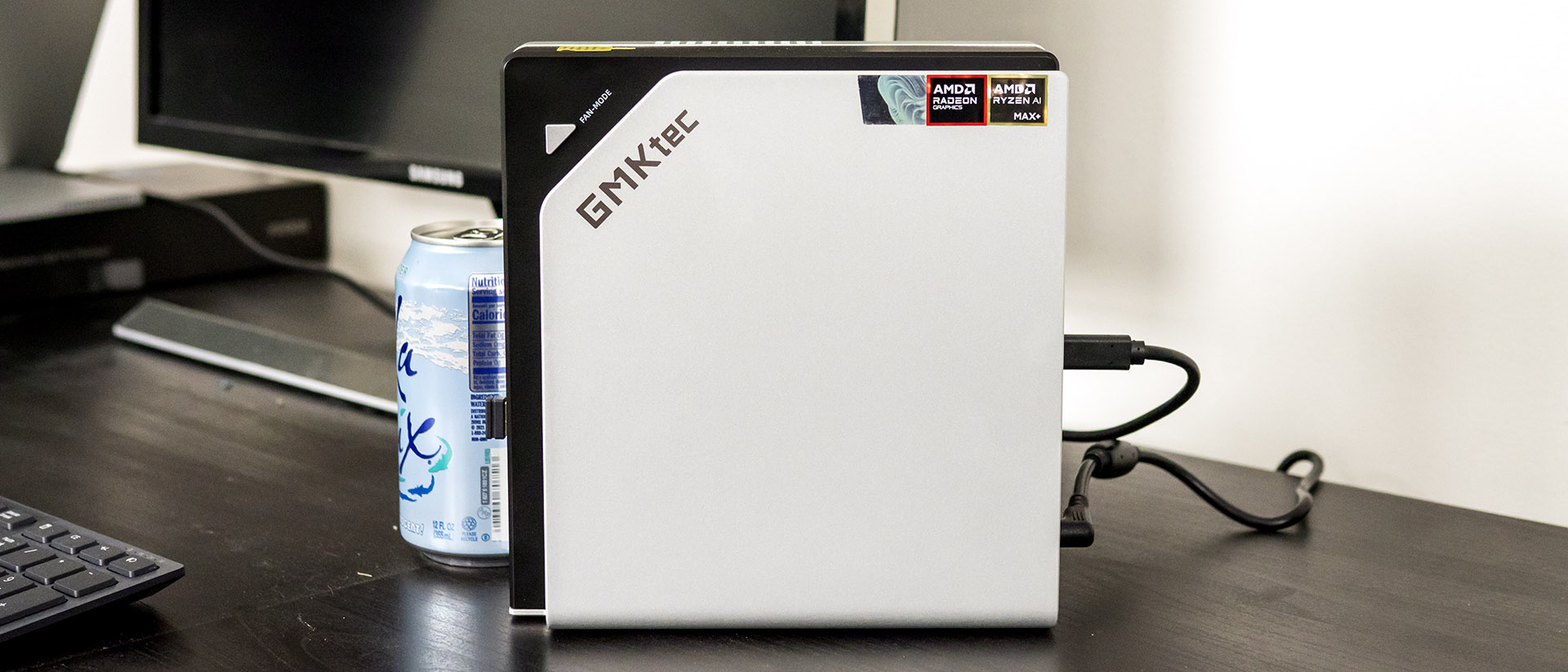
Although the chassis looks like it could rest horizontally, the ventilation perforations along one side force a vertical‑only orientation. There’s also no VESA mounting support, so it must live on your desk. Fortunately, its 3.03 x 7.6 x 7.32‑inch footprint is small enough that placement shouldn’t be an issue. It’s more compact than the Framework Desktop (3.8 x 8.9 x 8.1 inches), but GMKtec’s reliance on a hefty external 230‑watt power brick undermines some of the space savings.
Build quality is respectable. The lower half of the chassis is sturdy aluminum while the upper shell is plastic but doesn’t feel flimsy. Inside, the CPU fan includes RGB lighting, though it isn’t controllable through Windows Dynamic Lighting or any bundled software. Instead, lighting is managed through a physical “fan mode” button that cycles through static colors and a handful of simple effects like breathing and color‑shift. The other button on the chassis, P-mode, switches between three performance modes. The default seems to be high performance, with the other two designed to reduce fan noise at the expense of performance. An icon briefly pops up in the middle of your screen when the performance mode is changed, displaying a symbol: a dial for high-performance and variations of a flower for the other two – and fades away after a couple seconds.
GMKtec Evo X2 AI Mini PC Specifications
Swipe to scroll horizontally
CPU | AMD Ryzen AI Max+ 395 |
Memory | 64GB LPDDR5X-8000 |
Graphics | AMD Radeon 8060S |
Storage | 1TB PCI Express 4.0 SSD |
Networking | MediaTek MT7925 Wi-Fi 7 and Bluetooth 5.4 |
Front Ports | 2x USB-A 3.2 Gen2, 3.5mm audio combo, USB-C 4.0, SD card reader |
Rear Ports | DisplayPort 1.4, HDMI 2.1, USB-A 3.2 Gen2, 2x USB 2.0, USB-C 4.0, 3.5mm audio, 2.5 Gbps Ethernet |
Power Supply | 230 W external adapter (barrel connector) |
Operating System | Windows 11 Home |
Dimensions (WxDxH) | 3.03 x 7.6 by 7.32 inches (193 x 186 x 77 mm) |
Price (as configured) | $1,499.99 |
| Row 11 - Cell 0 | Row 11 - Cell 1 |
Ports and Upgradeability on the GMKtec Evo X2 AI Mini PC
GMKtec includes an impressive variety of ports, starting on the front panel with a USB4 (USB-C) port, two USB-A 3.2 Gen2 ports, a 3.5 mm audio jack, and a full-size SD card reader.
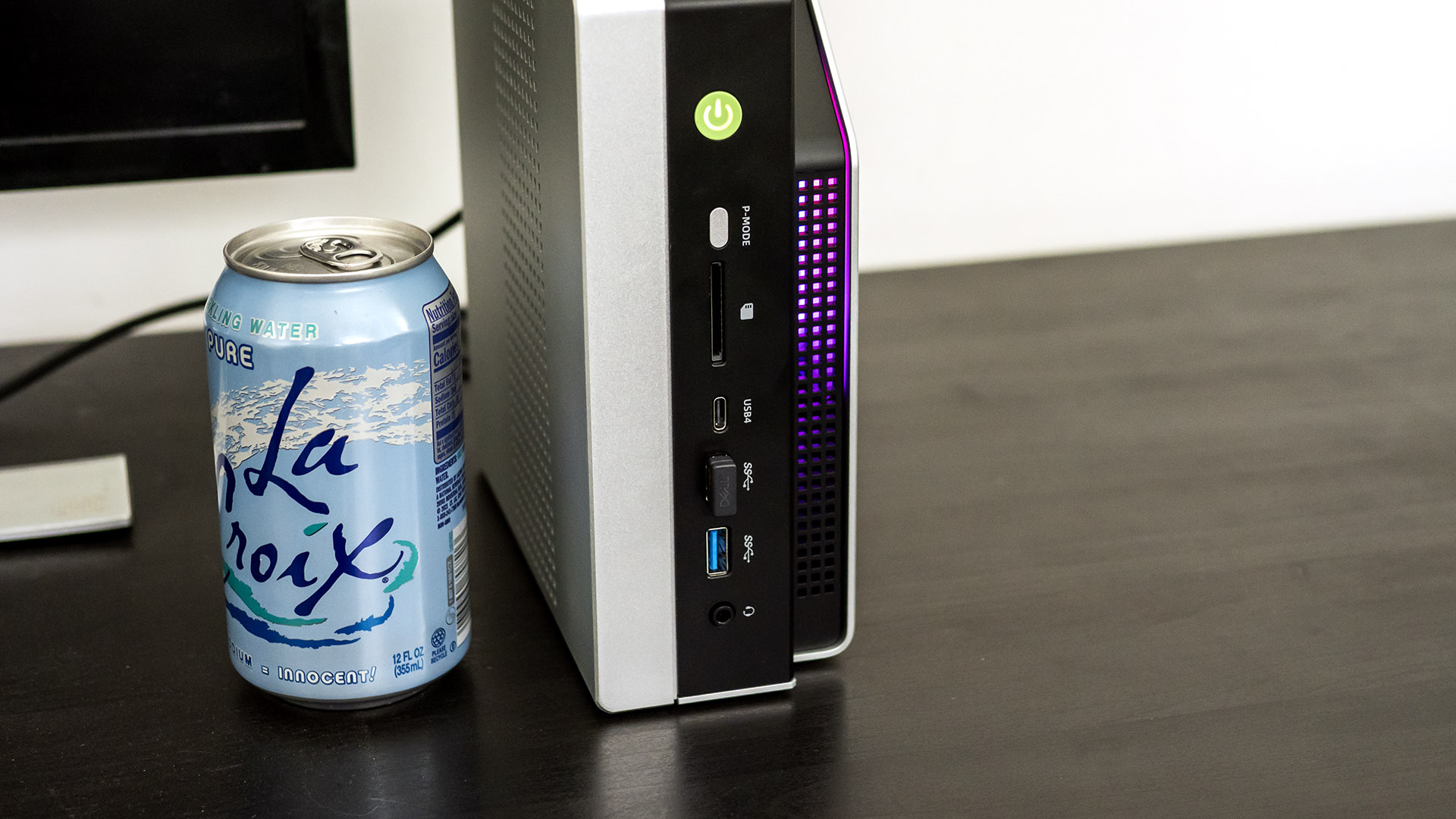
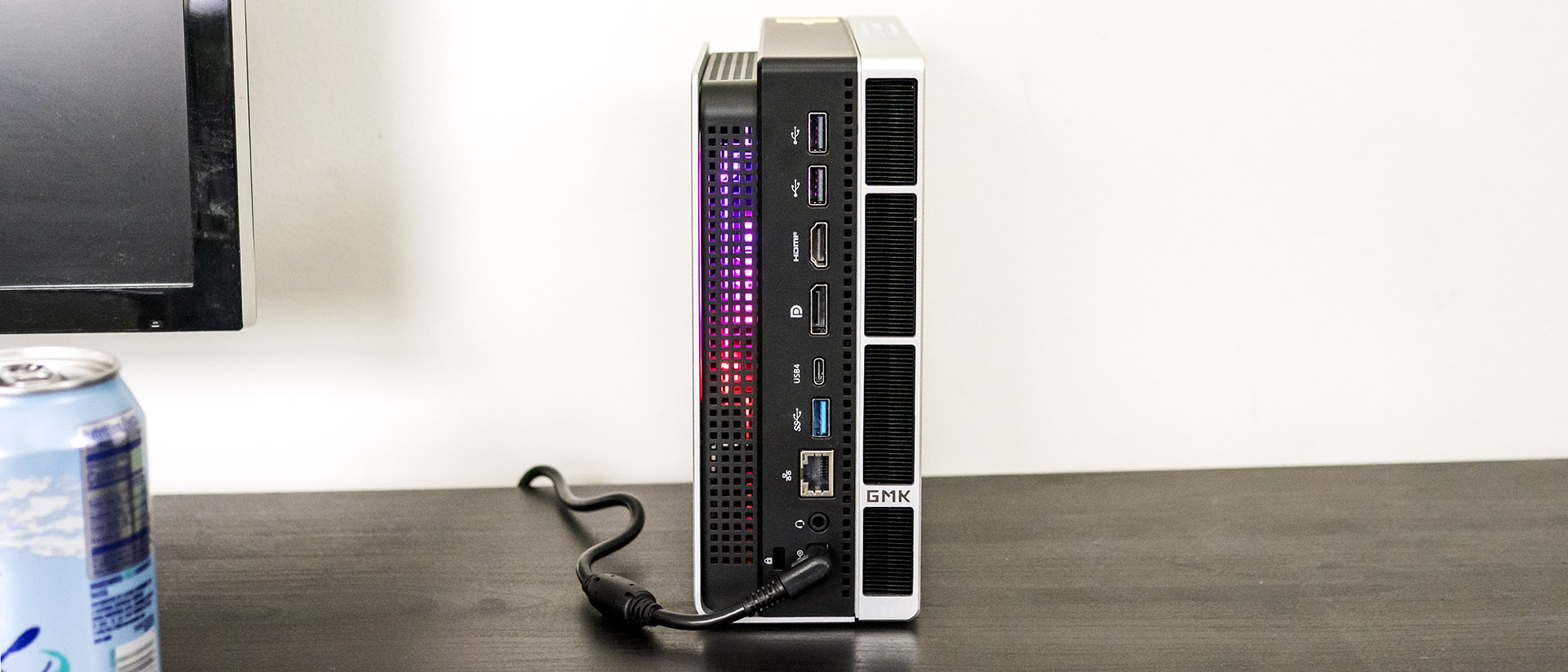
The rear shelf features DisplayPort 1.4 and HDMI 2.1 video output, USB4, USB-A 3.2 Gen2, two USB 2.0 ports, a 3.5 mm audio jack, and 2.5 Gbps Ethernet. All told, the system natively supports four monitors.
For wireless, the system supports the latest Wi-Fi 7 and Bluetooth 5.4 standards courtesy of a MediaTek MT7925 networking card. The wireless antennas are built into the case, so there are no external protrusions.
Upgrading the Evo X2 AI Mini PC is tricky. With the CPU/GPU and RAM soldered, only the two M.2 drives can be upgraded. Accessing these requires peeling off the rubber feet and removing the Philips-head screws underneath. This allows the smaller top half of the chassis to come free, revealing the two M.2 slots.
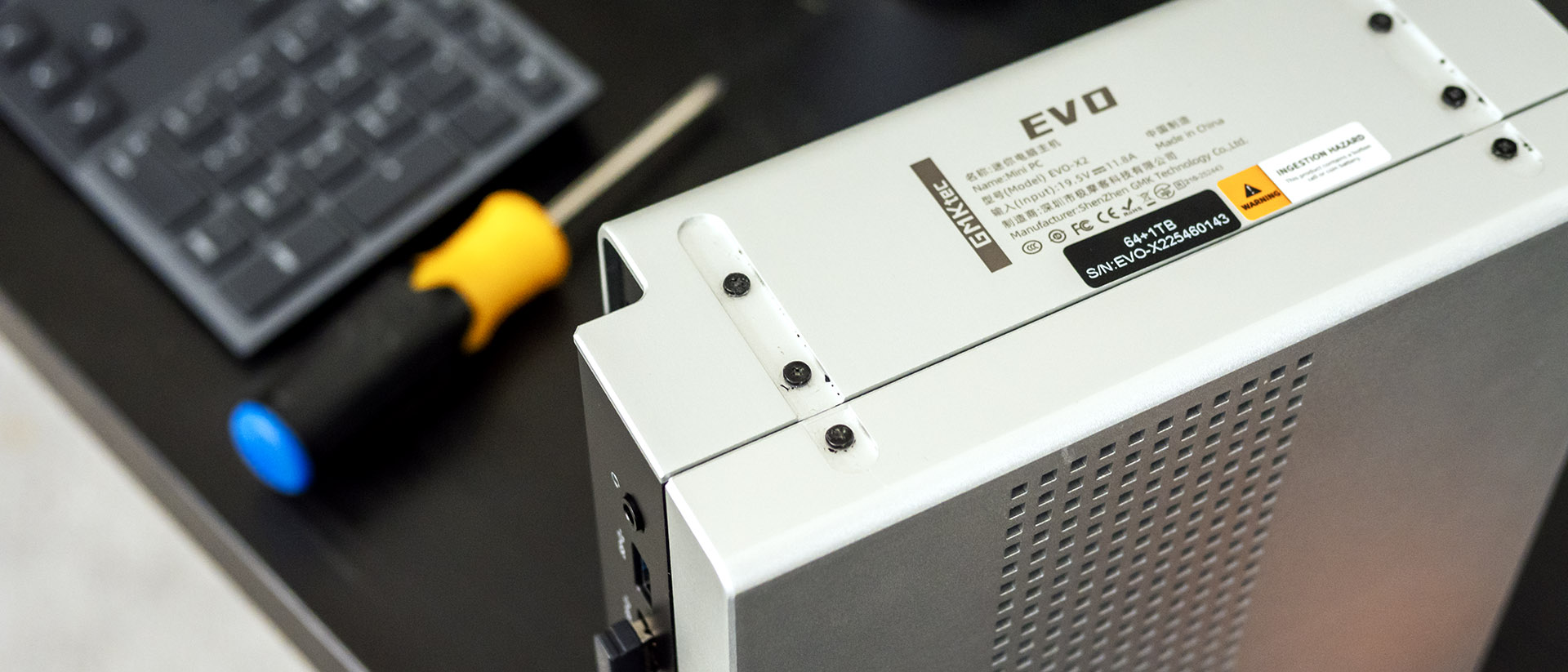
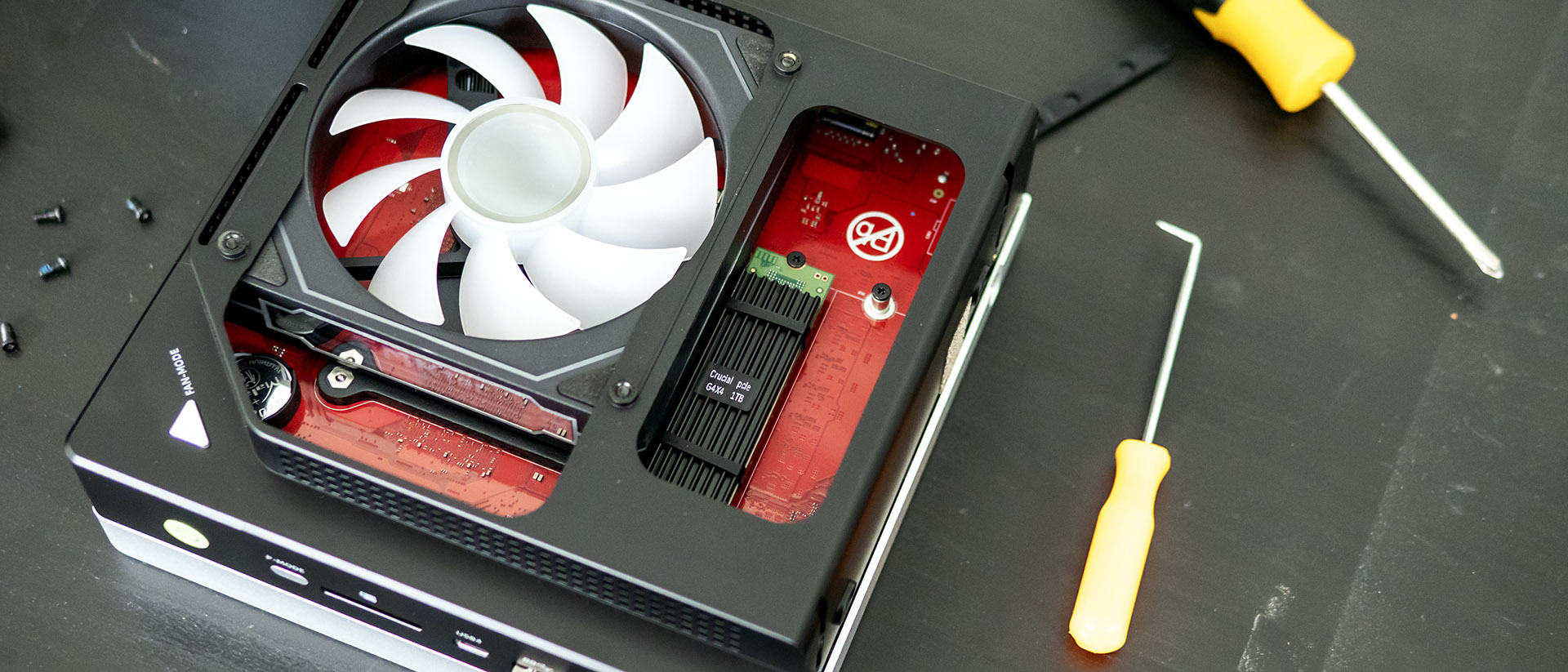
Removing the rubber feet is difficult since they’re secured with adhesive. I used a plastic toothpick to get under them, then slowly pulled them free with my fingers. The adhesive becomes much less effective once the feet are taken off, though it remained sticky enough for the one time I reapplied them.
Gaming and Graphics on the GMKtec Evo X2 AI Mini PC
Our Evo X2 review unit features a Ryzen AI Max+ 395 processor, Radeon 8060S graphics, and 64GB of LPDDR5X-8000 memory. Though integrated, the Radeon chip is more than powerful enough for 1080p gaming.
For my game testing, I used Star Wars Jedi: Fallen Order at 1920 x 1080 with Epic visual quality settings. I saw 90-110 frames per second in most instances, with occasional dips into the 70 FPS range for complex scenes, and spikes over 120 FPS in cutscenes. The game always seemed fluid.
For comparison, we’re using the Framework Desktop, which features the same hardware. We are testing at a 1920 x 1080 resolution since modern 4K gaming still isn’t practical on integrated graphics.
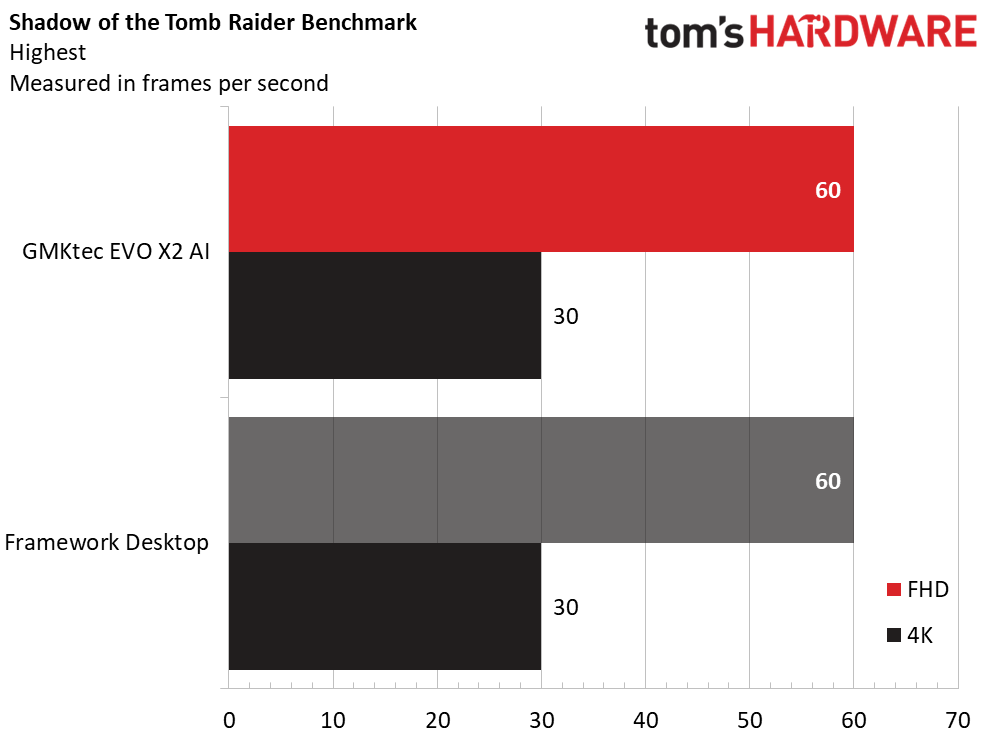
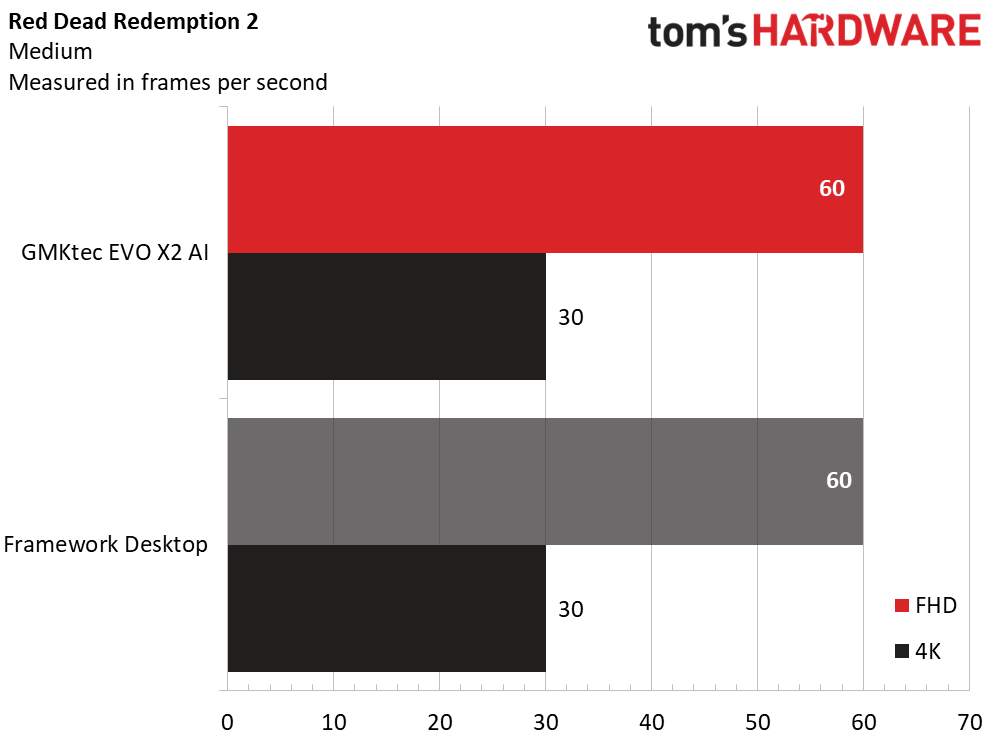
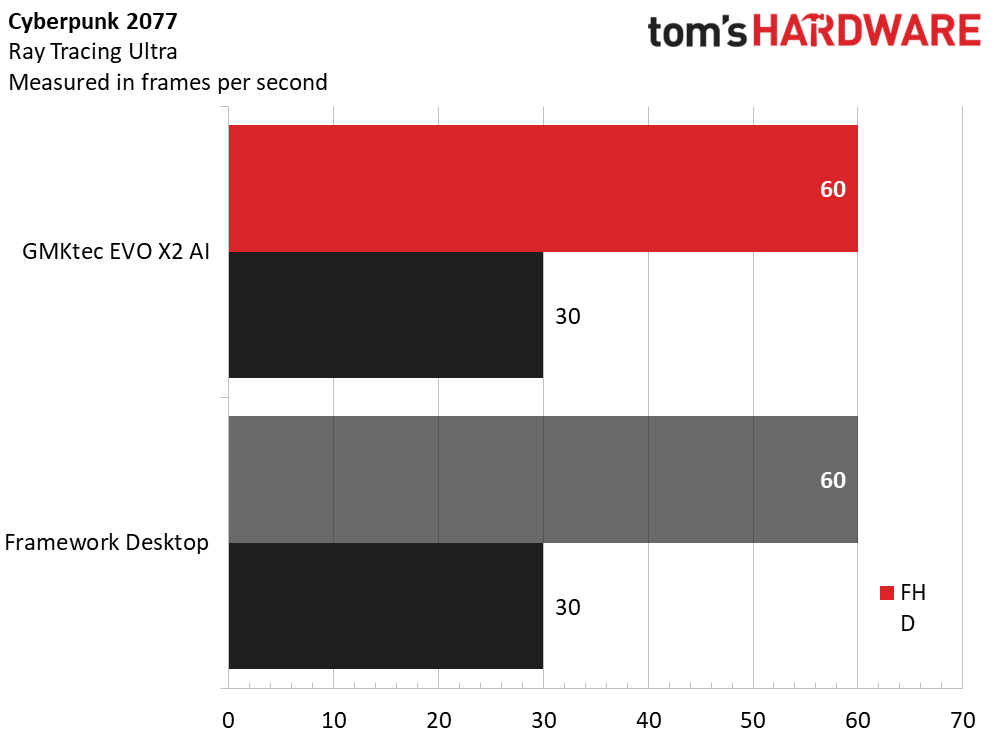
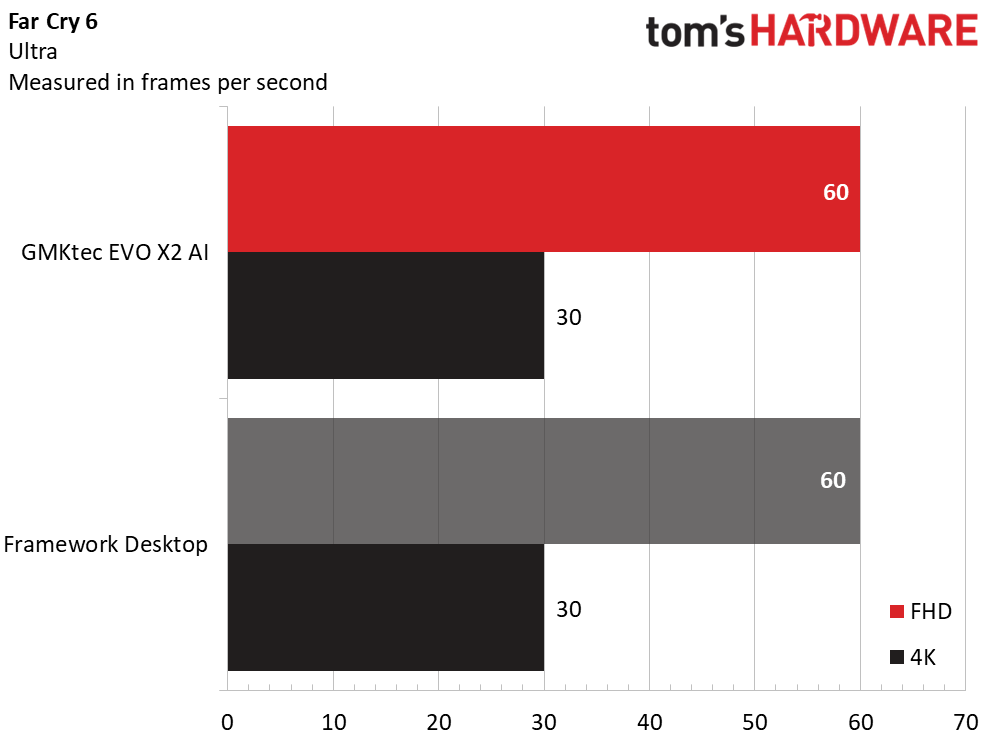
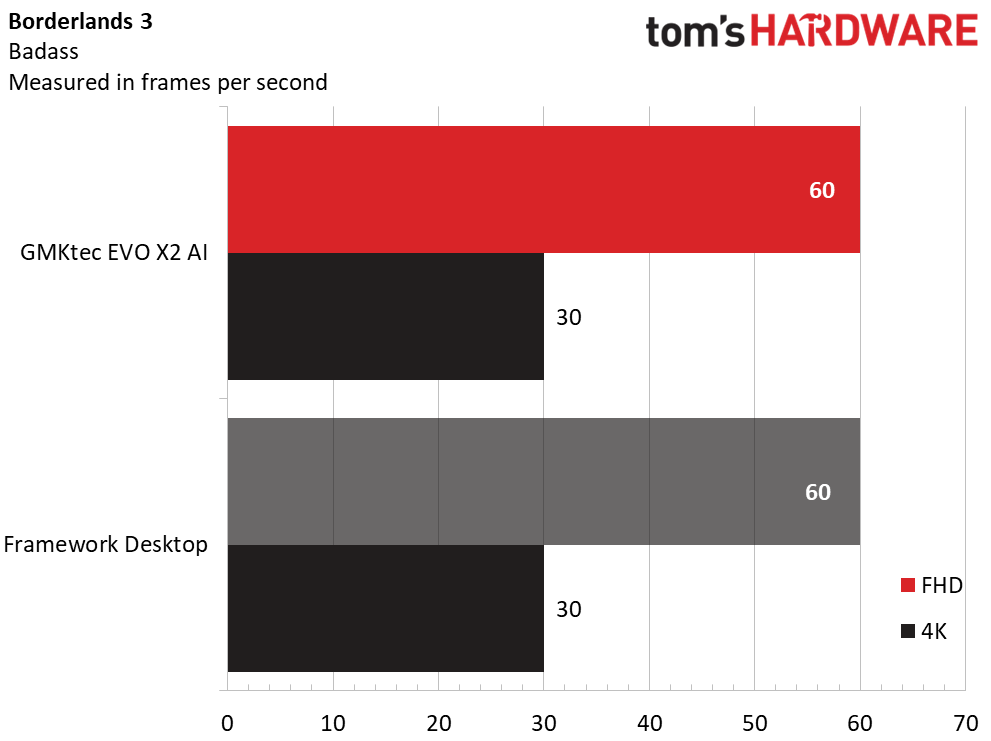
These mini-PCs are evenly matched for the most part, with the edge going to the Evo X2 in Shadow of the Tomb Raider (91 versus 87 FPS), Cyberpunk 2077 (28 versus 22 FPS), and Red Dead Redemption 2 (62 versus 57 FPS). The pair was within one FPS in Far Cry 6, but the Evo X2 produced far lower numbers in Borderlands 3 (78 versus 103 FPS), which may have been an anomaly.
Our tests are run at demanding settings, particularly in Cyberpunk; reducing the settings a notch or two can yield much higher FPS. We would expect any modern game to be playable on the Evo X2 at a 1920 x 1080 resolution.
To stress test gaming PCs, we run the Metro Exodus benchmark 15 times sequentially at RTX settings to simulate half an hour of gaming. During the test, the Evo X2 averaged 57 FPS across all runs with less than 1 FPS variation between tests, indicating stable thermal performance. The Ryzen AI Max+ 395 ran at an average temperature of 61 C.
Fan noise proved louder than expected on this mini PC, with the fans becoming audible across my living room while running our CPU benchmarks. However, during gaming, the fans were much more controlled since the CPU was not being fully stressed.
Productivity Performance on the GMKtec Evo X2 AI Mini PC
We tested the Evo X2 featuring AMD’s Ryzen AI Max+ 395 processor, 64GB of memory, and a 1TB SSD. Despite being a mobile chip, the 395 has no trouble powering through demanding workloads, from heavy multitasking to AI‑accelerated tasks.
Unified memory sets Strix Halo apart. Because the GPU draws from system RAM, the 64GB model can allocate up to 32GB for graphics, while the 128GB configuration can expose a massive 96GB to the GPU. That’s an extraordinary amount of GPU-addressable memory for any PC, let alone one this compact.
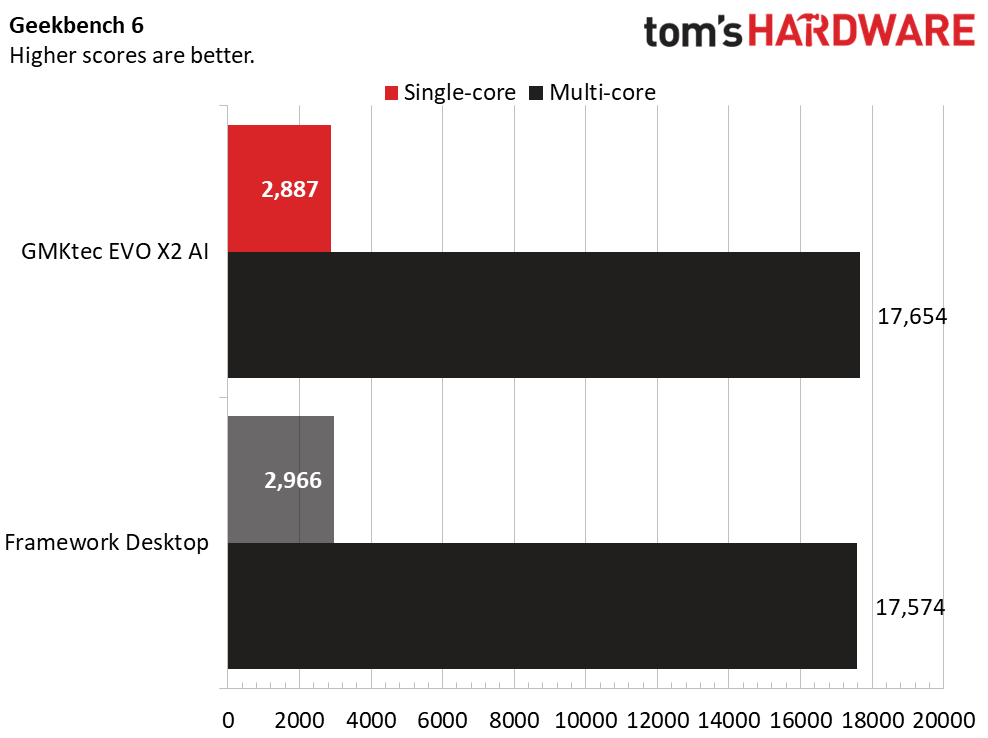
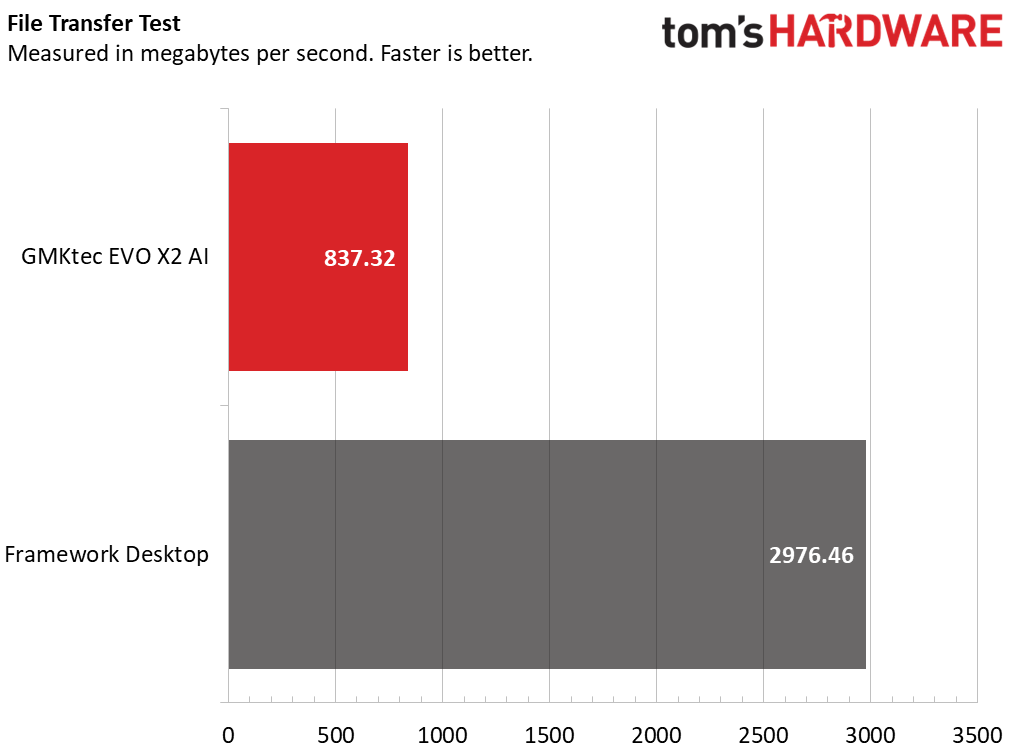
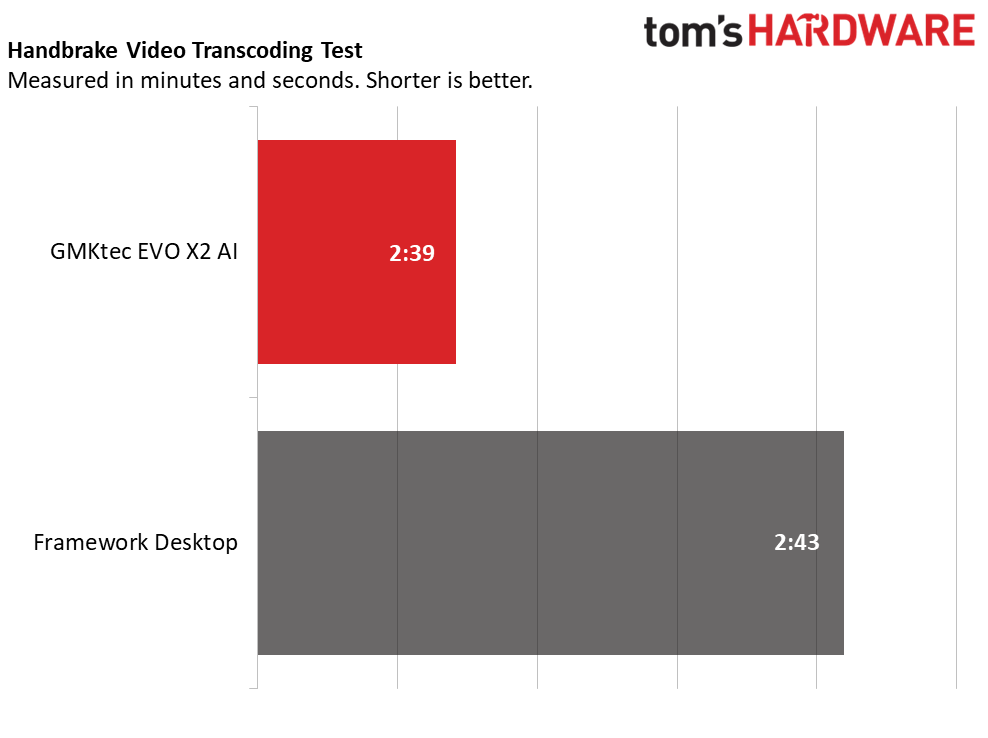
The Evo X2 and the Framework Desktop produced almost indistinguishable results in our Handbrake and Geekbench CPU tests, an unsurprising result considering both use the same CPU. The Evo X2 disappointed in our 25GB file transfer test, though; we’d forgive that on a barebones PC where you supply your own drive, but the Evo X2 arrives fully equipped.
Software and Warranty
Almost nothing is installed on the Evo X2 beyond an “AIPC” app, which requires a login but doesn’t provide a way to create one. I did so by going to GMKtec’s online store and registering there. It took several minutes to receive a verification code, which went to my spam folder.
The app isn’t specific to the Evo X2 AI Mini PC – there are no device-specific settings. Instead, you get a DeepSeekV3 prompt and the ability to add other large language models. It seems like it could be useful for local AI development and adds value since everything is local, protecting your privacy. GMKtec has a blog post explaining which models are compatible with the Evo X2. Buyers intending to use larger parameter models should carefully note that some models don’t work with just 64GB of RAM, requiring the 128GB Evo X2.
GMKtec includes a one-year warranty.
GMKtec Evo X2 AI Mini PC Configurations
All GMKtec Evo X2 AI Mini PCs feature the Ryzen AI Max+ 395 processor with integrated Radeon 8060S graphics. MicroCenter offered our review model with 64GB of RAM and a 1TB SSD for $1,499, with a 128GB/2TB model for $2,299. Amazon has our review model listed at $1,699.99, but it is listed as "temporarily out of stock" as of this writing.
GMKtec also sells the system directly, starting with our review model for $1,499, a 96GB/2TB model for $1,799.99, and a 128GB/2TB system for $2,199.
GMKtec undercuts the Framework Desktop on price, which starts at $1,639 with the Ryzen AI Max+ 395 and 64GB of RAM, but before adding storage, an OS, and its required add-ons to get it up and running.
Bottom Line
GMKtec’s Evo X2 is an appealing mini‑PC for anyone who wants strong CPU performance, abundant GPU‑addressable memory, and respectable 1080p gaming in a small footprint. While it's not as compact as the Framework Desktop because of its external power brick, it’s still dramatically smaller than a mid‑tower and easily fits on a desk. We also noted its excellent connectivity, Wi-Fi 7, and ability to drive four displays.
Its value hinges on your workload. The 128GB configuration delivers a massive 96GB of GPU‑addressable memory, making it a standout option for local AI development at a price far below traditional workstations (assuming you're willing to use AMD's software), and considerably cheaper than the Framework Desktop.
For pure gaming, though, it's not as appealing – a mid‑tower will deliver far better performance per dollar. But for creators, tinkerers, and anyone who can exploit its memory and AI capabilities, the Evo X2 is one of the strongest deals in the mini‑PC space.



 English (US) ·