
 2 hours ago
5
2 hours ago
5
The latest board to land on our test bench is a small-form-factor Intel option, the Gigabyte Z890M Aorus Elite Wifi7 Ice. This Micro ATX motherboard costs only $209 on Amazon and packs most of the ATX version's features into a smaller package. The board is optimized for Intel’s Core Ultra 200S Plus processors and pairs best with Micro ATX chassis, but its best feature is its looks. It’s one of the better-looking Micro ATX options, especially if you’re looking for a white-themed build.
The Z890M Aorus Elite offers three M.2 sockets (2x PCIe 5.0) and four SATA ports for storage, 2.5 GbE and Wi-Fi 7 (160 Hz) for networking, and a basic audio solution. The rear IO delivers nine USB ports total, including one 40 Gbps Type-C port (with DisplayPort capability). All of that is typical fare for the form factor. You also get two full-length PCIe slots (one reinforced) and heatsinks covering all M.2 sockets, giving the board a more premium look than its direct competition. It also adds two RGB lighting zones, one by the VRMs on the left and the other under the chipset heatsink, adding glow to your chassis.
Overall, performance in our testing was average, with the board doing well in some tests and slightly below average in others. For gamers, it performed well in our 3DMark tests and in real games. In short, there’s nothing to worry about from a performance standpoint. The Z890M Aorus Elite also supports AI features, including AI Perfdrive, which offers customizable BIOS performance presets for one-click CPU improvements.
Below, we’ll examine the board's performance and other features to determine whether it deserves a spot on our list of the
best motherboards. But before we share test results and discuss details, here are the specifications from Gigabyte.
Latest Videos FromTom's Hardware
Specifications of the Gigabyte Z890M Aorus Elite Wifi7 Ice
Swipe to scroll horizontally
Socket |
LGA 1851 |
Chipset |
Z890 |
Form Factor |
Micro ATX |
Voltage Regulator |
15 Phase (12x 60A DrMOS MOSFETs for Vcore) |
Video Ports |
(1) DisplayPort (v2.1) |
USB Ports |
(1) USB4 Type-C (40 Gbps) |
Network Jacks |
(1) 2.5 GbE |
Audio Jacks |
(2) Analog + SPDIF |
Legacy Ports/Jacks |
✗ |
Other Ports/Jack |
✗ |
PCIe x16 |
(1) v5.0 (x16) |
PCIe x8 |
✗ |
PCIe x4 |
✗ |
PCIe x1 |
✗ |
DIMM Slots |
(4) DDR5-9200+ MT/s (OC), 256GB Capacity |
M.2 Sockets |
(1) PCIe 5.0 x4 (128 Gbps) / PCIe (up to 80mm) |
SATA Ports |
(4) SATA3 6 Gbps |
USB Headers |
(1) USB v3.2 Gen 2 (10 Gbps) Type-C |
Fan/Pump Headers |
(6) 4-Pin (Accepts PWM and DC) |
RGB Headers |
(3) 3-pin ARGB headers |
Diagnostics Panel |
(1) Q-LEDs (4 LEDs, CPU, VGA, RAM, Boot) |
Internal Button/Switch |
Power, Reset, and Q-Flash Plus buttons |
SATA Controllers |
✗ |
Ethernet Controller(s) |
(1) Realtek RTL8125 (2.5 GbE) |
Wi-Fi / Bluetooth |
Intel MediaTek MT7925 Wi-Fi 7 - Up to 2.9 Gbps, 160 MHz, 6 GHz, 5.8 GHz, BT 5.4 |
USB Controllers |
✗ |
HD Audio Codec |
Realtek ALC897 |
DDL/DTS |
✗ / ✗ |
Warranty |
3 Years |
Inside the Box
The box includes the usual accessories. You get two SATA cables (white), a rubber pad, an extra thermal pad for M.2, an EZ connector for the front panel, and an installation guide. The collection here is sparse, but typical for the price point.
Design and Features of the Aorus Elite WiFi7 Ice
Image 1 of 7
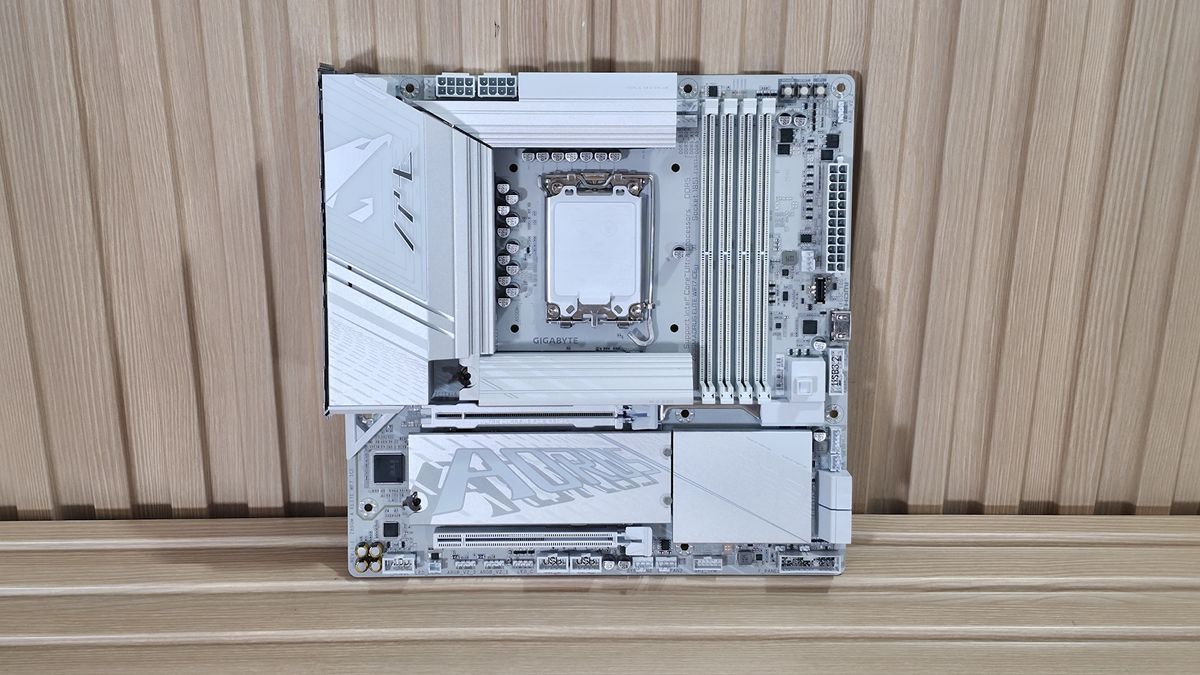
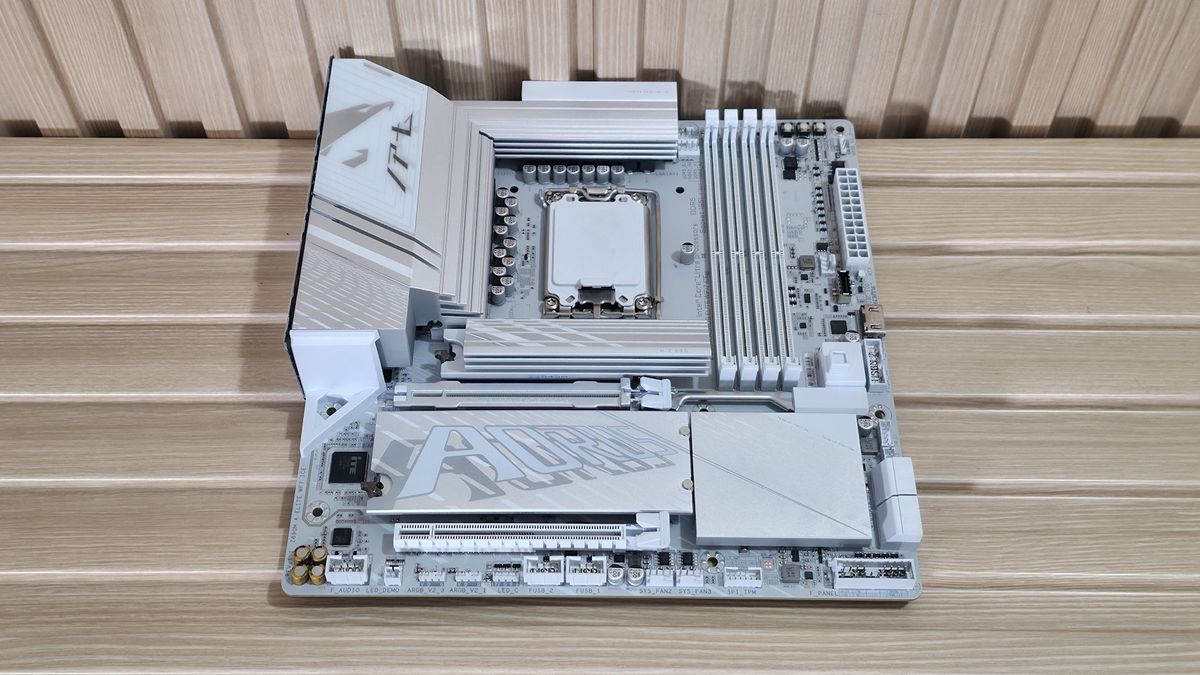
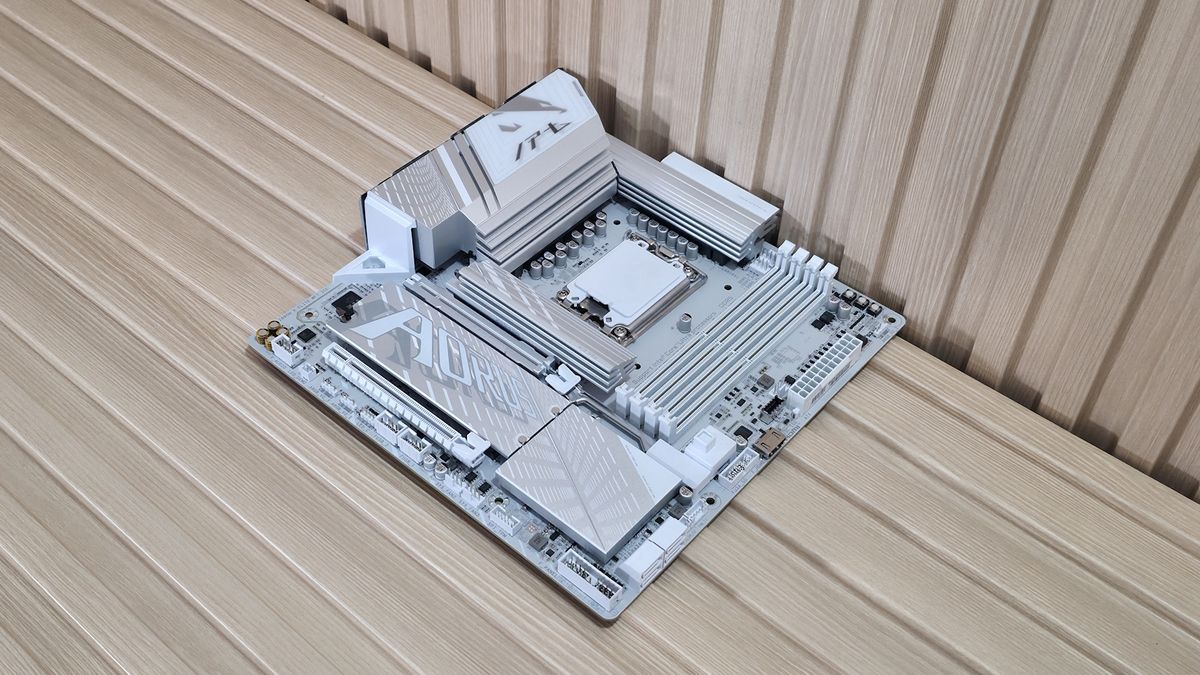
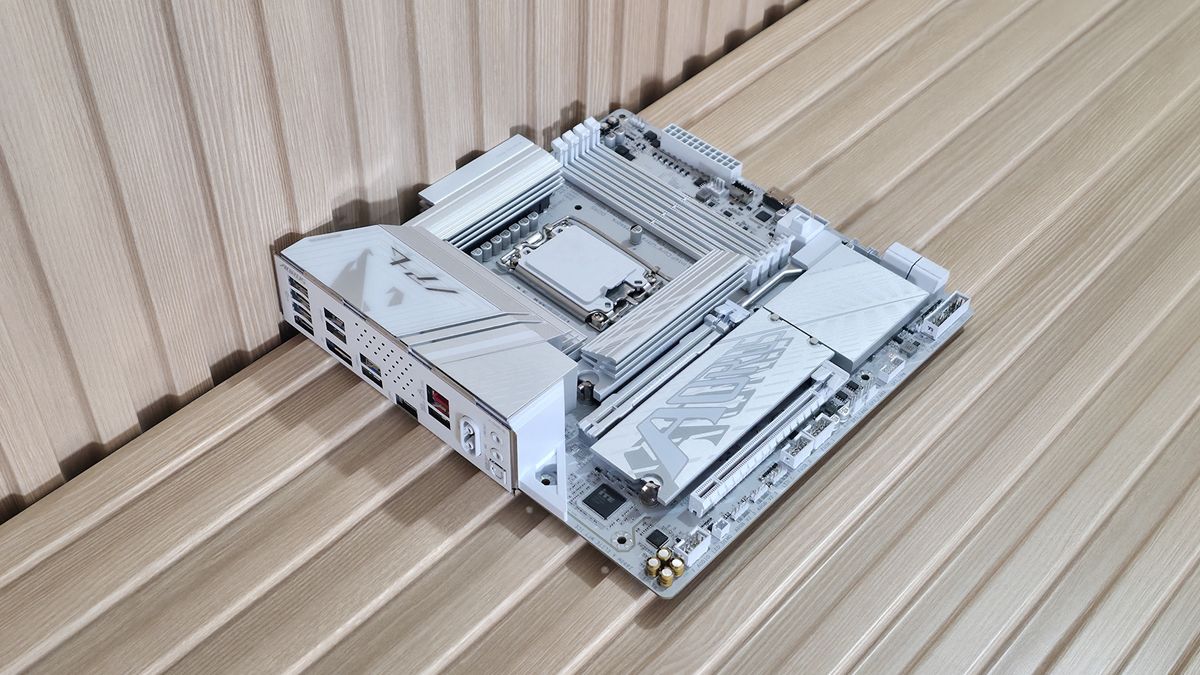
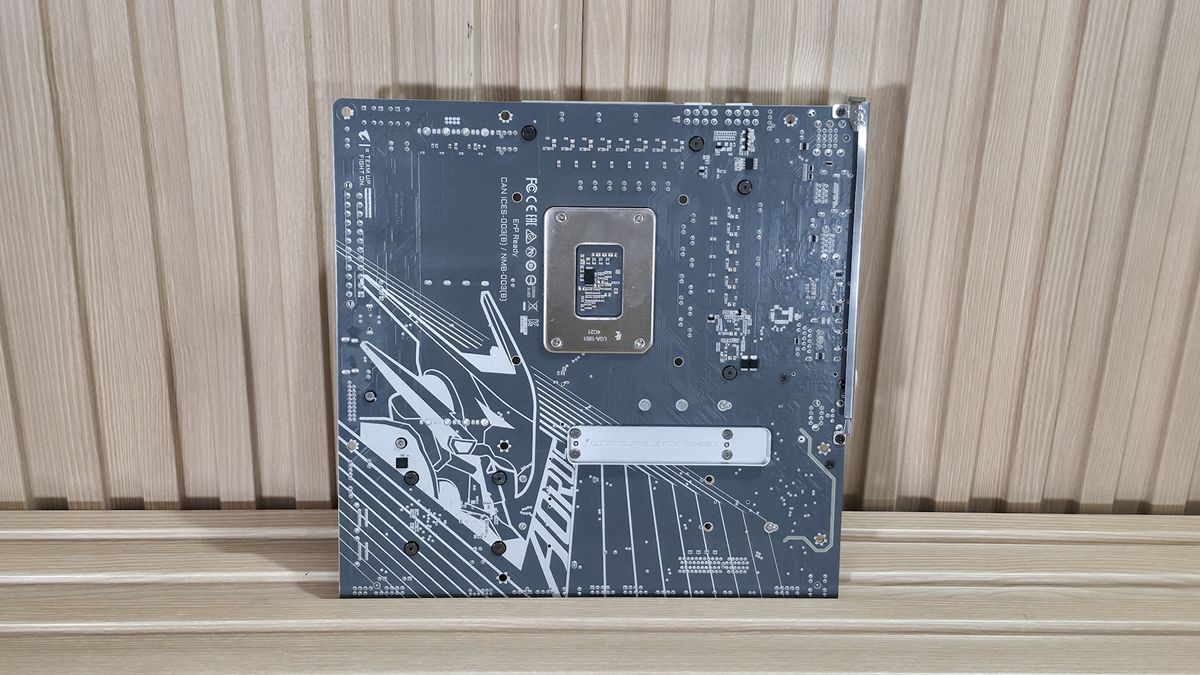
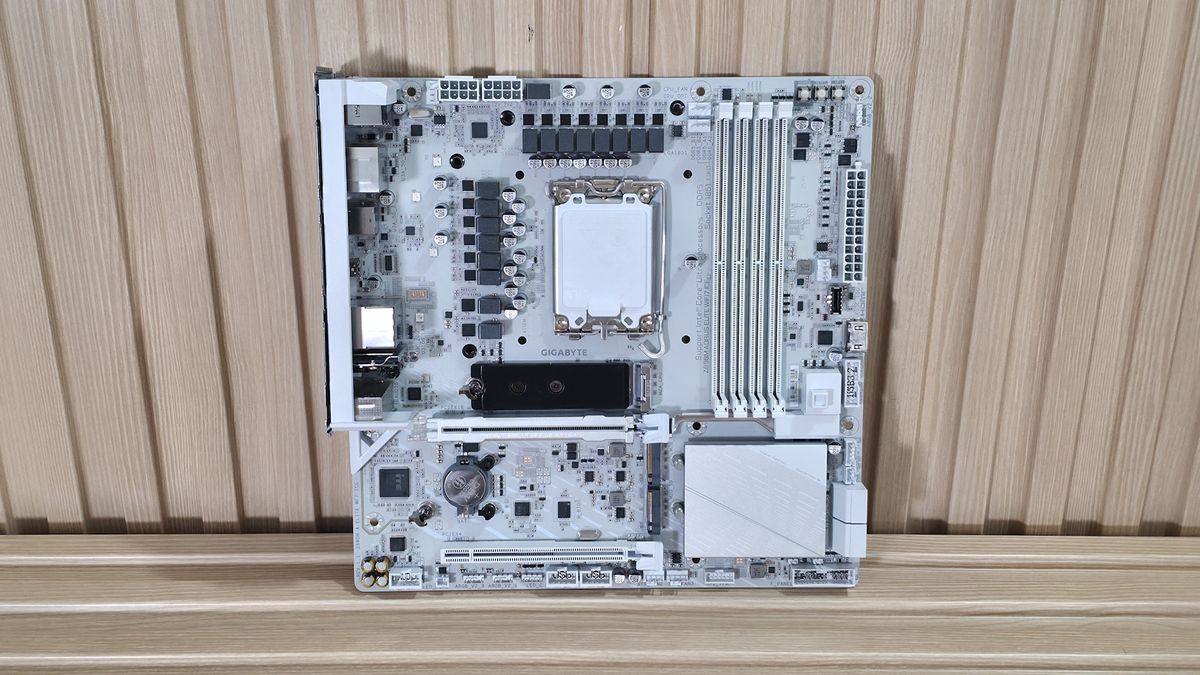
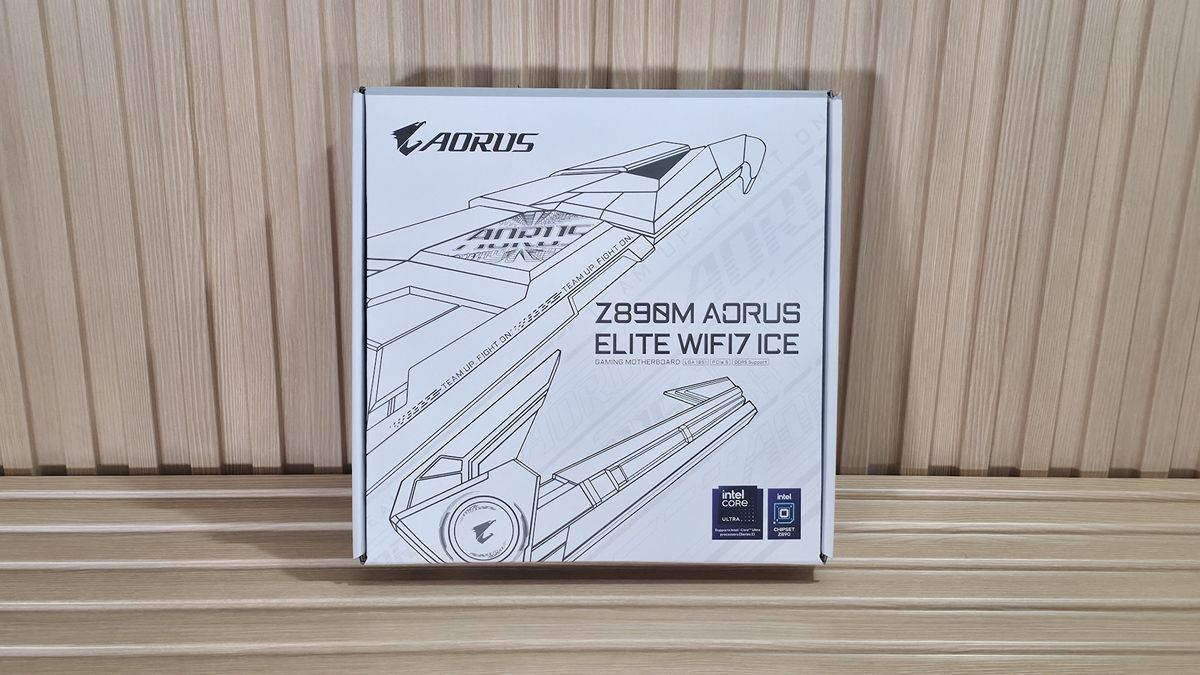
For what tends to be a budget motherboard class (and typically, well, ugly), the Aorus Elite WiFi 7 Ice is an attractive Micro ATX SKU. Where its peers don’t offer complete heatsink coverage on the bottom half, this one does. It also uses a large heatsink for the primary M.2 socket, unlike its peers. It also has integrated RGB lighting (under the VRM and chipset heatsinks) for an extra bit of flair. All in all, it’s one of the better-looking Micro ATX motherboards around.
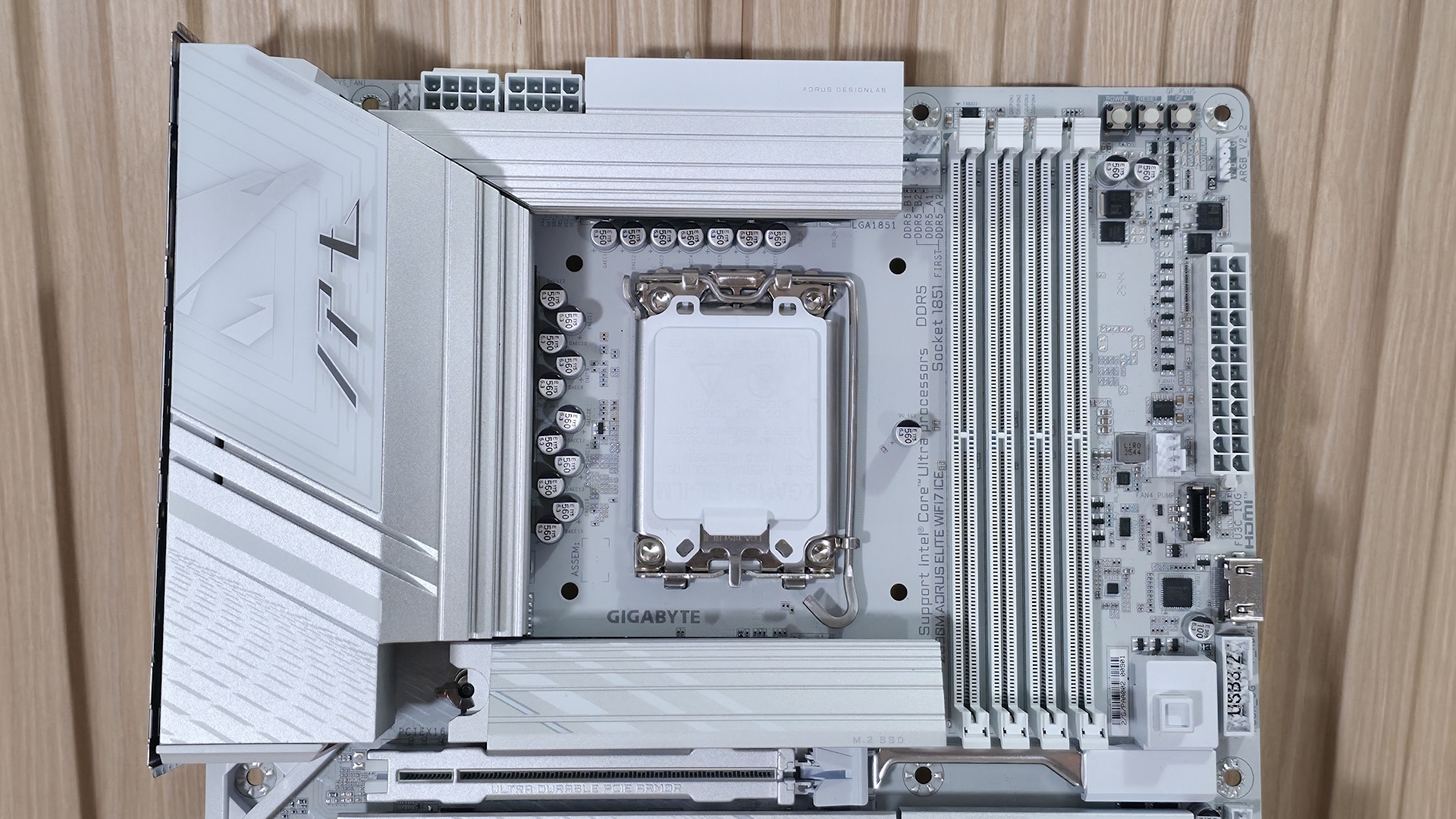
Zooming in on the top half, starting on the left, we get a better look at the Aorus eagle design, along with the RGB feature. The VRM heatsink below has a lot of mass and surface area, so it does a good job keeping the MOSFETs below running in spec. Above that are the two “UD” (solid pin) 8-pin power connectors (one required) for the processor.
Past the CPU socket, the next thing we run into is the four DRAM slots with the locking mechanism at the top (where there’s room). Gigabyte lists support for up to DDR5-9200(OC), which is plenty fast for the platform. Surprisingly, our fastest kit (DDR5-8800) didn’t play nice with this board, but the DDR5-8200 kit worked fine. As always, for best results, stick to the memory QVL.
Next to the RAM slots on the left are the first two (of six) 4-pin fan headers. Each header supports PWM and DC-controlled devices. Each header supports up to 2A/24W output, which is plenty, especially for a smaller chassis with fewer fans. Gigabyte Control Center (GCC) and the BIOS control the fans via the Smart Fan 6 applet.
Stay On the Cutting Edge: Get the Tom's Hardware Newsletter
Get Tom's Hardware's best news and in-depth reviews, straight to your inbox.
Above the DRAM slots is the Q-LED feature. Four LEDs, CPU/Boot/VGA/RAM, light up during POST. If a failure occurs during that time, the offending RGB stays lit, giving you a general idea of where the problem may be. Next to it, in the upper-right corner, are three simple buttons: power, reset, and Q-Flash.
Down the right edge, you'll find the first (of three) 3-pin ARGB headers. The other two are along the bottom edge. GCC and the RGB Fusion app inside control these headers and the integrated lighting, offering users plenty of canned LED effects and customization. Below that are the 24-pin ATX connector to power the board, another 4-pin fan header, the front-panel USB 3.2 Gen 2 (10 Gbps) connector, and a 19-pin front-panel USB 3.2 Gen1 (5 Gbps) header. Between those is a front-panel HDMI output, making it easy to add secondary displays for monitoring or further chassis customization.
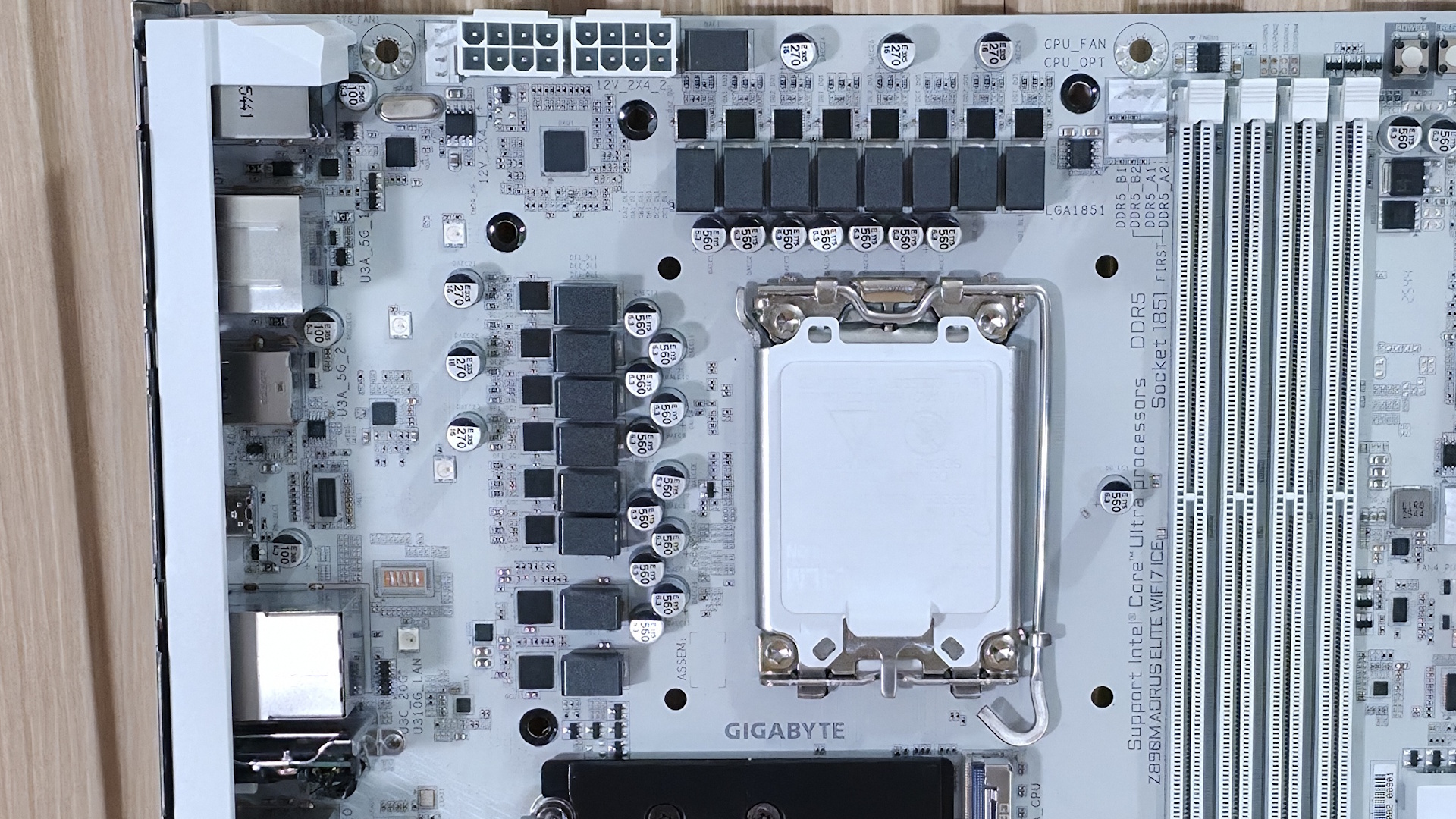
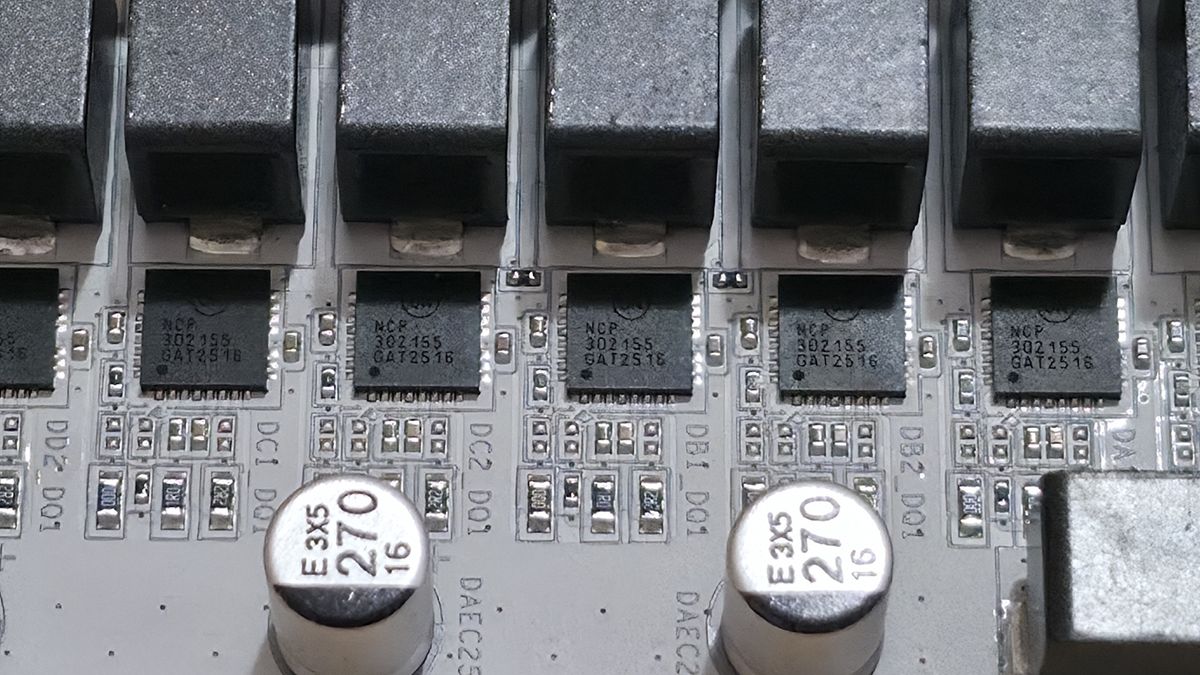
Power delivery on the Z890M Aorus Elite WiFi7 Ice is capable, but it doesn’t quite reach the level of "robust." The board has 15 phases, 12 of which are dedicated to Vcore. Power comes from the dual 8-pin EPS connectors and is controlled by the OnSemiconductor NCP81537 8-phase controller (teamed configuration). From there, power moves on to the OnSemi NCP302155 60A DrMOS MOSFETs and then to your processor. The 720A available isn’t a lot, but it can handle the Core Ultra 7 270K Plus, the Core Ultra 5 250K Plus, and even the Core Ultra 9 285K — though I’m not sure how hard I’d push it overclocking the 285K or 270K Plus. Just be sure to keep air flowing through your chassis, as these components will get warm under sustained heavy use.
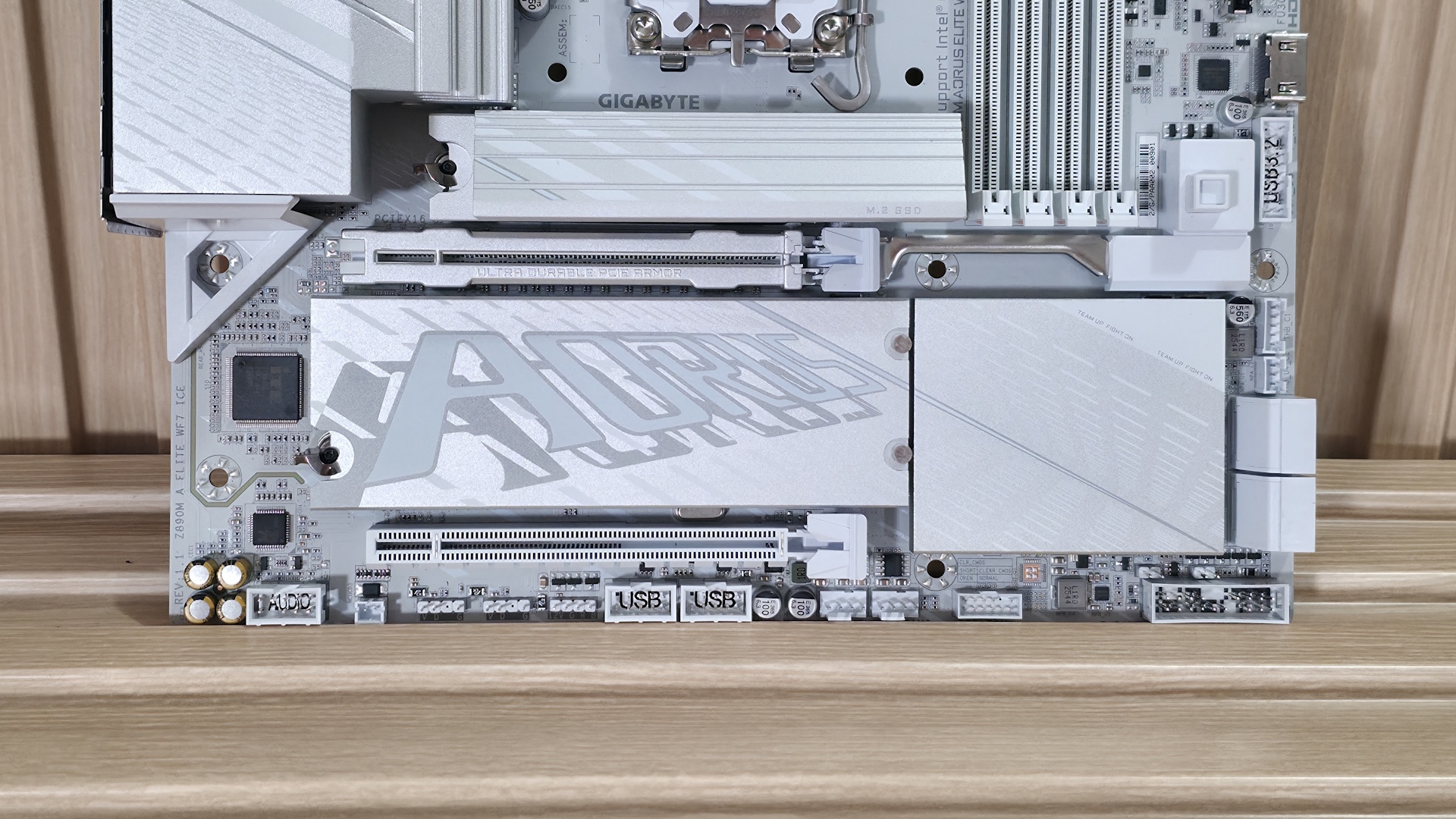
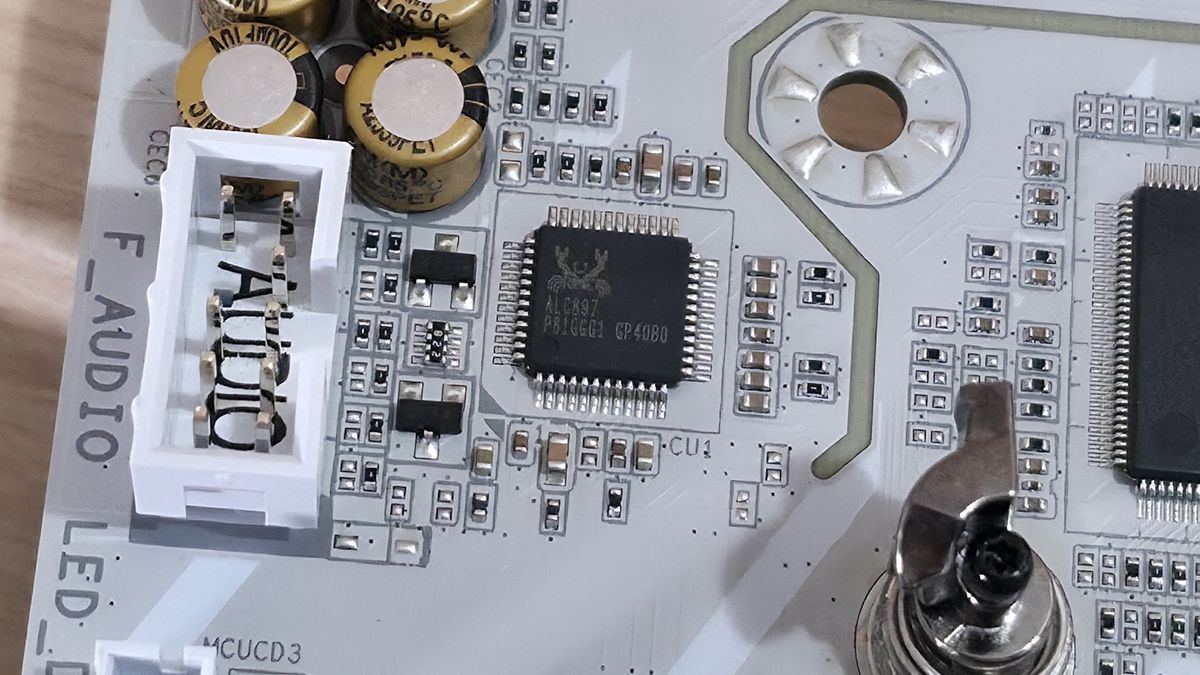
On the bottom half of the board, starting on the left edge, we spy the audio solution. The Z890M uses the budget Realtek ALC897 codec, plus a few dedicated audio capacitors (yellow and black). While one of its direct competitors has a better one, this codec is fine for most users, and there's no reason to avoid it unless you're making music with the board or consider yourself a PC-focused audiophile.
In the middle of the board are two full-length PCIe slots. The primary slot, using Gigabyte’s PCIe UD Slot X reinforcement) connects through the CPU and runs at PCIe 5.0 x16 speeds (no bifurcation, FYI). The second slot at the bottom sources its bandwidth through the chipset and runs up to PCIe 4.0 x4. There’s plenty of bandwidth for expansion; just make sure your graphics card doesn’t cover the second slot if you need to use it.
Between and above the PCIe slots are three M.2 sockets. The top socket, under the beefy EZ-Latch heatsink (made good contact, note), connects through the CPU and is the main PCIe 5.0 x4 (128 Gbps) M.2 socket. Under the plate-style heatsink (also using EZ-Latch along with EZ-Click to secure the M.2 without screws) are two more M.2 sockets. Both sockets connect via the chipset, support 80mm devices, and run up to PCIe 4.0 x4 speeds. The bottom socket supports up to 110mm modules, while the middle socket supports the more familiar 80mm. If you need the additional speed or redundancy RAID offers, the board supports RAID0/1/5/10 modes for NVMe SSDs.
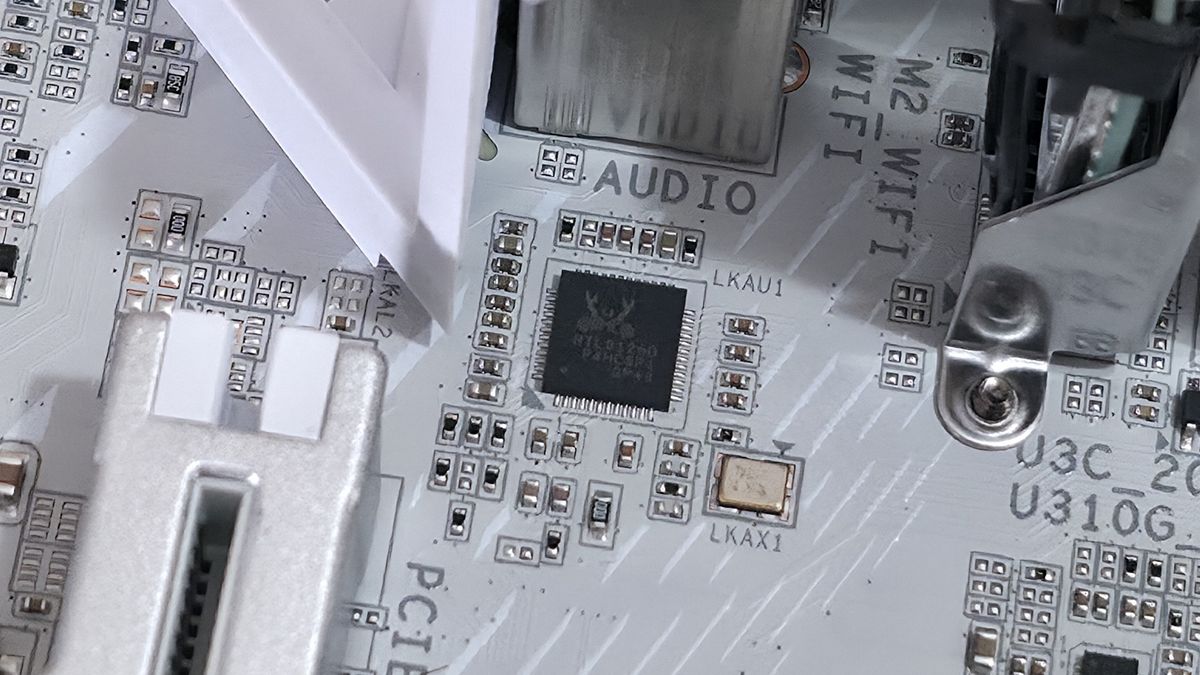
We've also captured several images of the ICs that make this motherboard work, including Realtek Ethernet and audio, ASMedia (for the front HDMI), and OnSemiconductor MOSFETs/PWM controller.
Moving right, past the chipset heatsink and the other RGB lighting element, we spot a couple of Thunderbolt headers and four SATA ports (supporting RAID0/1/5/10 modes). At the bottom of the board is a slew of headers, offering the typical connectivity in this area, with nothing worth calling out.
Image 1 of 5
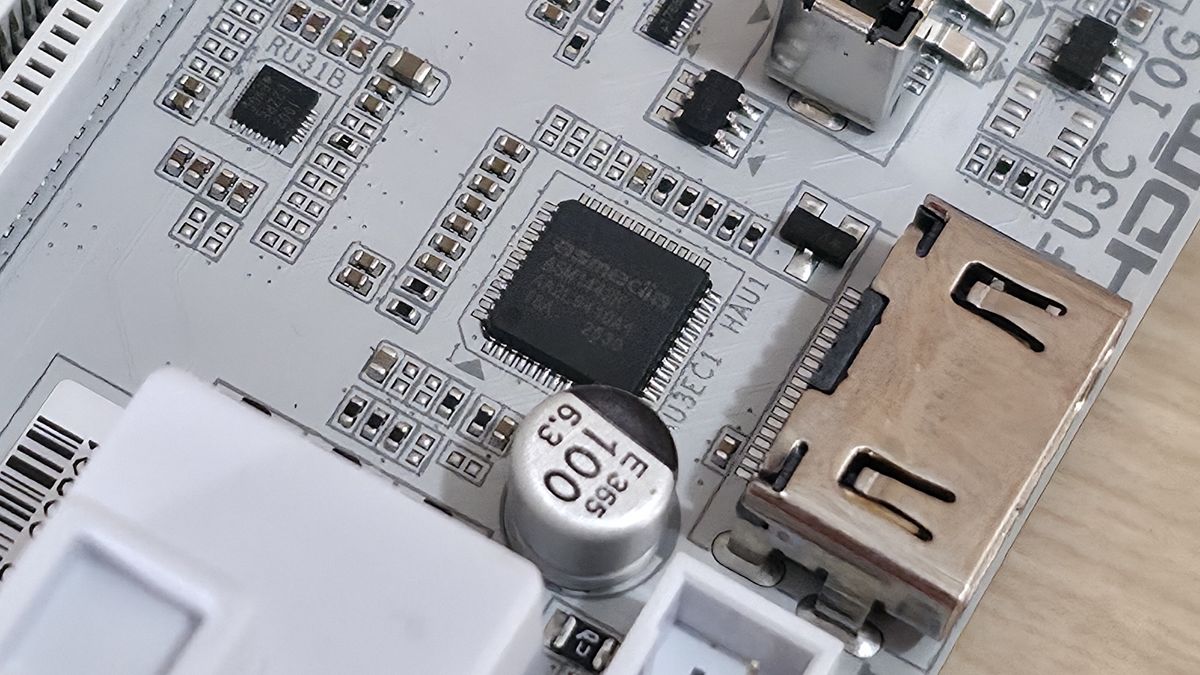
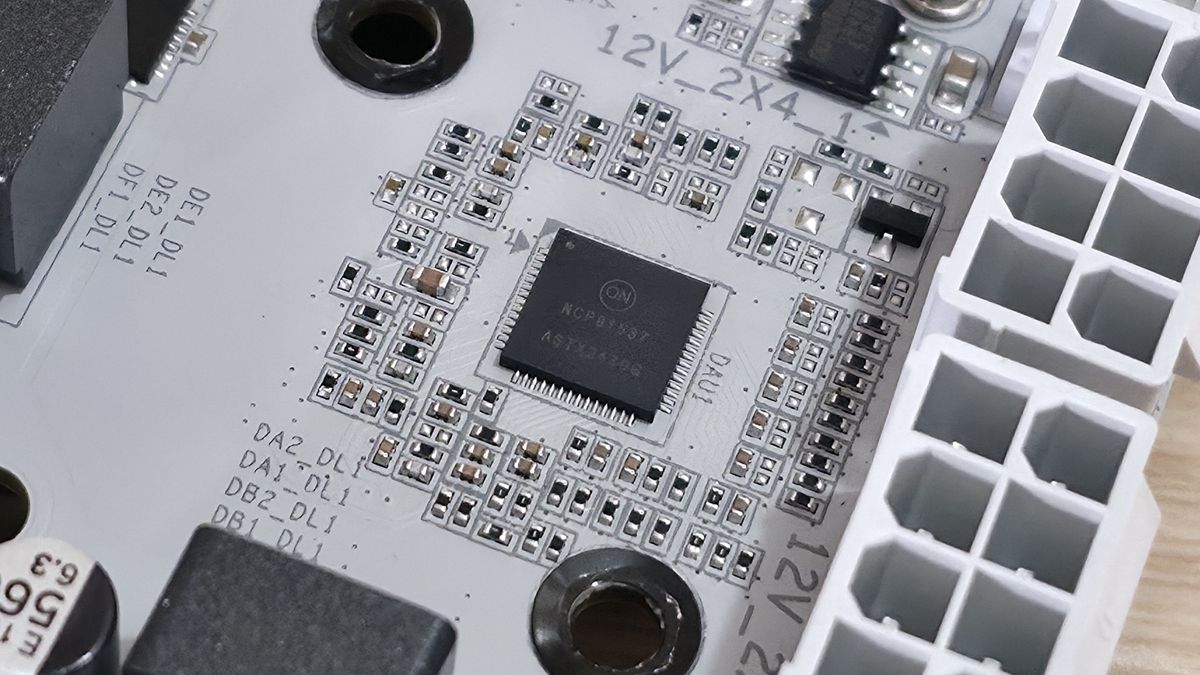
Below, we’ve listed all the connections across the bottom of the board.
- Front panel audio
- (2) 4-pin RGB header
- 3-pin ARGB header
- (2) USB 2.0 (480 Mbps) headers
- (2) 4-pin system fan headers
- SPI TPM header
- 2-pin reset jumper
- 2-pin Clear CMOS jumper
- Front panel header
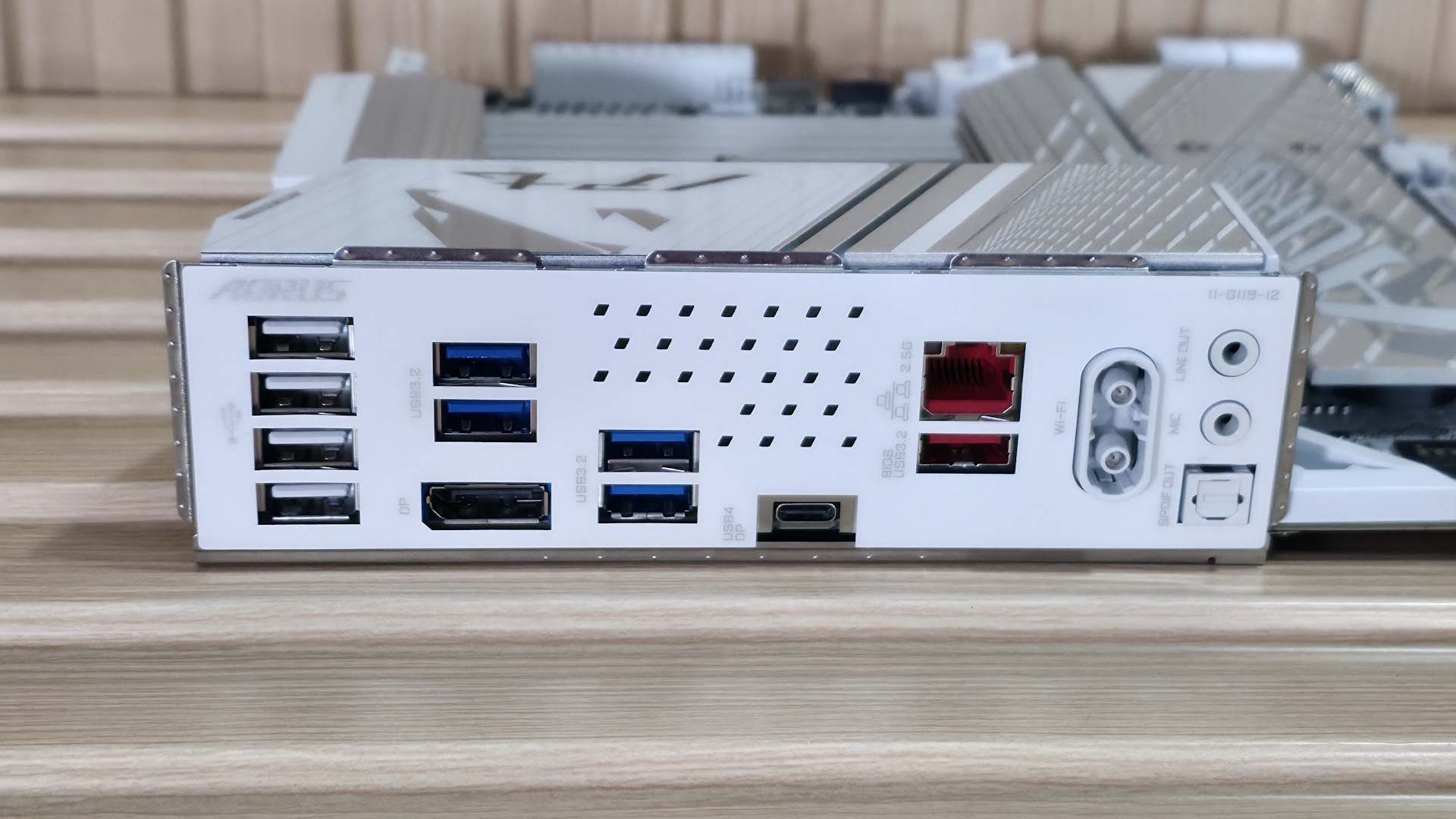
The rear IO area is pretty sparse compared to high-end boards, but it uses some venting to help keep the VRMs running cooler. On the left (in white) are four USB 2.0 ports, followed by four USB 3.2 Gen 1 (5 Gbps) ports in blue. Below those is the DisplayPort (v2.1) output. Next to the blue USB ports is your sole Type-C port. In this case, it's USB4 (not Thunderbolt 4) at 40 Gbps and supports DisplayPort output as well. To the right, you'll find the 2.5 GbE port and, below that in red, the only USB 3.2 Gen 2 (10 Gbps) Type-A port. Finally, on the right, are the quick-connect Wi-Fi 7 (160 Hz) connectors and audio stack: dual 3.5mm jacks for mic and line-out, plus an SPDIF optical output.







 English (US) ·