
Gigabyte Radeon RX 9070 XT Gaming OC Ice: Two-minute review
If you’re after an AMD Radeon RX 9070 XT with a mild factory overclock, a clean white finish and a useful set of extra features, the Gigabyte Radeon RX 9070 XT Gaming OC Ice 16GB is well worth considering. At $1,099, it sits at the premium end of the price spectrum, but it does offer enough to still make it compelling compared to more affordable options.
The Gigabyte card comes with a factory overclock to give a little extra performance from the get-go, with a game clock of 2520 MHz and a boost clock reaching up to 3060 MHz under peak loads. That’s a 120 MHz uplift to game clock and a 110 MHz increase to boost clock compared to AMD’s stock RX 9070 XT.
In real-world terms, that translated to roughly 5% better frame rates than a standard RX 9070 XT, and keeps it competitive against other factory overclocked cards. This means the RX 9070 XT is perfect for high-end 1440p gaming but also very capable at 4K in many games.
So it will come as no surprise that (at the time of writing this review), the RX 9070 XT is the number one pick in our best graphics card buyer’s guide.
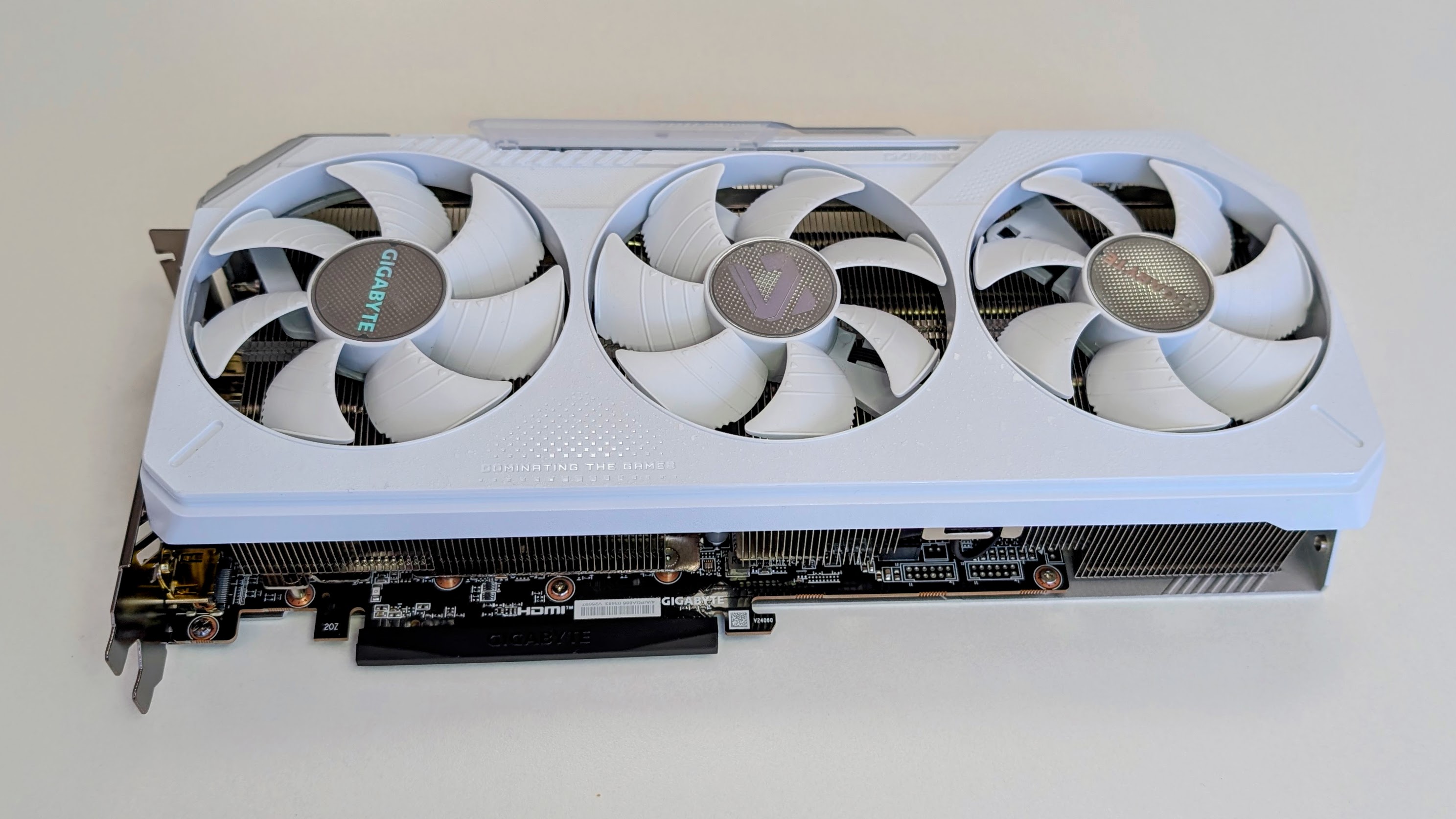
To keep temps under control, Gigabyte has used its Windforce cooling setup, which has three ‘Hawk’ fans that spin in alternating directions to reduce turbulence and improve airflow.
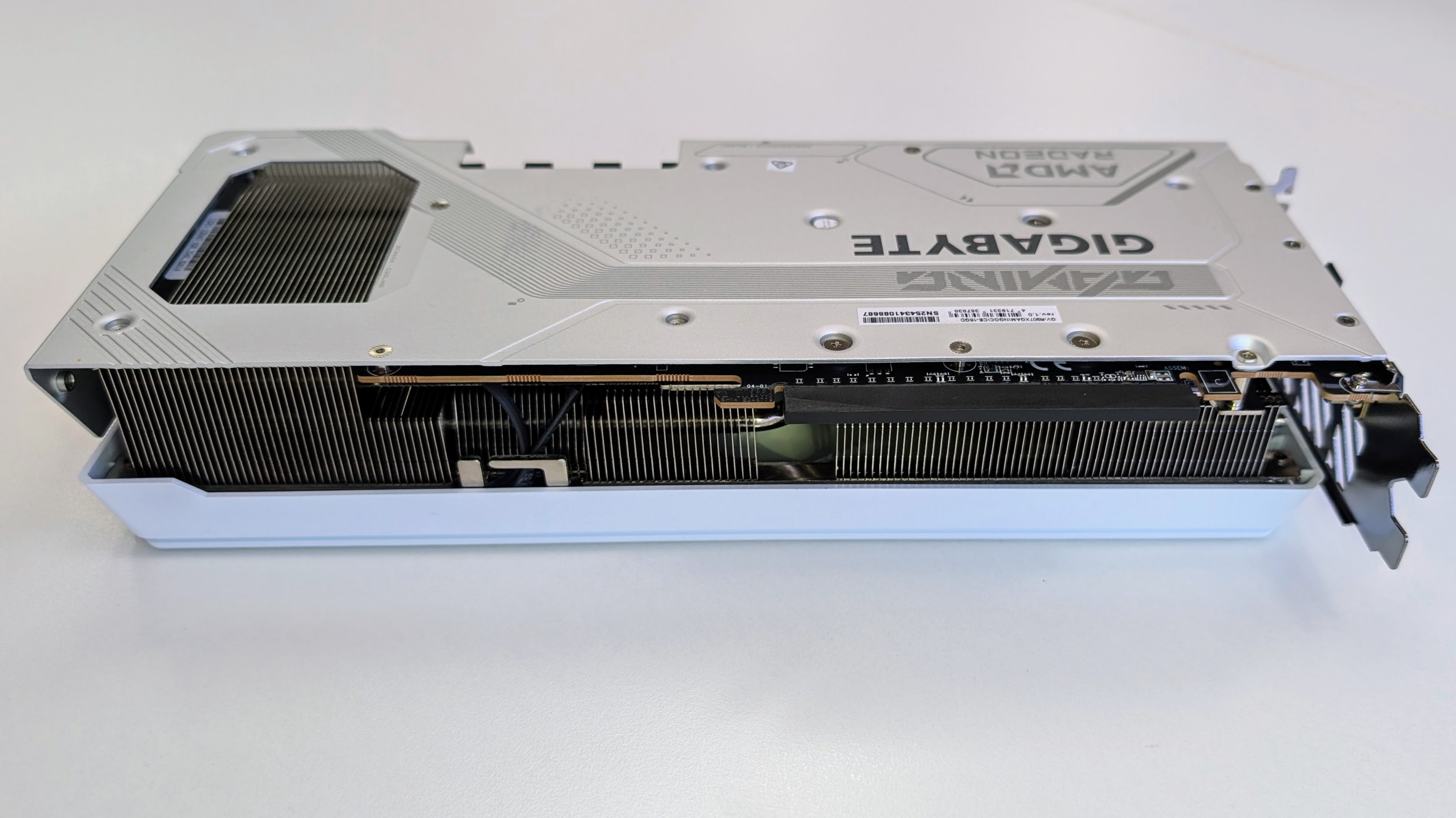
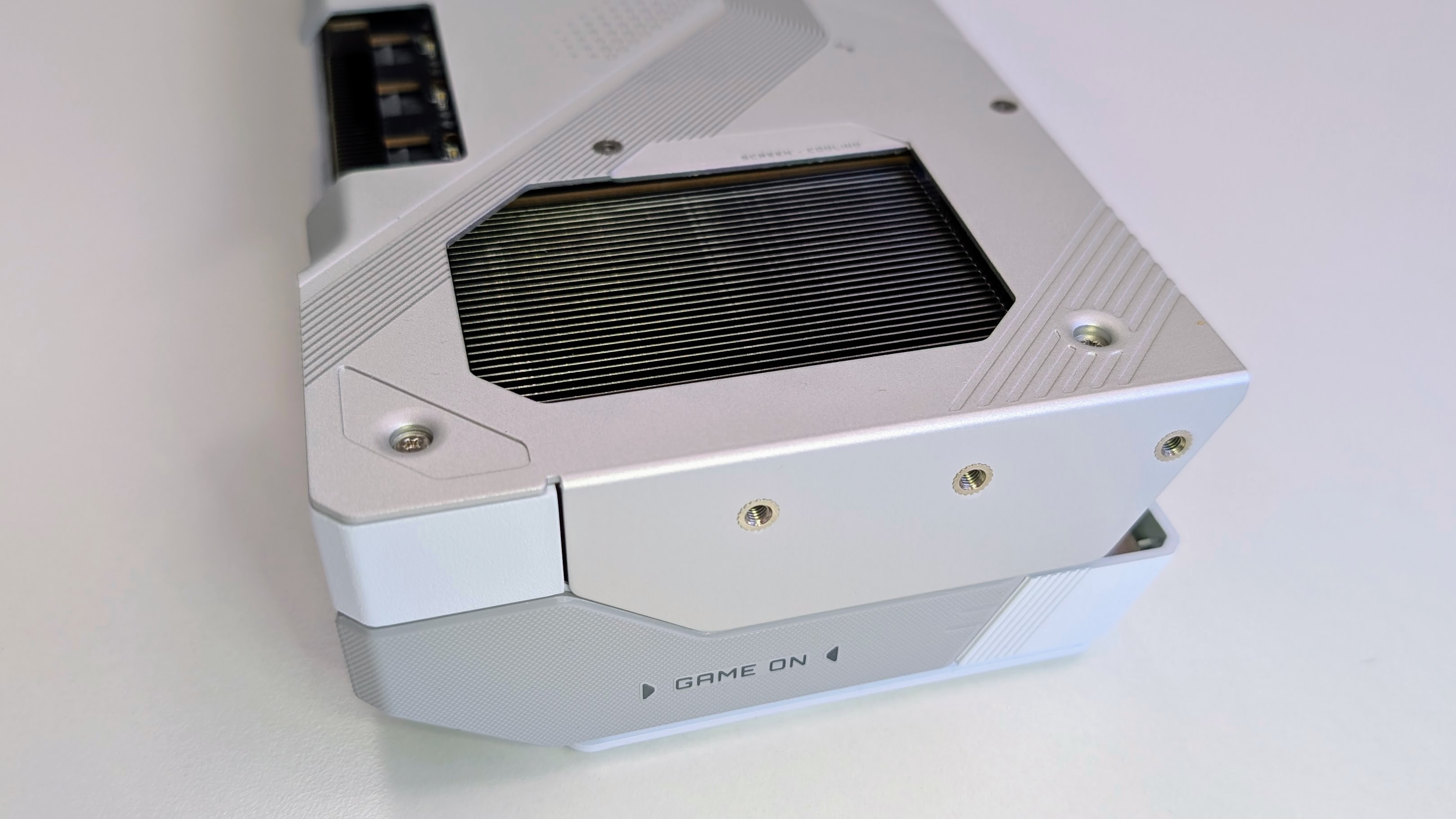
Underneath the cooler, there’s a large vapor chamber, chunky composite copper heat pipes and the Gigabyte ‘Screen Cooling’ extended heatsink design with rear cutouts for airflow.
Gigabyte also uses server-grade thermally conductive gel on components like the VRAM and MOSFETs.
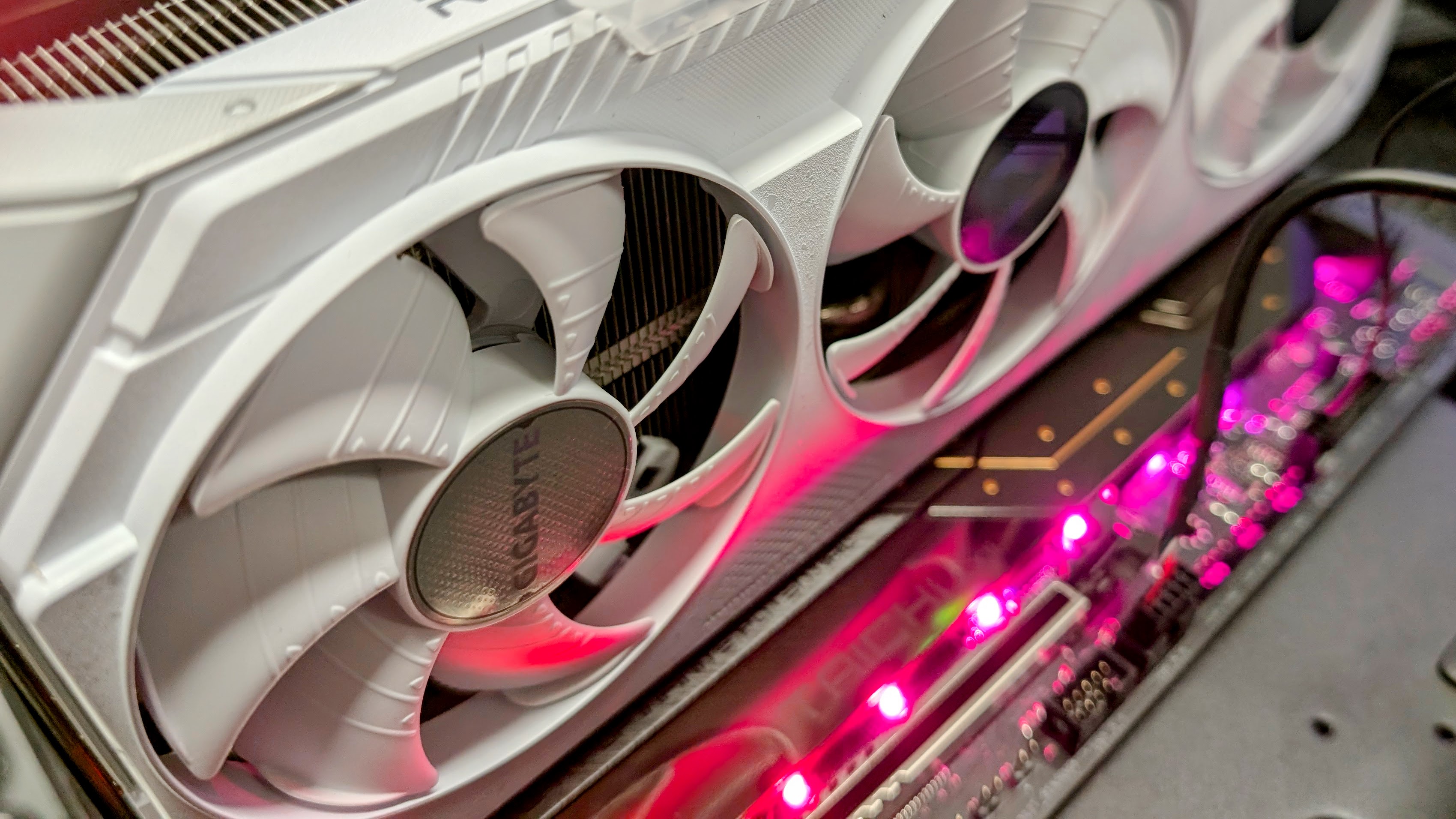
Like most GPUs these days, the Gigabyte card includes a dual BIOS switch, which lets you swap between Performance and Silent modes depending on whether you want the best cooling or a little less noise.
As expected, the cooling setup easily proved itself in testing with temperatures slightly lower than many of its competitors — in performance mode, the card idled at 33°C and peaked at 59 °C, with fan noise staying under 32dB. Switching to Silent mode dropped noise to under 30dB and resulted in peak temperatures rising slightly to 65°C.
Visually, the Gaming OC Ice goes for a clean white and silver look that is meant to be shown off in a windowed build, and includes subtle customizable RGB lighting with a sliding cover.
While it’s a large triple-fan card, the 288 x 132 x 56 mm dimensions are pretty reasonable compared to some of the chunkier RX 9070 XT models. That said, smaller mid-tower builds should double-check clearances before purchase. The card does have a reinforced metal backplate to add rigidity, but there’s no support bracket in the box.
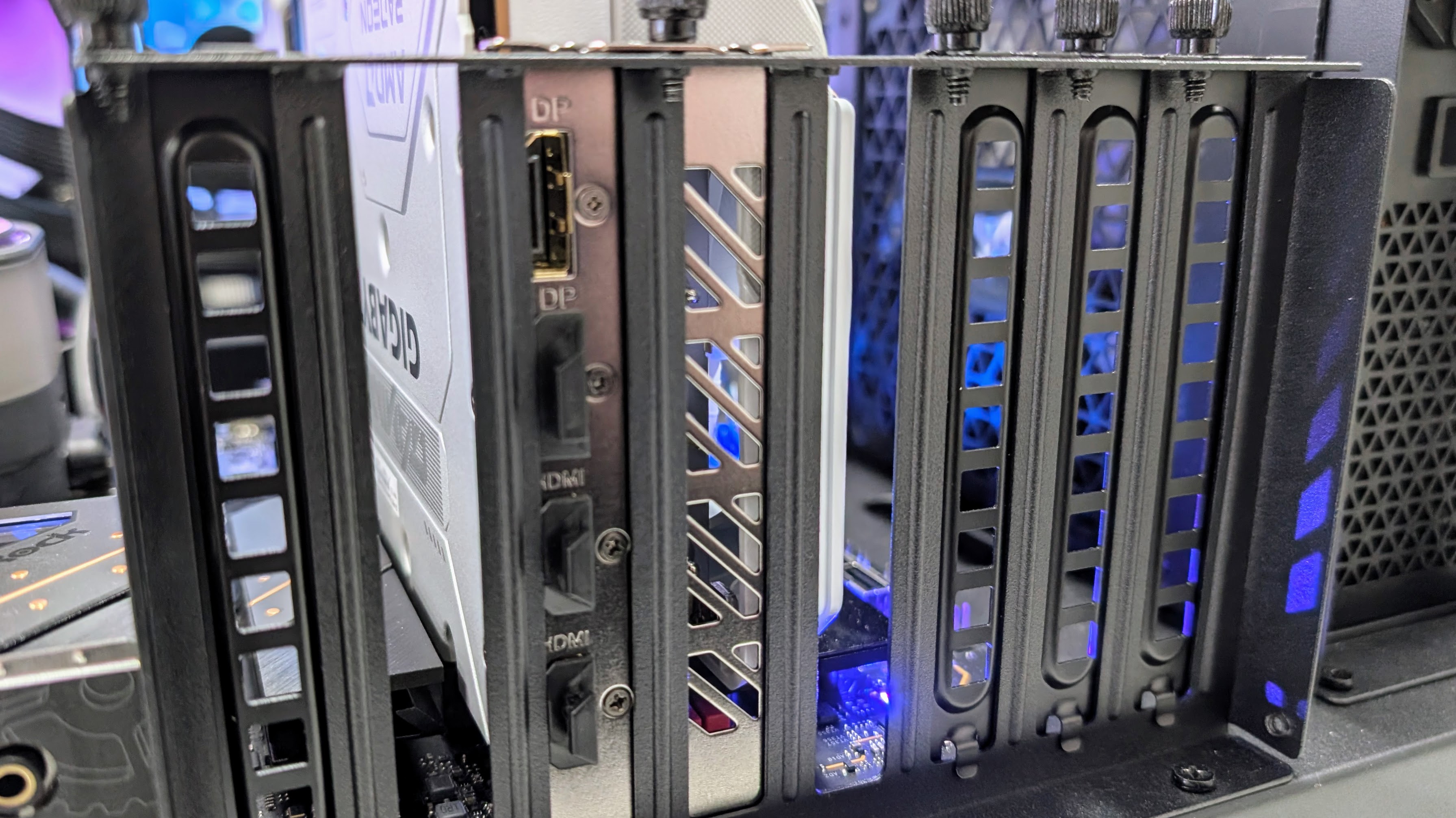
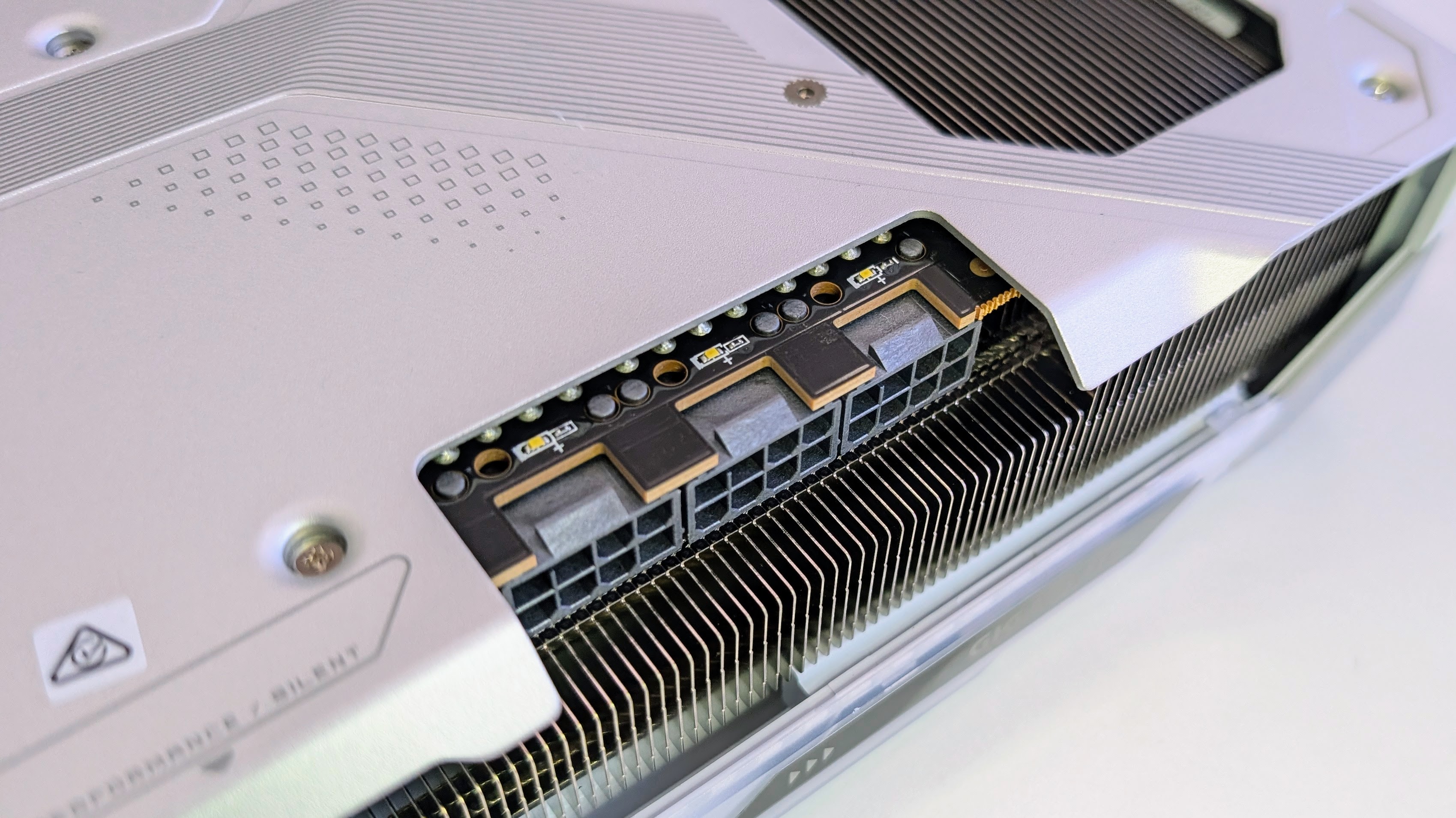
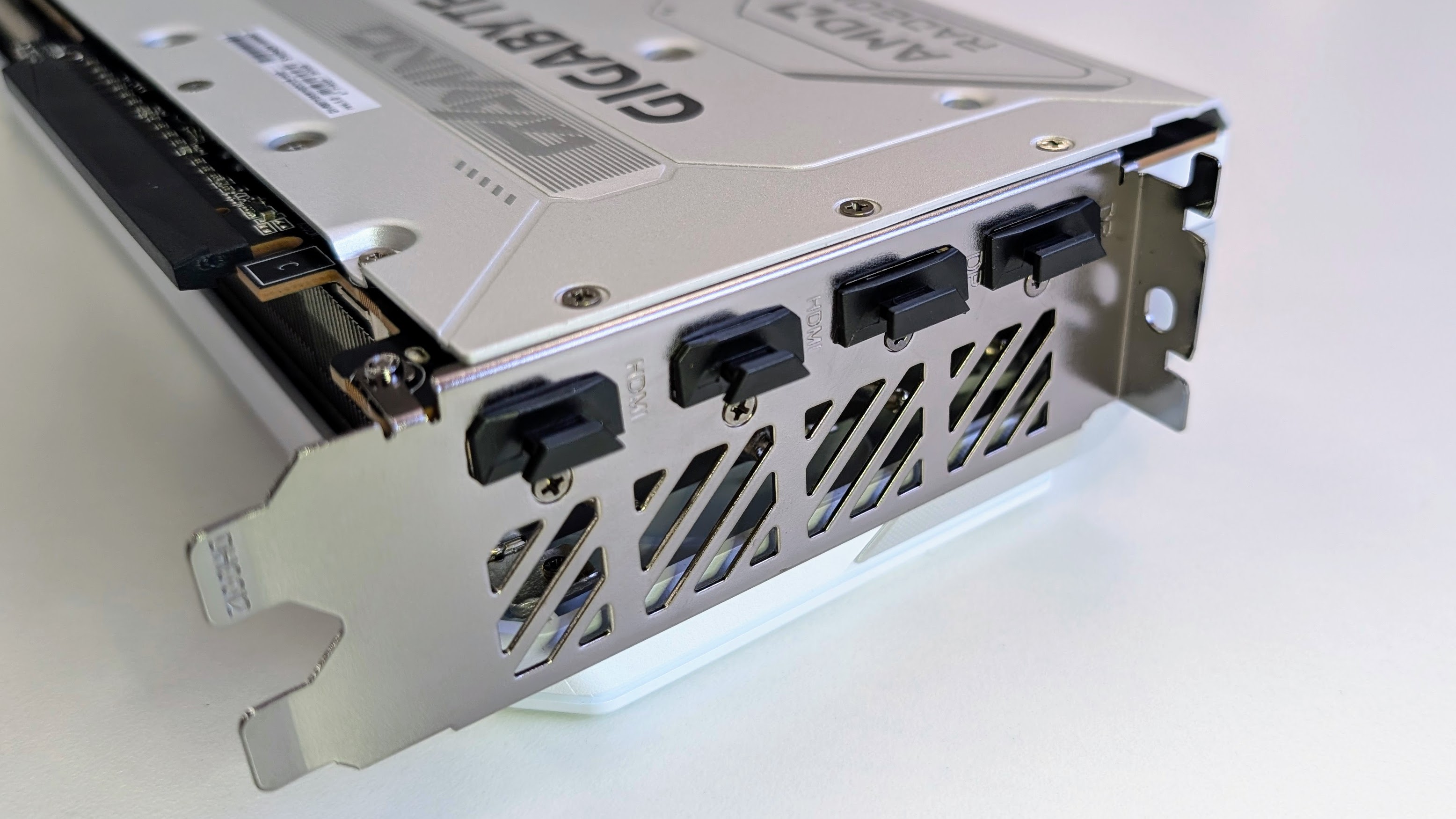
Connectivity is very good, with two HDMI 2.1b ports and two DisplayPort 2.1a outputs — more than enough to support both high FPS gaming and a multi-monitor productivity setup. Power comes from three standard 8-pin PCIe connectors, and Gigabyte recommends an 850W PSU.
One handy feature — there are little power indicator lights that will let you know if there is an issue with one of the PCIe connections. Gigabyte also backs the card with a standard but appreciated three-year warranty.
Gigabyte Radeon RX 9070 XT Gaming OC Ice: Price & availability
- How much is it? It retails for about $750 / £700 / AU$1,099
- When can you get it? The Gigabyte Radeon RX 9070 XT Gaming OC Ice is available now
- Where is it available? You can buy it in the US, UK, and Australia
The Gigabyte Radeon RX 9070 XT Gaming OC Ice is available now, retailing for about $750 / £700 / AU$1,099 depending on the region and retailer. That puts it comfortably above entry-level RX 9070 XT cards, but that premium does at least get you a mild factory overclock, a larger cooler, a clean white finish, plus a few useful extras like dual BIOS support and power indicator lights.
At this price, the Gigabyte card lands well below the roughly $999 / £800 / AU$1,399 that RTX 5070 Ti cards tend to sell for, but slightly above the cheaper end for an RTX 5070. That gives it a solid position for gaming performance if you are happy with AMD over Nvidia.
While I'll dig into performance below, given current street pricing the Gigabyte Radeon RX 9070 XT Gaming OC Ice still makes a pretty good case for itself if you want a more premium RX 9070 XT. It's not the cheapest RX 9070 XT available, but compared to the RTX 5070 Ti in particular, it’s quite competitive for what you're getting.
The non-Ice version (the Gigabyte Radeon RX 9070 XT Gaming OC 16GB) has the same spec and performance as the Ice variant we tested and is often up to 10% cheaper.
Of course, prices have been shifting rapidly of late, up and down, so make sure you do your own comparison before shelling out.
- Value: 4.5 / 5
Gigabyte Radeon RX 9070 XT Gaming OC Ice: Specs
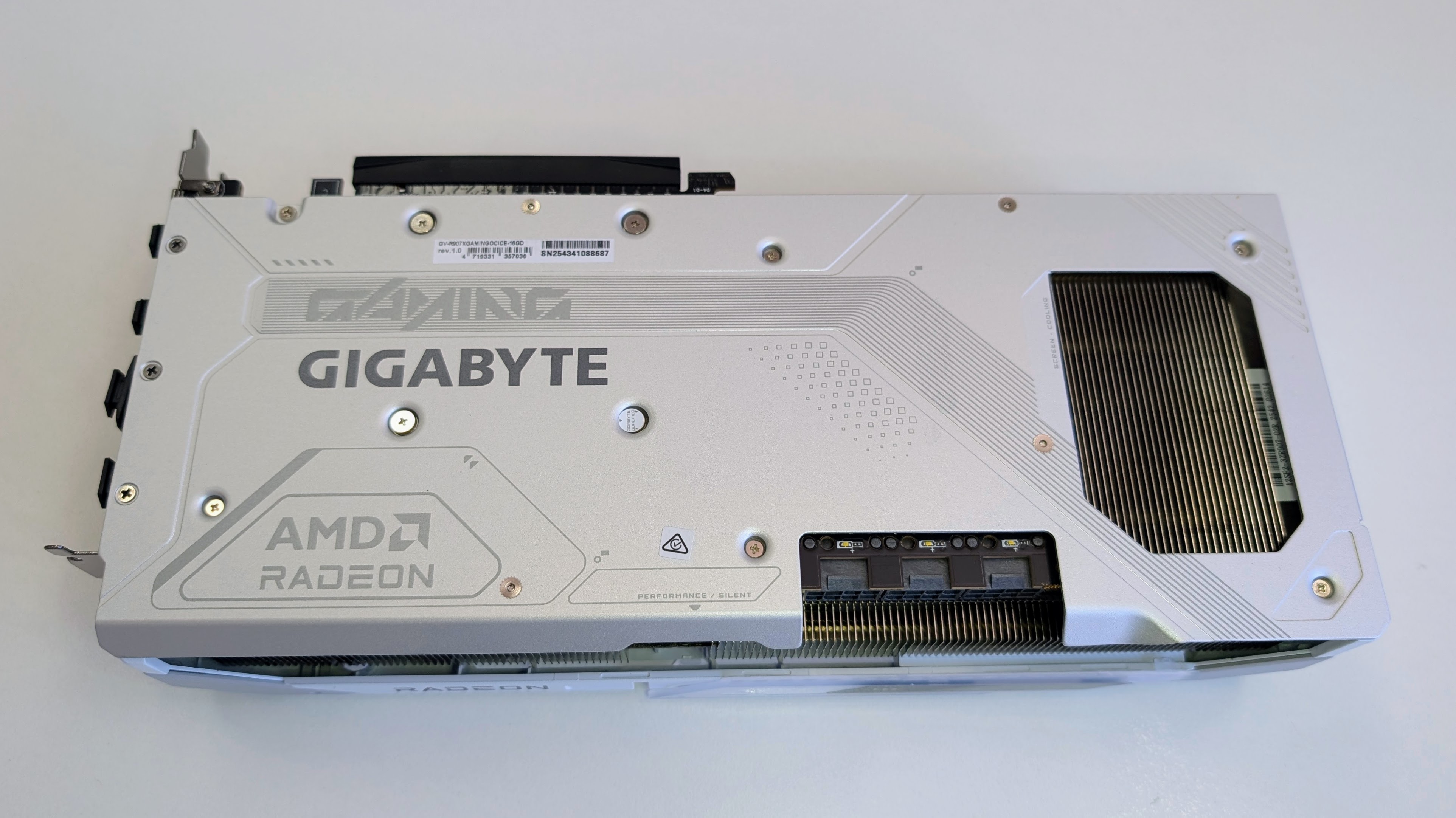
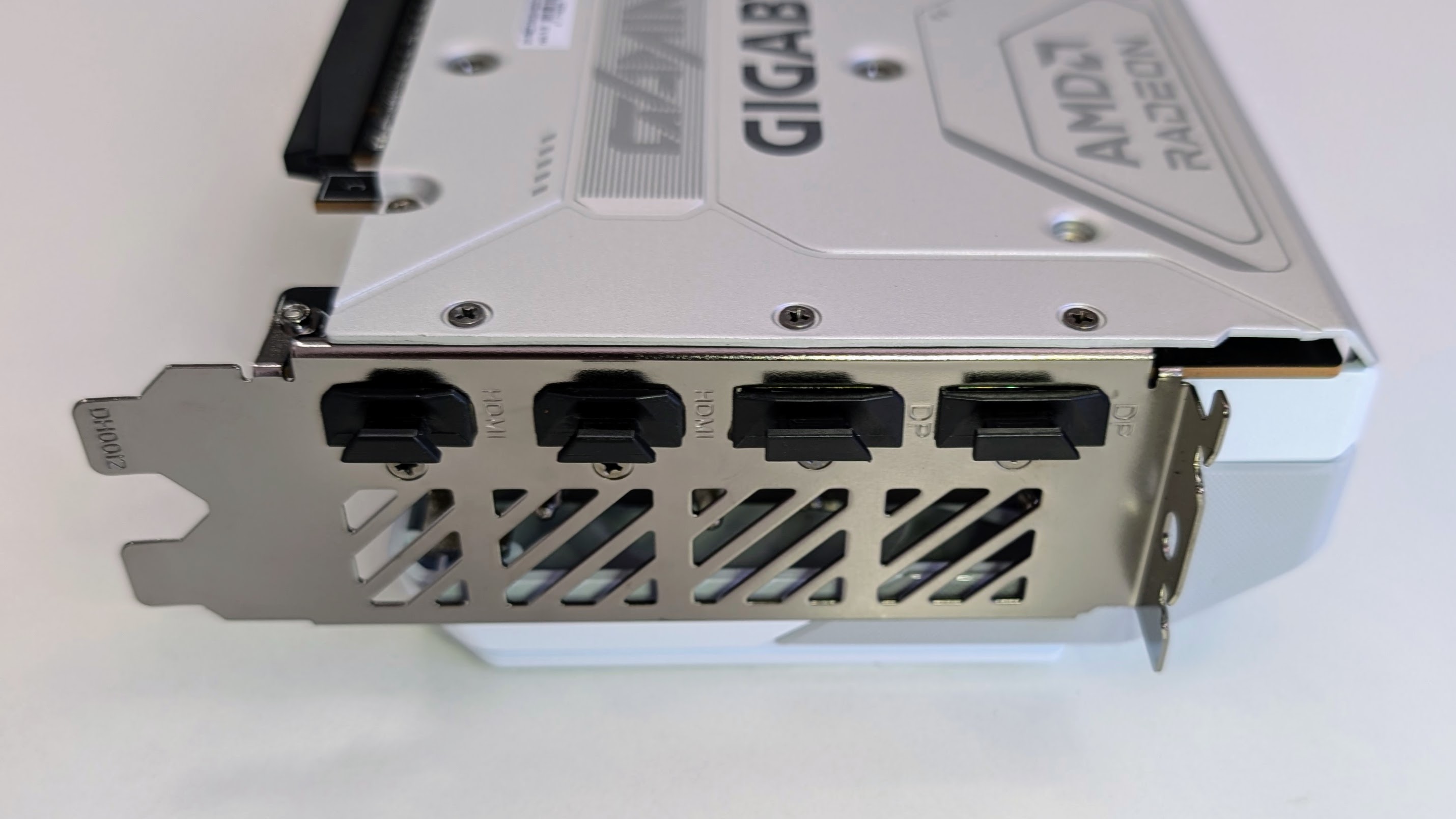
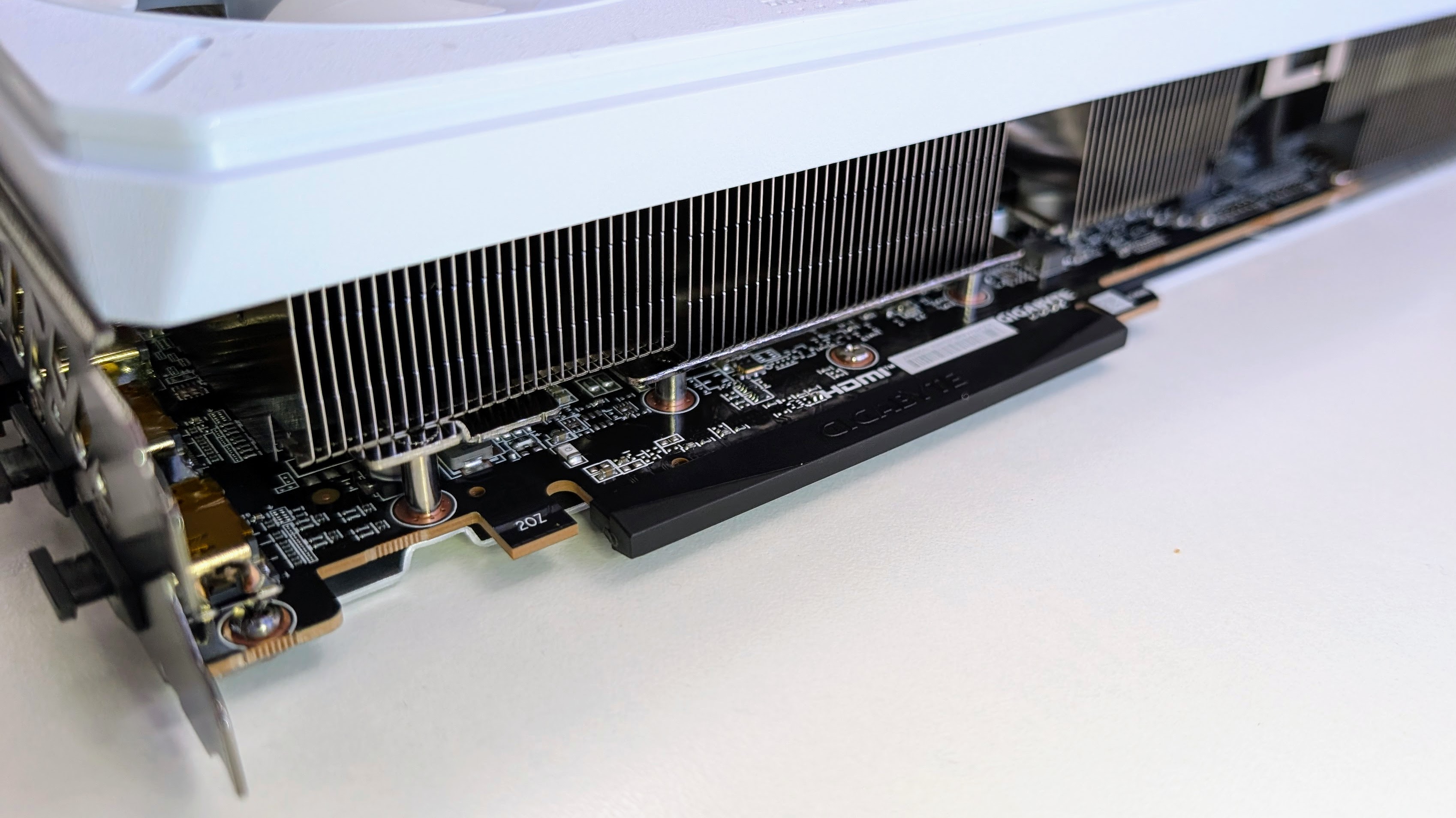
- Useful factory overclock and board-level extras
- Not a huge boost over the stock 9070 XT
Swipe to scroll horizontally
Process Node | 4nm | 4nm | 4nm |
Transistor Count (Billion) | 53.9 | 53.9 | 53.9 |
Compute Units | 64 | 64 | 56 |
Shaders | 4,096 | 4,096 | 3,584 |
Ray Accelerators | 64 | 64 | 56 |
Tensor Cores | 128 | 128 | 112 |
Render Output Units | 128 | 128 | 128 |
Cache (MB) | 64 | 64 | 64 |
Game Clock | 2,520 | 2,400 | 2070 |
Boost Clock (MHz) | 3,060 | 2,970 | 2,520 |
Memory Clock (MHz) | 2,518 | 2,518 | 2,518 |
Memory Type | GDDR6 | GDDR6 | GDDR6 |
Memory Pool (GB) | 16 | 16 | 16 |
Memory Interface (bits) | 256 | 256 | 256 |
Effective Memory Speed (Gbps) | 20 | 20 | 20 |
Memory Bandwidth (GB/s) | 640 | 640 | 640 |
PCIe Interface | 5.0 x16 | 5.0 x16 | 5.0 x16 |
TBP (W) | 304 | 304 | 220 |
Recommended PSU (W) | 850 | 700 | 550 |
Power Connector | 3 x 8-pin | 2 x 8-pin | 2 x 8-pin |
- Specs: 4 / 5
Gigabyte Radeon RX 9070 XT Gaming OC Ice: Design
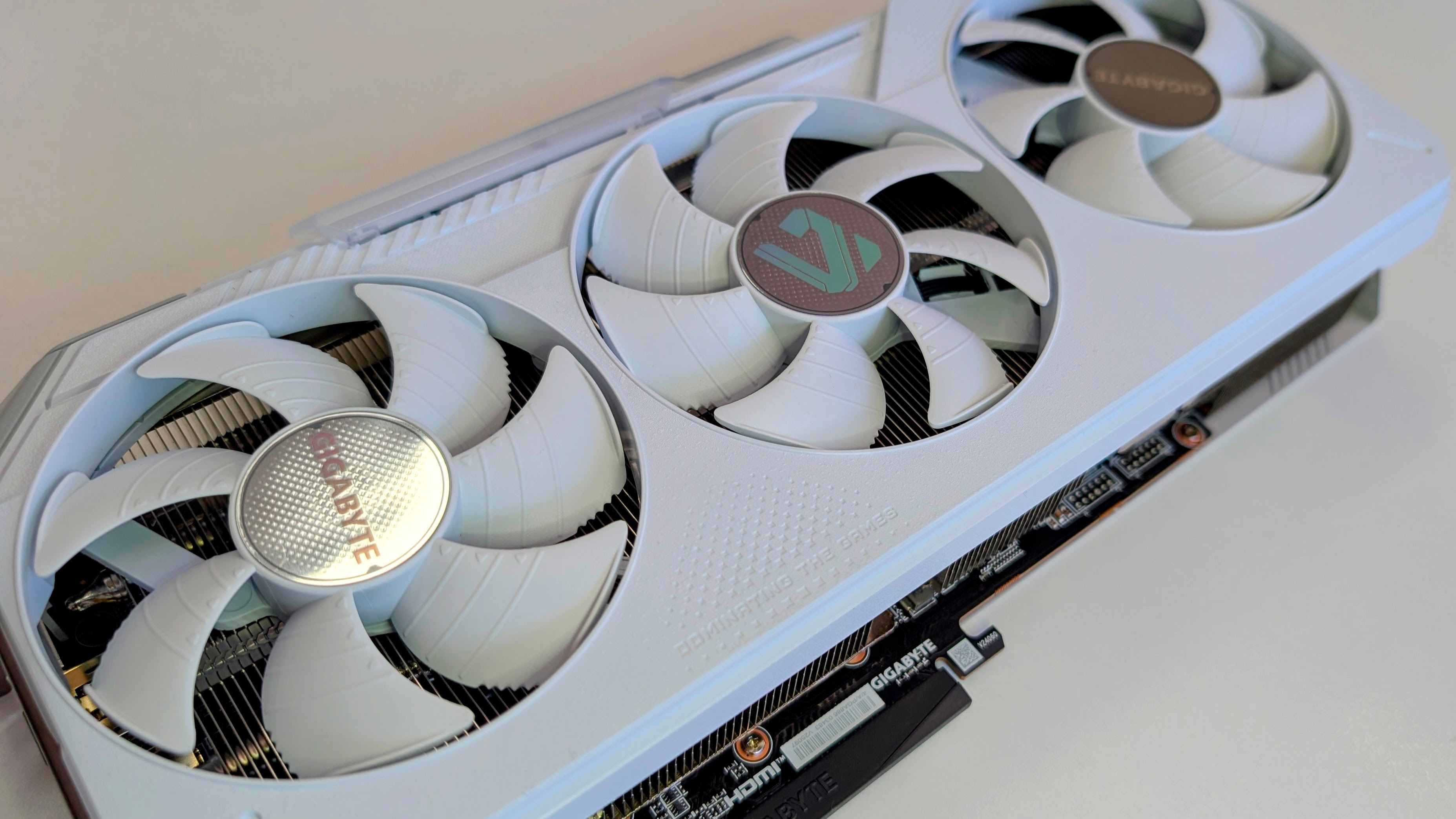
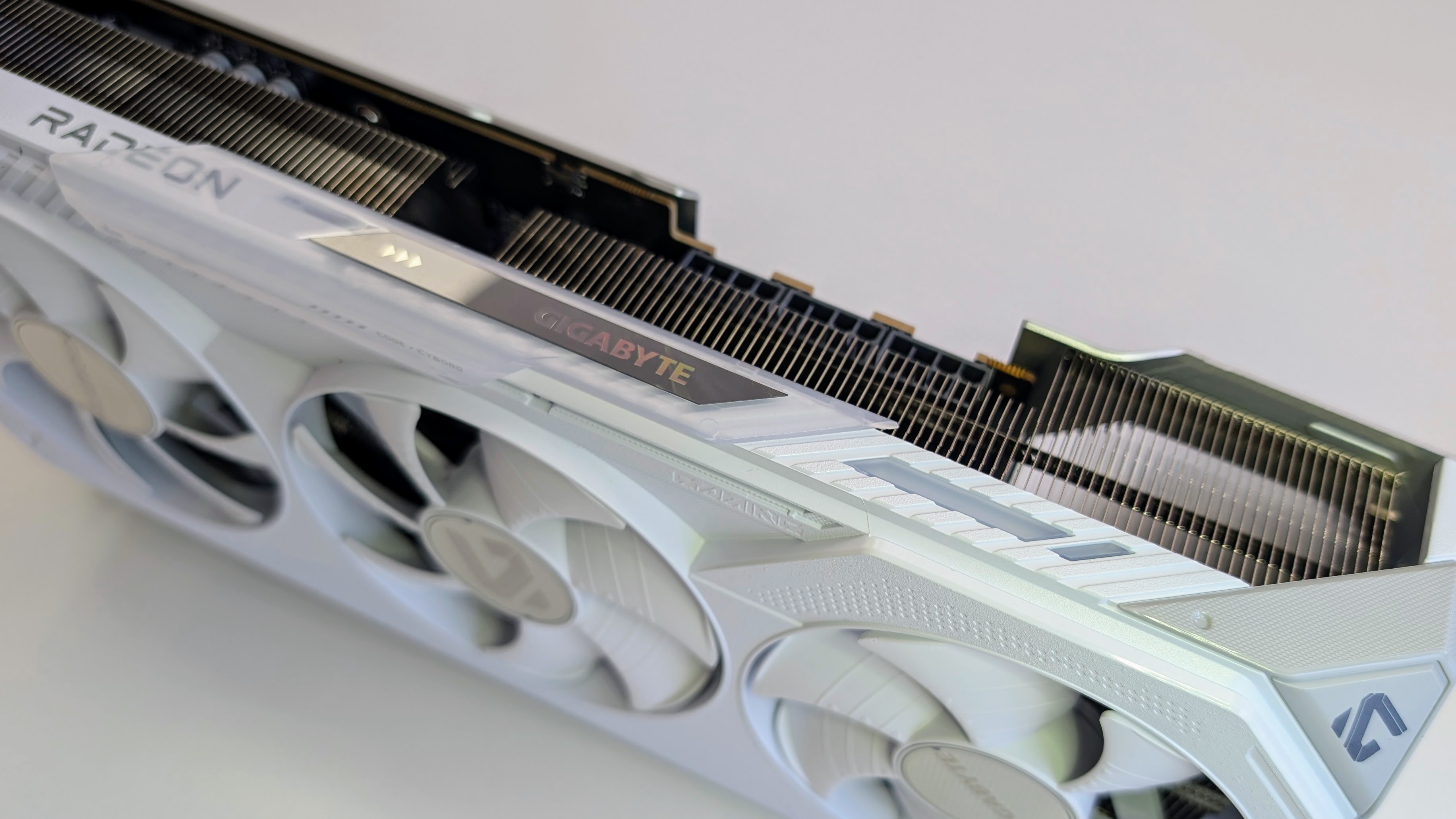
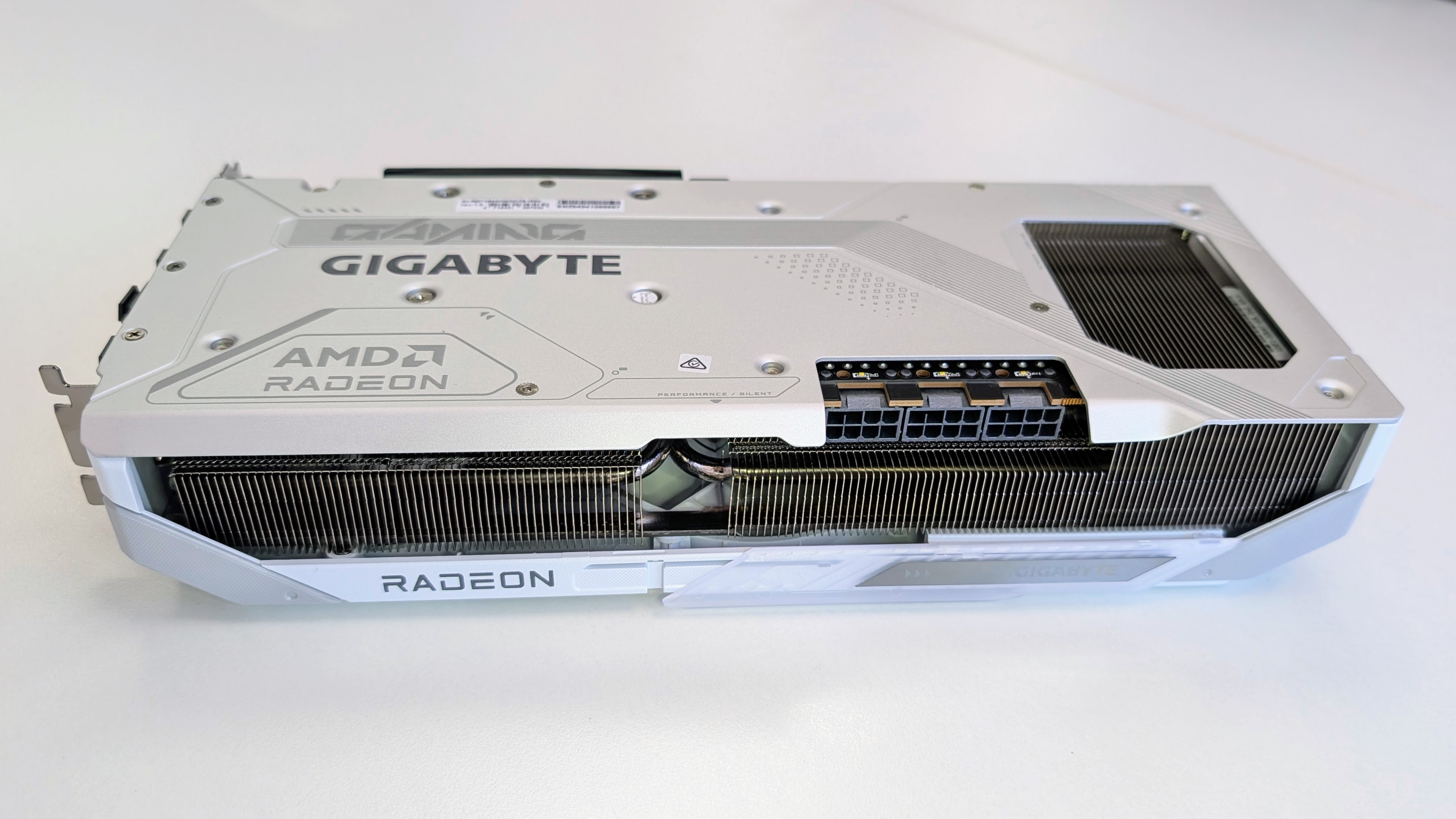
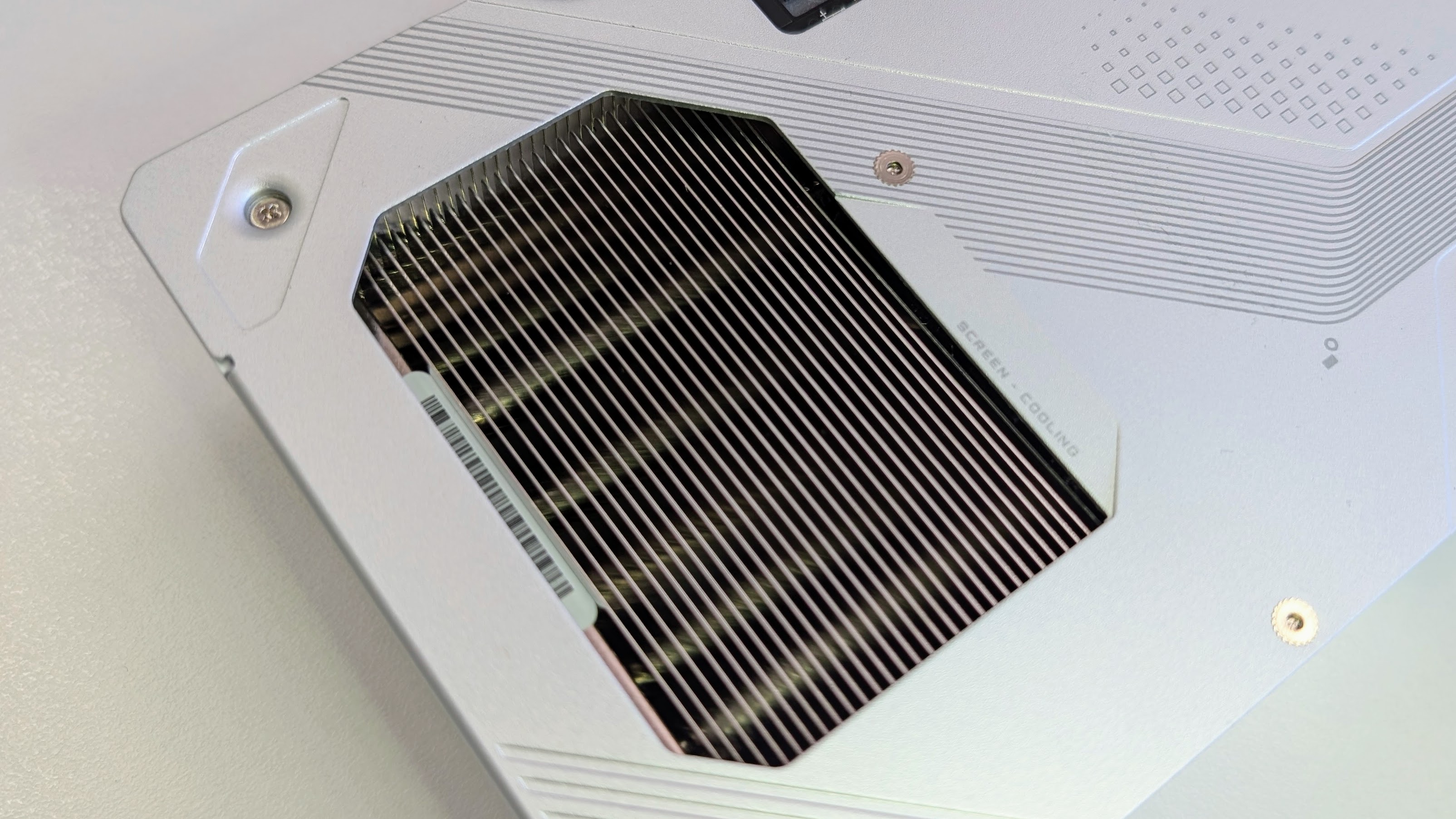
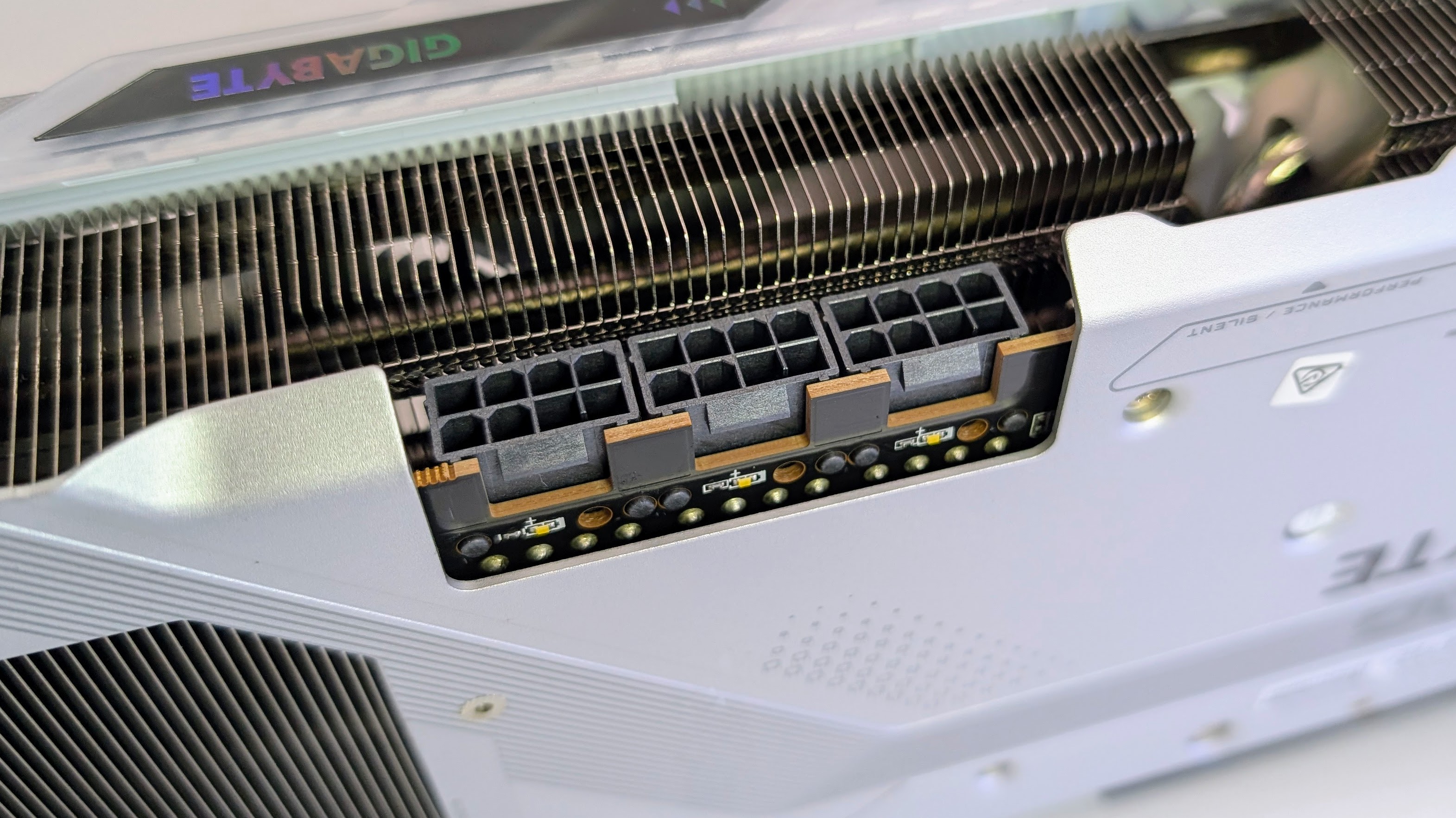
- Clean white finish with useful extra touches
- Large, but still fairly sensible by RX 9070 XT standards
Since there isn't a reference RX 9070 XT design from AMD, what matters here is how well Gigabyte's own board and cooler come together, and on that front the Gigabyte Radeon RX 9070 XT Gaming OC Ice makes a pretty good first impression.
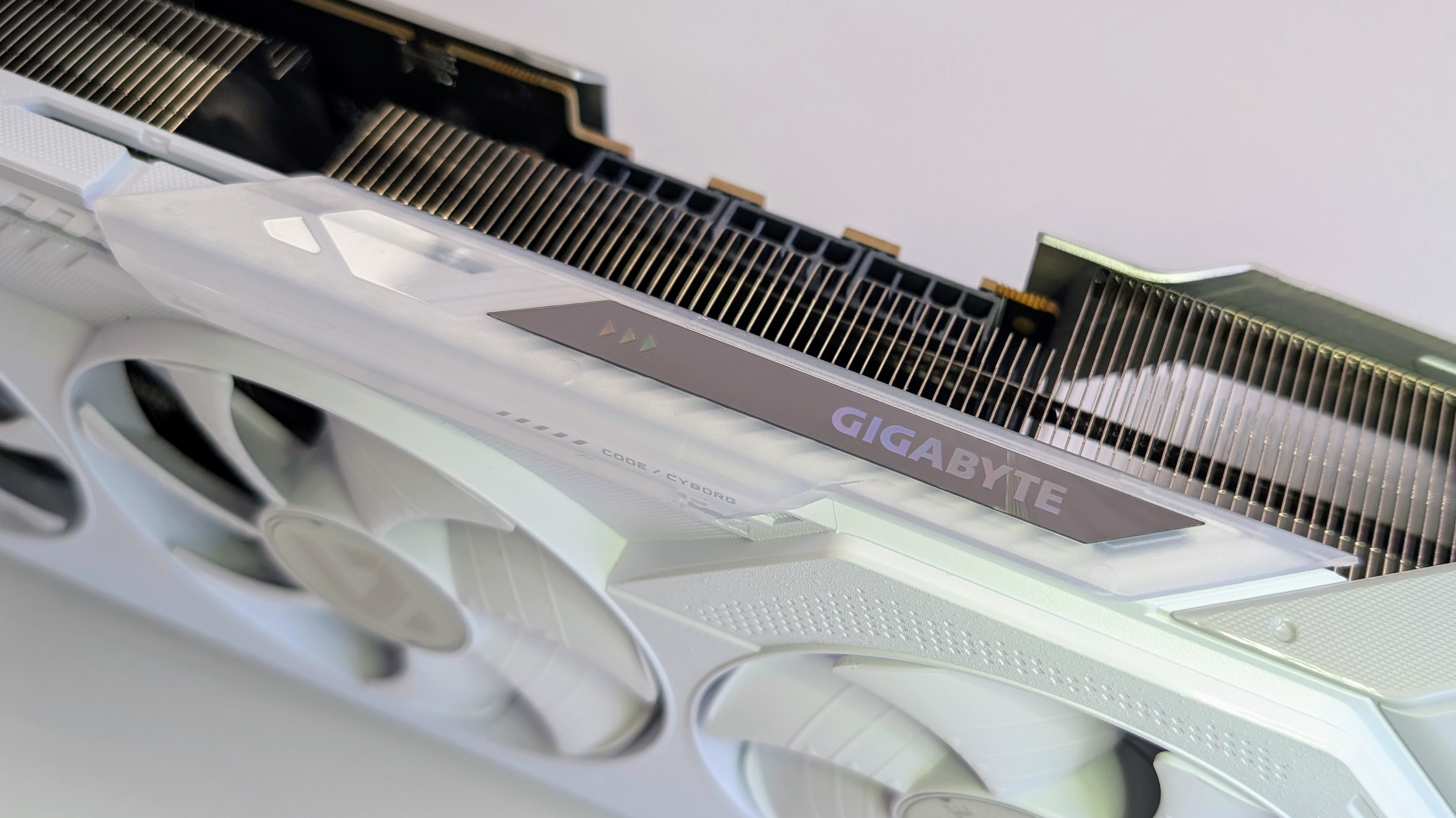
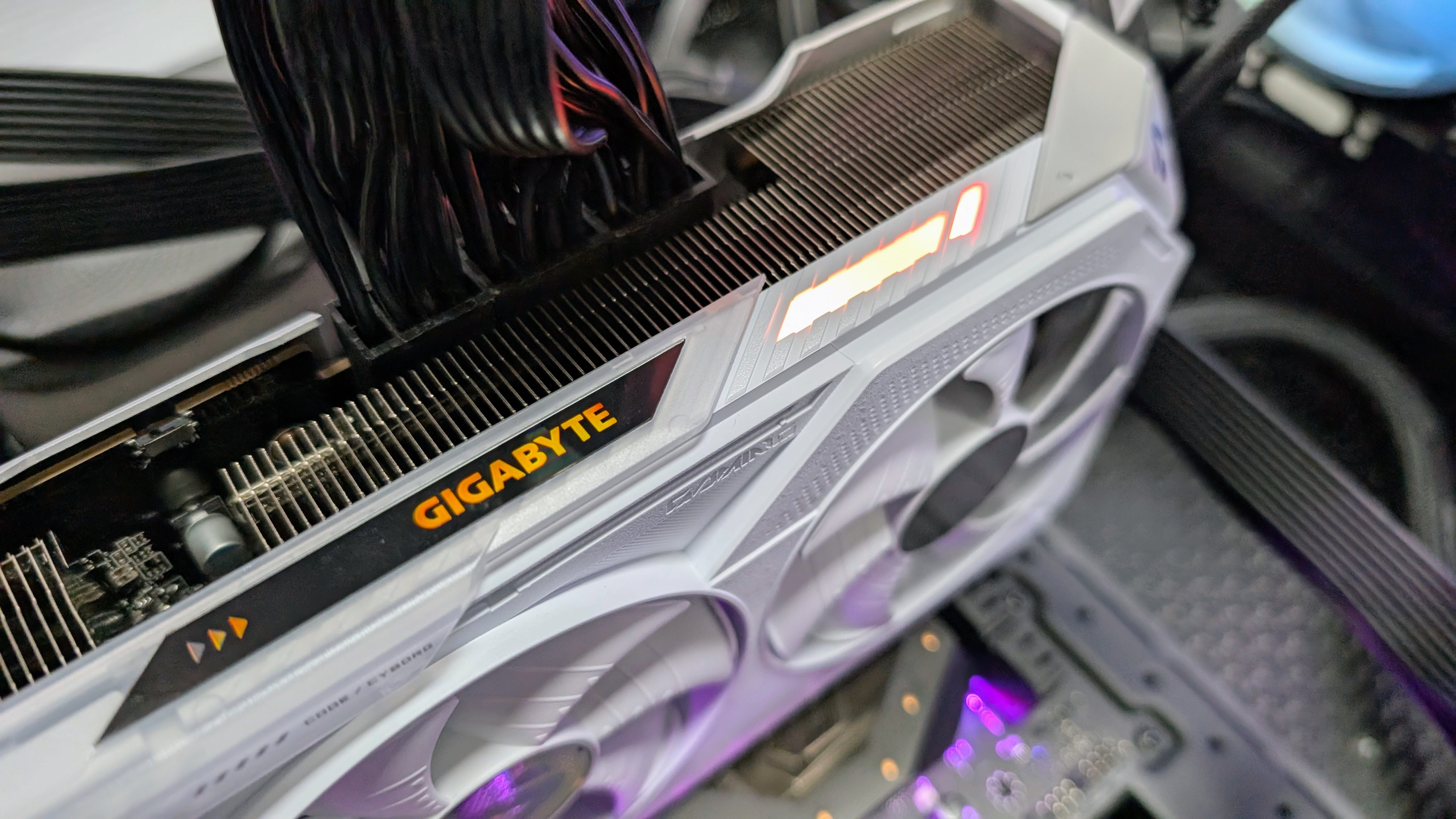
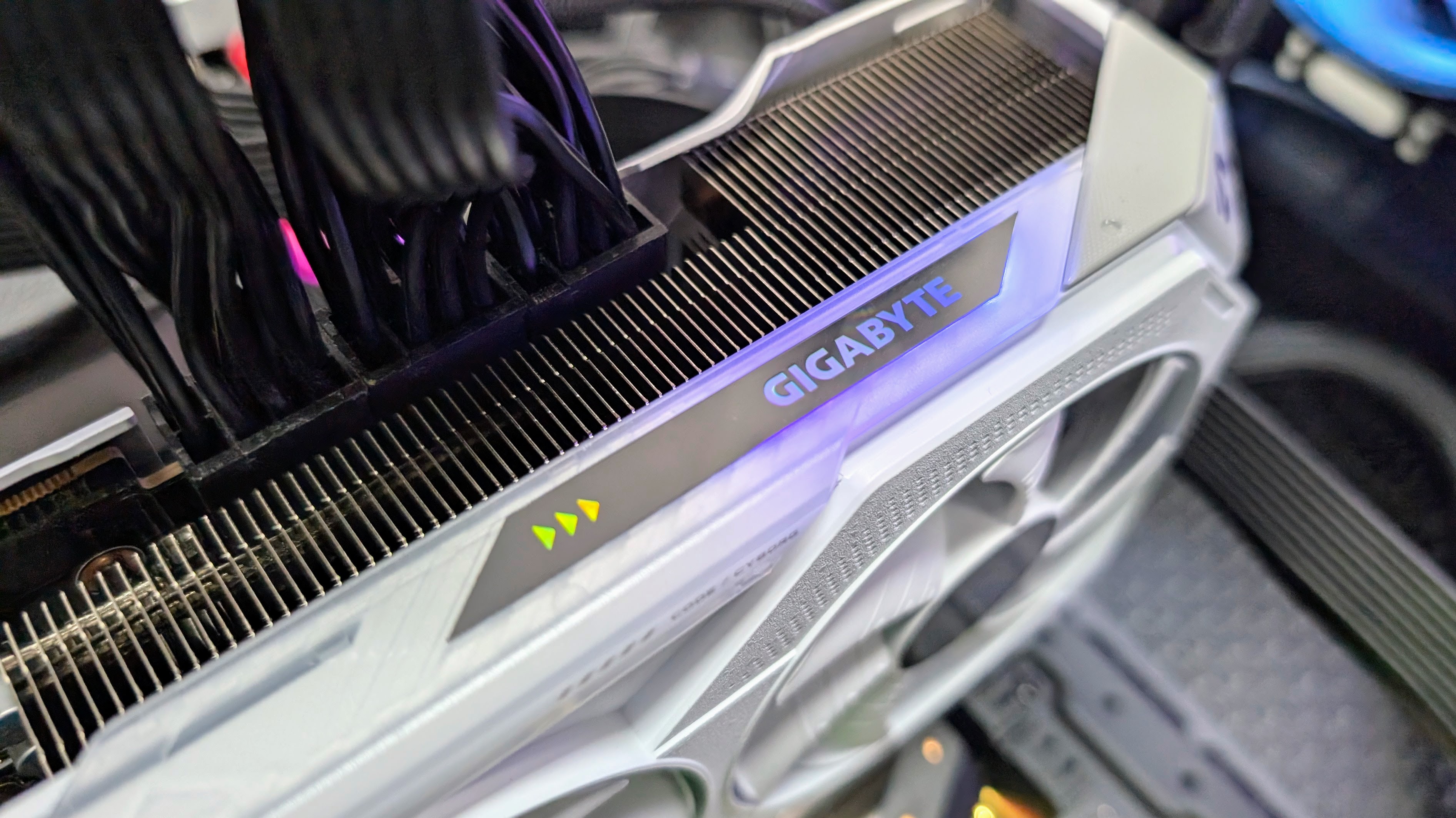
The headline feature is obviously the white and silver finish, which gives the card a cleaner, more premium look than the usual black slab. It is clearly aimed at windowed builds, but Gigabyte has kept things fairly restrained, with just a little customizable RGB lighting rather than going overboard.
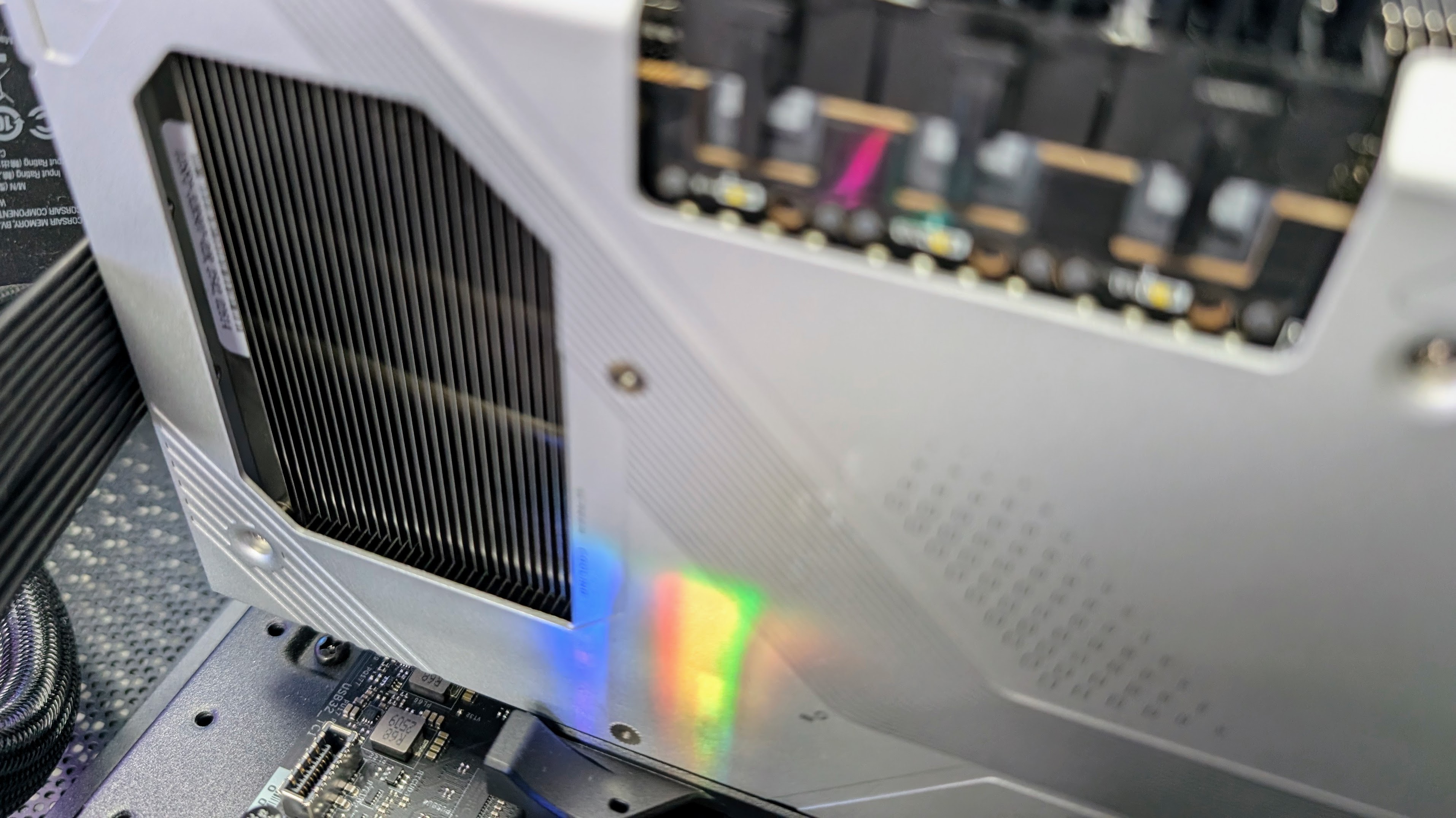
Cooling duties are handled by Gigabyte's Windforce setup, with three Hawk fans, a large vapor chamber, composite copper heat pipes and a sizable heatsink with rear cutouts to improve airflow. It is still a triple-fan card and still a fairly chunky one, but at 288 x 132 x 56 mm (11.34 x 5.20 x 2.20 in) it doesn't feel absurd by RX 9070 XT standards.


There are a few little extras too — like a dual BIOS switch for Performance and Silent modes, a reinforced metal backplate and power indicator lights that can help spot PCIe connection issues.
The only real downside is that there is no support bracket in the box, so smaller cases and heavier builds will need a quick clearance check before you buy. There is an attachment point though, so you can add your own support if needed.
Like most cards in this class, it still takes up a fair bit of space and needs three 8-pin PCIe power connectors, so cable management isn’t especially fun. Still, if you want an RX 9070 XT that looks the part without getting too flashy, Gigabyte has done a bang-up job here.
- Design: 4 / 5
Gigabyte Radeon RX 9070 XT Gaming OC Ice: Performance

- About 5% faster than a reference RX 9070 XT in my testing
- Very close to the RTX 5070 Ti in gaming, and comfortably ahead of the RTX 5070
- Cool-running for a premium factory-overclocked card, peaking at just 59°C
Simply put, the Gigabyte Radeon RX 9070 XT Gaming OC Ice does exactly what you want a mild factory-overclocked card to do — take the already very capable RX 9070 XT and squeeze a little more out of it.
In testing the factory overclock resulted in about a 5% uplift over my reference RX 9070 XT results averaged from cards running at stock speeds. Keep in mind that my RTX 5070 Ti comparison results are from when the card was first released and a non-OC version. I also had quite a few stability issues with the 5070 Ti early on. So with updated drivers and a comparable factory overclock, the 5070 Ti will be ahead in most gaming scenarios — especially when ray tracing is involved where the difference can be significant. If you are a fan of DLSS, then team green can often give much higher frame rates in certain games.
In synthetic benchmarks, the Gigabyte card turns in an excellent 3DMark Steel Nomad score of 6,624, which is very slightly ahead of both the reference RX 9070 XT and even the RTX 5070 Ti. In more ray-tracing-focused tests like Speed Way and Port Royal, Nvidia still has a slight edge, but the gap is nowhere near as dramatic as it once was, as AMD's ray tracing hardware is markedly improved over previous generations.
Gaming performance is what we all care about, though, and here the Gigabyte card excels. Across my 1440p gaming results, it was about 5.9% faster than the reference RX 9070 XT, about on par with the RTX 5070 Ti on average, and roughly 50% faster than the RTX 5070.
At 4K, it stayed about 3.6% ahead of the reference card, finished effectively level with the RTX 5070 Ti overall, and remained about 50% faster than the RTX 5070.
That makes this a very capable high-end 1440p card and a genuinely solid 4K option in a lot of modern games, particularly if you're happy to lean on upscaling where needed. Cyberpunk 2077 and Black Myth: Wukong both ran well at demanding settings, while Shadow of the Tomb Raider showed just how much fps headroom there is in lighter games.
Outside gaming, the picture is a bit more straightforward. Blender and Geekbench 6 Compute scores were a little higher than the reference RX 9070 XT results, but still behind the RTX 5070 Ti.
Thermals are an area where the Gigabyte card stands out, though, with the card peaking at 59°C and idling at 33°C in my testing, which is an excellent result and shows that the Gigabyte triple-fan setup handles the RX 9070 XT well.
Swipe to scroll horizontally
| Row 0 - Cell 0 | Row 0 - Cell 1 | Row 0 - Cell 2 | Row 0 - Cell 3 | Row 0 - Cell 4 |
Synthetic Benchmarks | Row 1 - Cell 1 | Row 1 - Cell 2 | Row 1 - Cell 3 | Row 1 - Cell 4 |
3DMark Steel Nomad | 6624 | 6577 | 6559 | 5001 |
3DMark Speed Way | 6814 | 6409 | 7680 | 5366 |
3DMark Port Royal | 17899 | 17181 | 18866 | 12489 |
| Row 5 - Cell 0 | Row 5 - Cell 1 | Row 5 - Cell 2 | Row 5 - Cell 3 | Row 5 - Cell 4 |
Gaming (average fps) | Row 6 - Cell 1 | Row 6 - Cell 2 | Row 6 - Cell 3 | Row 6 - Cell 4 |
| Row 7 - Cell 0 | Row 7 - Cell 1 | Row 7 - Cell 2 | Row 7 - Cell 3 | Row 7 - Cell 4 |
Cyberpunk 2077 - 1440p | 85 | 79 | 81 | 59 |
Cyberpunk 2077 - 4K | 65 | 63 | 66 | 44 |
| Row 10 - Cell 0 | Row 10 - Cell 1 | Row 10 - Cell 2 | Row 10 - Cell 3 | Row 10 - Cell 4 |
Black Myth: Wukong - 1080p | 83 | 78 | 81 | 59 |
Black Myth: Wukong - 1440p | 72 | 69 | 74 | 41 |
Black Myth: Wukong - 4K | 46 | 45 | 48 | 30 |
| Row 14 - Cell 0 | Row 14 - Cell 1 | Row 14 - Cell 2 | Row 14 - Cell 3 | Row 14 - Cell 4 |
Shadow of the Tomb Raider - 1080p | 160 | 154 | 161 | 104 |
Shadow of the Tomb Raider - 1440p | 149 | 141 | 149 | 106 |
Shadow of the Tomb Raider - 4K | 115 | 109 | 111 | 77 |
| Row 18 - Cell 0 | Row 18 - Cell 1 | Row 18 - Cell 2 | Row 18 - Cell 3 | Row 18 - Cell 4 |
Compute benchmarks | Row 19 - Cell 1 | Row 19 - Cell 2 | Row 19 - Cell 3 | Row 19 - Cell 4 |
| Row 20 - Cell 0 | Row 20 - Cell 1 | Row 20 - Cell 2 | Row 20 - Cell 3 | Row 20 - Cell 4 |
GeekBench 6 Compute (OpenGL) | 223532 | 218,599 | 243,483 | 155,791 |
GeekBench 6 Compute (Vulkan) | 212114 | 211,247 | 247,323 | 147,369 |
Blender (aggregate score) | 2,197 | 2,050 | 2,557 | 1,701 |
| Row 24 - Cell 0 | Row 24 - Cell 1 | Row 24 - Cell 2 | Row 24 - Cell 3 | Row 24 - Cell 4 |
Thermals (°C) | Row 25 - Cell 1 | Row 25 - Cell 2 | Row 25 - Cell 3 | Row 25 - Cell 4 |
Peak GPU temp | 59 °C | 60 °C | 70 °C | 71 °C |
Idle Temp | 33 °C | 35 °C | 30 °C | 31 °C |
Cyberpunk 2077: Ultra Ray Tracing, balanced scaling
Black Myth: Wukong: Ray Tracing: Cinematic, 50% upscaling
- Performance: 4.5 / 5
Should you buy the Gigabyte Radeon RX 9070 XT Gaming OC Ice?
Swipe to scroll horizontally
Value | Pricier than entry-level RX 9070 XT cards, but the Gaming OC Ice offsets some of that premium with a factory overclock, cooler and cleaner design. | 4.5 / 5 |
Specs | The underlying RX 9070 XT formula has not changed, but Gigabyte adds a useful bump in clocks plus dual BIOS, four display outputs and power indicator lights. | 4 / 5 |
Design | The white and silver finish looks the part, and the cooler is well judged for a card in this class, even if it is still large and there is no support bracket in the box. | 4 / 5 |
Performance | A roughly 5% gain over the reference RX 9070 XT and results that run very close to the RTX 5070 Ti make this an appealing premium take on AMD's GPU. | 4.5 / 5 |
Final score | It is not the cheapest route into an RX 9070 XT, but it is a well-rounded one if you want better looks, cooler running and a little extra performance. | 4.25 / 5 |
Buy the Gigabyte Radeon RX 9070 XT Gaming OC Ice if...
You want a premium RX 9070 XT for a white or clean build
Between the white and silver finish, the bigger cooler and the mild factory overclock, this feels like a more polished take on AMD's GPU than cheaper cards.
You want near-RTX 5070 Ti gaming performance for less
In my benchmarks, it runs very close to the RTX 5070 Ti in gaming while still undercutting it by a useful margin on price.
Don't buy it if...
You just want the cheapest RX 9070 XT possible
The Gaming OC Ice is a nicer version of this GPU, but its higher retail price means cheaper RX 9070 XT cards will make more sense if looks and extras do not matter to you.
You have a smaller case or a modest PSU
This is still a large triple-fan card with three 8-pin PCIe power connectors, so it is better suited to roomier enthusiast builds.
How I tested the Gigabyte Radeon RX 9070 XT Gaming OC Ice
- I spent about a week testing the Gigabyte Radeon RX 9070 XT Gaming OC Ice
- I used my complete GPU testing suite to analyze the card's performance
- I compared it against competing graphics cards using a mix of synthetic and real-world gaming benchmarks
Test System Specs
Here are the specs on the system I used for testing:
Motherboard: MSI Z890 Tomahawk Wi-Fi
CPU: Intel Core Ultra 285K
CPU Cooler: Corsair Titan 360 RX
RAM: G.Skill Trident Z5 DDR5 (2 x 16GB)
SSD: Samsung 9100 Pro
PSU: Corsair HX1000
Case: Thermaltake Core P3 TG Pro
I spent about a week with the Gigabyte Radeon RX 9070 XT Gaming OC Ice, testing it and comparing its performance against competing graphics cards.
I used industry-standard benchmark tools like 3DMark alongside games including Cyberpunk 2077, Black Myth: Wukong and Shadow of the Tomb Raider to get comparable results across the cards I have recently reviewed.
- Originally reviewed March 2026








 English (US) ·