
Firefox's has been reimagined in 2026 to be fast, modern and inviting the first time you run it and every day after. We've always had your back on privacy, and still do. We think the browser should be a piece of software you can rely on to have your back, pleasant to look at and working seamlessly with the web.
Is Firefox better than Google Chrome?
Firefox and Chrome are updated every few weeks, so it's hard to compare them over time. Many users consider Firefox better than Google Chrome for its strong focus on privacy, security, and user control.
In terms of performance, Firefox is often praised for being fast and responsive, especially on older hardware. It consumes less memory than Chrome in many cases and supports a wide range of extensions. At one point, Firefox has offered advantages over Chrome in terms of RAM usage, but that claim can go back and forth depending on the version. Microsoft Edge and Apple's Safari have also made such claims, but in general all browsers are continually improving and beating each other. If you're seeking the best customizability on a stock browser, you can also check out Vivaldi.
Is Firefox selling my data?
No, Firefox does not sell your data. Mozilla, the organization behind Firefox, collects certain types of data to improve performance and user experience, but this data is used strictly in line with Mozilla's privacy policy. Users who are concerned about data collection can adjust these settings within Firefox under the Privacy & Security options to limit or disable data sharing.
Why is Firefox sending me notifications from websites I don't have open?
Firefox supports web push notifications, which allow websites to send alerts even when they are not open. If you are receiving notifications from unwanted sites, go to Firefox's settings, navigate to the Privacy & Security section, find the Permissions area, and review your Notifications settings. There, you can remove any sites you no longer wish to receive notifications from.
Is Firefox based on Chromium?
No, Firefox is not based on Chromium. In fact, Firefox is one of the last major browsers that isn't. Firefox runs on its own Quantum browser engine.
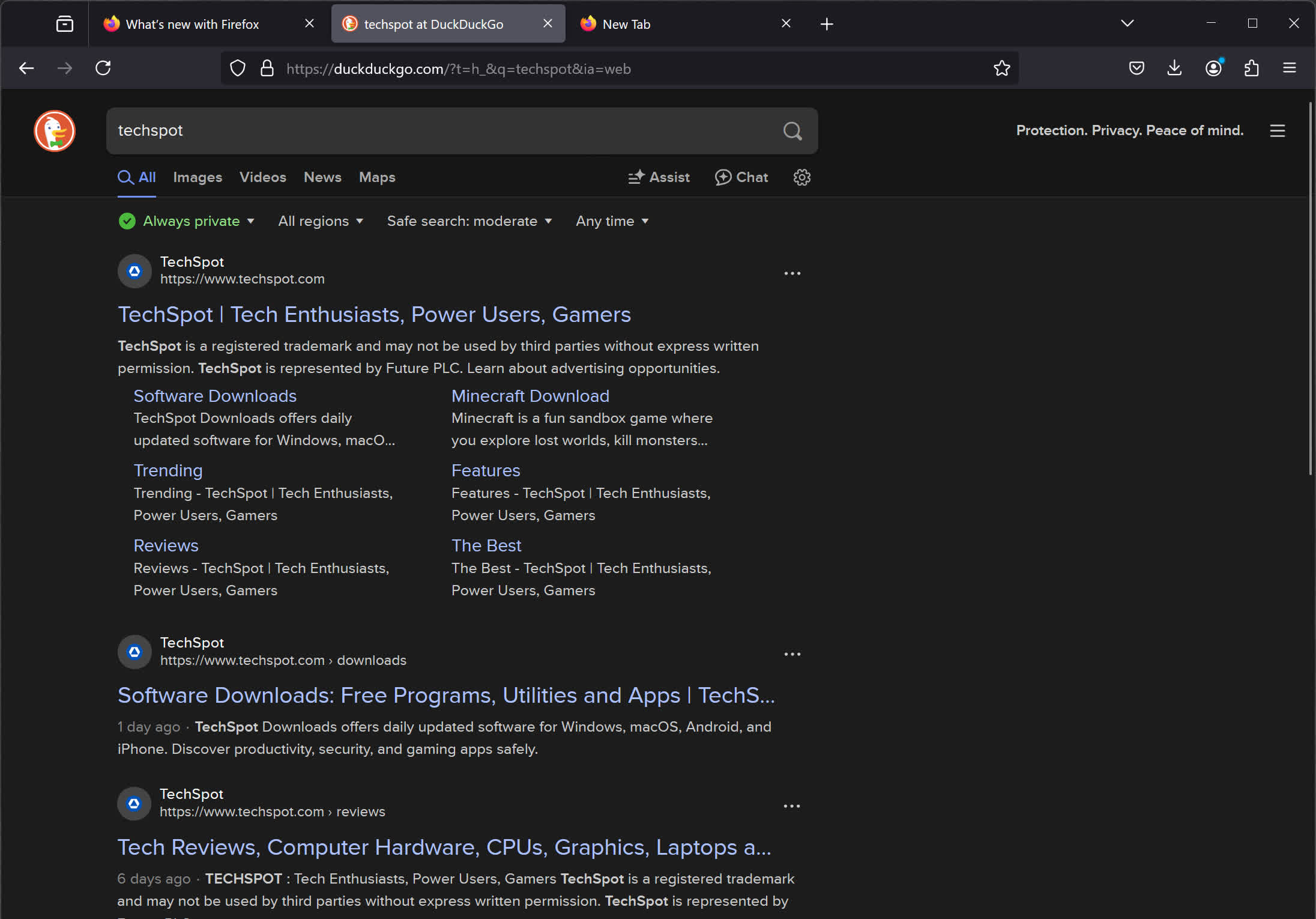
Does Firefox use Google as the default search engine?
Yes, Google pays hefty royalties to Mozilla for making them the default search engine in Firefox. That deal is worth around $500 million per year (as of 2024-2025) and makes up the vast majority of Mozilla's total revenue.
Features
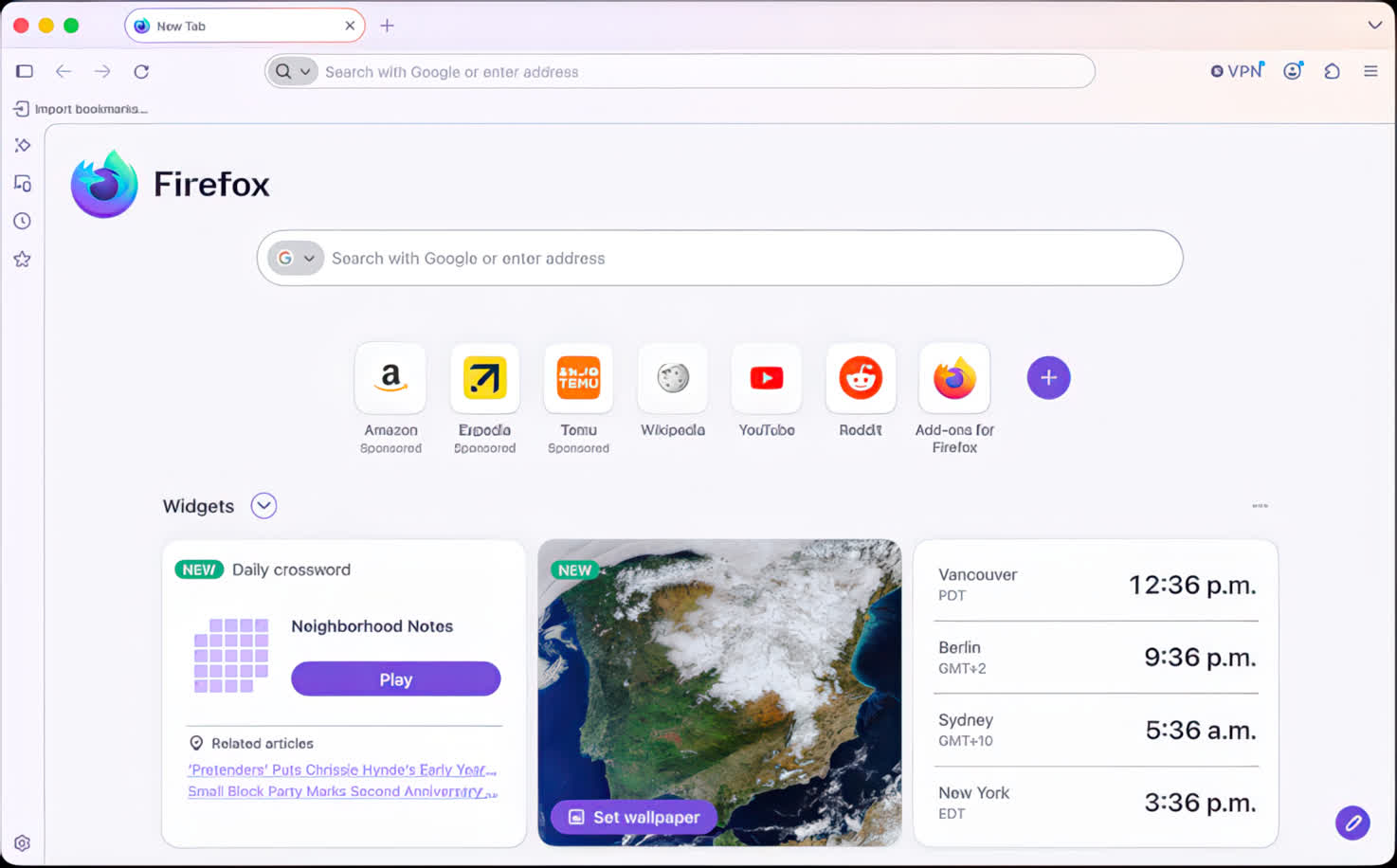
A sleek, clean Firefox design backed by research
Going into the Firefox redesign, our team studied how people interact with the browser, observing their patterns and behaviors. We listened to feedback and gathered ideas from regular people who just want to have an easier experience on the web. We obsessed over distractions, extra clicks and wasted time. The resulting new design is simple, modern and fast and delivers a beautiful experience to support what people do most in Firefox.
Streamlined toolbar and menus
The toolbar is naturally where you start every web visit. It's the place where you type a URL to go somewhere online. After web page content, it's what you look at most in Firefox. The new toolbar is simplified and clutter-free so you get to the good stuff effortlessly.
Menus are where key Firefox actions and commands live. We've consolidated extra menus to reduce clutter and be more intuitive through the three bars menu in the upper right or by right-clicking to activate it on your computer screen. The new look reorganized and streamlined our menus to put the best actions quickly at your fingertips.
When privacy protections are engaged in Firefox, the shield icon in the toolbar glows subtly indicating that we're working behind the scenes to protect you from nosy trackers. Fun fact: Firefox has blocked more than 6 trillion --- that's trillion with a T --- trackers since we rolled out enhanced tracking protection, stopping thousands of companies from viewing your online activity.. We're talking about tracking cookies, social media trackers, fingerprinters, cryptominers and more. Go ahead and click on the shield to see who and what Firefox is blocking... you might be surprised by what you find out.
A new look for tabs
Based on our research, we found out that more than half of you have 4+ tabs open all the time, and some of you have more, a lot more. And we feel that! Tab as much as you like, friends. Tabs got a makeover so they are now gently curved and float above the toolbar. It's an exciting change that also serves as a reminder that tabs aren't stationary. So grab those tabs, move them around and organize them as you like. Tabs also got a glow-up to be a touch brighter when active.
What's New
Version 157.0, first offered to Release channel users on September 29, 2026
New
- Firefox's biggest visual refresh in years is now available, with a modernized look across the browser toolbars, sidebar, menus and individual features, built with our updated design system. It also includes:
- New built-in themes with light and dark versions, to personalize the look of Firefox in one click.
- A new compact mode that reduces toolbar and tab spacing to leave more room for web content, useful on smaller screens and in split-screen layouts.
- WebRTC video calls can now use hardware AV1 decoding on devices that support it, instead of always decoding AV1 video in software.
- Firefox now shows a warning in the site information panel (the shield icon in the address bar) and in Settings when it has been set up to record its encryption keys, which could let other software on the computer read encrypted web traffic.
- Firefox Suggest now offers suggestions in the address bar in Austria, Belgium, Czech Republic, Denmark, Finland, Hungary, Ireland, Luxembourg, Netherlands, Norway, Poland, Portugal, Slovakia, Spain, Sweden, and Switzerland. They can be controlled in the Firefox Suggest settings. Learn more.
Fixed
- Fixed video from phones and tablets appearing sideways or upside down in WebRTC calls.
- Fixed the address bar searching for the typed text instead of opening the selected suggestion when a page was still loading, such as shortly after Firefox started.
- Fixed some HDR videos encoded in 8-bit color formats looking dull and gray on Windows instead of displaying in HDR.
- Improved audio and video synchronization when repeatedly changing the playback speed of videos, for example on YouTube.
- Fixed the Vertical Tabs sidebar not reappearing when the cursor moves to the edge of the screen in full screen mode.
- Fixed an issue on Windows where making a video full screen would leave the Windows taskbar showing over the video.
- Various security fixes.
Changed
- Pressing Tab now moves focus straight to the text field of the address bar and search bar instead of stopping on the search engine button first. The button can still be reached with Shift+Tab.
- Amazon is no longer included as a built-in search engine. It can still be added as a custom search engine in the search settings. Learn more.
- The updated sidebar is now enabled for everyone. Anyone still using the previous sidebar will keep a similar layout, with the panel switcher at the top of the sidebar. Additionally, the "Show sidebar" option has been removed from Settings.
- While we continue to refine the new design, the previous sidebar version can still be restored by setting sidebar.revamp to false in about:config. This also turns off vertical tabs. The preference will remain available until the end of 2027.
- Web page alert(), confirm() and prompt() dialogs, the color and date pickers, and form autocomplete drop-downs now match the page's light or dark color scheme.
Previous Release Notes:
Version 156.0, first offered to Release channel users on September 15, 2026
New
- Firefox on macOS can now be set to open automatically when the computer starts up, from the Startup section of Settings.
- Localized Wikipedia and occasional sponsored suggestions in the address bar are now available in France, Germany, and Italy. These suggestions can be turned off in Firefox Suggest settings.
Fixed
- Fixed an issue where dragging an image to a new position in a rich-text editor could replace it with a long line of text instead of moving it.
- Fixed high-sample-rate FLAC audio in MP4 failing to play on sites such as Bilibili.
- Fixed subtitles not appearing in the Picture-in-Picture window when they are turned on in the video player after the window has already opened.
- Fixed bookmarks moving out of their folder when the folder and the bookmarks inside it were selected and dragged together in the Bookmarks sidebar.
- Fixed the find bar becoming permanently unavailable in a tab after reversing the panes in Split View.
- Fixed some sites failing to load when DNS over HTTPS is enabled and the site does not support HTTPS.
- Fixed Firefox losing all network connectivity for some users with the built-in VPN enabled.
- Fixed an issue on Windows where Firefox could block an auto-hiding taskbar from showing.
- Various security fixes.
Changed
- Firefox's built-in PDF viewer now starts up to 45% faster.
- Improved memory and CPU usage when Firefox displays large JPEG images scaled down to fit a page.
- On Windows devices with ARM64 processors, WebRTC video calls may now use hardware H264 decoding instead of falling back to software.
- The Document.caretPositionFromPoint() method now only returns a position in a shadow DOM if its ShadowRoot is passed in the newly-added shadowRoots option.
- The devtools network monitor now indicates when a connection used a certificate issued by a certificate authority not in Mozilla's Root CA Program.
- Firefox now supports the ariaNotify API for accessibility notifications (e.g. for screen readers) as a more ergonomic and reliable alternative to ARIA live regions.
- Firefox now supports media element pseudo-classes (e.g., :playing, :paused) to allow more precise styling based on media playback state.
- Added support for the highlightsFromPoint() API, which allows web pages to interact with CSS Highlights by returning all Highlights at a given point.
- Firefox now supports light-dark() on images, just like on colors, which is very useful for supporting dark mode on websites.
- The color-mix() function previously accepted only two color values. This limitation has now been removed, allowing the function to accept an arbitrary number of colors.
- Added support for a new auto value on the sizes attribute for lazy-loaded image elements with multiple images defined via srcset. This allows the browser to automatically select the right image based on the layout width of the image element.
Version 149.0, first offered to Release channel users on March 24, 2026
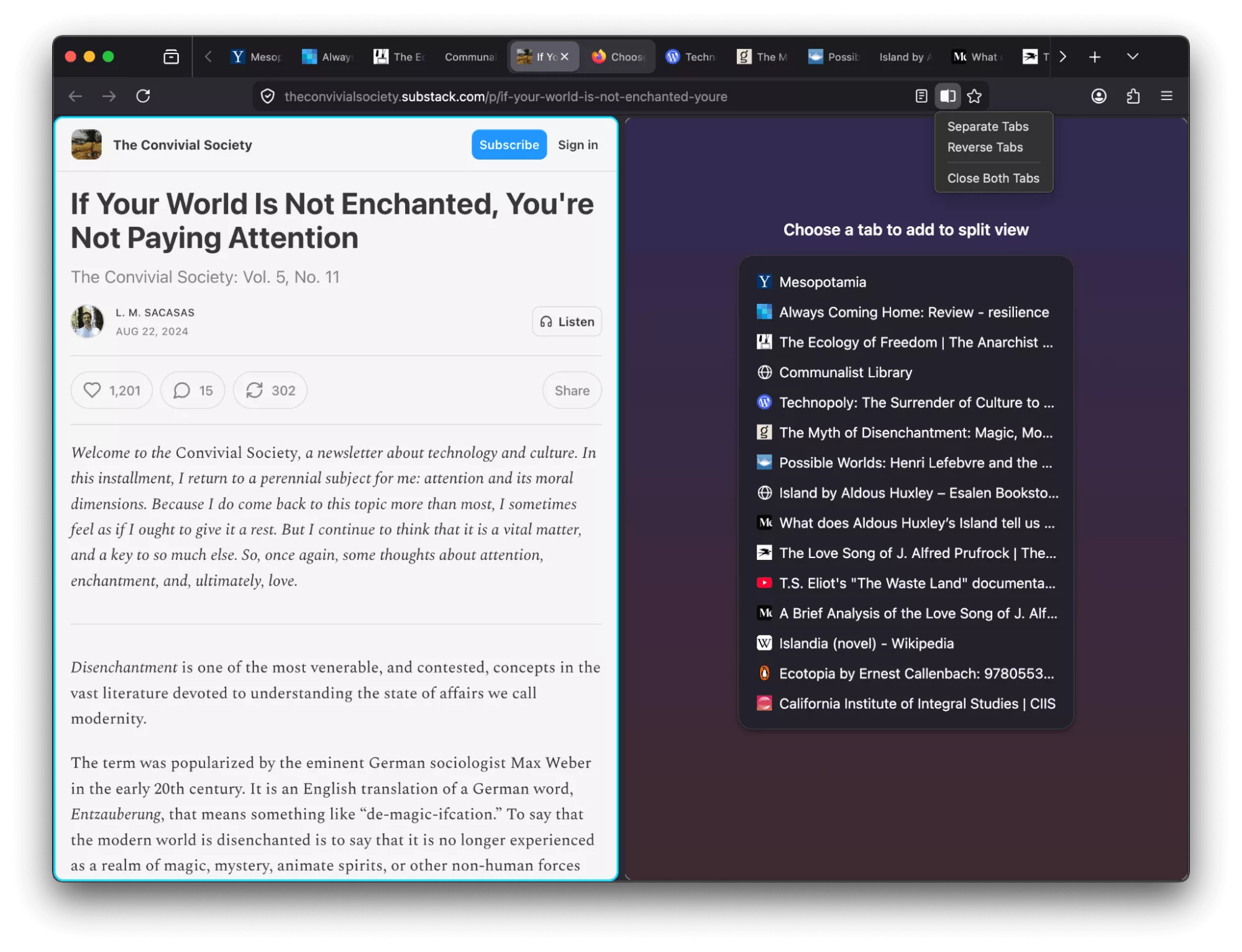
- Firefox now offers a free built-in VPN. Whether you're using public Wi-Fi while traveling, searching for sensitive health information, or shopping for something personal, this feature gives you a simple way to stay protected. Once you sign in and turn it on, you can hide your location and IP address by routing it through a secure proxy while you browse in Firefox. You will get 50 GB of protection every month, with the option to turn it on or off for specific websites. This feature is progressively rolling out in the US, UK, Germany and France starting today.
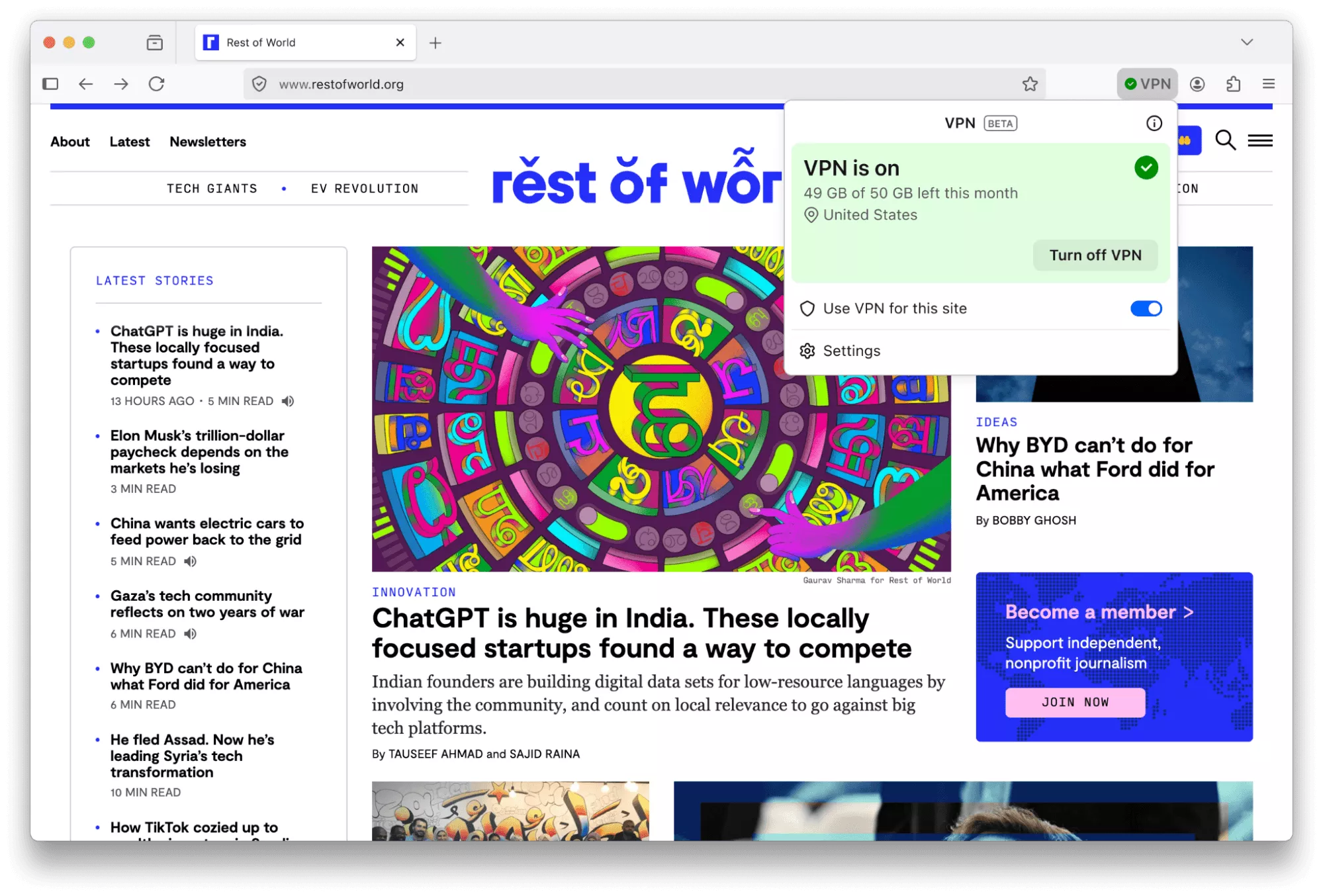
This feature is part of a progressive roll out.
What is a progressive roll out?
- Certain new Firefox features are released gradually. This means some users will see the feature before everyone does. This approach helps to get early feedback to catch bugs and improve behavior quickly, meaning more Firefox users overall have a better experience.
- Many PDF files will now load significantly faster thanks to hardware acceleration.
- Firefox now automatically blocks notifications and permanently revokes permissions for any website flagged as malicious by SafeBrowsing. This prevents unsafe sites from sending background notifications to users, commonly used for ads, spam or phishing.
- You can now add a Share button to your toolbar via Customize Toolbar, making it easy to share the current tab using your Windows or macOS system sharing options.
- Address Autofill is enabled for users in Australia, India, Italy, Poland and Austria.
- Explore more of the web with new on-device translation support for Bosnian, Norwegian Bokmål, Serbian and Thai – plus improved accuracy for Croatian.
Firefox Labs
- Tab notes feature that lets you attach a short note to a web page is now available in Firefox Labs. You can use notes to remember why you opened a page, what you planned to do next or any details you want to revisit later. Please give notes a try and share your feedback on what works well and what can be improved.
Fixed
- Increased robustness of HTTP/3 upload performance for unstable network conditions.
- Various security fixes.
Changed
- The TrustPanel combines the privacy and security panels accessed from the address bar to give the user one place to check the Privacy and Security settings of the current page. Learn more.
- Security has been strengthened by tightening the requirements for JavaScript files that can be loaded in the parent process, providing additional defense in depth against potential threats.
- On Linux, Firefox will now default to the XDG portal file picker if available, rather than the GTK3 one, which is usually better integrated with the user's desktop environment, and more powerful.
- Firefox error pages have a fresh new look, with updated visuals that better match the overall feel of Firefox. The redesigned pages create a more cohesive experience while making it clearer what went wrong.
- On Windows, Firefox will use the modern Windows.Devices.Geolocation API for geolocation instead of Windows 7 location API.
Developer
Developer Information
- The toolbar of the Storage Inspector now has a button to delete all entries of the currently selected storage.
- Besides each CSS declaration related to a computed value shown in the Computed view there's now an icon to jump to it in the Rules view.
Web Platform
- showPicker() now supports text-based elements with an associated , displaying the autofill dropdown. See documentation.
- The functions xywh() and rect() were previously implemented for the clip-path and offset-path properties. They are now also available for the shape-outside property.
- The math value of the CSS font-family is now supported and used by default for MathML's element. It enables Web developers to indicate special fonts with advanced math features should be used. Firefox will rely on the serif font for mathematics defined in Firefox preferences.
- Added support for the HTML attribute popover="hint".
- Enabled media element pseudo-classes, such as :playing, :paused…
- Enabled the spec-compliant HTMLMediaElement.captureStream() API.
- Added support for closing popovers & dialogs with the Android Back Button, and implemented the CloseWatcher API for handling this in script.
- The new Reporting API provides a generic reporting mechanism for web applications to use to make reports available based on various platform features (for example Content Security Policy, Permissions-Policy or feature deprecation reports) in a consistent manner.
Fast servers and clean downloads.
Serving tech enthusiasts for over 25 years.
Tested on TechSpot Labs.


Last updated:
September 28, 2026
OS:
Windows, macOS, Linux, Android
User rating:
1128 votes
Recent Mozilla Firefox news
Mozilla Firefox is featured in...
Software similar to Mozilla Firefox 22
-
836 votes
Connect to the world on the browser built by Google. Download Chrome for fast and secure browsing across desktop and mobile devices.
- Freeware
- Windows, macOS, Linux
-
119 votes
A browser that is fast, but also that is rich in functionality, highly flexible and puts the user first.
- Freeware
- Windows, macOS, Linux
-
60 votes
Run Firefox from your removable/USB drive.
- Freeware
- Windows
-
More similar downloads








 English (US) ·