
Razer Kitsune: One-minute review
Leverless controllers tailor-made for fighting games tend to be a sight more expensive than standard pads, and the Razer Kitsune certainly isn’t doing anything to change that. In fact, it’s one of the more expensive options available in the premium leverless bracket, coming in hotter than both the Corsair Novablade Pro and Victrix Pro KO.
It’ll put a serious dent in your bank account, so I definitely can’t recommend the Razer Kitsune to anyone wanting to dip a toe into leverless waters for the first time (the much cheaper 8BitDo Arcade Controller is ideal for that). Thankfully, those who do take the plunge will be rewarded with one of the most luxurious leverless controller experiences around.
What immediately stunned me about the Razer Kitsune was its weight - or lack thereof. It’s not much heavier than many of the best PS5 controllers, and manages this while presenting exceptional build quality and a remarkably razor-thin profile. Even compared to other impressively slim models like the Novablade Pro, the Kitsune would be the talk of the town at a Weight Watchers meeting.
The controller’s discreet nature makes it very portable-friendly, and thus ideal for taking to a buddy’s house for some casual 1v1s, or even to local tournaments if you’re the competitive type. That discreetness carries over to the Kitsune’s buttons, which are whisper-quiet and - as you’d hope - immediately responsive.
There are a couple of notable issues I have with the Kitsune. There’s no PS4 compatibility here, in terms of hardware, unlike the majority of its PlayStation-facing competitors. Instead, if you want to play older PS4 titles like Ultra Street Fighter 4 or Tekken 7, you’ll need a PS5 for that. You are getting PC compatibility here as well, at the very least.
I’m also not keen on the usage of Razer Chroma RGB lighting here. While not overly flashy or intrusive, it feels a bit tacked on and unnecessary, and probably drove up the price of the device all in all. And while I do wish there was a wireless connectivity option, I can see why Razer has kept the Kitsune strictly wired to allow for maximum responsiveness.
Overall, it’s a fine leverless controller if you’re willing to pay a premium for it. Its robust Simultaneous Opposing Cardinal Directions (SOCD) cleaning options are also especially welcome, ensuring that you won’t flub directional inputs in the heat of the moment.
Razer Kitsune: Price and availability
- List price: $299.99 / £299.99
- More expensive than other mid-range to premium leverless options
- Some designs are exclusive to Razer’s store, and cost even more
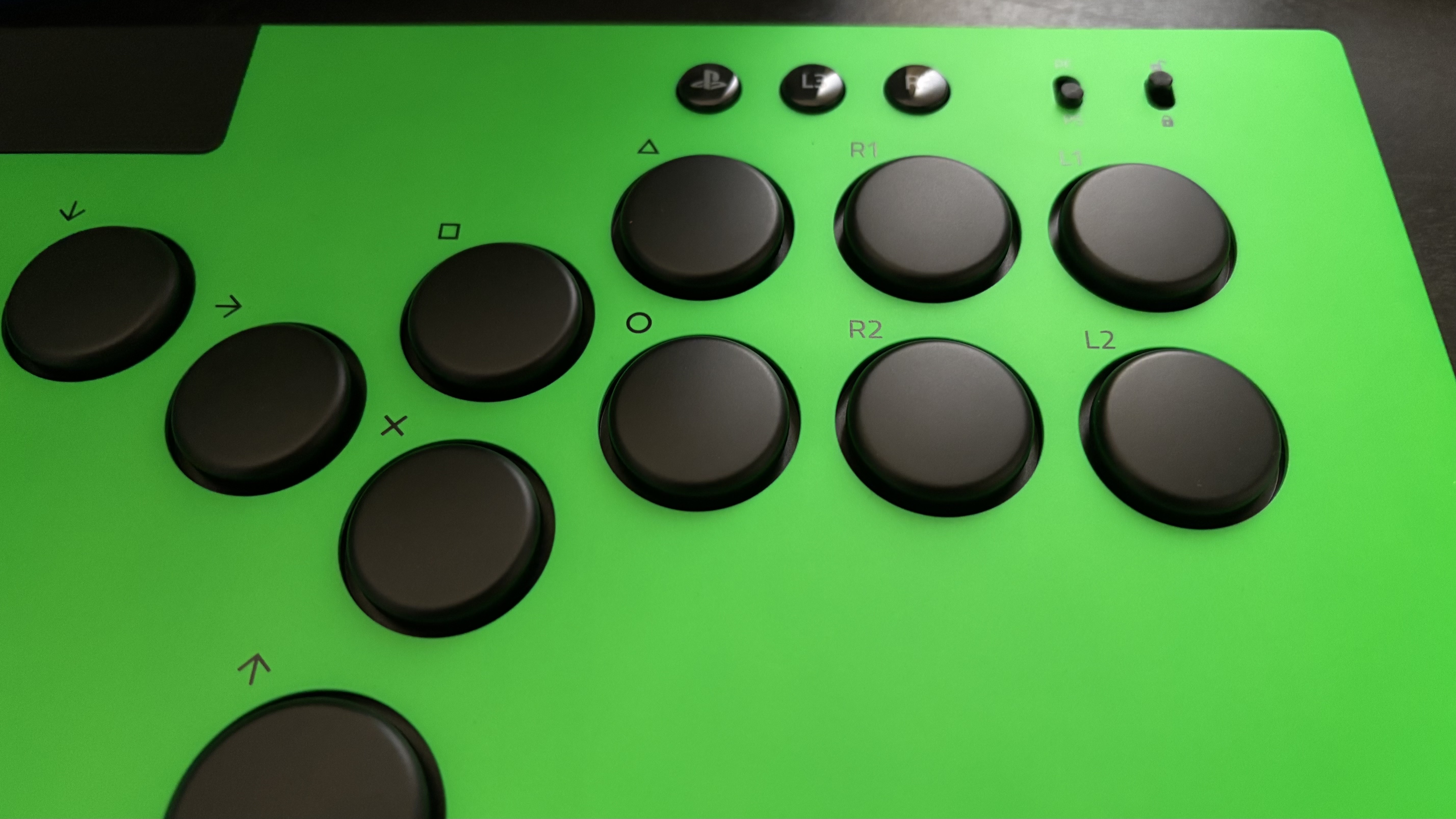
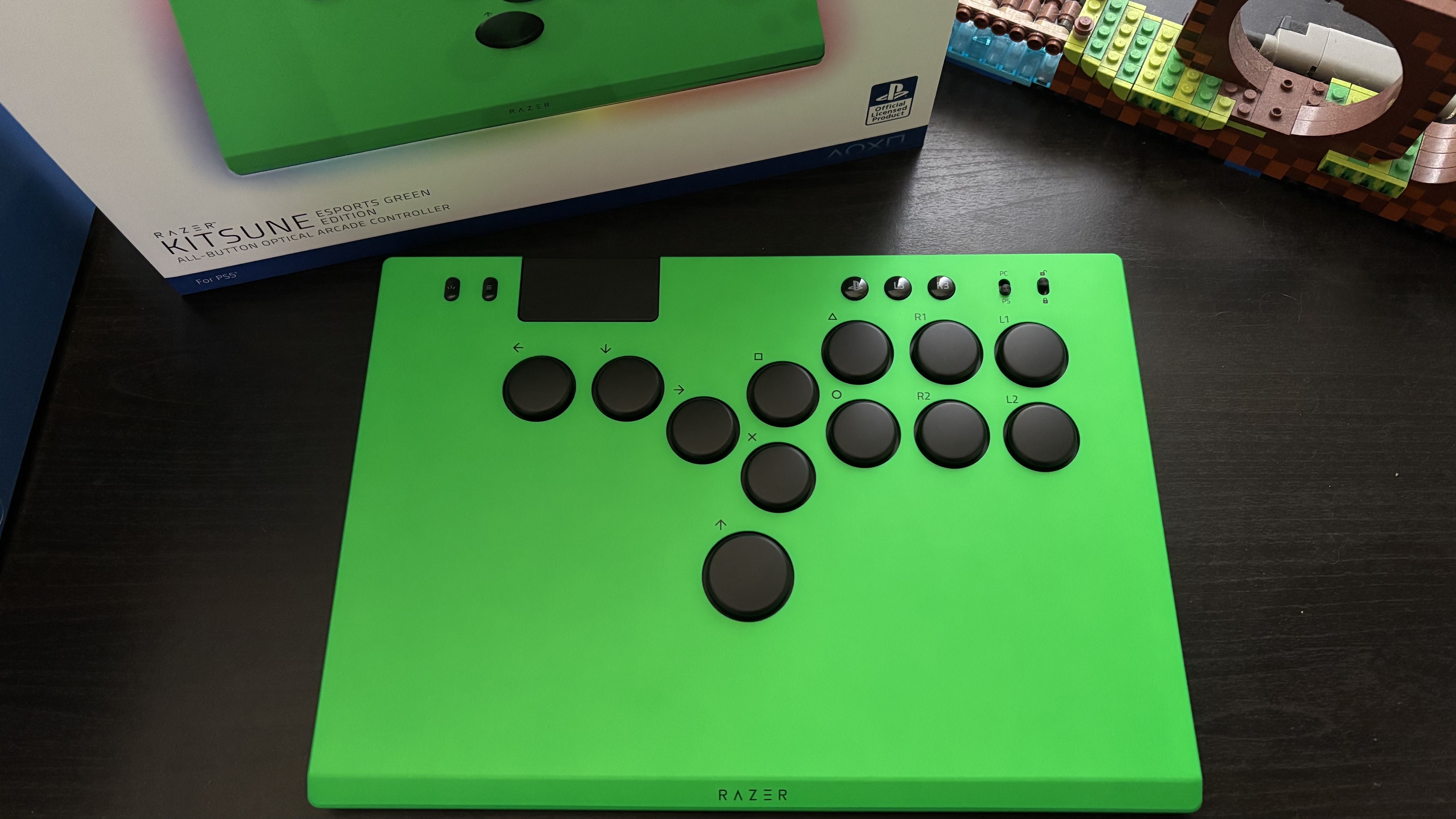
The Razer Kitsune is available to buy now for $299.99 / £299.99 in its standard black colorway. A Razer store exclusive ‘Esports Green’ variant is also purchasable for $10 / £10 more, and this is the one I received for testing and review purposes. Though honestly, I’d give this one a miss; it’s a pretty ugly shade of green.
That’s notably more expensive than many of its leverless competitors, including the Corsair Novablade Pro and Victrix Pro KO, both of which retail for $249.99 / £229.99. Even the Hit Box, one of the more popular and renowned options in the leverless space, can be had for much cheaper.
Razer Kitsune: Specs
Swipe to scroll horizontally
Price | $299.99 / £299.99 |
Weight | 1.8lbs / 0.82kg |
Dimensions | 11.7 x 8.3 x 0.8in x 296 x 210 x 19mm |
Compatibility | PS5, PC |
Connection type | Wired |
Battery life | N/A |
Software | Razer Chroma RGB |
Razer Kitsune: Design and features
- Super impressive lightweight design
- Solid aluminum face plate
- Customizable 12-button layout
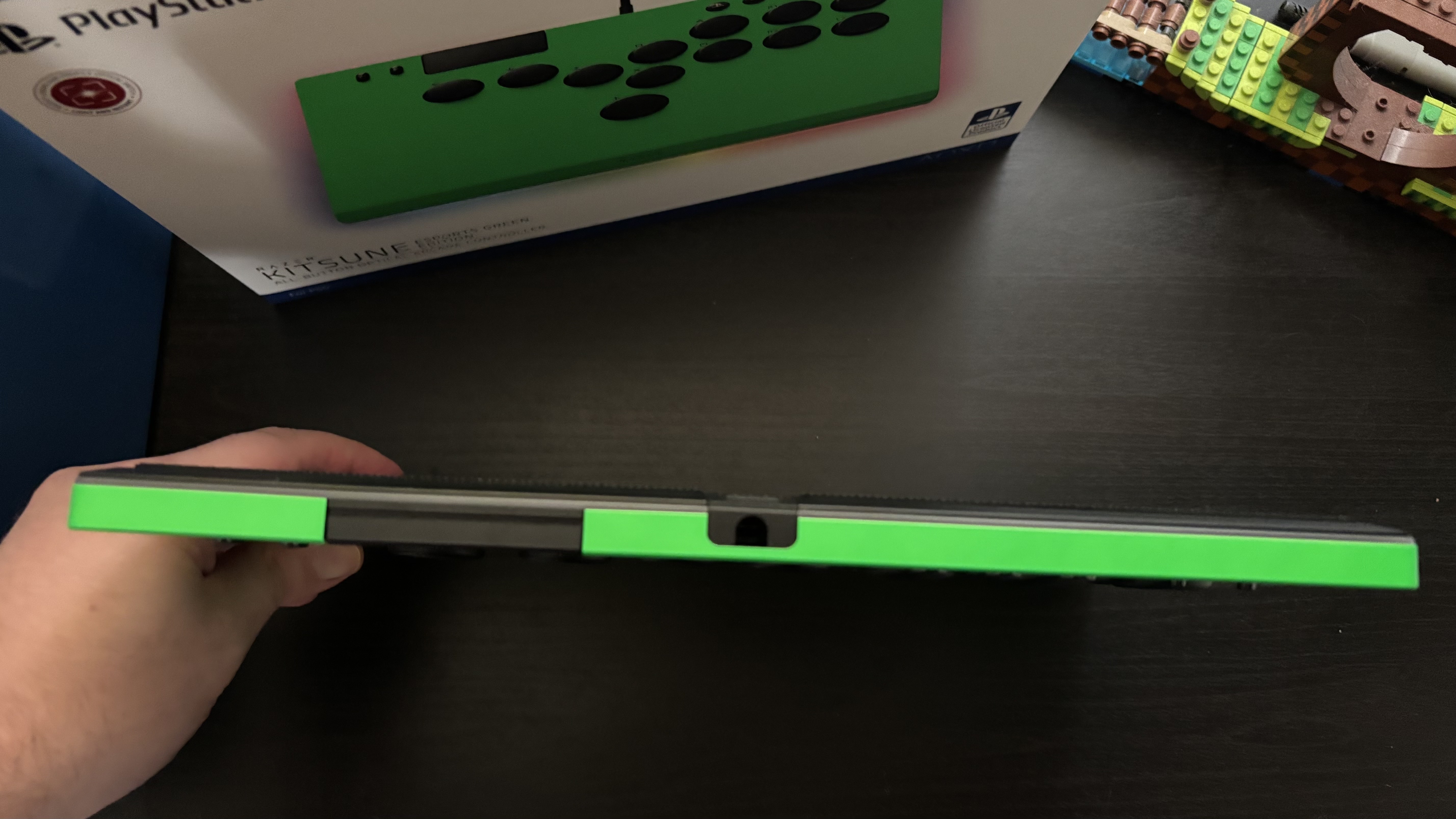
Purely from a design and build standpoint, the Razer Kitsune might be the nicest leverless controller I’ve ever used. It’s astonishingly discreet, being less than 2cm thick and coming in under a kilogram in weight. It’s noticeably smaller than many of its competitors, too, while still offering plenty of space to rest your hands on during play.
This compact design also doesn’t come with compromise. Build quality is - as I’ve come to expect from Razer - immaculate. The Kitsune is built from high-quality materials, fitted with a sturdy aluminum plate and a textured rubber grip mat on the underside for non-slip gaming.
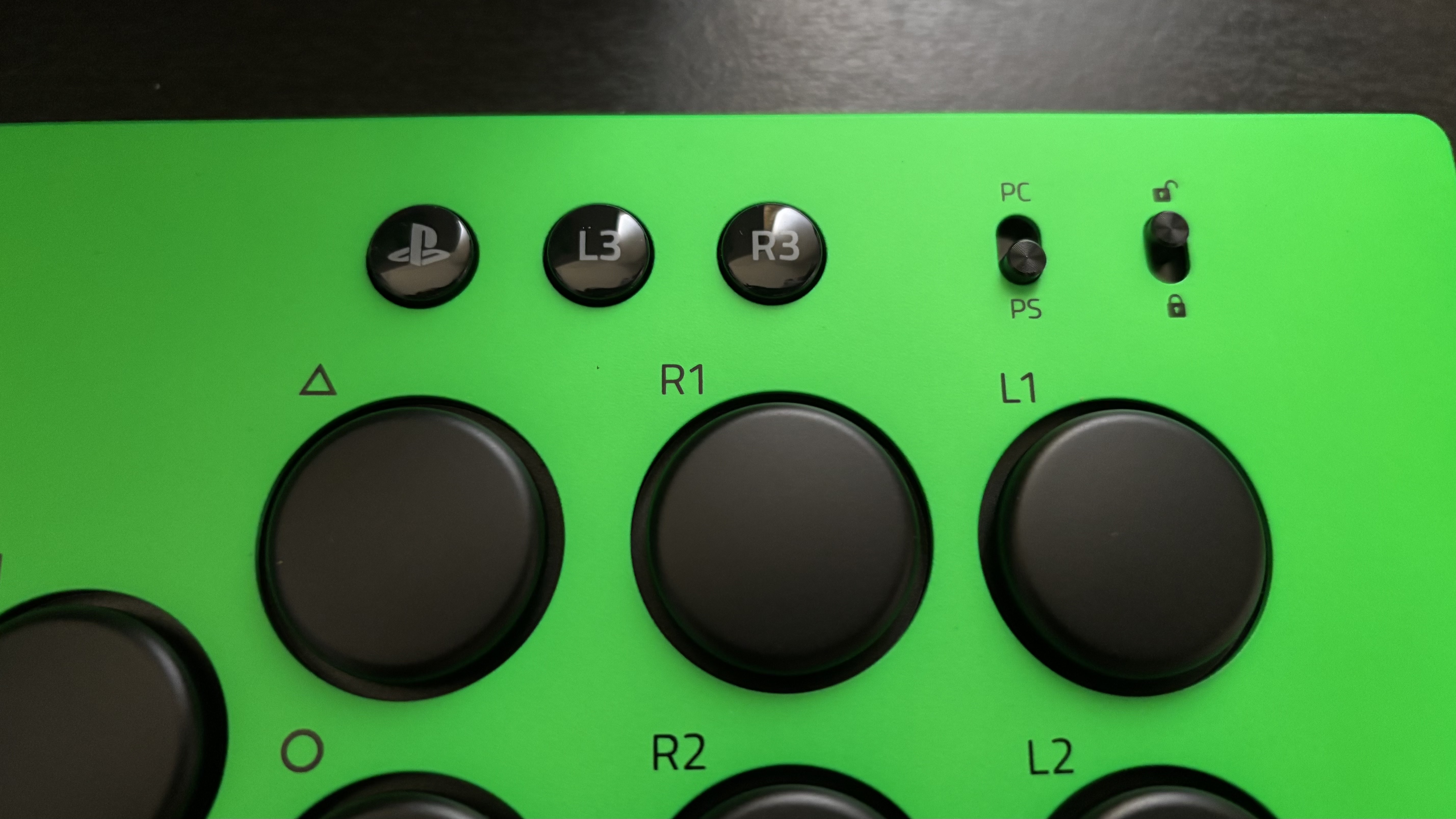
That quality extends to the controller’s buttons. The Razer Kitsune has a 12-button layout that’s pretty standard for leverless controllers. Though you’ll also find a DualSense-like touchpad, and shortcut buttons for L3, R3, as well as Home, Menu, and Share inputs.
Rounding out the top of the controller are two small switches. One lets you toggle the Kitsune’s SOCD cleaning options (more on that in the performance section below), and the other switches compatibility between PS5 and PC. Be sure to have this one switched into the right place depending on your platform of choice.
At the top-rear of the controller, you’ll find a USB cable lock, which again is fairly standard for wired leverless devices. It simply does what it says on the tin; locking your cable in place so it won’t end up being detached during play.
My only real gripe with the Kitsune’s design is its Chroma RGB lighting. It’s not that I hate a bit of extra flair on a controller; RGB is something that helps some of my favorite controllers like the GameSir Kaleid and 8BitDo Ultimate 2 stand out, but it just feels a little unnecessary here, especially for such a competitive-focused controller. I get that Razer loves juicing up its products with RGB lighting from time to time, but it seems tacked on this time.
Razer Kitsune: Performance
- Immaculately responsive buttons
- Button presses are whisper-quiet
- Plenty of SOCD cleaning options
The Razer Kitsune’s buttons operate by way of low-profile linear optical switches. In short, that means you’re getting whisper-quiet, immediate, and accurate presses. There’s no loud clickiness here, and while there is a bit of tactility lost there, the controller nonetheless remains incredibly responsive and satisfying to play with.
I tested the Razer Kitsune across a wide variety of fighting games in both online and offline environments, including Street Fighter 6, Tekken 8, Granblue Fantasy Versus: Rising, and Capcom Fighting Collection 2, and I found it to be an excellent fit for all these titles. There were no compatibility issues to speak of whatsoever across PS5 or PC.
One major feature I’m a real fan of with the Kitsune is its robust SOCD cleaning options. Short for ‘Simultaneous Opposing Cardinal Directions’, SOCD cleaning helps prevent misinputs when opposite directions are pressed simultaneously; either by accident or on purpose.
The Kitsune has four SOCD cleaning modes available, which you can switch between by holding the Share and Home buttons and pressing a direction. Neutral mode, for example, makes it so that no inputs are registered when an SOCD input occurs. ‘Absolute Up Priority’ mode, meanwhile, ensures that only the up input is registered when pressing up and down simultaneously. You can then toggle the lock switch to keep your preferred mode in place, with no danger of swapping it around during play.
It’s a shame that the Razer Kitsune isn’t compatible with the PS4 console, despite being an officially licensed PlayStation product. As mentioned above, you’ll have to play your old PS4 games on PS5 if you want to play them with the Kitsune, which is a slight shame for those with access to the older hardware.
Should I buy the Razer Kitsune?
Buy it if…
You want luxurious build quality and money’s no object
While it does cost a small fortune, you’re definitely getting your money’s worth with exceptional build quality and an impressively lightweight design.
You enjoy controller customization
Razer sells Kitsune faceplates separately, and even provides a template you can download for the purpose of custom designs or commissions. On top of that, full button customization and SOCD cleaning options are very welcome.
Don’t buy it if…
You’re just starting out with leverless controllers
While I love the Kitsune, it’s not the one I’d recommend to first-timers. There are worthwhile cheaper options available like the 8BitDo Arcade Controller for those curious about trying leverless controllers for the first time.
Also consider...
If the Razer Kitsune isn’t pushing the right buttons for you, definitely check out the following two alternatives.
Swipe to scroll horizontally
| Row 0 - Cell 0 | Razer Kitsune | 8BitDo Arcade Controller | Corsair Novablade Pro |
Price | $299.99 / £299.99 | $89.99 / £75.99 | $249.99 / £229.99 |
Weight | 1.8lbs / 0.82kg | 2.42lbs / 1.1kg | 3.9lbs / 1.8kg |
Dimensions | 11.7 x 8.3 x 0.8in x 296 x 210 x 19mm | 11.9 x 7.9 x 0.9in / 301 x 201 x 22mm | 12.6 x 9.1 x 1.2in / 320 x 231 x 30mm |
Compatibility | PS5, PC | Nintendo Switch, Nintendo Switch 2, Xbox Series X, Xbox Series S, Xbox One, PC (Switch and Xbox models sold separately) | PS5, PS4, PC |
Connection type | Wired (USB-C) | Wireless (2.4GHz, Bluetooth), Wired (USB-C) | Wireless (2.4GHz, Bluetooth), Wired (USB-C) |
Battery life | N/A | Around 20 hours | Around 40 hours |
8BitDo Arcade Controller
In my view, it’s the ideal leverless controller for newcomers. Great design and build quality, robust button options, and a price tag that’s ideal for introducing curious gamers into the leverless fold.
Read our full 8BitDo Arcade Controller review
Corsair Novablade Pro
Another fairly premium option, the Corsair Novablade Pro impresses on many of the same fronts. Brilliant build quality, discreet buttons, and handy customizable color-coding to help you get used to its unique button layout. Another real winner.
Read our full Corsair Novablade Pro review
How I tested the Razer Kitsune
- Tested for one week
- Played a wide variety of fighting games across PS5 and PC
- Compared with the 8BitDo Arcade Controller and Corsair Novablade Pro
I spent roughly one week testing the Razer Kitsune for this review. In that time, I racked up several hours of playtime both online and offline across multiple fighting games. These included Street Fighter 6, Granblue Fantasy Versus: Rising, Tekken 8, and compilations like Capcom Fighting Collection 2.
As a leverless controller, I endeavored to test it in multiple play environments. That included at my desk with the controller both on my lap and on my desk, as well as sitting down on a chair to play on PS5. In all scenarios, I found the Razer Kitsune’s light weight and small profile to make for an extremely comfortable play experience.
I did prefer the design and performance of the Razer Kitsune compared to other controllers I’ve tested, including the 8BitDo Arcade Controller and Corsair Novablade Pro. That largely comes down to design and build quality, as well as the quiet nature of the Kitsune’s buttons. That said, I would still wholeheartedly recommend those other leverless controllers if you’re after a quality fighting game experience, albeit for less cash.
First reviewed February 2026







 English (US) ·