
 2 weeks ago
15
2 weeks ago
15
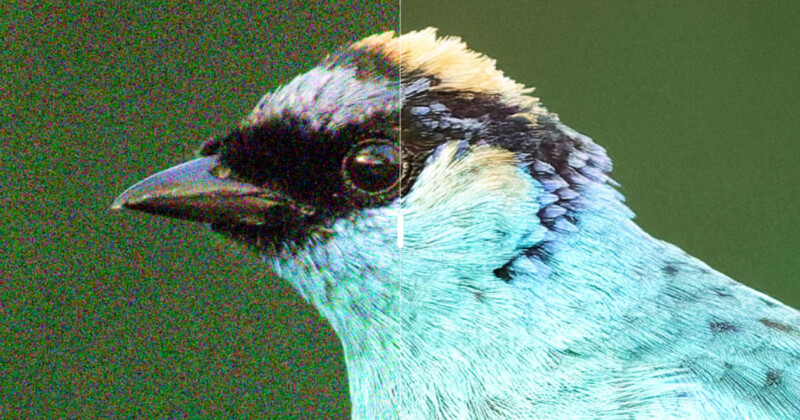 Credit: Petr Bambousek
DxO has released PureRAW, characterizing the software as a foundational step in a photography workflow rather than just another editing tool. PureRAW’s primary focus doesn’t change with this launch, which is to work with RAW files before handing them off to other apps for more elaborate touches, be it in DxO PhotoLab, Lightroom, or Photoshop.
That means demosaicing, denoising, optical corrections, and sensor defect compensation before said handoff. The company argues that separating these objective and creative stages yields cleaner source files and more consistent downstream outcomes.
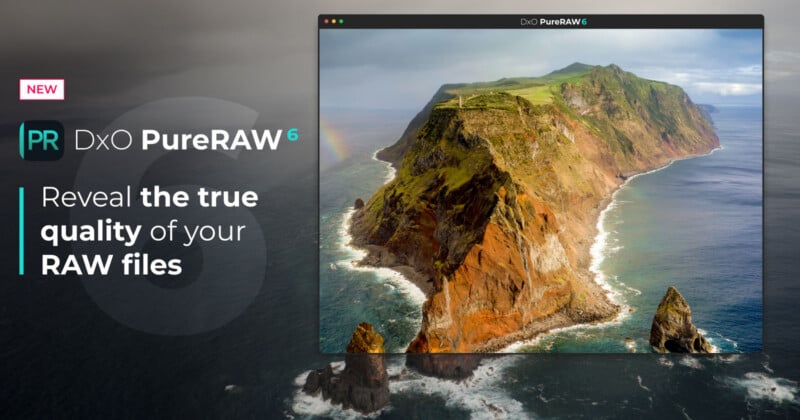
Machine Learning in the Driver’s Seat
DxO’s DeepPrime XD3 technology lies at the core of PureRAW 6, expanding on the machine learning that drives its demosaicing and denoising methods to preserve fine detail while still aggressively reducing noise. DeepPrime XD3 is now available for both X-Trans and Bayer sensors, basically making it compatible with all modern digital cameras.
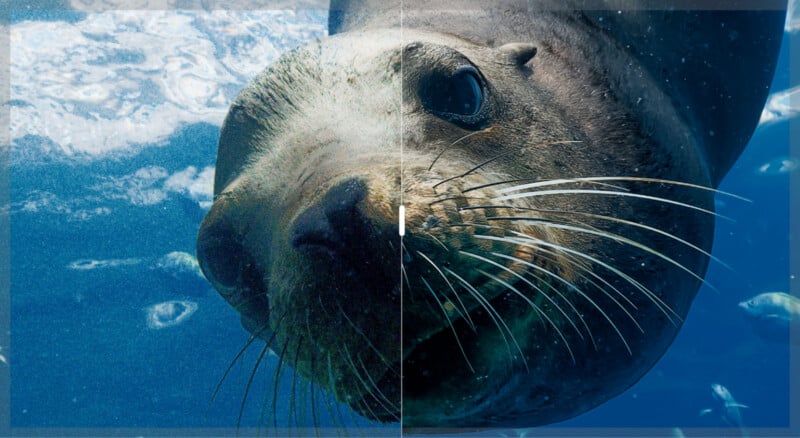 Without (left) and with (right) DxO PureRAW 6 | Image credit: Agathe Poupeney
DxO describes XD3 as an “extra detail” algorithm, intended for images where it’s “critical” to retain maximum texture, while the standard DeepPrime 3 algorithm remains optimized for speed and general purpose.
DxO reps claim it uses its own vast image datasets and proprietary lab measurements to train the machine-learning algorithm. Since engineers in this DxO lab characterize camera sensors and lenses as they come to market, the software can apply specific optical and sensor corrections. They see the combination of artificial intelligence and empirical hardware profiling as a major differentiator that sets them apart from other photo-editing software.
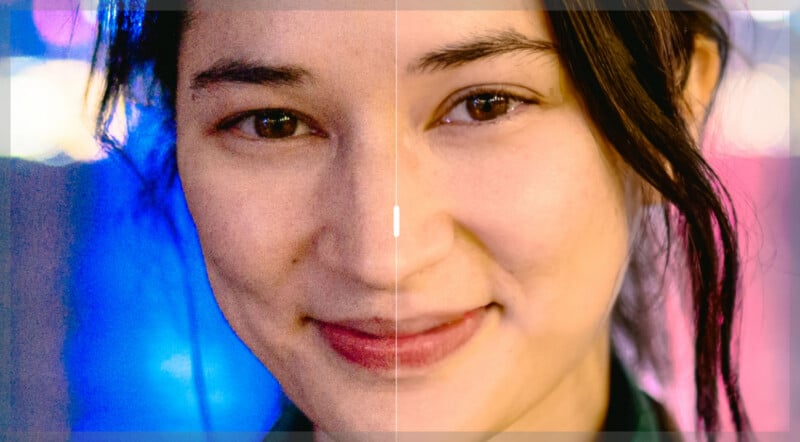 Without (left) and with (right) DxO PureRAW 6 | Image credit: Antoie Mutin
Notably, DxO confirms that a forthcoming update to PhotoLab will incorporate several of the new technologies introduced here, including DeepPrime XD3 support for all sensor types and high-fidelity DNG compression. Expect that update to roll out later in March as a free minor release for current PhotoLab users.
DNG-to-RAW Saves Space
In addition, PureRAW 6 introduces high-fidelity compressed DNG output. The idea is to combat the data bloat that often occurs when generating RAW images from traditional DNG files, ultimately resulting in significantly larger files. To reduce storage anxiety, especially for photographers shooting higher volumes, DxO says the new compression can reduce DNG file sizes by up to four times compared to standard DNGs and remain visually indistinguishable from uncompressed versions. This doesn’t change the fact that the format remains a standard DNG, so users shouldn’t encounter any compatibility issues when processing these files in a RAW photo editor.
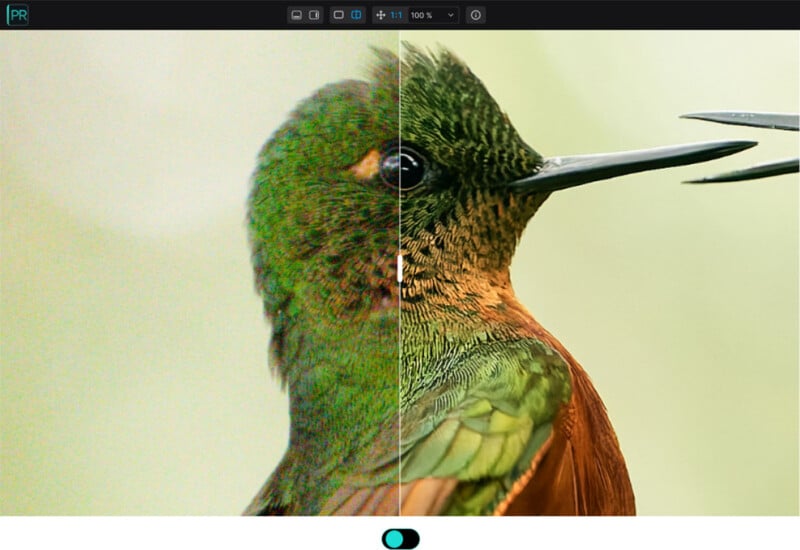 Without (left) and with with (right) DxO PureRAW 6 | Image credit: Petr Bambousek
However, there’s a big caveat: you can’t take an existing DNG file and retroactively convert it to the new compressed DNG format. Processing must start with an original, unprocessed RAW file. And, as before, PureRAW 6 doesn’t support HEIF files or smartphone RAW formats, which the company considers already processed rather than true RAW data.
Faster Batch Processing
PureRAW 6 also includes automated sensor dust removal. Machine learning steps in again by scanning images during preprocessing to identify and eliminate dust spots. Landscape photographers shooting at smaller apertures might appreciate that, though this should work for anyone using a camera with a not-so-clean sensor. While it’s not necessarily hard to do manually with other editing tools, DxO says this moves the task further up the workflow and saves time by shifting it to the preprocessing stage.
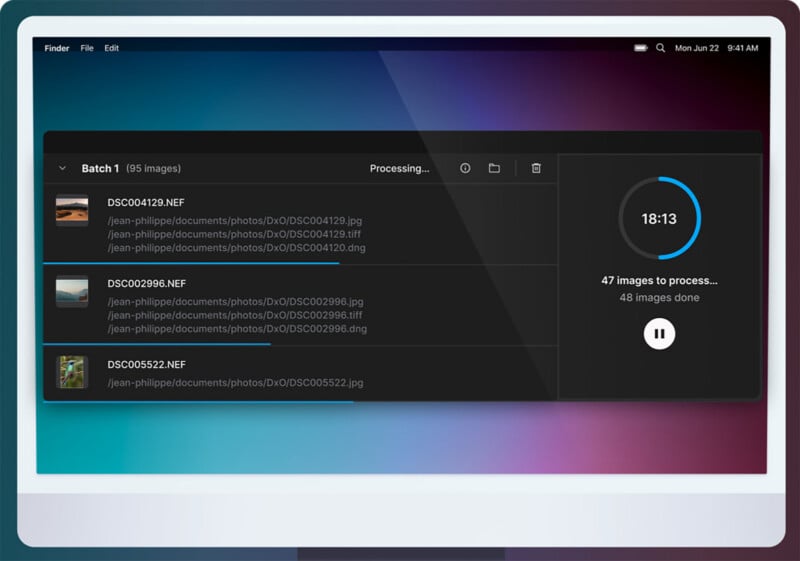
Batch parallelization is another new feature that allows multiple images to be processed simultaneously rather than sequentially. DxO reps pointed to event and wedding photographers as the ones who benefit most from this in situations where they need to process thousands of images at once. The cumulative savings in seconds and minutes running through a batch should be substantial.
What is missing from the software is DxO’s AI-driven automatic masking, forcing users to manually paint local adjustments instead.
Pricing and Availability
DxO PureRAW 6 is available today for macOS and Windows, priced at $139.99 for a new license and $89.99 for those upgrading from PureRAW 4 or 5. As always, there’s a free 14-day trial if you want to try before you buy.
Image credits: DxO






 English (US) ·