
 3 hours ago
7
3 hours ago
7
The best webcams are getting smaller, cheaper, and faster, apparently — Dell's newest premium webcam is a 4K webcam that streams video at a maximum resolution of 4K / 60fps, which is definitely a faster and smoother frame rate than your typical Dell webcam buyer needs. There's not much you can really do with those numbers if you're not a content creator — and especially not in a professional setting, as most video conferencing apps limit your outgoing stream to 1080p or lower.
Luckily, the Dell Pro 7 has more than just smooth, high-res video going for it — it also features Windows Hello compatibility, presence detection, smart image enhancements, and built-in dual beam-forming mics that might be the first built-in webcam mics we can actually recommend. At $199.99, it's priced right alongside 4K webcams such as the Logitech MX Brio and the Insta360 Link 2 4K, which means it has some pretty tough competition.
Design
The Dell Pro 7 webcam is a 4K / 60fps webcam with a solid, sturdy fabric-covered chassis and a glass lens cover. It features a large Sony STARVIS CMOS sensor, an auto-focus lens, 4x digital zoom, and it has a maximum aperture of f/2.0. It has a built-in physical privacy shutter and comes with a detachable USB-C cable and monitor mount.
Latest Videos FromTom's Hardware
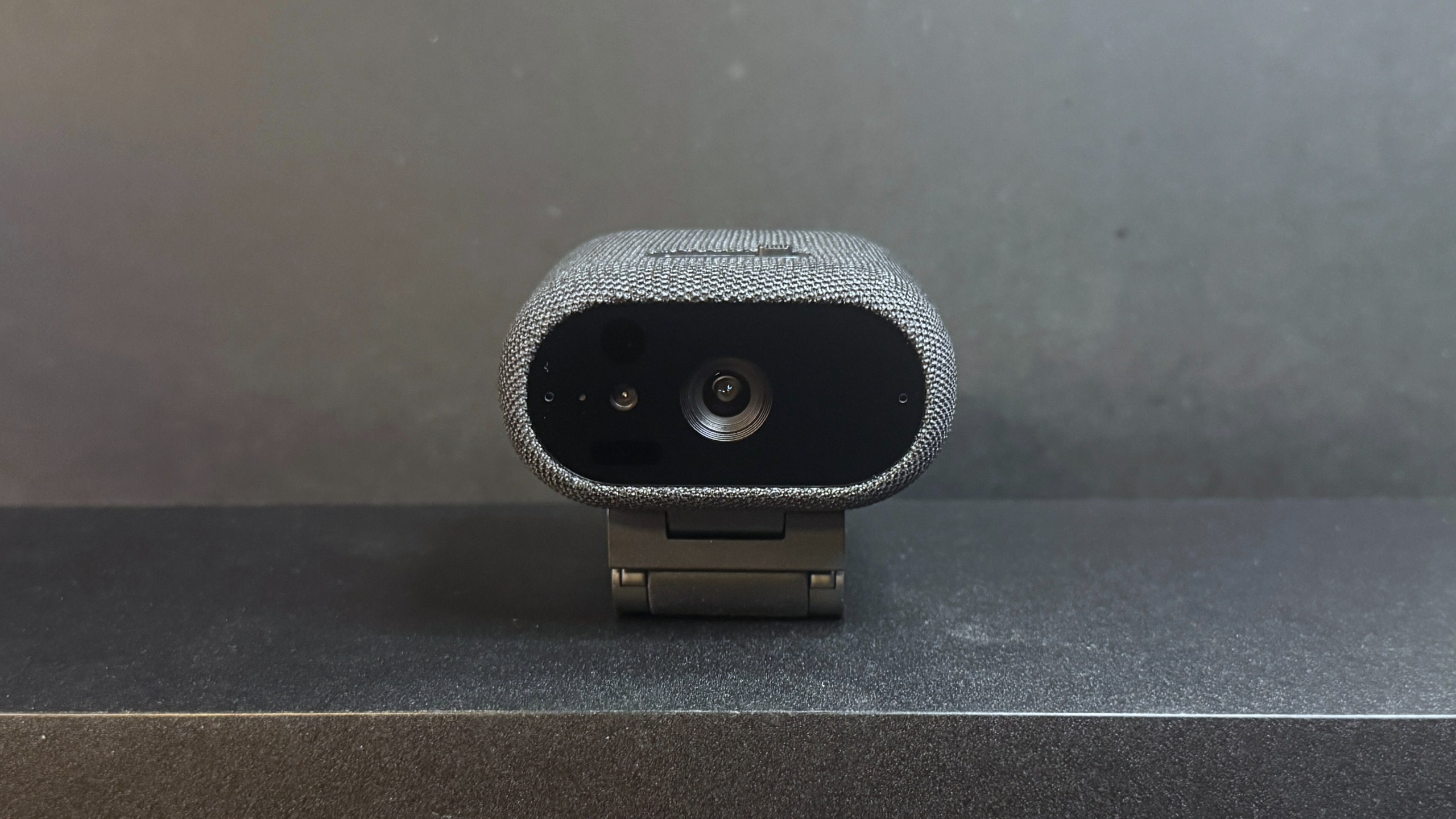
The Dell Pro 7 is similar in design to the cheaper Dell Pro 5 Webcam 2K — it features the same low-profile oval-shaped body, though the Dell Pro 7 is quite a bit larger and heavier than the Dell Pro 5. The Dell Pro 7 measures approximately 2.6 inches (66mm) deep by 2.1 inches (53.3mm) wide, and is about 1.4 inches (35.6mm) tall. This is the same height as the Dell Pro 5, though the Dell Pro 7 is both deeper and wider than its cheaper sibling. It's also heavier — Dell lists its weight at 8.48 ounces (240.4g), but that includes the mount. However the webcam alone still weighs around 3.46 ounces (98g). By comparison, the Dell Pro 5 weighs 7.41 ounces (210g) including its mount, and weighs 2.57 ounces (73g) without it (but including the cable, which is not detachable).
Image 1 of 2
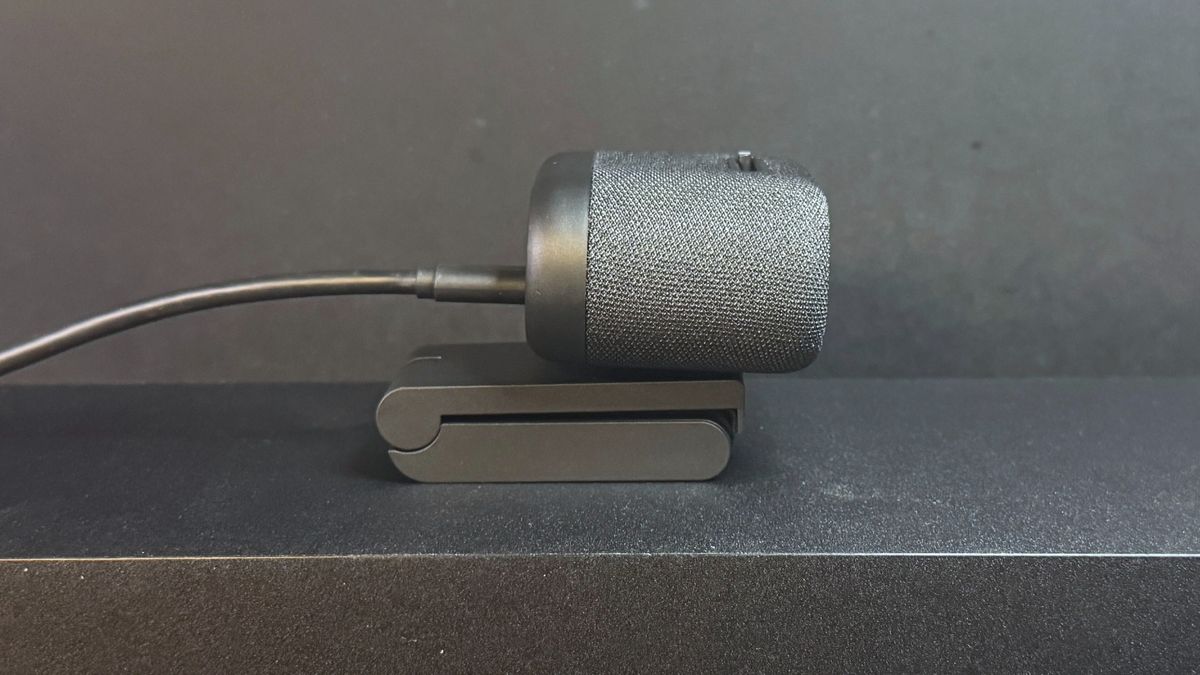
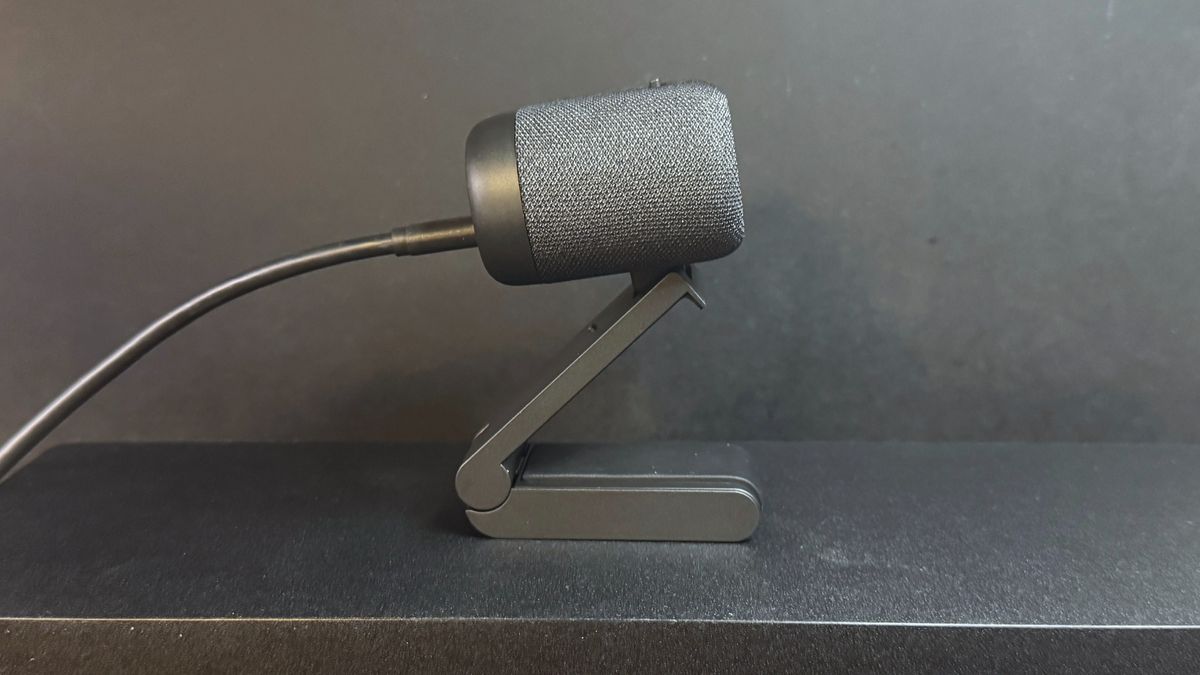
It is heavier than the Dell Pro 5, but it's not unusually heavy for a premium 4K webcam. The Razer Kiyo Pro Ultra, for example, weighs about 6.28 ounces (178g) alone, and that jumps up to 11.89 ounces (337.08g) when you include the mount. The Logitech MX Brio weighs just 4.83 ounces (137g) alone, but it weighs 11.04 ounces (313g) with its mount. And the Dell Pro 7 is also quite a bit smaller than its competition — I especially like how relatively low-profile it is at 1.4 inches, which is less than half the height of the 3.01-inch (76.5mm) height of the Kiyo Pro Ultra.
Image 1 of 2
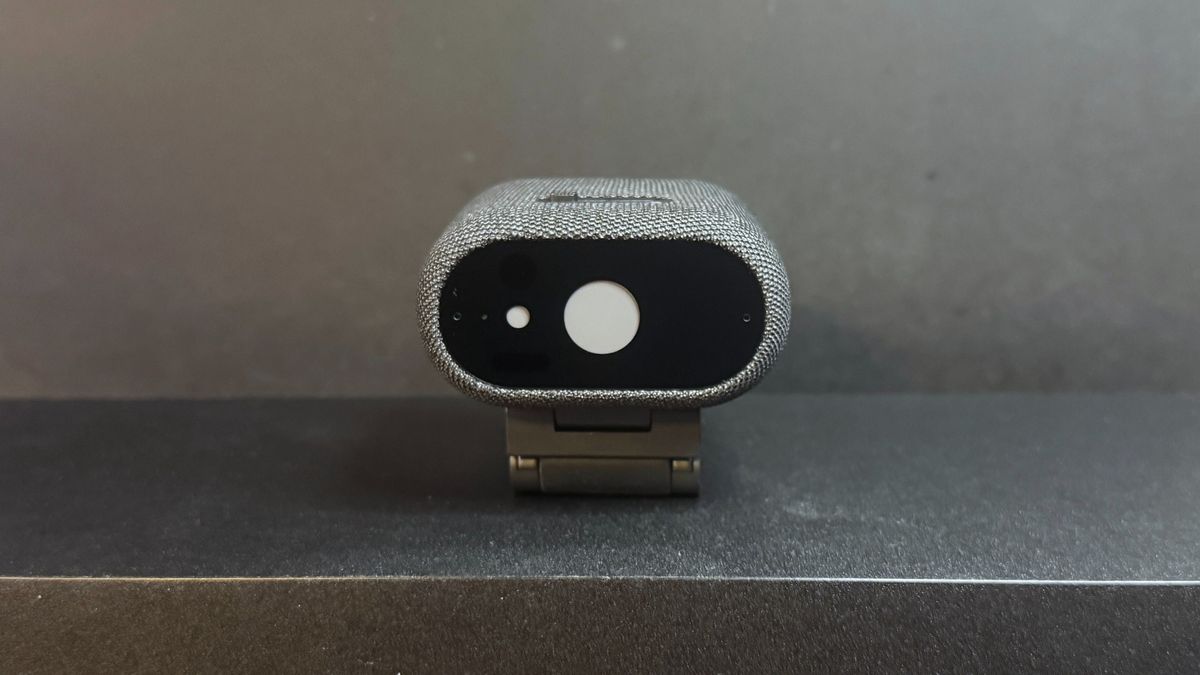
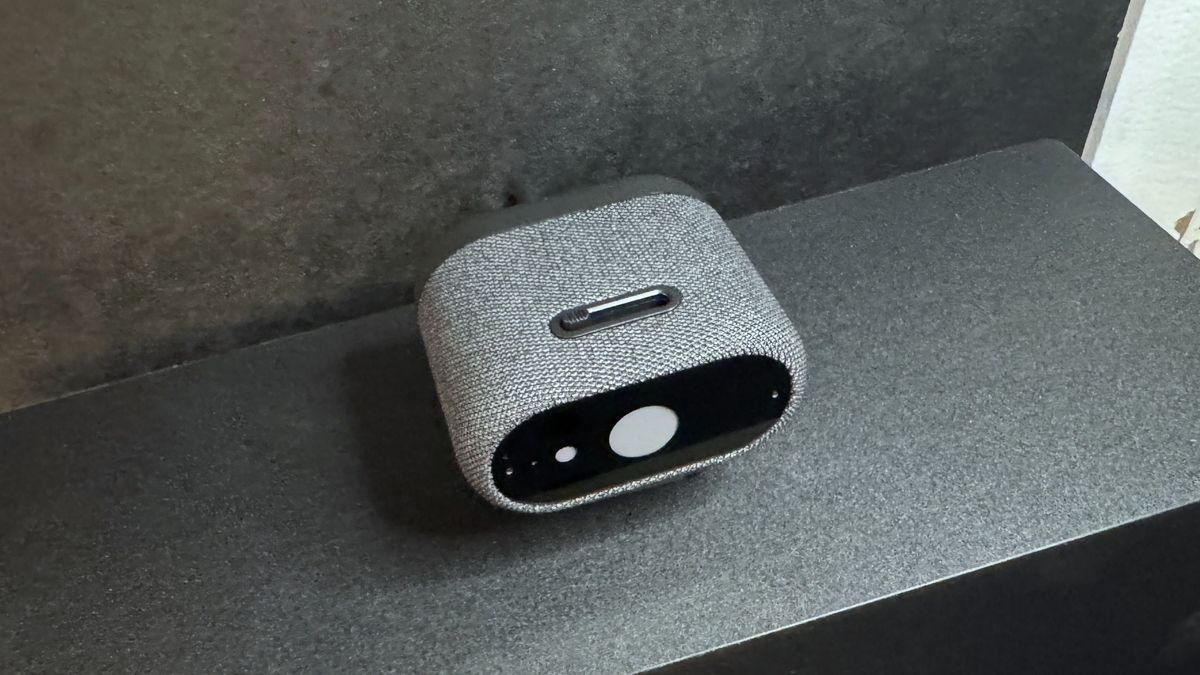
The Dell Pro 7 has a built-in physical shutter that you can close with a switch on top of the webcam. It looks just like the built-in physical privacy shutter on the Dell Pro 5, but it has a built-in spring-loaded mechanism so it snaps into place when you slide the switch. (The Dell Pro 5 doesn't have this mechanism — you need to manually slide it all the way.) The spring-loaded mechanism definitely made it feel more premium than the Dell Pro 5, but it still needed to be pressed fairly hard to activate, which means you can't really use the shutter without messing up your frame.
Image 1 of 3
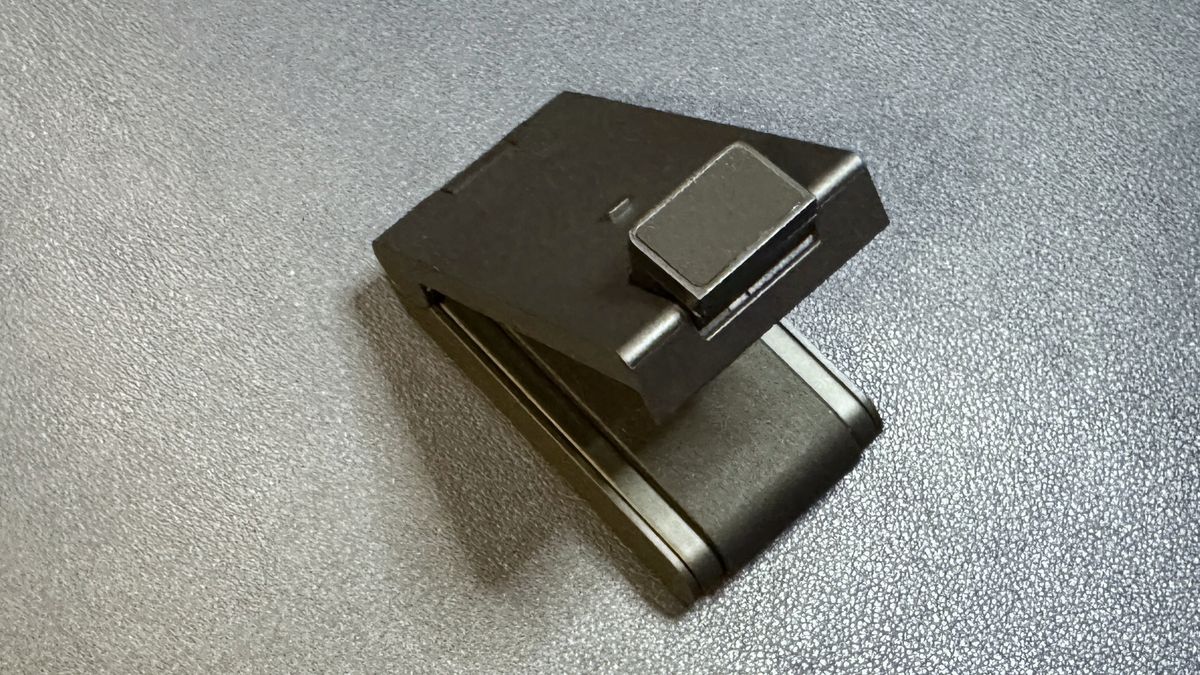
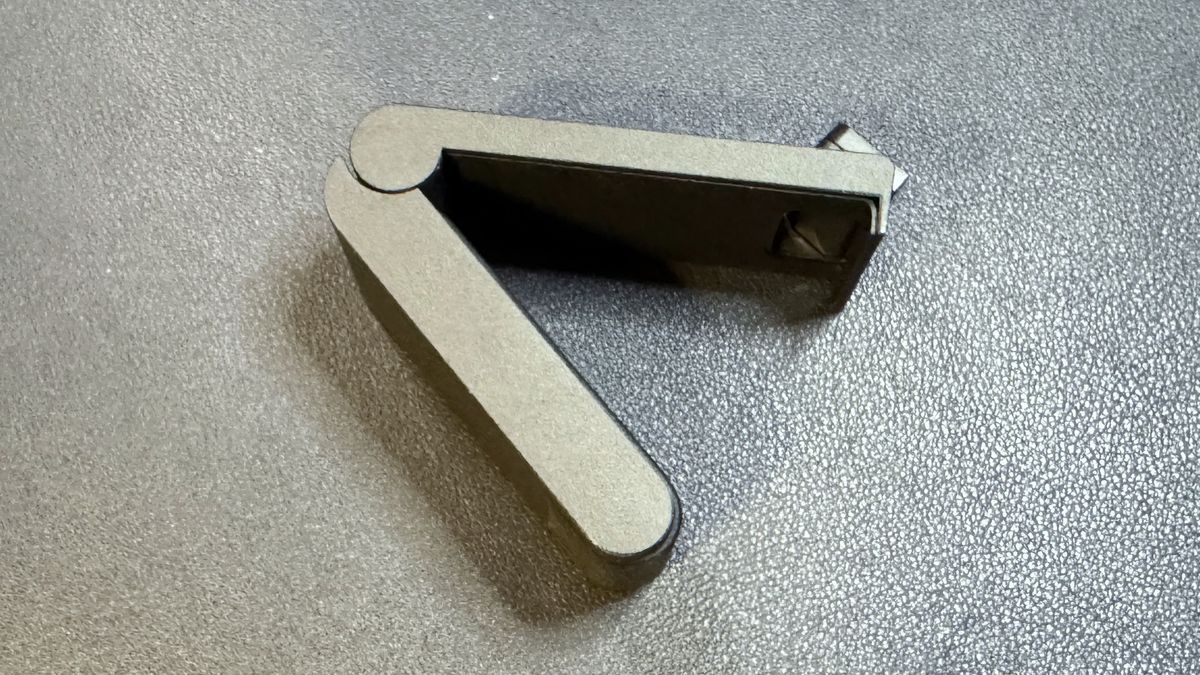
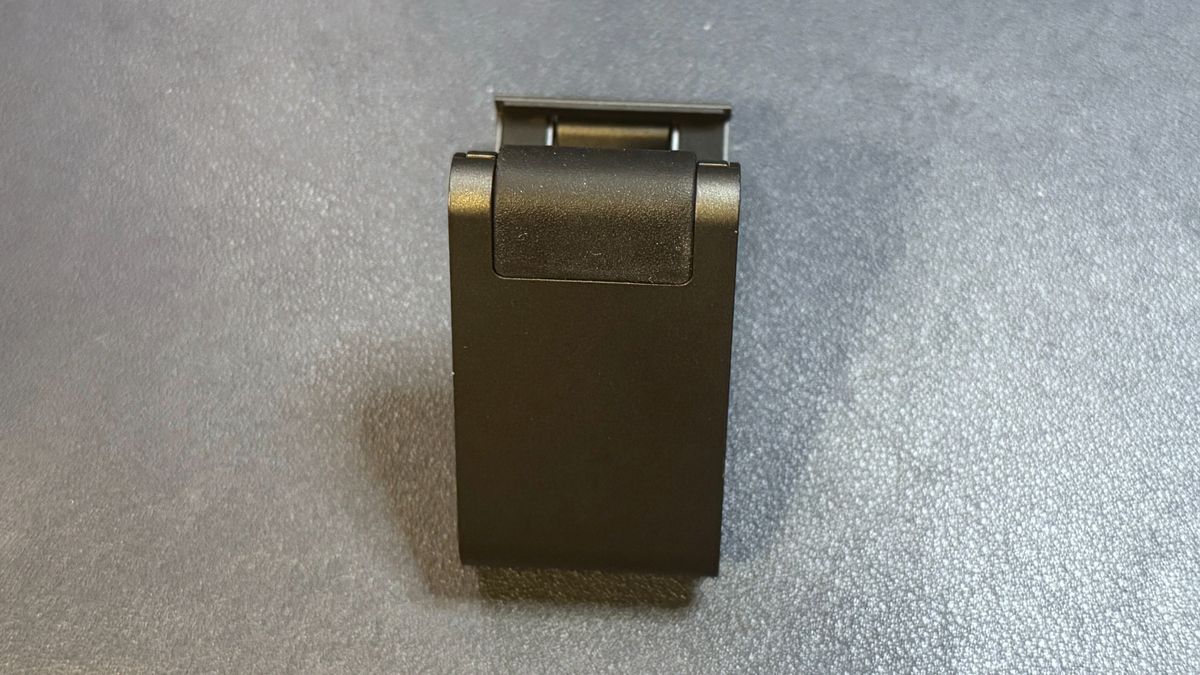
The Dell Pro 7 comes with a detachable monitor mount that attaches to the webcam via magnet. The mount is a pretty standard clamp-style monitor mount, with a lip at the front that hooks over your monitor and a rubber-coated adjustable "foot" that sits against the back of your monitor to stabilize the setup. The mount attaches to the Dell Pro 7 via a relatively stable magnetic attachment point, and the camera can tilt (approximately 90 degrees forward) and swivel while mounted. On the bottom of the webcam you'll also find a universal tripod attachment mounting point so you can use it with a tripod or a different, third-party mount. The mount itself does not have a tripod attachment point, which is a little disappointing as it means you'll be limited to the movement options of whatever third-party mount/tripod you're using.
Stay On the Cutting Edge: Get the Tom's Hardware Newsletter
Get Tom's Hardware's best news and in-depth reviews, straight to your inbox.
The mount is hefty and stable, weighing about 4.83 ounces (137g). It's basically the exact same mount that comes with the Dell Pro 5, though it has a slightly textured rubber coating on its "foot," while the Dell Pro 5's mount features soft, smooth rubber. The weight and quality feel much more consistent with the build of the Dell Pro 7, however.
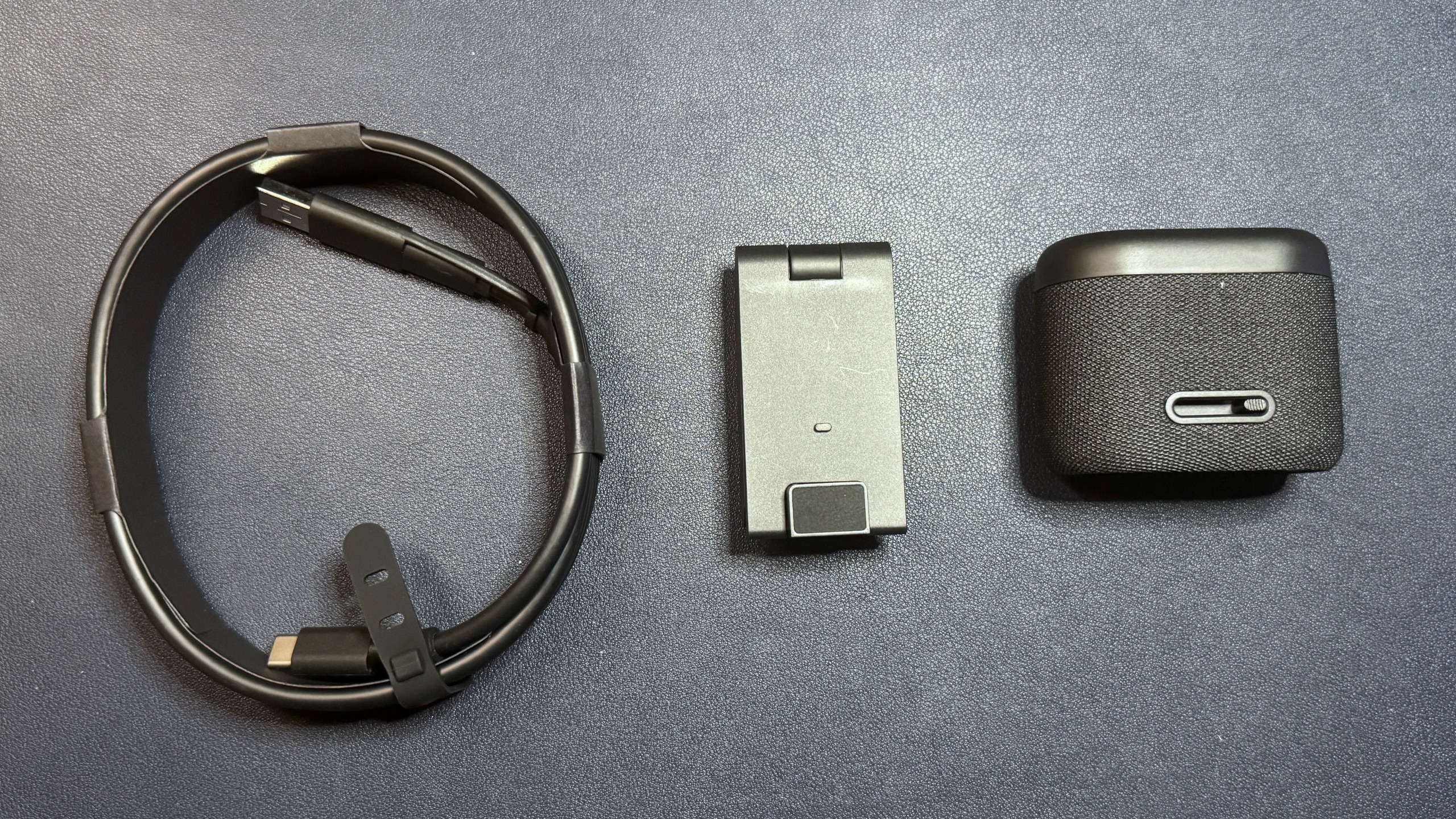
In the box, the Dell Pro 7 comes with a 6.5-foot (2m) heavy-duty USB-C to USB-C cable (USB 3.0) with a built-in USB-C to USB-A converter, the detachable monitor mount, and the webcam itself. The cable is definitely very thick and sturdy — a little too thick and sturdy, as bumping it kept displacing the webcam. The built-in USB-C to USB-A adapter is a nice touch, though you will still need to plug it into a USB 3.0 port if you want to get the full 4K picture quality and use some of the "smart" features (such as the "smart" HDR).
Specs
Swipe to scroll horizontally
Resolution FPS |
4K / 30, 60fps; 1080p / 30, 60fps; 720p / 30, 60fps |
Diagonal Field of View |
90 degrees |
Zoom |
4x digital zoom |
Autofocus |
Yes |
HDR |
Yes |
Microphone |
Dual beam-forming mics |
Connection |
Wired (USB 3.0) |
Mount |
Universal clip |
Dimensions |
2.6 x 2.1 x 1.4 inches / 66 x 53.3 x 35.6mm |
Weight |
8.48oz / 240.4g (including mount) |
Software |
Dell |
Special Features |
Windows Hello, AI |
MSRP / Price at Time of Review |
$199.99 |
Release Date |
June 11, 2026 |
Well-lit Performance
The Dell Pro 7 is a 4K webcam that records video in 4K, 1080p, and 720p resolution at both 60 and 30fps — which makes it somewhat rare, as most 4K webcams record a maximum of 4K / 30fps. Not that this matters for most users, as streaming and video chat platforms still generally limit outgoing streams to 1080p at most. Still, I guess it's worth noting if you're looking for a webcam that you can use to record action sequences on.
We started out by testing the Dell Pro 7's performance in what is basically an "ideal" (and very unrealistic) webcam lighting scenario. In this scenario there are two professional lights in front of me (behind my monitor set up): a ring light and a key light. I also have four monitors — three 27-inch monitors and one ultra-wide 34-inch monitor, plus some negligible ambient lighting from various peripherals (including my desk). There are two desk lamps behind me, as well as an arching floor lamp above me. All in all, this is an aggressively well-lit scenario (and a very unlikely one, unless you happen to be a professional content creator).
Image 1 of 4
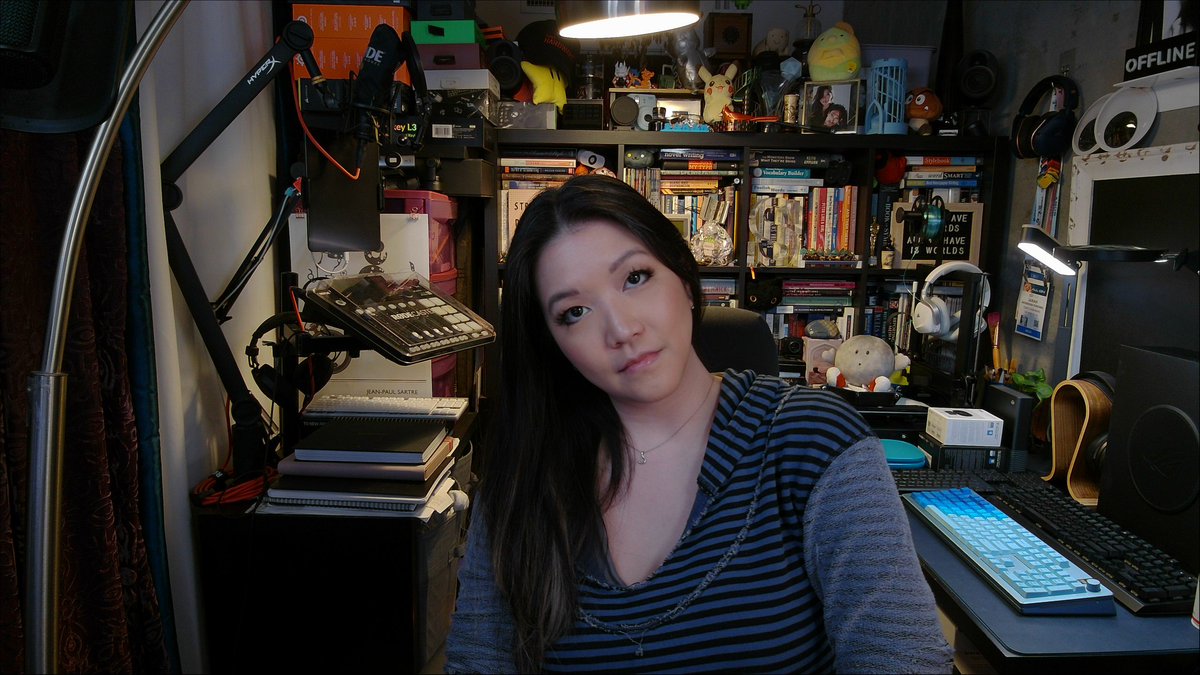
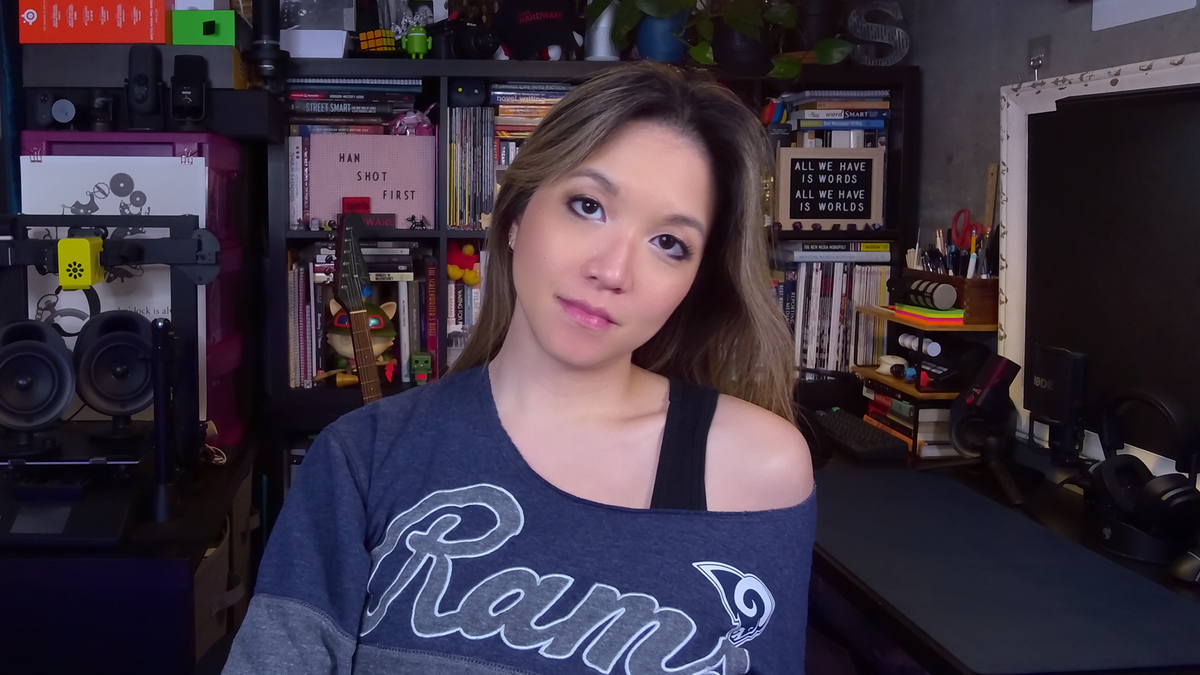


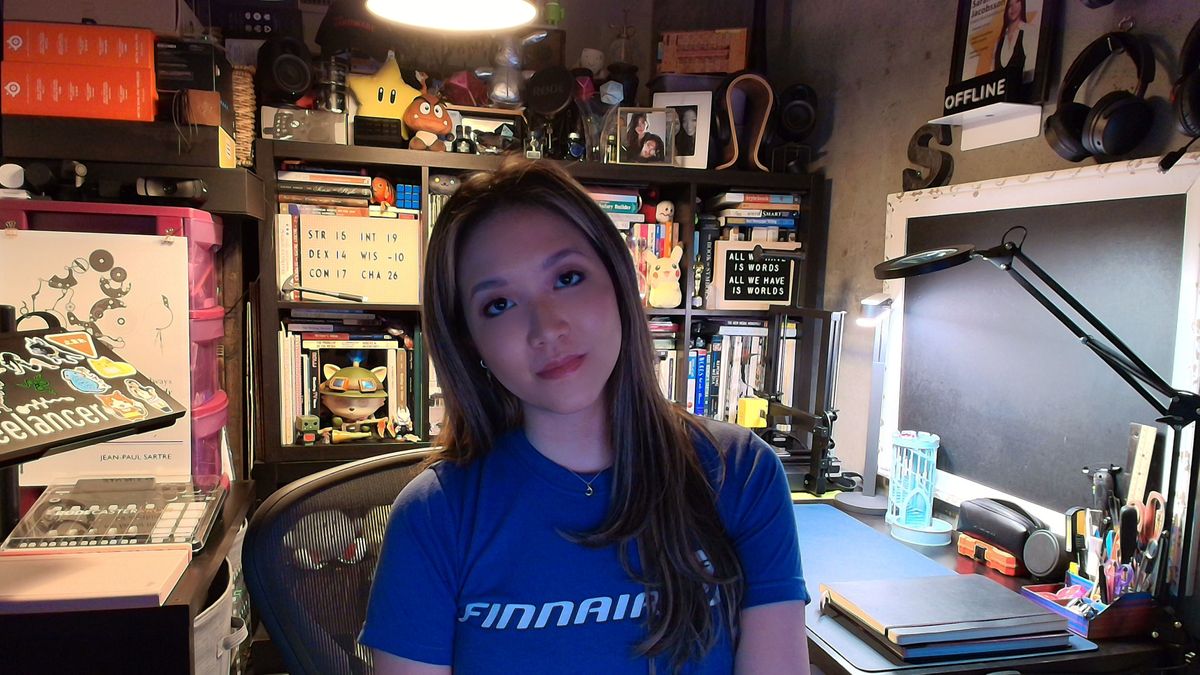
The Dell Pro 7 looked very good in our well-lit scenario. It did a great job of reigning in its auto-exposure in response to the lighting, which is something even the best webcams usually have more trouble with. It managed to keep the scene pretty evenly lit, even as I moved around the room, while also keeping it from looking too evenly lit, i.e., flat and featureless. Its auto white balancing was okay, though it trended toward the cool end of the spectrum. Actually, the colors on this webcam always seemed to be just a little too cool, even with some tweaking in the software. Not the worst thing in the world, but it was frustrating that I couldn't get the color to where I wanted it with adjustments.
That said, while the Dell Pro 7 produced an objectively very good image overall, it didn't really stand out in any way aside from that. I suppose that's not a bad thing, especially for a webcam that's (maybe) slightly more aimed at the workplace, but it mostly made me think of all the other $200 4K webcams you can pick up instead of the Dell Pro 7. Also, while the webcam did a pretty solid job of capturing still photos, the auto-focus was a little slow — which sort of negates the benefit of a 4K / 60 fps capture rate.
Low-Light Performance
To test the webcam's low-light performance, I turned off all of the lights and all of my monitors except for one 27-inch monitor. For consistency, I opened the standard Google home page, which is mostly white, on one half of the monitor and the Windows 11 camera app on the other half. This scenario leaves me in complete darkness save for the light from one 27-inch monitor, which is still quite a bit more light than a laptop user would have if they were sitting in the dark.
Image 1 of 4




The Dell Pro 7 performed moderately well in our low-light scenario. It did an okay job of lighting the scene — the picture looked better than most older webcams, but that's about it (and that's not saying much). There was a lot of noise / graininess and artifacting, however, especially when I moved. And the autofocus had (unsurprisingly) even more trouble tracking me in the dark, and an evenly-lit blurry mess is still a blurry mess.
No webcam performs particularly well in low light, because sensor size is a major factor in low-light performance and webcams are... just not that big. But compared to other 4K webcams such as the Elgato Facecam Pro and the Logitech MX Brio, the Dell Pro 7 definitely comes in a little below average.
Overexposed Performance
To test the Dell Pro 7's performance in overexposed lighting scenarios, I turned off all of the lights in front of me and three of my monitors. That left me with my overhead and background lights, as well as one 27-inch monitor. This isn't the most extreme overexposed lighting scenario, but it's a fairly common one as most offices tend to have a lot of overhead lighting (and only professional streamers put bright, studio-grade lighting directly behind a monitor).
Image 1 of 4
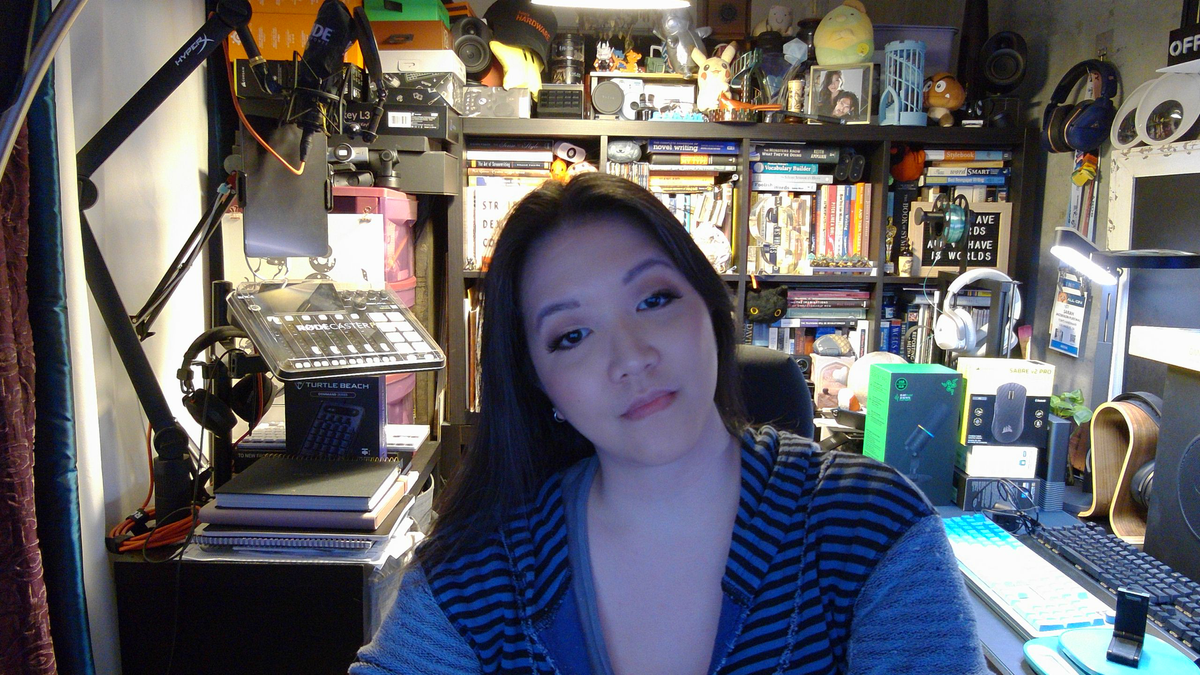

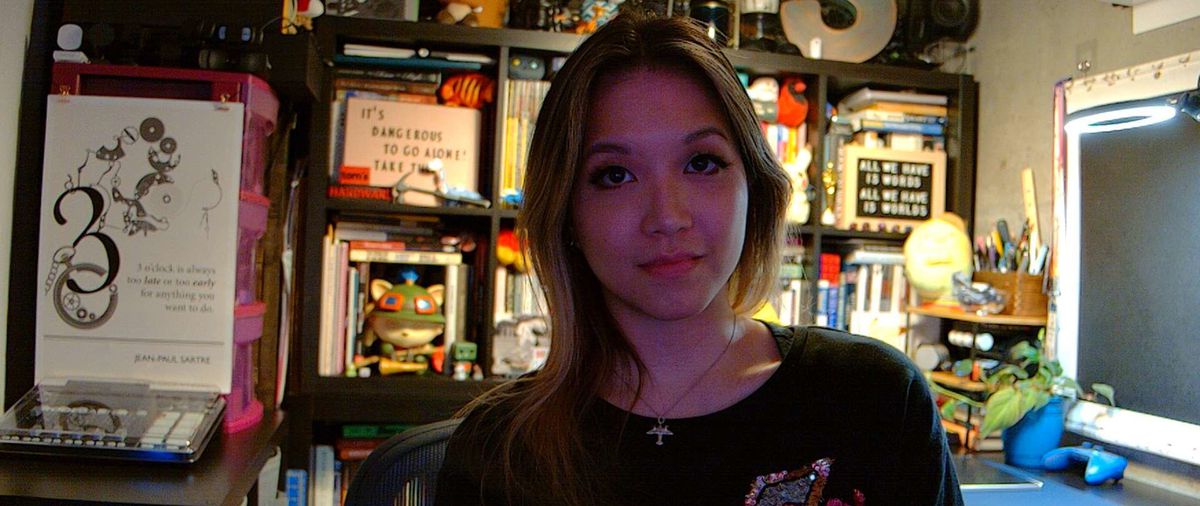
The Dell Pro 7 performed fairly well in this lighting scenario, though it struggled to find a natural-looking color balance (and it kept veering cooler). This is another scenario in which no webcam does particularly well — for the most part, it's enough to just not get blown out by the lighting behind you. But the Logitech MX Brio, which is probably one of the Dell Pro 7's closest competitors, did a much better job here.
Features and Software
The Dell Pro 7 is configurable via the Dell Display and Peripheral Manager, which lets you adjust camera and picture settings and set up the webcam's various features, such as Windows Hello, presence detection, and the "smart" image enhancements.
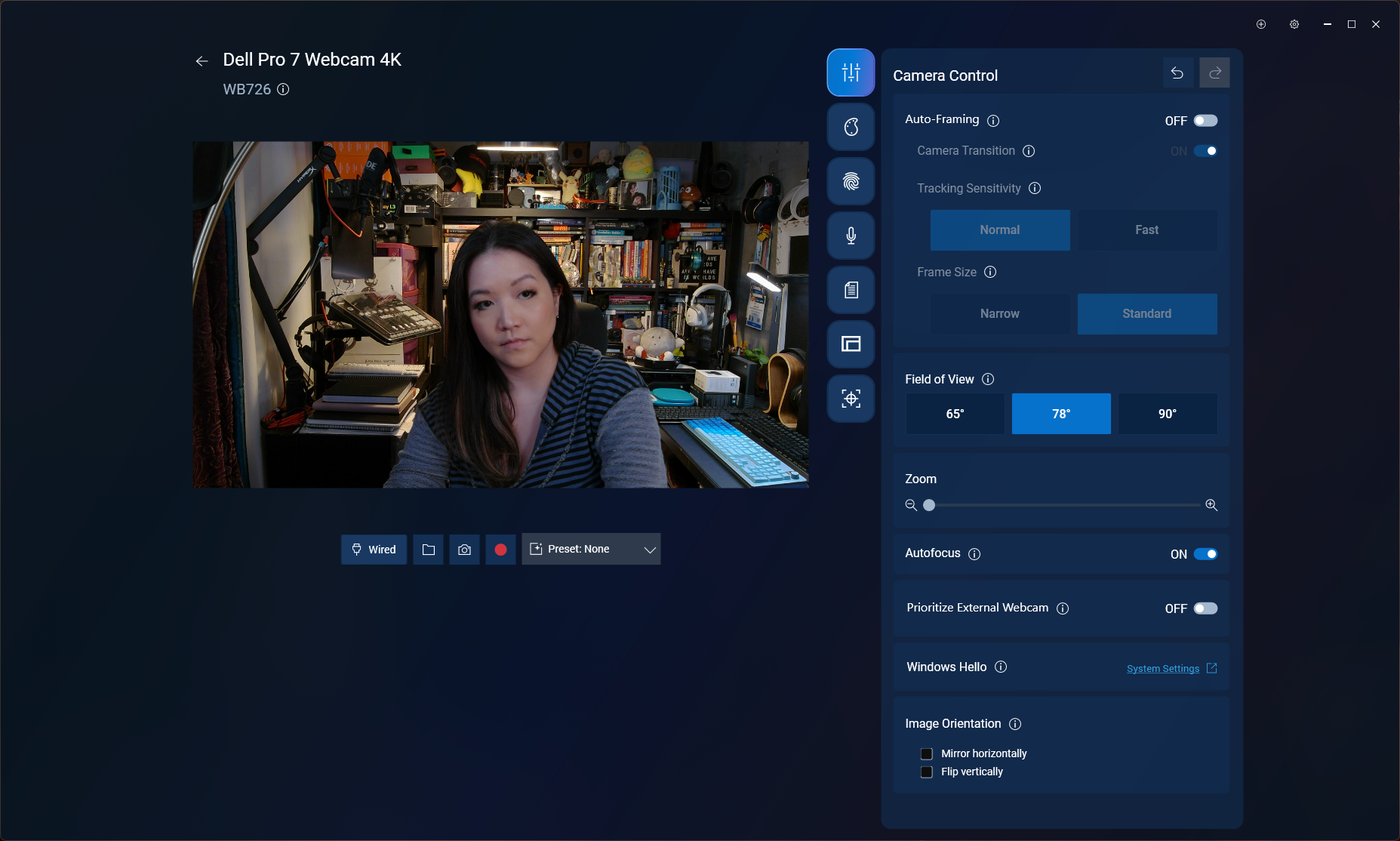
While the Dell Display and Peripheral Manager has all the settings and adjustments you might expect in a webcam app, I didn't feel like the various manual adjustments for exposure, saturation, contrast, sharpness, and vibrance were very powerful, which was a bit surprising as usually these settings are too powerful. But this wasn't too much of an issue for me, as the picture is already pretty good — just not perfect — out of the box.
In addition to image enhancements and color adjustments, you can also set up several features in Dell Display and Peripheral Manager — such as face-tracking and auto-framing; "smart" HDR, exposure, and auto white balance; and Windows Hello compatibility. Like the Dell Pro 5, the Dell Pro 7 also has a "document view" feature designed to better focus on and display documents, as well as an "object focus" mode that can be activated using gesture controls (or manually).
The Dell Pro 7 has built-in dual beam-forming microphones, and while a built-in microphone is not really something most people are looking for in a webcam (especially as they generally tend to be terrible), the Dell Pro 7's built-in mics were surprisingly good — and not just for a webcam, but... in general. In fact, this might be the first webcam with a mic I can actually recommend.
The Dell Pro 7's mics picked up my voice very well — it came through loud, clear, and surprisingly vibrant and full, even when I was sitting at a normal distance from the webcam and speaking casually (i.e., not trying to speak "into" the mic). There was a little fuzziness and distortion around the edges of my words, and it picked up the clacking on my keyboard and the clicking on my mouse almost as well as it picked up my voice (and the software-based noise reduction in the app almost immediately started swallowing my words), but as long as you're not trying to type and talk at the same time the Dell Pro 7's mic sounds good. Not as good as a standalone USB gaming mic, of course, but on par with the average gaming headset mic.
Bottom Line
The Dell Pro 7 is actually a pretty solid 4K webcam, if not a particularly thrilling one. While I don't think most people looking at the Dell Pro 7 are going to be fiending for 60fps, I'm sure there are probably at least two people who will appreciate it. For everyone else, the Dell Pro 7 has a nice suite of office-friendly features, including presence detection to lock your PC when you're not sitting in front of it, Windows Hello compatibility for extra security, and things like document view and gesture control and an extra-wide field of view for when you need to run a remote 4K, 60fps meeting with lots of people (and documents).
But if you don't see yourself running speedy, highly-detailed multi-person webcam meetings, the similarly-priced Logitech MX Brio does a better job at making you look good... which is a big part of what webcams are for, right? The Dell Pro 7 outputs a decent picture (in relatively "ideal" lighting), but this webcam is not really about the picture — it's about everything else.





 English (US) ·