
 4 weeks ago
68
4 weeks ago
68
Cooler Master's HAF series of cases burst onto the scene in 2008 with the HAF 932, and it quickly became a favorite among the enthusiast crowd for its high airflow (High Air Flow) and massive 200 mm fans. From there, we've seen the HAF X (2010), the cube-shaped, dual-chamber HAF-XB (which I owned), and the spiritual successor, the MasterCase H 500 series of 2017 (there are other iterations, but these are the major releases). The HAF name was resurrected in 2022 with the HAF 500, again sporting large 200mm fans and returning to a focus on pure thermal performance. Fast-forward to today, and Cooler Master has released the HAF II 500 ($199.99), which the company calls “the next evolution of the High Air Flow series…” and is designed for “industry-leading noise-normalized cooling performance.”
The beefy mid-tower sports two huge 220mm fans up front and a large 180mm exhaust fan (all 40mm thick) in the rear to move large amounts of air quietly and keep the internals running optimally. And let me tell you, there is a lot of room inside for just about anything. Are you working with an E- ATX motherboard? No problem! 3.5-slot, 350 mm-plus video card or two? Easy. Considering two 3x140 mm radiators? You can do that, too. There's a lot of room and flexibility for all kinds of components, and we haven’t even mentioned the MasterRail system yet.
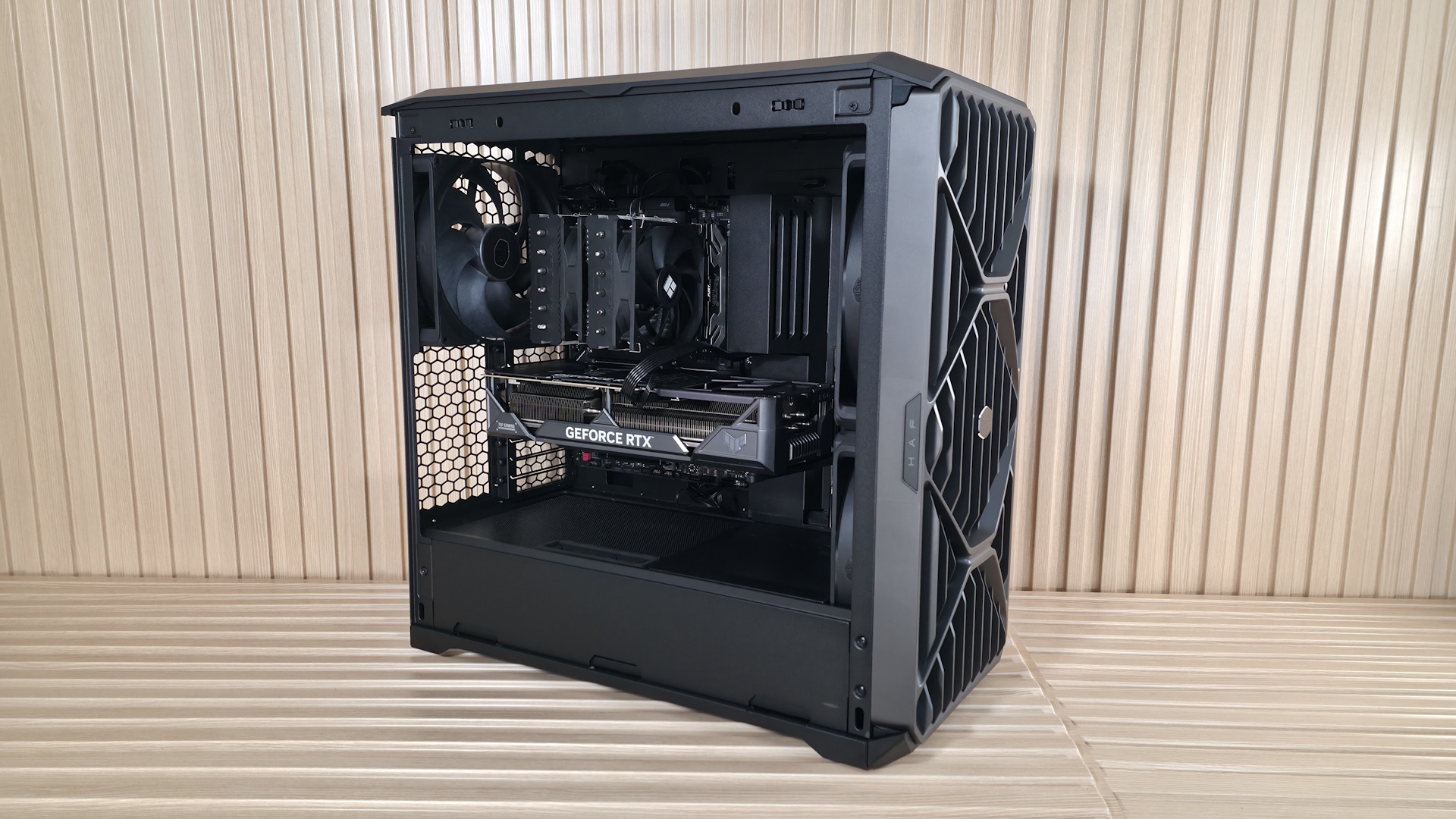
Externally, the black (the only colorway currently available) mid-tower is more of a typical cuboid shape, though wider than most mid-towers – over 10 inches due to the massive 220mm fans up front. The front panel has vertical slats running from top to bottom, with the Cooler Master brand shape (an angular, rounded-off hexagon) woven over the slats, with the same pattern used on top. Overall, it's an aggressive but good- looking chassis, and you know it means business with the huge fans visible through the front grille.
We'll cover many more details inside and outside the case, showcasing the features and any issues we may encounter during the build process. We also run the case through our thermal and noise testing to give you an idea of how it performs compared to other cases and see if it makes our
best PC caseslist. Below are the specifications from Cooler Master’s website.
Latest Videos From

Product Specifications
Swipe to scroll horizontally
Type | Mid-Tower |
Dimensions (H x L x W) | 21.5 x 21.9 x 10.1-inches (548 x 557 x 262mm) |
Motherboard Support | Mini-ITX/DTX, MicroATX, ATX, CEB, E-ATX |
Color | Black |
Storage Support | (3) 3.5-inch -or- (6) 2.5-inch |
PCIe Expansion Slots | 8 |
Fan Support | Top - 3x120/140mm or 2x160/180mm |
Pre-installed fans | (1) Mighty40 V1180 (Rear) |
Radiator Support | Top - 3x120, 2x180, 240/280mm |
CPU Cooler Clearance | 220/221mm (AMD/Intel) |
GPU Clearance | 430mm |
Vertical GPU Support | Yes |
PSU Length | 150/210mm (North/South and East/West) |
Dust Filters | Top, Front, Bottom (PSU) |
Other features | 3x included fans, 2x 3x140mm radiator support, dual GPU supports, MasterRail flexibility, |
MSRP | $199.99 |
Warranty | 2 Years (case), 5 Years (fans) |
Features of the HAF II 500
▶️ External Features
As far as looks go, it’s a design (or at least a shape) we’ve all seen before, except that the HAF II 500 is a bit wider than most mid-towers. The front panel looks good and showcases the huge 220mm fans behind it, along with a filter to keep dust out. It also has the “HAF” and “500” branding on tabs on each side, along with a shiny Cooler Master symbol in the middle. The panel is secured by tabs at the bottom and magnets on top. It pops off with a gentle tug from the top, exposing the removable dust filter and those massive fans.
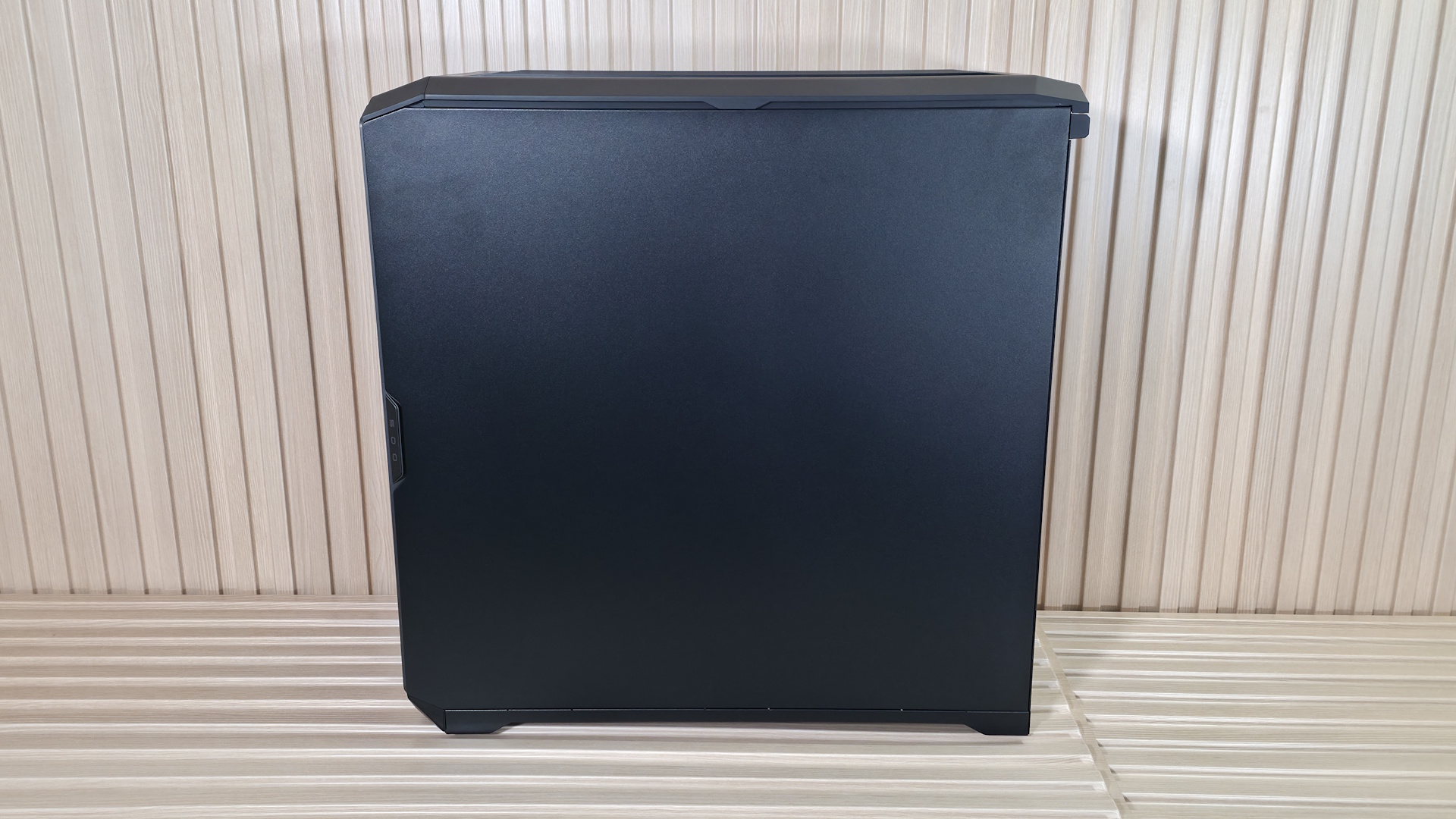
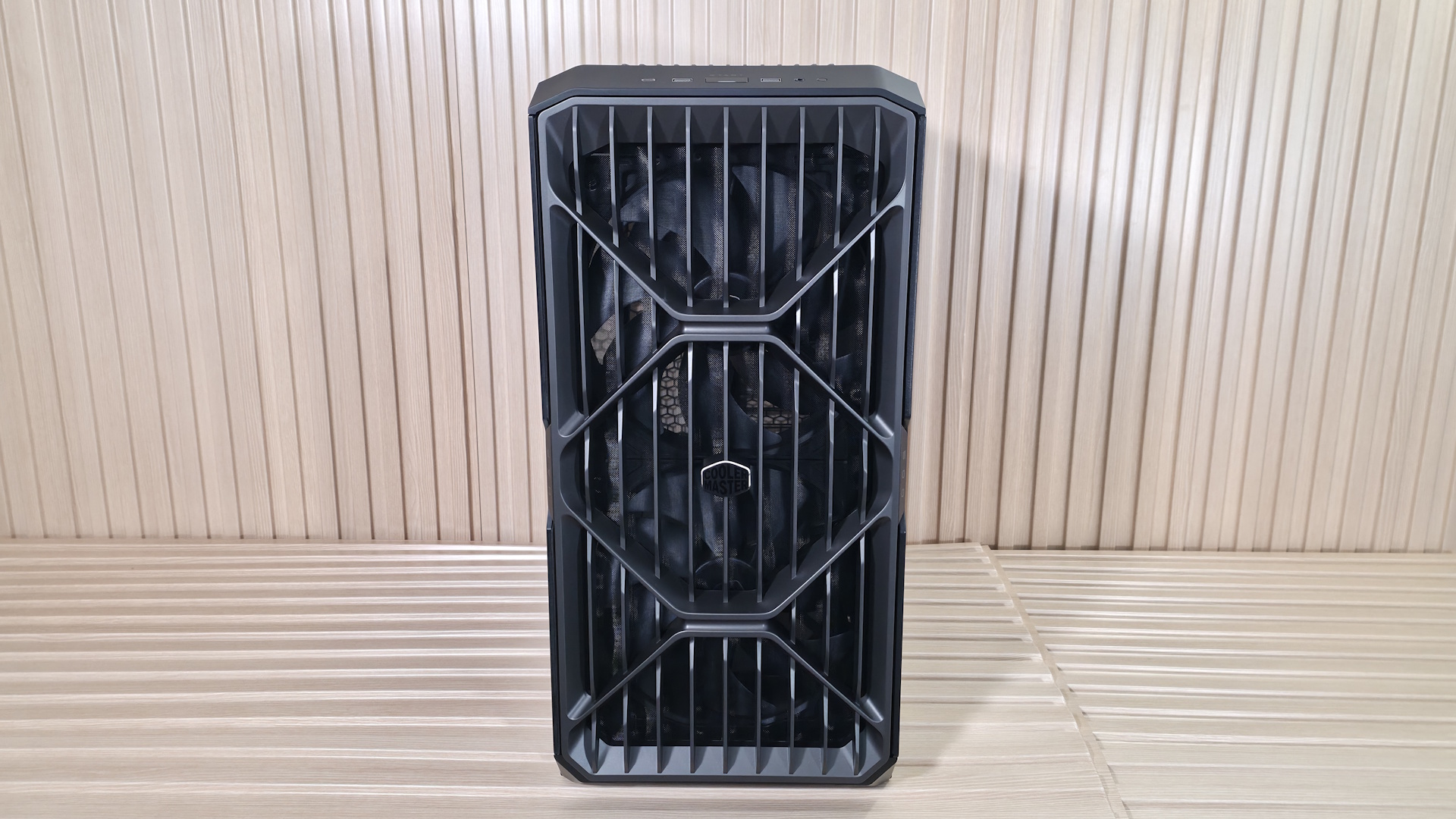
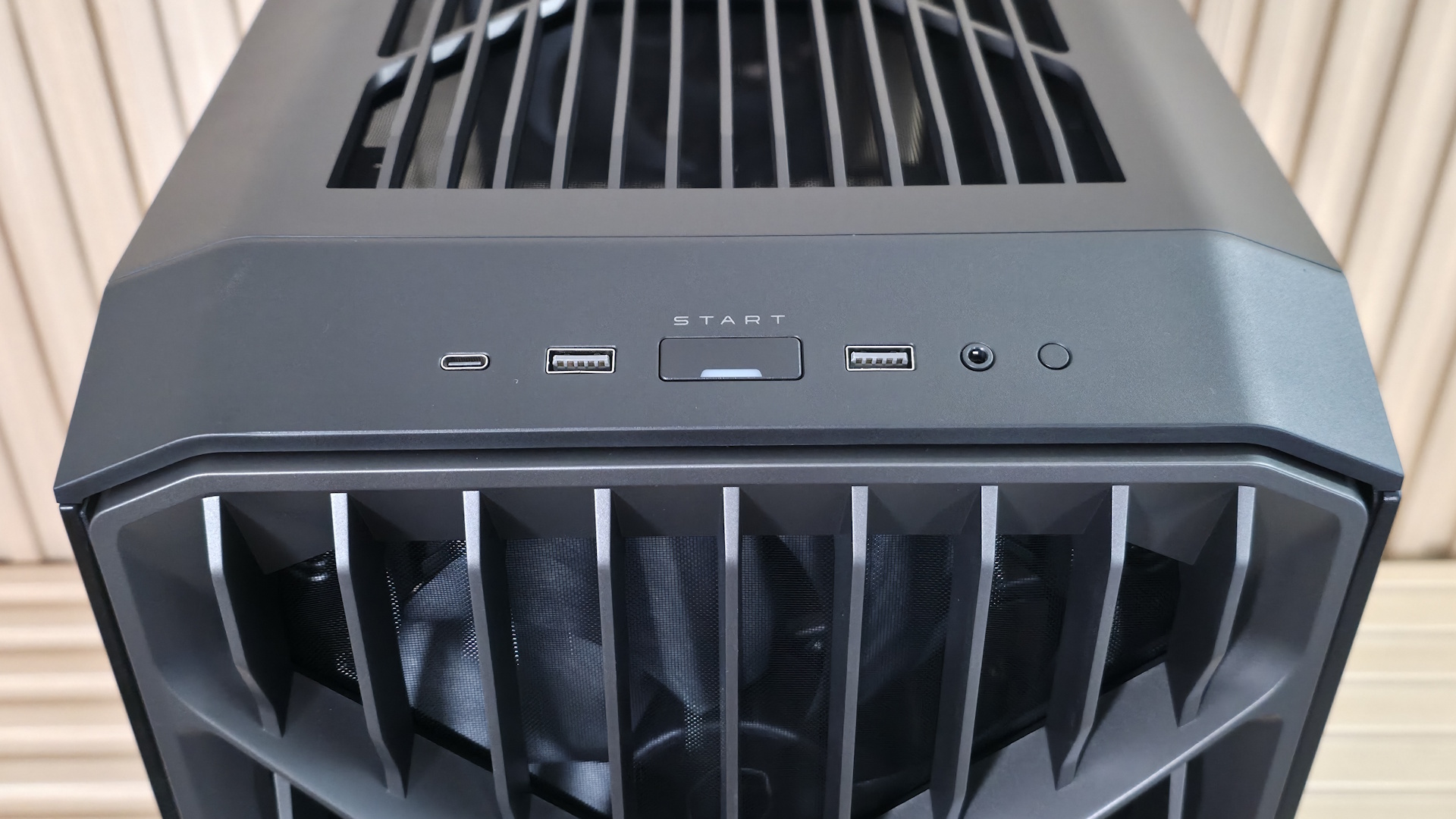
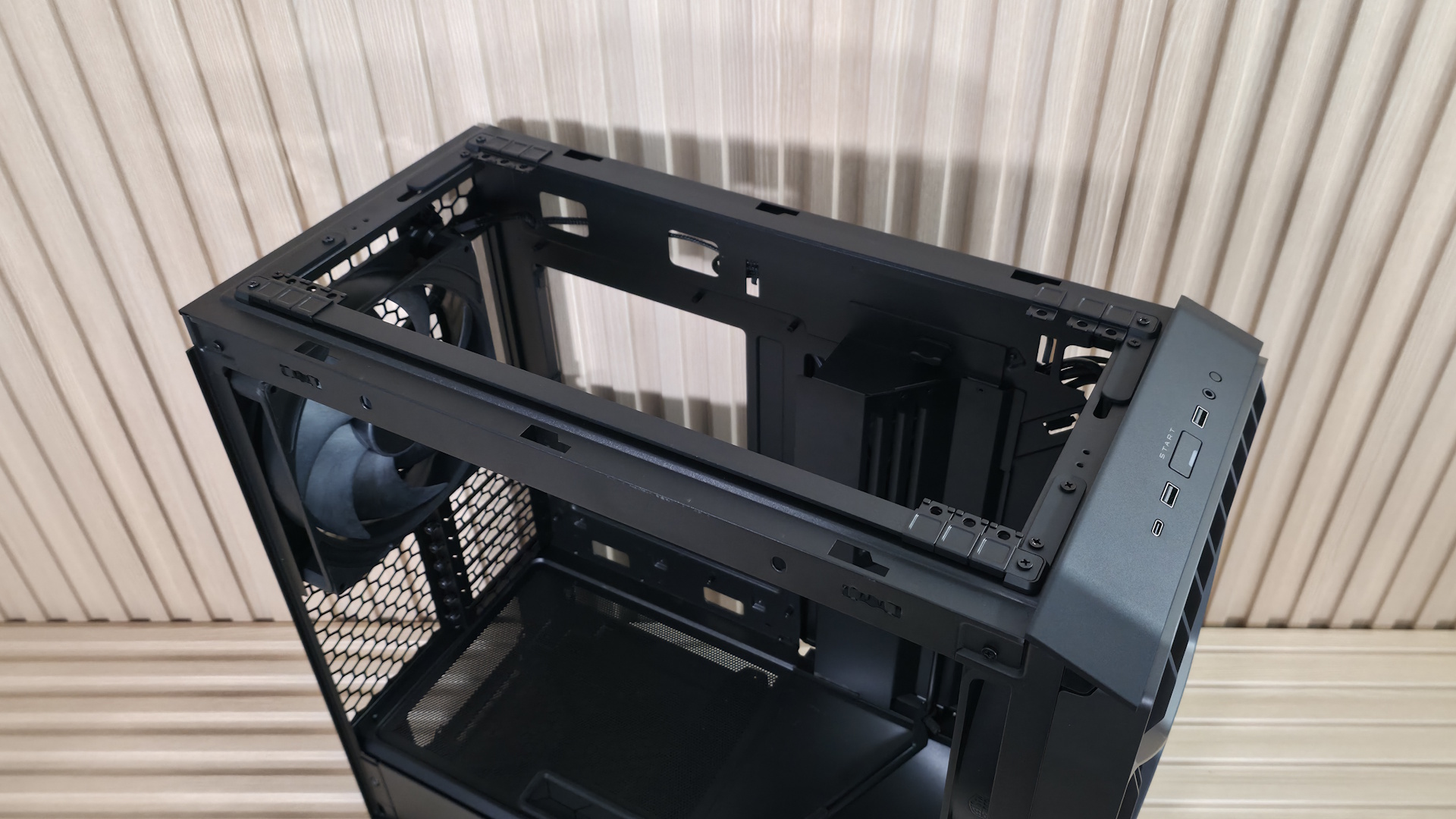
The windowed side panel and non-windowed back panel attach to the case similarly, with tabs to line things up at the bottom, a ball-and-socket capture mechanism, and a thumbscrew on top for each. The top panel, also filtered, hangs on via a single thumbscrew and slides off toward the back, giving access to the flexible MasterRail system on top. Also at the top front, angled down, is the IO panel. It consists of a power button with a white LED, a small reset button on the right, three USB ports, and a single 3.5mm audio jack for audio and microphone. You get one USB 3.2 Gen 2x2 (20 Gbps) Type-C port and two USB 3.2 Gen 1 (5 Gbps) Type-A ports that flank both sides of the power button. It’s nice to see a 20 Gbps port up front, as many cases use 10 Gbps.
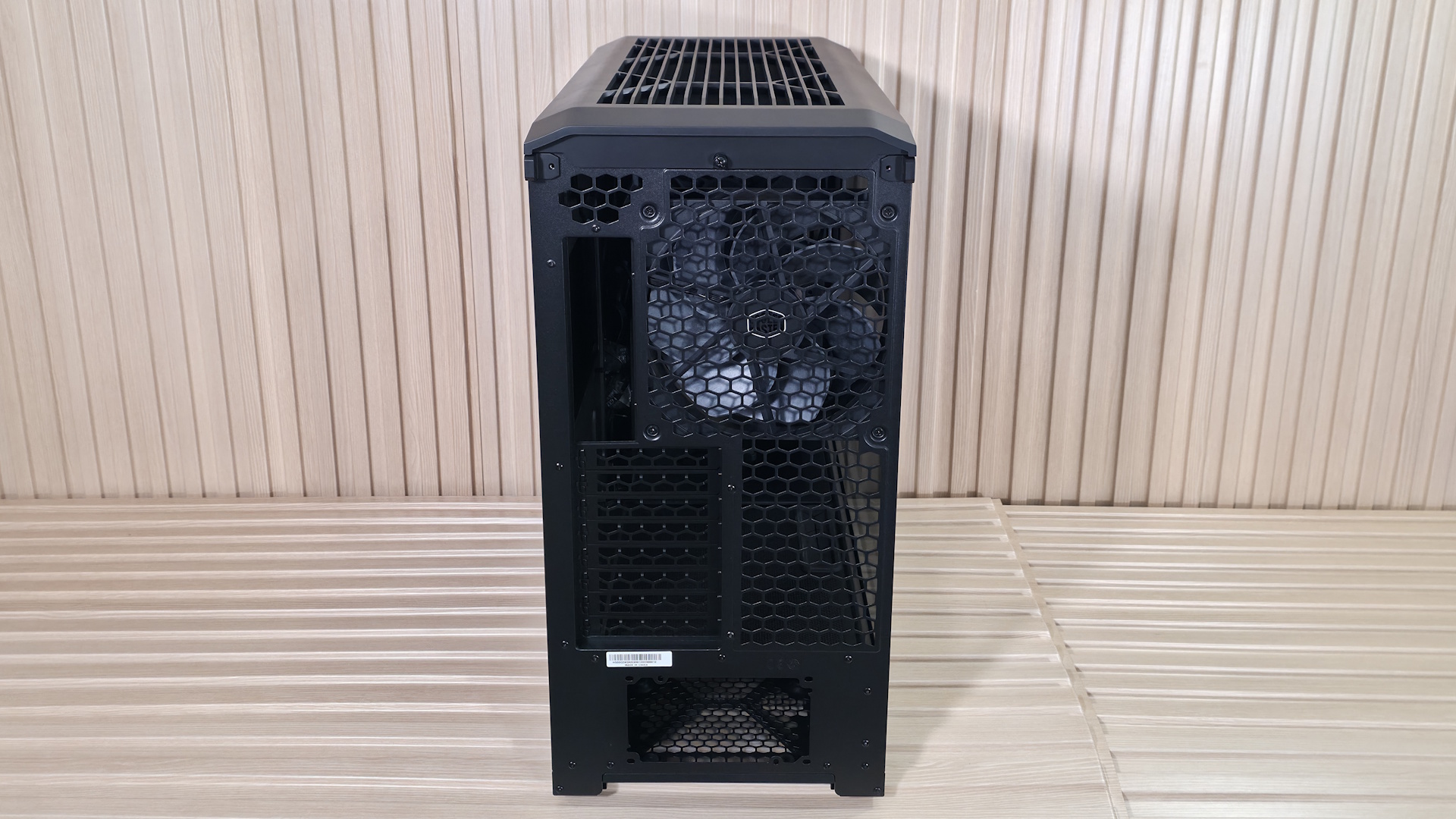
On the rear of the case, you can see that all airflow holes are shaped like the Cooler Master branding/symbol and appear to have less resistance, at least by air-to-grating ratio, than most others with much smaller spaces. That said, it’s probably a good idea to run slightly more intake than exhaust, or you could pull some dust in from this area (something most cases have to deal with). The power supply mounts on the bottom, in either a fan-up or fan-down configuration, and last are the eight expansion slots capable of holding two massive GPUs or four double-slot cards.
The chassis sits on four feet integrated into the metal frame that raise it roughly an inch off the floor to help with clean intake. The bottom uses a small dust filter for the PSU area only. It pulls out of the back, so depending on where your case lives, you may need to move it to get it out. But the good news is that it’s short, so you don’t need as much clearance as if it ran the full length of the case, as others do.
▶️ Internal Features
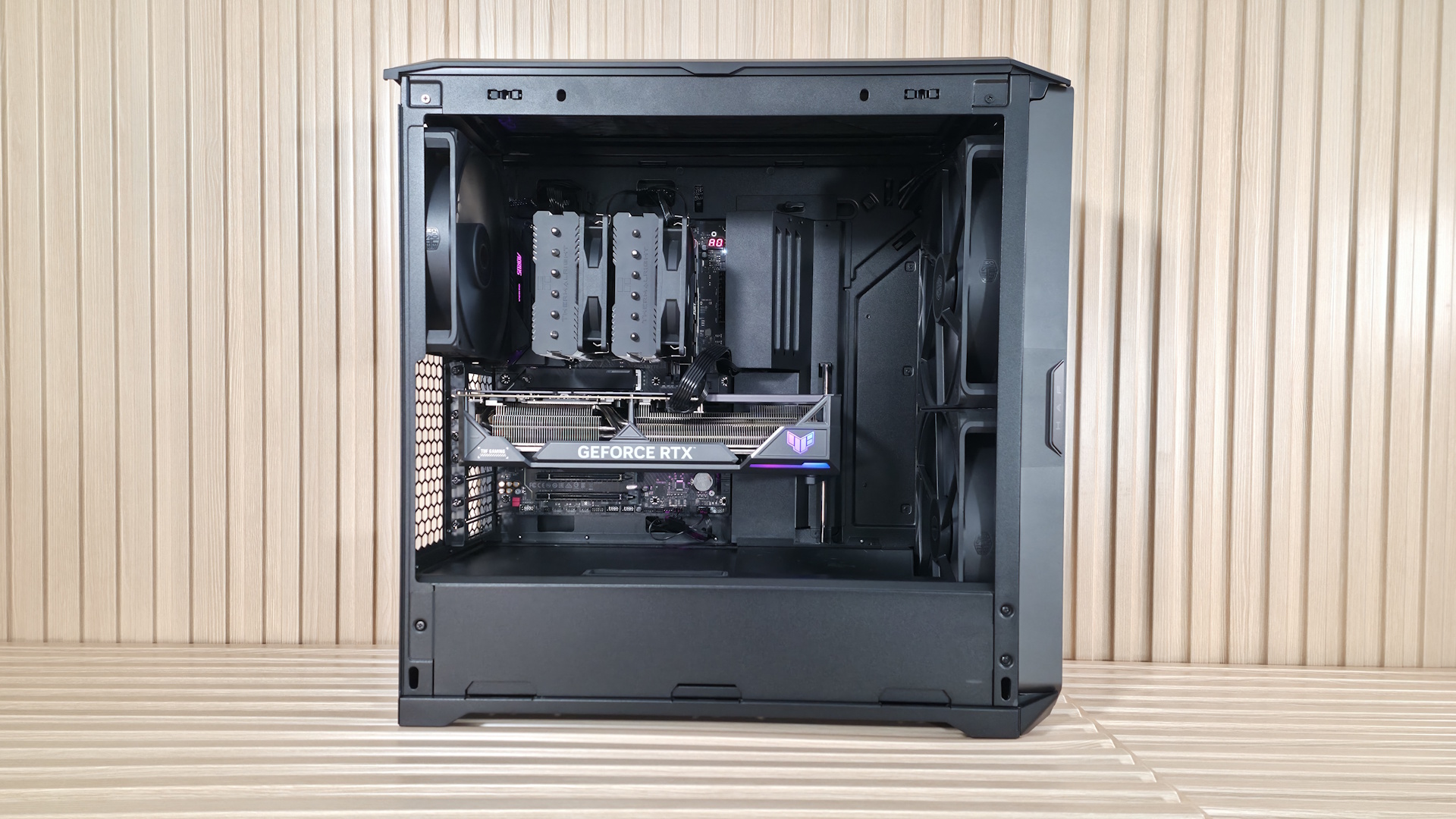
Moving inside the case, one of the first things you’ll notice is the amount of room inside, the huge fans, and the scoop to improve video card cooling. Since it’s over 10 inches wide, it feels like you’re working in a warehouse, with room for whatever components you can think of (within reason, of course). Starting at the front, we get a better look at the two Mighty40 F220 fans that bring air into the space. These dual ball-bearing fans spin from 200-1,500 RPM, and according to the specifications, each one moves over 203 CFM of air at 3.1 mmH2O static pressure, and does so at a low 36 dBA. This area supports up to 3x 120 mm fans/radiators or 2x 180 mm fans/radiators (up to 72mm thick if the air divider is removed).
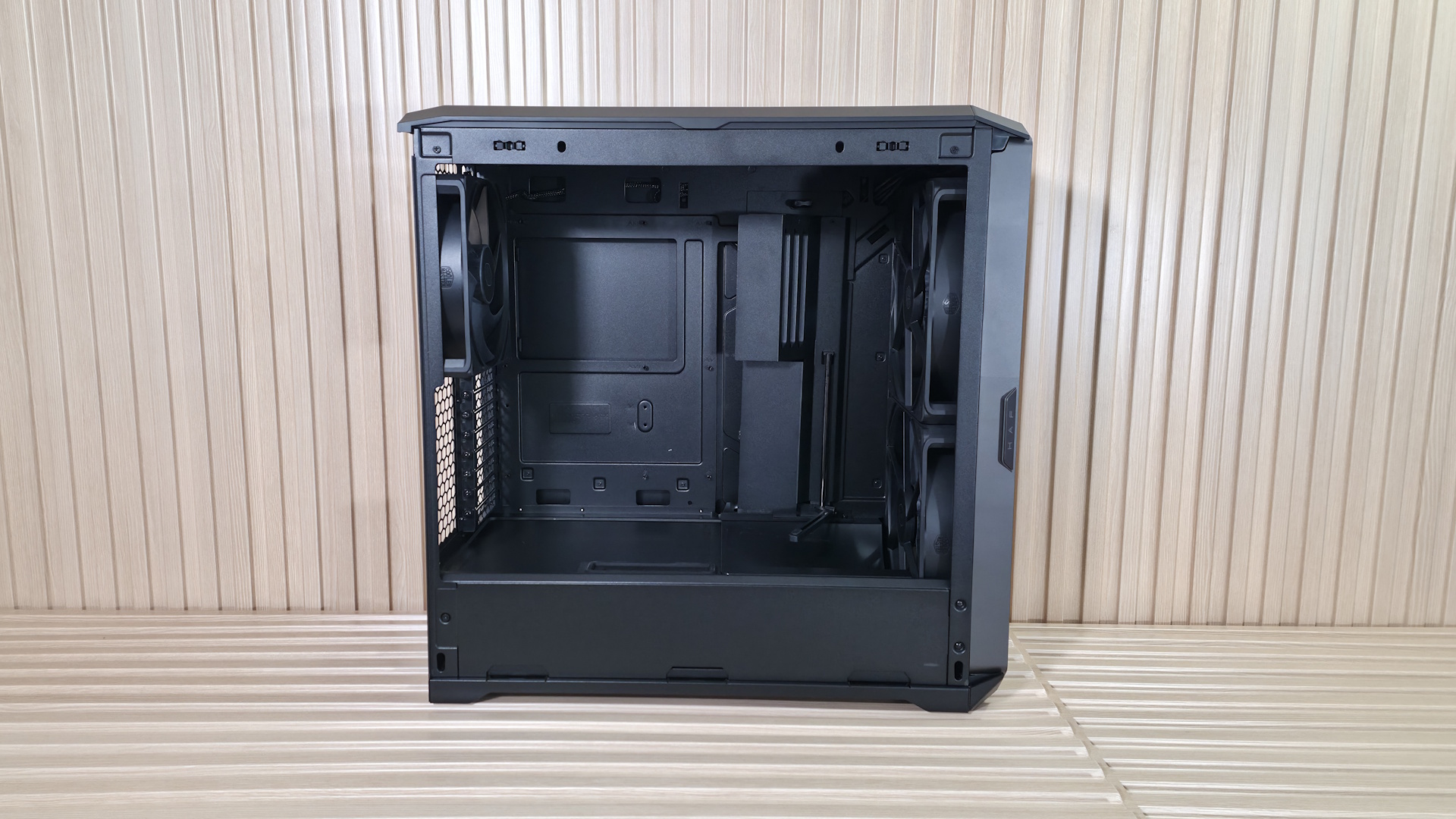
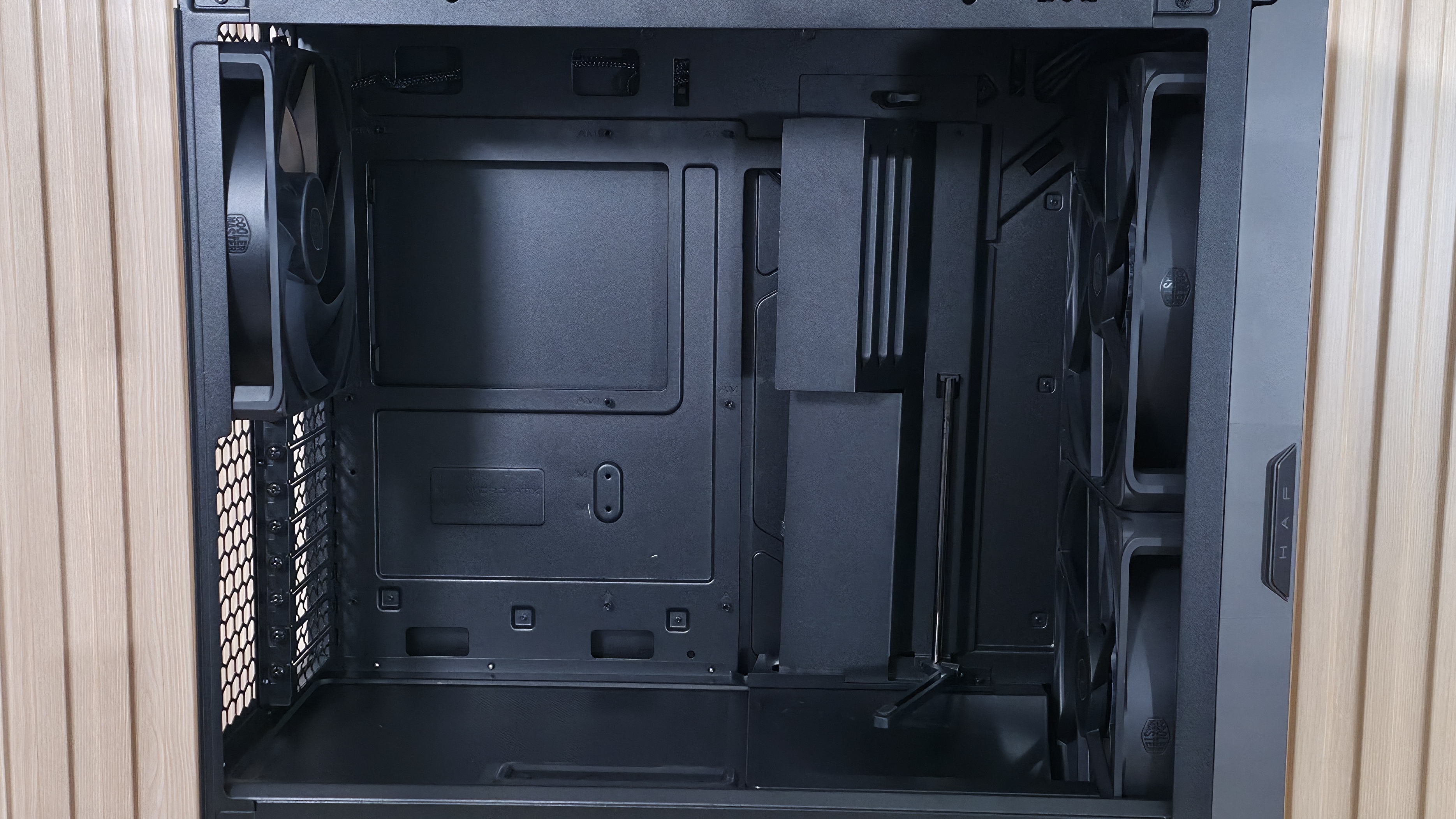
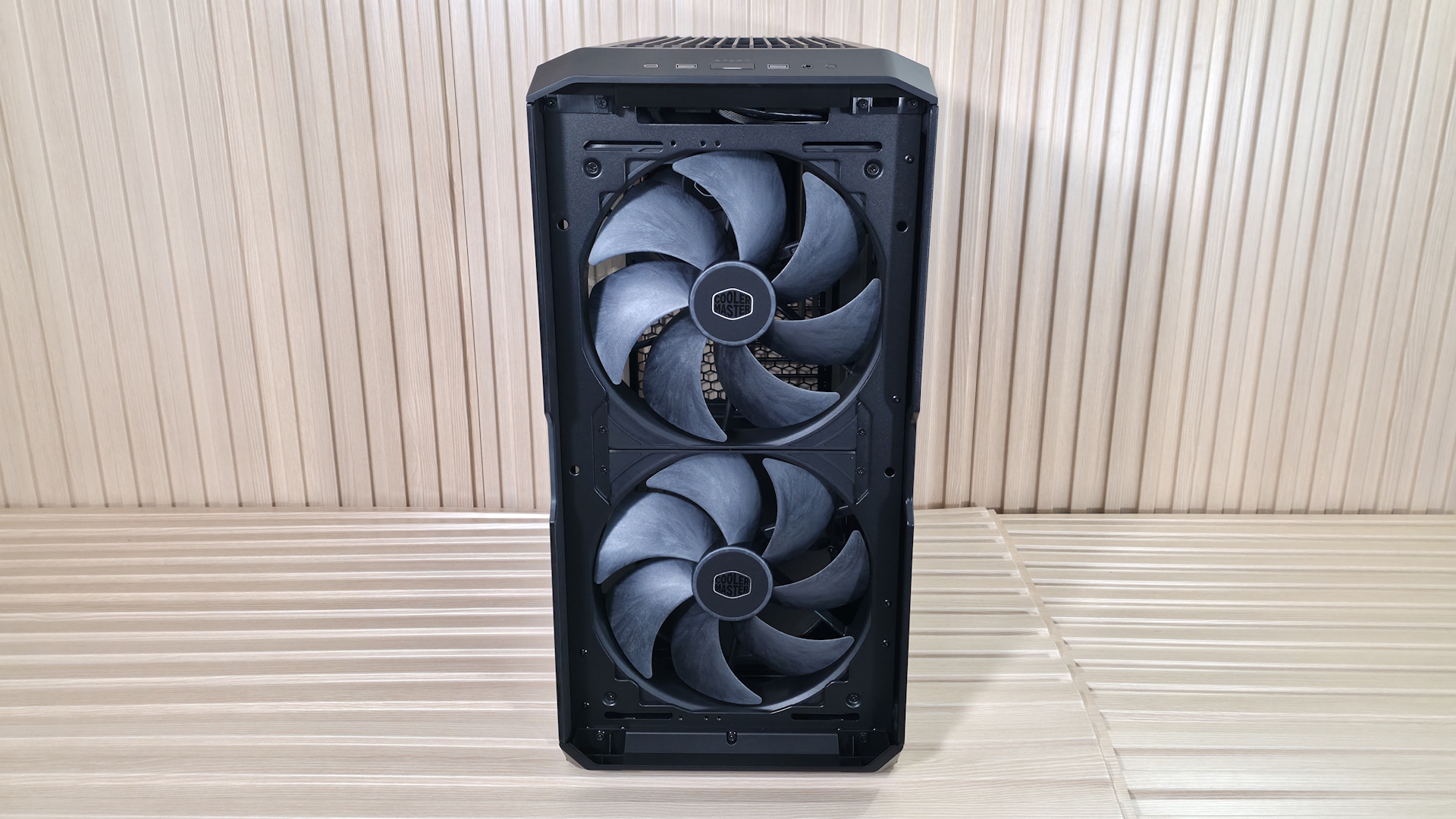
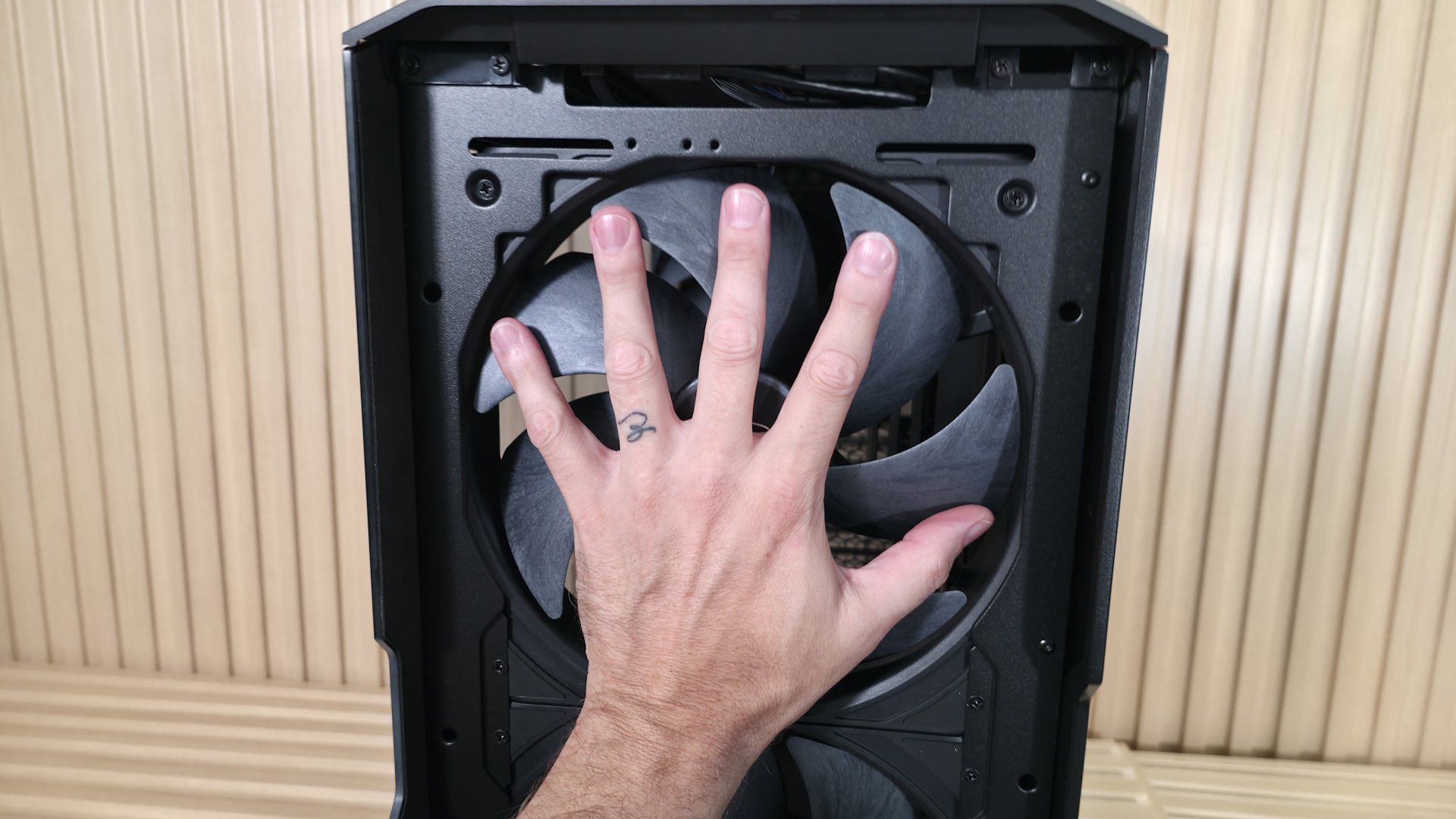
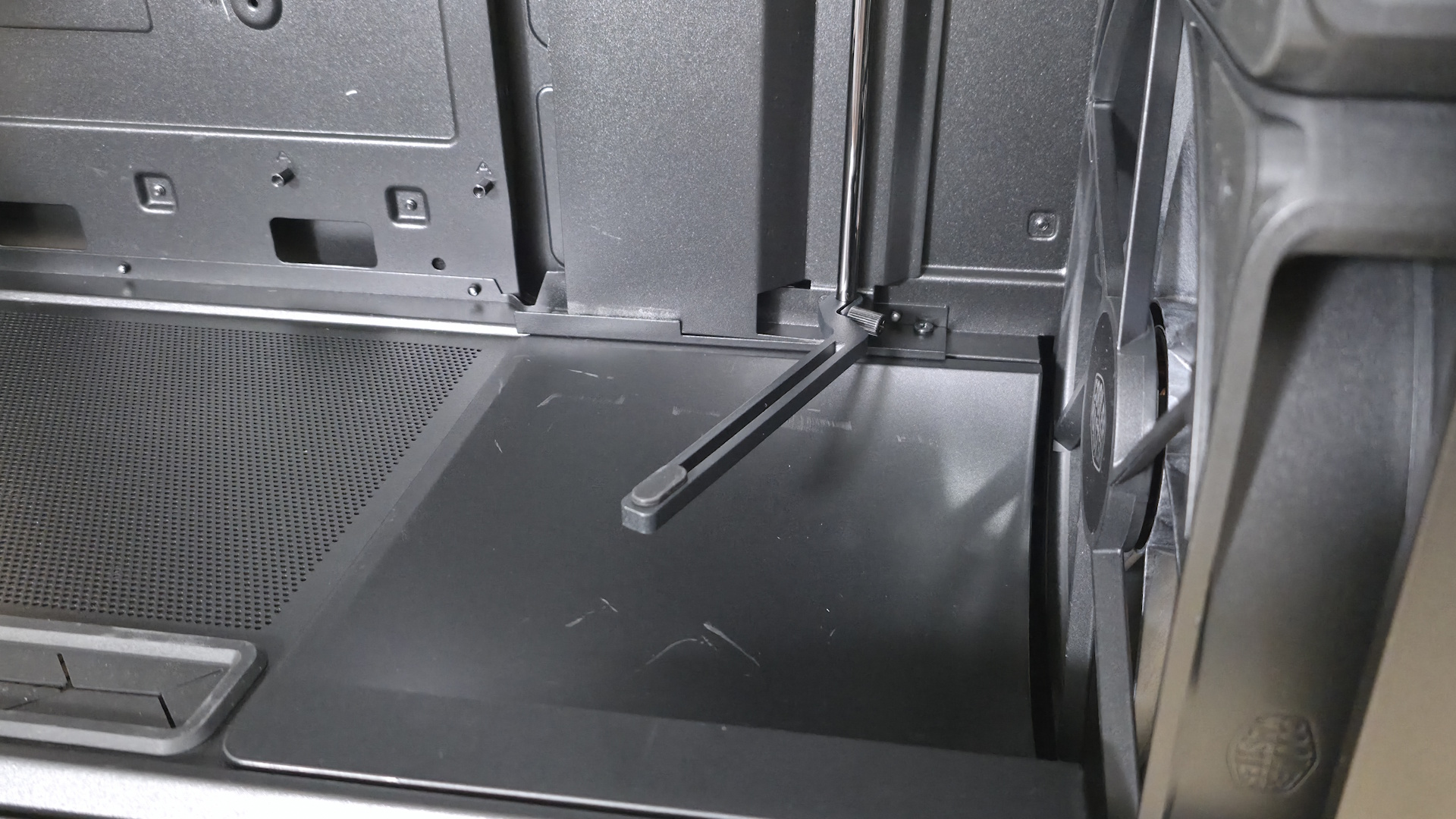
Inside, a split-level layout separates the power supply and drive storage areas from the rest of the case. Towards the front is a sloped baffle covering part of the bottom fan, directing most of the air up towards the video card. The rest is dispersed within the power supply chamber, cooling any 2.5-inch (up to six) or 3.5-inch (up to three) drives in the space.
The panel where the motherboard mounts has an interior-sliding panel and a rear door, which makes building your rig and routing cables much easier. You don’t have to play games moving from one side to the other to find and plumb them; just send the cables through the large gap when both are open and connect. Easy. Once you’re done, slide the interior panel and secure it at the top with a twist of the tab (the thumbscrew at the bottom lets it slide fore and aft), so you can’t see the wires. It’s a really clean look. Also attached to that panel is the mount for the GPU support strut(s). It comes with one already mounted, but includes another in the accessories kit, to support two graphics cards.
The HAF II supports up to E-ATX motherboards and comes with the motherboard standoffs already installed (as we expect at this price point). There’s a large cutout on the motherboard baffle and plenty of room to install cooling hardware with the board already mounted. One thing I’d like to see in this case that isn’t here is rear-connect (BTF, Stealth, Project Zero) support for motherboards. You’ll have to use a ‘traditional’ motherboard. Cooler Master does stamp out plenty of holes around the edge of the motherboard real estate for cable routing.
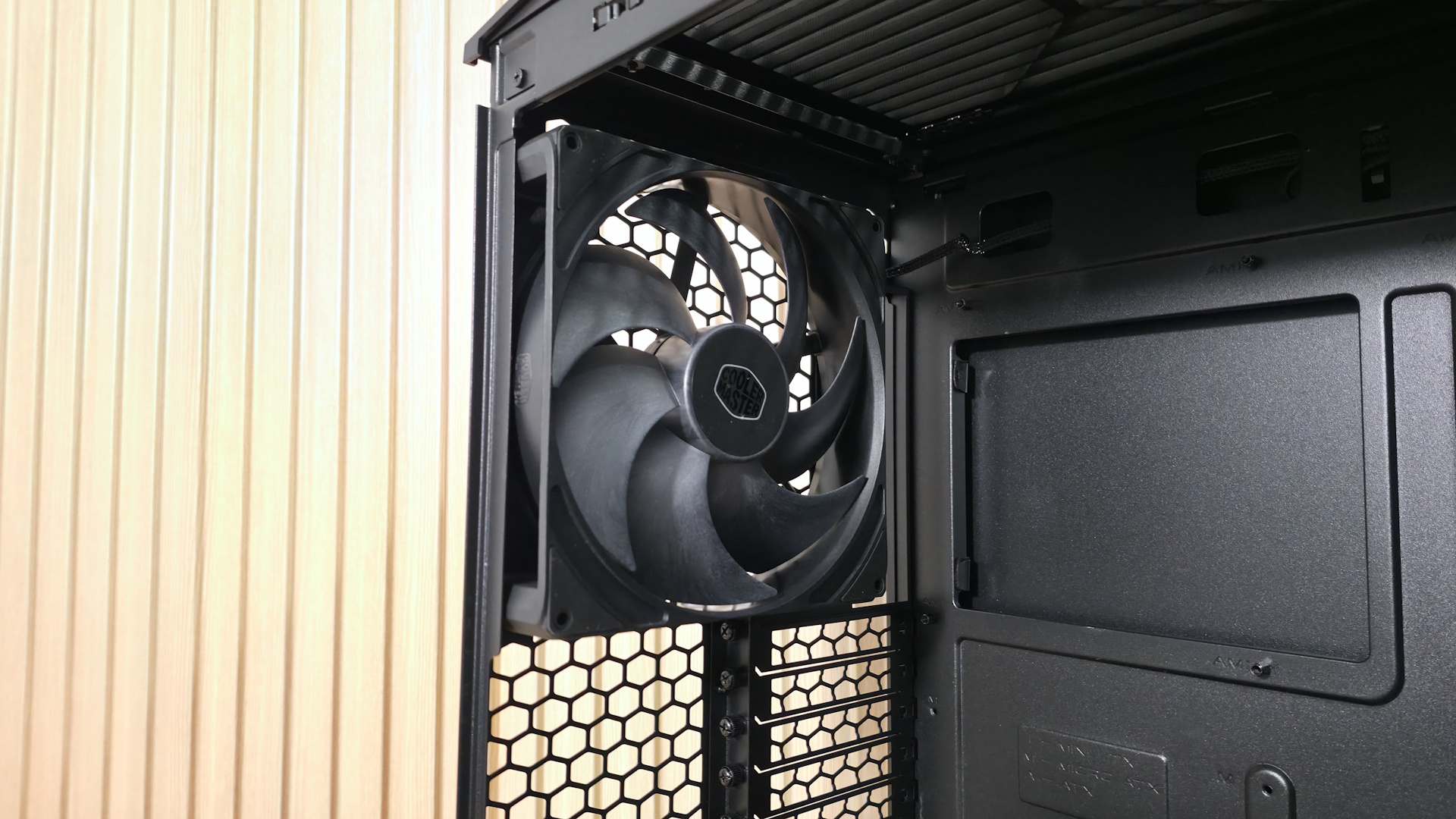
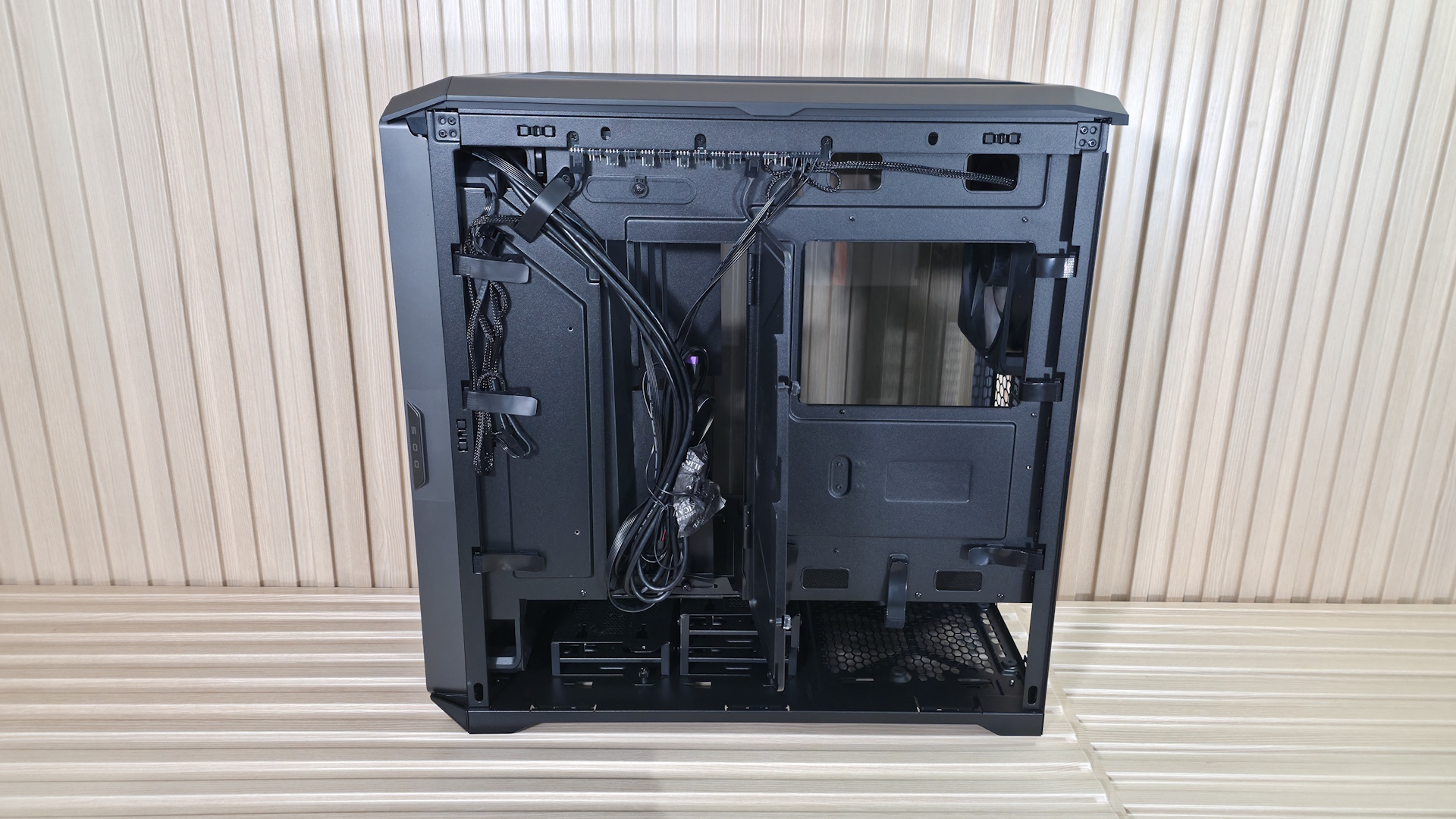
The rear of the case holds the third included fan, in this case, a Mighty40 V180. This big guy spins from 25 to 1,370 RPM and delivers over 161 CFM at 4.0 mmH2O static pressure, at only 34 dB(A), according to the specifications. Below that are the eight PCIe expansion slots, which allow you to install up to two 3.5-slot video cards (72mm with two cards, up to 40mm each if installing four cards), rare for a mid-tower. You can run a single vertical GPU, but you’ll have to buy an adapter (
PCI 4.0or
5.0) separately.
Sliding off the top of the case (it moves back an inch or so, then lifts) exposes the MasterRail multi-purpose mounting system for fans or radiators. The rails and fully adjustable mounting points allow flexible placement of fans and radiators, enabling easy upgrades and fully custom setups. This space supports up to 3x 120 mm fans/radiators or 2x 180 mm fans/radiators (up to 58mm thick).
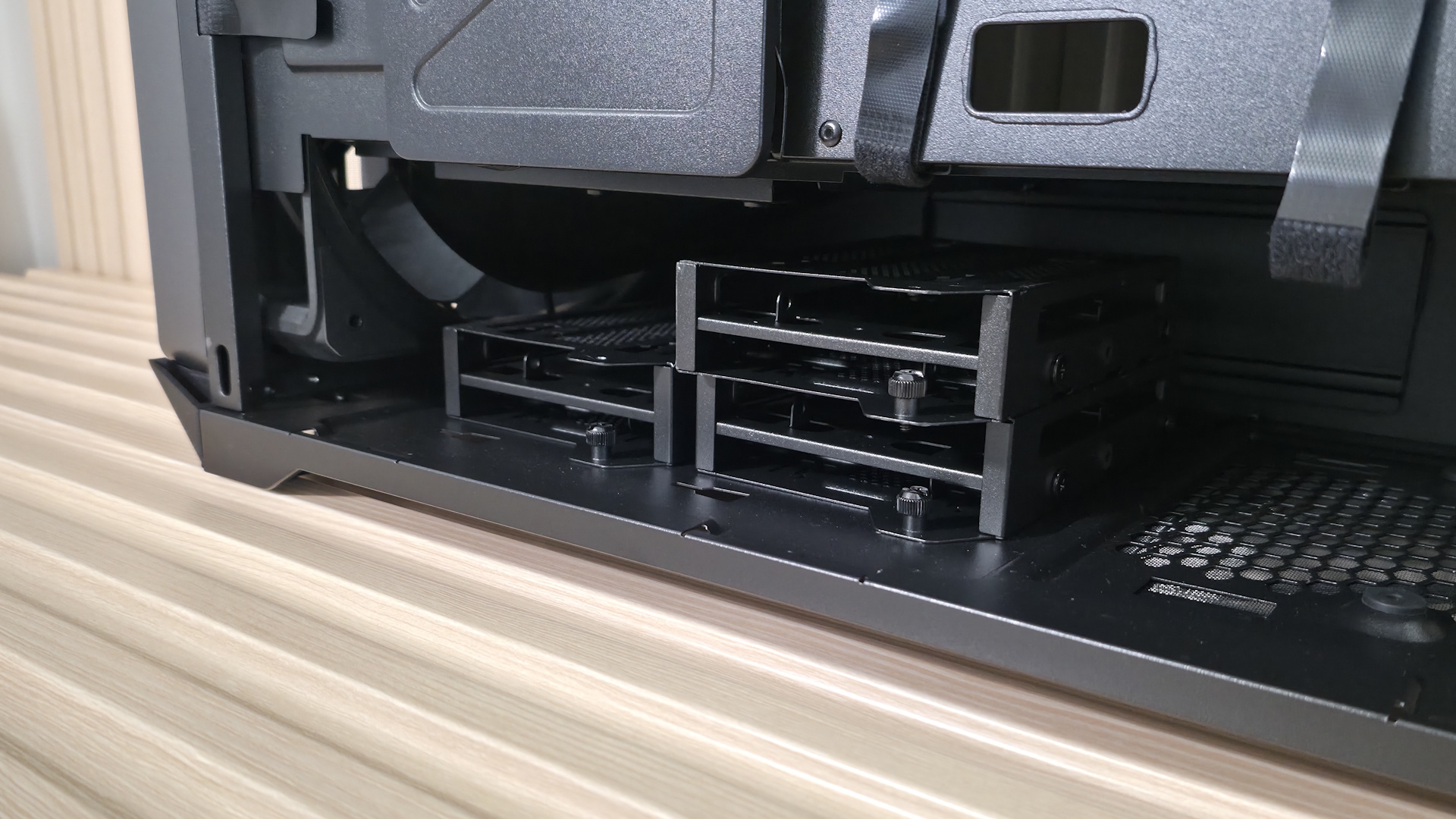
Flipping the case around to the back, we can see the second chamber at the bottom, along with space for the power supply and drive bays. The three pre-installed drive caddies support up to three 3.5-inch drives or six 2.5-inch drives, which is a lot in the age of M.2 form factor SSDs. PSU clearance is up to 210mm when the drives are installed in East-West orientation (pictured), and 150mm when you turn them North-South. As is, there’s enough room to hide your cables, but I wouldn’t call the cable space plentiful with all the caddies in place and East-West oriented.
Cooler Master includes several pre-installed Velcro strips for cable routing, and when you take the time to use them, they can really keep things clean in this normally messy area. In the middle, you can see that ‘door’ we talked about earlier to help with cable management. Again, open this up, slide the front one back, route your cables, slide the front back, and secure this rear one with two captive thumbscrews. I’d like to see captive thumbscrews on the side and top panels, too.
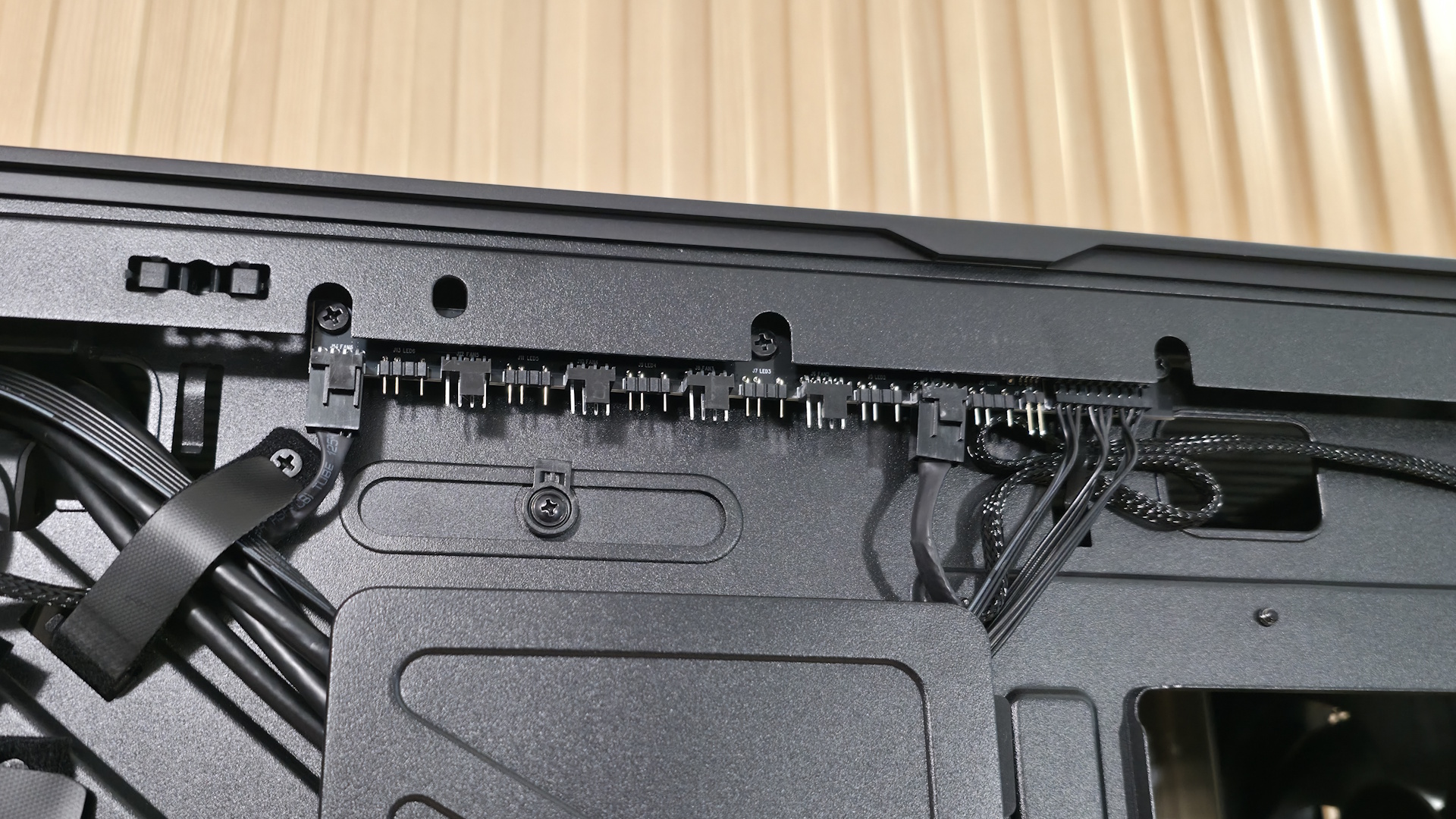
Along the top edge, we can see the included fan hub. The SATA-powered device supports up to six 4-pin PWM fans and six 3-pin ARGB devices. It supports up to 32W, which means you can use up to six ~5W fans.
The takeaways for me here are how much room there is for components and fiddling around, the copious amount of airflow, and how quiet it is at low speeds (and how it performs there as we’ll see in our testing below).







 English (US) ·