
As a realtor-focused customer relationship management (CRM) platform, Chime, now known as Lofty, aims to streamline the entire lead-to-deal process. Its intuitive interface and all-in-one feature set make it a compelling option for realty businesses looking to grow their pipelines and close more sales.
Chime's key capabilities span lead generation, contact management, and deal tracking. The platform offers an IDX website builder, AI-powered marketing automation, and a mobile app for on-the-go access. While these comprehensive features may come with a learning curve, they enable realtors to qualify leads, prioritize follow-ups, and gain visibility into team performance metrics.
During my review, I found it to be a robust CRM platform for realty teams wanting to consolidate their tech stack. Regular product updates, good user feedback, and a niche focus provide strong evidence of Chime's customer-centric approach. For growing realtor businesses, Chime warrants strong consideration.
Chime CRM core capabilities
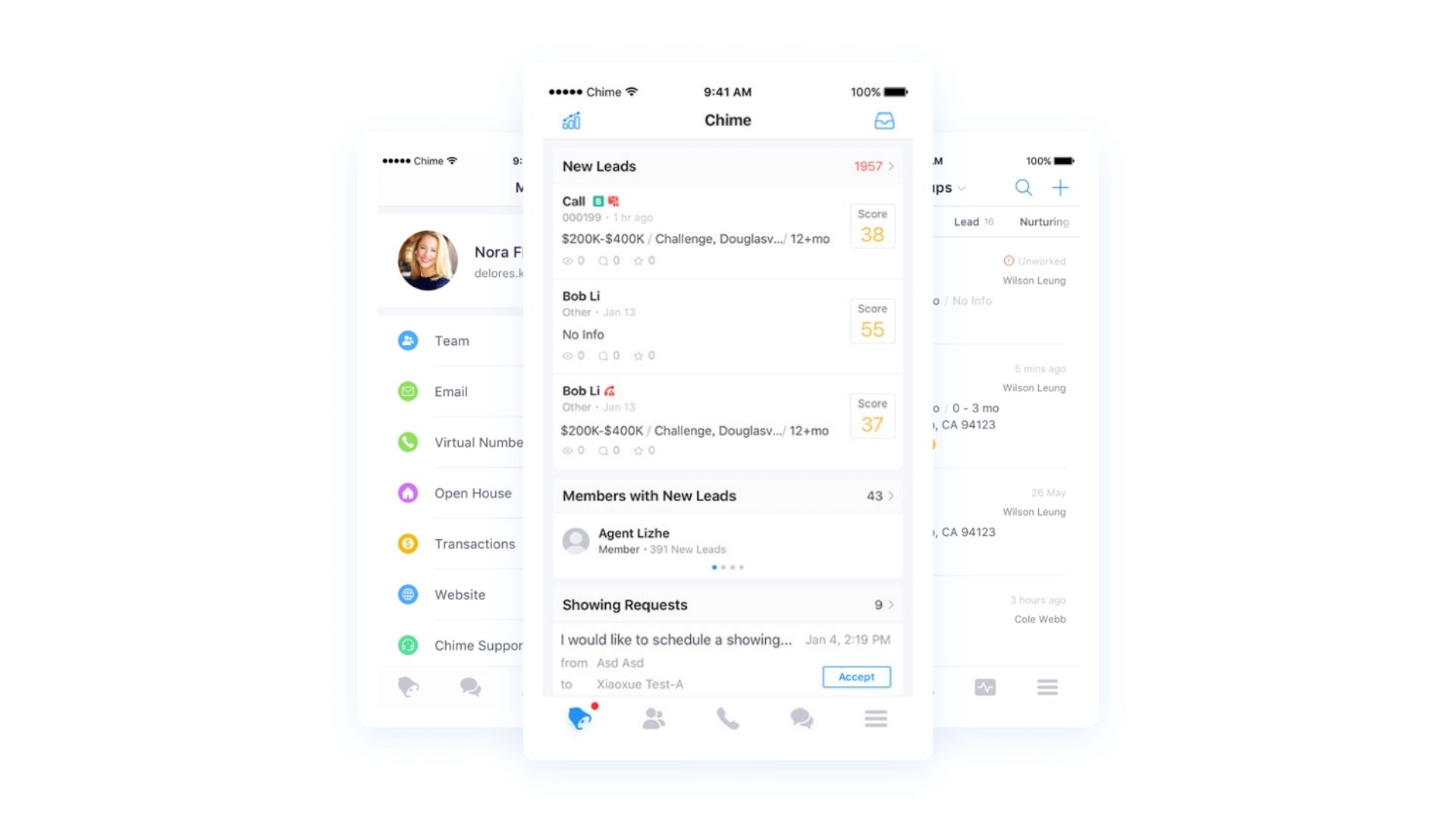

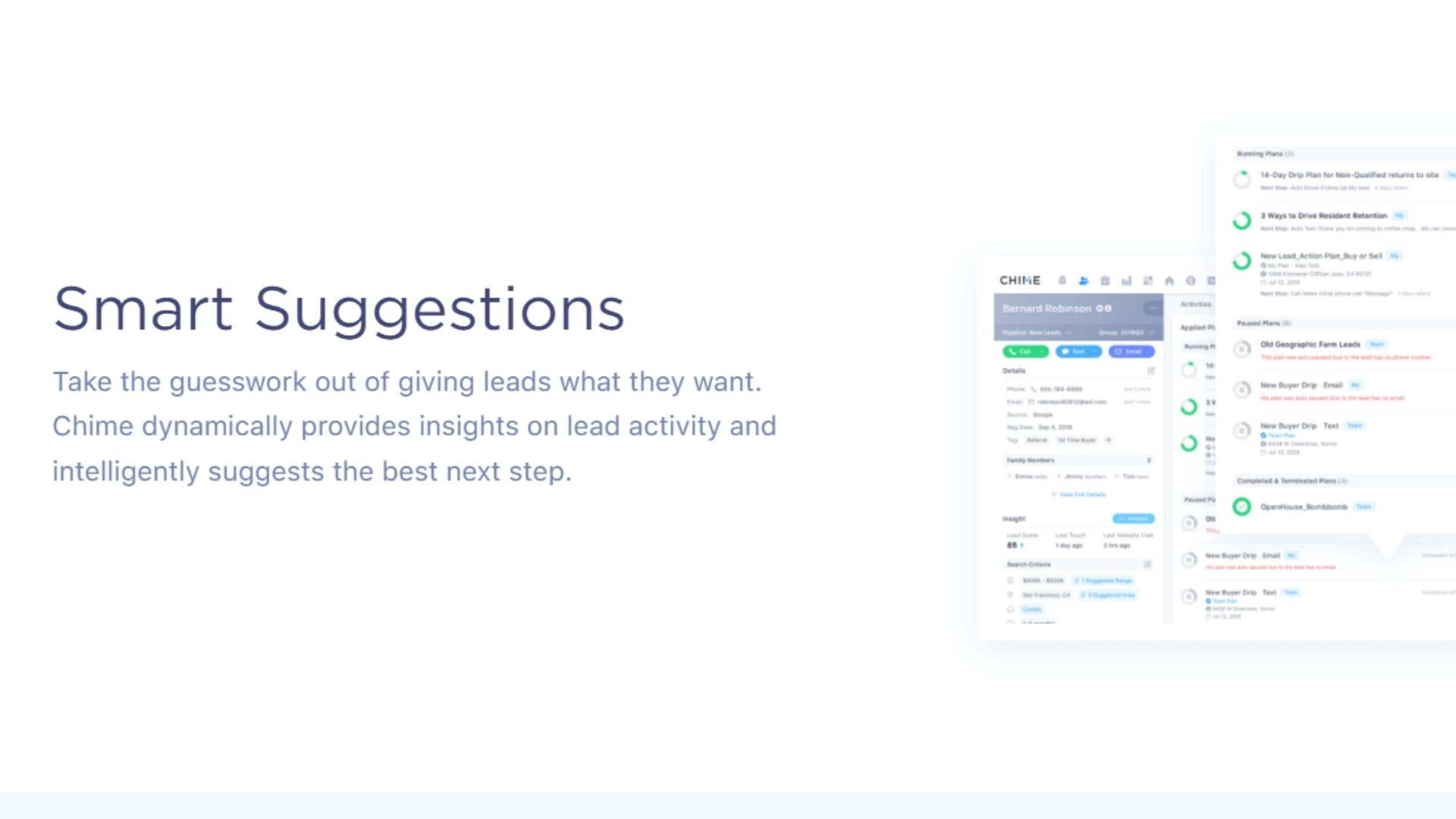
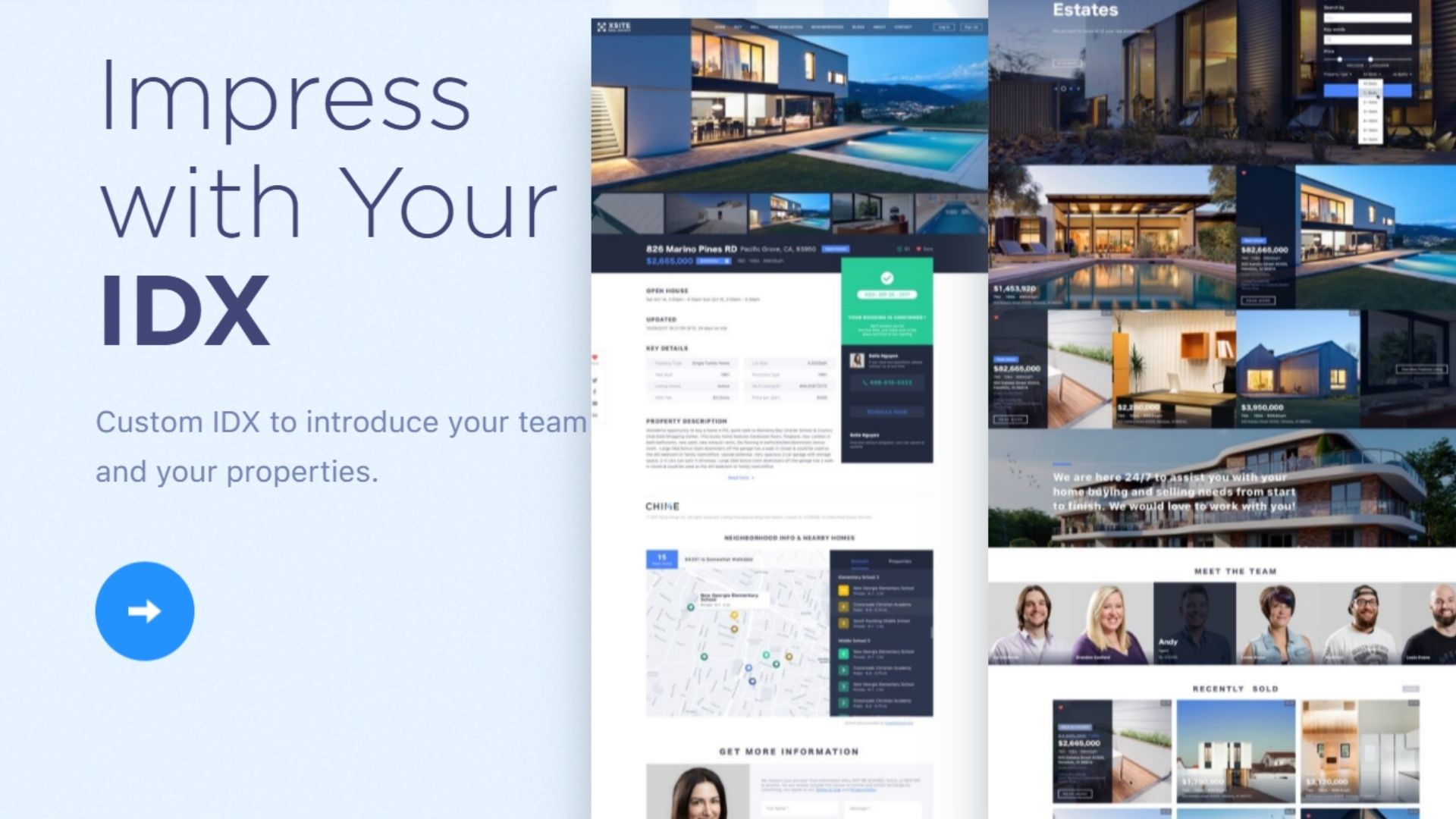
Chime's core CRM capabilities strike me as quite robust, well-suited for the needs of most real estate businesses. It covers all the essential features you'd expect in a comprehensive CRM system.
For contact management, Chime offers solid lead generation and capture tools. The AI Assistant can automatically match new leads to appropriate listings and set up customized property alerts based on their behavior. This intelligent lead nurturing helps keep prospects engaged.
I was impressed by Chime's pipeline tracking capabilities as well. The platform provides a good overview of your sales pipeline, with visual reports on the status of deals. You can create customizable "Smart Plans" to automate workflows and keep transactions moving smoothly.
Another standout is Chime's forecasting algorithm, which uses agent performance data and historical trends to predict future sales. As an analyst, I always appreciate a CRM that offers strong reporting and analytics. Chime lets you monitor key metrics like volume, closings, and revenue in real-time.
For agents frequently in the field, Chime's mobile app is indispensable. It provides access to critical CRM features on the go, including the ability to contact leads and use the built-in Power Dialer.
If I had to critique Chime, I'd say the depth of its sales analytics could be stronger compared to some enterprise-grade CRMs. But for most real estate teams, it likely provides ample insights to optimize performance.
Overall, Chime appears to be a well-rounded CRM platform. By combining essential contact management, deal tracking, and reporting capabilities with industry-specific features, Chime positions itself as a solid contender in the real estate CRM space. While it may have some room for improvement, Chime's core functionality is more than enough for most agencies.
How easy is Chime CRM to use?
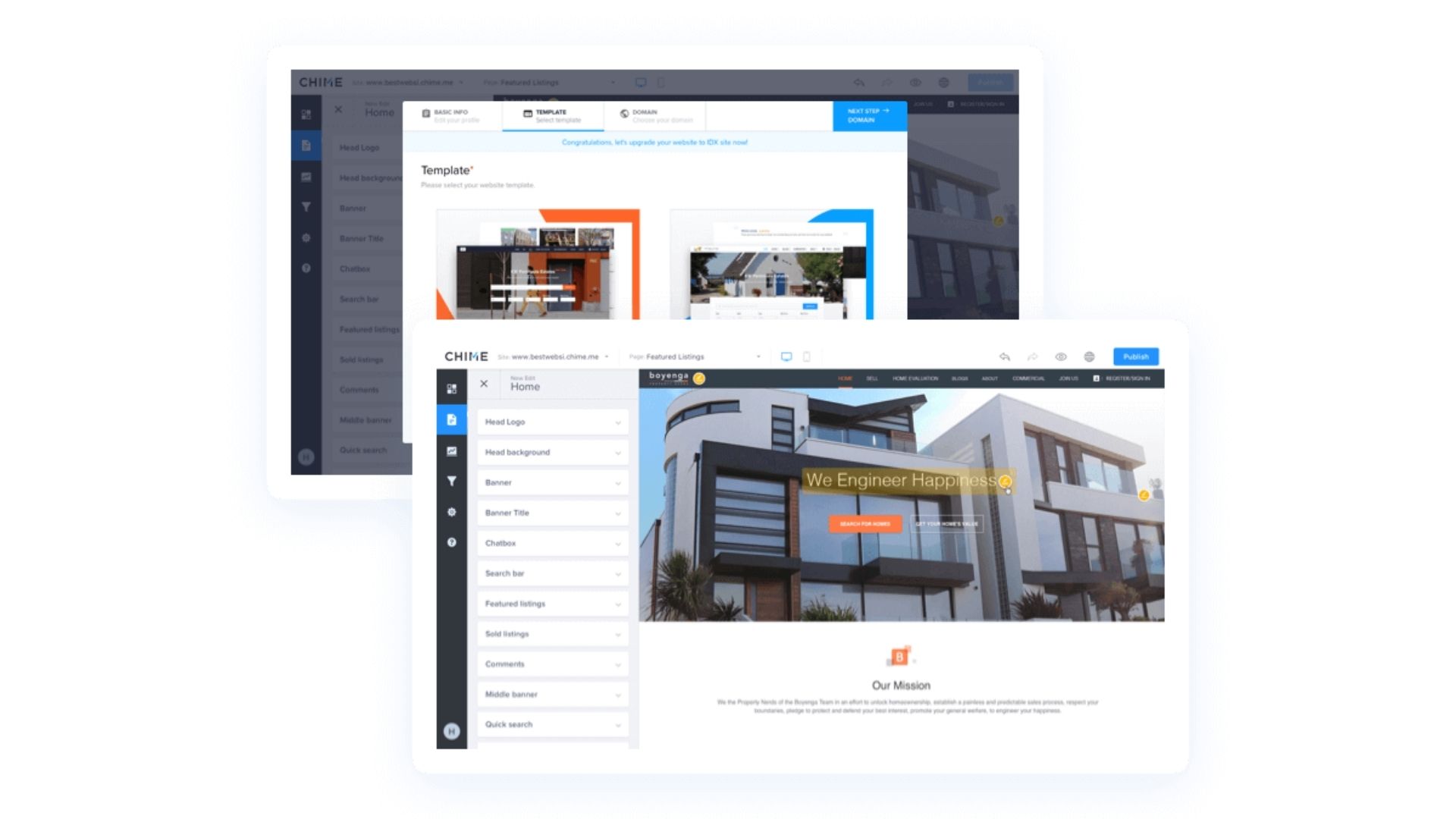
Chime CRM shines with its clean and intuitive UI that even CRM novices can navigate with little training. The well-organized layout and ample white space make it simple to find the tools and data you need. Performing essential tasks like updating contacts or placing a call only requires a few clicks.
Chime's mobile app brings the desktop version's core functionality to your smartphone, enabling agents to work efficiently on the go. This accessibility is a huge plus for busy real estate professionals constantly juggling client meetings and property showings.
The CRM offers a solid range of customization options, letting you tailor dashboards, reports, and workflows to match your unique business processes. However, it may take some time to fully explore and configure these features to optimize your setup.
To smooth the onboarding process, Chime provides helpful training videos that walk new users through the basics of the platform. These resources can significantly reduce the learning curve and help your team hit the ground running.
That said, given its extensive capabilities, it's realistic to expect an adjustment period as you get acquainted with all the bells and whistles. Mastering advanced features and fine-tuning automated sequences will likely require some trial and error.
In my experience, most users can become comfortable with Chime's core functions within a couple of weeks. But reaching peak proficiency and fully customizing the system to your needs may take a month or two of consistent use.
While not without a learning curve, Chime CRM's thoughtful design and educational resources make it an accessible, user-friendly choice for real estate teams. With a bit of practice and exploration, you'll be leveraging this powerful tool like a pro in no time.
Integrations
Chime offers several pre-built integrations out of the box with popular real estate tools and services. This includes lead capture and parsing integrations with Zillow, Trulia, and Realtor.com, email integrations with Gmail and Exchange, calendar sync with Google Calendar and Outlook, and transaction management tie-ins with Brokermint, Dotloop, and Skyslope.
The CRM also integrates with marketing automation and video tools like BombBomb, MailChimp, Cloud CMA, and Dubb. Based on my experience, most of the key applications real estate teams would need seem to be supported natively.
For more custom integrations, Chime does offer an API. However, documentation on its full capabilities is limited. The main use case highlighted is accessing queue and agent availability data from the Chime support desk. While useful, this is a fairly narrow integration scenario.
Where Chime really shines is its support for iPaaS tools like Zapier. Using Zapier, you can connect Chime with 1000s of other web apps and automate data syncing and workflow steps between them. I found several examples of real estate teams using Zapier to integrate Chime with tools like ClickFunnels for lead capture and Roomvu for lead qualification.
So while Chime's custom API is lacking, the combination of pre-built integrations with key industry tools and extensive Zapier support make it a very extensible platform overall. It should meet the integration needs of most real estate businesses without heavy technical lifting.
How good is Chime CRM support?
Chime CRM provides several live support channels, including phone and email, but it seems to lack a live chat option based on my research. While they do offer a knowledge base with articles and tutorials, there doesn't appear to be an active user forum or community for peer-to-peer support.
Where it really struggles is in the quality and responsiveness of the customer service. Many user reviews mention slow response times, with support agents often just reading from scripts rather than providing personalized assistance. Some customers report waiting weeks to get critical account issues resolved.
Chime touts a 96% customer satisfaction rate on its website, but that figure seems suspect given the numerous complaints I came across on sites like TrustRadius and G2. On TrustRadius, Chime's support is ranked poorly compared to other major CRM brands. One reviewer called their service "awful" and said it made the platform nearly impossible to use.
Reddit contains several threads with users venting frustrations about Chime's "atrocious" and "joke" of a support experience. Agents apparently say anything to get people off the phone without actually resolving problems. Tax issues and account lockouts are cited as common issues that linger unaddressed.
I think Chime has built a powerful CRM product, but they have seriously dropped the ball when it comes to backing it up with quality customer service. For a tool that is so critical to a business's operations, I would have major concerns about relying on Chime based on these support shortcomings.
Response and resolution times are clearly well below industry standards, and the lack of live chat and community forum options is disappointing for a modern SaaS company. Until Chime makes major investments in expanding and upleveling their customer service, I would be hesitant to recommend them over competing CRM platforms with better reputations for support.
Chime CRM pricing and plans
Swipe to scroll horizontally
Plan | Core | Premier | Business |
Price | $499/month | $700/month | $1500/month |
Best For | Individual agents starting with CRM tools | Small teams needing enhanced collaboration | Larger teams requiring comprehensive features |
Features | Basic lead management Email marketing Mobile app access | API access Advanced reporting Team collaboration tools | Dedicated customer support AI-driven insights Custom integrations |
Limitations | Basic features only, limited support | Limited advanced features, higher cost | Complex setup, requires training |
Chime offers three main pricing plans to suit different types and sizes of real estate teams. The pricing model is subscription-based, with a monthly fee that varies depending on the plan and number of users.
The starter "Core" plan is priced at $499 per month and is designed for solo agents and small teams just getting started with a CRM. It includes core CRM features like lead management, marketing automation, and reporting.
The most popular "Premier" plan starts at $700 per month for up to 15 users. Additional users can be added for $25 each per month. This plan unlocks advanced capabilities like custom dashboards, API access, and dedicated support.
For larger teams, the "Enterprise" plan starts at $1500 per month for up to 100 users, with each additional user costing $12/month. It offers the full suite of Chime features plus extras like white-labeling and a dedicated success manager. The Enterprise plan also has a one-time $2000 setup fee.
On top of the base subscription fees, there can be additional charges for certain premium add-ons and integrations, like advanced analytics or third-party data enrichment services. The costs for these extras are not openly published.
Chime does not offer a free plan but does provide a 14-day free trial on all plans so potential customers can test drive the platform before committing. Discounts may be available for annual contracts paid upfront, but the details are not public.
Overall, while not the cheapest option on the market, Chime's pricing seems reasonable given the comprehensive feature set and strong track record with real estate professionals. The tiered plans provide flexibility to accommodate different team sizes and budgets. But the lack of transparent pricing for enterprise-grade features and add-ons is a bit disappointing.
Potential buyers will definitely want to take advantage of the free trial and get a custom quote to determine the true long-term costs for their specific needs before signing up. For smaller teams and solo agents, there may be more affordable alternatives to evaluate as well.
Chime CRM review: Final verdict
Lofty, also called Chime, is a robust real estate CRM platform that combines essential contact and deal management features with advanced marketing automation and analytics tailored for the industry.
In reviewing it firsthand, I was impressed by the breadth and depth of its feature set. The platform offers all the core CRM functionality you'd expect, like contact management, task assignment, and pipeline tracking. But it really shines in its real estate-specific tools, such as the ability to create IDX websites, intelligently match leads to listings, leverage targeted online ads, and automate personalized lead nurturing.
Chime's interface is clean and intuitive, with solid customization options to adapt it to your workflow. The built-in onboarding and training resources also help flatten the learning curve. Integrations are another strength, with an extensive library of pre-built connections and a flexible API. However, customer support gets mixed reviews on responsiveness.
That said, Chime (or Lofty) is best suited for growth-focused real estate teams and brokerages seeking a fully-featured industry-specific CRM to manage their businesses. Budget-conscious solo agents may find it a bit overkill.









 English (US) ·