
 2 weeks ago
29
2 weeks ago
29
Back in 2006, several Asus engineers and enthusiasts got together and announced a new division within the company, dubbed Republic of Gamers, dedicated to equipping gamers with high-performance, tweakable PC hardware that’s “...loaded with style and indulgent extras.” The first product to kick off 20 years and counting of ROG was the original ROG Crosshair motherboard. As you may have guessed by now, the original featured a huge copper heatsink connected via heatpipe for the VRMs, Northbridge, and Southbridge (remember, those were separate), ending with the first ROG symbol, the orange and white “G.” All of the slots, including DRAM, PCIe, as well as the ATX power, IDE connector, SATA ports, and some of the headers at the bottom used a blue and white color scheme on this old school ROG board.
Fast-forward to today, and in the lab is the limited edition ROG Crosshair 2006 (
$799.99). On it, we clearly see the retro-inspired aesthetic has made its way to a motherboard with modern underpinnings – a "restomod" if you will. We see the copper-colored heatsink (not made of copper) for the VRMs, M.2, and chipset. The large plate-style M.2 heatsink on the bottom half brings back the original ROG symbol, and the company brought back the blue and white accents on the DRAM and PCIe slots, as well as the SATA connectors and some ports along the bottom edge. The design isn’t what we are used to these days, with many boards adopting a monochromatic look, but it has grown on me since we first saw it. When you have it in your hands, you’ll realize that the images don’t do it justice. If you were an enthusiast back then, the board really hits you in the feels and takes you back to a simpler time of overclocking, when gains were much more significant, and AI was more of a concept in a movie than a reality.
Outside of the throwback aesthetic, there’s high-end hardware underneath. In fact, it’s based on the ROG Crosshair X870E Dark Hero
we reviewedearlier in 2026 that eceived 4/5 stars, and is a “...compelling premium choice for high-end builds.” Hardware-wise, this board is nearly identical and packed with premium features. You get five M.2 sockets (two PCIe 5.0), fast networking with 10 GbE and 5 GbE ports and Wi-Fi 7, a robust power delivery solution with 24 total phases and 110A MOSFETs, five USB Type-C ports on the rear IO (including two USB4/40 Gbps), and a flagship-class audio solution. Asus crams in several software features, like its AI (Overclocking, Cooling II, Networking II, Cacheboost, Advisor), EZ PC DIY features, and an updated BIOS, cementing the Crosshair 2006 as a well-rounded premium mid-range solution.
Performance testing went as expected and was quite similar to the Dark Hero; in fact, even with a newer BIOS and AGESA, a couple of benchmarks scored the same. Overall, it performed well across most of our tests. It was competent at gaming and also above average at most productivity tests (as we’ll see in detail later), so there's nothing to worry about in terms of performance.
Below, we’ll examine the Crosshair 2006’s performance and other features to determine whether it deserves a spot on our list of the
best motherboards. But before we share test results and discuss details, here are the specifications from Asus’ website:
Specifications of the Crosshair 2006
Swipe to scroll horizontally
Socket | AM5 (LGA 1718) |
Chipset | X870E |
Form Factor | ATX |
Voltage Regulator | 24 Phase (20x 110A SPS MOSFETs for Vcore) |
Video Ports | (2) USB4 Type-C DisplayPort |
USB Ports | (2) USB 4 (40 Gbps) Type-C (6) USB 3.2 Gen 2 (10 Gbps) |
Network Jacks | (1) 10 GbE |
Audio Jacks | (2) Analog + SPDIF |
Legacy Ports/Jacks | ✗ |
Other Ports/Jack | ✗ |
PCIe x16 | (1) v5.0 (x16, x8/x8) |
PCIe x8 | ✗ |
PCIe x4 | ✗ |
PCIe x1 | ✗ |
CrossFire/SLI | ✗ |
DIMM Slots | (4) DDR5-9600(OC), 256GB Capacity 9600+MT/s(OC)**/9200+MT/s(OC)*** with Ryzen™ 8000 Series 8000+MT/s(OC)**/8000+MT/s(OC)*** with Ryzen™ 7000 Series |
M.2 Sockets | (2) PCIe 5.0 x4 (128 Gbps) / PCIe (up to 110/80mm) |
SATA Ports | (2) SATA3 6 Gbps |
USB Headers | (1) USB v3.2 Gen 2x2 (20 Gbps) Type-C (up to 60W PD/QC4+) |
Fan/Pump Headers | (7) 4-Pin (Accepts PWM and DC) |
RGB Headers | (1) 6-pin ARGB Gen2 header supports 2x ARGB Gen2 headers |
Diagnostics Panel | (1) EZ Debug LED |
Internal Button/Switch | BCLK/Flexkey/Retry buttons |
SATA Controllers | ASMedia ASM1162 |
Ethernet Controller(s) | (1) Realtek 8127 (10 GbE) |
Wi-Fi / Bluetooth | Mediatek MT7927 Wi-Fi 7 - 320 MHz, 6 GHz, 5.8 GHz, BT 5.4 |
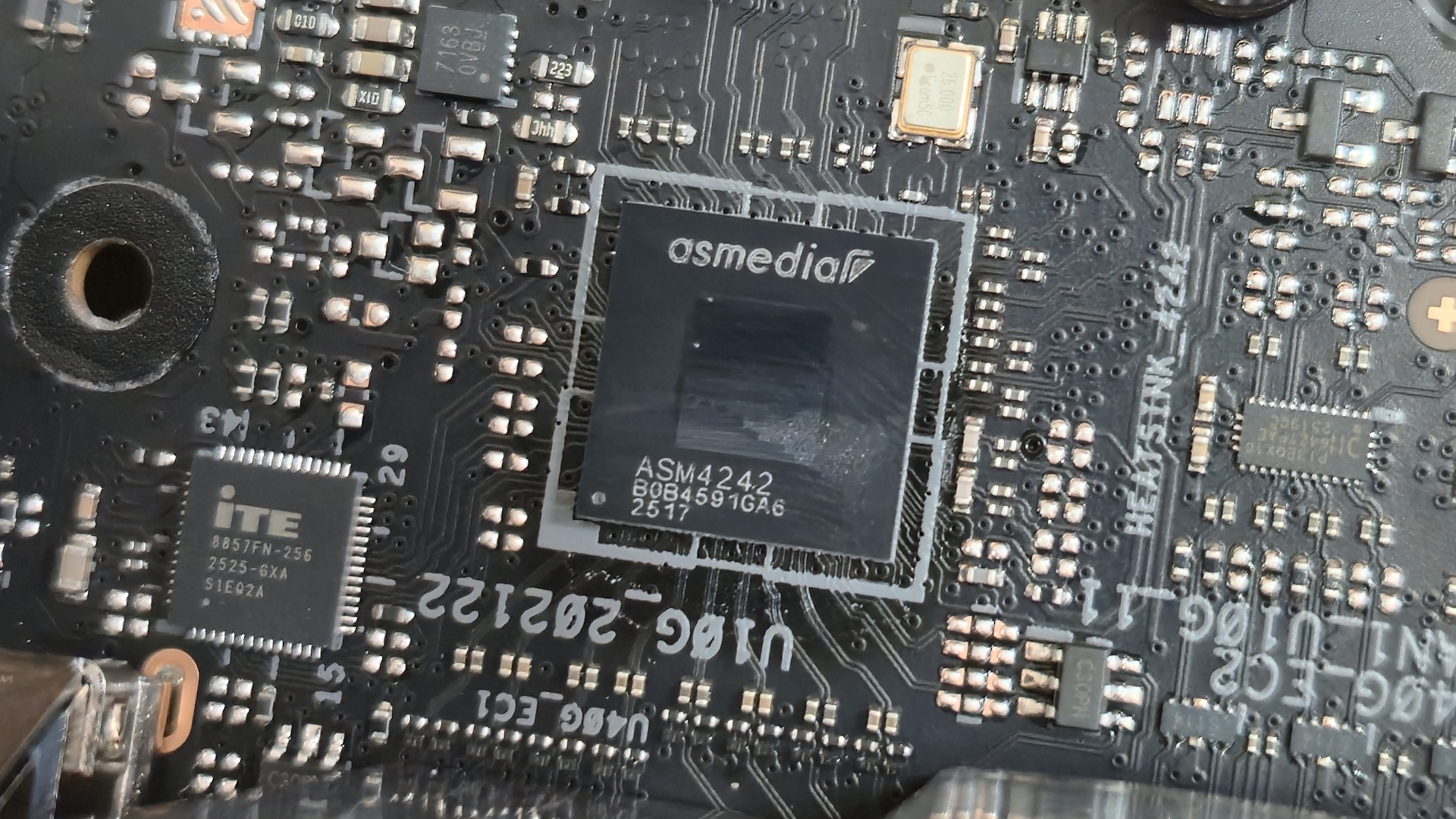
USB Controllers | Asmedia ASM4242, Realtek RTS5411S |
HD Audio Codec | ROG Supreme FX (ALC4082) + ESS9219 Quad DAC, LED illuminated audio jacks |
DDL/DTS | ✗ / ✗ |
Warranty | 3 Years |
Inside the Box
Inside the retail packaging, the Crosshair 2006 comes with several accessories, though fewer than the Dark Hero it’s based on. You get the typical collection of cables, antennas, and guides, but Asus does not include the ROG Assistant fan for cooling the memory or the DDR5 fan holder (nor the ROG VIP card or bottle opener). We’ve listed everything inside the box below:
- (4) SATA 6Gb/s cables
- Thermal pad for M.2 22110
- ASUS WiFi Q-Antenna
- Q-connector
- (3) M.2 Q-Slide package
- (5) M.2 backplate rubber packages
- ROG stickers
- ROG screwdriver
- Quick start guide
Design of the Crosshair 2006
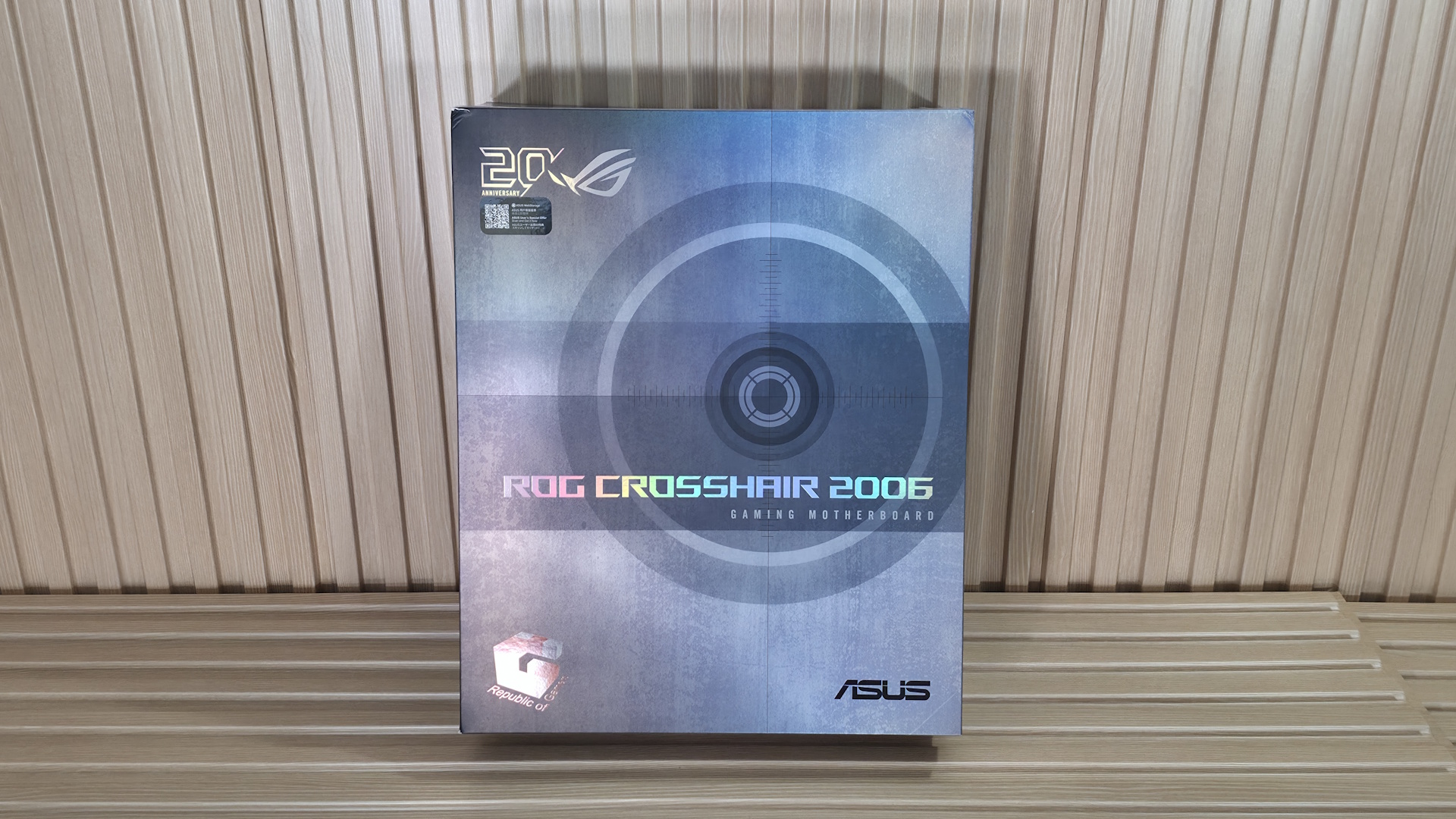
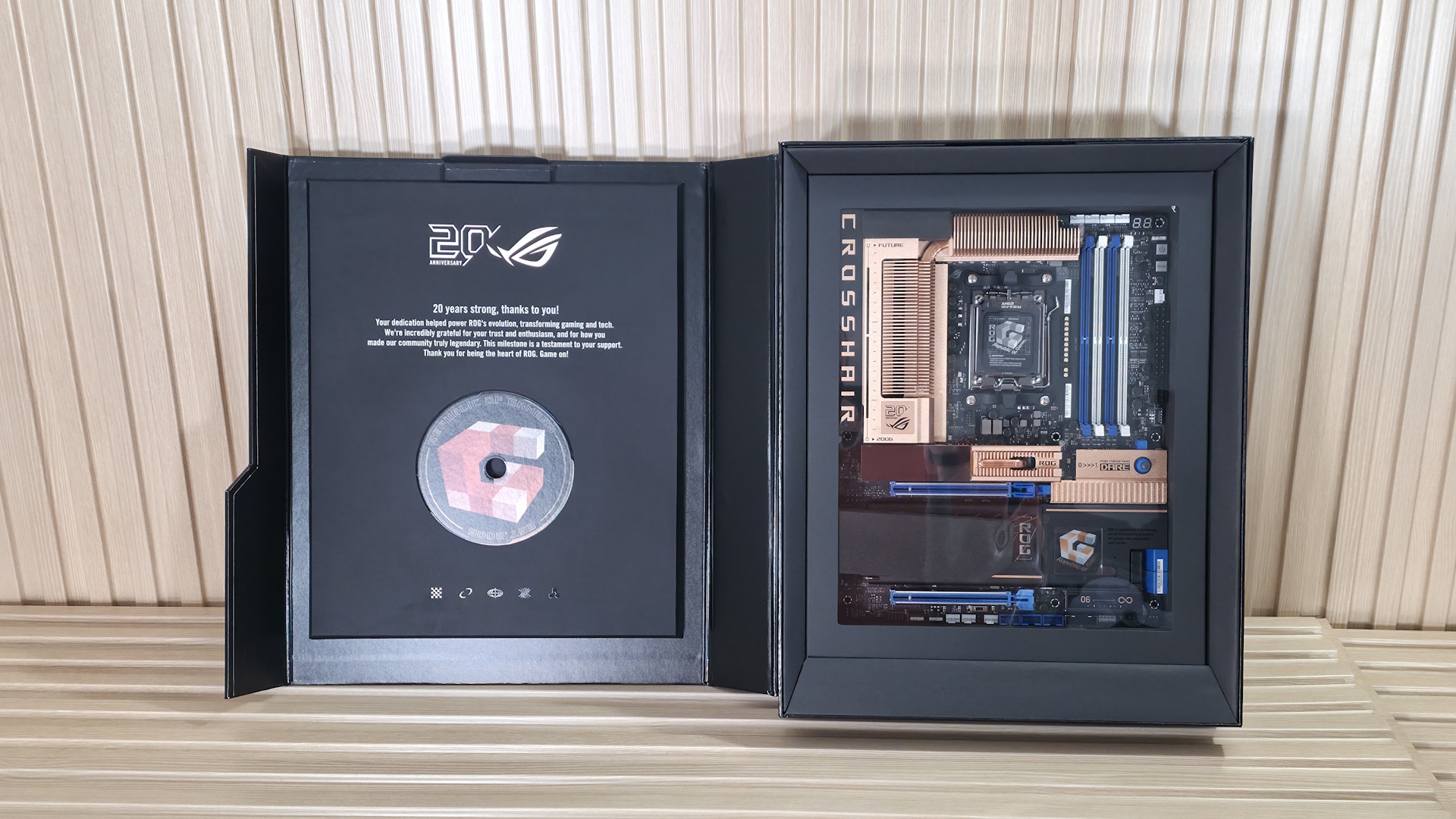
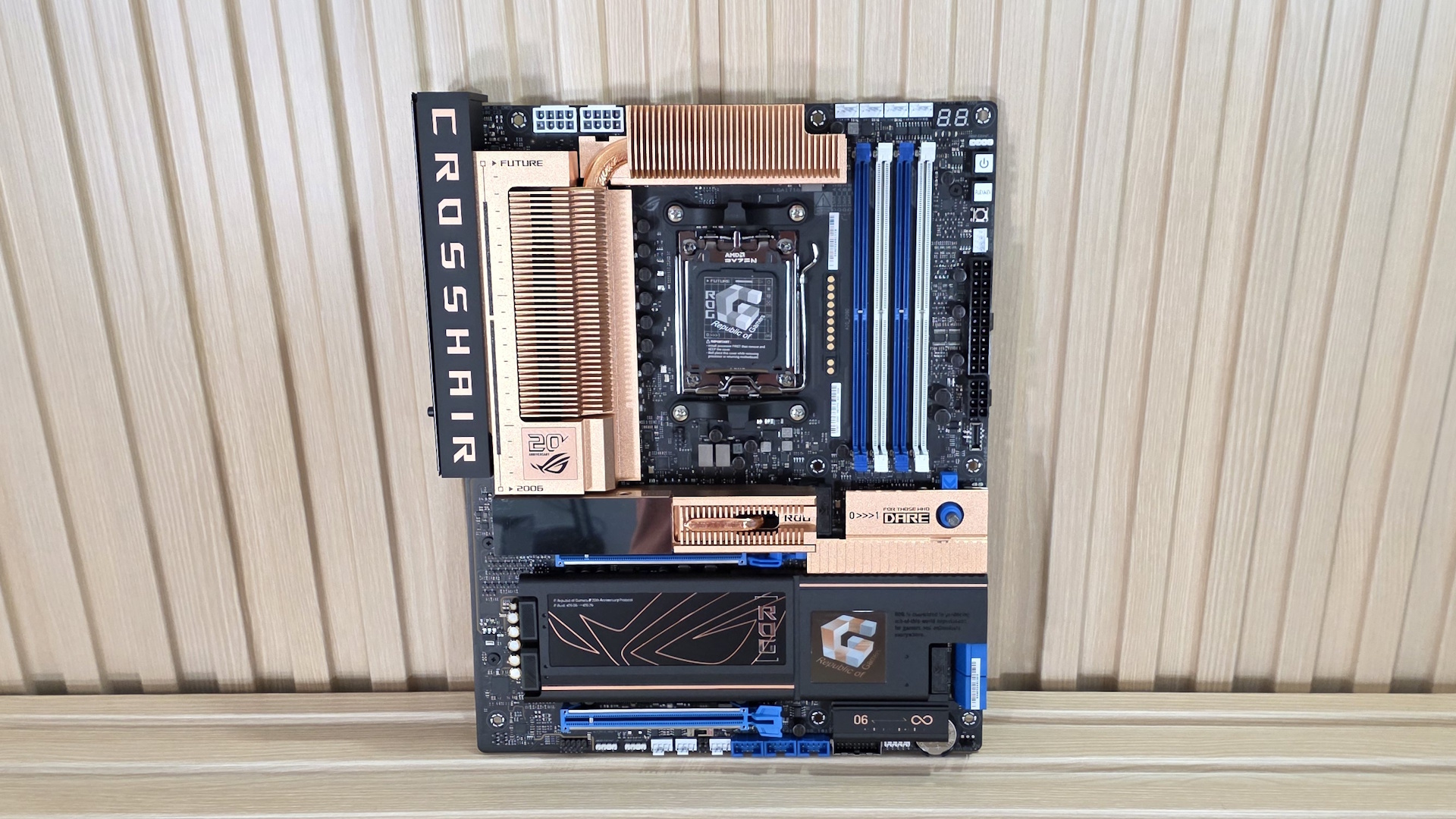
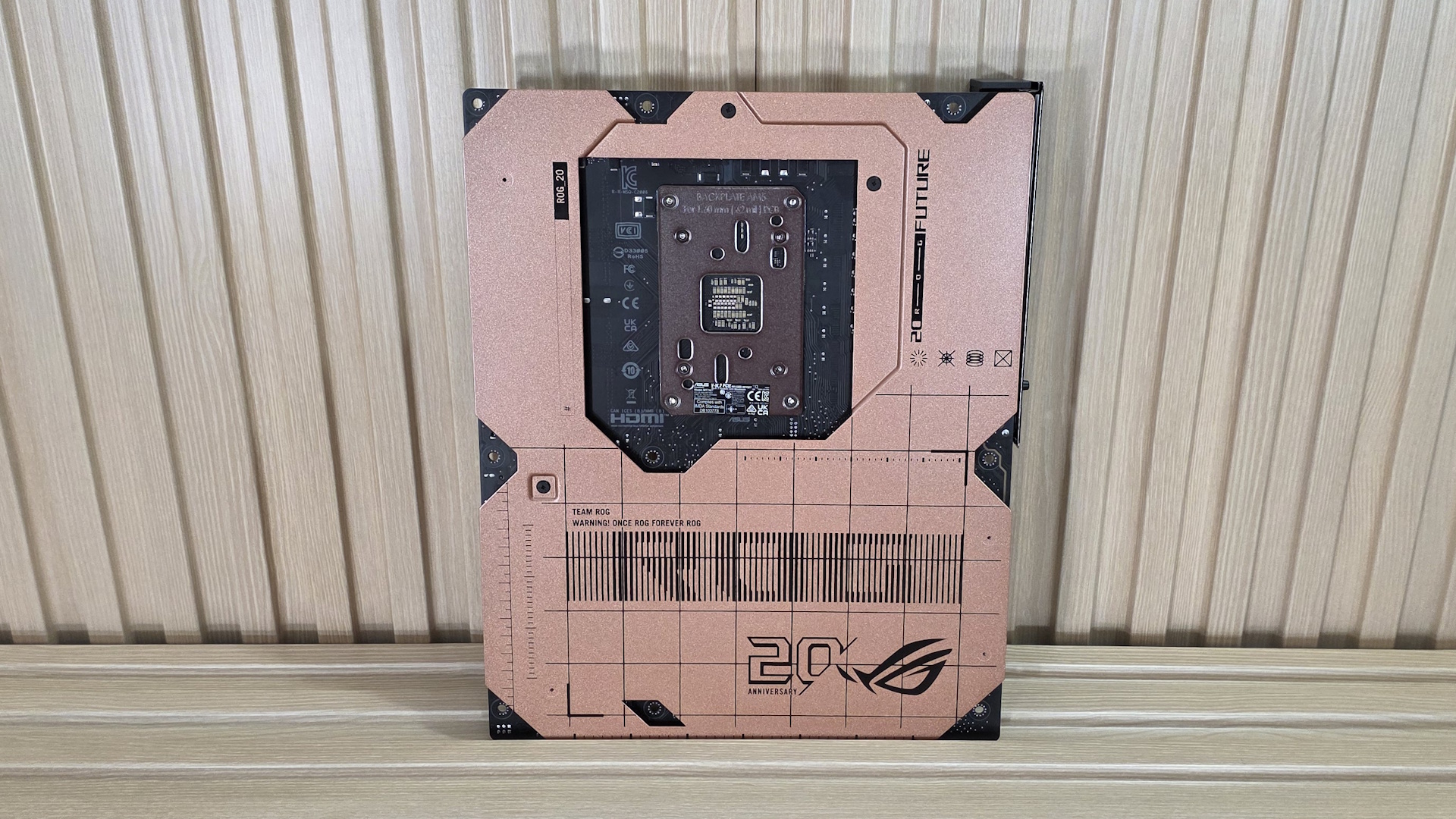
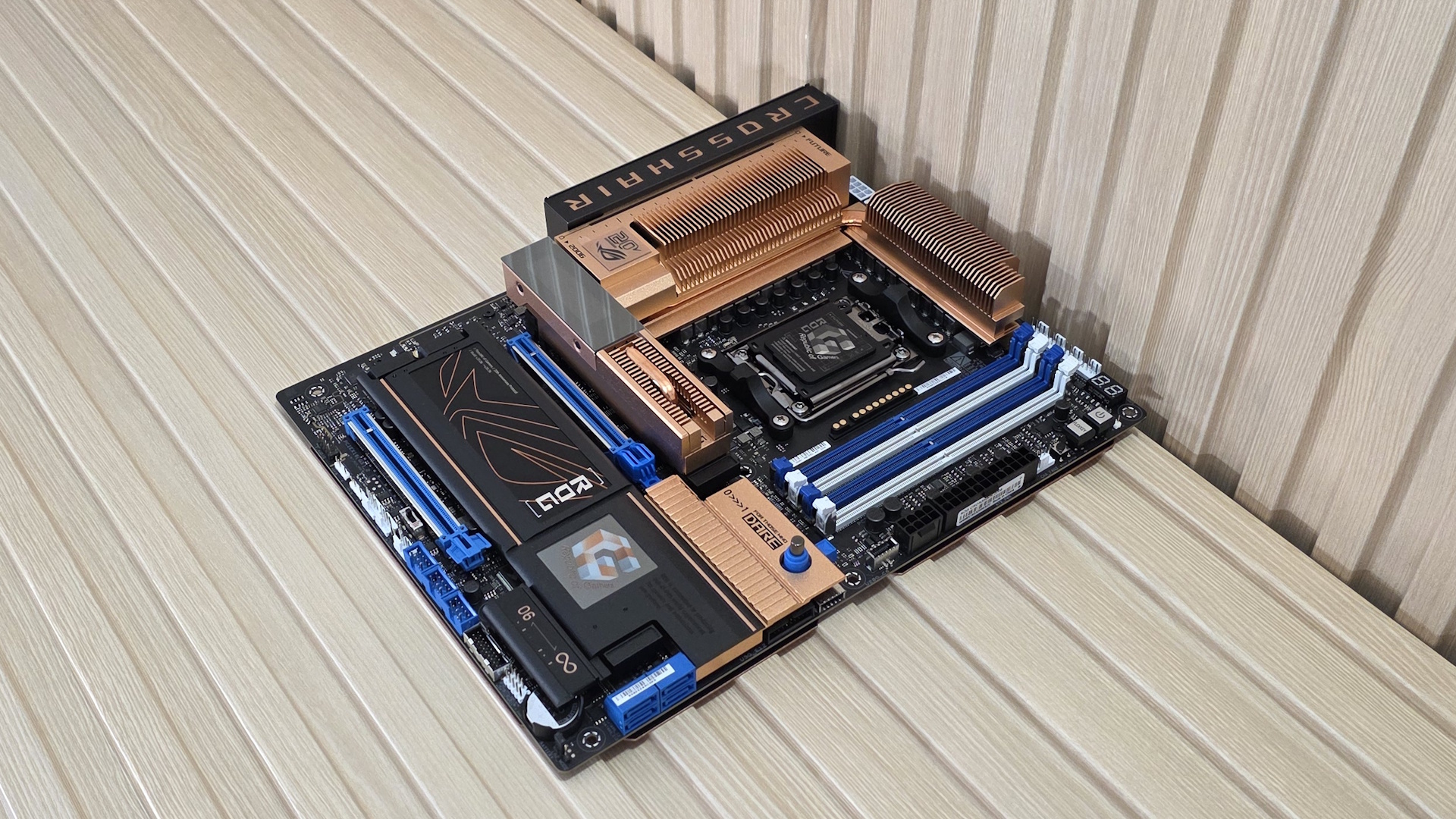
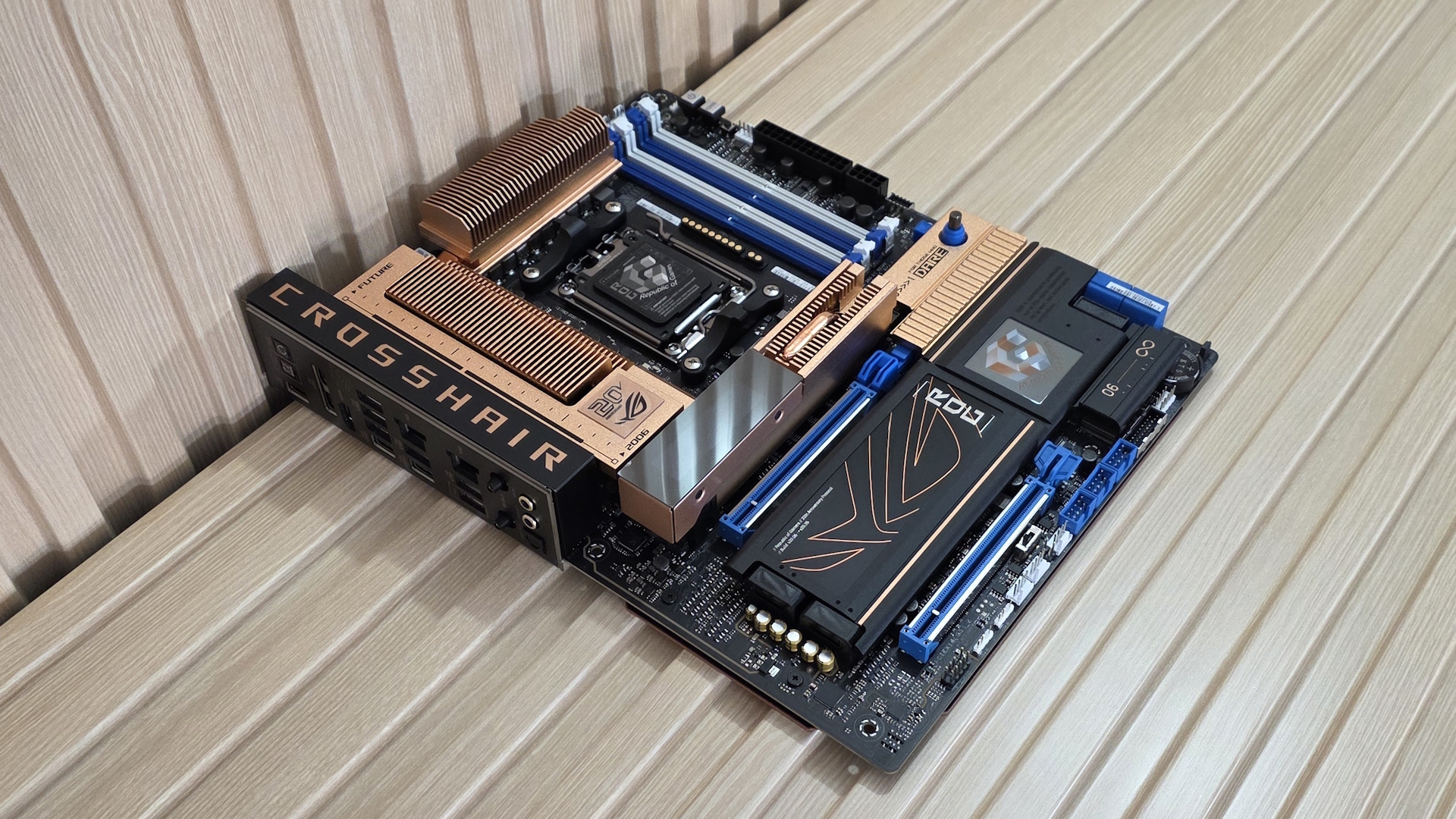
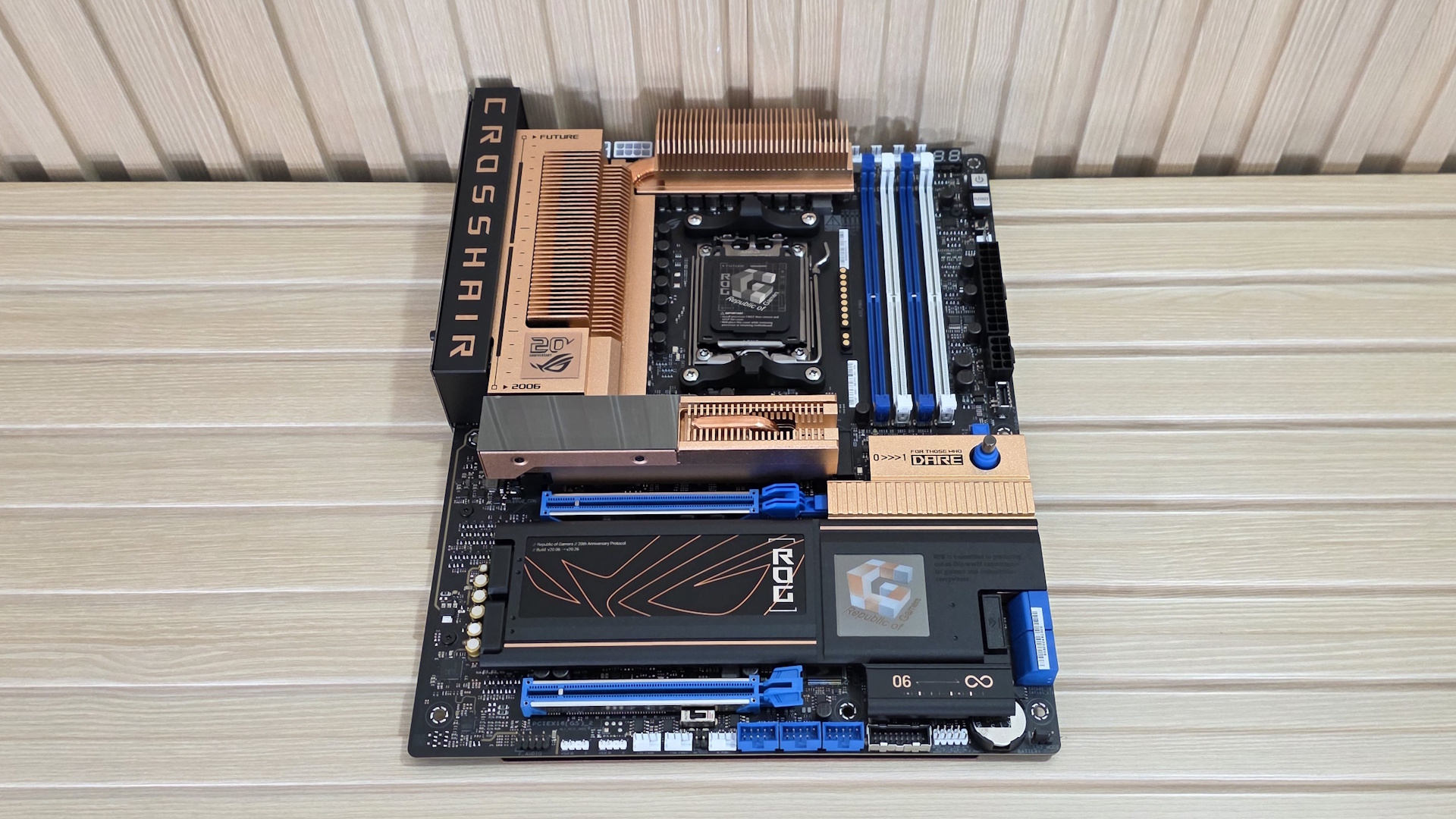
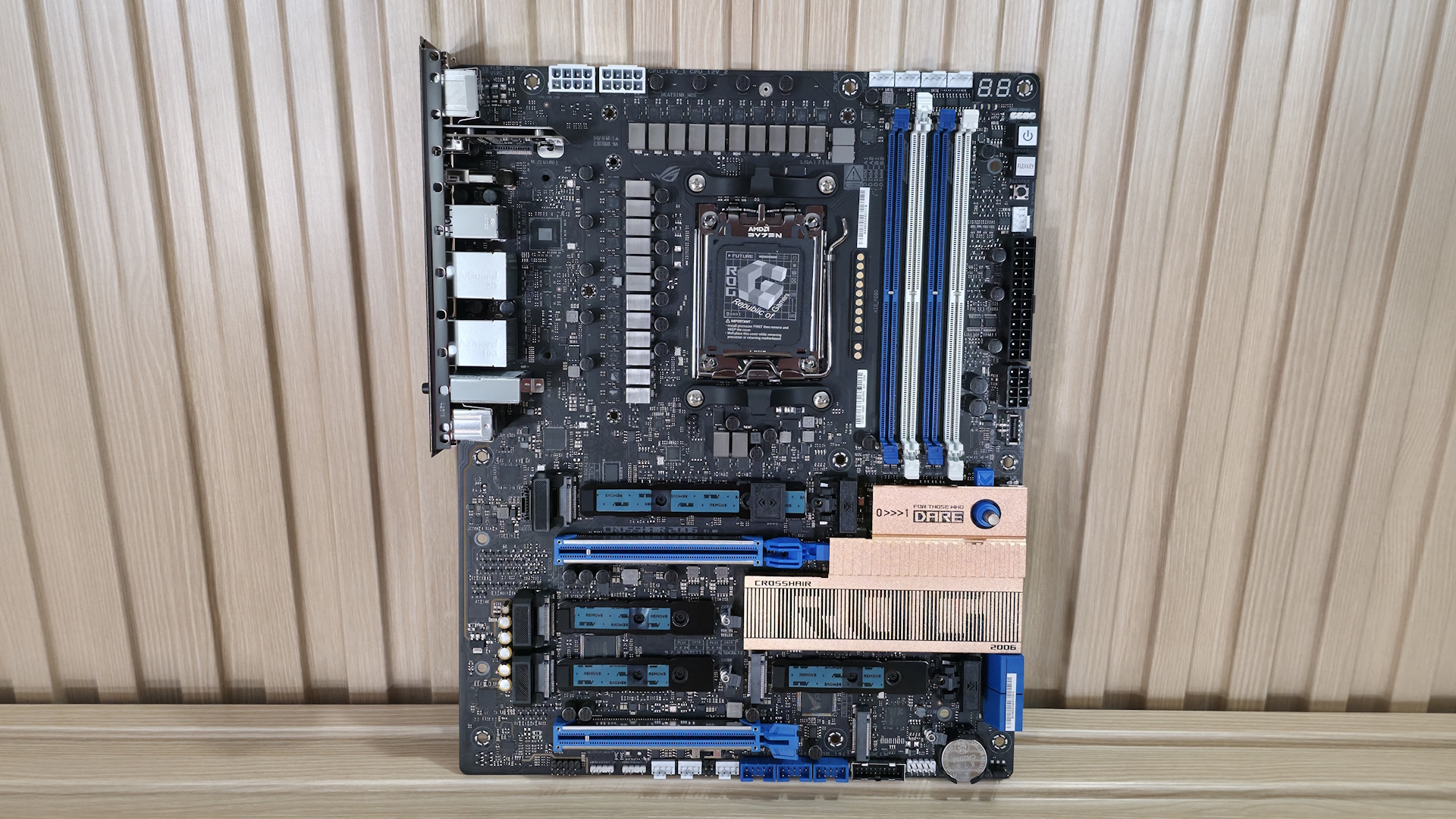
The Crosshair 2006 and its retro-inspired copper-colored cooler design (it’s aluminum) look incredible against the multi-layer matte-black PCB. The heatsink uses fins (thicker than the original to prevent scrapes) to increase surface area, while a heatpipe connects the two copper-colored heatsinks. The primary M.2 socket also takes on the copper theme and adds a cool little OLED on top, a much better choice than the polymo lighting feature on the Dark Hero. Blue and white colored covers adorn the DRAM and PCIe slots, as well as the four SATA ports on the right edge and USB 2.0 ports along the bottom. The plate-style heatsink that covers multiple M.2 sockets looks a bit different, with the modern ROG symbol on the left and the retro “G” figure on the right, above the chipset.
Latest Videos From

Overall, the throwback appearance will look good in any modern chassis, especially with dark-colored builds. But it can be polarizing. There’s a reason that colorful style (blue PCB, anyone?) went the way of the dodo.
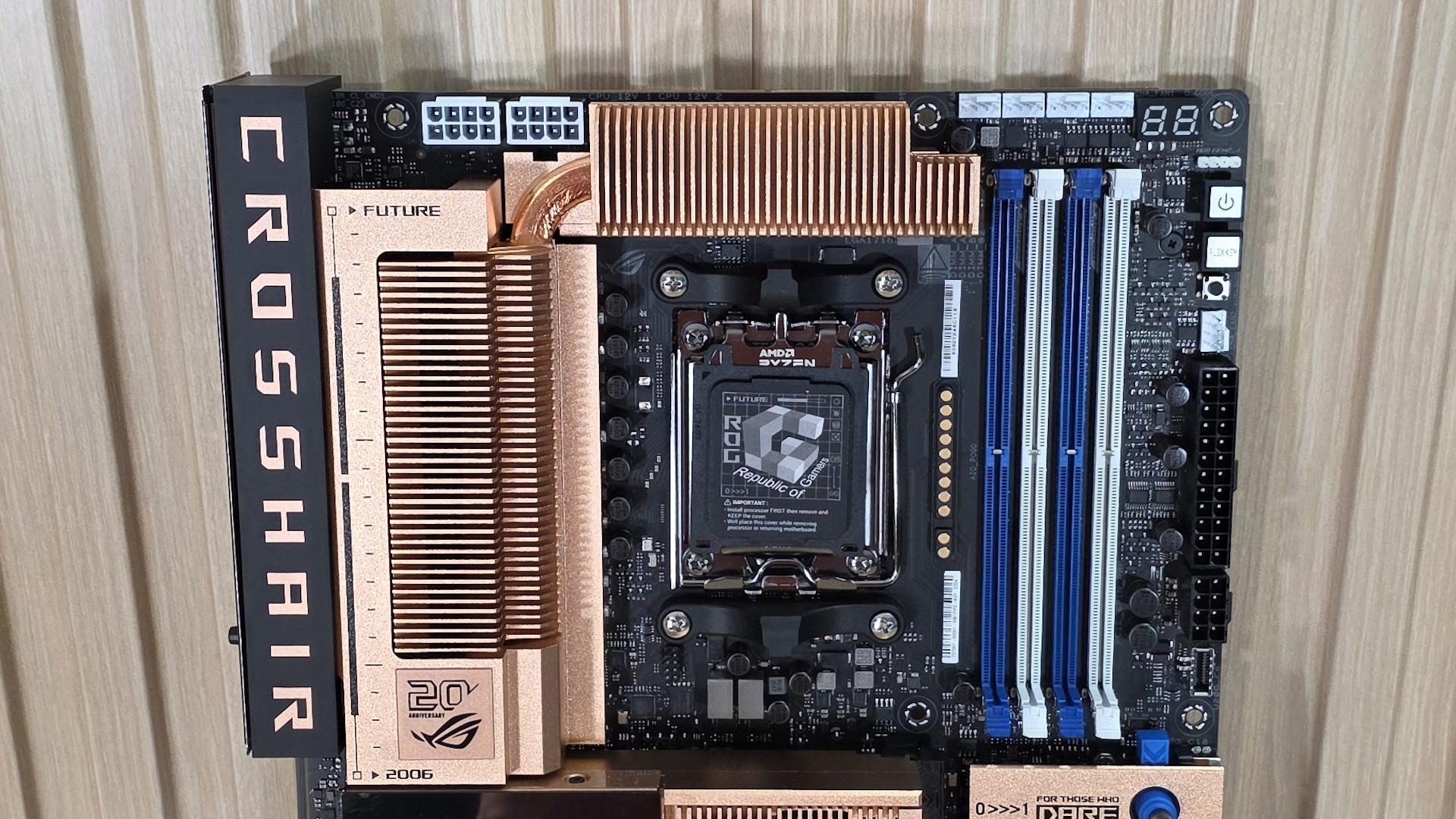
Starting in the top-left corner, we get a better look at the large, copper-colored heatsink for power delivery. Here we see the larger fins reminiscent of the original design, Crosshair branding, and special 20th ROG branding on the heatsink and I/O shroud. Above that are the two white (instead of the typical black) 8-pin EPS connectors to power the processor (one required).
Looking past the socket and before the DRAM slots is the new Asus Q-Connect feature. The proprietary 11-pad hub transfers power and control signals (think pump, ARGB, fans, and, on some models, the display) directly through the motherboard, eliminating the need for traditional, visible, individual cables that detract from a clean aesthetic. It’s compatible with the ROG Strix LC and SLC IV 360 AIOs announced at CES 2026. It’s a useful feature if you plan to use compatible Asus AIOs. But I would like Asus to include a simple rubber cover that matches the board’s appearance, so it doesn’t stick out when you’re not using it.
Next, the four DRAM slots (with Nitropath technology) are to the right, with locking mechanisms to secure the RAM on the top and bottom. Asus lists support for 256GB of RAM and DDR5-8600 speeds for 9000 series desktop processors, and even higher (DDR5-9200) for APUs. Though, unless you’re benching for Hwbot, I can’t see many using an APU on a $700 motherboard, unless you’re benchmarking competitively. Still, that’s plenty fast and way past AMD’s sweetspot.
Above the DRAM slots are the first four (of eight) standard 4-pin fan headers, each with a white header, compared to black on the Dark Hero (which also has them covered by a shroud). Per usual, each supports PWM and DC-controlled devices. Power output varies across headers: 1A/12W on most headers (CPU, Chassis, AIO, and the AIO_POGO), while the single W_Pump+ header supports 3A/36W. The Asus BIOS or Armory Crate software controls these attached devices.
In the upper-right corner are the two-character Q-Code LED and Q-LEDs that help troubleshoot POST issues. The Q-LEDs light up during the POST process and remain lit to give you a general idea of where the problem is (CPU, VGA, DRAM, Boot), while the Q-Code LED provides two-digit codes to indicate more specific issues and also displays CPU temperature when in Windows.
Looking down the right edge, we see the Start and Flexkey buttons; in this case, they are square rather than the round ones found on the Dark Hero, along with a small Retry button. Below that is another 4-pin fan header, the 24-pin ATX power connector, an 8-pin PCIe connector for supplemental board power (to support 60W charging - both in black), and one of the front-panel USB 3.2 Gen2x2 (20 Gbps) Type-C connectors.
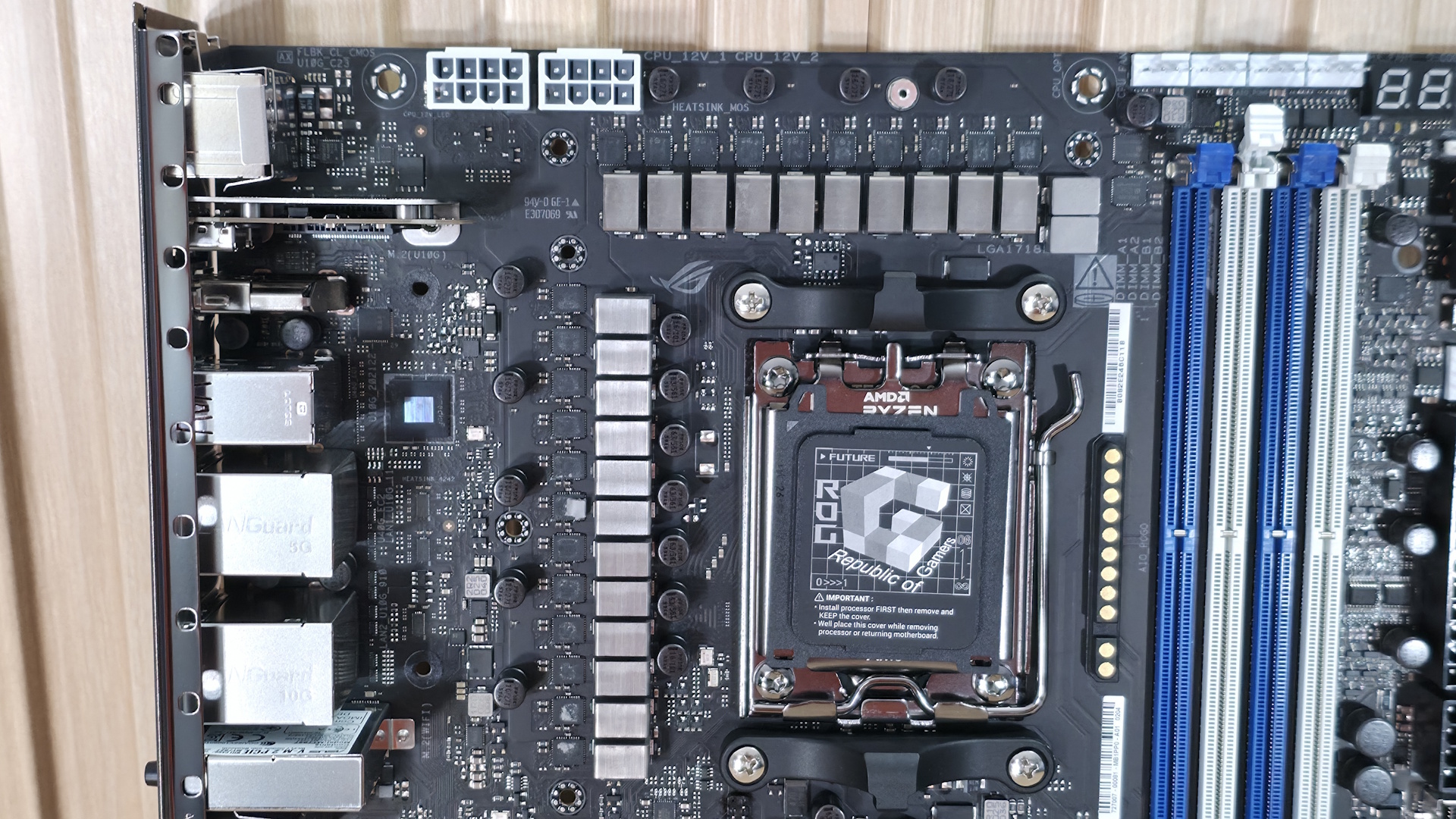
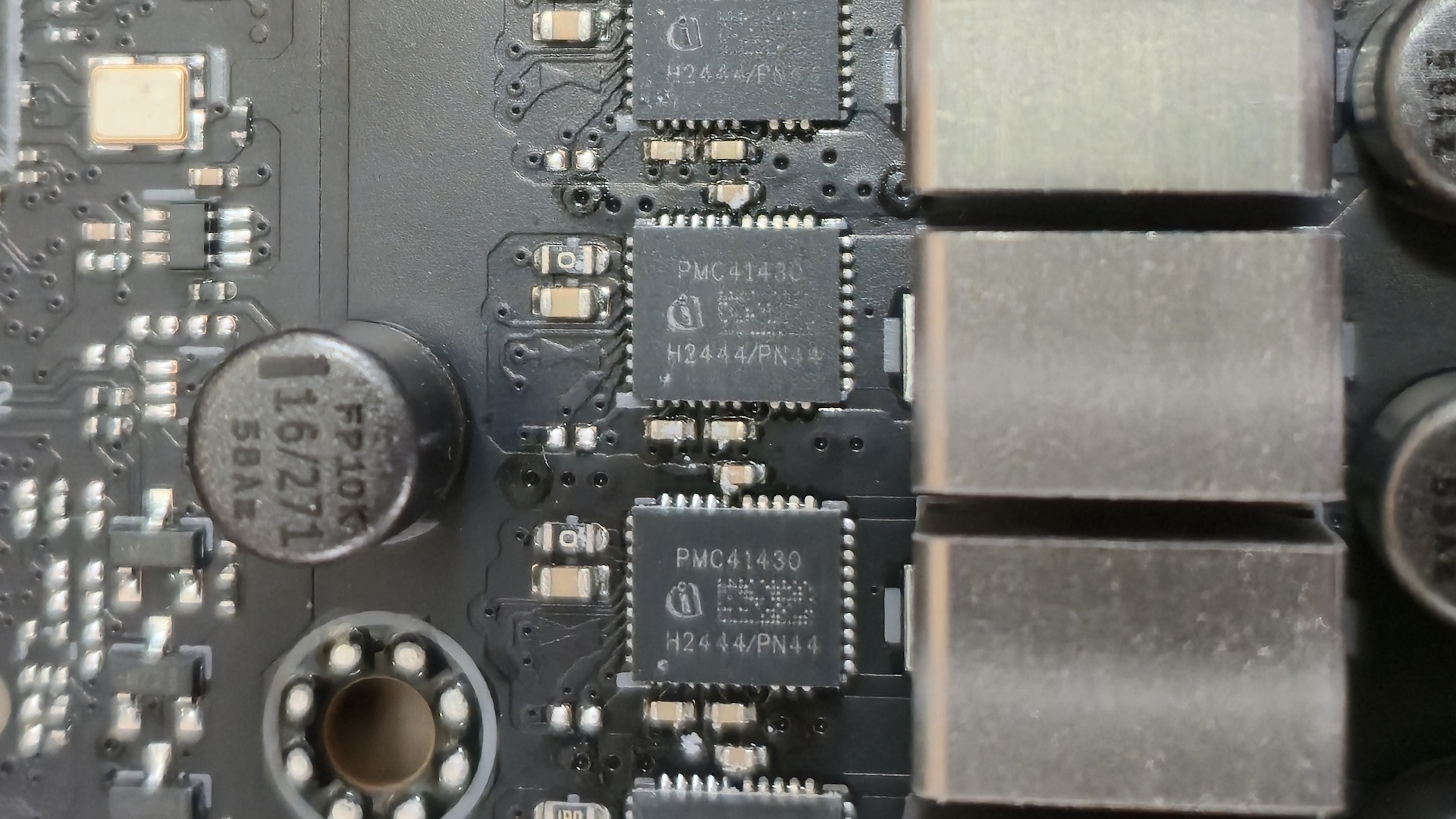
Power delivery on the Crosshair 2006 is one of the most capable we’ve seen…just like the Dark Hero. With a total of 24 phases (20 for Vcore), only a handful of boards offer more capable power delivery. Power heads from the 8-pin EPS connectors and onto the Digi+ EPU (ASP2205) voltage regulator. From there, it moves to the Infineon PMC41420 110A SPS MOSFETs. The 2,220 Amps available will handle any CPU you throw at it, including the Ryzen 9 9950X, the recently released Ryzen 7 9850X3D (fastest gaming processor around), or the Ryzen 9 9950X3D2, even if you want to use extreme (sub-ambient) cooling methods.
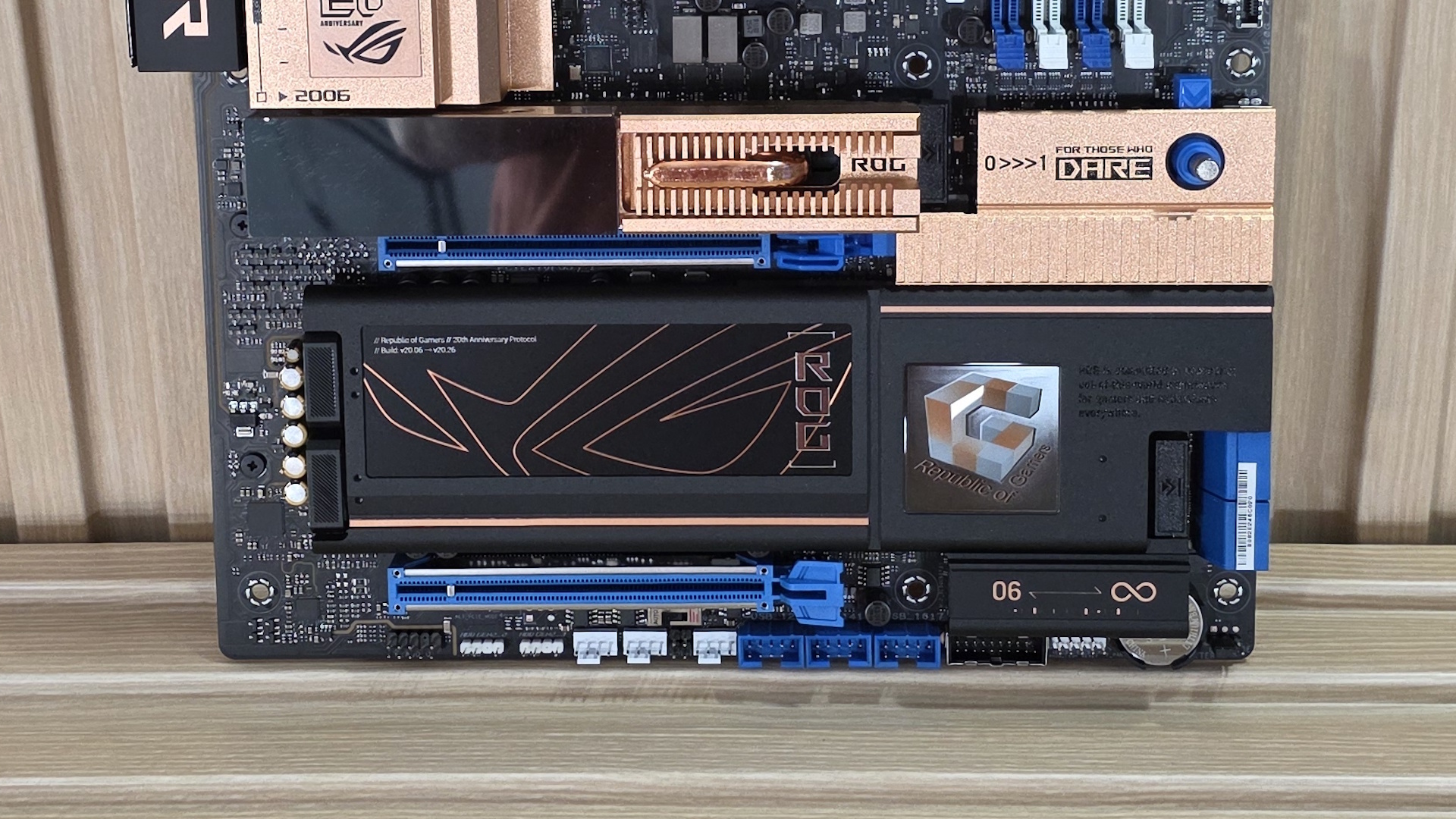
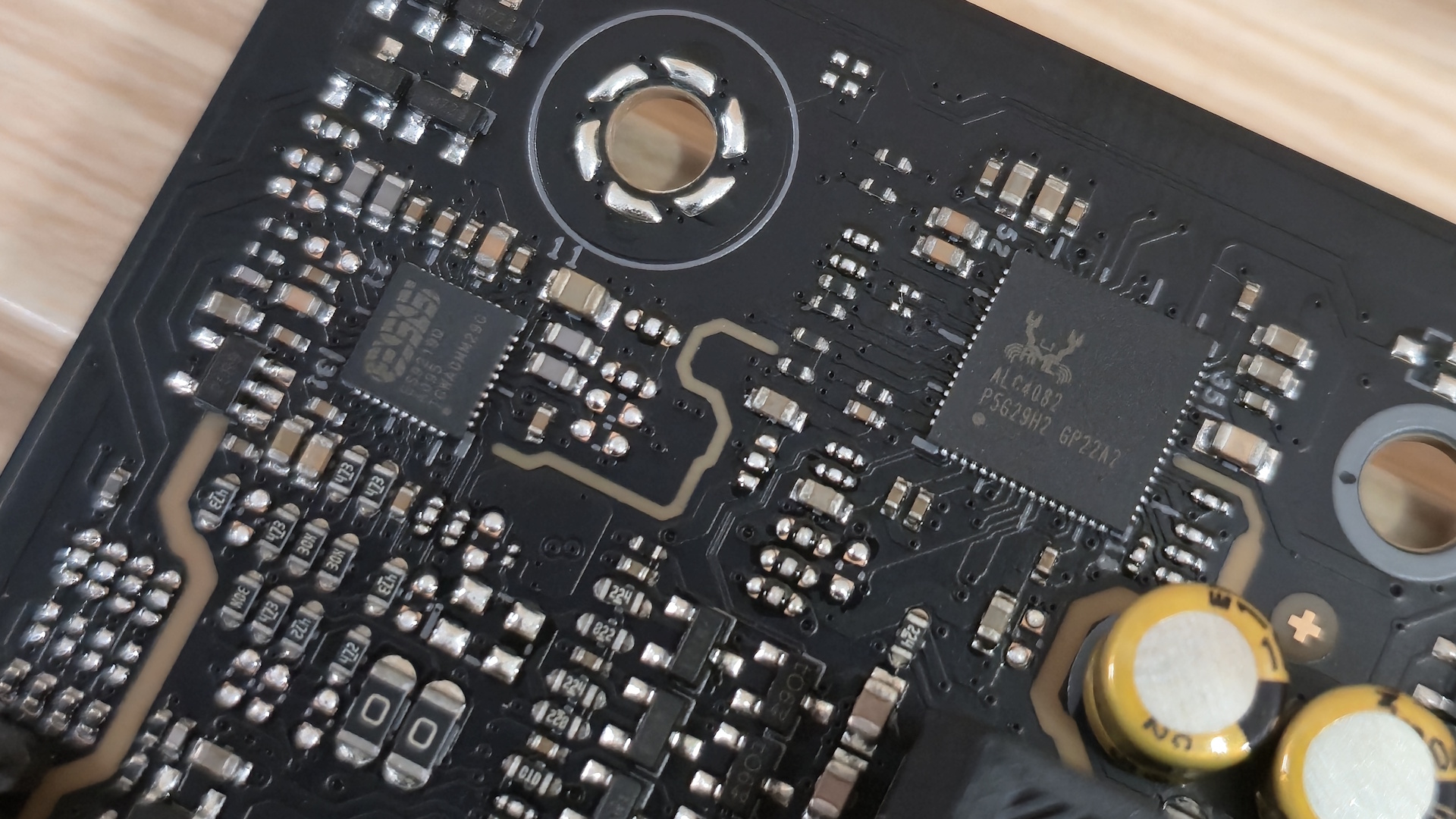
At the bottom of the board, on the left and hidden under a black metal shroud, are the flagship Realtek ALC4082 codec and an ESS 9219Q DAC/HPA. This is the platform's premiere setup. If you want something better, you’ll have to buy a dedicated sound card.
Next are the two PCIe slots in the middle. Both of these reinforced slots connect through the CPU, offering PCIe 5.0 bandwidth. The top slot is for primary graphics and runs at x16 speeds, while the bottom slot is limited to x8 (or both at x8/x8). Note that this applies to 7000 and 9000 series desktop processors; APUs are different (see the specifications on Asus’ website for details). Thankfully, Asus moved away from its controversial PCIe latching mechanism and now uses a more traditional button to lock and unlock the top slot, reducing the risk of scratching the PCIe connection on your video card. The button is also blue with a copper-colored heatsink surrounding it. Be aware that when PCIEX16_1 runs at x16, the second slot runs at PCIe 3.0 x4, but you can change that in the BIOS.
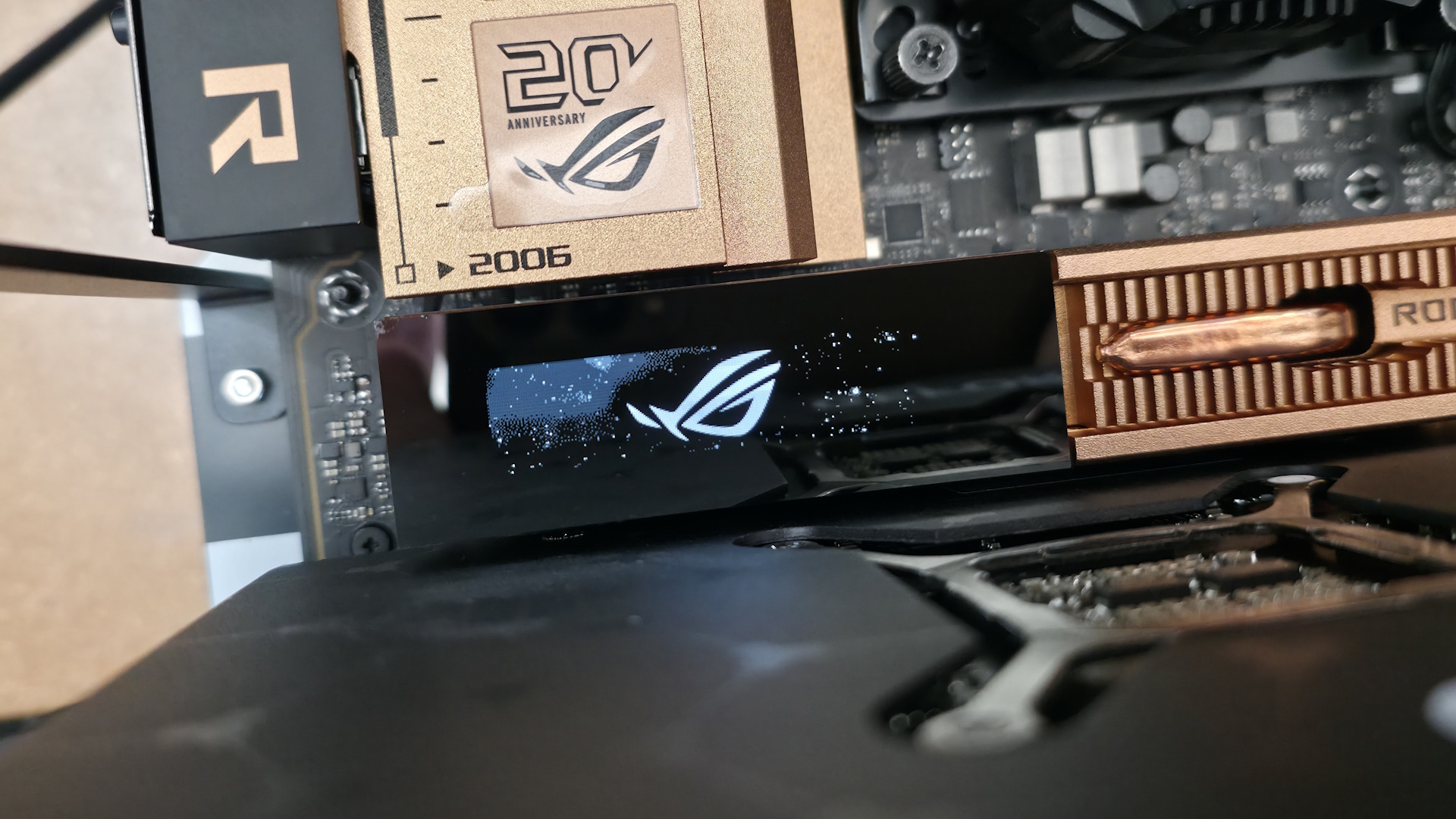
Above the top PCIe slot is the first of five M.2 sockets. M.2_1, the top socket under the huge individual copper color heatsink (now with 2” customizable OLED and two 20th anniversary exclusive animations), connects through the CPU and is your first 5.0 x4 (128 Gbps) socket (*holds up to 110mm devices). Under the plate heatsink are three other M.2 sockets. M.2_2 is your other 5.0 x4 socket and holds up to 80mm modules. M.2_3/4/5 all connect through the chipset with 3/4 PCIe 4.0 x4 capable, and the bottom slot, M.2_5, PCIe 4.0 x2. That last slot is also limited to small, 30mm devices. M.2_2 shares bandwidth with the USB4 ports and both run at PCIe 5.0 x2 when a device is installed in the M.2_2 socket. You can switch to 5.0 x4 in the BIOS, but this disables the USB4 Type-C ports altogether.
Along the right edge is another USB 3.2 Gen2x2 (20 Gbps) front-panel connector, followed by a 19-pin USB 3.2 Gen 1 (5 Gbps) connector. Below that are four SATA ports (in blue!), with two using native chipset connectivity and two using an ASMedia controller that does not support RAID.
We've also included a few images of the active ICs for the board. The Crosshair 2006 uses several different brands, including ASMedia (USB), Infineon (VRMs), and Realtek (audio, network, VRM controller), similar to those on the Dark Hero.
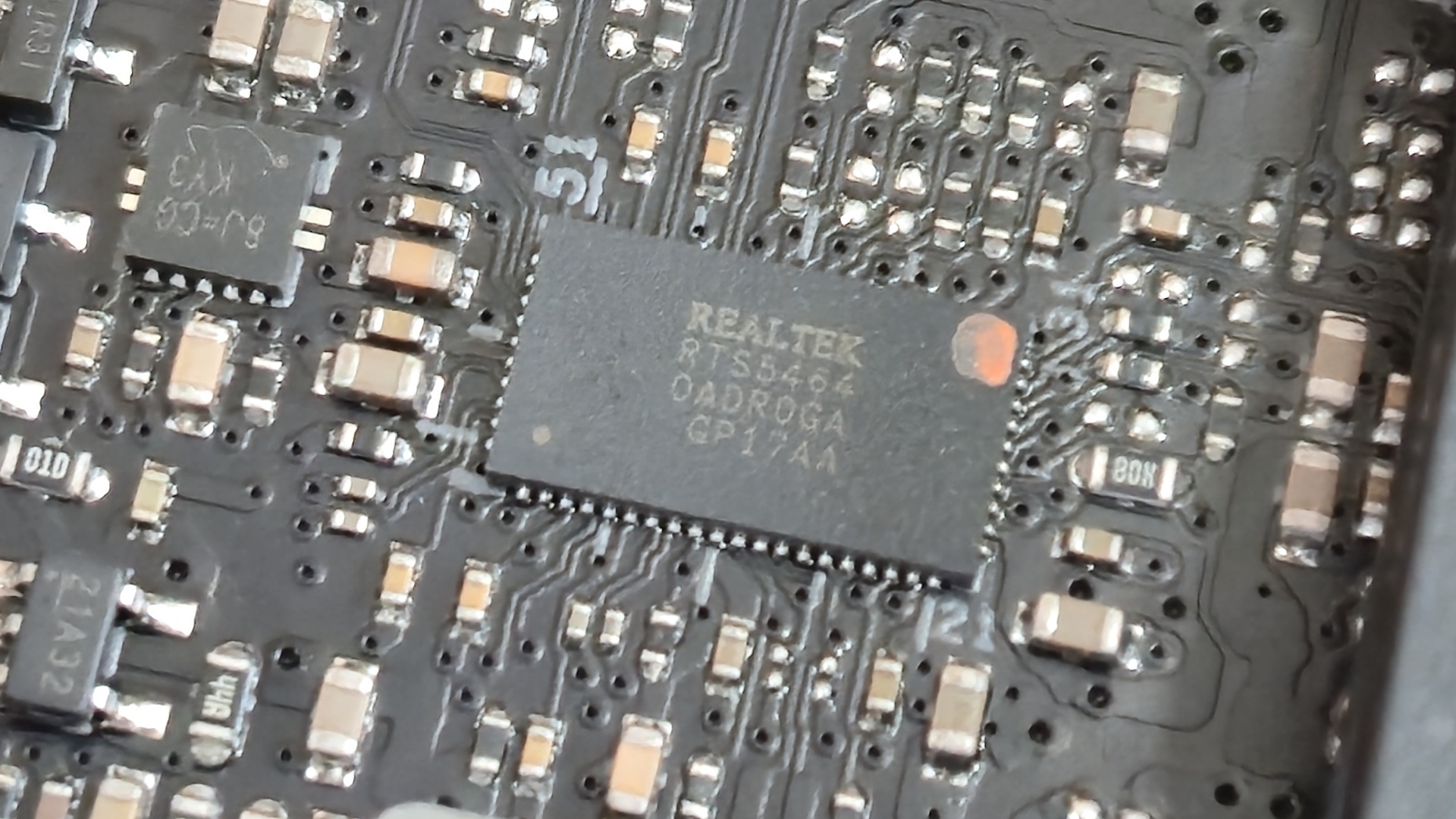
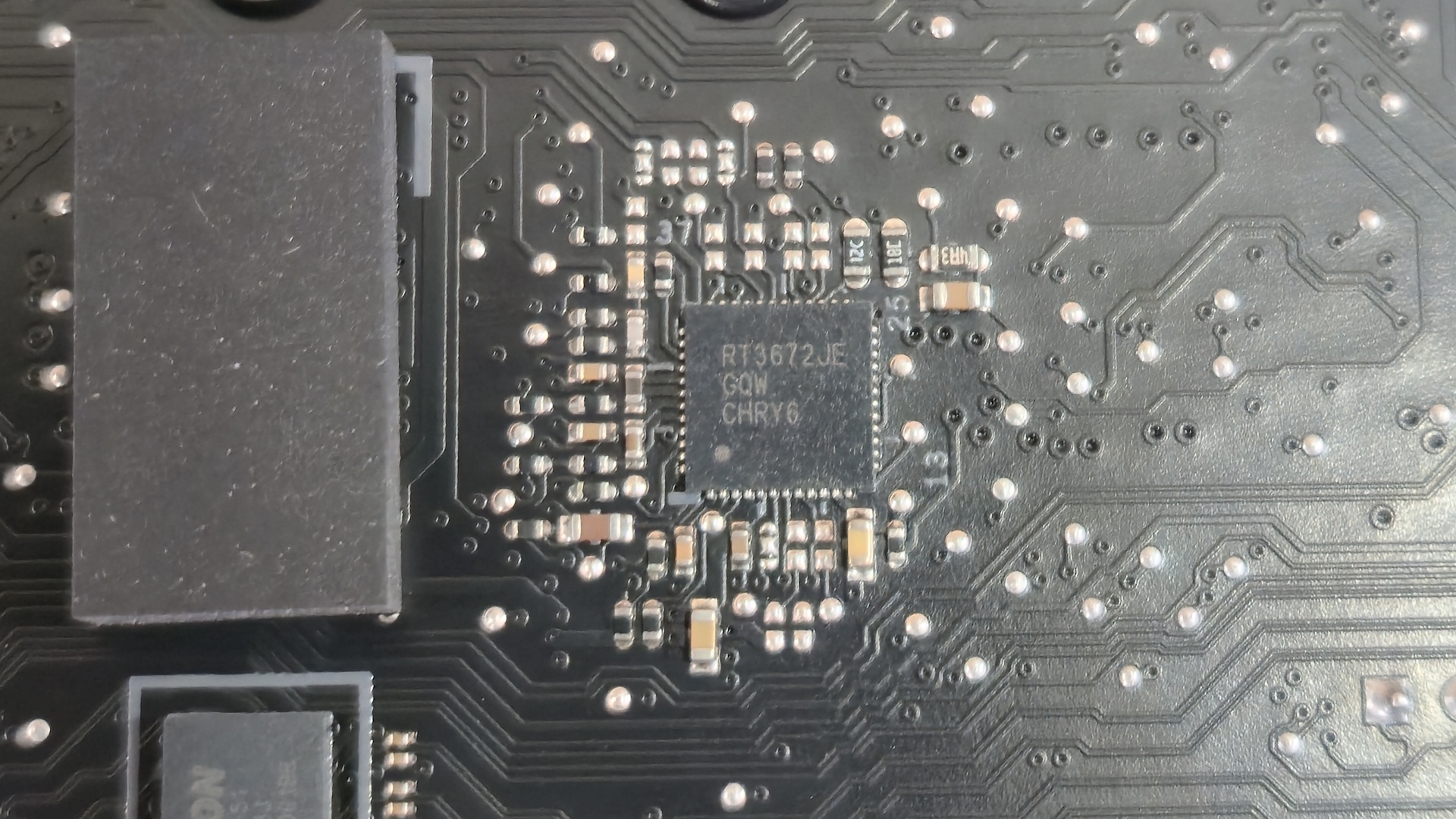
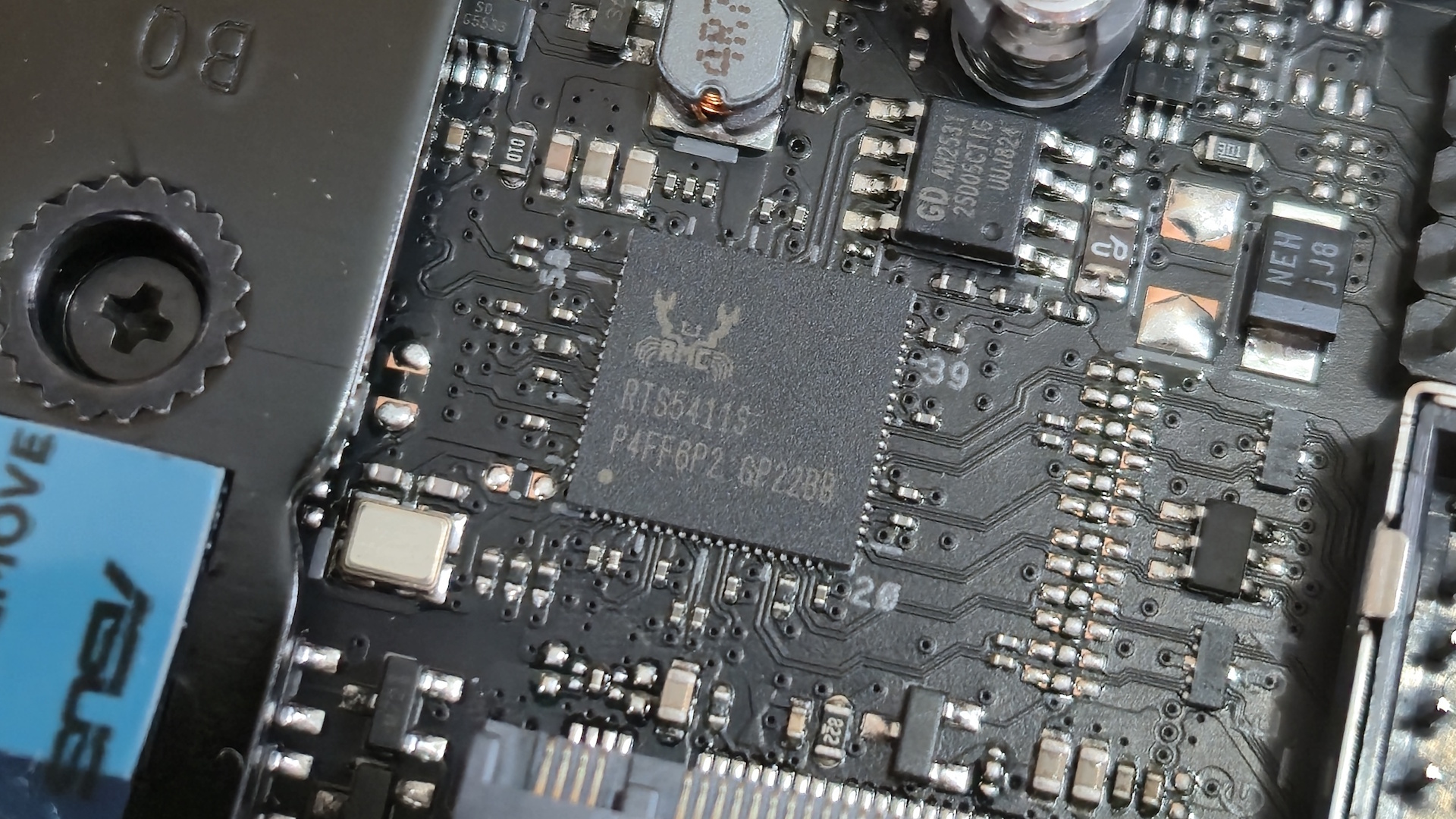
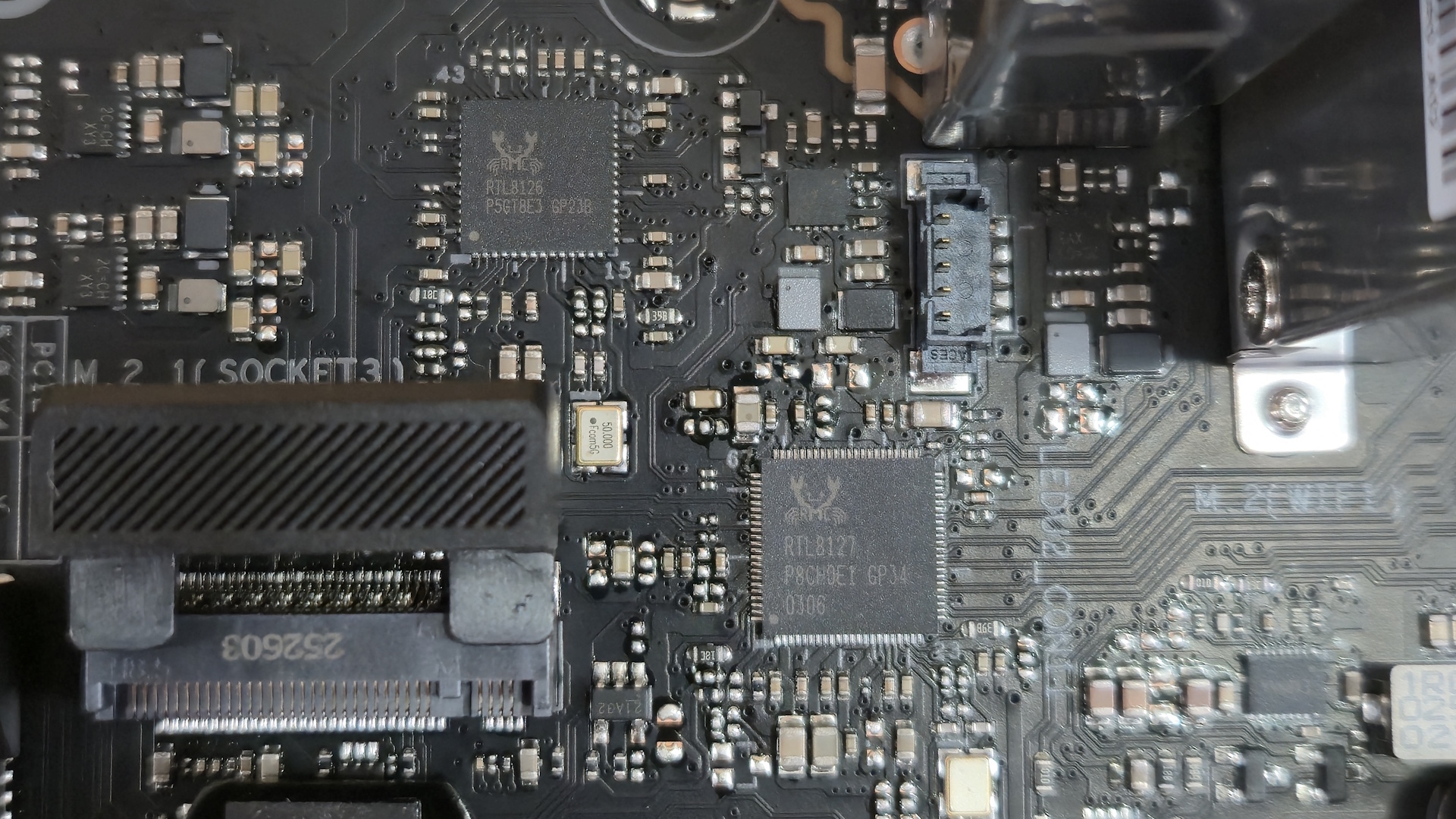
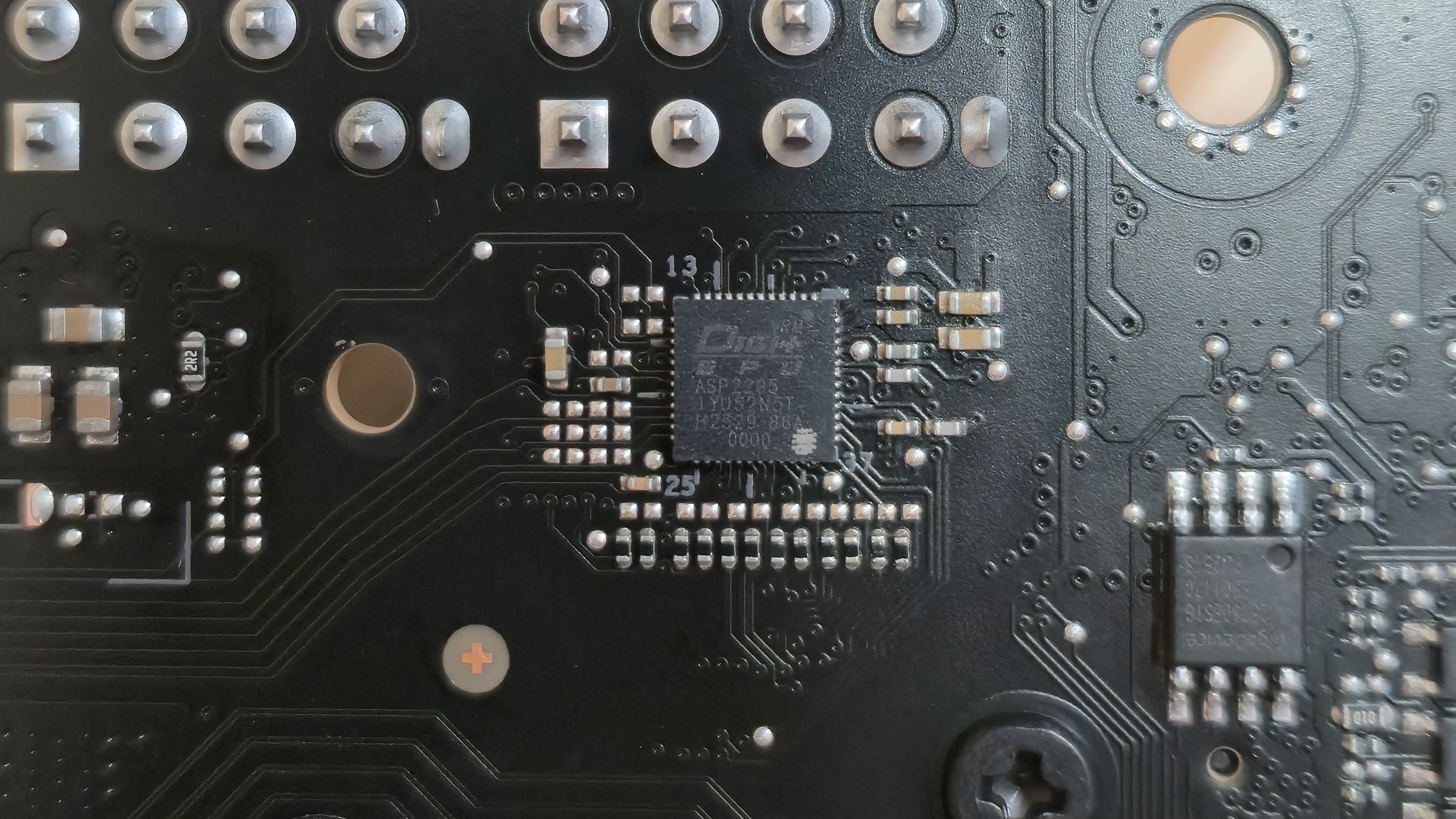
At the bottom are several headers, including front-panel audio and USB ports. A complete list of connectivity is listed below (from L to R):
- Front panel audio
- (2) 3-pin ARGB headers
- (2) 4-pin fan headers
- PCIe mode switch
- 2-pin thermistor header
- 4-pin fan header
- (3) USB 2.0 headers
- 19-pin USB 3.2 Gen1 connector
- Front panel
- Battery
- LN2 mode
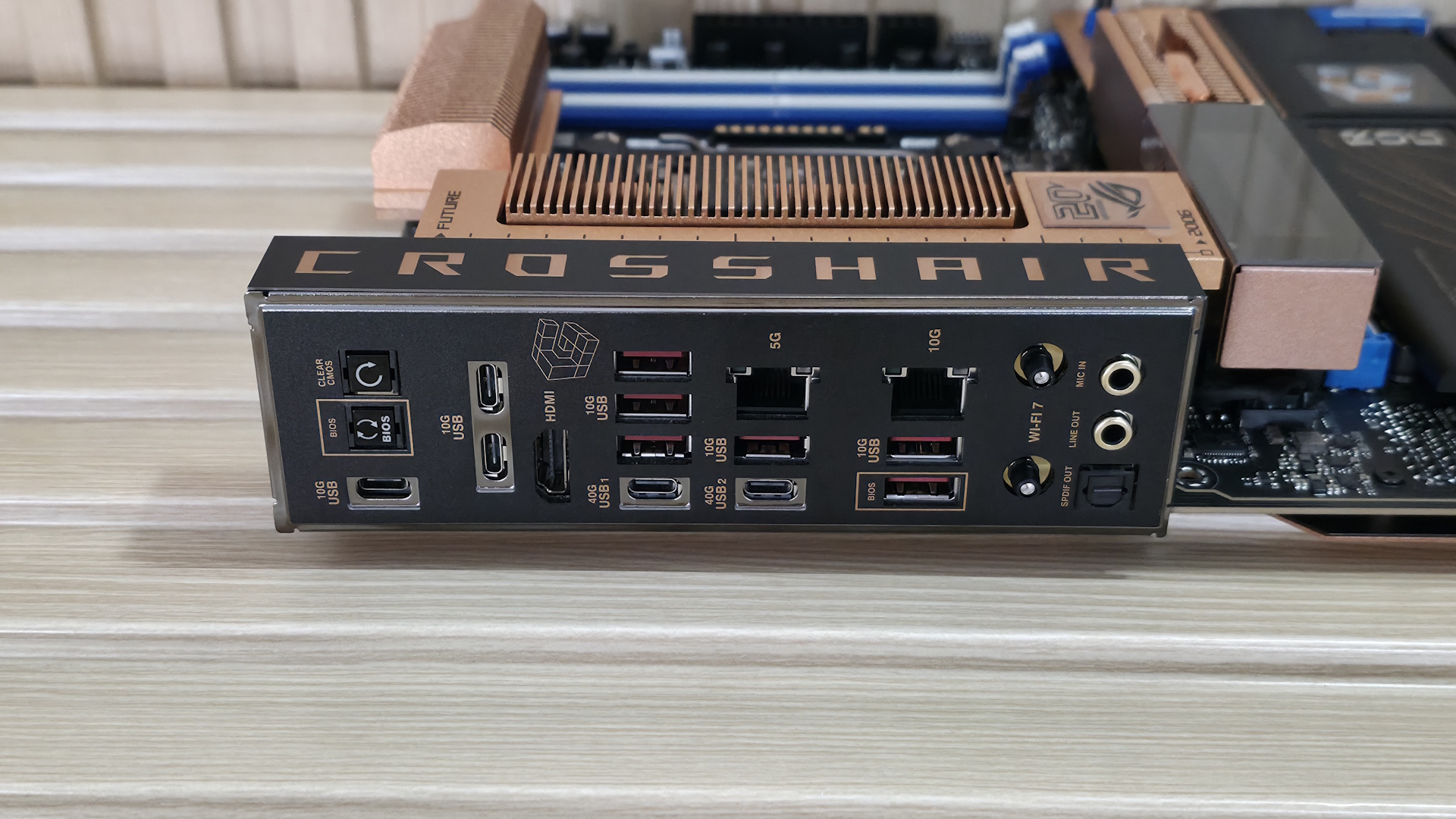
The rear IO on the X870E Crosshair 2006 is chock-full of buttons and ports, including 11 USB ports. On the left are two buttons, one for BIOS Flashback and the other for Clear CMOS. Below those, to the right, are three Type-C ports (10 Gbps). Continuing right, we run into an HDMI port for iGPU output, followed by two USB4 (40 Gbps Type-C) ports. Above that, in red, are six USB 3.2 Gen2 (10 Gbps) ports. Above those are the two Realtek-based Ethernet (5 and 10 GbE) ports, the quick-connect Wi-Fi 7 antenna connector, and the audio stack (2x 3.5mm for line out/mic in, and optical SPDIF out). There’s even the old ROG “G” symbol on the back.







 English (US) ·