
 3 weeks ago
39
3 weeks ago
39
The latest all-white board to land on our test bench is from ASRock. But this time, it’s more affordable than the updated X870E Taichi White we recently covered. The $230 X870E Challenger Wifi White offers a surprising number of features for the price.
Specs-wise, the Challenger comes handsomely equipped for almost any price point. Features include a flagship audio codec, robust VRMs, and ample (and fast!) USB connectivity (including USB4 ports). You also get plenty of internal storage options, with four M.2 sockets (one PCIe 5.0) and two SATA ports, and fast networking with 5 GbE and Wi-Fi 7 (160MHz). Looking at other boards at this price, some don’t include USB4, offer slower 2.5 GbE, or provide weaker audio solutions. For $230, the Challenger is a great deal for an X870E-based board, though, like everything, it has drawbacks that we’ll cover below.
On the performance front, the X870E Challenger delivered average-to-below-average results across most tests, as we again had to use our secondary DDR5-6000 kit (the Kingston kit isn’t officially supported and didn’t work after enabling the XMP/DOCP profile). Still, we’re confident it would perform a bit better if you snag some RAM on the board’s QVL list that has tighter secondary and tertiary timings.Below, we’ll examine the X870E Challenger White’s performance and other features, and see if it earns a spot on our list of the best motherboards. But before we share test results and discuss details, here are the specifications from the ASRock website:
Latest Videos FromTom's Hardware
Specifications of the ASRock X870E Challenger Wifi White
Swipe to scroll horizontally
Socket |
AM5 (LGA 1718) |
Chipset |
X870E |
Form Factor |
ATX |
Voltage Regulator |
23 Phase (20x 110A SPS MOSFETs for Vcore) |
Video Ports |
(2) USB4 |
USB Ports |
(2) USB 4 (40 Gbps) Type-C (2) USB 2.0 (480 Mbps) |
Network Jacks |
(1) 5 GbE |
Audio Jacks |
(2) Analog and SPDIF |
Legacy Ports/Jacks |
✗ |
Other Ports/Jack |
✗ |
PCIe x16 |
(1) v5.0 (x16) |
PCIe x8 |
✗ |
PCIe x4 |
✗ |
PCIe x1 |
(1) v3.0 (x1) |
CrossFire/SLI |
✗ |
DIMM Slots |
(4) DDR5-8200+(OC), 256GB Capacity |
M.2 Sockets |
(1) PCIe 5.0 x4 (128 Gbps) / PCIe (up to 80mm) |
SATA Ports |
(2) SATA3 6 Gbps |
USB Headers |
(1) USB v3.2 Gen 2x2 (20 Gbps) Type-C |
Fan/Pump Headers |
(7) 4-Pin (Accepts PWM and DC) |
RGB Headers |
(3) 3-pin ARGB Gen2 headers |
Diagnostics Panel |
4 LED Post Status Checker |
Internal Button/Switch |
✗ |
SATA Controllers |
✗ |
Ethernet Controller(s) |
(1) Realtek RTL8126 5 GbE |
Wi-Fi / Bluetooth |
Realtek 8922AE Wi-Fi 7 - 160 MHz, 6 GHz, BT 5.4 |
USB Controllers |
ASMedia ASM4242 |
HD Audio Codec |
Realtek ALC4082 |
DDL/DTS |
✗ / ✗ |
Warranty |
3 Years |
Inside the Box
The retail packaging includes a few accessories to help you get up and running. You get the standard Wi-Fi antennas, two white SATA cables (one with a 90-degree connector), an installation guide, and some stickers. It’s not a lot, but par for the course in this price bracket.
Design and Features of the ASRock X870E Challenger Wifi White
Image 1 of 7
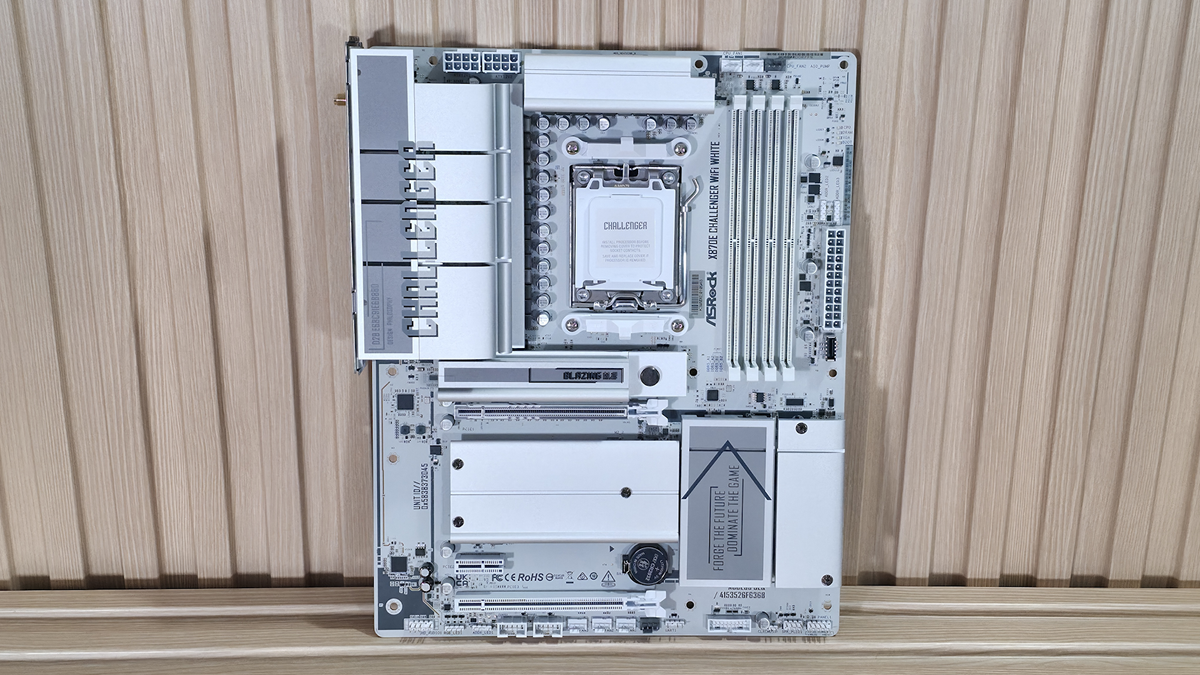
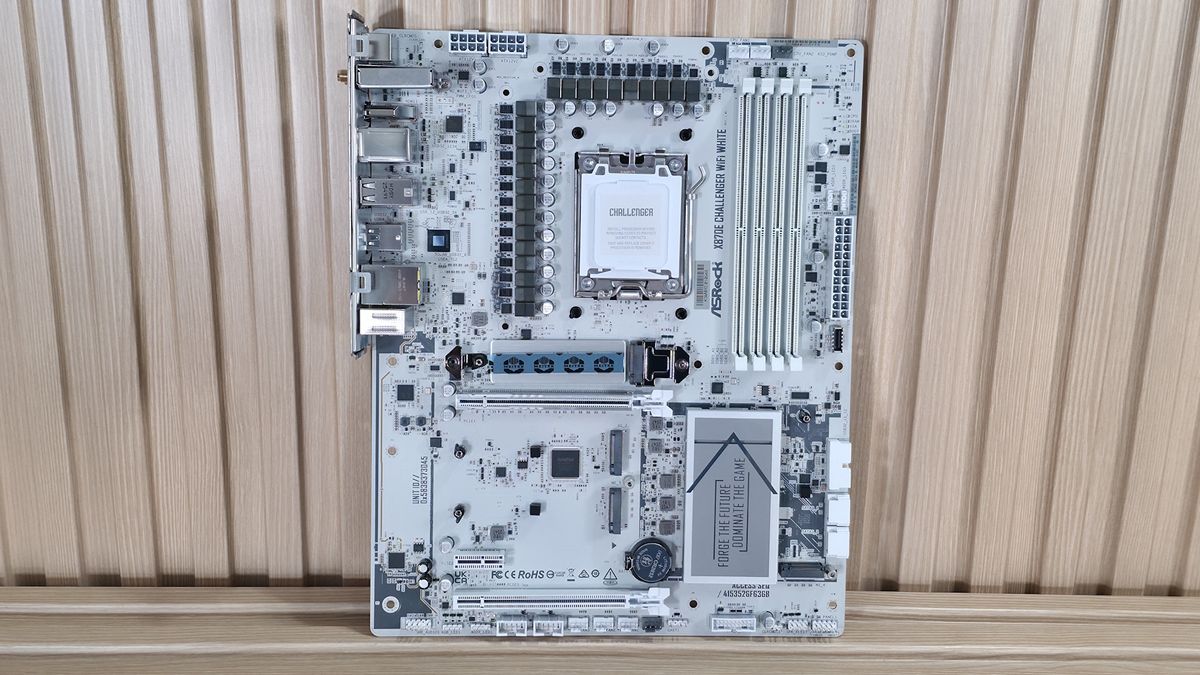
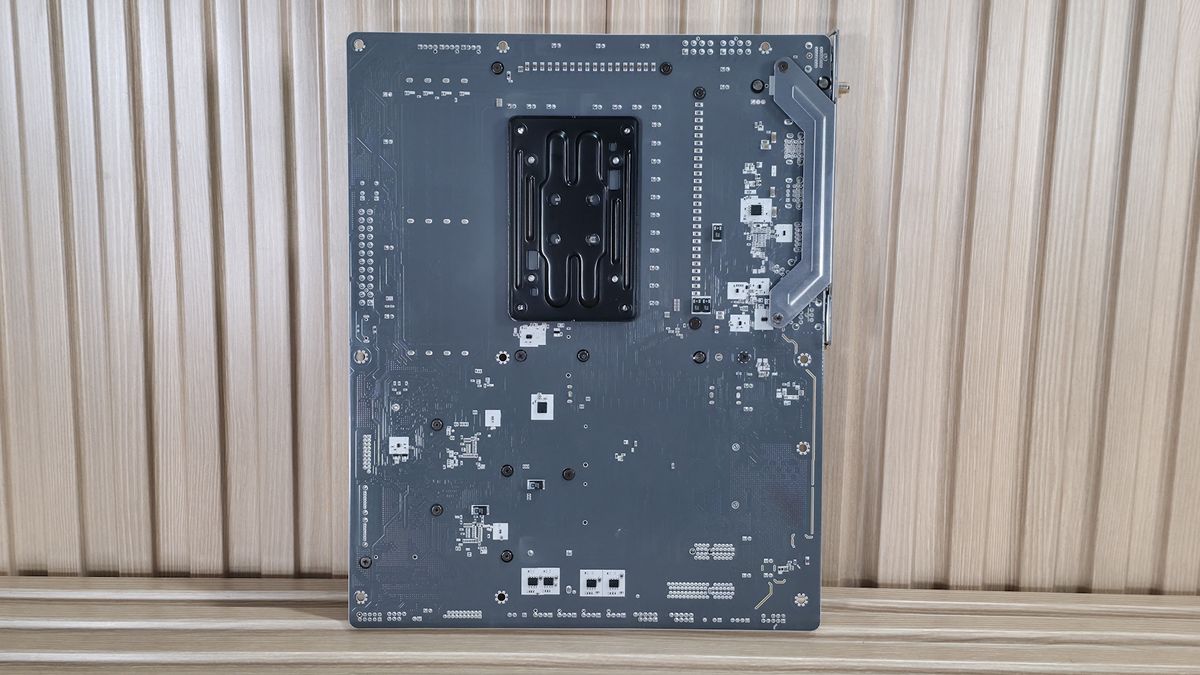
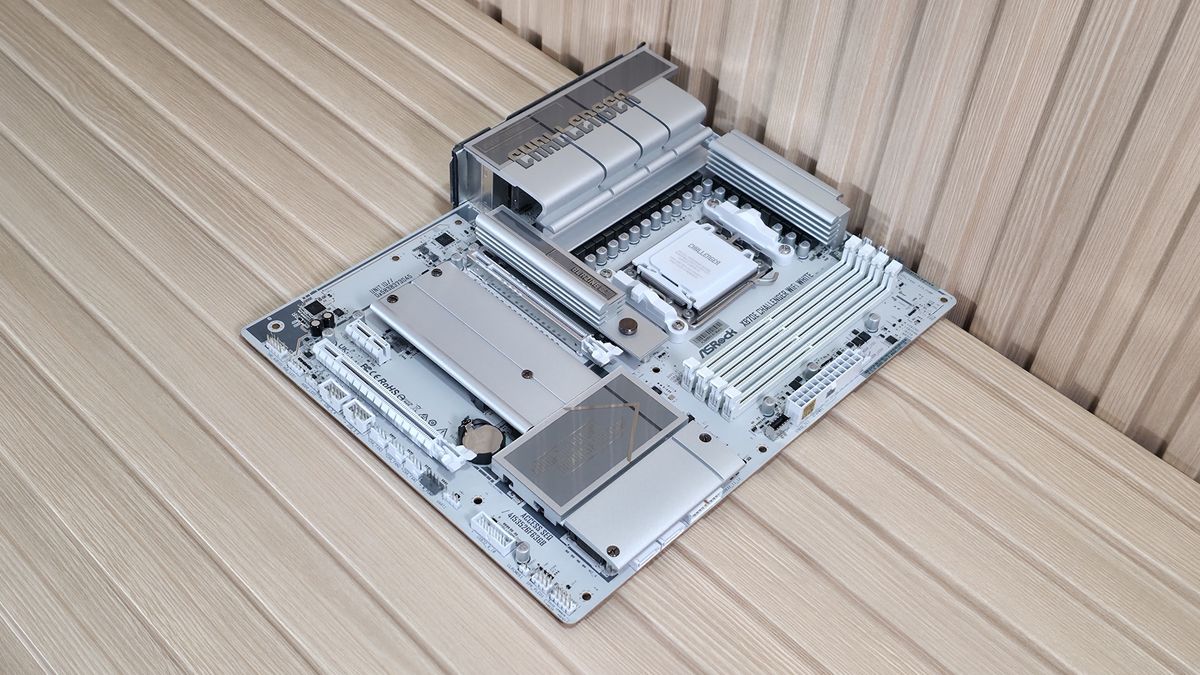
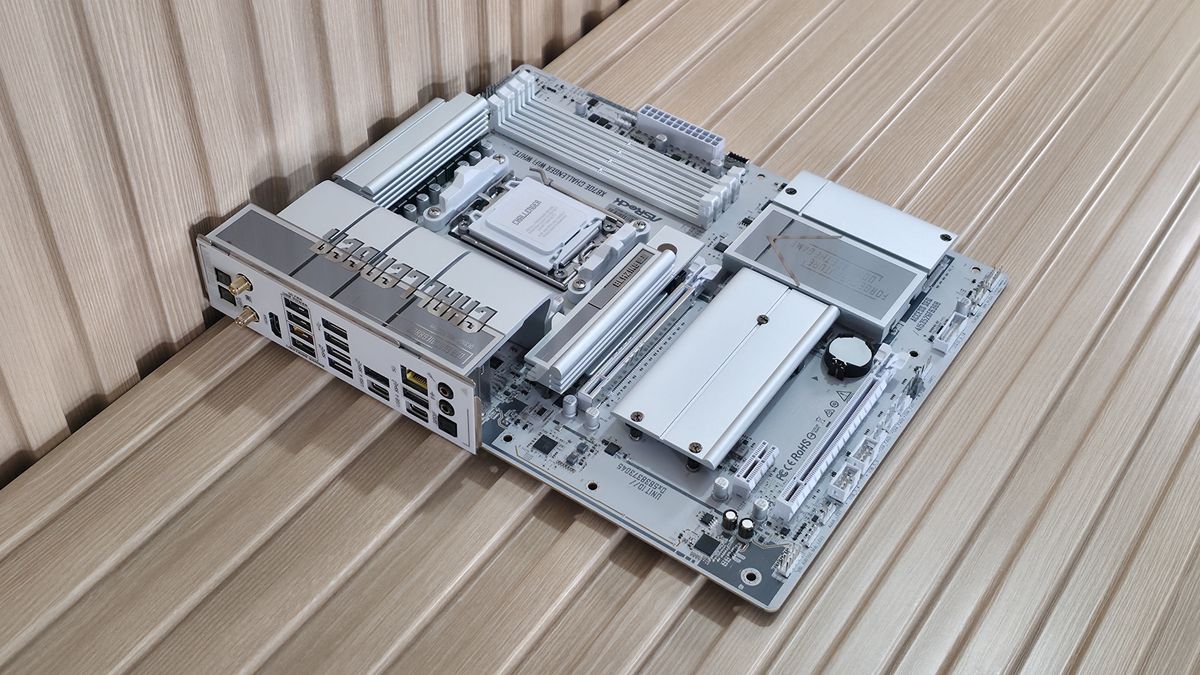
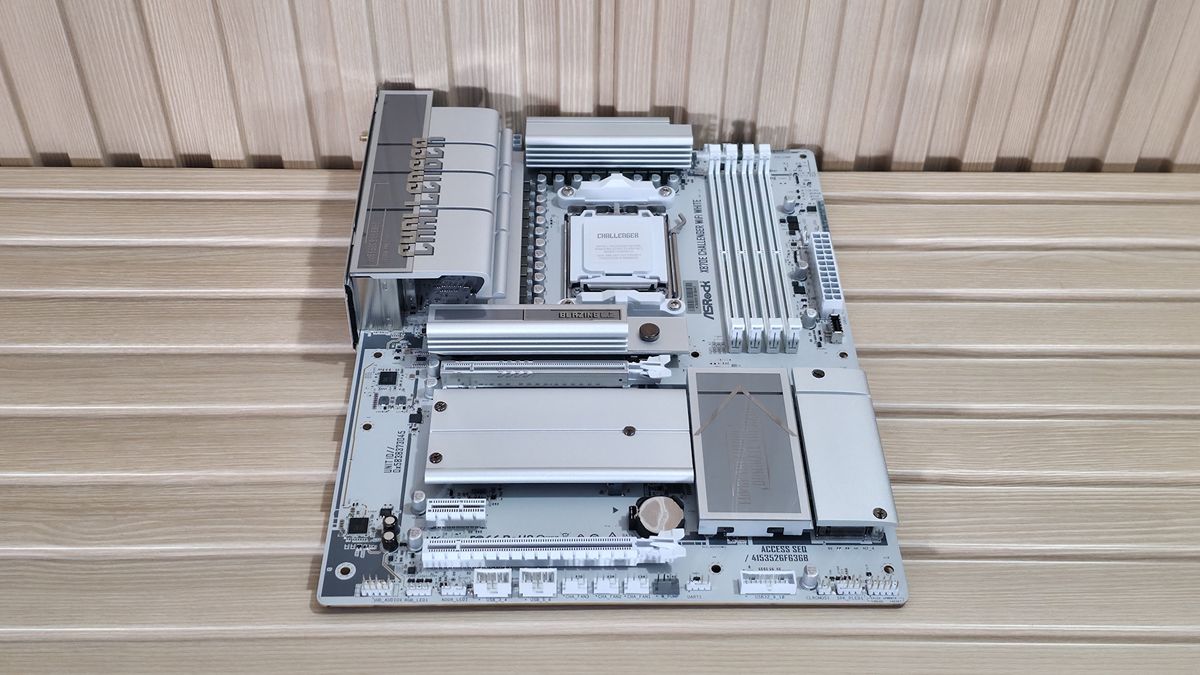
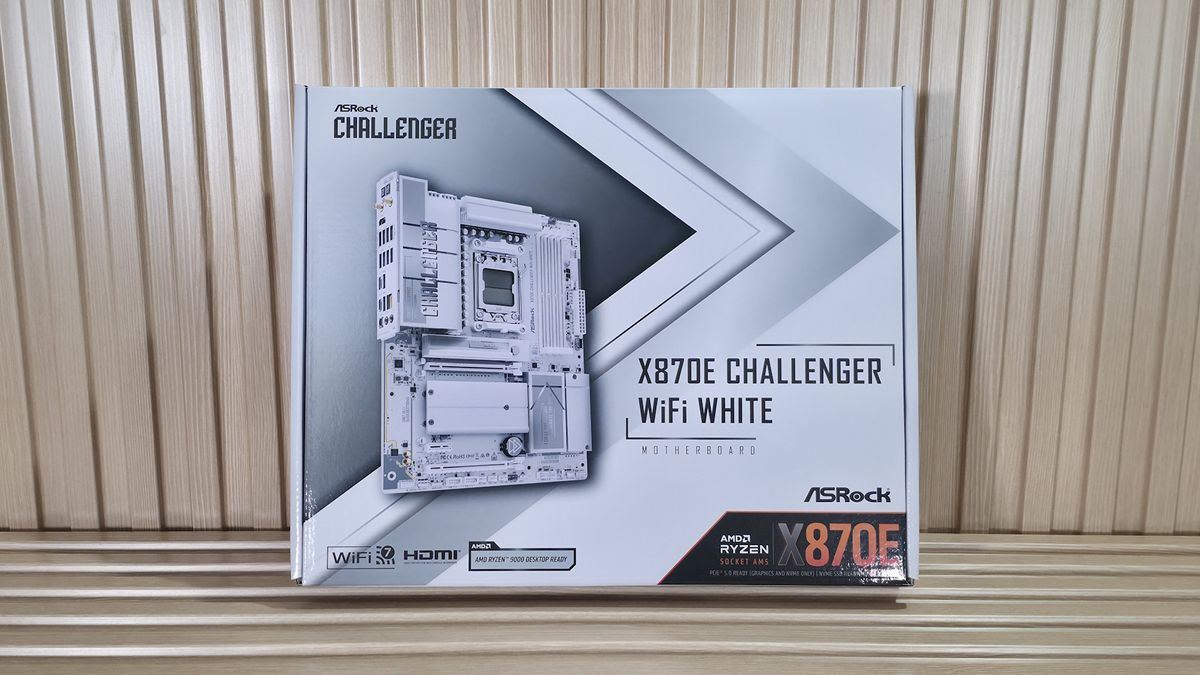
The X870E Challenger Wifi White is, as the name describes, all white. In fact, everything save for two light-gray fan headers is white, along with the onboard chips and screws that secure the M.2 heatsinks to the 8-layer, server-grade PCB. Oversized VRM heatsinks cover the top-left part of the board, with Challenger written across them.
The bottom part of the board has a DIY-friendly, toolless multi-layer heatsink for the primary M.2 socket, plus basic plate-style heatsinks with screws for the M.2 sockets and dual promontory chipset. Overall, it’s a no-frills board (no integrated RGB lighting, even), so it lacks some of the larger plate-style heatsinks and ‘EZ latch features found on more expensive boards. You’ll need an all-white build to take advantage of the all-white look, but it’s still one of the better-looking white boards, especially for its price.
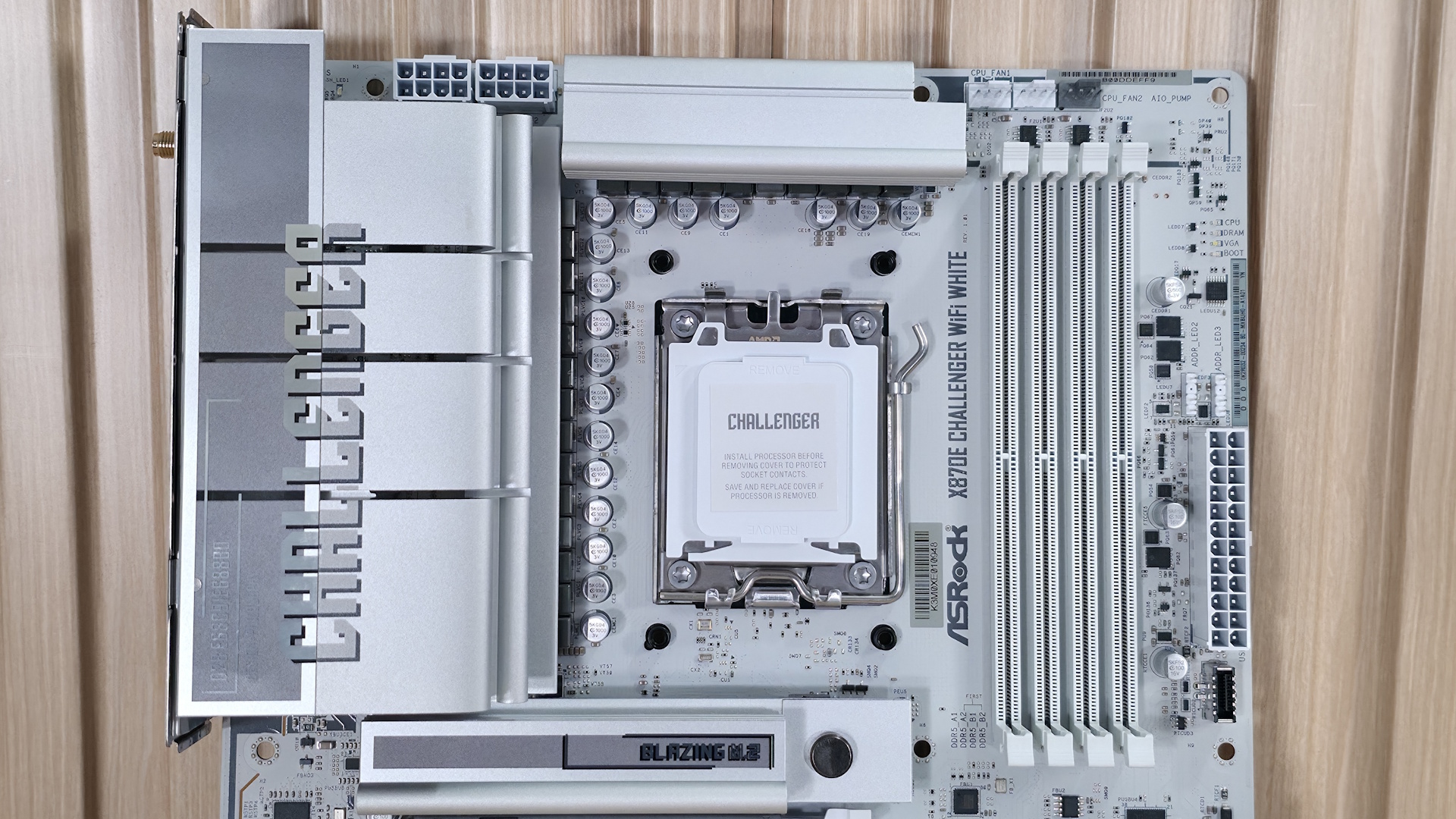
Starting in the top left corner, we see two “high-density” 8-pin EPS connectors (one required) to power the processor. Surrounding those are the two “XL” heatsinks to cool the flagship-class power delivery below. To the right of the socket are four DRAM slots with locking mechanisms on both sides. ASRock lists support up to DDR5-8200, which is plenty for the platform. Our Kingston kit didn’t want to play nice with this board, which makes this the third ASRock board that doesn’t support our base test kit. As always, stick to the memory QVL list for assured support.
Stay On the Cutting Edge: Get the Tom's Hardware Newsletter
Get Tom's Hardware's best news and in-depth reviews, straight to your inbox.
Above the DRAM slots are the first three (of seven) 4-pin fan headers. Each header supports PWM- or DC-controlled devices and can be tweaked through the BIOS or ASRock’s Windows-based software. The CPU_FAN1 header supports up to 1A/12W output, while the rest support up to 3A/36W each. You should have plenty of headers and enough power.
Shifting focust to the right corner and moving down, the next feature is the 4-LED POST Status Checker. There are LEDs for the CPU, Boot, VGA, and RAM. During the POST process, these light up and, if there is a problem, the offending area’s LED stays lit, giving you a general idea of where the issue is. It’s not quite as helpful as the 2-character debug display on higher-end boards, but is a lot better than nothing and typical on a lower-priced motherboard.
Continuing down the edge, we spy two (of three) 3-pin ARGB headers, just above the main 24-pin ATX power connector. ASRock’s Polychrome Sync application controls the attached RGBs, offering several canned light patterns and adjustments. Last but not least is the front panel USB 3.2 Gen 2x2 (20 Gbps) Type-C connector. If there’s one thing that stands out on this board, it’s the number and speed of the USB ports — there are a lot, and ASRock didn’t skimp on speed.
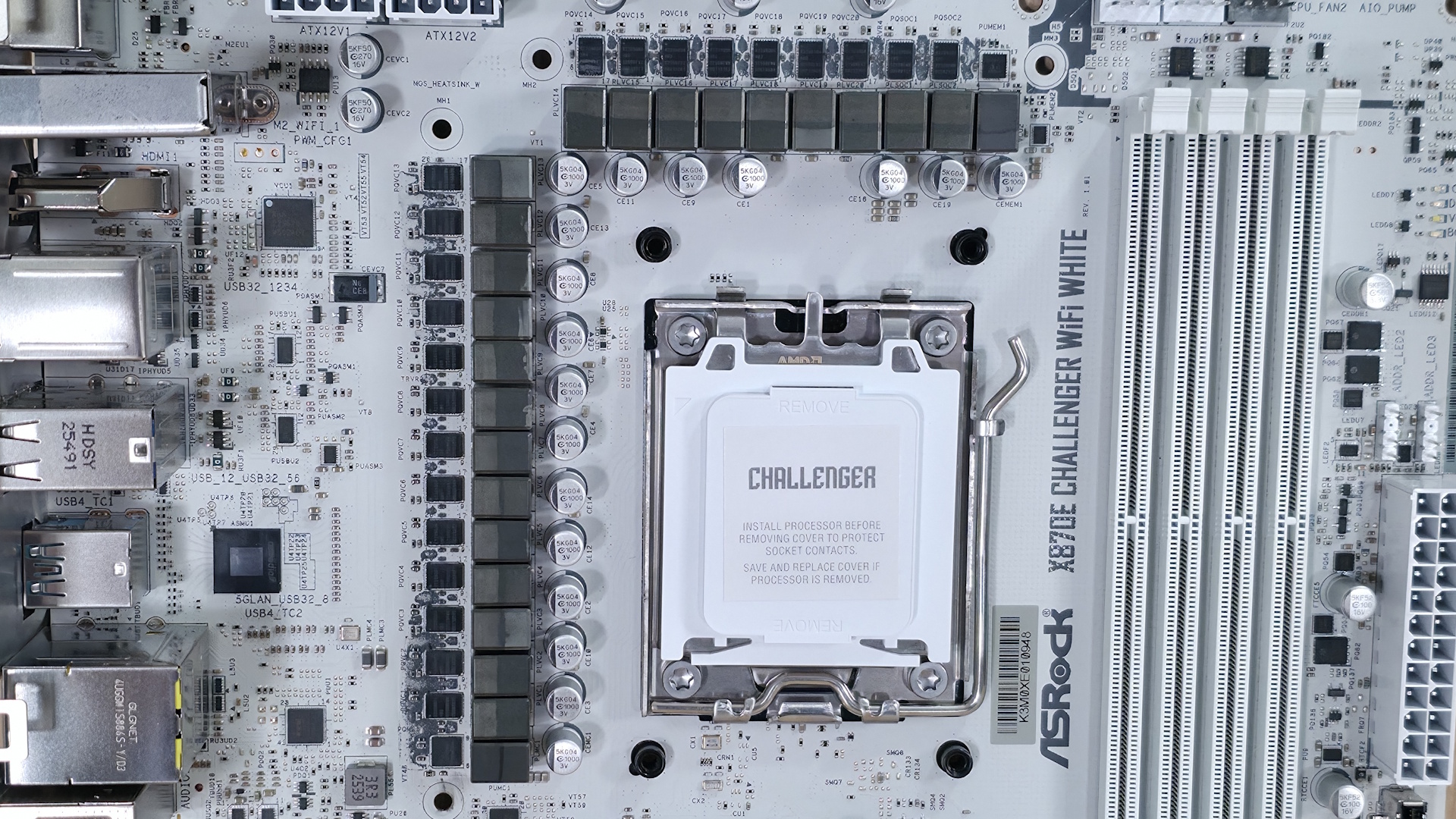
Power delivery on the X870E Challenger is one of the most robust we’ve seen, especially for a $230 budget-class motherboard. It comes with 23 total phases, 20 dedicated to Vcore. Power flows from the 8-pin EPS connectors to the Renesas RAA229628 20-phase PWM controller. From there, power heads to the more Renesas bits, this time the R2209004 110A SPS MOSFETs — a surprise to see on a board of this class. The 2,200A available will most certainly handle anything you throw at it. Flagship processors like the Ryzen 9 9950X or Ryzen 9 9950X3D2, overclocked even with extreme cooling methods, are also no problem.ALBM - board6 (bottom half):
On the bottom half of the board, we’ll start on the left where there’s a fully exposed audio solution that shows off the flagship Realtek ALC4082 codec, along with a couple of dedicated audio capacitors. While you won’t find a fancy integrated amplifier or DAC, this is the best codec for the platform and another pleasant surprise on such an inexpensive offering.
In the middle of the board are three PCIe slots. Two are full-length, and one is an open-ended x1-size slot. The top slot uses ASRock’s Reinforced Steel Slot, connects through the CPU, and is your PCIe 5.0 x16 slot (no bifurcation) for video cards. The second full-length slot at the bottom connects through the chipset and runs up to PCIe 3.0 x2, while the tiny x1 slot runs at PCIe 3.0 x1 speeds and also sources its bandwidth from the chipset. I’d like to see a PCIe 4.0 slot for extra bandwidth, but as-is it will easily support lower-bandwidth expansion needs.
Mixed among the PCIe slots, to the right of the chipset heatsink, sit four M.2 sockets. The top socket, under the large, tiered, DIY-friendly heatsink, is the one and only PCIe 5.0 x4 (128 Gbps) “Blazing” M.2 socket (M.2_1). M.2_2/3, which both run at PCIe 4.0 x4 (64 Gbps), are under the plate-style heatsink that’s secured with three captive screws. M.2_4 runs vertically along the right edge of the board and also supports PCIe 4.0 x4 drives. The good news is that the M.2 drives don't share lanes. You can pack the motherboard full of them, and each will run at full bandwidth without degrading or disabling another part. If your system needs a RAID setup on M.2, the board supports RAID0/1/10 modes. I wish there were more DIY-friendly features, but at this price, something has to give to keep prices low.
Hidden under the M.2 heatsink, along the right edge, is a 19-pin USB 3.2 Gen 1 (5 Gbps) header and the two SATA ports (supports RAID0/1 modes). Finally, we've included a few images of the board's active ICs. ASRock uses a mix of ASMedia (USB4), Realtek (audio, networking), and Renesas for the power bits.
Image 1 of 5
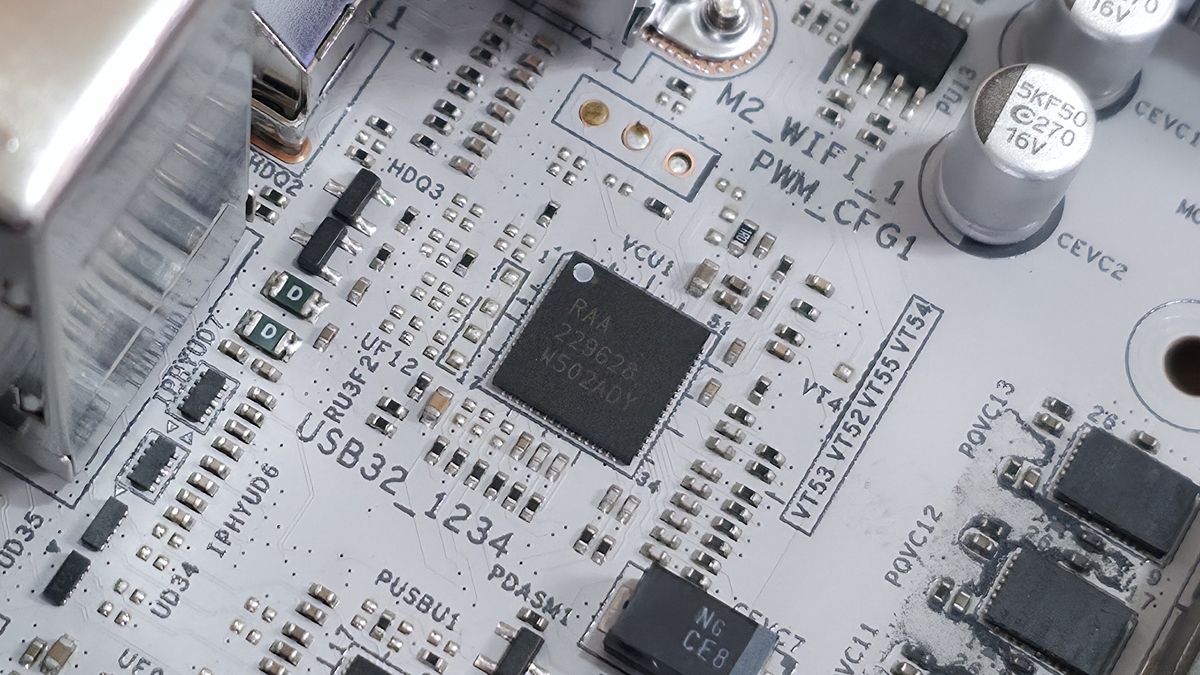
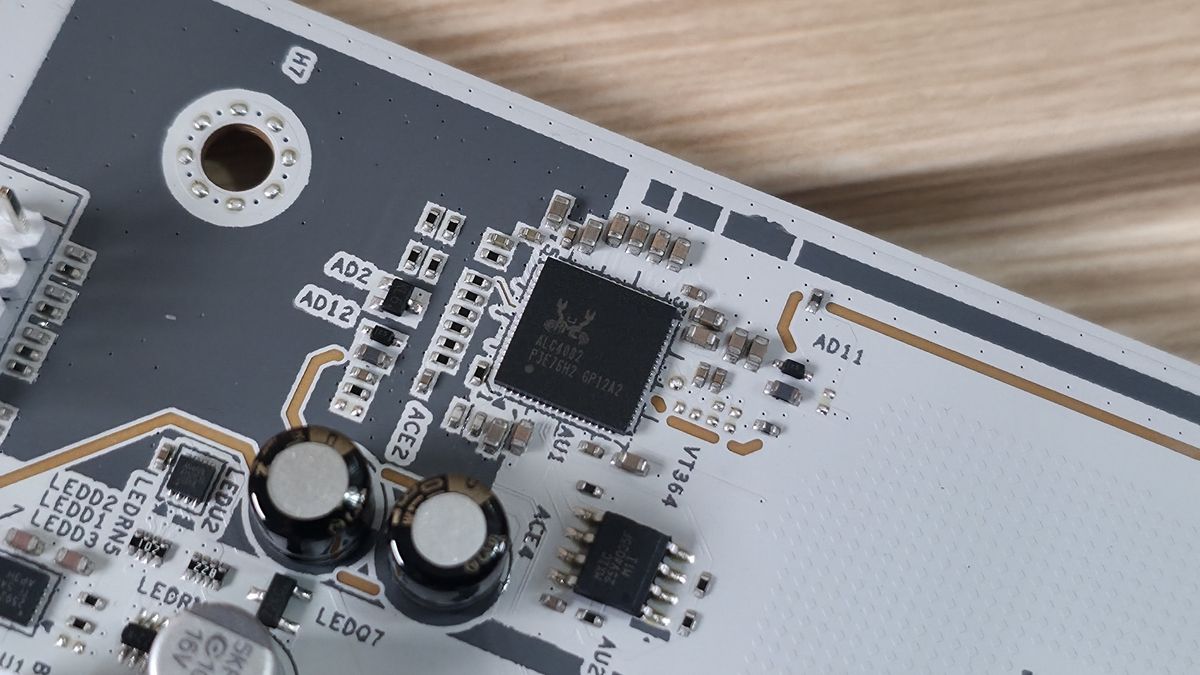
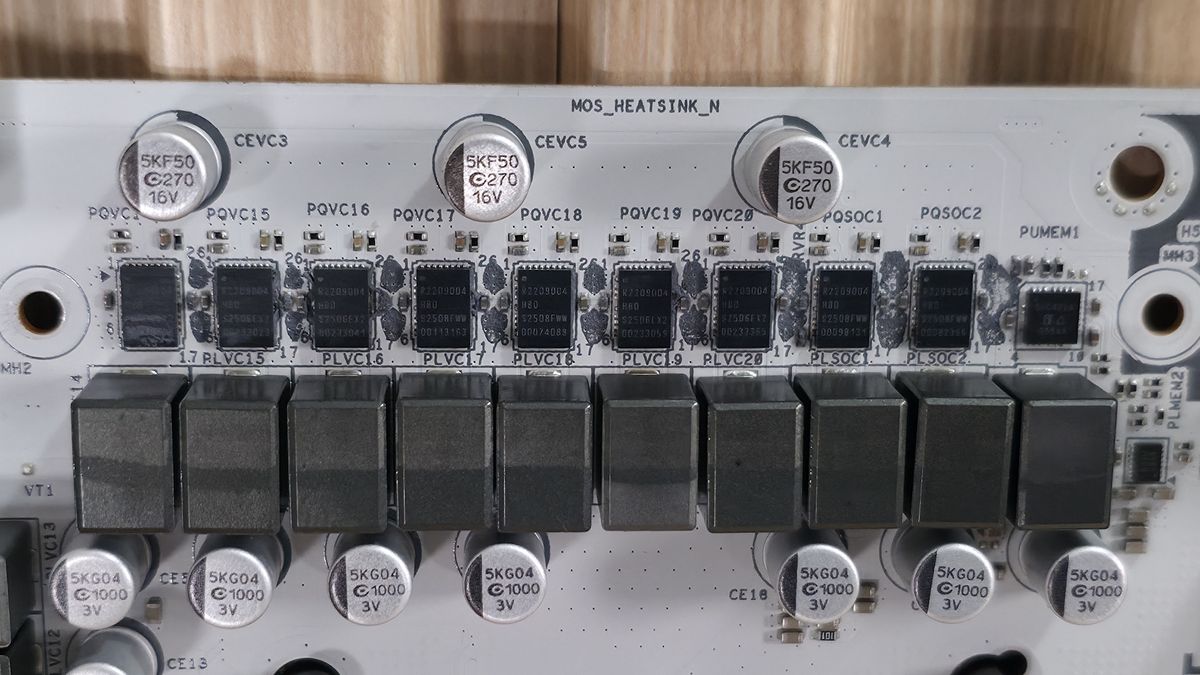
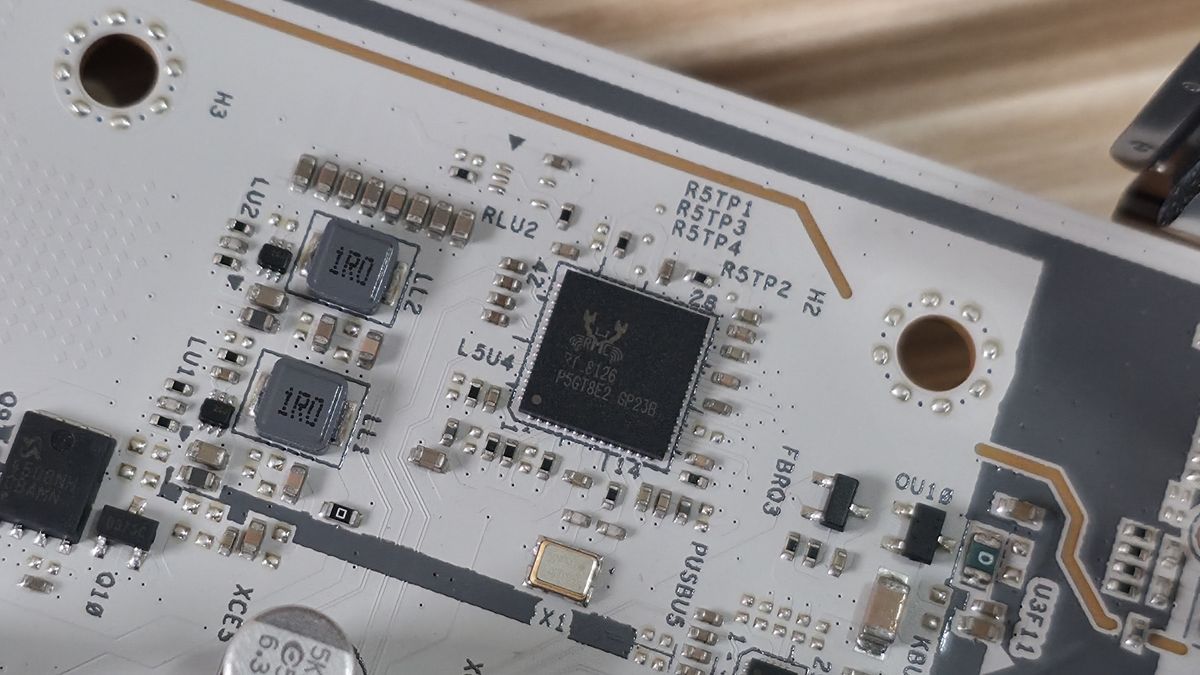
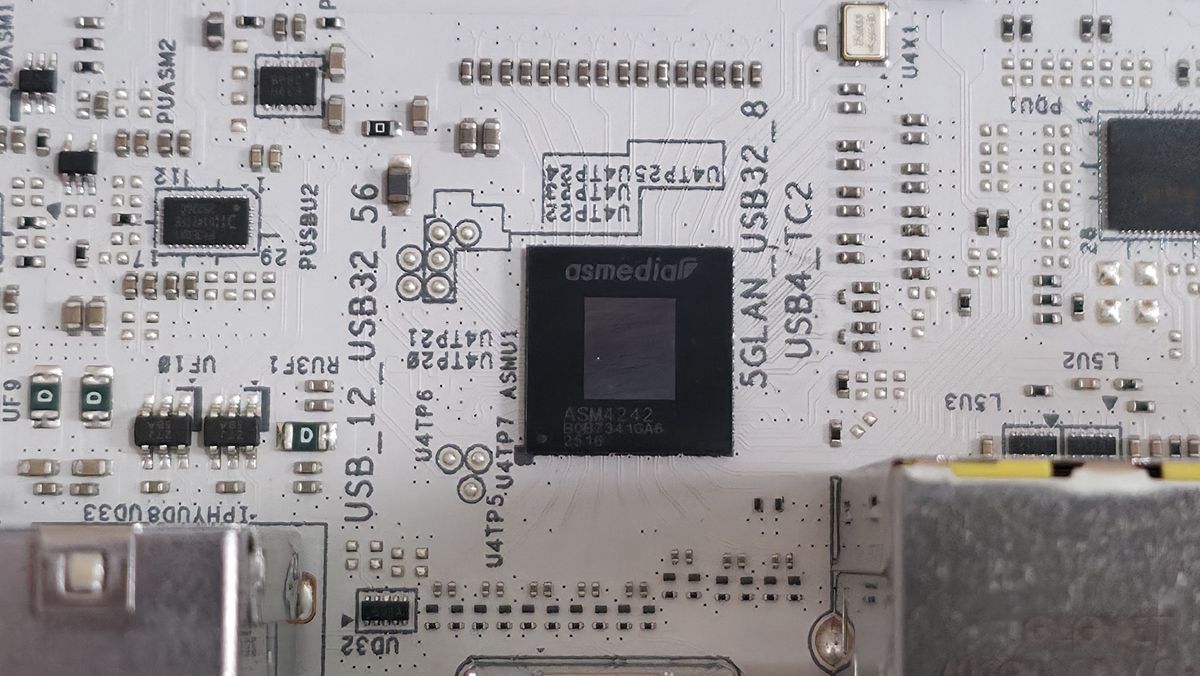
At the bottom are several headers, including front-panel audio and USB ports. A complete list of connectivity is listed below (from L to R):
- Front panel audio
- 4-pin RGB
- 3-pin ARGB
- (2) USB 2.0 headers
- (4) 4-pin fan headers
- 19-pin USB 3.2 Gen 1 header
- 2-pin Clear CMOS jumper
- Power LED and Speaker
- Front panel
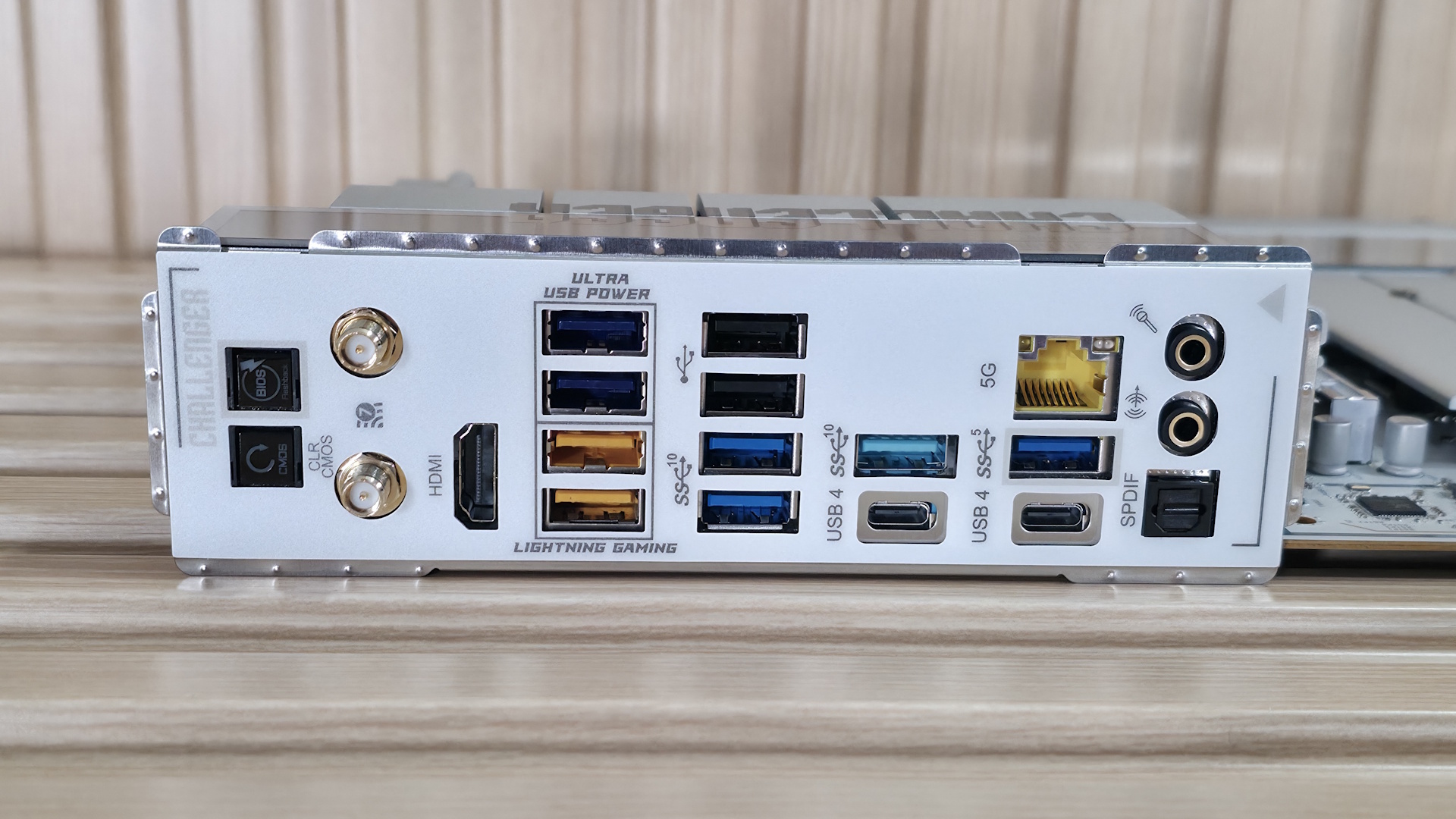
Flipping the board around to the rear IO, you can see it’s chock-full of colorful USB and other ports. On the left are Clear CMOS and BIOS Flashback buttons. Next to those are the Wi-Fi 7 (remember, it’s ‘only’ 160 MHz) antenna connections and the HDMI (v2.1) port. Next to that are stacks of colored USB ports. In total, there are 12: two USB 4 (40 Gbps) Type-C ports that double as video outputs; five USB 3.2 Gen 2 (10 Gbps), two of which are the Lightning USB ports (yellow, and designed to reduce latency by using different controllers). Three USB 3.2 Gen 1 (5 Gbps) ports (purple) support USB PD 3.0 charging up to 5V@3A (15W). Lastly, the two USB 2.0 ports are black. Above one of the Type-C ports is the Realtek 5 GbE, and finally, on the right end, is the audio stack with two 3.5mm analog jacks and SPDIF outputs.
If you’re an esports gamer where every millisecond counts, the lighting gaming ports could come in handy. Otherwise, the feature adds little value for the average user.








 English (US) ·