
I leave my house and my front door locks. I come back, and as I reach for my door, it unlocks. I never have to think about it. That’s the smart lock dream, one largely realized by the $270 Aqara Smart Lock U400 and its early support for Apple’s new Home Key hands-free unlocking feature.
The U400 looks like many other smart locks. It’s a black rectangle inside and out, albeit with a slightly curvier surface than the Aqara U100 that used to be on my door. It has a keypad, a fingerprint sensor, a keyhole, and support for NFC-based unlocking via Aliro—that’s a new, universal smart home digital key standard from the Connectivity Standards Alliance, the group also behind Matter. Aliro is already in a couple of smart locks, but the U400 one-ups just about every other smart lock available today by using your iPhone or Apple Watch’s ultra wideband (UWB) signal for hands-free smart lock unlocking, a new Home Key feature Apple announced in 2024 that’s coming to smart locks at long last.
The U400 works with any smart home ecosystem you have, thanks to the universal smart home standard Matter. It doesn’t need an Aqara hub; it’ll connect to your smart home network using Thread, a low-power wireless mesh networking protocol that’s a big component of Matter. That, plus the U400’s speed, reliable operation, easy installation, and multiple unlocking options that include a quick fingerprint scanner, keypad, NFC scanner, and physical keys makes this the only smart lock I want for my front door, for the time being.
Aqara Smart Lock U400
Hands-free unlocking with ultra wideband is so nice that I wish I didn’t have to go back.
- Hands-free, UWB-based unlocking (for iPhone users)
- Matter support
- Supports Samsung Galaxy tap-to-unlock
- Fingerprint sensor
- Stable, fast operation
- Rechargeable battery
- Easy installation
- No hands-free unlocking for Android phones (for now)
- No NFC support for non-Galaxy Android phones (for now)
- Low ANSI grade
- Pockets and bags interfere with hands-free unlocking
- Samsung Galaxy tap-to-unlock requires SmartThings
Come on in; the UWB is fine
 © Wes Davis / Gizmodo
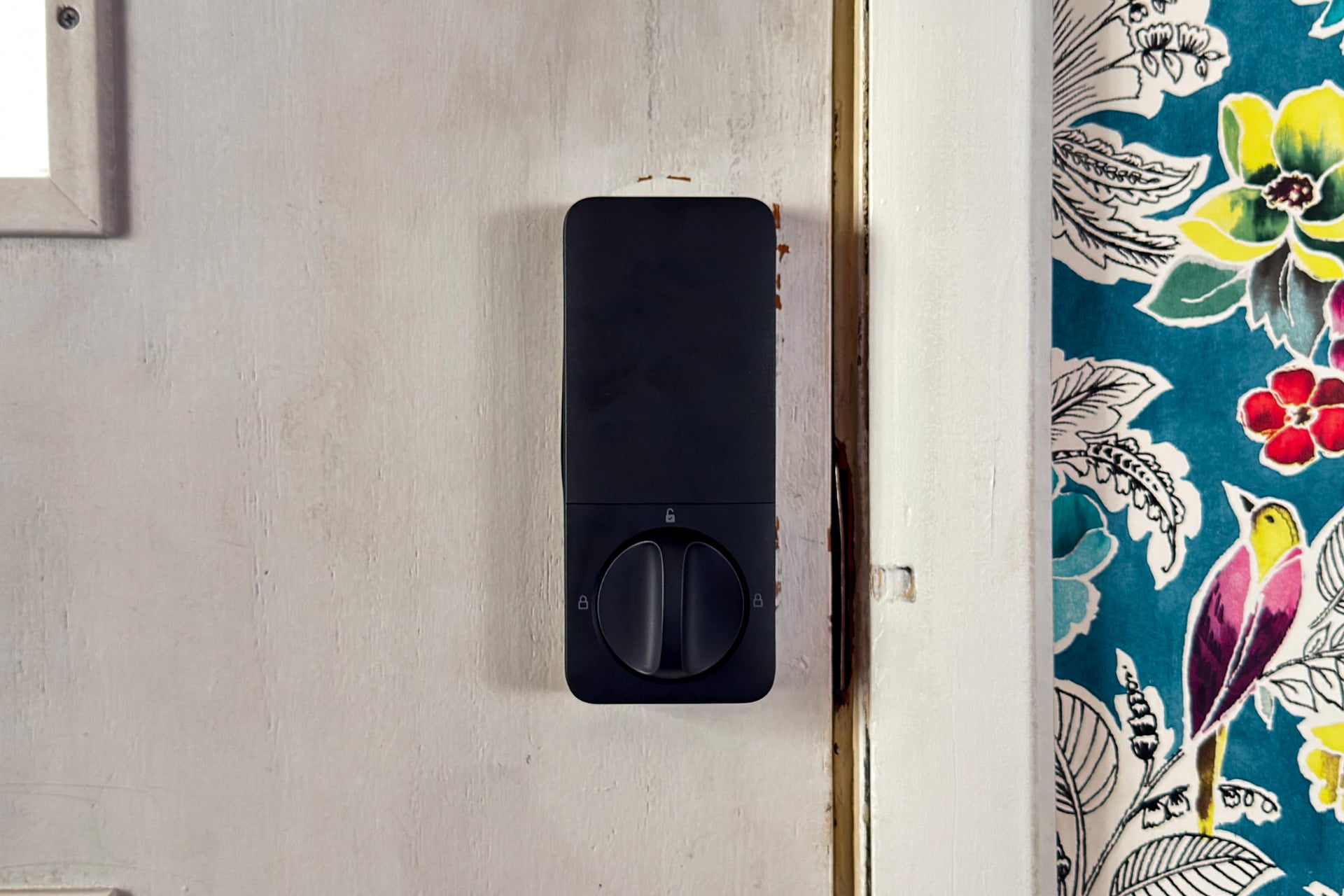
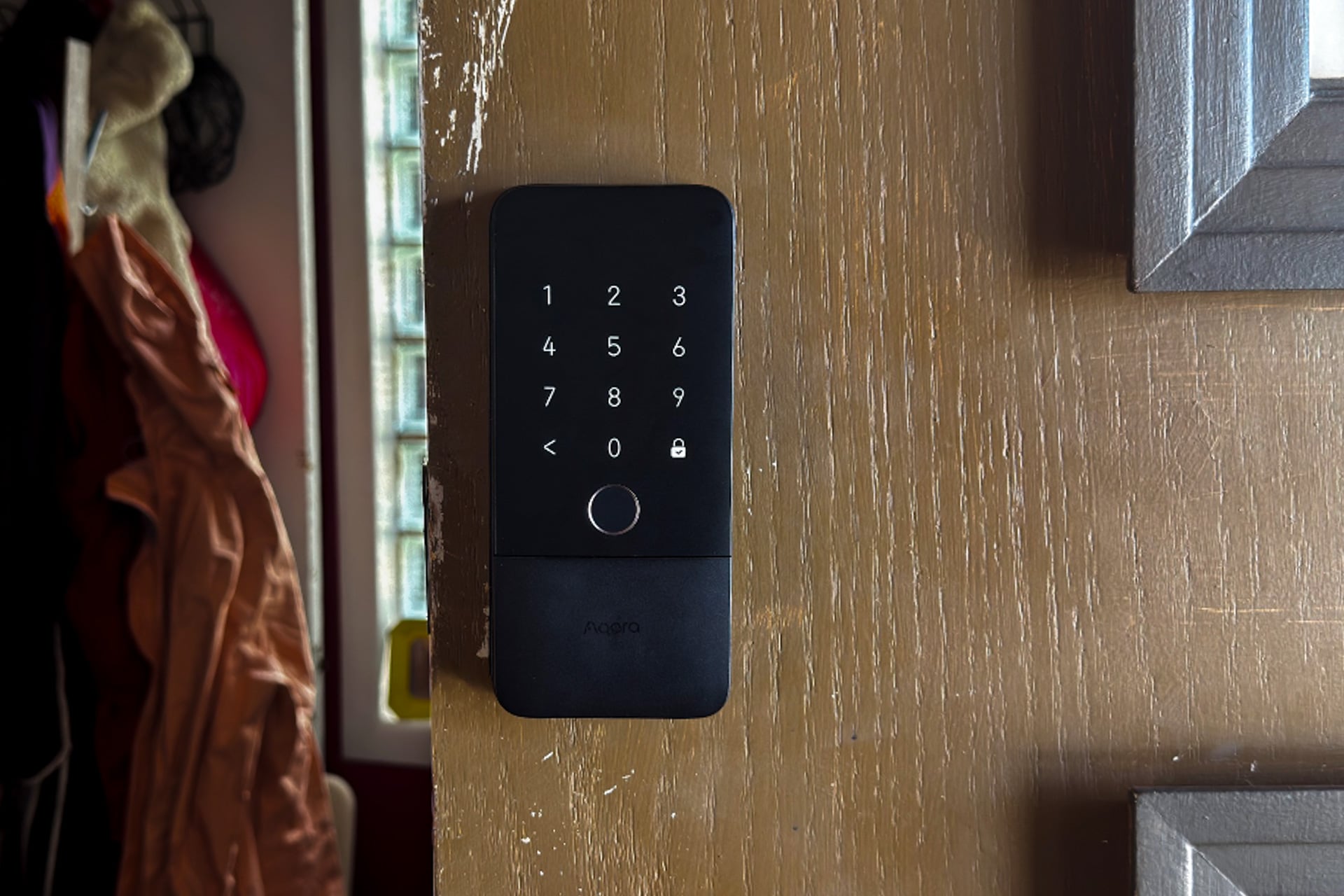
Physically, the U400 feels well-built and looks nice for what it is, but it’s definitely on the chunky side—a big rectangle on your door that’s very obviously a smart lock. On the outside, the matte black expanse at the top of my review unit hides a backlit keypad that only appears when you close your door or when you firmly tap it. Under that is the fingerprint sensor, then a slide-down cover for the physical key-hole. Inside, a slide-off cover reveals its rechargeable battery and a couple of buttons for configuring and resetting the lock.
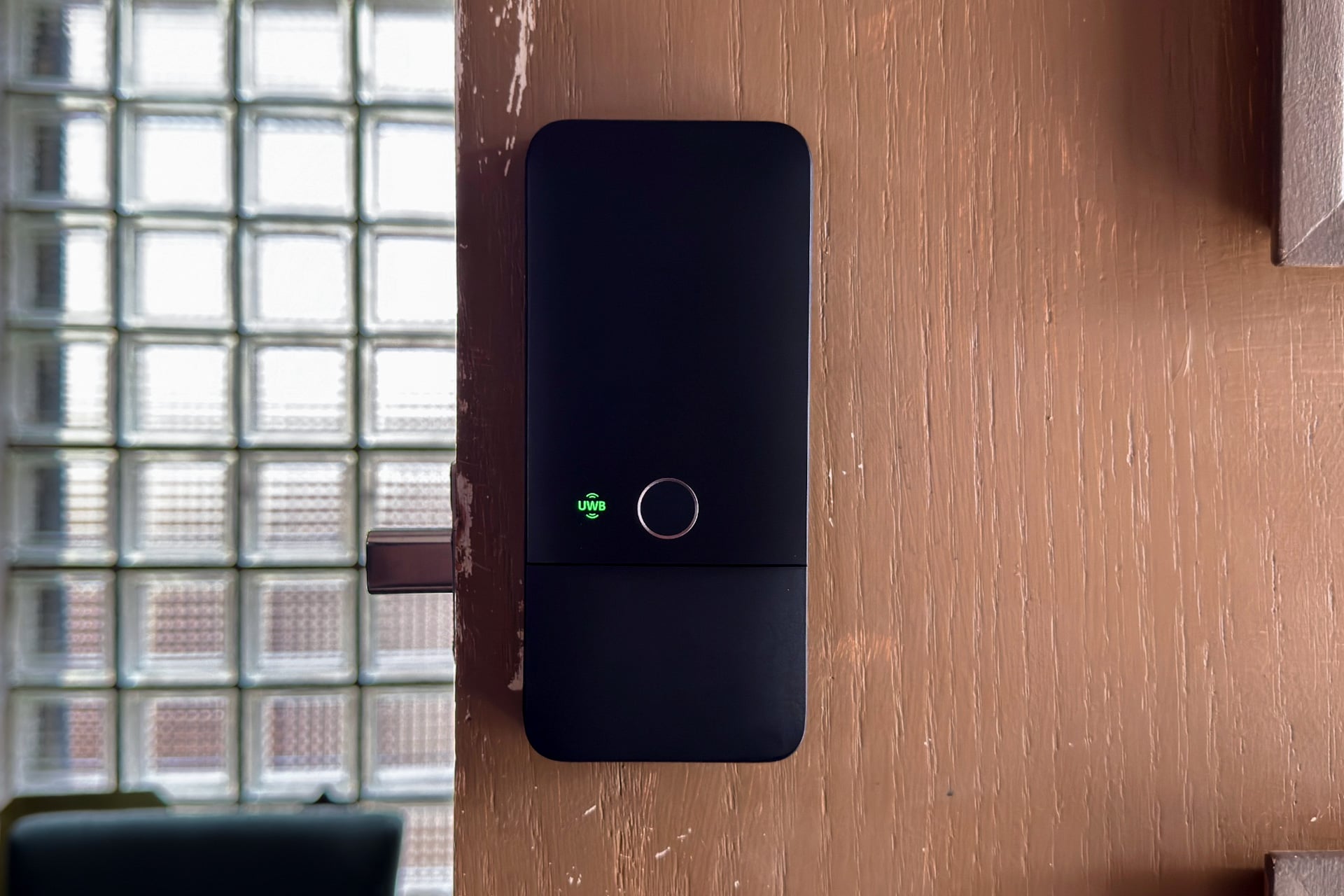
If you have an Apple Home Hub with Thread, such as a HomePod mini or Apple TV 4K, you can configure the U400 to unlock on its own, using Apple’s Home Key Express Mode feature, as you walk up to the door—no authentication necessary. That’s not a new thing for smart locks, of course. The last smart lock I reviewed, the Level Lock Pro, does the same thing through different means, and it works pretty well. But being a Home Key feature means that once you add it to your home, anyone registered to your Apple Home household automatically has it; they just need to make sure Home Key’s Express Mode is turned on for their digital house key.
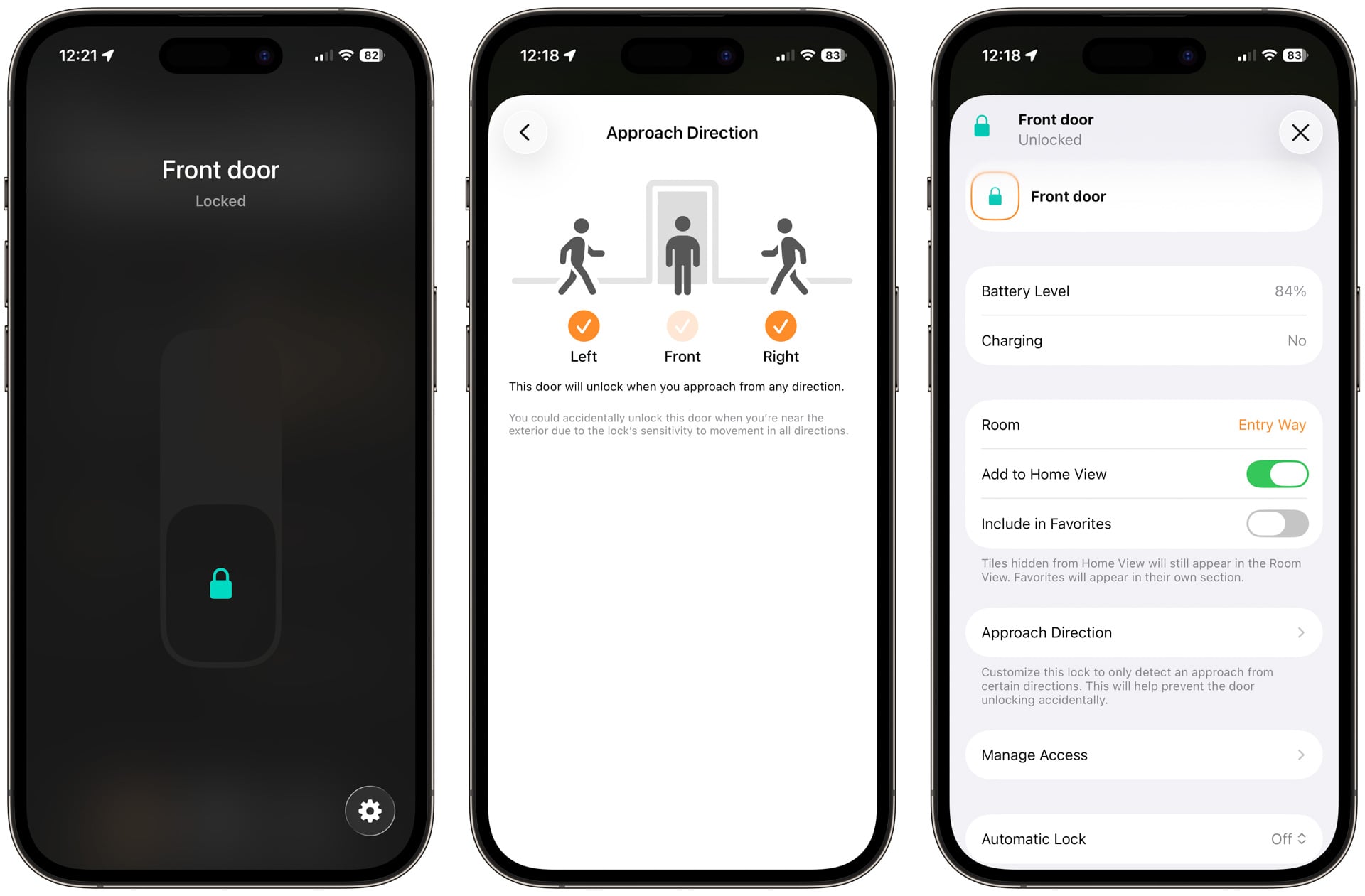
The other thing is that UWB is a lot more precise than the Lock Pro’s combination of Bluetooth and your location to decide when to unlock. While the Lock Pro would unlock as I started up the walkway toward my porch, the U400 would only unlock as I got close enough to reach for the door, and didn’t trigger if, say, I turned at the last second to go sit on my porch furniture or stopped halfway up my steps and went back the other way. Neither did it ever unlock when I got close from the inside, even if I tried to fool it by walking toward the door from weird angles.
 © Wes Davis / Gizmodo
It works that way because Apple updated Home Key in iOS 18 to use UWB for exactly this purpose. And I’d love to tell you that it’s totally hands-free forever, but it didn’t quite work that way for me. The good news is that when I had my Apple Watch (a Series 9, but this was also true for my partner’s Series 8, as well as my kid’s Series 6), I could walk up to the door, and right as I reached for the handle, the U400 unlocked and I could just… open my door. It worked that way every time I tried.
But hands-free unlocking was a lot less consistent when I only had my phone. When I held it above waist-level, the feature worked just as well as with my Apple Watch. If it was in a messenger bag on my back, the smart lock tended not to trigger until I was standing right against the door. It didn’t work at all with the phone in my pocket, unless I raised my knee or pulled the phone out. Figuring part of the problem may be that my front porch is a step down from my door and puts the lock at head level (I’m about 5’10”), I redid all of this on level ground, with the door open into my house and the U400 “locked.” That time, my phone seemed able to trigger the lock from my pocket a lot more reliably, just not until I was close enough to give my door a smooch. Which I would never do; I’m not a door smoocher, I swear.
Even with these pocket problems—which probably won’t affect you if your deadbolt sits at a more reasonable height than mine—it’s hard to beat UWB-based hands-free unlocking. For Apple Home users, that alone makes this one of the best smart locks you can buy, and eventually it could for everyone else, too. Samsung Galaxy users in the SmartThings ecosystem can unlock the U400 by tapping their phone to it, thanks to Aliro, but won’t get hands-free unlocking until the second quarter of this year. Google Pixel and other Android owners will have to wait for the other ecosystems to fully roll out support for either method, though.
 © Wes Davis / Gizmodo
Moving past UWB to the other unlocking methods, everything the U400 does, it more or less does as well or better than my Aqara U100. For instance, it consistently only took about a second to unlock the door with NFC scanning, by holding my iPhone or Apple Watch up to the keypad, just like using tap-to-pay in a store. Fingerprint scanning was almost instantaneous, and more reliable than it was on the U100, which always seemed to take two or more tries every other time I left the house.
The U400 almost always responded within a couple of seconds when I asked Siri to unlock it from my phone, or when I talked to a HomePod to lock it. That’s fast enough that I might actually use Siri willingly, and not as a last resort, the way I have other smart locks in the past. The keypad took some getting used to; it took more forceful touches to wake it or enter codes than on the touch pads for locks like the U100 or the TCL D2 Pro, and I kept having to go back and re-enter my code or tap it multiple times to get the backlight to turn on. It wasn’t a problem once I got the hang of it; just something I made note of.
Choose your ecosystem
 The U400 in Apple Home. © Wes Davis / Gizmodo
I love when a smart lock works with my smart home and I don’t have to rely only on that company’s app. To me, that can be the difference between a good score and an okay one, even if it’s an otherwise good smart lock. That’s not a problem for the Aqara U400, of course: its Matter support means it works with any smart home platform worth considering, provided there’s a Thread border router, like a HomePod mini or an Amazon Echo device made in recent years.
For the first few days, I didn’t even bother connecting the U400 to my Aqara network. Instead, I used the lock exclusively with Apple Home, my preferred ecosystem, and truly, I would have no problem continuing to do so. I could still do most of the things I’d want to, including configuring and using hands-free unlocking, setting up guest access codes, scheduling automations, and setting the U400 to lock some time after its internal gyroscope detected the door had been shut. I didn’t even need to connect it to the Aqara app for things like adding fingerprints or calibrating the lock, because I could do all of that on the keypad using the U400’s built-in voice prompt menu.
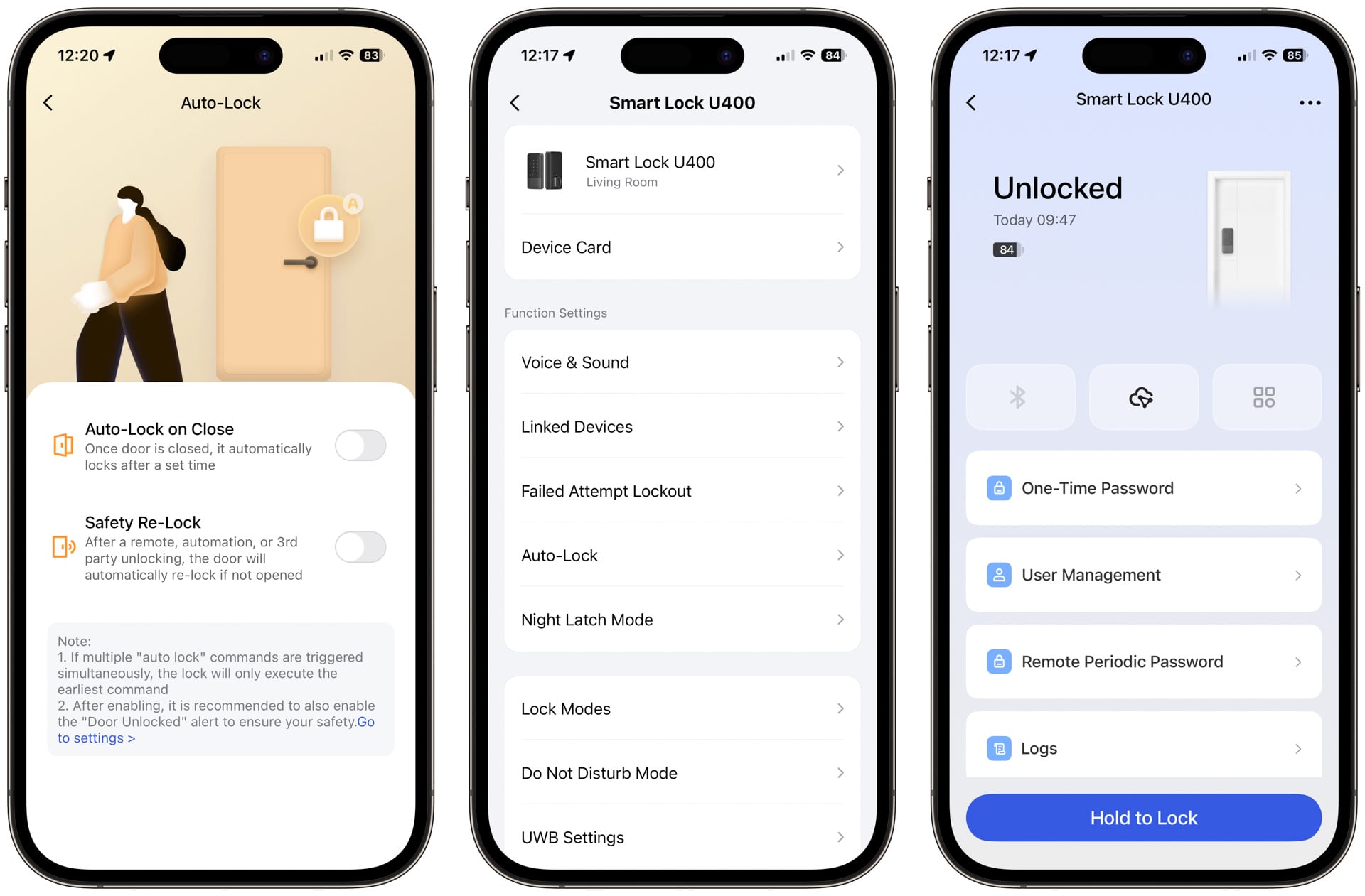 The U400 in the Aqara app. © Screenshots by Wes Davis / Gizmodo
You’ll need the Aqara app for some stuff, like adjusting the lock’s speaker volume or setting it to beep out an alert if you leave it unlocked for more than a set amount of time. You can also turn to the Aqara app to set a lockout period—how long the keypad goes unresponsive after 10 unsuccessful passcode entries. And the app lets you put it in Bluetooth-only mode, which stops all remote access to the lock. Beyond that, though, the Aqara app is also a full-fledged smart home app in its own right if you have a Matter-over-Thread-capable Aqara hub, like the Hub M3, to connect the U400 to, so you can involve the lock in automations with other Aqara devices, even if you don’t use one of the more well-known ecosystems.
Installation and battery
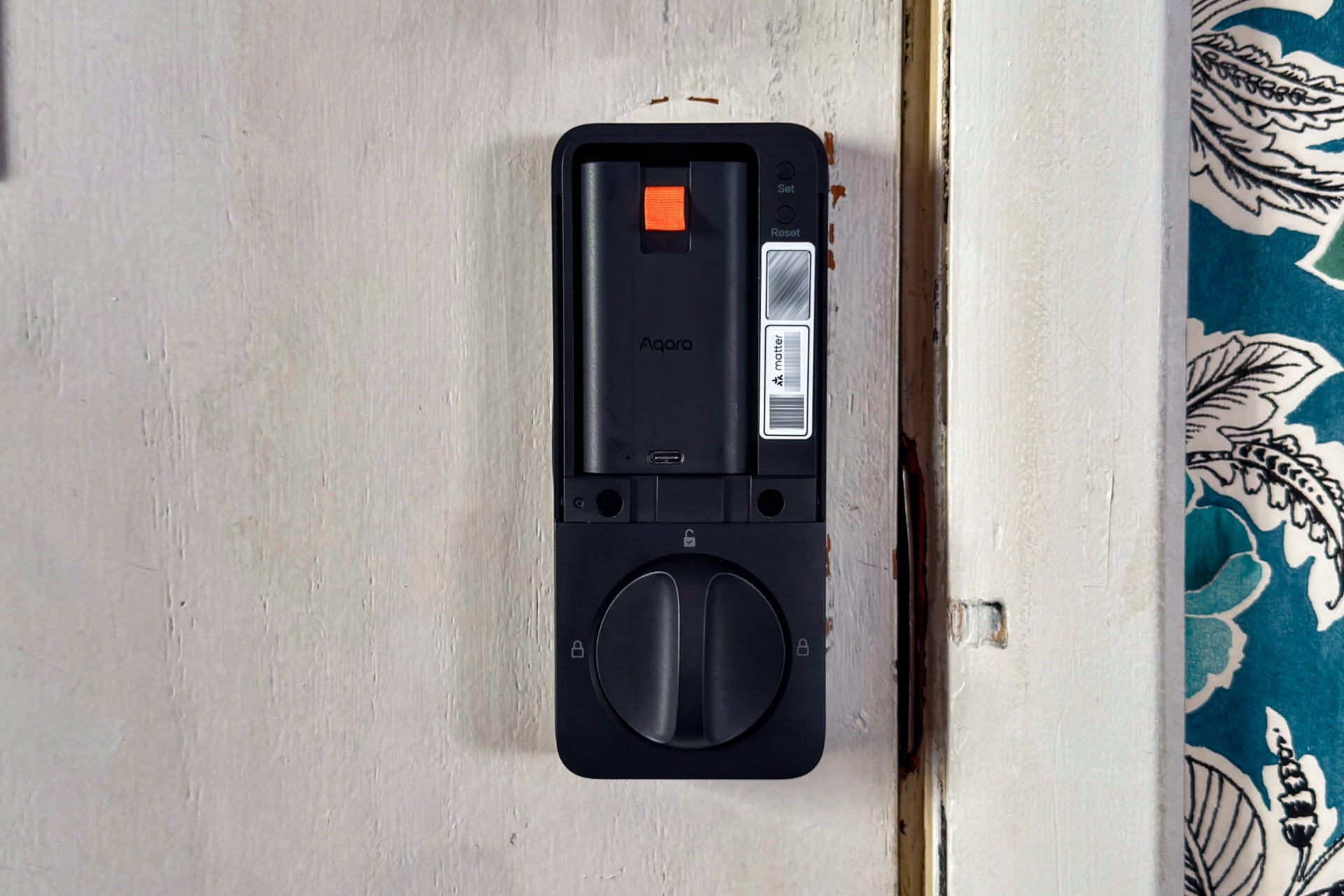 © Wes Davis / Gizmodo
Installing the U400 is exactly like the process for installing the Aqara U100 I already own, which is to say that it’s easy if you’ve ever put together a smart lock, or even a traditional deadbolt, and only took me around 10 minutes. If you haven’t done either or it’s been a while, I’d recommend watching Aqara’s installation video, as the paper instructions included in the box aren’t as clear as they could be around, for instance, what to do with the cable that feeds through and connects the exterior part to the interior part. (It’s meant to be pushed back through the hole towards the exterior portion of the lock, or else the interior part won’t sit flush against the door.)
The U400 comes with a USB-C-rechargeable battery pack, something more smart locks should have. There was enough juice to get the lock set up when I finished, but barely—the unit I received was in desperate need of a recharge, and if I had it to do over again, I would install the lock at the end of the day when nobody else will be coming home, so I could charge the lock overnight. That’s mainly because waiting for its battery to charge is a pain—I didn’t measure this at the beginning, but I did later. And after I plugged it in, using a cable and adapter that has no problem supplying up to 100 watts of power, it took two hours to add around 35% of charge.
After you charge and insert the battery for the first time, the U400 will invite you to do some setup using the keypad. This included calibrating the smart lock for your door and setting up users’ fingerprints and door codes. That’s a great thing, as it means you can use this smart lock without ever connecting it to an app or a smart home ecosystem at all. Separately, there’s a Matter QR code on the lock; scanning that got it connected to my Apple Home network within a couple of minutes.
As for battery life, Aqara says it’ll last up to six months on a full charge. I didn’t test the U400 long enough to know if that’s accurate, but I will say it lost about 15 percent of its battery during a week and a half of testing. That may seem damning, but I put this particular lock through more strenuous testing than usual as I tried out its hands-free unlocking in as many ways as I could think of, locking and unlocking more times in one day than I otherwise would. If it truly lasts six months, though, that’s decent for a smart lock. Plus, having a rechargeable battery pack is a big mark in its favor, especially if you head to an Apple Store to buy the $300 Deluxe Kit version, which comes with a spare battery. I still wouldn’t get used to leaving home without a key; there’s no backup battery if the U400 dies. It does have a USB-C port on the outside, though, for emergency power via a power bank.
A great smart lock for Apple users
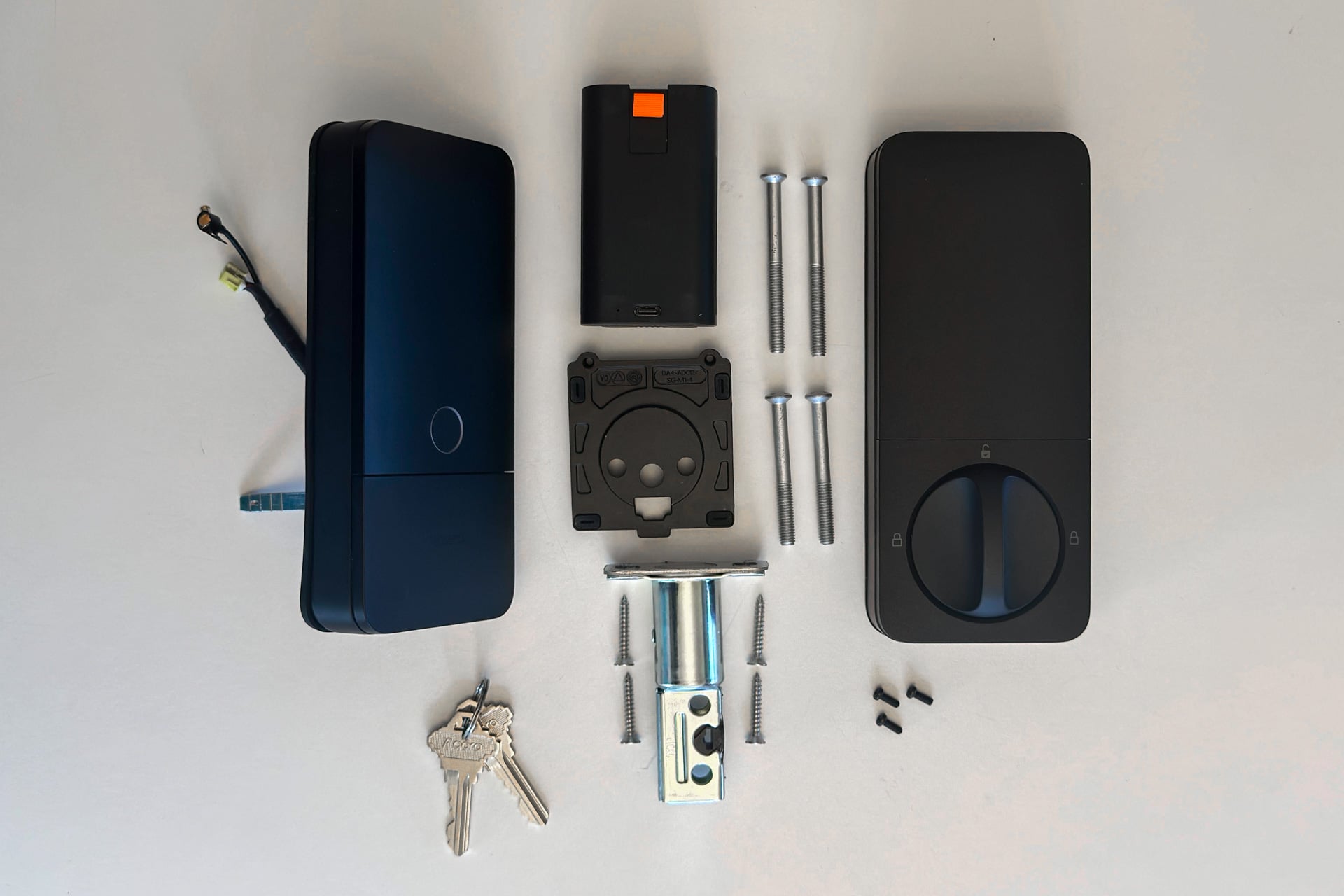 © Wes Davis / Gizmodo
If you’re an Apple Home user with even a somewhat recent iPhone, the Aqara Smart Lock U400 is really dang good, especially if you have an Apple Watch. I wasn’t surprised that UWB is a bit finicky this early in the game, but what did surprise me is how reliable it was when I had my smartwatch on.
Android users should wait to buy the U400 or look for alternatives. With Aliro still in its infancy and no UWB support for Android devices, this smart lock is hardly better than many cheaper alternatives. In my experience, a fingerprint or palm vein-scanner is more convenient than simple NFC scanning, and there are lots of alternatives that offer those for much less money, including smart locks I’ve mentioned in this very review.
The U400 costs $270, which feels about right when you toss in hands-free unlocking with UWB, especially considering how well it works when the UWB radio of your iPhone or Apple Watch isn’t being blocked by anything. I wish I could count on it more when my phone is in my pocket, but it’s nevertheless so reliably responsive to my Apple Watch that I don’t want to use anything else on my front door.





 English (US) ·