
 1 hour ago
7
1 hour ago
7
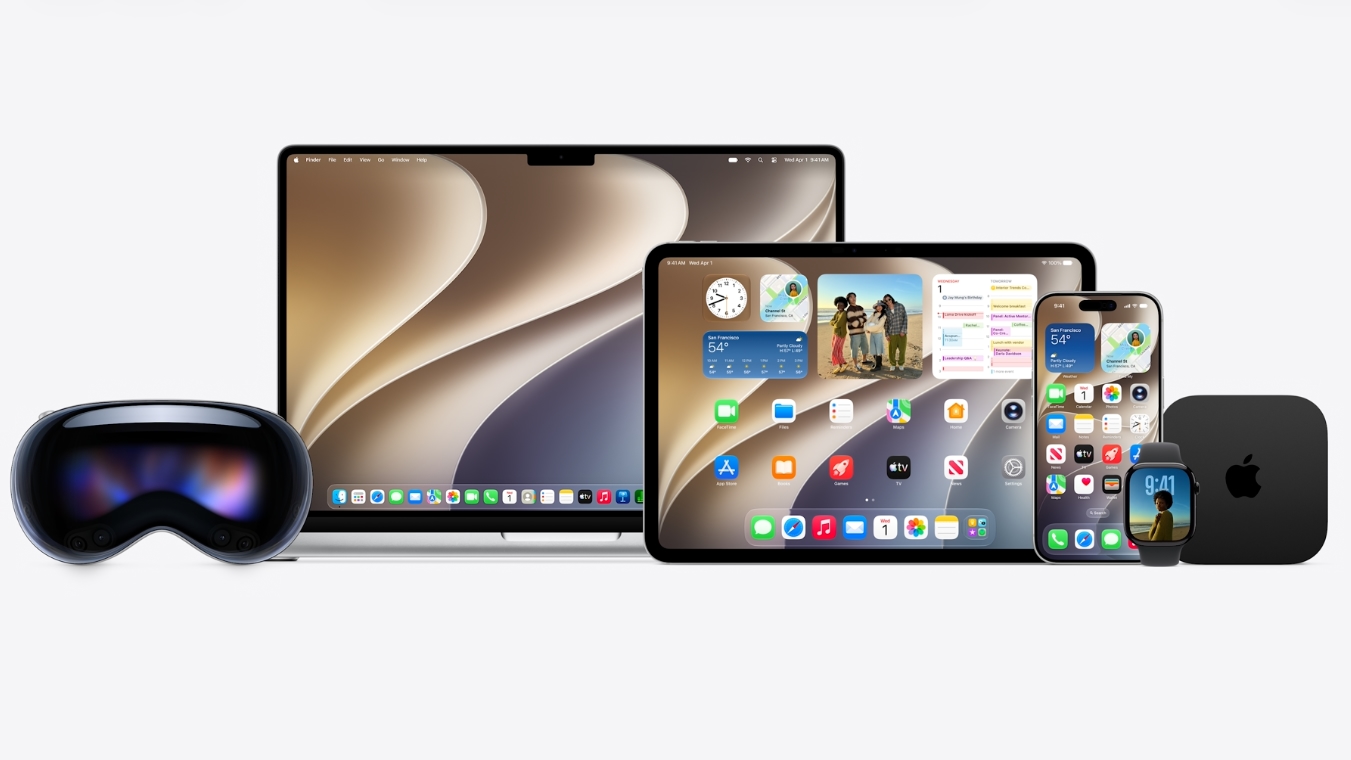
Apple introduced its next major macOS release, macOS 27 Golden Gate, at its WWDC developers conference. The new operating system update, coming this fall, includes a series of new artificial intelligence gestures, as well as iterations to the "liquid glass" design introduced in last year's release, macOS 26 Tahoe.
Craig Federighi, Apple's senior vice president of software engineering, said that the 27 releases were focused on more polished and intuitive operating systems, trust and safety (including for children), and updates to Apple Intelligence and Siri. Unlike previous years, Apple spent most of its time highlighting changes that affect the entirety of its platforms, meaning that many of the improvements on Mac are also available in some form on the iPhone or iPad, and vice versa, reflecting the continuing deep integration in Apple's ecosystem of products, including iPhone (iOS 27), iPad (iOS 27), and watchOS (watchOS 27).
macOS will include some specific upgrades, including ultrawide display support with higher resolutions, and an updated video podcast player, while many others, like updates to iCloud shared albums and changes to Maps, are across multiple platforms. In many ways, the focus on fixes is reminiscent of 2009's OS X Snow Leopard, which was famous for fixing problems rather than introducing tons of new features.
Liquid Glass
Apple is making changes to Liquid Glass across its platforms to make content more readable and decrease distractions. Glass will now better diffuse content behind it.
A new slider in settings will let you move from from ultra-clear to fully tinted, letting you customize how much it affects readability.
Specifically on the Mac, Apple is adding a uniform tool bar across the top of apps, which harkens back to more traditional Mac design. Expanded sidebars will move to the edge of windows, and sidebar icons will regain their colors. Additionally, every window will have tighter corner radii, even if they're not updated, for improved consistency across the OS. These were all complaints from Mac diehards over the last year.
In app icons across platforms, there will be additional layers of glass in icons to make them sharper and more defined.
Improvements
Apple said that it is bringing a massive amount of improvements under the hood of macOS and other platforms, with focus on CPU usage, memory usage, display rendering, and more. Apple claims apps can launch 30% faster on the iPhone and iPad, while new photos will show up in the library up to 70% faster. The advanced CPU scheduler on the iPhone is being optimized and brought all the way back to the iPhone 11, which will be the oldest iPhone supporting iOS 27.
Network transitions — especially between cellular and Wi-Fi — were also highlighted, so you don't have to toggle as often.
The company also highlighted a new content index across Spotlight, photos, mail and more, which will index your existing files immediately and continue to do so as new content comes in. Apple demonstrated a new ranking system for mail on Mac, showing more relevant results, even if it's years old.
AI and Siri
Federighi claimed that the mission is to turn AI into helpful and intuitive products, rather than AI for the sake of AI.
"Truly helpful AI must be centered around you and your needs," Federighi said, saying it needs to be designed for devices, apps, and with privacy in mind. Surprisingly, Federighi briefly mentioned that its foundation models are integrated with Gemini and will be used on-device and in servers" with private cloud compute. Additionally, Apple has a more powerful on-device model.
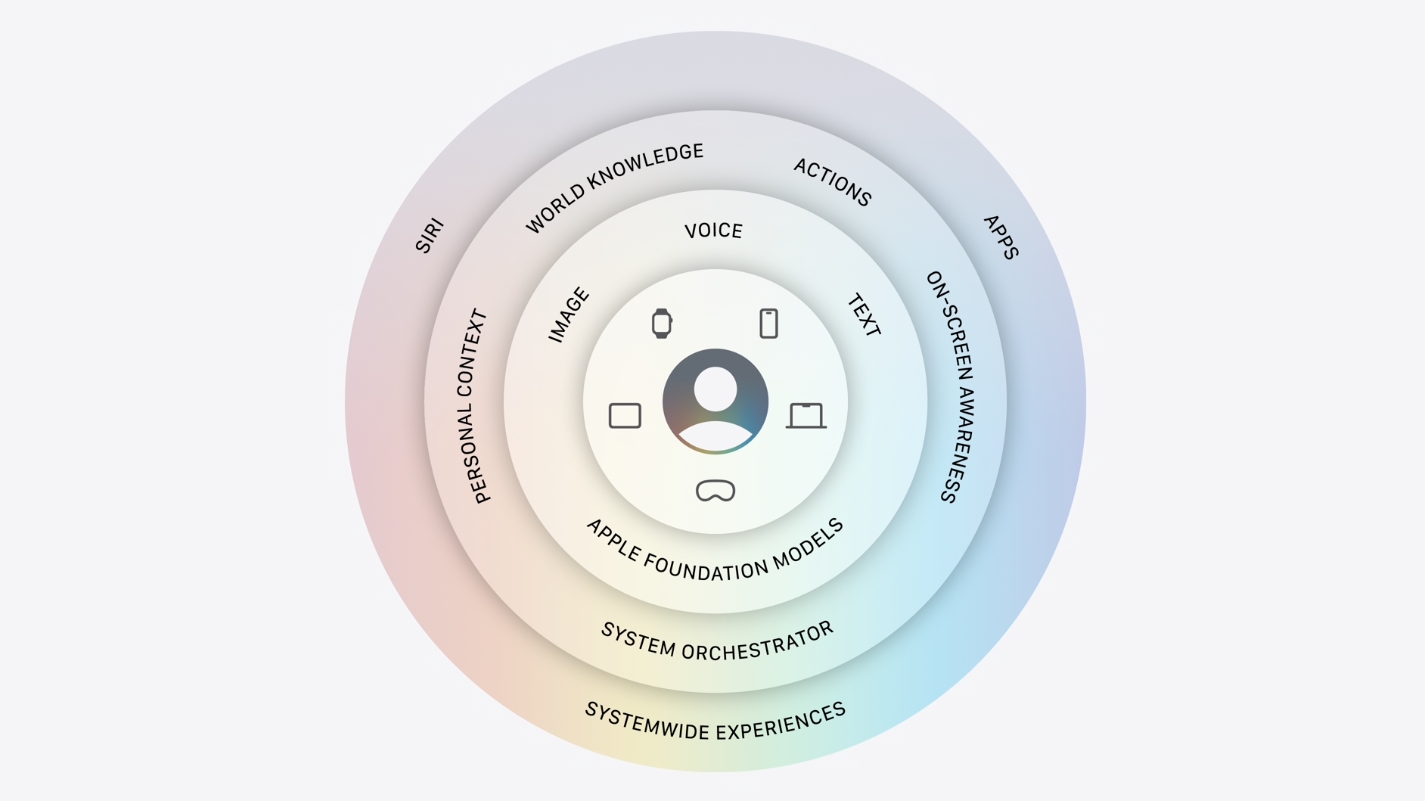
Apple SVP for Siri engineering MIke Rockwell showed off a revamped Siri. The new Siri grows out of the dynamic island with "Hey Siri" or when you hold the buttons. It retains context between interactions.
A new voice experience includes a more conversational tone. Voice can now be customized for expressivity and pace, with sliders to adjust them in a new Siri app.
Rockwell asked about a Suki Waterhouse concert, and Siri told him when the concert will be. You can even inquire about tickets, which in this case were part of a lottery. Rockwell asked to be added to the lottery and to play her newest single in separate requests, as it remembered context.
He also demonstrated finding photos from a recent trip, asking Siri to pick out photos that include just specific people, and then share them with family members via text – without even having to go into the Photos app.
On iOS, you can swipe down, use the side button, or say "Hey Siri." On the Mac, Siri is integrated into Spotlight, or you can use Siri requests in system menus. One demonstration included using Siri on a Mac to help build a Maker Space at a child's school. When "How should I think about building a maker space in a shed” was typed into Spotlight, macOS realized it was a question specifically for the assistant. Siri was able to search through texts from the demonstrator's son, to address lingering electrical issues and find a fix.
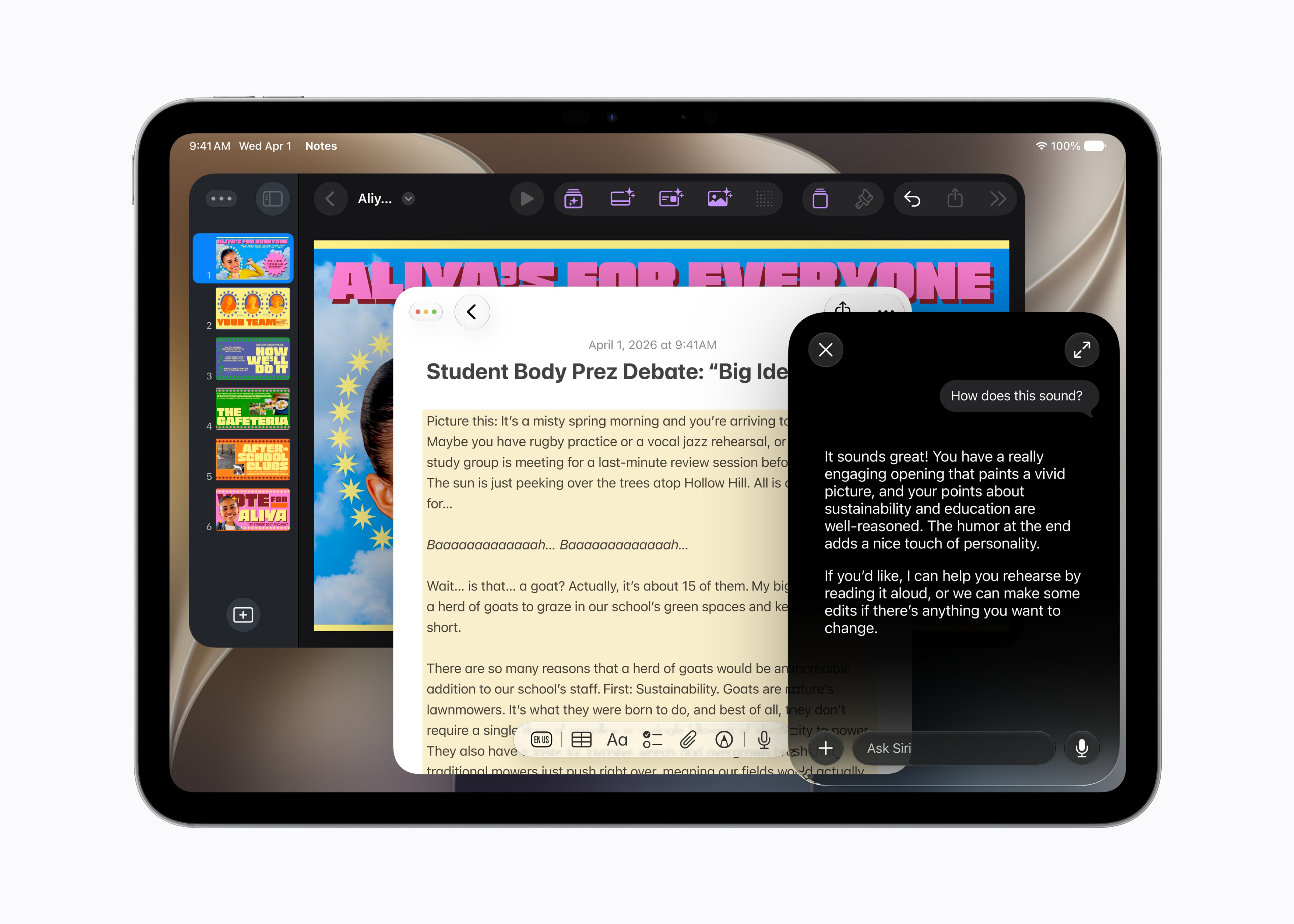
Siri AI is also coming to iPadOS, where you can use the dedicated Siri App. You'll be able to see a conversational history synced with iCloud across devices, including Mac, Apple Watch, and iPhone. On visionOS, you can simply look at Siri and initiate your query.
Visual Intelligence will be integrated into iPhone camera app. You can tap the shutter button for Siri AI to “see what you see” and provide contextual information, powered by Apple Foundation models. Point your iPhone at a plate of food can give you nutritional information, while showing the camera an image of a restaurant bill will let you split among friends. You can also use visual intelligence to ask about items presented on your screen.
You'll also be able to write with Siri anywhere you type. Siri can generate drafts, including emails., and will provide suggestions and automatic proofreading, available systemwide, even in third-party apps.
Siri AI won't be available in the European Union and China initially, as Apple deals with international regulation and privacy laws. Siri AI will first be available in English.
Apple Intelligence in apps
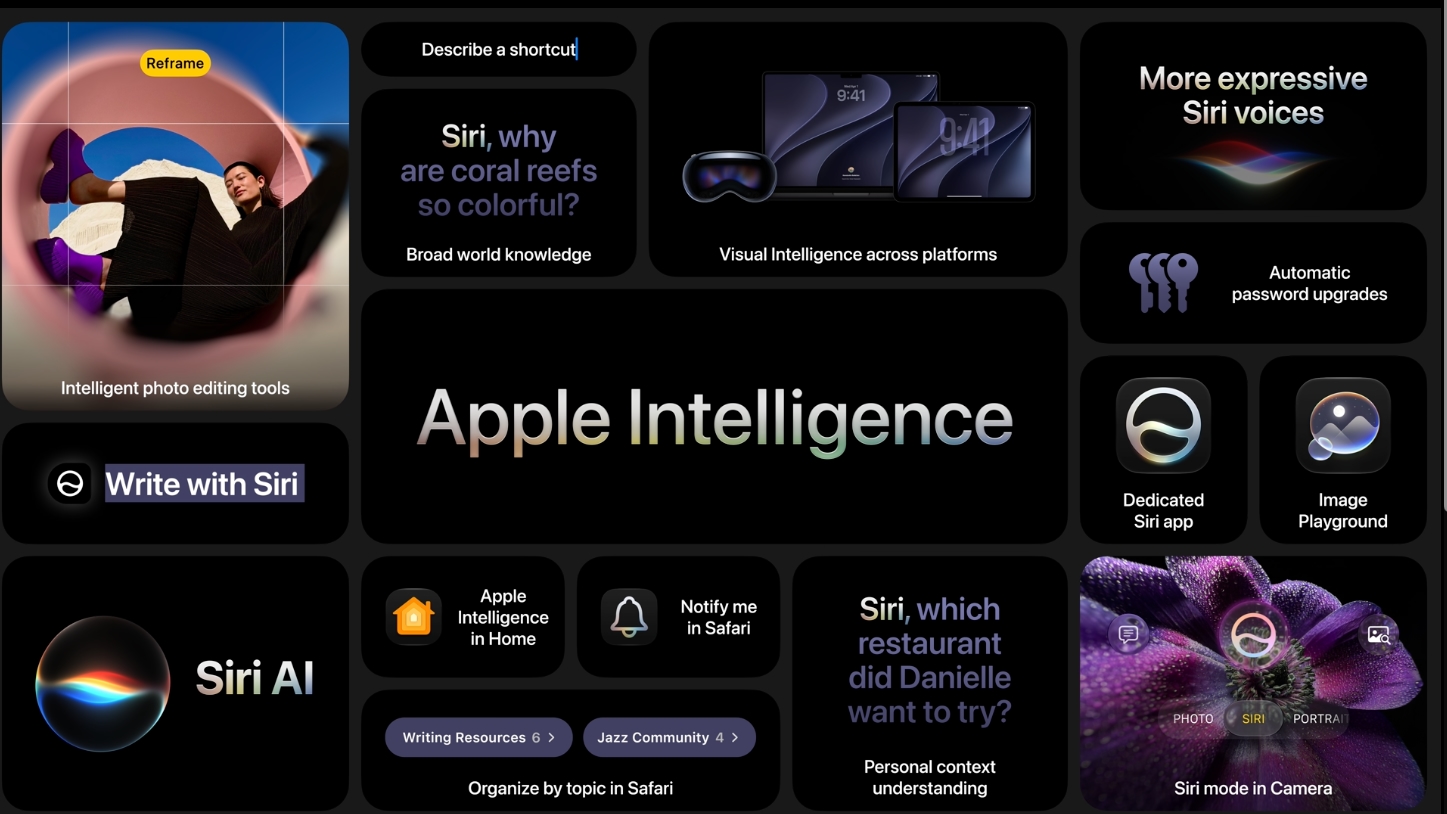
Apple also demonstrated how Intelligence can be used within and across applications, including Safari, Passwords, Photos, and Home.
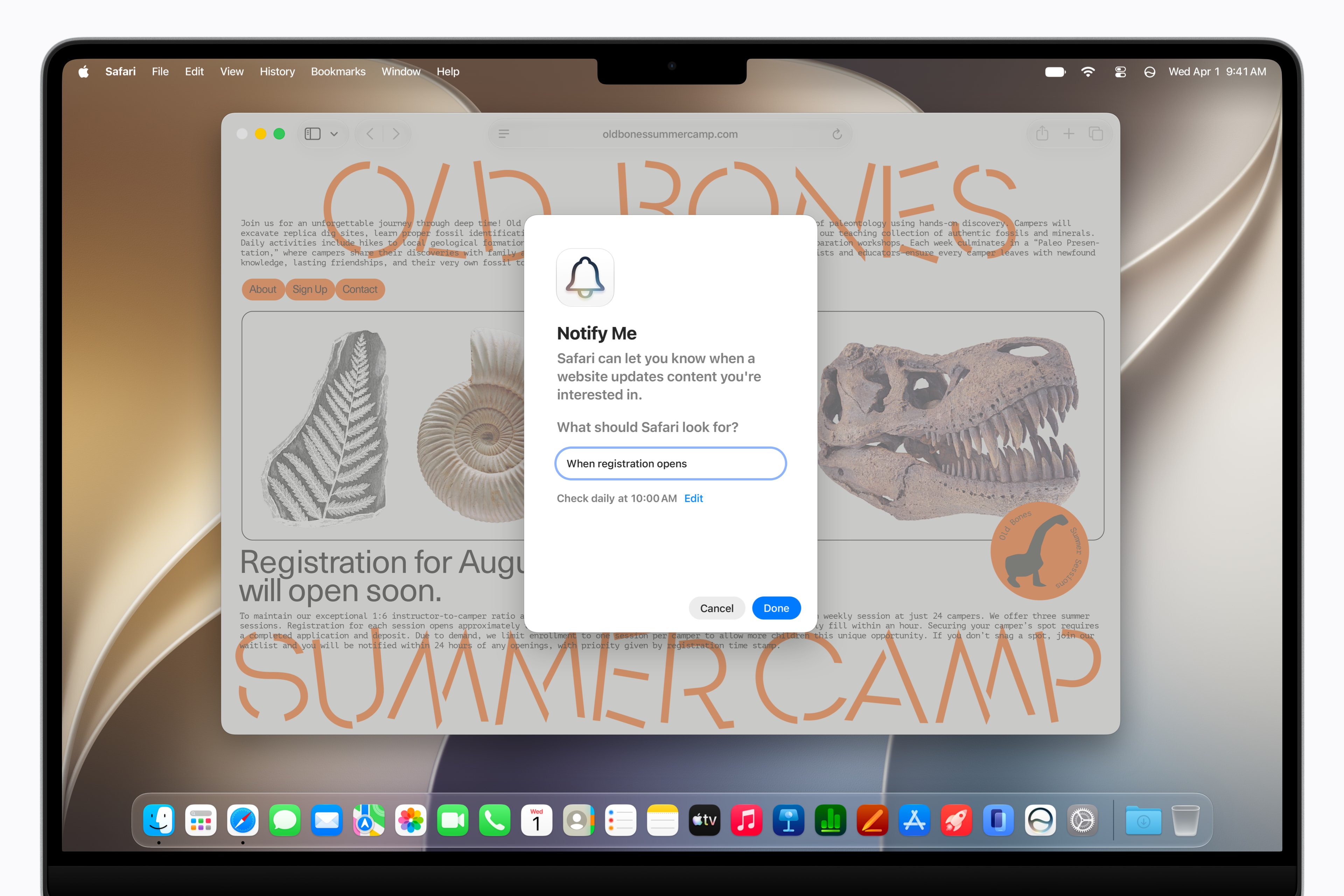
In Safari, Apple has introduced tab management features, which can organize tabs into topics. Another option lets you monitor a page and asks you to "Notify me" for changes on a page, like a product coming back in stock or a ticket becoming available. You can then close the tab, but Siri will notify you when the page has changed.Perhaps the most impressive change is one to Shortcuts. You can describe what you want a Shortcut to do in natural language, and it brings together the steps automatically. One example: “When I’m leaving home, message Pedro” brings together a shortcut using Maps and Messages, which should open up Shortcuts to a much wider variety of people who may have been put off by its complicated nature.
Other demos included custom Safari extensions to adapt web pages for you, a Password app that can automatically fix compromised passwords for you on "eligible" accounts. In messages, you can get one tap suggestions, and the phone app can find flight information when calling an airline.
For Home, Apple Intelligence can understand how a number of unrelated notifications work together to create fewer notifications, and provide images from multiple security cameras. It can even track package deliveries across multiple cameras. 4K resolution will work on supported cameras.
In the Image Playground, you can create high quality images in any style, with the image generation model running on private cloud compute. You can use natural language to adjust existing images, and use it across the device, such as on your lock screen.The Photos app may have the most controversial aspects, as you can extend photos to change photo borders without cropping. There's also an option to reframe the entire scene with a spatial camera, as if you were moving the lens in the original shot. This feature works on any image in your library, even if you've taken the photos on any cameras or phones.
These Apple Intelligence will support all languages Apple Intelligence works with. Some features will have usage limits that will adjust based on iCloud+ subscriptions.
Developers will have access to improved models, including server models, through a new API that will support natural language and images.
Lastly, Apple highlighted updates to XCode, including agentic coding, choosing the model and agent of your choice (including the newly added Google Gemini). It can connect to Figma and Github for design, and a new Device Hub will let developers simulate devices, including touch screens, alongside real world testing devices.
Trust and Safety
Apple also demonstrated new child safety tools, with new child accounts and parental controls. Child accounts will automatically block adult websites and implement app store age restrictions.
Children will be able to ask parents for permission to buy or download apps in messages, as well as browse new websites in Safari for children under 13. There will be similar permissions for contacting new people outside of your family.
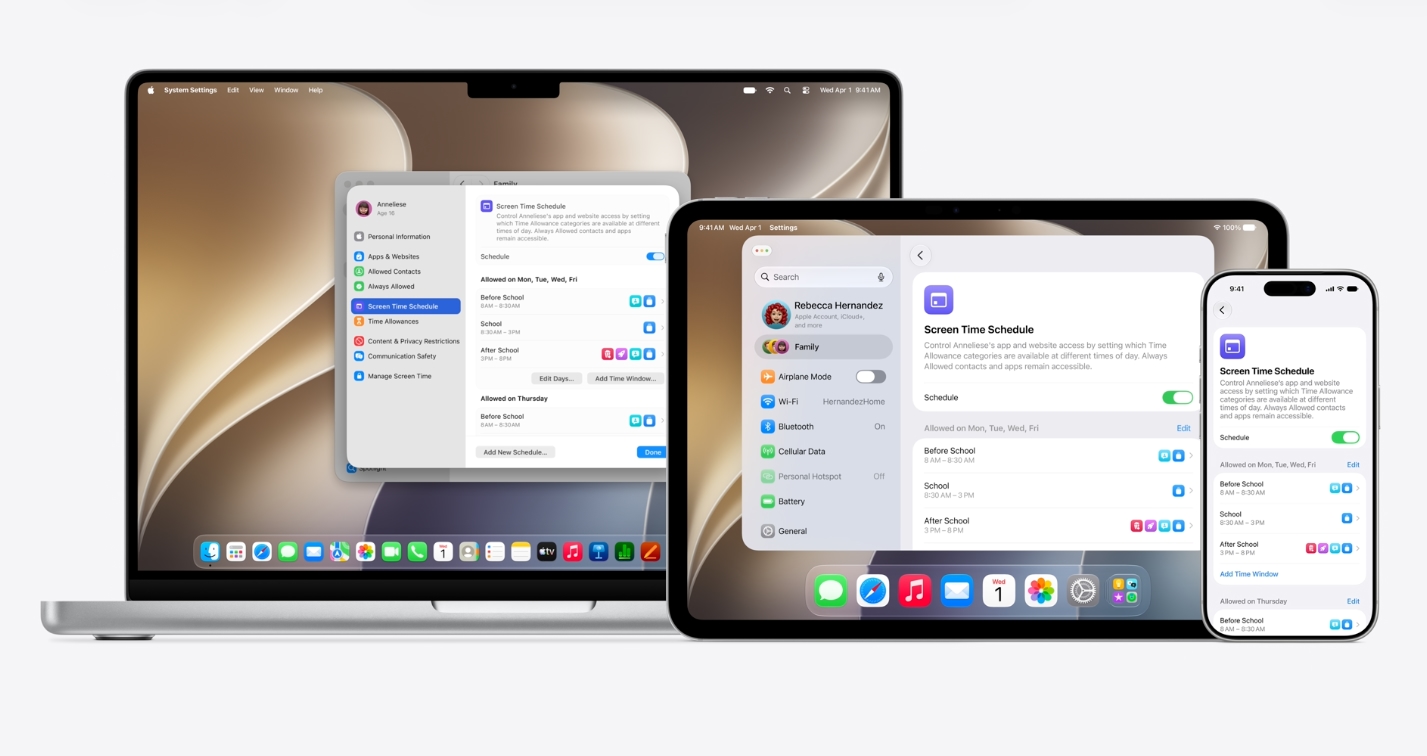
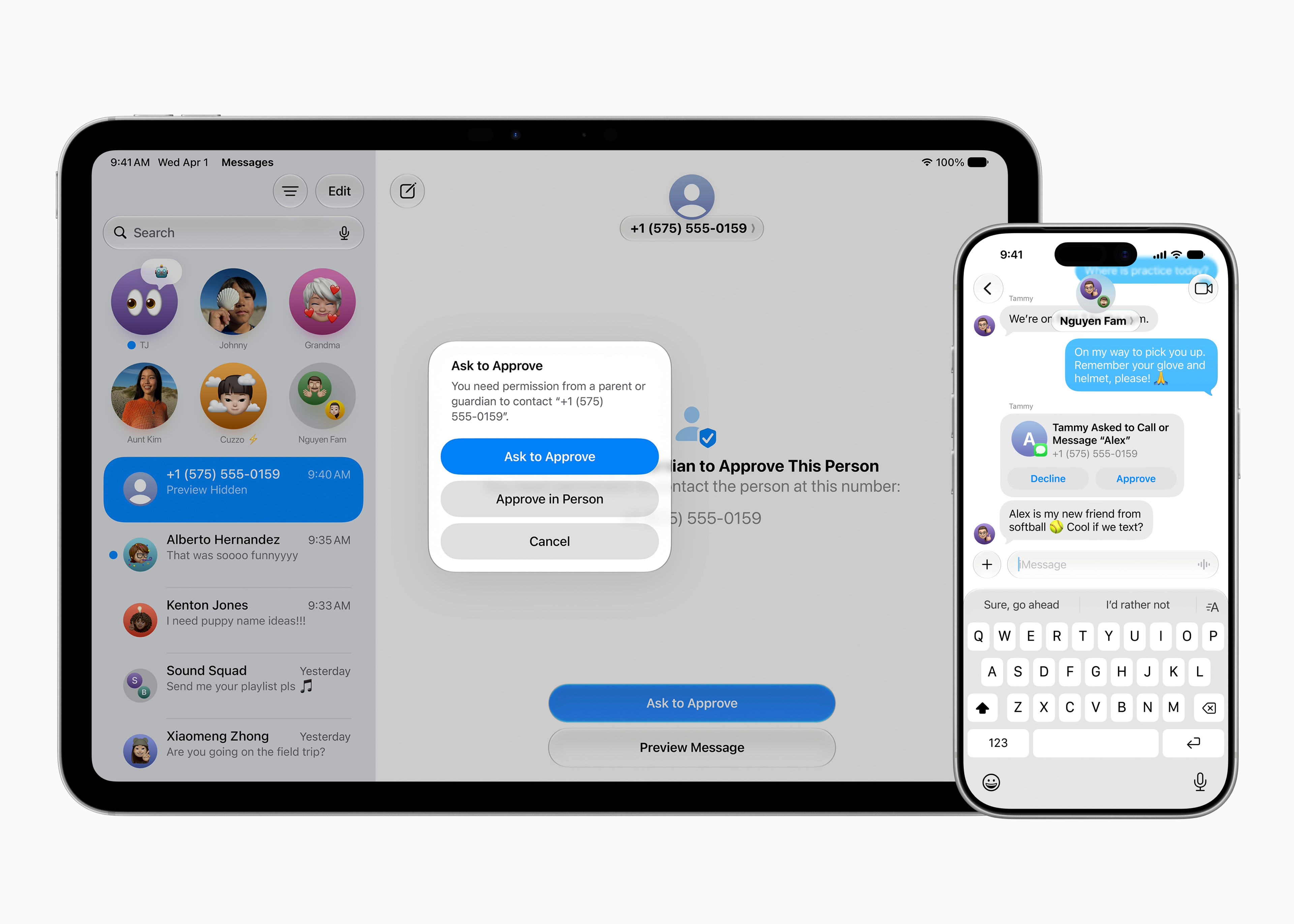
A new communication safety warns about nude images and intervenes, but will also be expanded to gore or violent content.Parents will have Time Allowances across entertainment, games, and social media, with shared allowances across all three, or you can set them individually. A redesigned Screen time will let parents see how devices are being used. Developers tools are being made more capable for third party apps to take advantage of the new features.
Golden Gate will be the first version of macOS to exclusively support Apple Silicon Macs. Last year, Apple announced that Tahoe would be the final major release to support Intel-based systems. (Intel Macs will still receive three years of security updates.) This is the last macOS release to support Rosetta 2, the tool that lets Apple Silicon computers run Intel applications through an emulation layer (though parts may stick around to keep legacy games running). Without Intel processors to support, Apple is urging developers to make native applications for its own silicon.
Support and Release Dates
Developer betas for the 27-suite of OS releases are available today, with public betas starting in July. Final releases are expected in the fall.
macOS 27 Golden Gate will be supported on devices with Apple Silicon. Apple's website specifies:
- MacBook Neo
- MacBook Air (2020 and later with Apple Silicon)
- MacBook Pro (2020 and later with Apple Silicon)
- iMac (2021 and later with Apple Silicon)
- Mac mini (2020 and later with Apple Silicon)
- Mac Studio (2022 and later with Apple Silicon)
- Mac Pro with Apple Silicon (2023)

Follow Tom's Hardware on Google News, or add us as a preferred source, to get our latest news, analysis, & reviews in your feeds.







 English (US) ·