
 2 hours ago
5
2 hours ago
5
There is no shortage of 27-inch gaming monitors to choose from. This size strikes a balance between screen area and desktop footprint. But who would turn down a 32-inch panel when it comes to the best gaming monitors? No one I can think of. It requires a bit more room, but if you have it, it’s a screen size that lets you keep multiple apps open and edit documents side by side. It’s also a great window for the detailed graphical worlds found in today’s most popular games.
Larger screens always cost more than smaller ones, or do they? Following my recent review of AOC’s U27G4XM, a 27-inch 4K Mini LED panel that sells for $350, I have the U32G4. It also uses a 4K panel with a dual-refresh operation that toggles between 4K/160 Hz and FHD 320 Hz. It forgoes the Mini LED for an edge array, but in doing so, it actually costs less while being larger, 32 inches diagonal. It also has Adaptive-Sync, wide gamut color, and HDR. Let’s take a look.
AOC U32G4 Specs
Swipe to scroll horizontally
Panel Type / Backlight |
IPS / W-LED, edge array |
Screen Size / Aspect Ratio |
32 inches / 16:9 |
Max Resolution and Refresh Rate |
3840x2160 @ 160 Hz |
| Row 3 - Cell 0 | 1920x1080 @ 320 Hz |
| Row 4 - Cell 0 | FreeSync and G-Sync Compatible |
Native Color Depth and Gamut |
10-bit / DCI-P3 |
| Row 6 - Cell 0 | HDR10, DisplayHDR 400 |
Response Time (GTG) |
1ms |
Brightness (mfr) |
450 nits |
Contrast (mfr) |
1,000:1 |
Speakers |
None |
Video Inputs |
1x DisplayPort 1.4 |
| Row 12 - Cell 0 | 2x HDMI 2.1 |
Audio |
3.5mm headphone output |
USB |
None |
Power Consumption |
25.8w, brightness @ 200 nits |
Panel Dimensions WxHxD w/base |
28.2 x 17.9-22.9 x 10.6 inches (716 x 455-582 x 269mm) |
Panel Thickness |
2.4 inches (61mm) |
Bezel Width |
Top/sides: 0.3 inch (8mm) |
| Row 19 - Cell 0 | Bottom: 0.8 inch (20mm) |
Weight |
18.1 pounds (8.2kg) |
Warranty |
3 years |
The U32G4 starts with an IPS panel that’s both fast and full of contrast. I measured around 1,100:1, which is a little higher than average for the category. Keep in mind that an OLED with similar specs will cost you close to $1,000, so this AOC is a terrific bargain. Speed comes from a 160 Hz refresh rate and a decent overdrive. You also get backlight strobing that can be used in concert with Adaptive-Sync. That’s something usually reserved for high-end gaming screens. The dual-mode feature doubles the Hertz to 320 and sets the resolution to FHD (1920x1080). That’s a bit soft for such a large screen, but it nearly eliminates motion blur.
Latest Videos FromTom's Hardware
There’s plenty of color and brightness here with 480 nits available for SDR content. Contrast is solid with respectable black levels that are a little lower than the average IPS panel. No Quantum Dots are used, but color coverage is measured at 90% of DCI-P3. HDR10 content is supported, with a VESA DisplayHDR 400 rating. And three HDR emulation modes work to increase the dynamic range of SDR material.
Gamers get a nice set of extras, including aiming points with a dynamic option, sniper modes, and a frame counter. There are no LED lights, USB ports, or internal speakers. But you do get a precise four-level overdrive and the backlight strobe, which can be used along with Adaptive-Sync. That’s a boon for those who want to stay at 4K resolution but don’t have a fast enough video card to run at 160 fps. Of course, the 320 Hz/FHD option is just a button click away.
If you’re willing to give up the U27G4XM’s Mini LED backlight, the U32G4 represents a phenomenal value. $320 for a 32-inch 4K gaming monitor? That’s a deal well worth checking out.
Assembly and Accessories
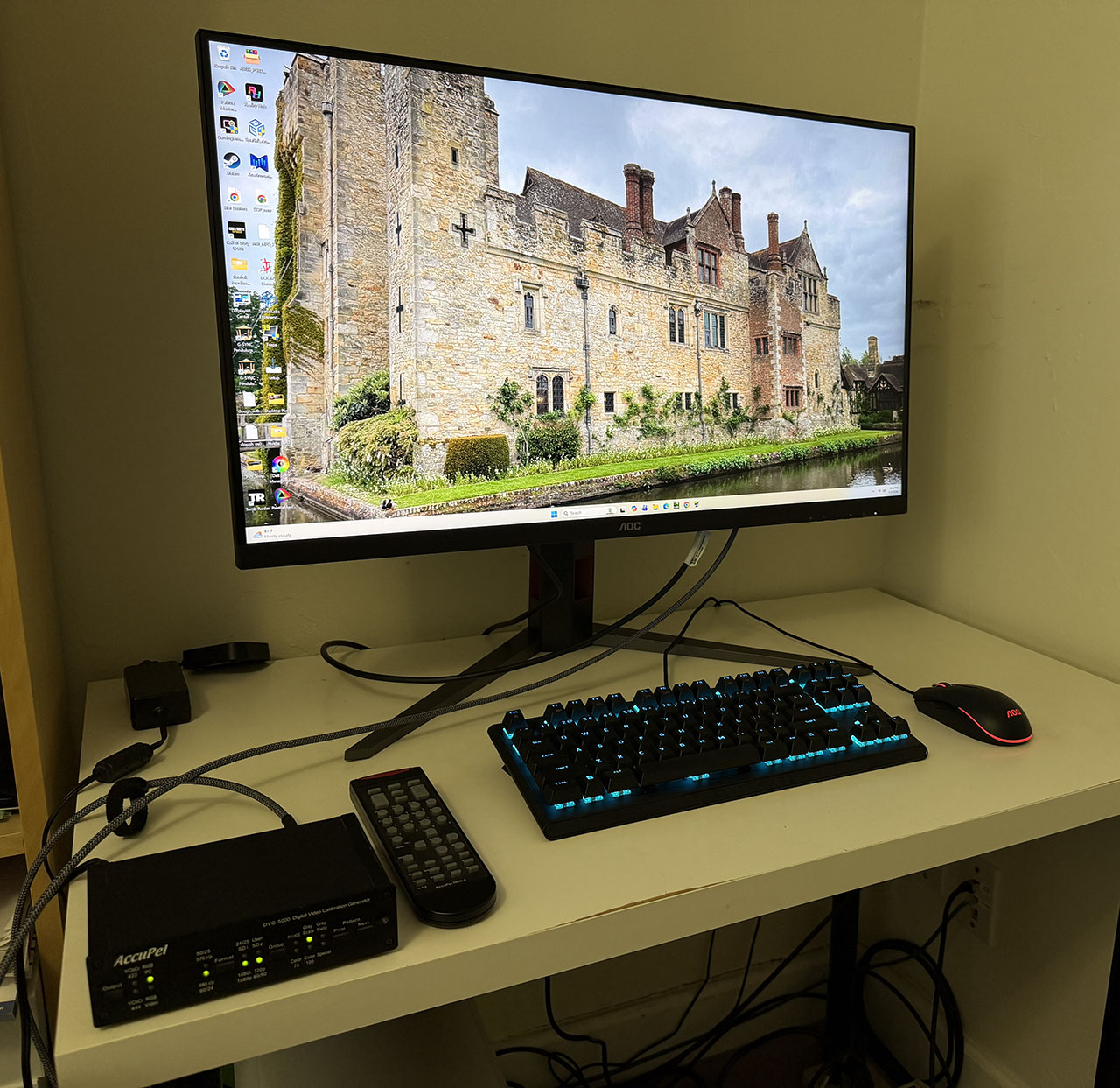
The U32G4 ships in crumbly foam packaging, with the base, upright, and panel requiring toolless assembly. Once done, it’s a reasonably solid piece with a wide stance and good stability. The power supply is internal, so you get an IEC cord plus DisplayPort and HDMI cables.
Product 360
Image 1 of 5
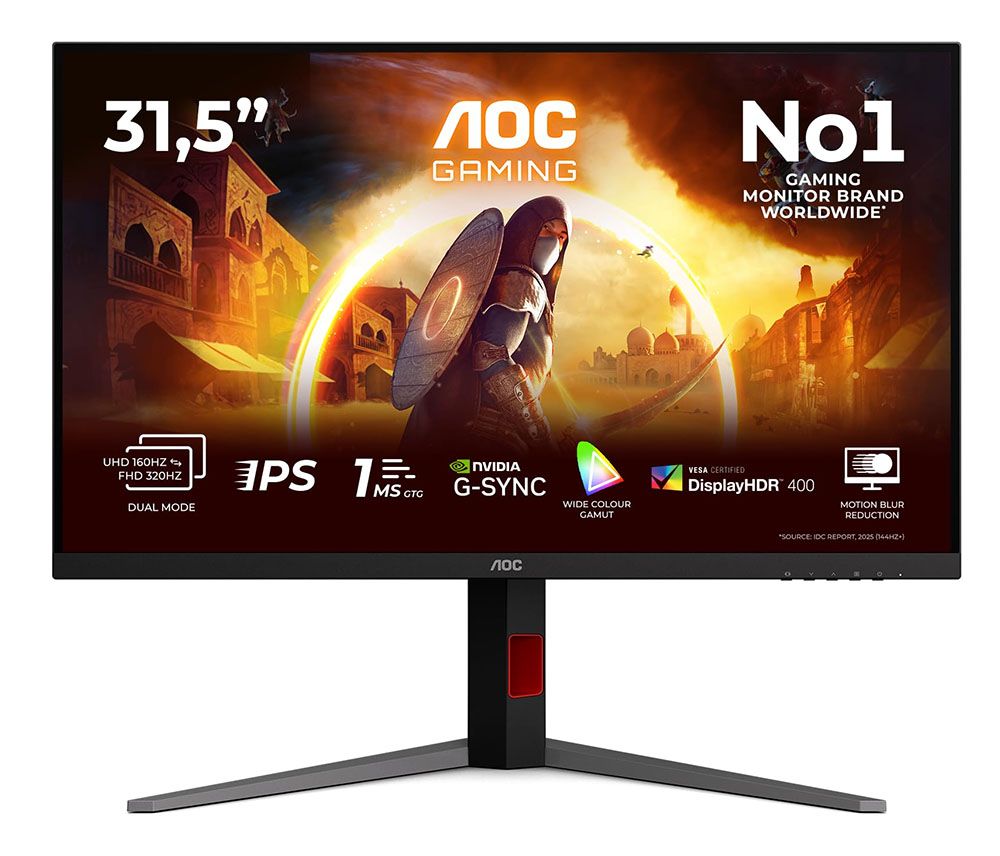
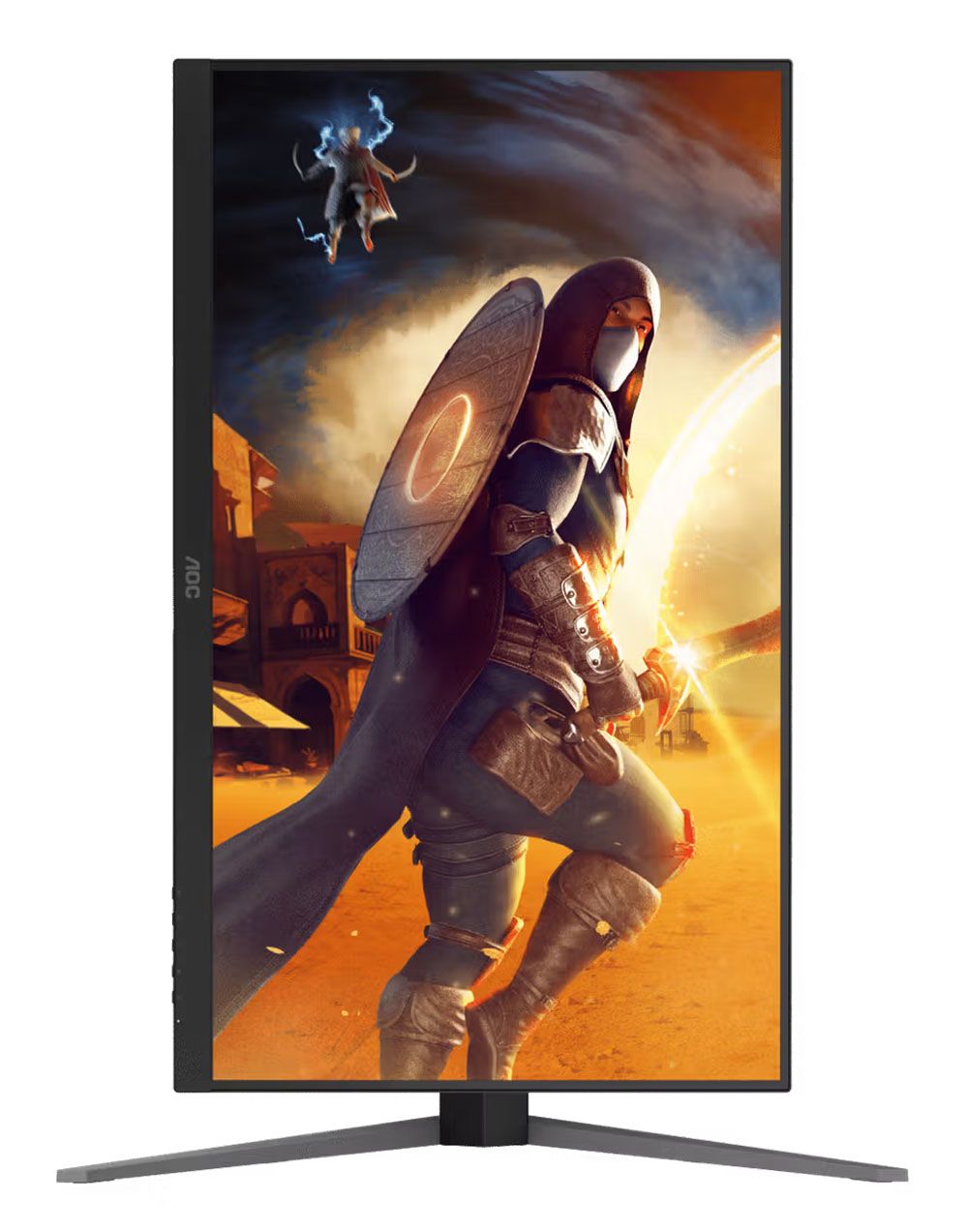
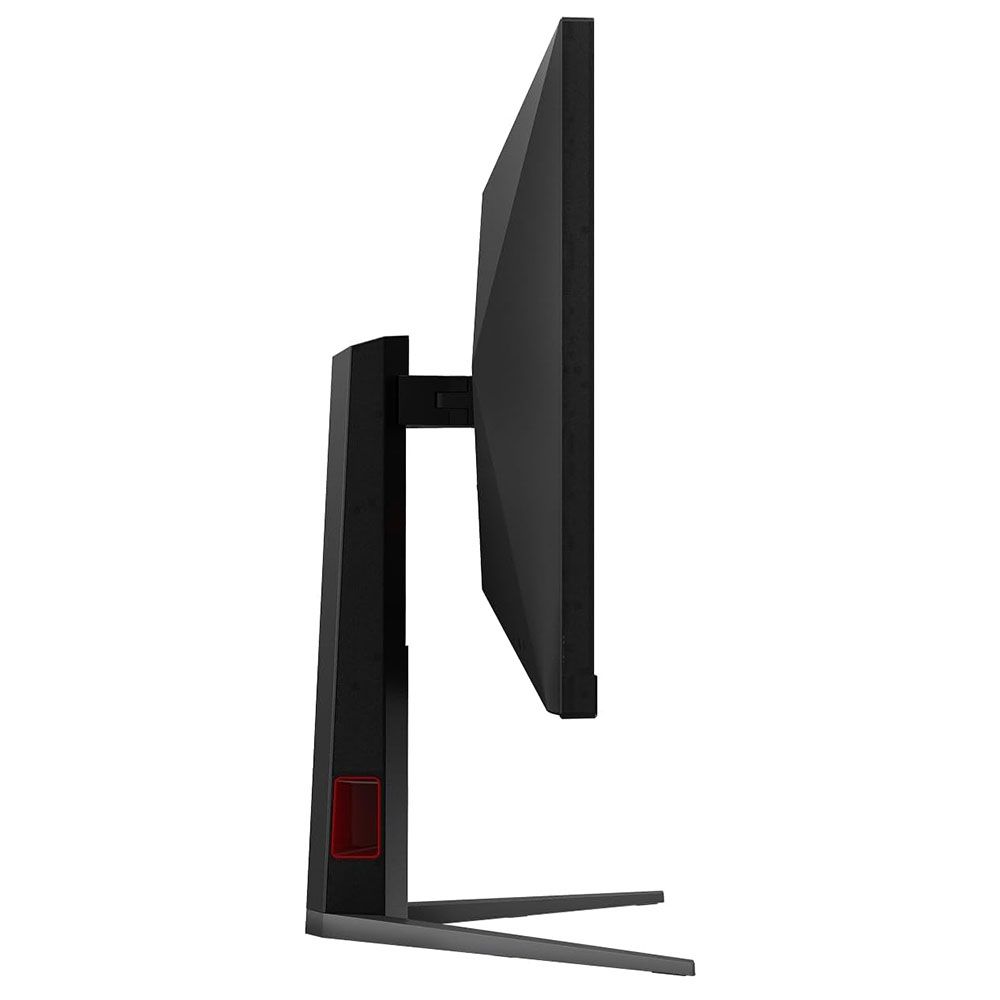
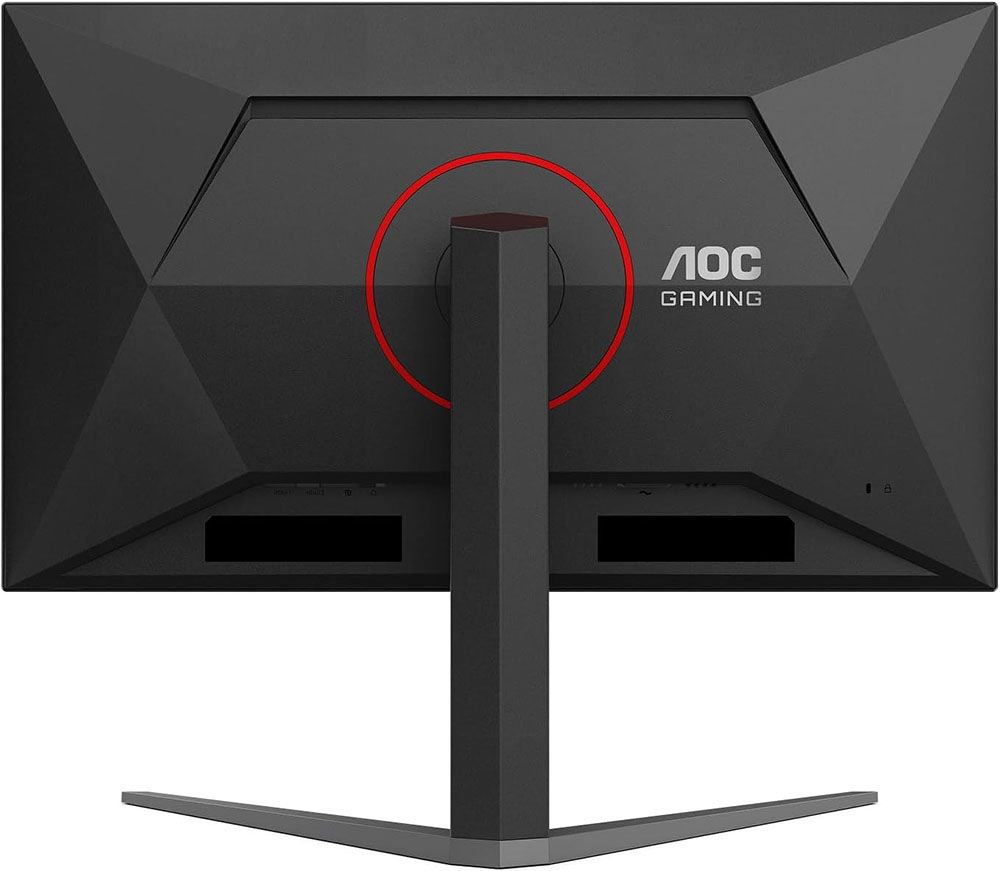
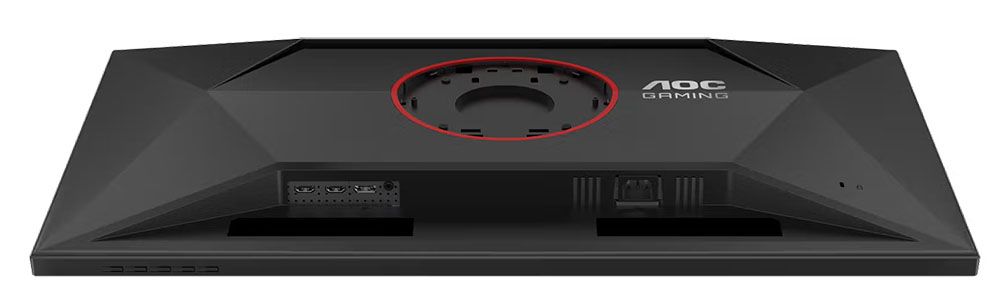
The U32G4’s styling is simple and elegant, with the panel’s shape formed from triangles in the back. A bright red trim ring encircles the fulcrum in the back and the words “AOC Gaming” appear as well. The cooling vents are hidden inside the gap you see at the top.
The screen has an 8 mm-wide flush bezel with a 20mm strip across the bottom. Under the right corner are four OSD control keys and a power toggle. A tiny status LED glows orange in standby and white when the power is on. The screen’s anti-glare layer keeps ambient light from spoiling the image while being clear and grain-free.
The stand is secure and tight in operation. It includes a red-trimmed cable hole that’s turned to the side, so it doesn’t show from the front. Ergonomics include a 5/23-degree tilt, 20-degree swivel, and a 5-inch height adjustment. You also get a 90-degree portrait mode. Movements are firm and smooth with little to no play. Though relatively lightweight, the U32G4 is a solid piece of gear.
There isn’t much happening on the I/O panel, except for a DisplayPort 1.4 port and two HDMI 2.1 ports. There are no internal speakers, but you can plug headphones into the 3.5mm jack. There are no USB ports or LED lighting. If you prefer to use a monitor arm, a 100mm VESA mount is provided with fasteners included.
OSD Features
To summon the U32G4’s OSD, press the right-most control key. Don’t press the power toggle by mistake, as I did several times. The menu is convenient and concise, and divided into seven sections.
Image 1 of 9
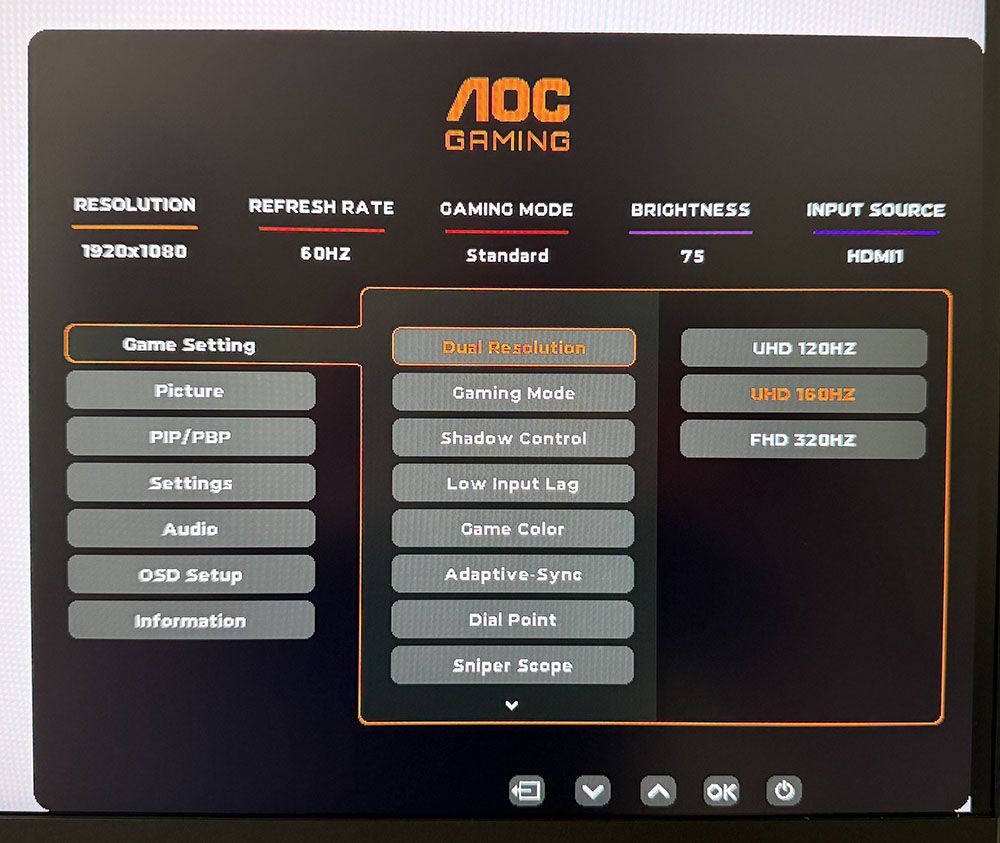
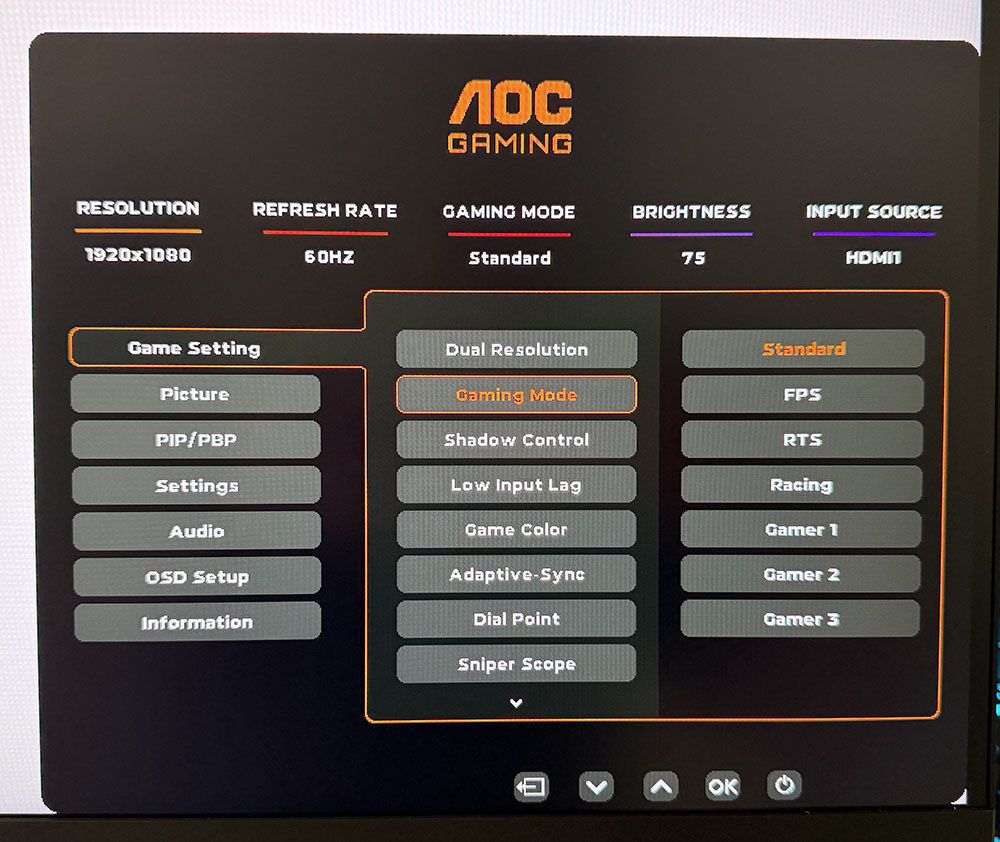
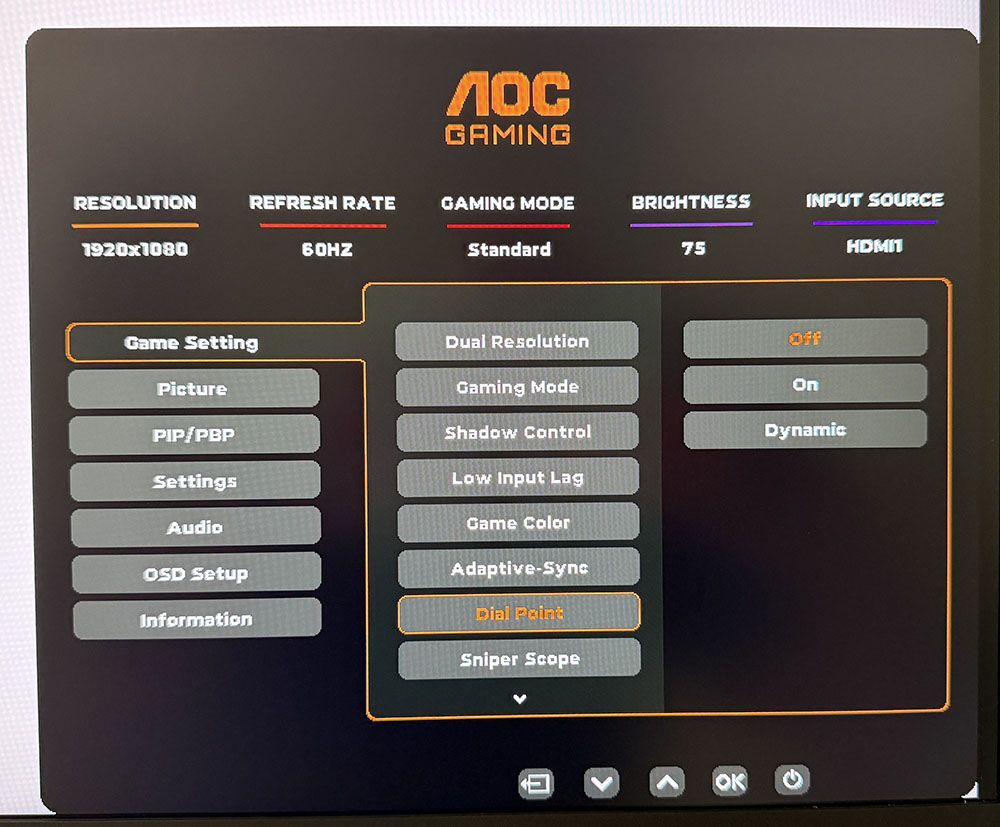
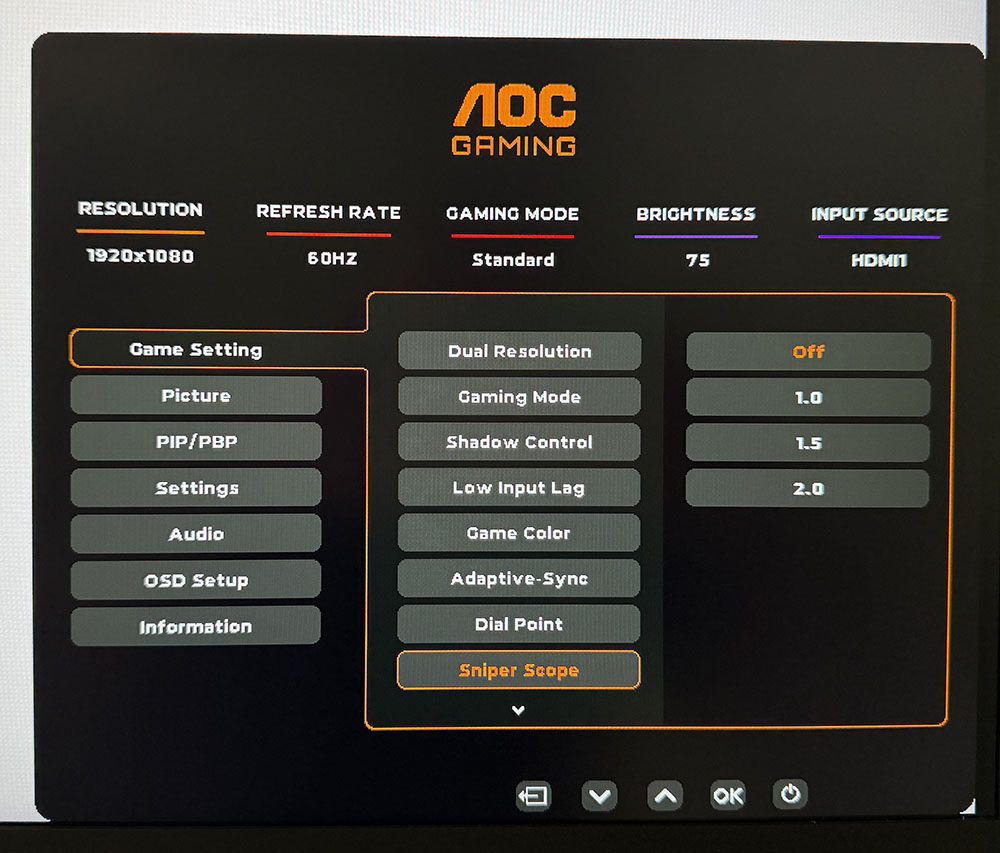
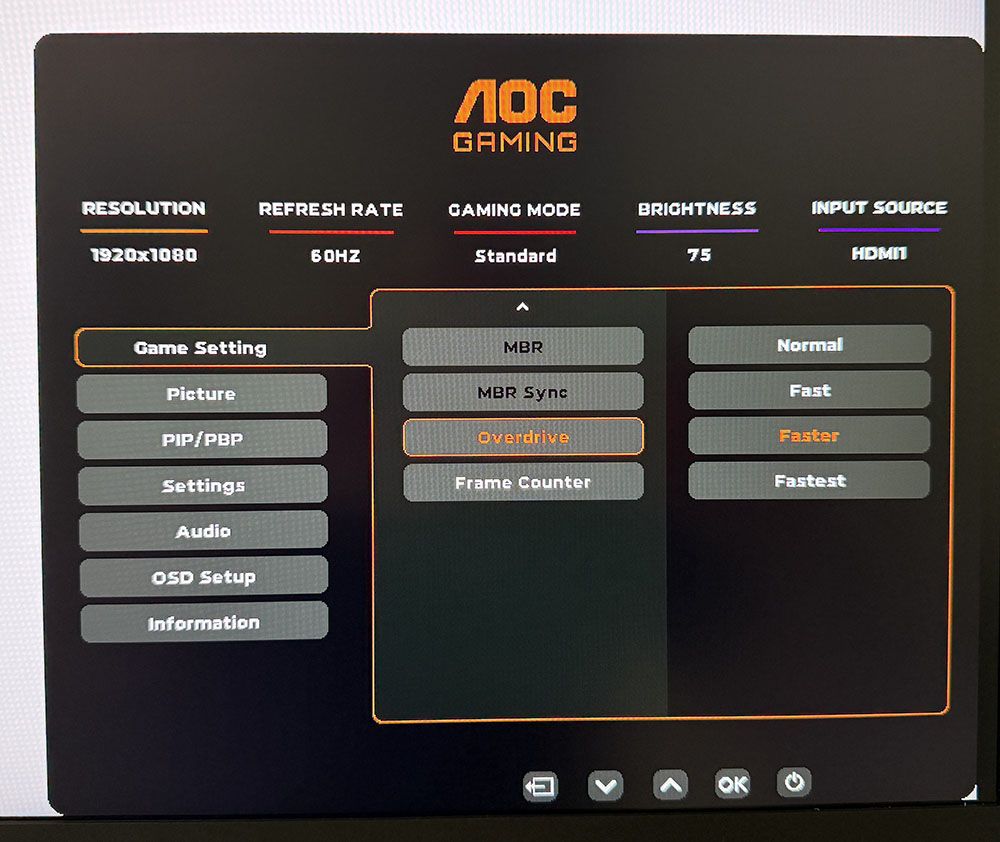
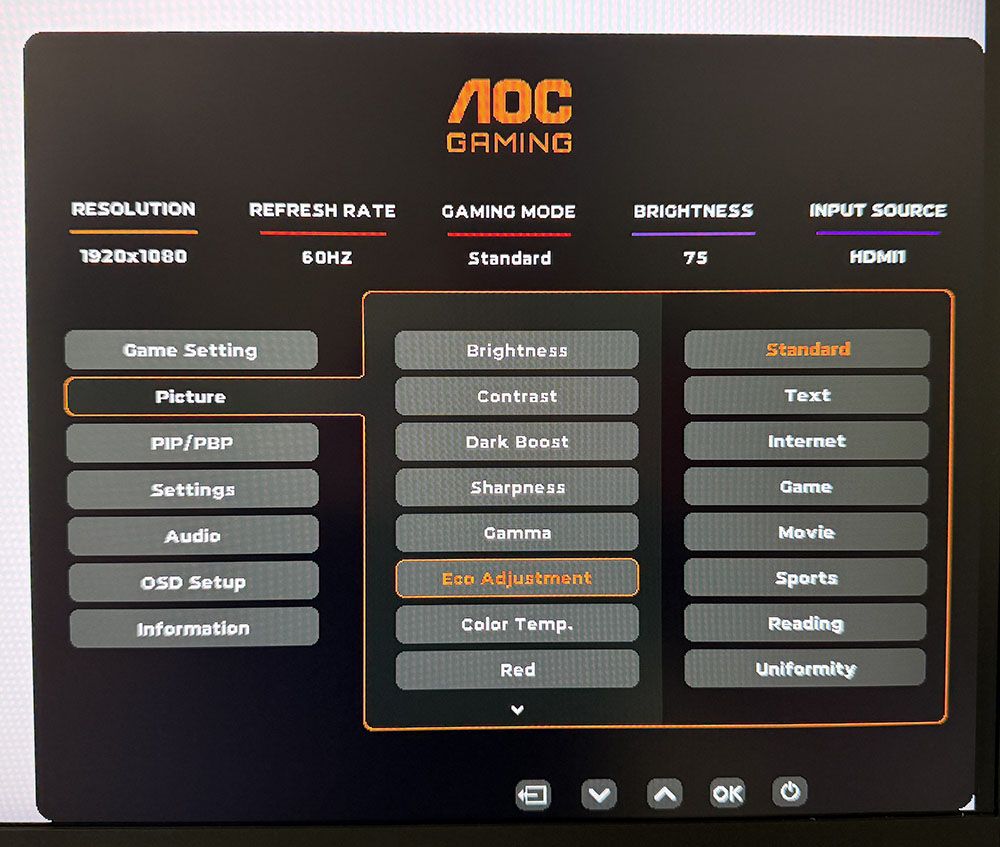
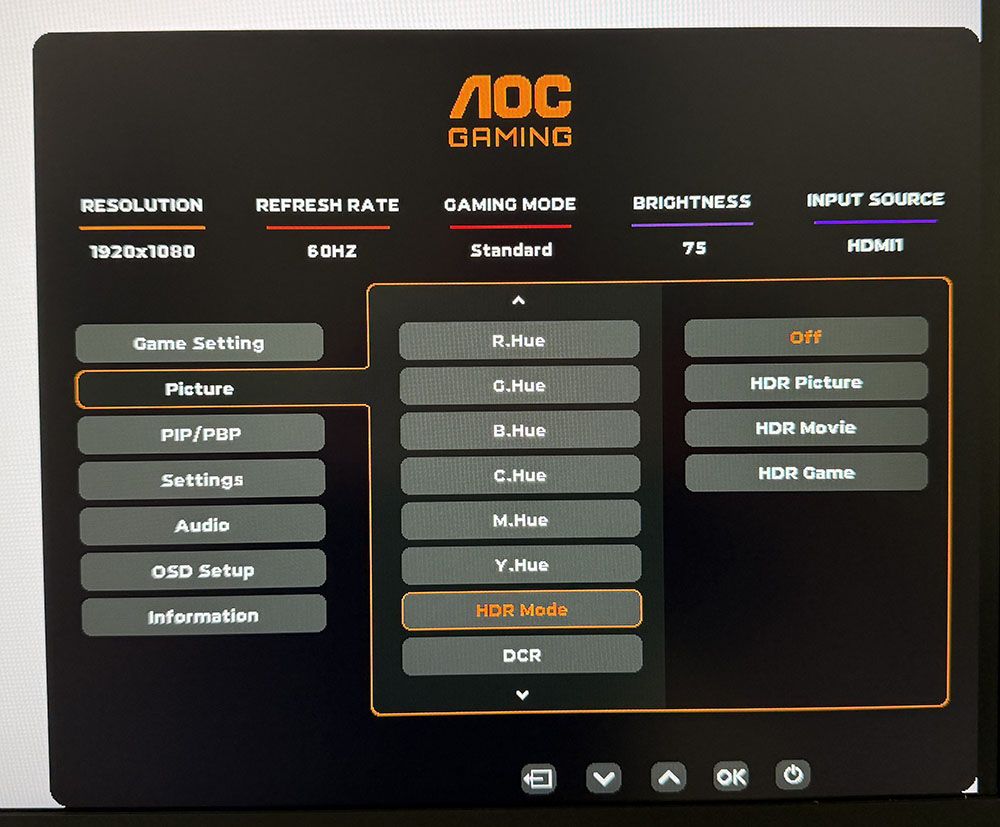
The Game Setting menu starts with the dual mode feature, which includes 4K 120 Hz, 160 Hz, and FHD 320 Hz modes. The quicker way to switch is to press the second button, which pops up a quick menu and changes modes in a few seconds. You’ll need to visit the Nvidia or AMD control panel once to set each mode, then you can toggle back and forth at will.
There are also game modes in addition to the Eco picture modes. That makes for many possible combinations, so I suggest sticking with Standard/Standard for all content. It’s the closest to spec and calibrates to a high standard. This menu also offers shadow control for low-end gamma, a color saturation slider, a dial point (the aiming point, static or dynamic), and three sniper magnifications. The second screen has MBR and MBR Sync, which is the blur-reducing backlight strobe. Sync means you can use it along with Adaptive-Sync. There is a little phasing, but it is effective at keeping blur at bay when frame rates drop below 120fps. You can also turn on a frame rate indicator. The overdrive has four levels, of which Faster strikes the best balance between ghosting and blur reduction at 160fps.
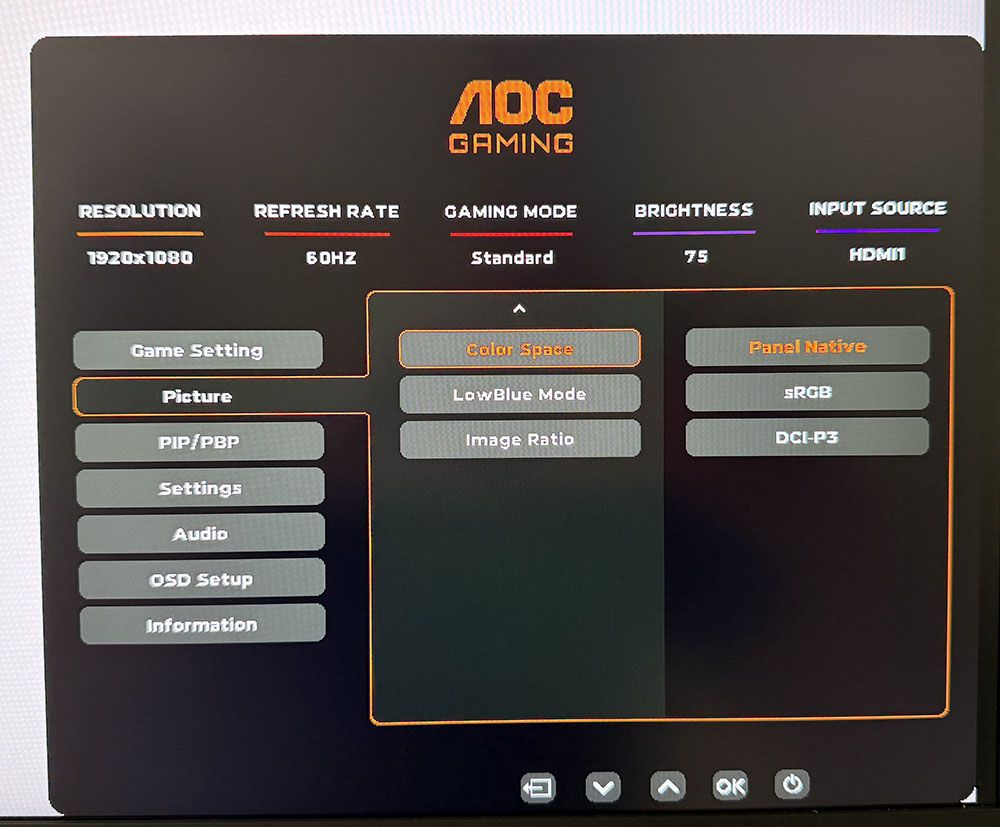
The Picture menu contains the eight main picture modes. Standard works the best, and I used it for all testing and gameplay. You can adjust the color temp with fixed modes and a set of RGB sliders. There are five gamma presets, color management and three gamut options. Panel Native covers around 90% of DCI-P3 and is suitable for all SDR and HDR content. The sRGB mode is accurate enough to qualify for color-critical applications.
There are three HDR emulation modes that extend the perceived dynamic range of SDR content. When HDR10 signals are present, a fourth mode appears, Display HDR. It is the best choice for its accurate grayscale, EOTF, and color tracking.
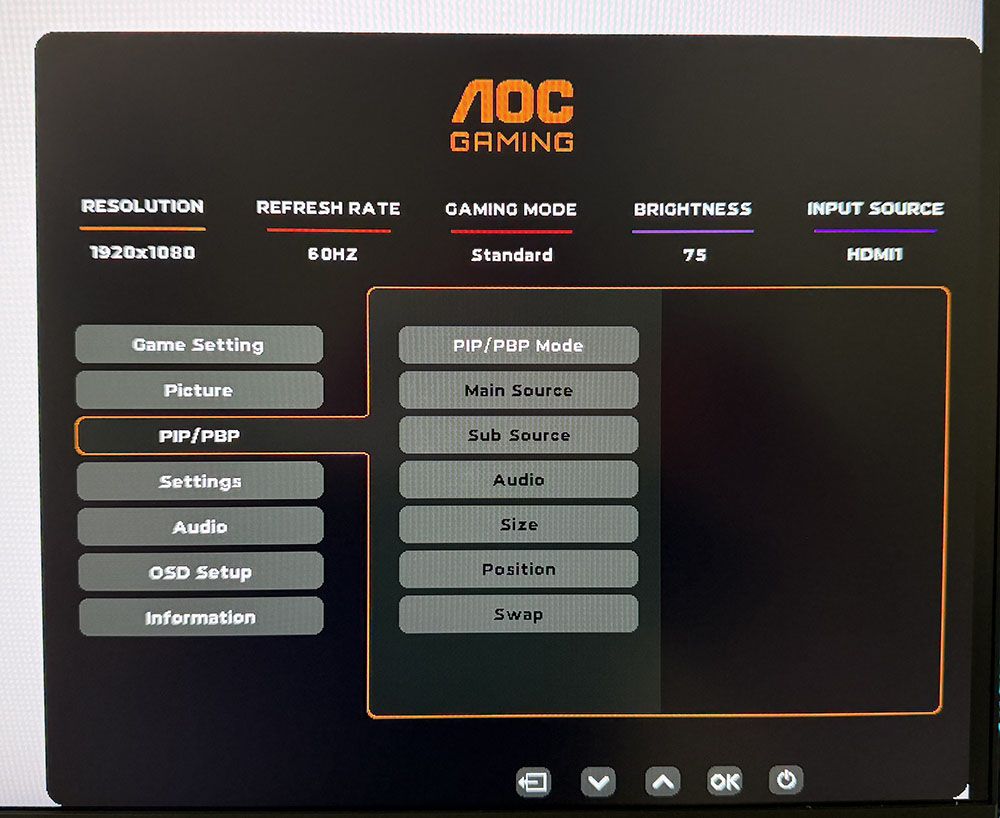
The only other peripheral feature I noted here was PIP and PBP. You can view two sources at once and the PIP window can be moved and sized. You can swap the windows and select which one plays audio through the DisplayPort or HDMI inputs.
AOC U32G4 Calibration Settings
The U32G4 looked a tad warm to my eyes, and initial measurements showed it was a little short on blue in grayscale patterns. It can be used without calibration, but a few tweaks to the RGB sliders removed all visible errors. Gamma runs a shade dark on the 2.2 setting. Changing it to 2.0 was too much; it washed out the image. I noted that the sRGB mode had no calibration options, but it tracked grayscale and color with reasonable accuracy, though it showed a few gamma quirks. I’ll tell you more about that on page four. HDR signals have four modes available, with Display being the best choice. They cannot be calibrated. Below are my recommended SDR settings. Please enjoy.
Swipe to scroll horizontally
Picture Mode |
Standard/Standard |
Brightness 200 nits |
62 |
Brightness 120 nits |
23 |
Brightness 100 nits |
13 |
Brightness 80 nits |
4 (min. 72 nits) |
Contrast |
50 |
Gamma |
2.2 |
Color Temp User |
Red 51, Green 49, Blue 51 |
Gaming and Hands-on
Right out of the gate, I could see how quick the U32G4 was. Even at a “mere” 160 Hz, it delivered smooth motion thanks to its precise and artifact-free overdrive. It’s one of the better implementations I’ve seen, especially at this price point. I used the Faster setting (third of four) and was rewarded with no perceivable motion blur. I was able to stay at 160fps thanks to a GeForce RTX 4090.
I tried the backlight strobe and found it effective at lower frame rates. I capped the action at 120 Hz and still had a smooth experience. It keeps Adaptive-Sync on, which is something I’m rarely able to do. There aren’t many monitors at any price that have that ability. If you have a slower video card, you can still enjoy 4K resolution at lower frame rates.
The dual-mode switch worked without issue once I set it up in the Nvidia control panel. You can toggle it in the OSD or press the second control key for a quick menu that does it faster. Running FHD on a 32-inch monitor is soft at best, but there’s no denying the benefit of 320fps. The U32G4 is quick at 160 Hz and super-quick at 320 Hz. This is also a good way to enjoy high frame rates from a budget gaming PC.
There are no Quantum Dots here, so I missed a little green saturation. But otherwise, the U32G4 is very colorful. DCI-P3 coverage is around 90%, so there is plenty of color for SDR content. The sRGB gamut option is useful when a smaller color space is needed, but I noticed slight gamma issues. Shadow areas were a bit light, and some highlights were muted. You can see why in the tests on page four.
For workday tasks, I stuck with Panel Native and a few tweaks to the RGB sliders to remove all grayscale errors. Gamma is a shade dark, but there is no loss of detail. Set the brightness slider to 200 nits, and you’ll enjoy a vivid and pleasing image.
4K at 32 inches has plenty of pixel density at 139ppi. That’s fine enough to hide the dot structure unless you sit inches from the screen. Text is smoothly rendered without visible jaggies. Graphics look realistic with photos being particularly enjoyable. That might have something to do with the large format. 32 inches is my go-to and it’s the size of my reference screen. It’s perfect for writing where I need to keep extra windows open to refer to charts and data. Spreadsheets can be viewed with much less scrolling, and webpages display more of their content too. Photoshop lets you see the picture and keep lots of toolbars at hand.
Takeaway: For $320, it’s hard to imagine a better 4K gaming monitor than the U32G4. It’s fast, bright, and colorful. It doesn’t have USB ports or internal speakers, but it does have all the goods for high-performance gaming with low input lag, smooth motion resolution, and accurate color. It’s equally adept at productivity with lots of screen area for documents and large, clear text. If you have the desktop space for something bigger, a 32-inch monitor is a great option.
MORE: Best Gaming Monitors
MORE: How We Test PC Monitors
MORE: How to Buy a PC Monitor





 English (US) ·