
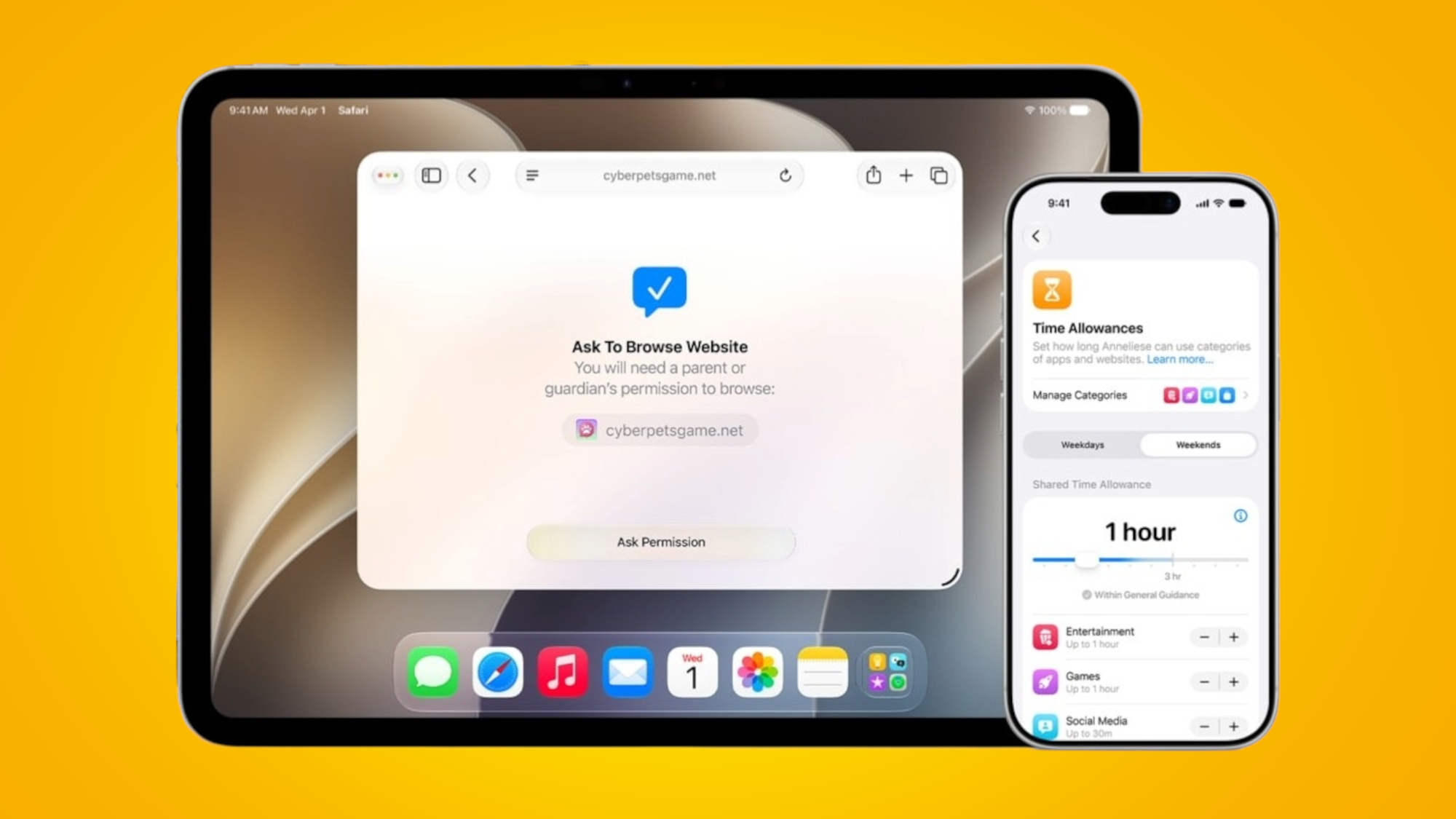
Child accounts for Apple devices aren’t new, but at WWDC 2026, Apple made a big push into child safety, announcing various new and redesigned features that parents can make use of to keep their kids safe.
But these features don’t come at the expense of flexibility, as parents will be able to customize their child’s experience and access according to their needs and preferences.
These features and improvements will be rolling out with iOS 27, iPadOS 27, and macOS 27 later this year, and we’ve detailed them below.
1. Ask to Browse
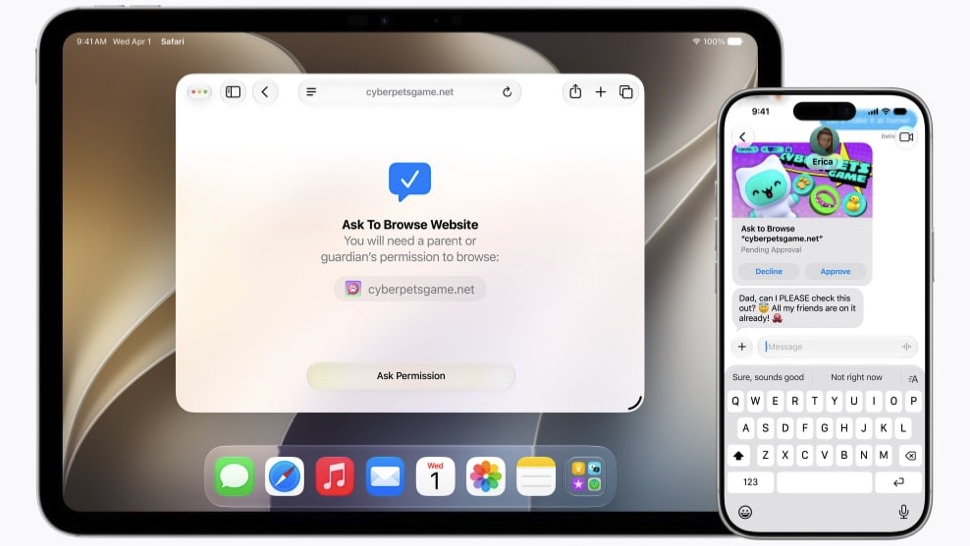
Apple had already solved the problem of kids downloading apps and making in-app purchases with the Ask to Buy feature, which requires parental approval for any of that. But now, the company is adding a similar tool for the internet called Ask to Browse.
With this, if you choose to enable it, your child will have to get parental permission before browsing new sites in Safari. So, rather than simply blocking unsuitable content, you can go a step further and only grant permission for specific sites.
2. Allowed apps
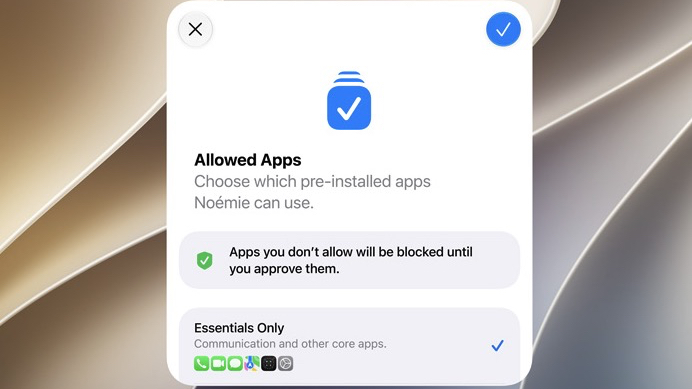
When you first set up a child account, you’ll be able to customize exactly which pre-installed apps the child will have access to.
You’ll be able to either choose specific individual apps, what Apple considers “essentials”, or a recommended set. Then, if they ever want to access others, they’ll need parental permission first.
This essentially extends the Ask to Buy feature to apps that are already on the phone, giving you total control.
3. Controlled communication
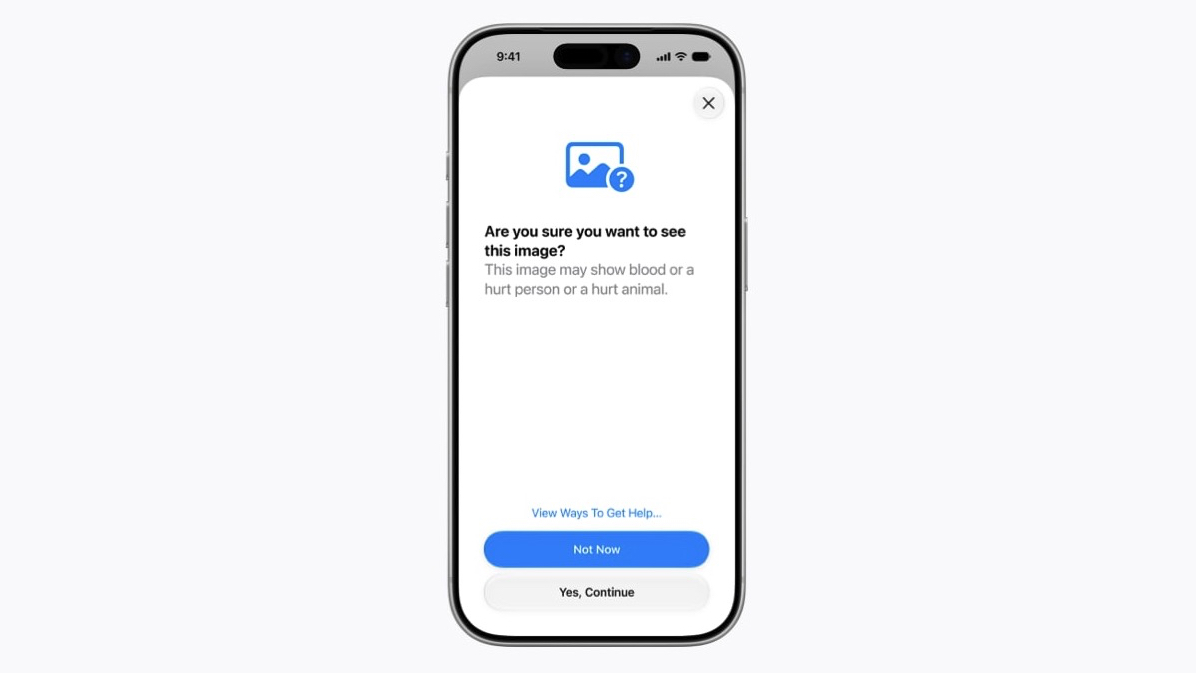
Apple is also making it easier for parents to control who their kids can talk to over Messages, FaceTime, and through the Phone app, with a requirement for kids to ask permission before talking to anyone new.
Plus, Communication Safety — a tool that already blurs nudity when detected in Messages and FaceTime calls — will soon also block gore and violent content when it’s detected in shared images and videos.
4. Time Allowances
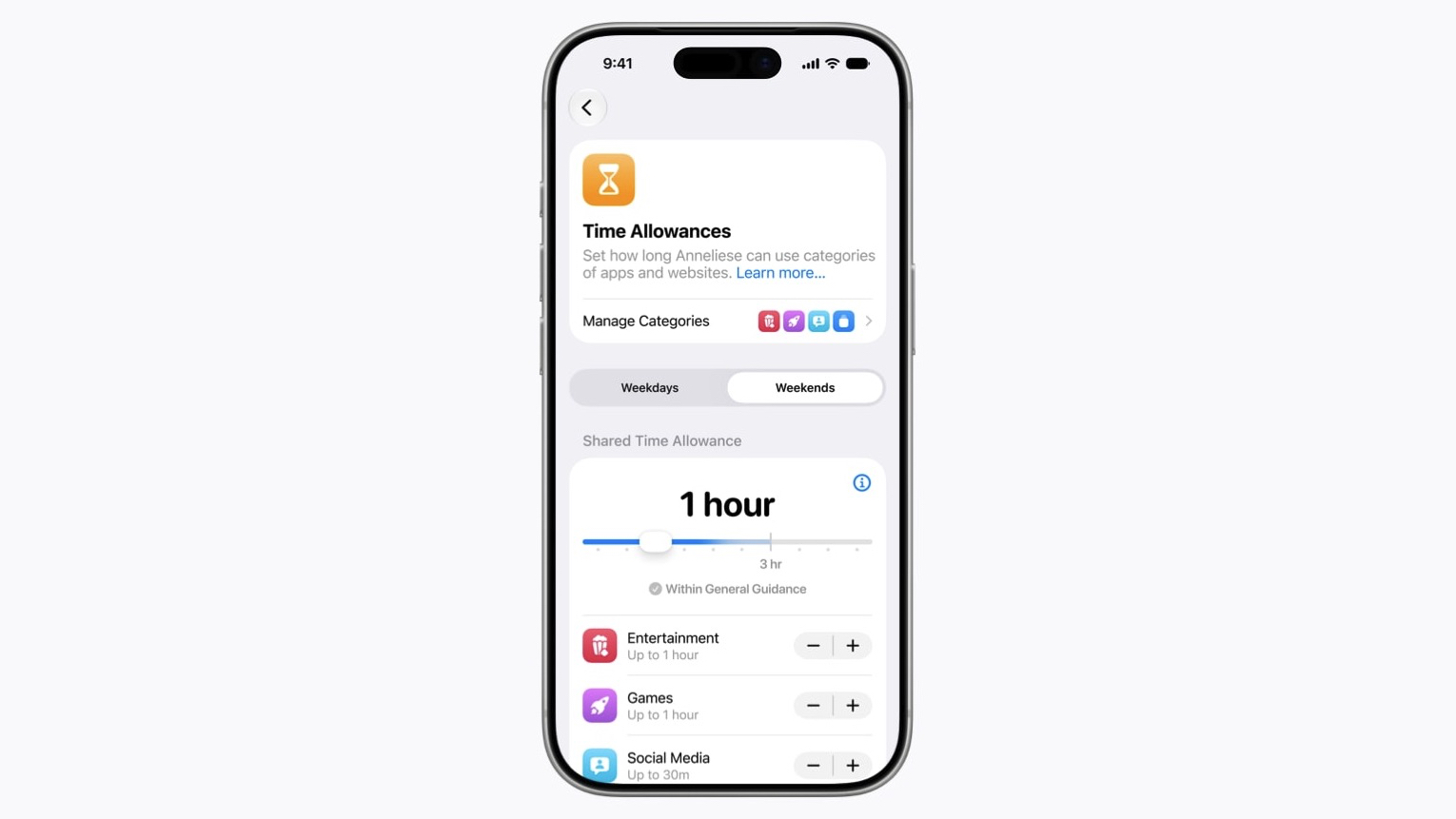
With Time Allowances, parents will be able to set time limits for specific types of apps, such as ‘entertainment’, ‘games’, and ‘social media’, with different allowances for each category. And the feature also includes guidance based on expert research to help give suggestions on how long the limits should be set to according to a child’s age.
Additionally, you'll be able to set daily schedules to restrict the apps a child has access to at certain times of the day.
5. A Screen Time redesign
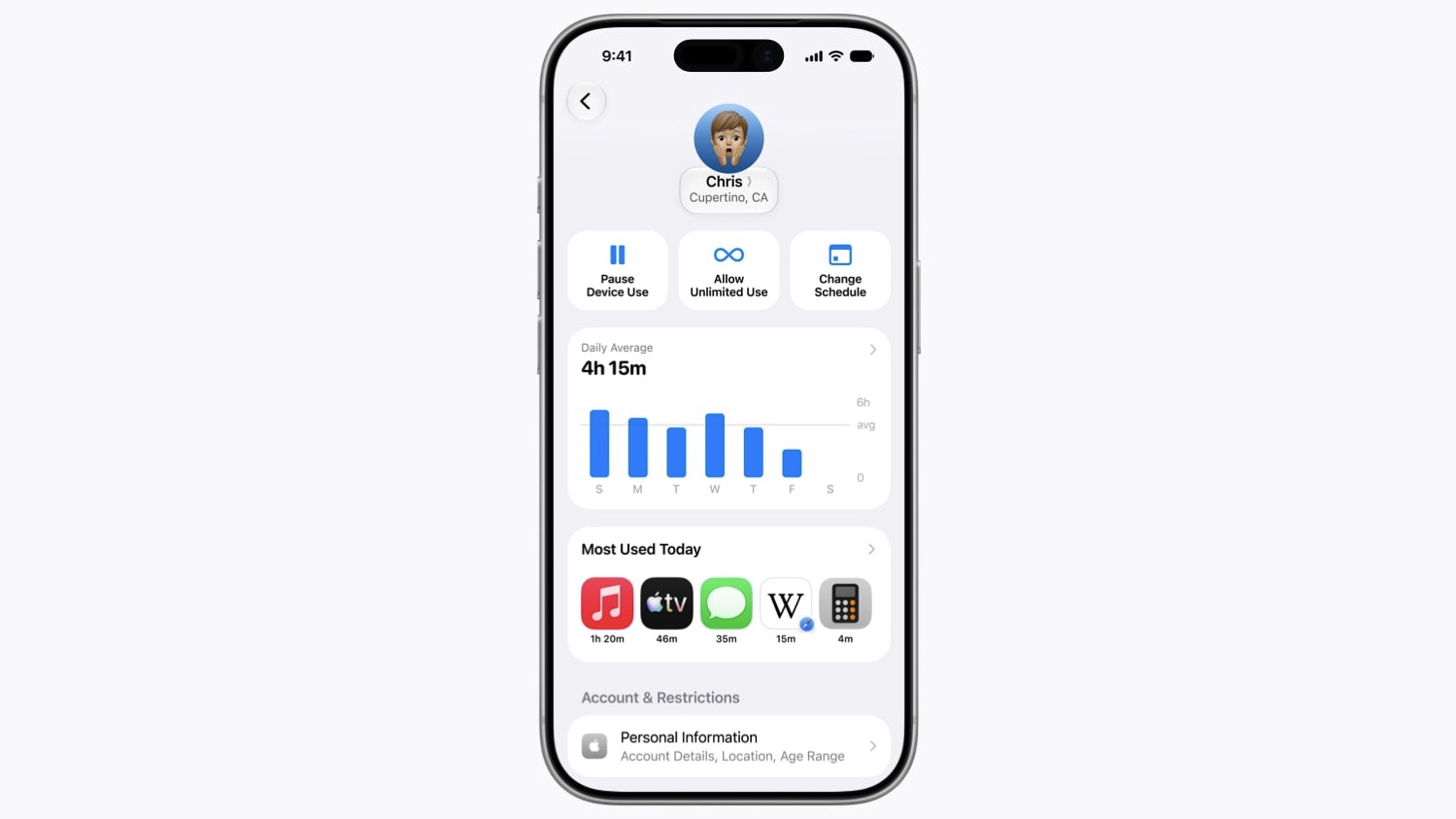
The Screen Time interface is also being redesigned so that it will provide an at-a-glance overview of how much time a child is spending on their device and which apps are being used most.
From Screen Time, you’ll also be able to make adjustments to app access with a tap, making managing and adjusting screen time limits easier.
We've published a deep dive into Apple's new Screen Time redesign elsewhere on TechRadar, if you're interested in learning more.

Follow TechRadar on Google News and add us as a preferred source to get our expert news, reviews, and opinion in your feeds. Make sure to click the Follow button!
And of course you can also follow TechRadar on TikTok for news, reviews, unboxings in video form, and get regular updates from us on WhatsApp too.








 English (US) ·